iBFD

iBFD

Baixar no App Store
Spark by MWM logo
Logo de iBFD

iBFD: Seu Conjunto de Segurança e Display de Voo de Reserva Essencial

Aumente a segurança da sua cabine com instrumentos de reserva de nível profissional no seu iPhone ou iPad. Com um Indicador de Atitude de precisão, tecnologia de fusão de sensores e Gravação de Dados de Voo integrada para total tranquilidade em cada voo.

Editor

Tatsuo Saeki

Categoria

Navigation

Downloads

106K+

Avaliação

3.8/5

Total de avaliações

0

Idiomas

1

Precisão em Exibição

Descubra a interface usada por 106K+ usuários.
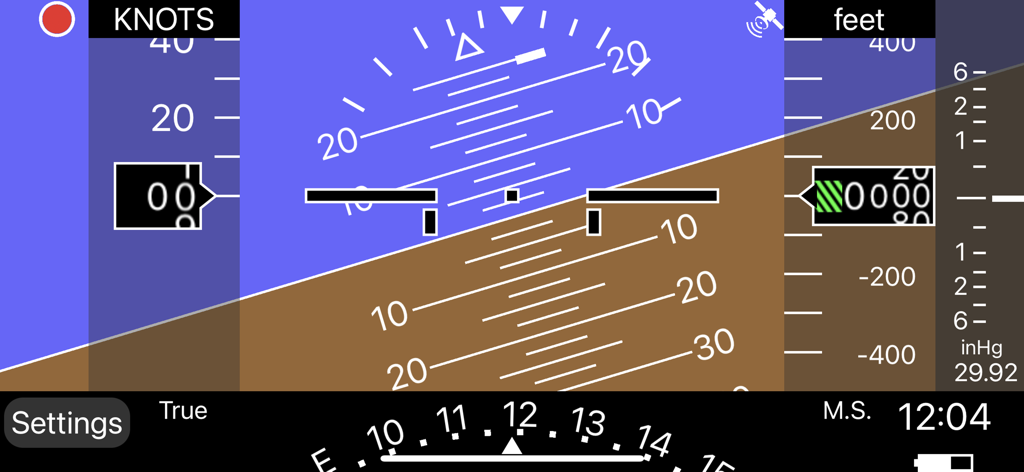
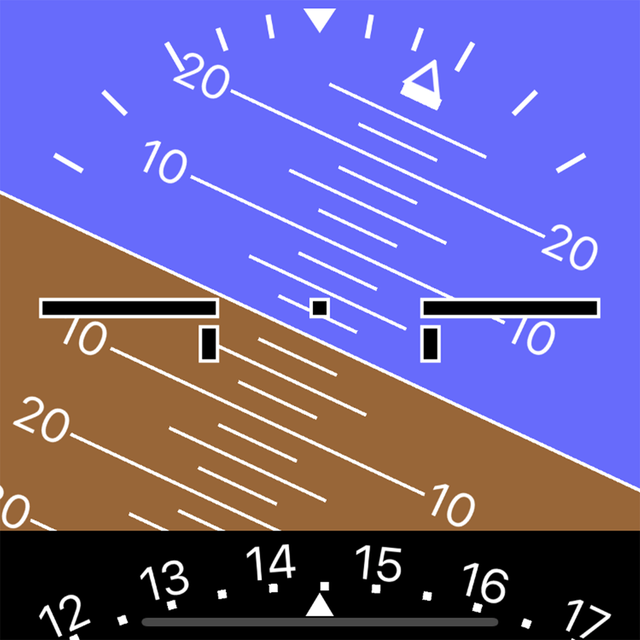
Interface de display de voo de reserva digital com indicador de atitude e medidor de altitude

Interface de display de voo de reserva digital com indicador de atitude e medidor de altitude

Tela de configurações do aplicativo iBFD mostrando opções de configuração para o display de voo, unidades e sensores.

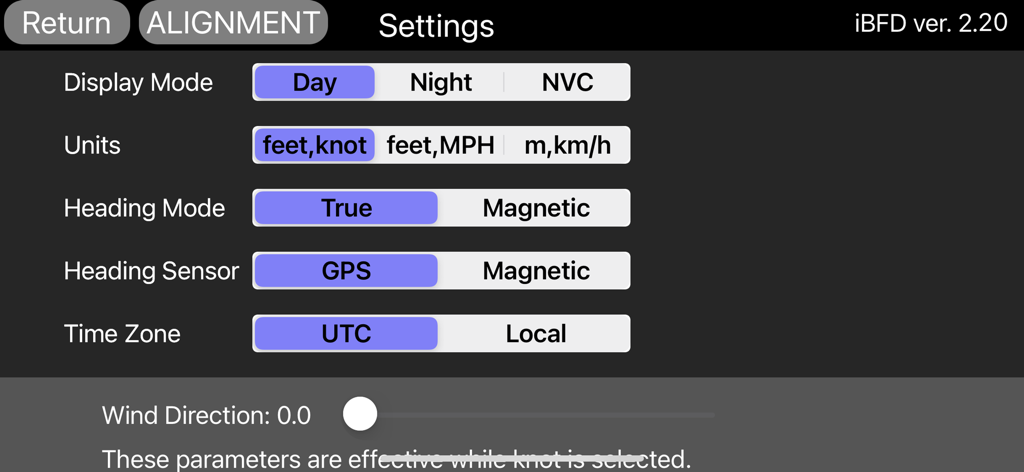
Tela de configurações do aplicativo iBFD mostrando opções de configuração para o display de voo, unidades e sensores.

Instrumentos de Reserva de Nível Profissional

As ferramentas que destacam este app, escolhido por 106K+ usuários.

🎛️

Conjunto de Voo Integrado

Acesse um painel secundário completo com indicadores de Atitude, Rumo e Velocidade Vertical alimentados pela precisão avançada do filtro de Kalman.

⏺️

FDR e Gravação de Voz na Cabine

Melhore sua cultura de segurança com gravação de dados de voo e voz integrada, fornecendo documentação essencial para cada missão.

🛡️

Confiabilidade Pronta para Emergências

Esteja preparado para qualquer cenário com os modos Dia, Noite e NVC, garantindo navegação de alta visibilidade e orientação de aeroportos em momentos críticos.

Amado por usuários no mundo todo

Com a confiança de 106K+ pessoas que amam este app.

"

"Como piloto privado voando em um Cessna dos anos 70 com um único sistema de vácuo, o iBFD é minha tranquilidade total. Durante um voo recente de cross-country, ele serviu como uma reserva perfeita para meus instrumentos primários. O Indicador de Atitude é notavelmente estável, e o recurso FDR é fantástico para revisar minhas manobras pós-voo. É uma peça essencial de seguro digital para qualquer cabine de aviação geral."

David Miller, Piloto Privado (ASEL)
"

"A lógica de fusão de sensores no iBFD é genuinamente impressionante em comparação com outros aplicativos. Eu o mantenho rodando no meu iPhone montado no suporte de proteção solar enquanto uso meu iPad para navegação. A precisão dos dados de pitch e roll é de alto nível, e o modo NVC é um salva-vidas para preservar a visão noturna durante as chegadas no final da noite. Uma ferramenta indispensável para pilotos que priorizam segurança e redundância."

Sarah Jenkins, Instrutora de Voo

Sobre o app

Tudo o que você precisa saber sobre iBFD.

Descrição

integrated Backup Flight Display (iBFD) Pilots understand the risk of a primary flight instrument failure while flying. In certain situations the loss of the Attitude Indicator is perhaps the greatest risk a pilot can face. This iPhone based integrated Backup Flight Display (iBFD) is an inexpensive, easy to operate tool intended to reduce risk and improve safety if an instrument fails and no other backup is available. This application consists of an Attitude Indicator, Heading Indicator, Altimeter, Vertical Speed Indicator, speed Indicator, Side Slip Indicator, and Clock. Furthermore, in the portrait mode of the iPad, a Map is displayed below the Attitude Indicator, and when you enter an airport code such as KFTW, the direction and distance to the airport are displayed. It can also be used as Flight Data Recorder(FDR) and Cockpit Voice Recorder(CVR). This function is activated by touching the red circle in the upper left corner. Recording is stopped by touching the red circle again or it will be stopped automatically when large G is applied. iBFD uses the iPhone's 3 axis Gyro sensor as its primary sensor. Pitch and Roll angles are calculated using the Gyro data and the same algorithm as strap down Inertial Reference Systems (IRS). GPS and Accelerometer are used with Kalman filter as sensor fusion to prevent gyro drift and improve Accuracy. The iBFD performs noticeably better than other comparable applications on the market. Unfortunately the iBFD doesn't have FAA certification. It doesn't have enough reliability for use as Primary Flight Instruments, and neither our software nor your iPhone have been subjected to rigorous certification tests. And the accuracy of Map and Airport Information is not guaranteed. All information displayed on the iBFD is for reference only! Therefore, we are not responsible for any death, injury or damage as a result of using the iBFD. USE THIS DEVICE AT YOUR OWN RISK! Nevertheless, during an In Flight Emergency having an iBFD is far better than having no instrument at all. Particularly if in a limited visibility situation with an inoperative Attitude Indicator. Engine vibration can affect accuracy of the iBFD, so special consideration must be given to mounting the iPhone to the cockpit instrument panel or glare shield. Other features (1) There are three display color modes; Day, Night or NVC. (2) Altitude/Speed is selectable in units of feet/knots, feet/MPH or meter/kilometers per hour. (3) Airspeed is calculated using GPS Speed, Wind Direction, and Wind Velocity. Wind Direction and Velocity are obtained via ATIS and set manually. (4) Pitch angle zero can be adjusted manually by touching center of the display or slider setting. (5) Magnetic Heading or True Heading, and GPS or M.S.(Magnetic Sensor) are selectable. (6) Settings Window for entering parameters and user preferences. (7) Battery Icon indication. (8) Recorded data can be accessed by Files. (9) Magnetic Heading can be adjusted with the slider. (10) Function to correct roll angle. However, when performing this function, the iPhone needs to be correctly placed horizontally. (11) Local time or UTC is selectable. (12) GPS Altimeter and Barometric Altimeter. (13) Roll indication by Sky pointer and Ground pointer. Note: Initial roll and pitch angle are calculated using the accelerometer at the time of alignment (same as real IRS). Therefore, if acceleration due to motion is applied during alignment, an angle error will occur. However, such initial angle error automatically decreases with time and disappears after a few minutes in case of level flight.

Última versão

2.30

Tamanho

12.9 MB

Data de lançamento

1 de mar. de 2017

Voe Preparado. A Redundância Essencial da Sua Cabine Começa Aqui.

Junte-se a mais de 100.000 pilotos de aviação geral que confiam no iBFD para reserva de emergência e gravação de voo. Baixe hoje para a máxima tranquilidade.

Baixar no App Store