iMPC Pro 2 for iPhone

iMPC Pro 2 for iPhone

Baixar no App Store
Spark by MWM logo
Logo de iMPC Pro 2 for iPhone
iMPC Pro 2 para iPhone: A Potência Icônica de Criação de Batidas no Seu Bolso

Leve o lendário fluxo de trabalho do Akai Professional para o seu estúdio móvel. Amostre, corte e mixe batidas padrão da indústria com um mixer de 64 faixas, integração AU e a icônica interface de 16 pads – onde quer que a inspiração surja.

Baixar no App Store

Editor

Akai Professional

Categoria

Music

Downloads

214K+

Avaliação

4.5/5

Total de avaliações

2K+

Idiomas

1

O Poder do MPC, Visualizado

Descubra a interface usada por 214K+ usuários.
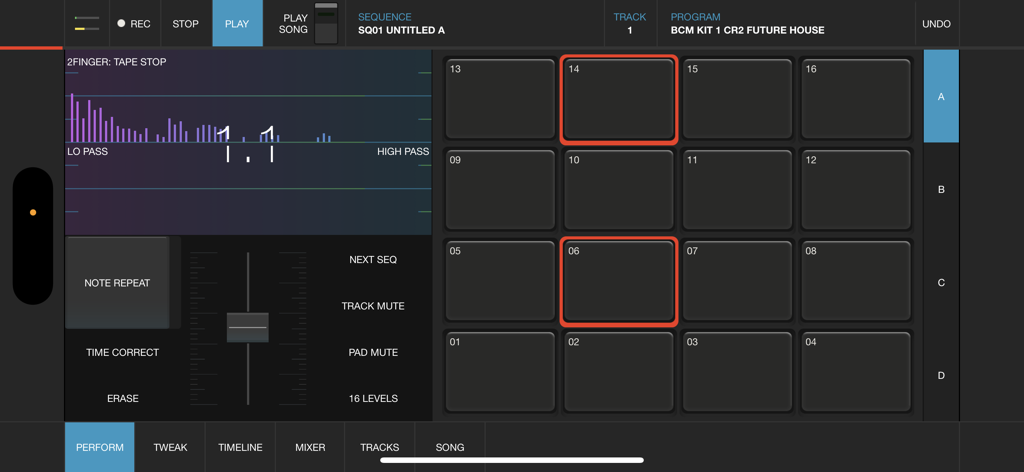
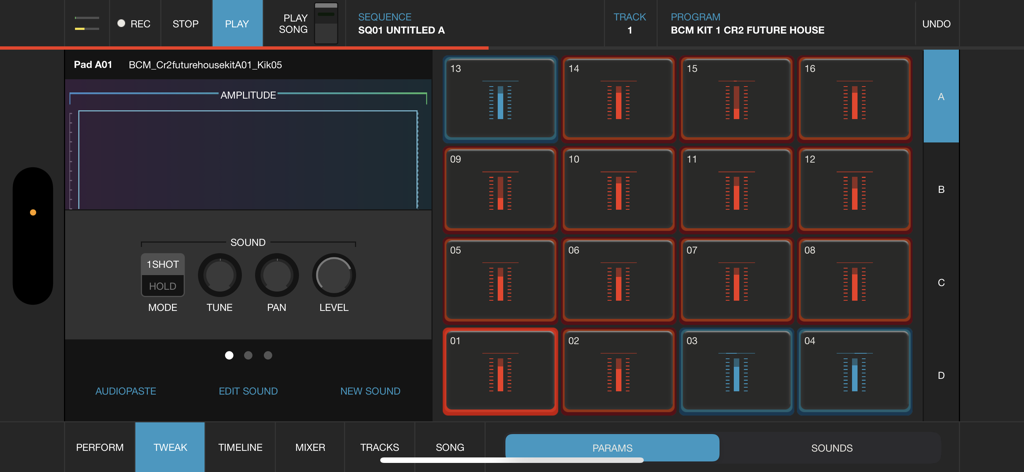
Interface profissional de criação de batidas para iMPC Pro 2 no iPhone, apresentando a icônica grade de 16 pads e controles de performance de áudio

Interface profissional de criação de batidas para iMPC Pro 2 no iPhone, apresentando a icônica grade de 16 pads e controles de performance de áudio

Interface do iMPC Pro 2 para iPhone com 16 pads de bateria e um editor de som de forma de onda para criação de batidas em dispositivos móveis

Interface do iMPC Pro 2 para iPhone com 16 pads de bateria e um editor de som de forma de onda para criação de batidas em dispositivos móveis

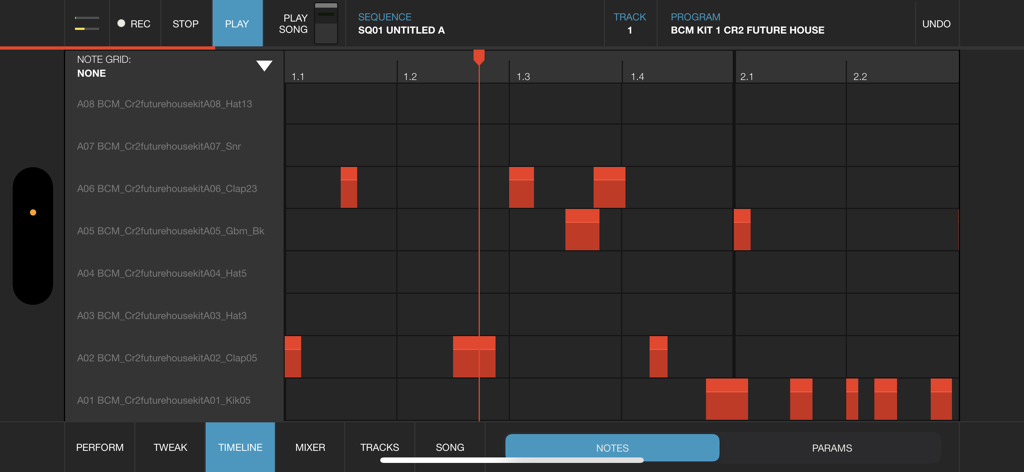
Visualização de linha do tempo do iMPC Pro 2 para iPhone com grade de notas para sequenciamento de produção musical

Visualização de linha do tempo do iMPC Pro 2 para iPhone com grade de notas para sequenciamento de produção musical

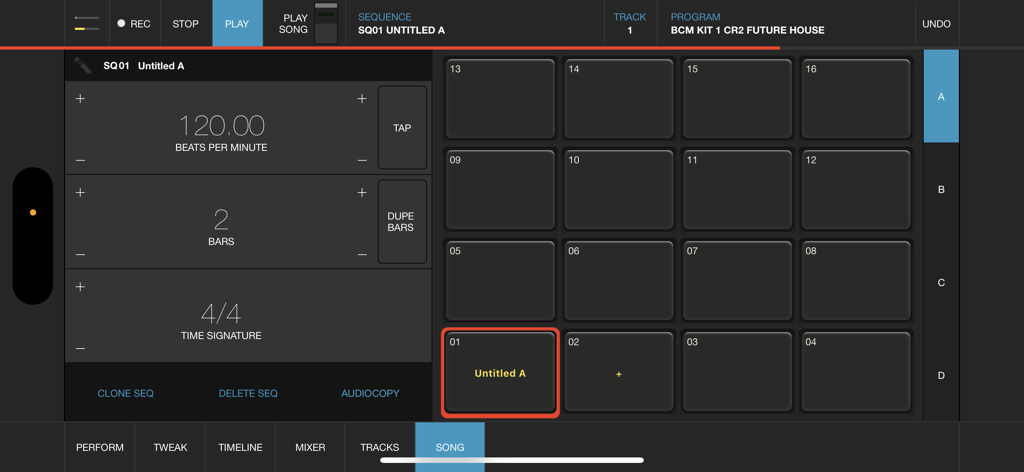
Interface do modo de música do iMPC Pro 2 para iPhone, mostrando a grade de 16 pads e as configurações de sequência

Interface do modo de música do iMPC Pro 2 para iPhone, mostrando a grade de 16 pads e as configurações de sequência

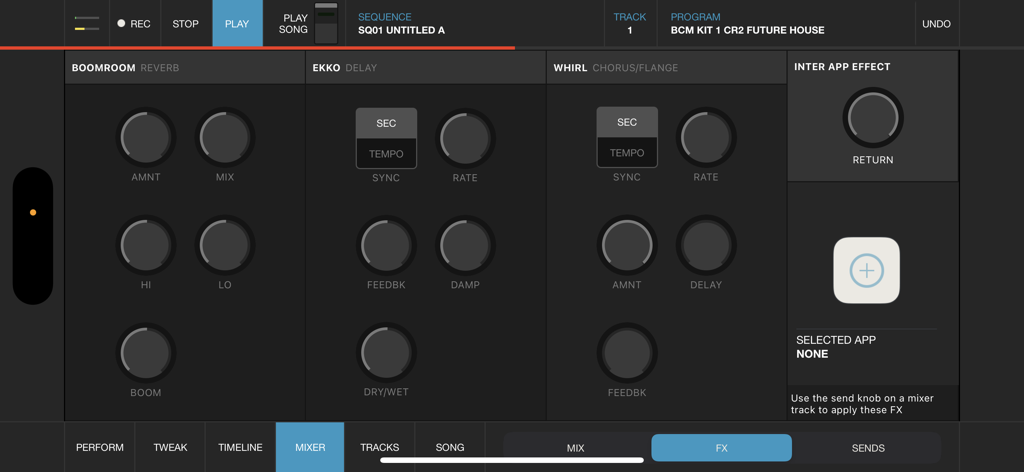
A interface do mixer de efeitos do iMPC Pro 2 para iPhone, com controles de reverb, delay e chorus

A interface do mixer de efeitos do iMPC Pro 2 para iPhone, com controles de reverb, delay e chorus

O Padrão Ouro da Produção Móvel

As ferramentas que destacam este app, escolhido por 214K+ usuários.

✂️

Amostragem e Cortes Icônicos

Experimente a precisão do Chop-Shop. Amostre diretamente do Spotify e use edição intuitiva multitoque para manipular sons como um profissional.

🏗️

Potência de Estúdio com 64 Faixas

Construa arranjos complexos com um mixer massivo, faixas vocais e suporte a Audio Unit. Seu bolso agora é uma potência de produção.

🎓

Acesso à Universidade iMPC

Pule a curva de aprendizado. Domine a arte de criar batidas com tutoriais integrados e desbloqueie kits de som exclusivos do cofre da Akai.

Amado por usuários no mundo todo

Com a confiança de 214K+ pessoas que amam este app.

"

"Como produtor profissional que está sempre em movimento, este aplicativo é uma mudança completa no jogo. O lendário fluxo de trabalho MPC está perfeitamente capturado no iPhone, e ser capaz de gravar vocais e mixar 64 faixas enquanto estou no trem é insano. Não é apenas um brinquedo; é um estúdio legítimo no meu bolso."

Marcus 'M-Dot' Johnson
"

"Comecei sem nenhuma experiência, mas a Universidade iMPC tornou a curva de aprendizado muito fácil. A amostragem do Spotify e a edição do Chop-shop são incrivelmente intuitivas. Já terminei meu primeiro EP inteiramente neste aplicativo, e a qualidade de som dos kits integrados é padrão de primeira linha da indústria."

Elena 'L-Beatz' Rivera

Análise de avaliações

Insights das avaliações dos usuários.

Pontuação de sentimento

32%
Negativo

Resumo

The app receives predominantly negative feedback, primarily due to persistent issues with sample import, which users describe as frustrating and often broken with AudioCopy, iTunes, and inter-app sharing. Many users report frequent crashes, bugs, and a general lack of updates, with specific complaints about input lag on iPhone 15 and constant crashes on iPhone 14 Pro Max. While some appreciate its potential as a portable beat maker and its user-friendly interface, the lack of essential features like MPC swing, auto-chop, or 'FULL LEVEL' functionality, combined with poor developer support, leads many to feel the app is unusable or a 'money grab'.

Temas comuns

Sample Import Functionality(19)
Crashes and Bugs(16)
Lack of Updates & Support(10)
Missing Key Features(10)
Value for Money(9)
Creative Beat Making Tool(7)
User Interface & Workflow(6)

Sobre o app

Tudo o que você precisa saber sobre iMPC Pro 2 for iPhone.

Descrição

iMPC Pro 2 for iPhone fuses innovative song creation with the iconic MPC workflow. It’s a powerhouse in your pocket. Whether you’re using the powerful sampler, dropping in some vocals, or integrating an Audio Unit, you’re sure to find everything you need. AUDIO TRACKS: Within the audio tracks, you can time warp, pitch shift, and rearrange your audio clips in real time. The sophistication of real time manipulation is captured in a simple workflow and sleek interface. You can choose from multiple input sources to record, including external mic channels, hardware audio interfaces, and IAA. AUDIO UNIT TRACKS: You can now load any Audio Units instrument into an Audio Unit Track! Control your AU instrument with a classic piano keyboard interface and an iMPC interface with note variation, Flux Link, Note Repeat, 16 Levels, and more. The app also features an improvement to the workflow for song creation. Song sequencing is faster, more powerful, and more flexible, so you have complete creative control. 100% NEW SOUND KIT AND MORE: Designed exclusively for iMPC Pro 2 for iPhone, these kits cover some of the most iconic and cutting-edge beat genres available, from a range of beloved producers, all chosen from the Akai Professional vault. Each kit includes samples featuring sounds from punchy 808’s to melodic hits and stabs, designed for the best user experience possible. The app also comes with 4 additional Sound Packs for FREE (valued at $20). Grab these packs in the AudioCopy Content Store: Bryson’s Soul, Dark Swang, and Metro Bang. iMPC University students have the opportunity to earn an additional Sound Pack, The Diploma! You can use them in hundreds of AudioCopy compatible apps (including iMPC for iPhone). iMPC UNIVERSITY: Unlock producer secrets and learn how to become a full fledged song creator with this tutorial series. iMPCU unlocks one course per day and gives you the tools you need to take your music to the next level. Fun for both new and experienced users, iMPC Pro 2 for iPhone offers an expansive dive into the world of beatmaking and song editing through these courses. We’re excited for you to try it! FEATURES: Audio Tracks: - Record from built in mic, external mics, audio interfaces, instruments, etc. - Record from Inter App Audio Apps - Warp Tracks and Clips to match tempo - Access several quick editing features on Audio Clips (Pitch shift, Time Stretch, Amplify, Crop, Split, Duplicate) - Drag to arrange Audio Clips, snap them to an adjustable grid setting - Advanced waveform editing AudioUnit integration: - Audio Unit tweak mode with full keyboard support (including 2 dozen scale modes from Chromatic to Blues to Aeolian) --- - 100% New Sound Set, with 4 additional free Sound Packs - Sample sounds from Spotify - 64 Track Mixer with EQ and 4 FX sends (Reverb, Delay, Chorus/Flange, and one Inter App Audio Effect) - Chop-shop provides intuitive multi-touch editing, trimming, auditioning, splicing, splicing and processing samples - Tracks View shows an overview of all the tracks in your song - 16 Levels mode with attack, velocity, length, and tuning settings for quickly creating variations of sounds - Live Sequence queuing for real-time performance and playback - Time correct: 1/8 note - 1/32T with variable swing - MPC Note Repeat featuring 1/8 note - 1/32T timing with latch - IAA and Ableton Link support - Share beats and songs seamlessly to YouTube - 4 Mute Groups and custom-designed envelope filters for all pads - AudioCopy and AudioPaste support - Improved integration and support for iMPC Pro Packs and other Sound Packs from the AudioCopy Content Store - Expert MIDI support including expanded options, multiple maps, and more - Extensive undo/redo capabilities - New Song Arrangement workflow and integrated Song Mode makes song creation easier than ever - Drag entire Folders and Sound Packs directly to pads to load many sounds at once

Última versão

2.2.2

Tamanho

202.7 MB

Data de lançamento

10 de dez. de 2018

Deixe Sua Marca com o Fluxo de Trabalho MPC Icônico

Junte-se a mais de 214.000 criadores e transforme seu iPhone em uma potência de produção profissional. Seu próximo sucesso está a um toque de distância.

Baixar no App Store