MixEffect Pro - Paid Up-Front

MixEffect Pro - Paid Up-Front

Baixar no App Store
Spark by MWM logo
Logo de MixEffect Pro - Paid Up-Front
MixEffect Pro: O Controlador Profissional Definitivo para Switchers ATEM

Assuma o comando total das suas produções de vídeo ao vivo com layouts personalizáveis, transições SuperSource animadas e a poderosa automação de Atalhos no iPhone, iPad e Mac.

Editor

Adam Tow

Categoria

Photo & Video

Downloads

23K+

Avaliação

4.5/5

Total de avaliações

0

Idiomas

5

Produção Num Relance

Descubra a interface usada por 23K+ usuários.
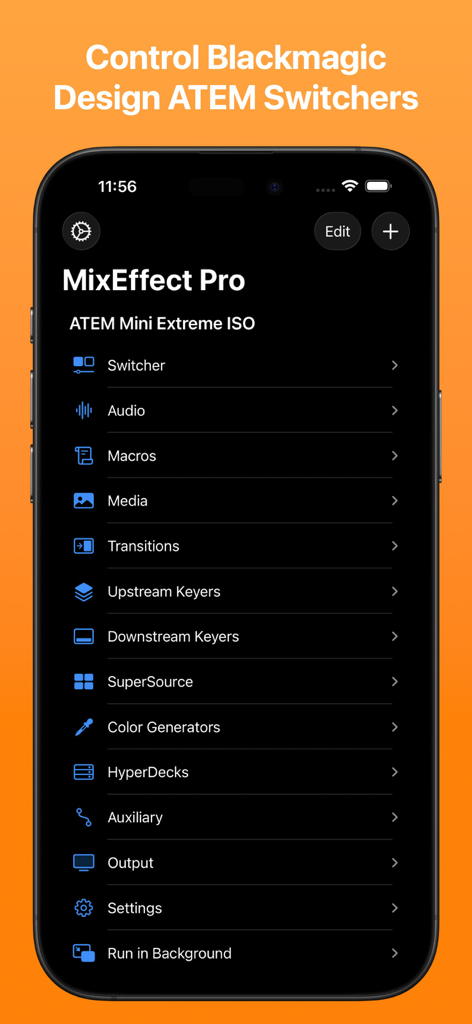
Menu principal da aplicação MixEffect Pro para iPhone mostrando opções de controlo para switchers Blackmagic Design ATEM, incluindo áudio, macros e transições

Menu principal da aplicação MixEffect Pro para iPhone mostrando opções de controlo para switchers Blackmagic Design ATEM, incluindo áudio, macros e transições

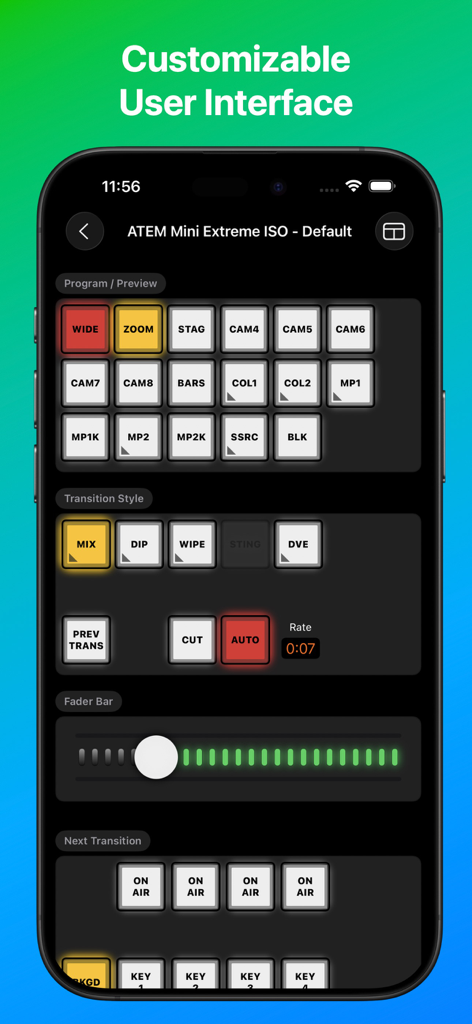
Interface da aplicação MixEffect Pro para controlo do switcher ATEM Mini Extreme ISO

Interface da aplicação MixEffect Pro para controlo do switcher ATEM Mini Extreme ISO

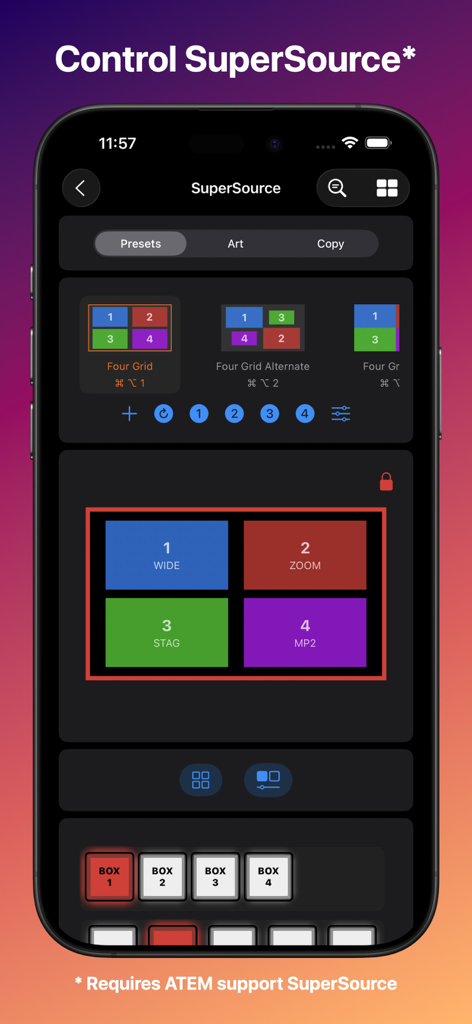
Interface do MixEffect Pro para iPhone para controlar predefinições de layout SuperSource em produções de vídeo ao vivo

Interface do MixEffect Pro para iPhone para controlar predefinições de layout SuperSource em produções de vídeo ao vivo

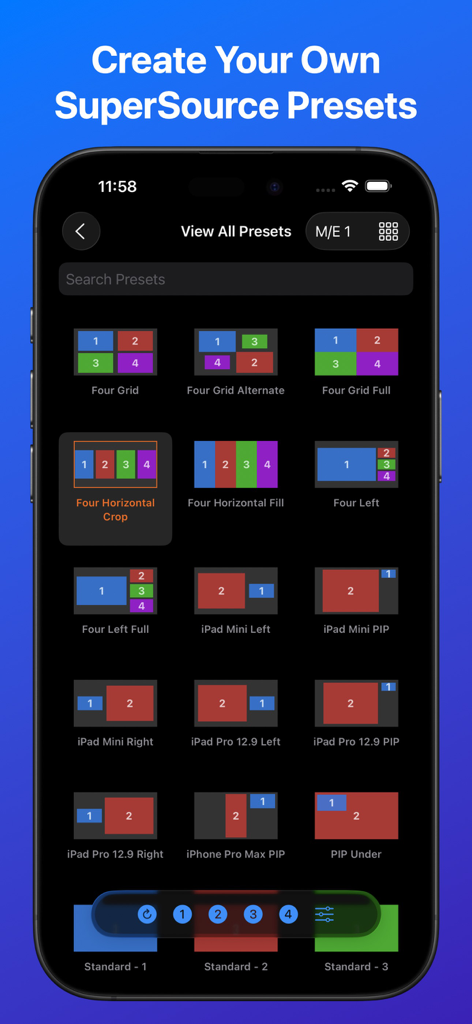
Interface da aplicação MixEffect Pro mostrando uma grelha de diferentes predefinições de layout SuperSource para switchers de vídeo ATEM

Interface da aplicação MixEffect Pro mostrando uma grelha de diferentes predefinições de layout SuperSource para switchers de vídeo ATEM

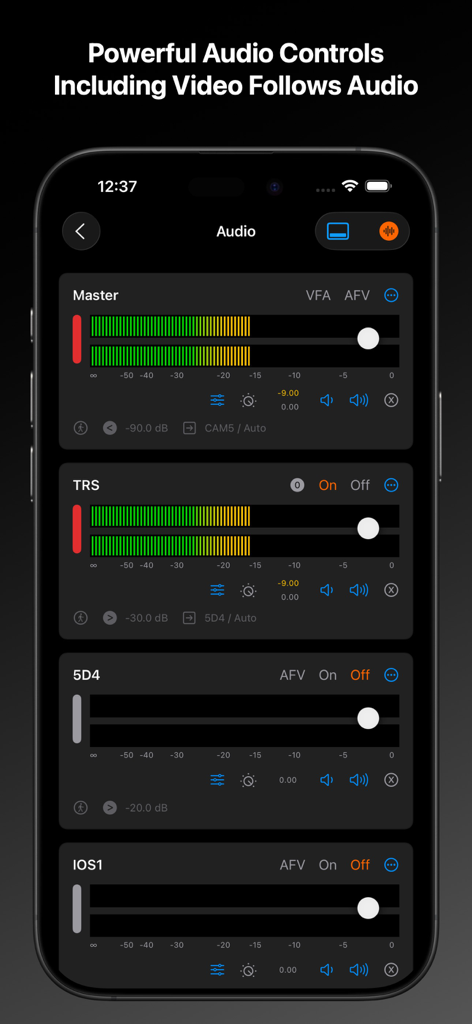
Interface do misturador de áudio da aplicação MixEffect Pro no iPhone mostrando os controlos deslizantes de nível mestre e de canais individuais

Interface do misturador de áudio da aplicação MixEffect Pro no iPhone mostrando os controlos deslizantes de nível mestre e de canais individuais

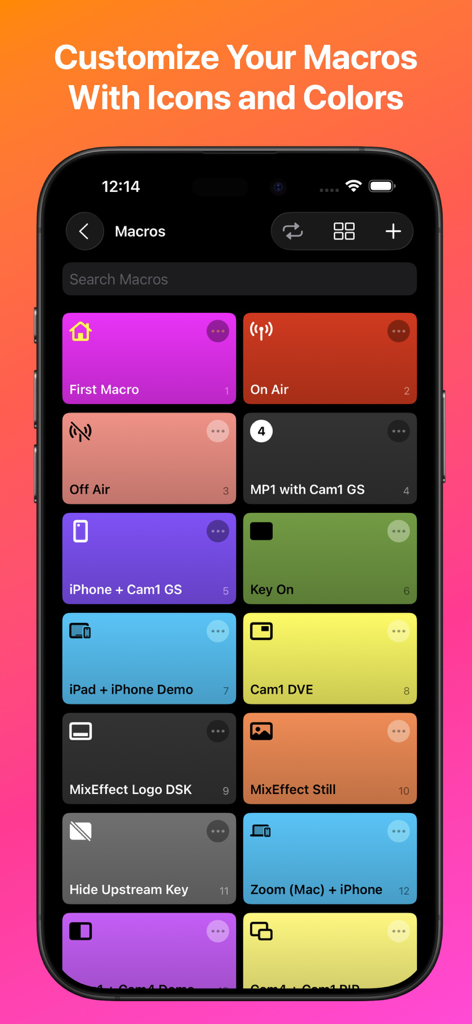
Interface da aplicação MixEffect Pro mostrando uma grelha de botões de macro coloridos com ícones personalizados num ecrã de iPhone

Interface da aplicação MixEffect Pro mostrando uma grelha de botões de macro coloridos com ícones personalizados num ecrã de iPhone

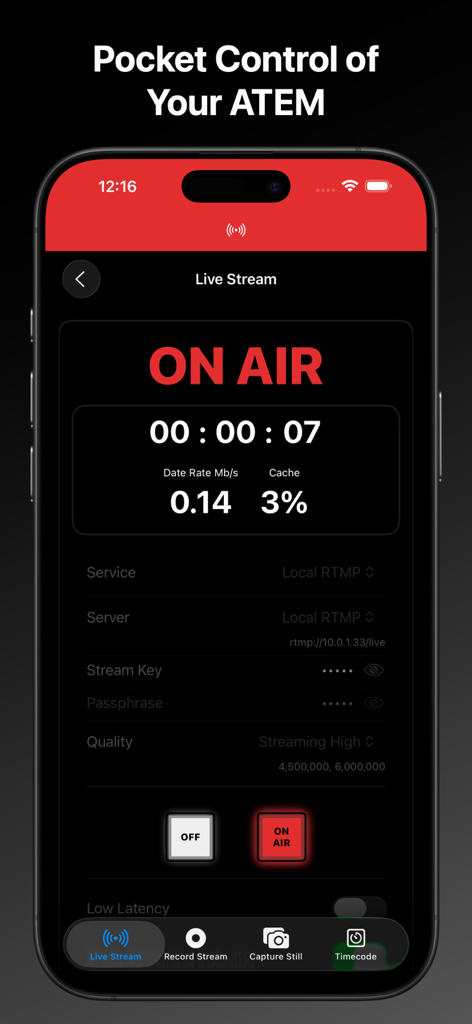
Interface da aplicação MixEffect Pro para iPhone mostrando o estado "on air" da transmissão ao vivo e dados de streaming para switchers ATEM

Interface da aplicação MixEffect Pro para iPhone mostrando o estado "on air" da transmissão ao vivo e dados de streaming para switchers ATEM

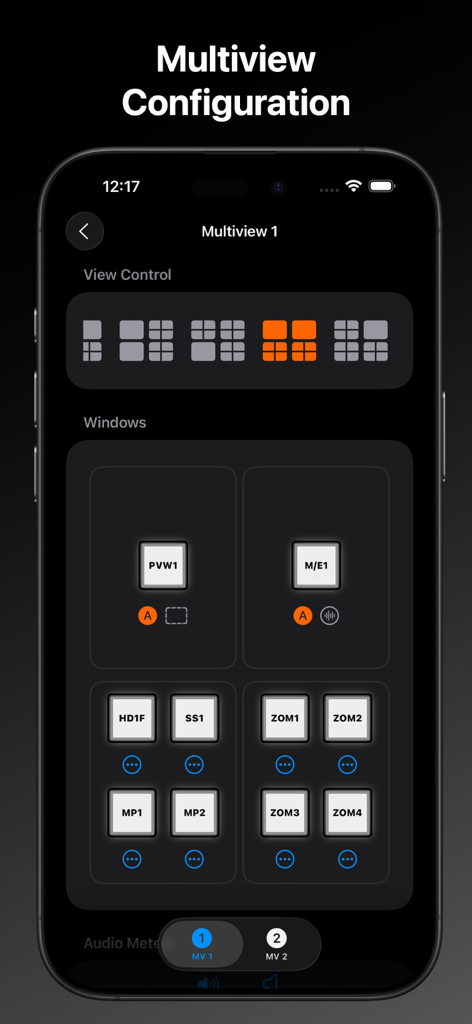
Interface do MixEffect Pro mostrando as definições de configuração de multiview para controlo de layout do switcher de vídeo

Interface do MixEffect Pro mostrando as definições de configuração de multiview para controlo de layout do switcher de vídeo

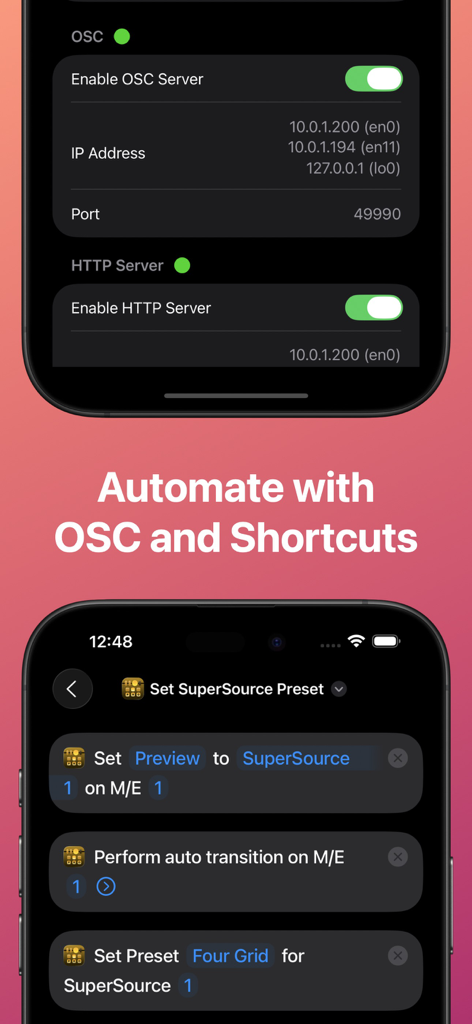
Interface da aplicação MixEffect Pro mostrando as definições do servidor OSC e Atalhos do iOS para automação de switchers ATEM.

Interface da aplicação MixEffect Pro mostrando as definições do servidor OSC e Atalhos do iOS para automação de switchers ATEM.

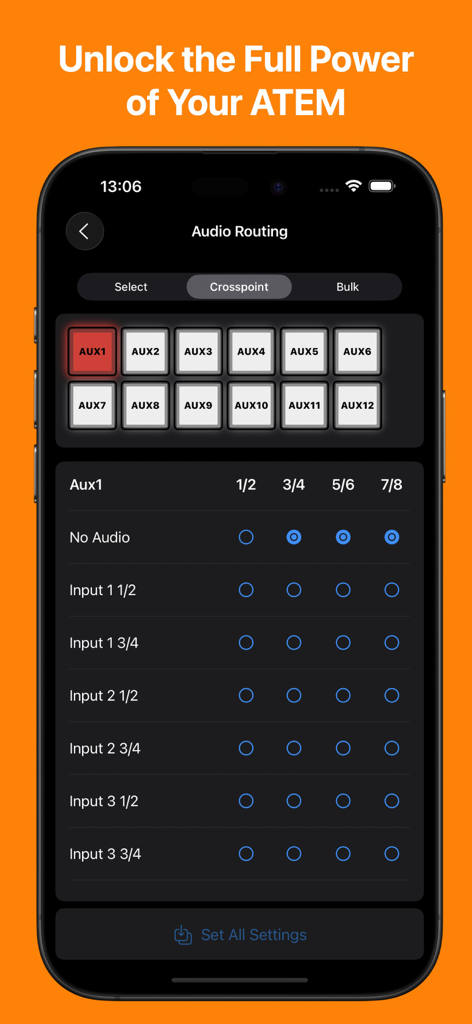
Aplicação MixEffect Pro mostrando a interface de gestão de roteamento de áudio e crosspoint para switchers ATEM num iPhone

Aplicação MixEffect Pro mostrando a interface de gestão de roteamento de áudio e crosspoint para switchers ATEM num iPhone

Domine a sua Transmissão ao Vivo com Controlo de Nível Profissional

As ferramentas que destacam este app, escolhido por 23K+ usuários.

💎

Gestão Visual de SuperSource

Crie e anime layouts complexos de múltiplas janelas sem esforço com ferramentas de arrastar e soltar que superam os limites do hardware padrão.

🚀

Automação Poderosa de Fluxo de Trabalho

Utilize os Atalhos do iOS e a Siri para acionar macros, alterar layouts e automatizar a sua produção com base nos níveis de áudio em tempo real.

📡

Monitorização e Controlo Unificados

Transforme o seu iPad num monitor Multiview de alta definição e num switcher tátil para gerir todo o seu espetáculo a partir de qualquer lugar.

Amado por usuários no mundo todo

Com a confiança de 23K+ pessoas que amam este app.

"

"MixEffect Pro é um divisor de águas para as transmissões ao vivo da nossa igreja. As transições animadas SuperSource e a interface tátil intuitiva tornam muito mais fácil para os nossos voluntários produzir transmissões de aspeto profissional sem uma curva de aprendizagem acentuada. É o controlador mais estável e rico em funcionalidades que já utilizei para a nossa configuração ATEM."

David Miller, Diretor Técnico de Casas de Culto
"

"Como criador de conteúdo a solo, preciso de ferramentas que simplifiquem o meu fluxo de trabalho. A integração de Atalhos do MixEffect Pro e a funcionalidade Vídeo Segue Áudio permitem-me gerir um espetáculo multicâmera enquanto me concentro na câmara. É mais do que apenas um controlo remoto; é como ter um diretor técnico dedicado dentro do meu iPad."

Elena Rodriguez, Streamer Profissional

Sobre o app

Tudo o que você precisa saber sobre MixEffect Pro - Paid Up-Front.

Descrição

If you want to try out MixEffect Pro's features for 30-days, please visit the MixEffect app listing here on the App Store and activate the 30-day trial. MixEffect Pro shares the same database as MixEffect, so you have access to the same switchers, SuperSource presets, and streaming services. === MixEffect Pro’s familiar interface gives you quick access to virtually everything you need to run your video productions: switcher control, macros, audio, media, editing palettes, recording and streaming. MixEffect Pro then turns the dial past ten with animated SuperSource transitions, Video Follows Audio, customizable layouts, and Shortcuts support. Manage your live productions confidently with MixEffect Pro! # FEATURES MixEffect Pro is packed full of features to control your ATEM switchers. ## SWITCHER MANAGEMENT Control multiple ATEM switchers. Sync your switcher settings between all of your iCloud-connected devices. ## EXTERNAL CAMERA See and interact with the Multiview from your ATEM switcher directly in MixEffect. Change inputs, perform cut and auto transitions, set SuperSource presets, and more. Requires iPadOS 17 and an HDMI/SDI to USB adapter to connect your device with your ATEM switcher to view the Multiview. ## PANELS / BUTTONS Customize the look of your switcher interface with separate iPhone, Landscape, and iPad-optimized layouts. Choose from 20 panels to include in your layouts. ## SUPERSOURCE Become a SuperSource master on. Automatically animate transitions when switching between SuperSource layouts! Use drag and drop to rearrange your boxes. Save your favorite preset layouts and share them with others. Requires an ATEM switcher that supports SuperSource. ## AUDIO Control audio on ATEM switchers. Adjust each audio source’s input gain, fader gain, frames delay, and pan settings. ## MACROS Give your macros the gift of icons, colors, filtering, and sorting. Choose from three different display layouts: Grid, Buttons, and List. Access all of your macros from the virtual switcher interface. ## MEDIA Upload still images from your Photo Library into your switcher’s Media Pool. ## TRANSITIONS Access all the transitions supported by your switcher such as Mix, Dip, Wipe, and DVE, not just the ones wired to hardware buttons. ## DOWNSTREAM KEYERS Missing that DSK On Air button on your ATEM Mini? It's there in MixEffect Pro! ## UPSTREAM KEYERS Adjust your Luma, Chroma, Pattern, and DVE settings for your upstream keyers. Use touch to easily set the chroma sample and change the position of your DVE frame. ## AUTOMATIONS Control your ATEM switcher with your voice and Shortcuts. Automatically switch inputs, change SuperSource layouts, and run macros when your audio levels rise or fall below a certain threshold. Enjoy extensive keyboard shortcuts throughout the app. ## COLOR GENERATORS Change your color sources without having to dig through palettes. ## HYPERDECK Control HyperDecks from MixEffect Pro. ## AUX Set the sources for all of your auxiliary outputs. ## STREAMING Add streaming services, servers, and profiles without having to know XML. Set a default profile and server for each of your streaming services. Import and export the Streaming.xml files supported by the ATEM Mini Pro, Pro ISO, Mini Extreme, and Mini Extreme ISO line of switchers. ## RECORDING Control your disk recordings from your iPhone or iPad. Switch disks with a tap and see how much time is available for recording. ## SECURITY Prevent unwanted access to MixEffect Pro with Face ID (or device passcode lock). Activate View Only Mode so people can see what’s happening on the switcher without the ability to change anything. ## SWITCHER SETTINGS Set your switcher’s video mode, change the labels of sources, configure Multiview, and save your switcher's startup settings. ## SIMULATOR MixEffect Pro features a simulated ATEM 1 M/E Production 4K switcher for testing purposes.

Última versão

2.4.0

Tamanho

113.1 MB

Data de lançamento

17 de abr. de 2022

Pronto para Dominar o seu Switcher ATEM?

Junte-se a milhares de diretores técnicos e streamers profissionais que transformaram o seu iPad e iPhone na superfície de controlo de produção definitiva. Experimente o poder da automação profissional e dos layouts SuperSource sem subscrições.

Baixar no App Store