PDF Scanner App: Scan Document

PDF Scanner App: Scan Document

Baixar no App Store
Spark by MWM logo
Logo de PDF Scanner App: Scan Document
Aplicativo Scanner PDF: Digitalizar Documento - Seu Escritório Móvel Completo

Digitalize, assine e compartilhe documentos profissionais instantaneamente. Com OCR integrado e proteção PIN segura, é a ferramenta de produtividade definitiva para o seu bolso.

Editor

Smart Tool Studio

Categoria

Business

Downloads

900K+

Avaliação

4.5/5

Total de avaliações

11K+

Idiomas

11

Seu Escritório, Reimaginado

Descubra a interface usada por 900K+ usuários.
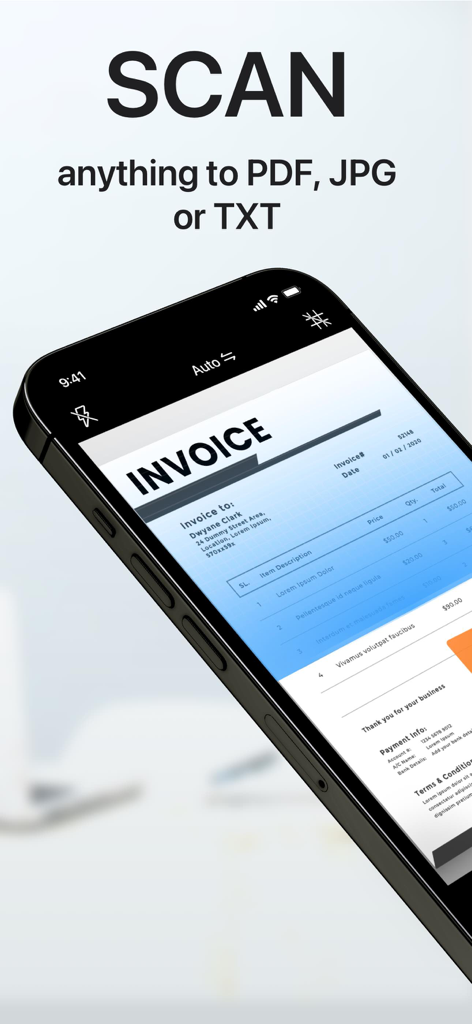
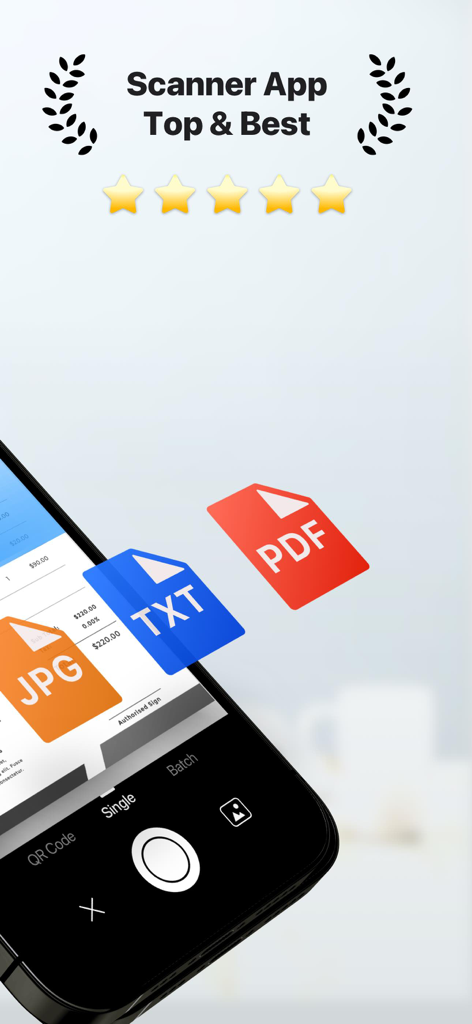
Um smartphone usando o Aplicativo Scanner PDF para digitalizar uma fatura em papel com texto sobreposto dizendo digitalize qualquer coisa para PDF JPG ou TXT

Um smartphone usando o Aplicativo Scanner PDF para digitalizar uma fatura em papel com texto sobreposto dizendo digitalize qualquer coisa para PDF JPG ou TXT

Aplicativo scanner PDF móvel digitalizando um documento com opções de exportação JPG TXT e PDF.

Aplicativo scanner PDF móvel digitalizando um documento com opções de exportação JPG TXT e PDF.

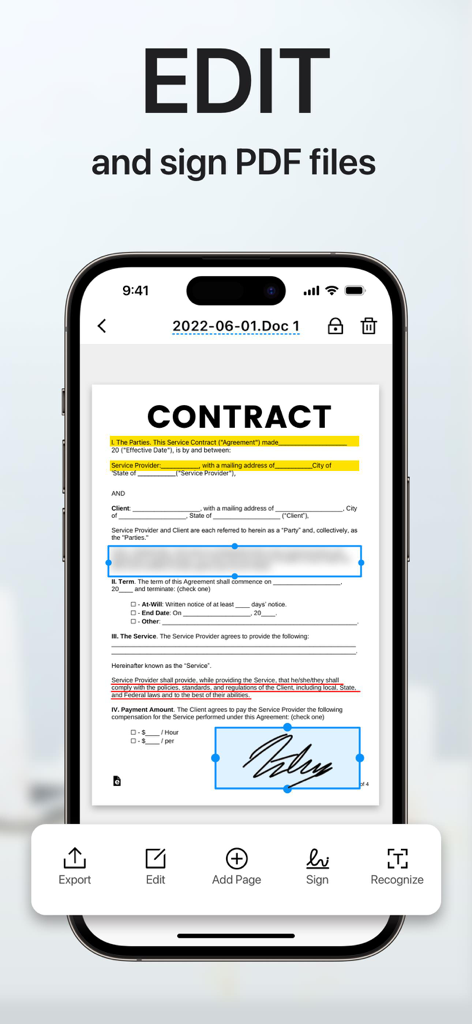
Tela do iPhone mostrando um documento de contrato sendo editado e assinado com uma assinatura digital no Aplicativo Scanner PDF.

Tela do iPhone mostrando um documento de contrato sendo editado e assinado com uma assinatura digital no Aplicativo Scanner PDF.

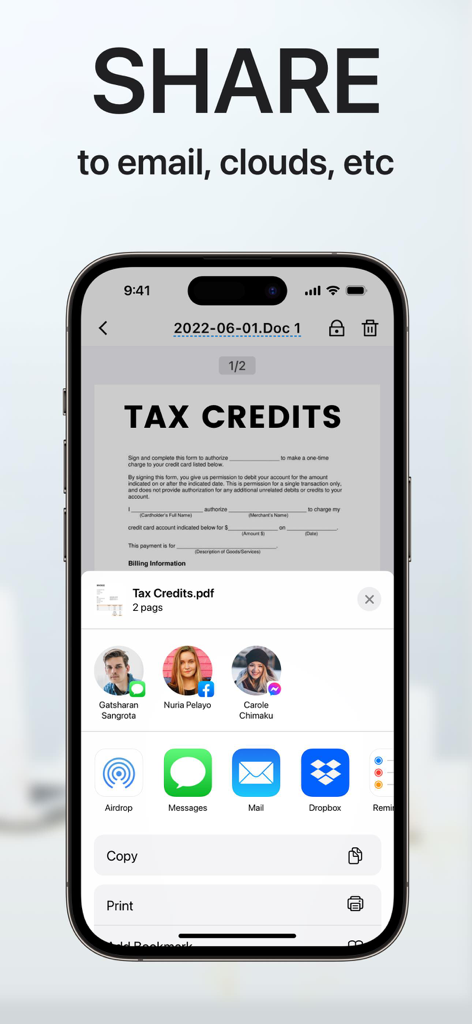
Interface de aplicativo móvel mostrando opções de compartilhamento de documentos para um documento PDF digitalizado para e-mail e armazenamento em nuvem

Interface de aplicativo móvel mostrando opções de compartilhamento de documentos para um documento PDF digitalizado para e-mail e armazenamento em nuvem

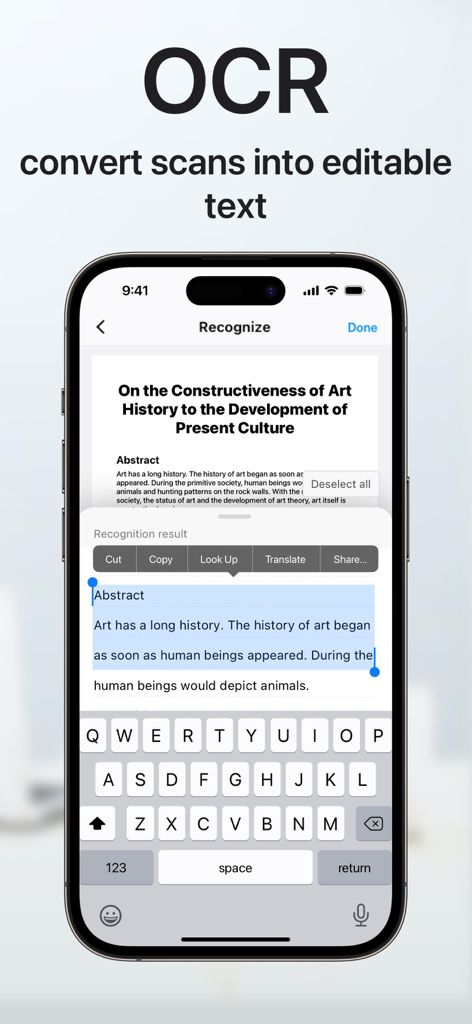
Tela do iPhone demonstrando o recurso OCR para converter documentos digitalizados em texto editável com opções de copiar e compartilhar.

Tela do iPhone demonstrando o recurso OCR para converter documentos digitalizados em texto editável com opções de copiar e compartilhar.

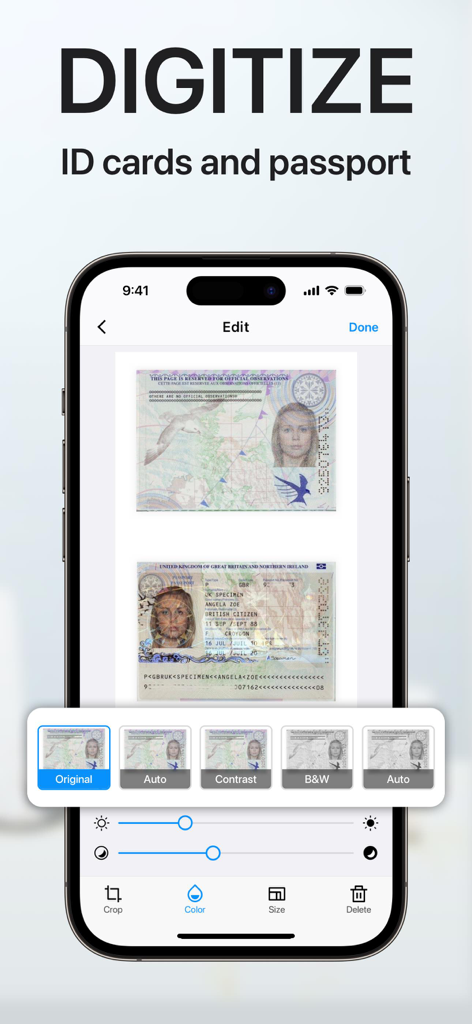
Uma interface de aplicativo móvel em um iPhone mostrando um passaporte e cartões de identidade digitalizados com ferramentas de edição digital e filtros.

Uma interface de aplicativo móvel em um iPhone mostrando um passaporte e cartões de identidade digitalizados com ferramentas de edição digital e filtros.

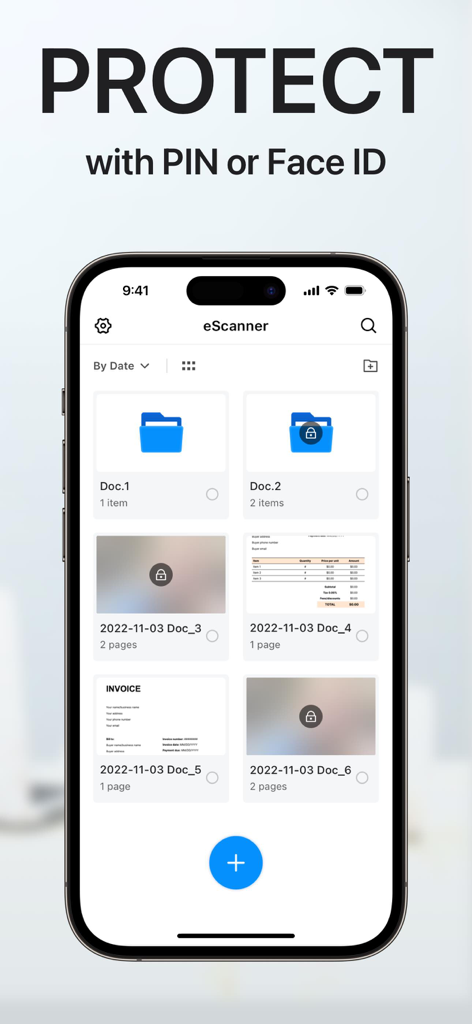
Interface do aplicativo Scanner PDF mostrando proteção de documentos com recursos de segurança PIN ou Face ID.

Interface do aplicativo Scanner PDF mostrando proteção de documentos com recursos de segurança PIN ou Face ID.

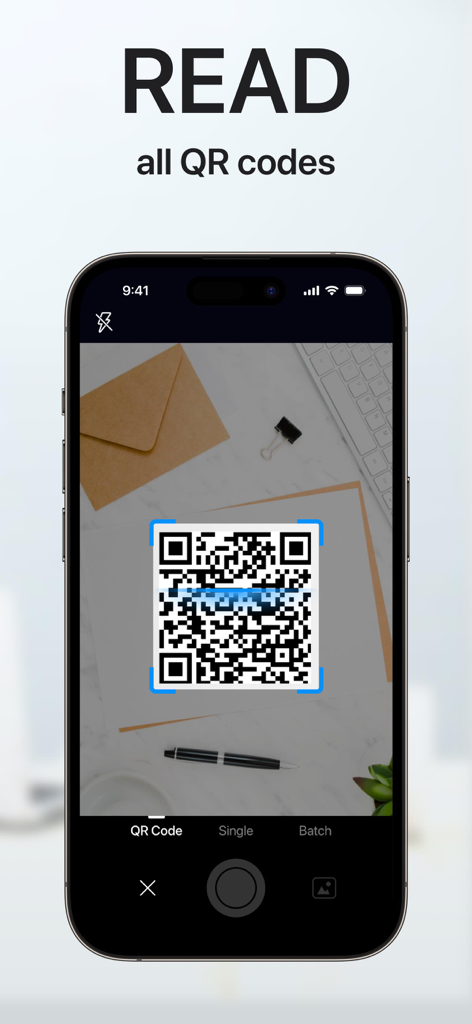
Tela do smartphone mostrando o aplicativo scanner PDF digitalizando um código QR em uma mesa

Tela do smartphone mostrando o aplicativo scanner PDF digitalizando um código QR em uma mesa

Eficiência ao Seu Alcance

As ferramentas que destacam este app, escolhido por 900K+ usuários.

🚀

Digitalização Móvel Profissional

Transforme qualquer documento em papel em um arquivo PDF ou TXT de alta qualidade em segundos com detecção inteligente de bordas.

✍️

Assinaturas Eletrônicas Instantâneas

Feche negócios mais rápido assinando digitalmente contratos e acordos na hora — sem necessidade de impressora ou fax.

🔒

Cofre Seguro de Documentos

Proteja dados sensíveis de clientes e identidades pessoais com pastas criptografadas por PIN e organização inteligente pronta para a nuvem.

Amado por usuários no mundo todo

Com a confiança de 900K+ pessoas que amam este app.

"

"Este aplicativo é uma salvação absoluta para o meu negócio imobiliário. Posso digitalizar contratos de várias páginas, aplicar minha assinatura eletrônica e compartilhá-los como PDFs profissionais diretamente do meu telefone. Eliminou completamente minha necessidade de um scanner de mesa volumoso."

Sarah Jenkins, Profissional Imobiliário
"

"O recurso OCR é um divisor de águas para meus estudos. Posso converter instantaneamente apostilas impressas em texto editável e manter toda a minha pesquisa organizada em pastas seguras e protegidas por PIN. É a ferramenta de escritório móvel mais confiável que encontrei."

David Miller, Aluno de Pós-Graduação

Análise de avaliações

Insights das avaliações dos usuários.

Pontuação de sentimento

33%
Negativo

Resumo

This app receives highly mixed feedback, primarily leaning negative due to significant issues and aggressive monetization strategies. While some users praise its ease of use and good scanning capabilities, many report critical problems with its core functionality, such as poor scan quality, unreliable OCR, and failures in file export or sharing. A major source of user frustration stems from subscription and billing issues, including unexpected charges, difficulty canceling, and constant intrusive advertisements. Furthermore, many users are displeased with watermarks appearing on scanned documents and a generally confusing user interface.

Temas comuns

Scan Quality & Functionality(15)
Subscription & Billing(10)
Ads & Watermarks(8)
User Interface Complexity(4)
Ease of Use(2)
Customer Support(1)

Sobre o app

Tudo o que você precisa saber sobre PDF Scanner App: Scan Document.

Descrição

"Scanner APP" is the best scanner app that can turn your iPhone into a powerful mobile scanner. It enables you to quickly and easily scan, sign and share any document in PDF, JPEG, PNG or TXT format anywhere and anytime. Looking for a powerful digital office to help you be more productive? Scanner APP is a portable document scanner and PDF editor, various editing functions including e-signature to ensure your doc to become more professional! Use OCR (Optical Character Recognition) to recognize text in images and quickly convert images to text. And it also supports email, fax, print or save it to the cloud. Say goodbye to heavy paper documents and huge copiers, store all documents on your phone, and handle paperwork with ease. This free & powerful Scanner App is an indispensable tool for students and any corporate employees in their work and personal life as the accountant, manager, real estate agent, lawyer or doctor. With this PDF scanner, you can scan anything you need: receipts, contracts, paper notes, fax papers, books, and store your scans as multipage PDF or JPG files. Scanner App is an all-in-one scanner app that can be used not only as a PDF converter, but also as a fast & easy QR scanner. Use the camera on your mobile device to scan any type of qr codes & barcode, including product, URL, Wi-Fi, 2FA, ISBN, VCard, contact, calendar, email and many other formats. Scan Whatever U Want: - Passports, business cards, ID cards, business documents, agreements, letters - Photos, Books, Notes, Sketches - Certifications, contracts, invoices, orders, receipts, etc Innovative Document Scanner - Scan documents to high quality PDF, JPEG or TXT - Save scanned images in black and white or other filters - Automatic and correct edge detection of any scannable objects - Batch scan Document Editor - Add electronic signatures to scanned documents - OCR (convert any scan into text) - Import PDF for quick editing and saving - Crop, zoom in, zoom out, rotate images and save supported - Import files from other apps and edit File Sharing - Scan, save and send documents in just a few taps - Share your scanned documents via email - Save as JPEG to Gallery - Share and printe saved documents - Share and upload files to Dropbox File Manager - Create folder, move or copy documents - Protect your confidential files & folders with PIN - Sort documents by name, created date, or size - Batch share or delete QR Code Reader & Barcode Scanner -Auto-scan any QR code or barcode for product information -scan the promotion and coupon codes for shops to get discounts and save money -View QR E-Menu and order online -Scan Wi-Fi password, automatically connect to the wifi -Support 2FA authentication, get a verification code for your online account SUBSCRIPTION : Length of subscription: one month/one year/lifetime • Payment will be charged to iTunes Account at confirmation of purchase • Subscription automatically renews unless auto-renew is turned off at least 24 hours before the end of the current period • Account will be charged for renewal within 24 hours prior to the end of the current period, and identify the cost of the renewal • Subscriptions may be managed by the user and auto-renewal may be turned off by going to the user's Account Settings after purchase • Any unused portion of a free trial period, if offered, will be forfeited when the user purchases a subscription to that publication, where applicable • You can cancel a free trial or subscription anytime by turning off auto-renewal through your iTunes account settings. This must be done 24 hours before the end of a free trial or subscription period to avoid being charged. If you have any questions, please email us to mobileusercontact@gmail.com and we’ll help you figure it out. Privacy Policy: http://adpdf.mobilestudio.cc/privacy.html Terms of Use: http://adpdf.mobilestudio.cc/useragreement.html

Última versão

1.8.6

Tamanho

91.8 MB

Data de lançamento

23 de ago. de 2018

Pronto para Levar Seu Escritório no Bolso?

Junte-se a mais de 900.000 profissionais que digitalizam, assinam e compartilham documentos em qualquer lugar. Comece sua jornada sem papel hoje mesmo.

Baixar no App Store