AO Office Pro

AO Office Pro

Herunterladen auf App Store
Spark by MWM logo
Logo von AO Office Pro

AO Office Pro: Die volle Desktop-Leistung von OpenOffice und LibreOffice auf iOS

Verwandeln Sie Ihr iPad oder iPhone in eine professionelle Workstation. Greifen Sie auf die komplette PC-Suite für Writer, Calc und Impress zu – mit 100 % Dokumentkompatibilität und ohne Abonnementgebühren.

Herunterladen auf App Store

Herausgeber

Akikazu Yoshikawa

Kategorie

Productivity

Downloads

103K+

Bewertung

4.1/5

Bewertungen gesamt

1K+

Sprachen

41

Desktop-Leistung im Taschenformat

Entdecken Sie die Oberfläche, die von 103K+ Nutzern verwendet wird.
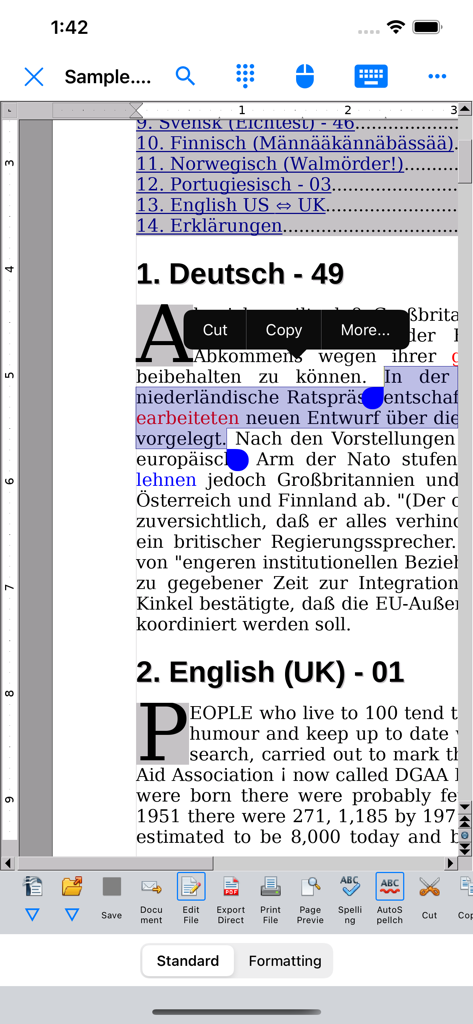
AO Office Pro mobile App zeigt Dokumentbearbeitung mit Textauswahl und Toolbar im Desktop-Stil

AO Office Pro mobile App zeigt Dokumentbearbeitung mit Textauswahl und Toolbar im Desktop-Stil

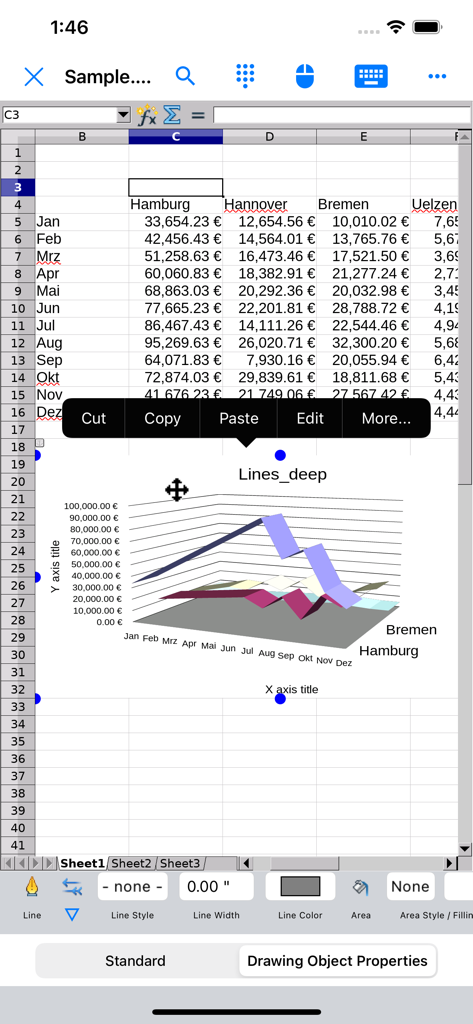
AO Office Pro Tabellenkalkulation zeigt ein 3D-Liniendiagramm und eine Finanzdatentabelle.

AO Office Pro Tabellenkalkulation zeigt ein 3D-Liniendiagramm und eine Finanzdatentabelle.

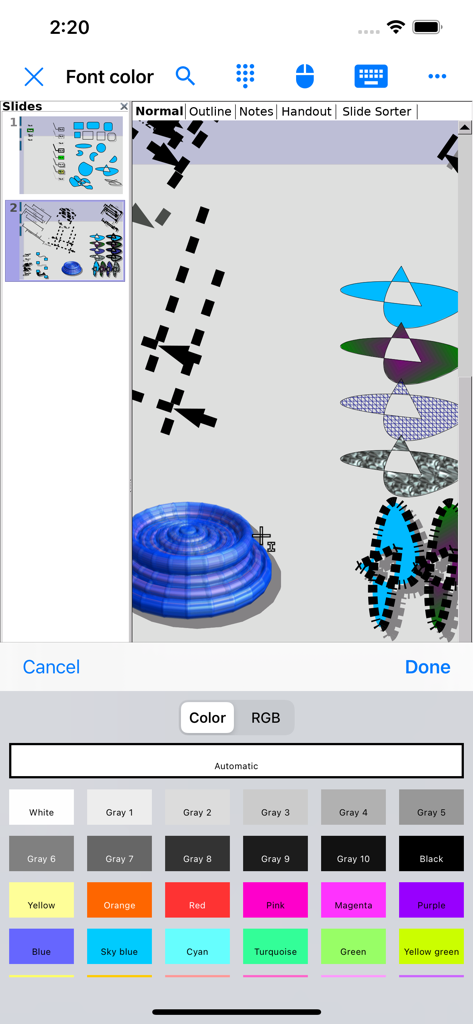
AO Office Pro Präsentationseditor zeigt 3D-Illustrationen und eine Schriftfarbauswahl auf dem iPhone

AO Office Pro Präsentationseditor zeigt 3D-Illustrationen und eine Schriftfarbauswahl auf dem iPhone

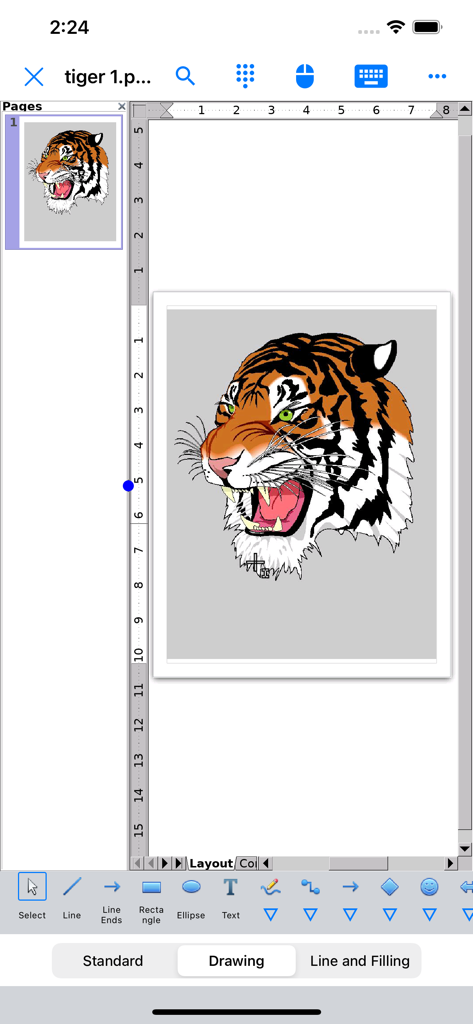
AO Office Pro Benutzeroberfläche zeigt eine Tigerkopf-Illustration im Draw-Modul

AO Office Pro Benutzeroberfläche zeigt eine Tigerkopf-Illustration im Draw-Modul

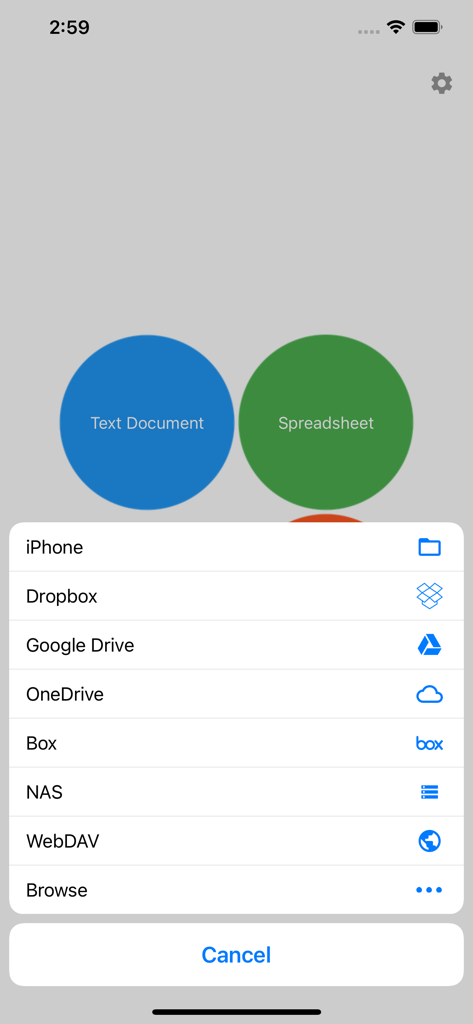
AO Office Pro Menü zeigt Schaltflächen zur Dokumenterstellung und Optionen für Cloud-Speicheranbieter wie Google Drive und Dropbox

AO Office Pro Menü zeigt Schaltflächen zur Dokumenterstellung und Optionen für Cloud-Speicheranbieter wie Google Drive und Dropbox

Die vollständige Desktop-Suite, entfesselt auf iOS

Die Tools, die diese App auszeichnen, gewählt von 103K+ Nutzern.

🖥️

100 % PC-Funktionen

Greifen Sie auf die volle Leistung von Writer, Calc und Impress zu. Jedes Menü, jede Formel und jedes fortgeschrittene Formatierungswerkzeug der Desktop-Version steht Ihnen direkt zur Verfügung.

🔄

Unübertroffene Dateikompatibilität

Öffnen, bearbeiten und speichern Sie alles von Standard-Microsoft-Office-Dokumenten bis hin zu Nischenformaten wie AutoCAD, WordPerfect und Photoshop, ohne einen einzigen Pixel an Formatierung zu verlieren.

☁️

Cloud & Workflow auf Profi-Niveau

Schließen Sie die Lücke zwischen Tablet und Desktop mit fortschrittlicher Gestenunterstützung und nahtloser Integration in iCloud, Dropbox, Google Drive und Ihr privates NAS.

Weltweit von Nutzern geliebt

Vertraut von 103K+ Menschen, die diese App lieben.

"

"Als Forschungsberater muss ich mit komplexen Formeln und massiven Datensätzen arbeiten, die 'Lite'-Apps einfach nicht bewältigen können. AO Office Pro ist ein Game-Changer für meinen iPad-Workflow. Es ist das volle Desktop-Erlebnis – Writer und Calc funktionieren genau wie die PC-Versionen, und die Dateikompatibilität ist makellos. Es hat mein Tablet endlich zu einem echten Laptop-Ersatz gemacht."

Dr. Marcus Thorne
"

"Ich hatte die monatlichen Abonnements und die abgespeckten Funktionen anderer Office-Suiten satt. Diese App ist die perfekte Lösung. Sie öffnet jede Legacy-Datei, die ich ihr vorwerfe, einschließlich alter AutoCAD- und WordPerfect-Formate. Außerdem ist die Integration mit meinem privaten NAS über WebDAV ist nahtlos. Wenn Sie ein Power-User sind, der unterwegs echte Werkzeuge benötigt, ist dies die einzige App, die sich lohnt."

Sarah J. Miller

Über die App

Alles, was Sie über wissen müssen AO Office Pro.

Beschreibung

AO Office is the world's first porting of OpenOffice for iOS and it's a powerful and complete office suite for OpenOffice / LibreOffice documents. You can view, edit, import, and export PDF, Word, Excel & PowerPoint documents using full features of the OpenOffice in the PC version. AO Office has 5 components: Writer: a word processor you can use for anything from writing a quick letter to producing an entire book. Calc: a powerful spreadsheet with all the tools you need to calculate, analyze, and present your data in numerical reports or graphics. Impress: the fastest, most powerful way to create effective multimedia presentations. Draw: lets you produce everything from simple diagrams to dynamic 3D illustrations. Math: lets you create mathematical equations with a graphic user interface or by directly typing your formulas into the equation editor. * AO Office is a forked project from the Apache OpenOffice project. AO Office is not affiliated with the Apache OpenOffice and LibreOffice projects. ■ Features ■ - View / edit / import / export documents - High reproducibility for Open Document Format - Export and import documents as PDF - Formatting paragraphs - Create stylized text with special effects - Support for extensive file formats - Support for embedded object - Support for Dropbox / iCloud Drive / Google Drive / OneDrive / Box / NAS / WebDAV - Support for Audio and Video - Support for recovering the unsaved work - Support for modern encryption ■ Supported File Formats ■ AO Office can open and save to: - Microsoft Word (DOC / DOT / RTF) - Microsoft Word 2007 (DOCX / DOTX / DOCM) - Microsoft Excel (XLS / XLT) - Microsoft Excel 2007 (XLSX / XLTX / XLSM) - Microsoft PowerPoint (PPT / POT) - Microsoft PowerPoint 2007 (PPTX / POTX / PPTM) - OpenDocument (ODT / ODS / ODP / ODG / ODF) - Portable Document Format (PDF) - OpenOffice.org1.0 / StarOffice6.0 (SXW / SXC / SXD / SXI / SXG / SXM) - Text (TXT / CSV / XML) - HyperText Markup Language (HTML) - Adobe Photoshop (PSD) - Scalable Vector Graphics (SVG) - Windows Metafile (EMF / WMF) - Tagged Image File Format (TIFF) - Data Interchange Format (DIF) - SYLK (SLK) - Portable Anymap Format (PBM / PGM / PPM) - OS/2 Metafile (MET) - Sun Raster Image (RAS) - Mac Pict (PCT) - X PixMap (XPM) - StarView Metafile (SVM) AO Office can open: - WordPerfect Document (WPD) - AutoCAD (DXF) - T602 Document (602) - Computer Graphics Metafile (CGM) - Truevision Targa (TGA) - X Bitmap (XBM) - Zsoft Paintbrush (PCX) - Kodak Photo CD (PCD) AO Office can save to: - PlaceWare (PWP) - Macromedia Flash (SWF) - JPG / GIF / PNG / BMP ■ Gesture Assignments ■ - Hard Press or 2 Finger Tap = Context Menu - Pinch In & Out = Zoom In & Out - Drag = Scrolling - Drag with Hard Press or 2 Finger Tap = Drag & Drop ■ Limitations ■ - Not supported for macro ■ Contact Us ■ Email: support-ios@aooffice.app Twitter: @office700

Neueste Version

5.5.9

Größe

276.7 MB

Erstveröffentlichung

2. Sept. 2016

Entfesseln Sie Produktivität auf Desktop-Niveau auf Ihrem iPad

Geben Sie sich nicht länger mit eingeschränkten mobilen Apps zufrieden. Holen Sie sich die komplette OpenOffice-Suite für iOS und bearbeiten Sie jedes Dateiformat, überall, ohne monatliche Gebühren.

Herunterladen auf App Store