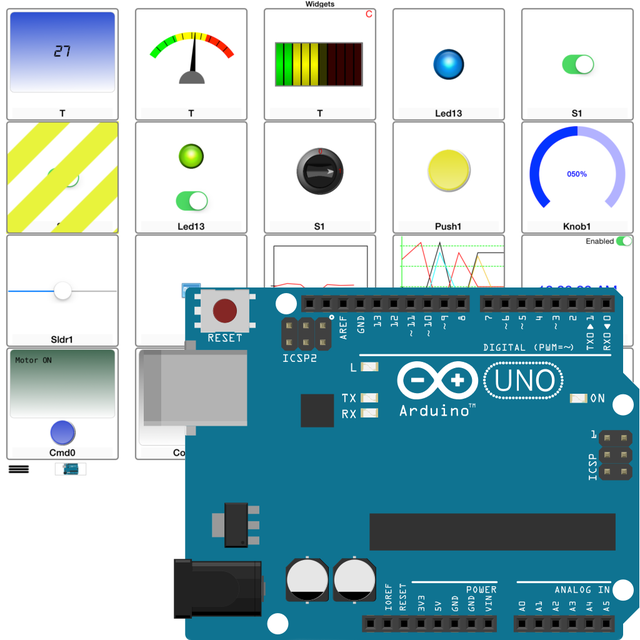
Arduino Manager

Arduino Manager

Herunterladen auf App Store
Spark by MWM logo
Logo von Arduino Manager

Arduino Manager: Das ultimative professionelle Dashboard für Ihre IoT-Projekte

Befähigen Sie Ihre DIY-Erfindungen mit Echtzeit-Datenvisualisierung, benutzerdefinierten Widget-Steuerelementen und einem intelligenten Code-Generator. Steuern Sie nahtlos Arduino, ESP32 und Raspberry Pi Pico von Ihren bevorzugten iOS-Geräten aus.

Herausgeber

Fabrizio Boco

Kategorie

Productivity

Downloads

121K+

Bewertung

3.0/5

Bewertungen gesamt

100

Sprachen

2

Ihr Projekt-Kommandozentrum

Entdecken Sie die Oberfläche, die von 121K+ Nutzern verwendet wird.
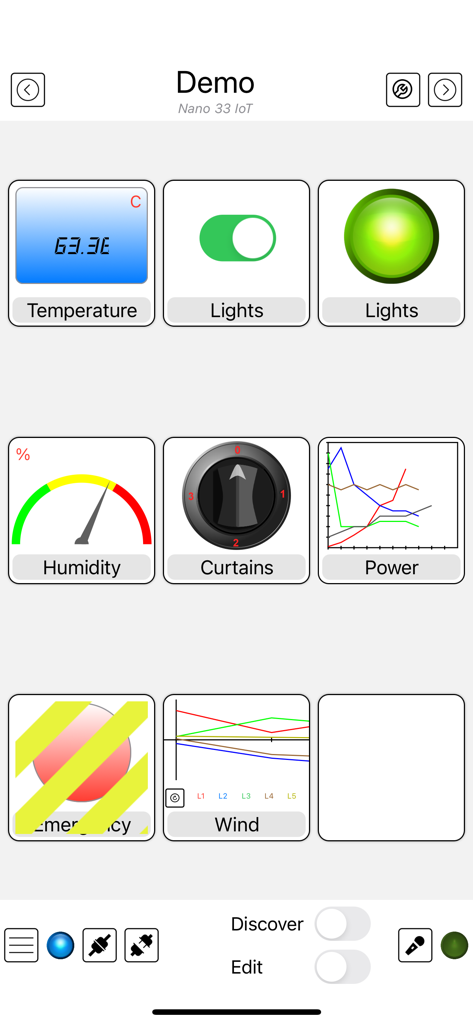
Oberfläche der Arduino Manager App, die verschiedene Steuerungs-Widgets wie Graphen, Schalter und Messgeräte für ein Mikrocontroller-Projekt anzeigt

Oberfläche der Arduino Manager App, die verschiedene Steuerungs-Widgets wie Graphen, Schalter und Messgeräte für ein Mikrocontroller-Projekt anzeigt

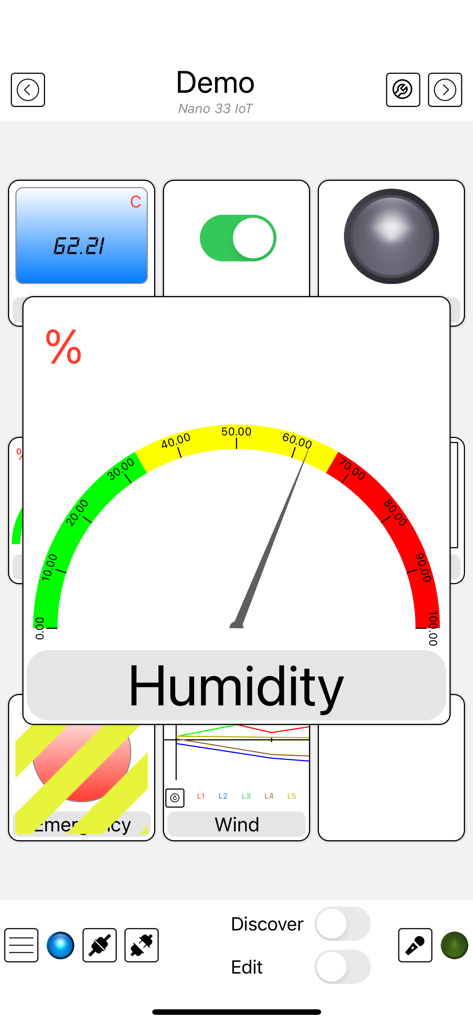
Arduino Manager App-Oberfläche mit einem Feuchtigkeitsmessgerät und verschiedenen IoT-Sensor-Widgets

Arduino Manager App-Oberfläche mit einem Feuchtigkeitsmessgerät und verschiedenen IoT-Sensor-Widgets

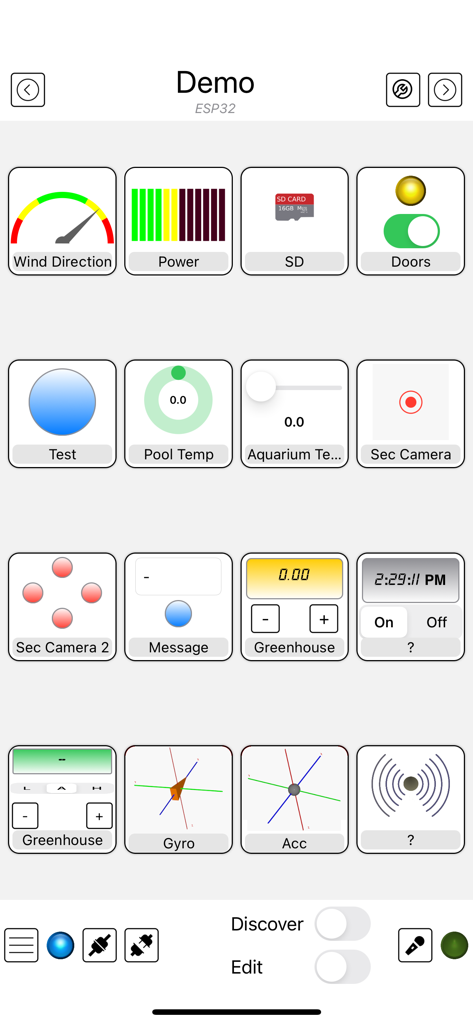
Arduino Manager App-Oberfläche mit einem Raster aus benutzerdefinierten Widgets zur Steuerung und Überwachung von DIY-Elektronikprojekten

Arduino Manager App-Oberfläche mit einem Raster aus benutzerdefinierten Widgets zur Steuerung und Überwachung von DIY-Elektronikprojekten

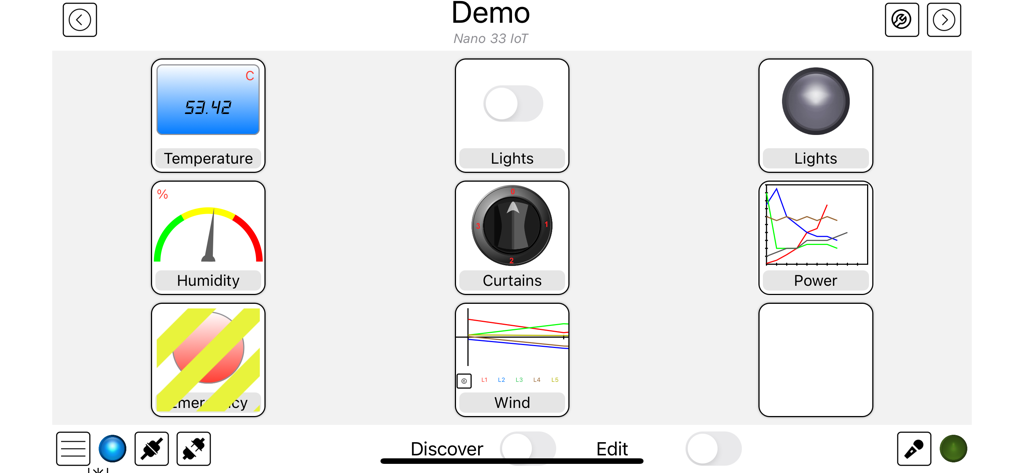
Arduino Manager Dashboard-Oberfläche mit Widgets zur Steuerung von Temperatur, Luftfeuchtigkeit und Beleuchtung.

Arduino Manager Dashboard-Oberfläche mit Widgets zur Steuerung von Temperatur, Luftfeuchtigkeit und Beleuchtung.

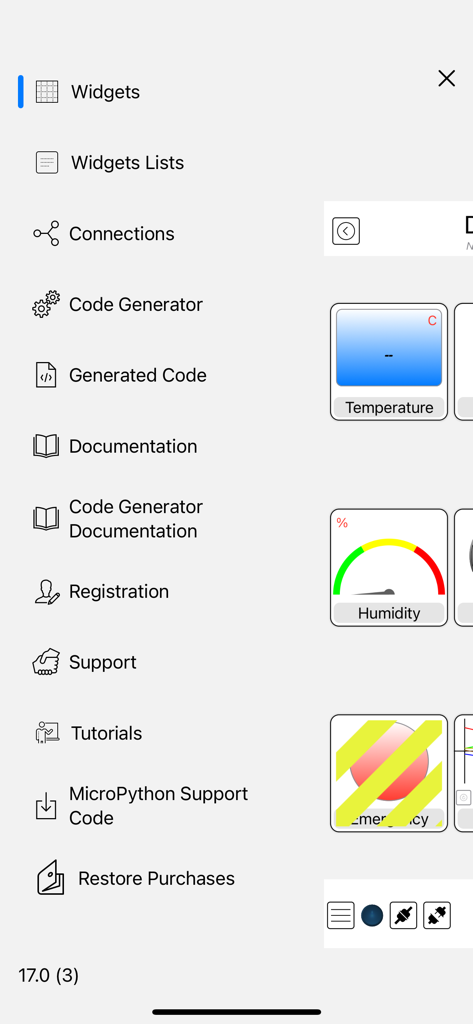
Seitenmenü der Arduino Manager App mit Optionen zur Code-Generierung und Widget-Konfiguration.

Seitenmenü der Arduino Manager App mit Optionen zur Code-Generierung und Widget-Konfiguration.

Smarter bauen, schneller codieren

Die Tools, die diese App auszeichnen, gewählt von 121K+ Nutzern.

Sofortige Code-Generierung

Überspringen Sie die mühsame Boilerplate. Generieren Sie automatisch die Kommunikationsbrücke zwischen Ihrer Hardware und Ihrem iOS-Gerät, um Ihr Projekt in Minuten statt Stunden zum Laufen zu bringen.

📊

Professionelle Daten-Dashboards

Visualisieren Sie Ihre Daten mit Echtzeitgrafiken, Konsolenprotokollen und interaktiven Widgets. Verwandeln Sie Ihr DIY-Projekt in ein poliertes, leistungsstarkes Kommandozentrum.

🔌

Universelle Konnektivität

Eine App für jede Platine. Egal, ob Sie ESP32, Arduino UNO oder Raspberry Pico verwenden, verbinden Sie sich mühelos über WLAN, Bluetooth oder Ethernet mit voller iCloud-Synchronisierung.

Weltweit von Nutzern geliebt

Vertraut von 121K+ Menschen, die diese App lieben.

"

"Arduino Manager ist ein absoluter Game-Changer für meine Heimautomatisierungsprojekte. Der Code-Generator hat mir Stunden manueller Programmierung erspart, und das Graph-Widget bietet eine Datenvisualisierung, deren Aufbau normalerweise Wochen dauert. Es verwandelt meine DIY-Sensoren in ein professionelles Überwachungssystem auf meinem iPad."

Kevin R.
"

"Ich habe Dutzende von IoT-Apps ausprobiert, aber keine bewältigt die Vielfalt der Boards so gut wie diese. Egal, ob ich einen ESP32 für meine Beleuchtung oder einen Pico W für meine Robotik verwende, die Benutzeroberfläche ist nahtlos. Der Rover Controller macht Spaß und die Möglichkeit, Befehle von meiner Apple Watch aus auszulösen, lässt meine Projekte wie die Zukunft erscheinen."

Marcus T.

Über die App

Alles, was Sie über wissen müssen Arduino Manager.

Beschreibung

Supported Boards: UNO R4 WiFi, UNO R3, Nano, MEGA2560, ESP32, ESP8622, Zero, MKR1000, Nano 33 IoT, Teensy e nRF52 BLE, Raspberry Pico Pi W (also using SDK). ESP32, Raspberry Pico and Pico W with MicroPython. Arduino Manager is an app to control the Arduino board and receive information from it through: - Ethernet Shield (arduino.cc) - HM-10 / HM19 - Adafruit * WINC1500 WiFi * CC3000 WiFi * nRF52 BLE * nRF8001 Bluefruit LE * LE SPI Friend The app shows a grid and tapping on it you can insert specialized widgets to send and receive information from Arduino. For a better visualization or control, each widget can be zoomed by the means of a double tap on it; tap on Configure for configuring the widget itself. Some widgets are: - Display Widget: shows values coming from your Arduino (i.e. Temperature). It can show numbers with 0,1,2,3 decimal digits or rolling text - LED Widget: shows a LED that can be turned on and off through digital values from Arduino - Switch Widget: sets a digital value to Arduino - Switch & LED Widget: a combination of the two previous widgets to save space when they are used together with the same variable - Push Button Widget: temporarily sets a digital value to Arduino - Knob Widget: sets a non-digital value to Arduino - SD Widget: shows the list of files in the root of SD Card and selecting a file it shows the content - Graph Widget: graphs values in (almost) real time coming from your Arduino (e.g. instantaneous temperature) - Logged Data Graph Widget: graphs up to 5 values logged onto the SD Card attached to Arduino. Libraries have helping functions to log data onto the SD Card - Alarm Widget: configures an alarm on the Arduino board which is then fired at the desired time. The alarm is fired even if the iOS device is not connected and retained across power off - power on cycles - Command Widget: allows to send a command (text message) to Arduino once the yellow button is tapped. You can add more Command Widgets to send different commands - Rover Controller Widget: allows driving a rover robot just rotating the device - Sound Alarm Widget: sounds an alarm each time the associated condition is verified - Threshold Widget: allows setting a threshold to the Arduino board (e.g. the room temperature under which the board has to start an heater) - Console Widget: helps the user to debug the Arduino code, receiving and displaying debugging messages Other widgets are available, please see support site. Each widget is associated with a name and a variable (i.e. name: Temperature, variable: T). The variable is either written or read by the sketch running on the board allowing the iOS app receiving information from Arduino or controlling it. The app can be easily connected to more boards, each page of widgets can connects to a different board at the same time. User can easily manage different lists of widgets and switch among them in order to control different projects. Any widget list can be shared between own devices via iCloud and/or other users via an email message. Many Arduino libraries are available to easily integrate your own projects with Arduino Manager. Libraries, related documentation, demo sketches and a video tutorial are available for free from my site. Available In-App purchases: - Code Generator: allows to generate the communication infrastructure between the Arduino board and iOS device and the code for each chosen widget in order to simplify the programming effort on Arduino board. - PIN Code Generator: allows the user to associate a pin to each Widget and generate the code to manage that pin. In most cases this avoid writing any code - Voice Commands: You can now control most of the AM features by mean of voice commands (in English only). It also unlocks Voice Commands Widget Continuous use of background location can decrease battery life.

Neueste Version

23.2.0

Größe

29.8 MB

Erstveröffentlichung

31. Jan. 2012

ÜBERNEHMEN SIE DIE KONTROLLE ÜBER IHRE KREATIONEN

Verschwenden Sie keine Zeit mehr mit der Boilerplate-Kommunikation. Laden Sie den Arduino Manager herunter und verwandeln Sie Ihr iPhone oder iPad noch heute in ein professionelles Kommandozentrum für Ihre Projekte.

Herunterladen auf App Store