Camelot Pro

Camelot Pro

Herunterladen auf App Store
Spark by MWM logo
Logo von Camelot Pro

Camelot Pro: Die ultimative Live-Performance-Workstation für moderne Musiker

Übernehmen Sie die volle Kontrolle über Ihr Bühnen-Setup mit dem All-in-One Setlist Manager, AUv3 Host und MIDI Router. Entwickelt für professionelle Zuverlässigkeit, gewährleistet Camelot Pro lückenloses Szenen-Switching und nahtlose Integration Ihrer Hardware- und Softwareausrüstung.

Herunterladen auf App Store

Herausgeber

Audio Modeling Srl

Kategorie

Music

Downloads

24K+

Bewertung

4.4/5

Bewertungen gesamt

100

Sprachen

-

Befehlen Sie Ihre Show

Entdecken Sie die Oberfläche, die von 24K+ Nutzern verwendet wird.
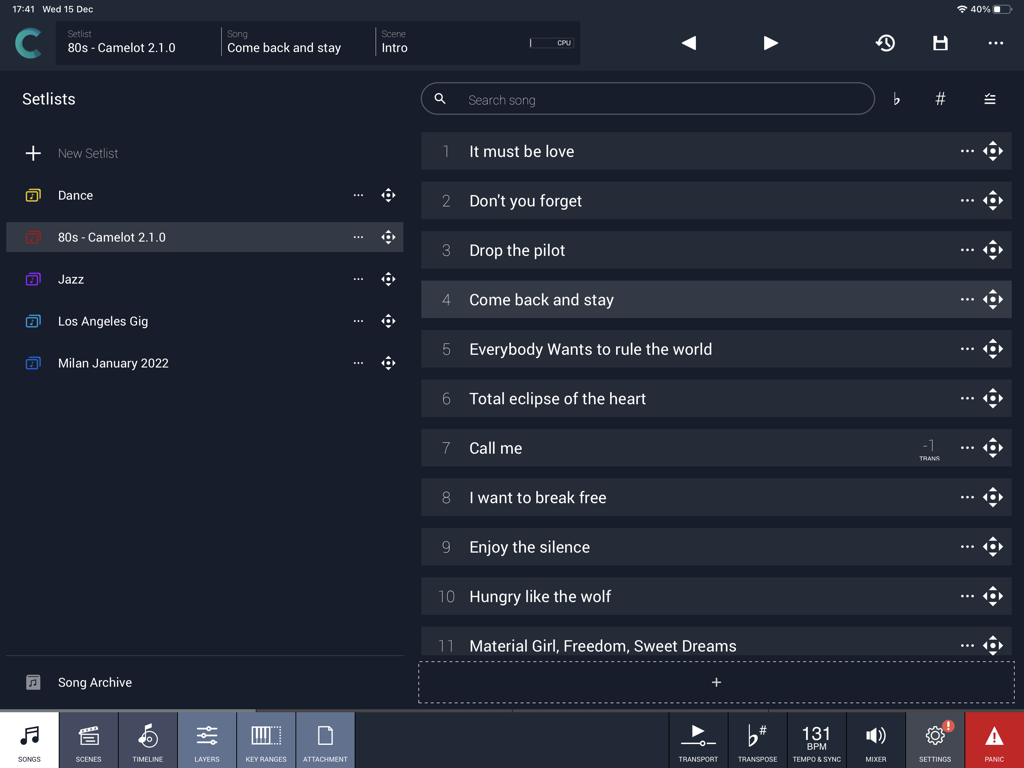
Camelot Pro App-Oberfläche mit Song-Setlists und Performance-Management für Musiker.

Camelot Pro App-Oberfläche mit Song-Setlists und Performance-Management für Musiker.

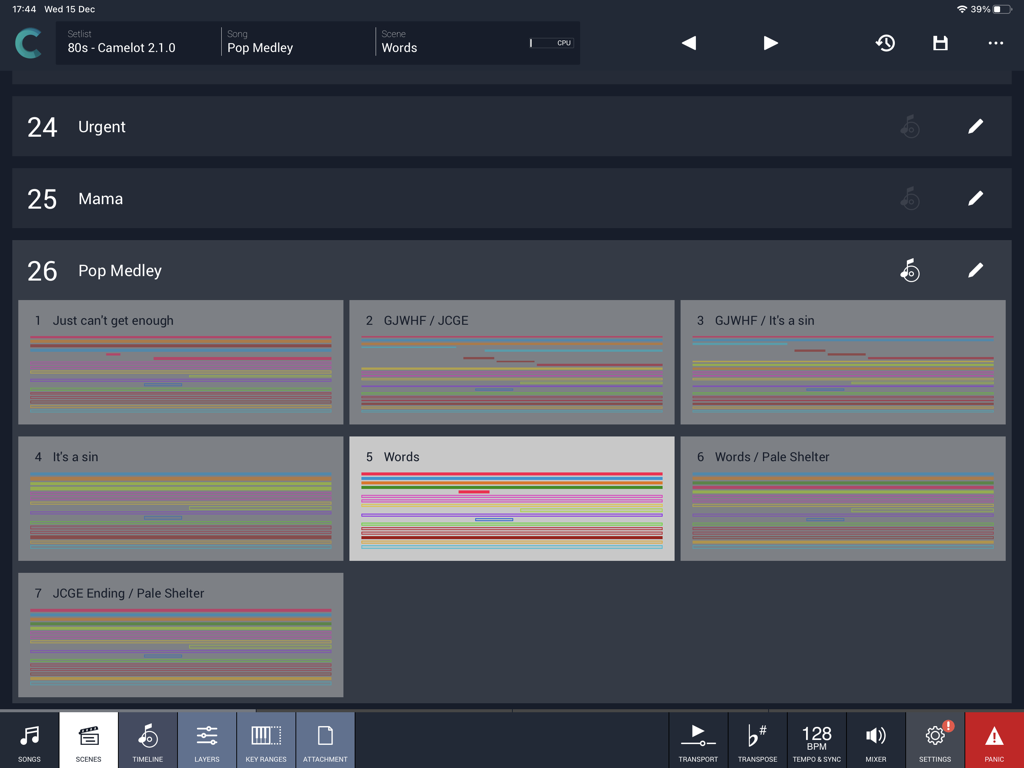
Camelot Pro iPad App-Oberfläche mit der Szenenansicht für eine Pop-Medley-Setlist

Camelot Pro iPad App-Oberfläche mit der Szenenansicht für eine Pop-Medley-Setlist

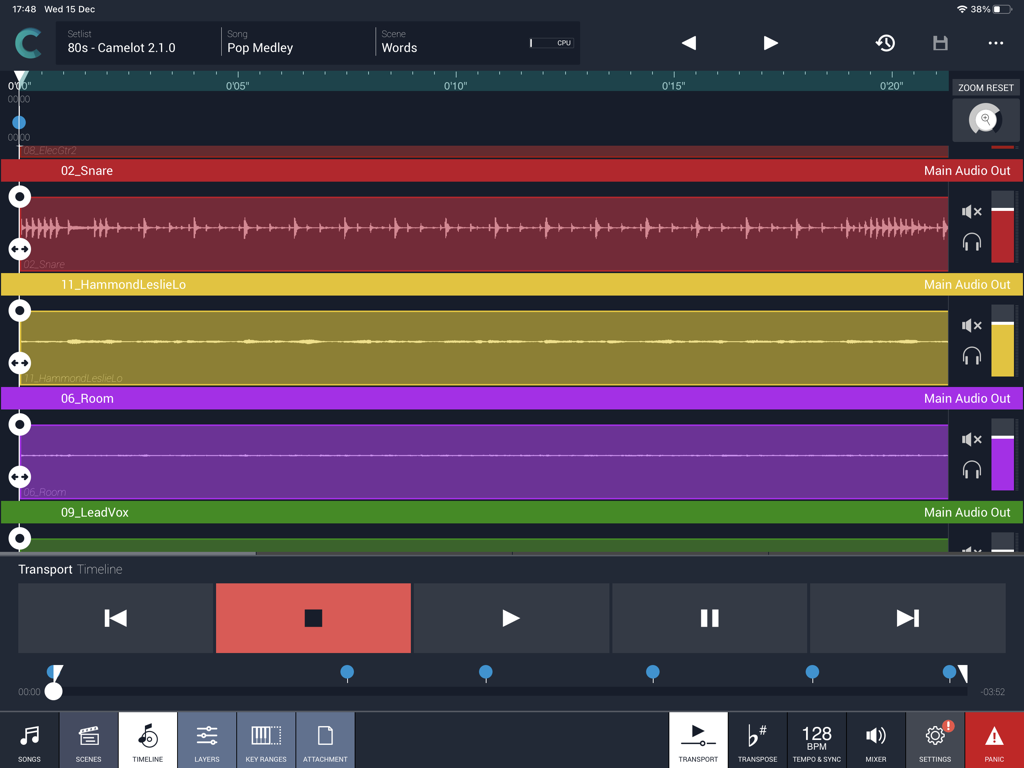
Camelot Pro Multitrack-Audio-Timeline-Ansicht auf dem iPad für Live-Musik-Performance

Camelot Pro Multitrack-Audio-Timeline-Ansicht auf dem iPad für Live-Musik-Performance

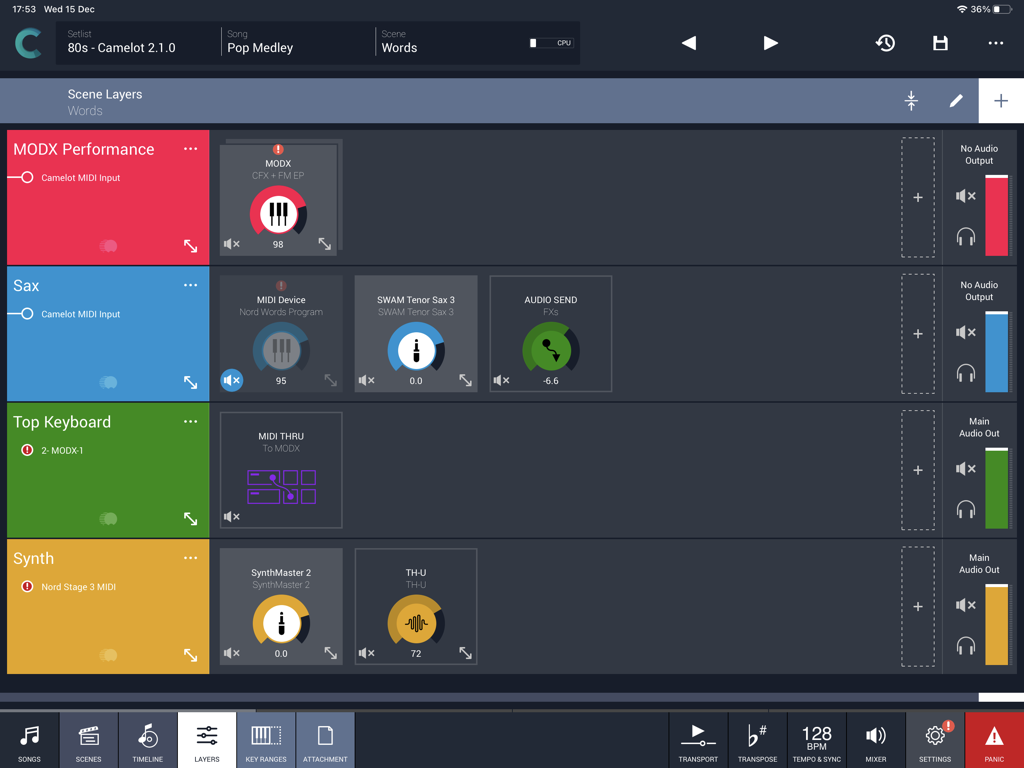
Camelot Pro App-Oberfläche mit Szenen-Layern für Live-Musik-Performance

Camelot Pro App-Oberfläche mit Szenen-Layern für Live-Musik-Performance

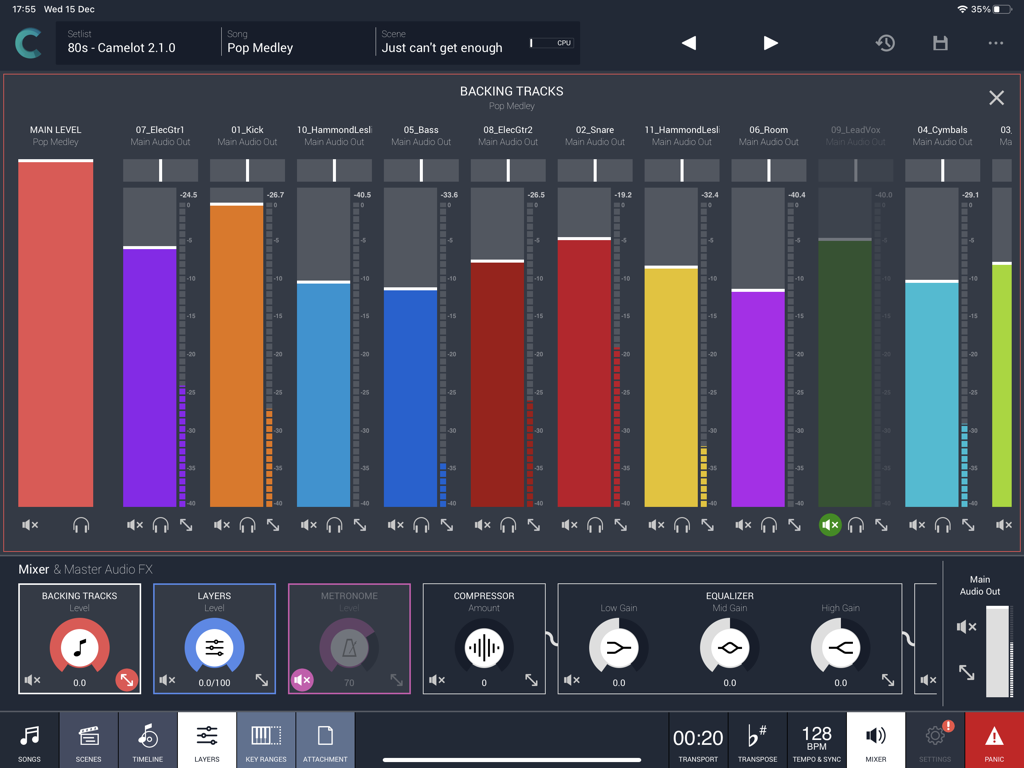
Camelot Pro App-Oberfläche mit einem Multi-Track-Audiomixer für Live-Performance-Backing-Tracks

Camelot Pro App-Oberfläche mit einem Multi-Track-Audiomixer für Live-Performance-Backing-Tracks

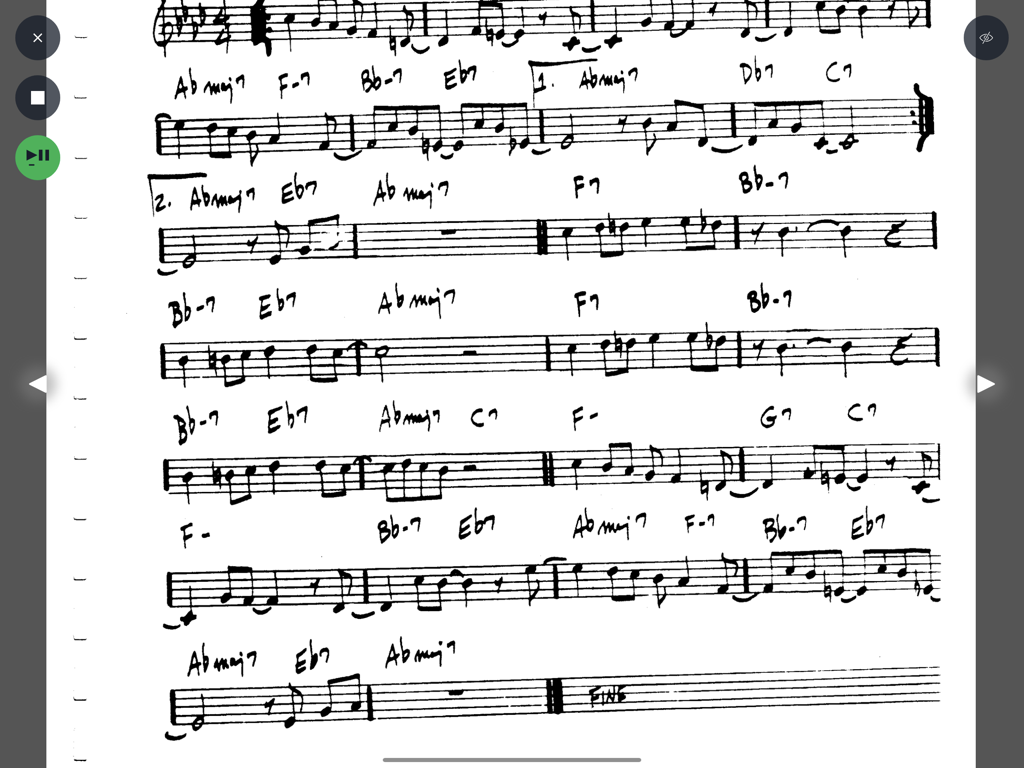
Handgeschriebenes musikalisches Leadsheet mit Akkorden und Noten, angezeigt in der Camelot Pro Notenleser-Oberfläche.

Handgeschriebenes musikalisches Leadsheet mit Akkorden und Noten, angezeigt in der Camelot Pro Notenleser-Oberfläche.

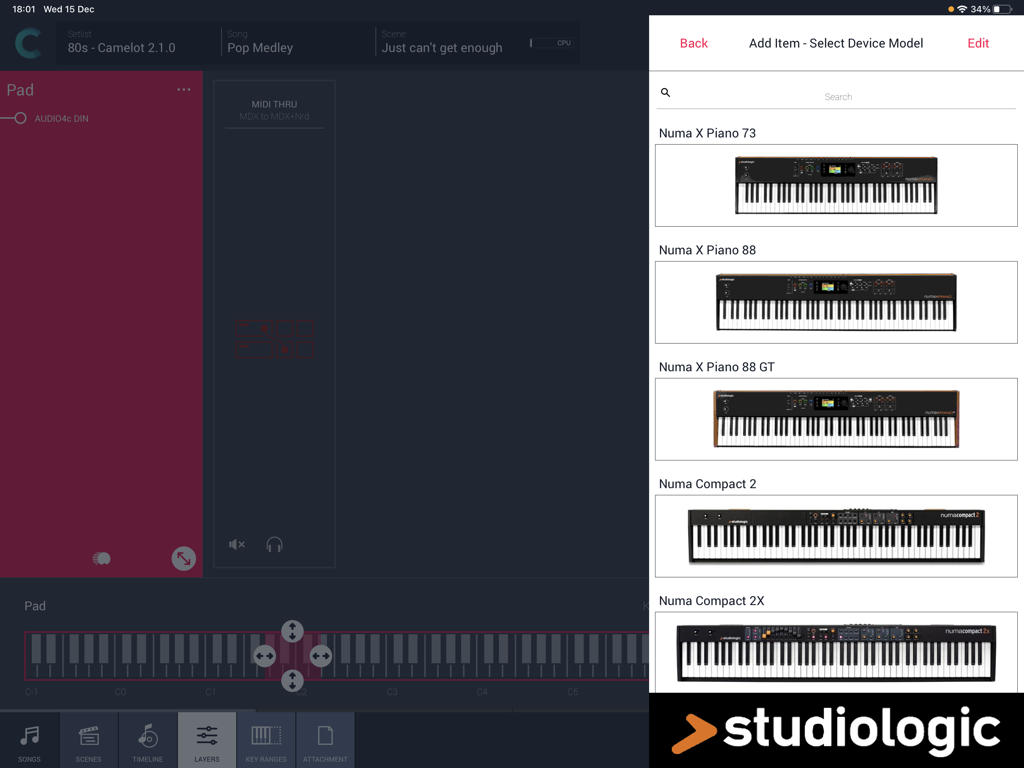
Auswahl eines Studiologic Digitalpiano-Modells im Hardware-Setup-Menü der Camelot Pro iPad App.

Auswahl eines Studiologic Digitalpiano-Modells im Hardware-Setup-Menü der Camelot Pro iPad App.

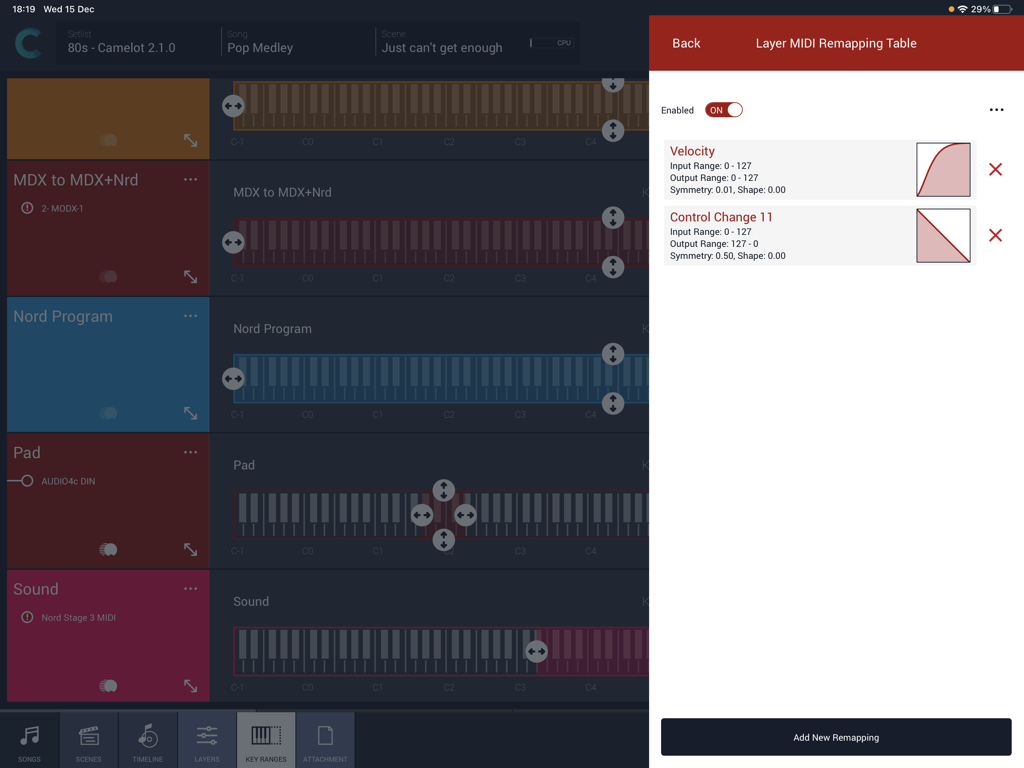
Oberfläche der Camelot Pro App, die MIDI-Velocity- und Control-Change-Remapping-Kurven mit Tastatur-Layer-Bereichen zeigt.

Oberfläche der Camelot Pro App, die MIDI-Velocity- und Control-Change-Remapping-Kurven mit Tastatur-Layer-Bereichen zeigt.

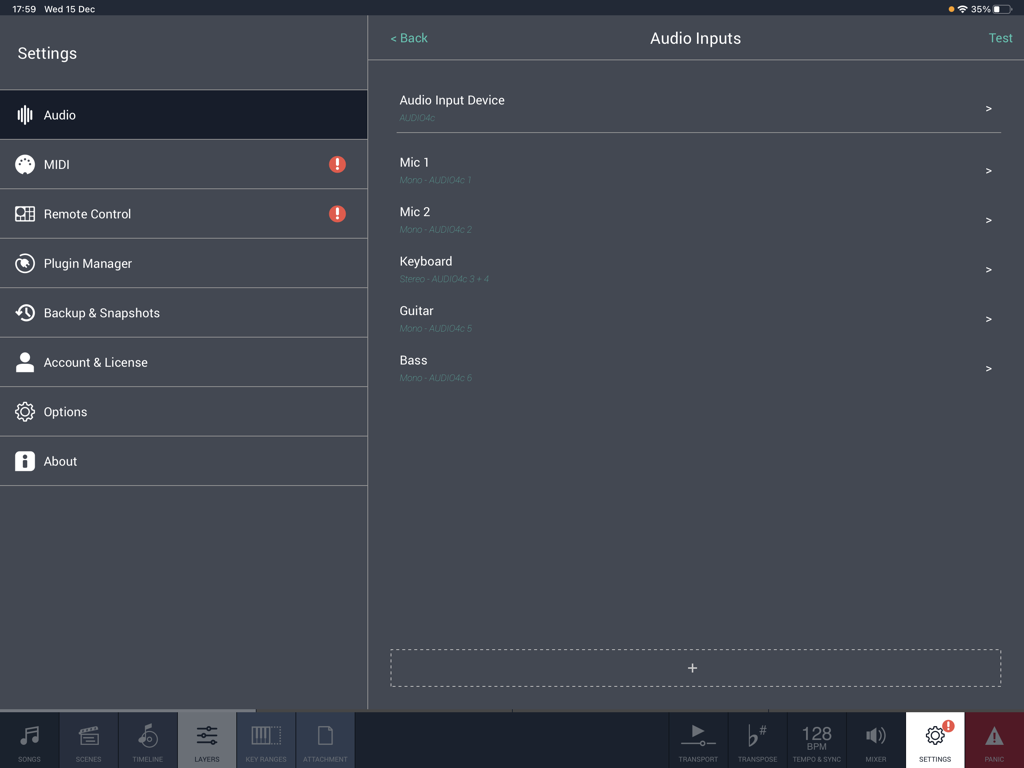
Audioueinstellungen-Konfigurationsbildschirm in der Camelot Pro App für iPad, der Mikrofon-, Keyboard-, Gitarren- und Bass-Einstellungen zeigt.

Audioueinstellungen-Konfigurationsbildschirm in der Camelot Pro App für iPad, der Mikrofon-, Keyboard-, Gitarren- und Bass-Einstellungen zeigt.

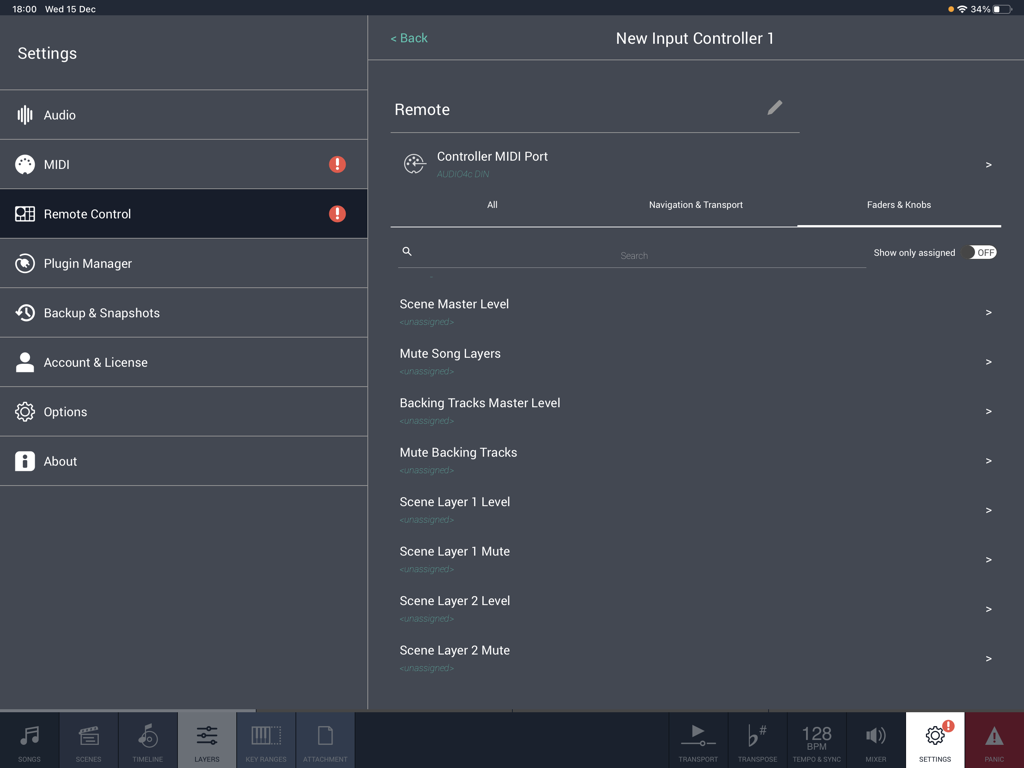
Camelot Pro App-Oberfläche, die die Einstellungen für die Fernbedienung zum Zuweisen von MIDI-Fadern und -Reglern zeigt.

Camelot Pro App-Oberfläche, die die Einstellungen für die Fernbedienung zum Zuweisen von MIDI-Fadern und -Reglern zeigt.

Das ultimative Kommandozentrum für Ihre Live-Show

Die Tools, die diese App auszeichnen, gewählt von 24K+ Nutzern.

Lückenloses Szenen-Switching

Wechseln Sie zwischen komplexen Layern und Sounds ohne Audiounterbrechung – keine Knackser, keine Stille, einfach pure Performance.

🎹

Meistern Sie Ihr gesamtes Equipment

Routen Sie mühelos MIDI und Audio zwischen Hardwaresynthesizern und Software-Plugins, ohne fortgeschrittenes technisches Wissen zu benötigen.

📋

Umfassender Performance-Manager

Halten Sie Ihre Setlists, PDF-Noten und Multi-Track-Backing-Tracks synchron und einsatzbereit mit einfacher Drag-and-Drop-Organisation.

Weltweit von Nutzern geliebt

Vertraut von 24K+ Menschen, die diese App lieben.

"

"Camelot Pro ist ein absoluter Game Changer für mein Touring-Setup. Ich habe endlich meinen klobigen Laptop gegen ein reines iPad-Setup ausgetauscht. Das Smart Scene Switching ist makellos – ich kann von einem fetten Synth-Lead zu einem zarten Klavier mit vollen Reverb-Fahnen und ohne Audioaussetzer wechseln. Es ist der stabilste Live-Host, den ich je benutzt habe."

Marcus Reed, Touring-Keyboarder
"

"Ein komplexes Sonntagsprogramm bedeutete früher, vier verschiedene Apps zu jonglieren. Jetzt erledigt Camelot alles: meine AUv3-Plugins, MIDI-Routing für meine Hardware und meine Akkordtabellen. Dass die Timeline meine Szenenwechsel automatisiert, während Backing Tracks abgespielt werden, hat meinen Workflow immens vereinfacht. Es ist das Gehirn meines gesamten Bühnen-Setups."

Sarah Jenkins, Musikdirektorin

Über die App

Alles, was Sie über wissen müssen Camelot Pro.

Beschreibung

Camelot is an application created to address the most complex live performance needs with a simple and guided workflow. It combines in one app, a convenient and beautifully designed digital performance workstation that in the past could only be achieved with a complex setup made of connecting different applications and devices together. Camelot is a Setlist Manager, a Software Instrument & FX Host, a PDF Music Score reader, a Multitrack Audio Player, and the most advanced Audio/MIDI Patchbay and Router. All in one piece of software: ● Hardware Instrument presets: select your instrument Smart Map and go! With no MIDI knowledge! ● Software instruments and effects (AUv3) Play with your favorite software sounds & FX (Auv3 format) and enjoy switching from one scene to another WITHOUT SOUND INTERRUPTION! ● MIDI keyboards and MPE controllers: connect any MIDI controller directly or with a USB hub; ● Advanced MIDI routing: duplicate, filter, and route any MIDI messages with ease; ● Powerful MIDI Transformers: Message Transformers convert CC messages from one number to another. Trigger a chord by pressing one note Remap/rescale any CC or velocity curve. Easily play different scales or harmonize/shift parts; ● MIDI and Bluetooth remote controls: Remote scene switching, start/stop buttons, or assign track levels to external pedals, faders, or controllers; ● Smart Scene Switching: It’s a unique feature on iOS!!! There is no AUv3 host capable of switching sound with NO AUDIO INTERRUPTION and clever MIDI messages management, that does not truncate MIDI instances & routing. Stop using production tools for live performances! ● Tempo Sync with MIDI Clock and Ableton Link, with dedicated output for metronome (click) ● Lyrics and Chords attachments with custom annotations: each Scene recalls PDF or images that you can visualize during the performance. The attached file can be saved at the desired zoom level and scroll position. Stop using paper chord, lyrics, or music score books! ● Audio backing tracks, Timeline & Automations: attach Audio Tracks, add auto-play and auto-stop markers, and even add Scene automation. You can have multiple audio tracks with separate audio outputs and, at the same time, use the Timeline to automate Scene switches at specific points in the sequence; ● Audio Inputs and Routing: Manage any audio input source: mic, guitar, bass, or hardware synth. Add effects to any internal or external audio source in Camelot. Endless audio routing options with dedicated audio send connectors; ● Manage your Performance with ease: Forget about the complications of last-minute Setlist changes. Rearrange, move and duplicate Songs with simple Drag & Drop directly on each Setlist. How Camelot is organized: ● Setlists - a collection of Songs ● Songs - can have one or more Scenes that each include a Timeline. When you select a Song in Camelot, you load all the resources needed to play that Song (i.e., Virtual Instruments, FX, and Audio Tracks). ● Scenes - recall and organize Hardware instruments presets, MIDI connections, Software plugin presets, and Music Score Attachments. You can switch freely from one Scene to another with no interruption in the sound. ● Layers - the building blocks of each Scene. Layers allow the connection between MIDI Input Controllers and the Items. Layers manage the MIDI and Audio flow for all the Items that are loaded on them. ● Items - Individual Hardware or Software Instruments and FX.

Neueste Version

2.4.0

Größe

57.4 MB

Erstveröffentlichung

13. Dez. 2018

Übernehmen Sie die Kontrolle über Ihre Live-Performance

Verabschieden Sie sich von der Komplexität und spielen Sie mit vollem Vertrauen. Schließen Sie sich Tausenden von Profimusikern an, die Camelot nutzen, um ihre gesamte Show von einem einzigen iPad aus zu steuern.

Herunterladen auf App Store