Capture 365 Journal

Capture 365 Journal

Herunterladen auf App Store
Spark by MWM logo
Logo von Capture 365 Journal

Capture 365 Journal: Das anspruchsvolle digitale Archiv für Ihre Lebensreise

Dokumentieren Sie Ihre Welt nahtlos mit professioneller Automatisierung, Synchronisierung über mehrere Geräte hinweg und sicherer Verschlüsselung. Von Social-Media-Feeds bis hin zu privaten Reflexionen – bewahren Sie jeden Meilenstein auf Ihrem iPhone, iPad und Mac auf.

Herausgeber

Sockii Pty Ltd

Kategorie

Lifestyle

Downloads

212K+

Bewertung

4.0/5

Bewertungen gesamt

300

Sprachen

2

Ihr Leben, visualisiert

Entdecken Sie die Oberfläche, die von 212K+ Nutzern verwendet wird.
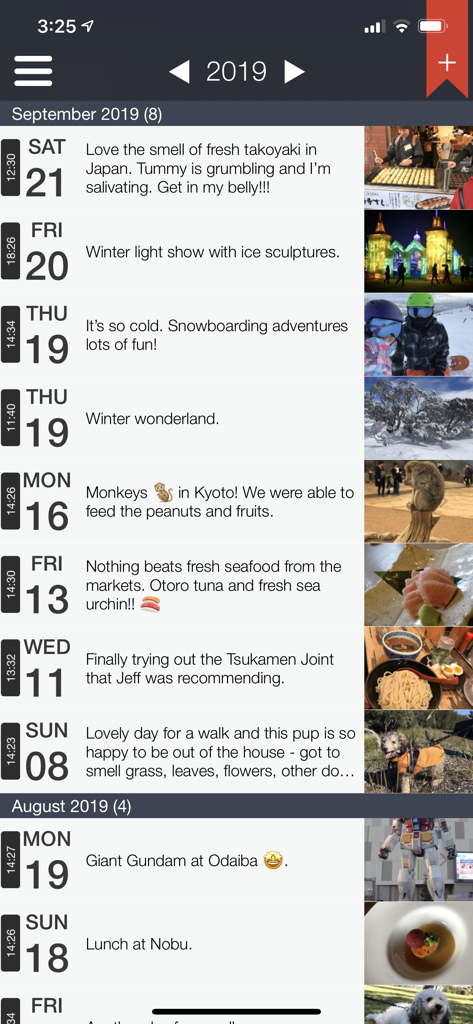
Timeline-Ansicht der Capture 365 Journal-Einträge mit Reiseerinnerungen und Fotos

Timeline-Ansicht der Capture 365 Journal-Einträge mit Reiseerinnerungen und Fotos

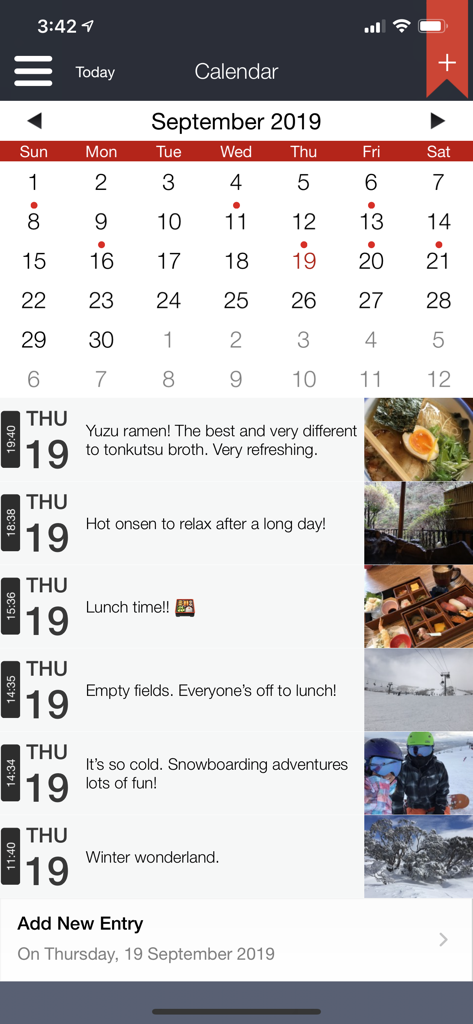
Die Capture 365 Journal-App mit Kalenderansicht und einer täglichen Zeitleiste von Einträgen mit Fotos und Beschreibungen.

Die Capture 365 Journal-App mit Kalenderansicht und einer täglichen Zeitleiste von Einträgen mit Fotos und Beschreibungen.

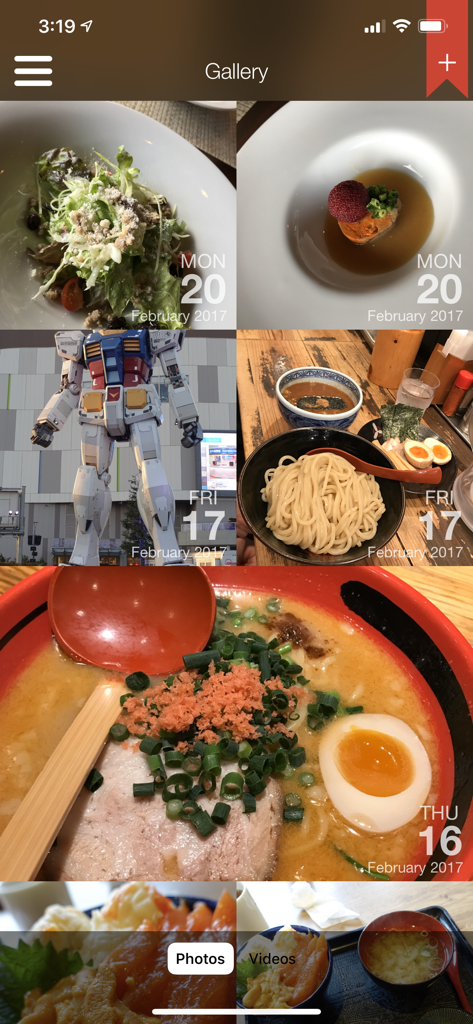
Eine Fotogalerie-Ansicht in der Capture 365 Journal-App, die ein Raster von Erinnerungen mit Daten zeigt

Eine Fotogalerie-Ansicht in der Capture 365 Journal-App, die ein Raster von Erinnerungen mit Daten zeigt

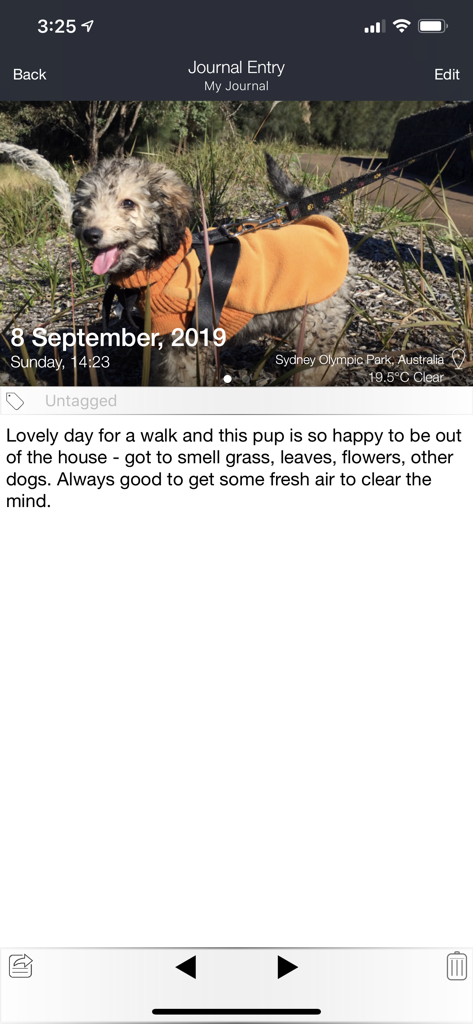
Mobile Ansicht von Capture 365 Journal mit einem Fotoeintrag sowie automatischer Wetter- und Standortkennzeichnung

Mobile Ansicht von Capture 365 Journal mit einem Fotoeintrag sowie automatischer Wetter- und Standortkennzeichnung

Kartenansicht von Capture 365 Journal, die einen Reisejournal-Eintrag mit einem in Tokio, Japan, angehefteten Foto anzeigt

Kartenansicht von Capture 365 Journal, die einen Reisejournal-Eintrag mit einem in Tokio, Japan, angehefteten Foto anzeigt

Halten Sie Ihre Lebensreise mühelos fest

Die Tools, die diese App auszeichnen, gewählt von 212K+ Nutzern.

Intelligente Automatisierung

Beseitigen Sie das Problem der 'leeren Seite', indem Sie automatisch Social-Media-Posts, Kalenderereignisse und Standorte direkt in Ihre private Timeline importieren.

💻

Nahtloses Apple-Ökosystem

Entwickelt für Power-User. Beginnen Sie einen Eintrag auf Ihrem iPhone, fügen Sie Fotos von Ihrer Apple Watch hinzu und vervollständigen Sie Ihre Gedanken auf Ihrem Mac mit sofortiger iCloud-Synchronisierung.

🔒

Privat & Verschlüsselt

Ihre innere Welt ist sicher. Schützen Sie Ihre Erinnerungen mit Touch ID, Face ID und Verschlüsselung nach Industriestandard, um Ihre Daten vor neugierigen Blicken zu schützen.

Weltweit von Nutzern geliebt

Vertraut von 212K+ Menschen, die diese App lieben.

"

"Die 365+ Automatisierung ist ein absoluter Lebensretter für einen vielbeschäftigten Profi wie mich. Ich liebe es, dass sie meinen Standort und meine Fotos automatisch erfasst, sodass ich mich auf meine Gedanken konzentrieren kann, anstatt auf die Logistik des Tagebuchschreibens. Die Datenschutzfunktionen geben mir die Gewissheit, dass meine persönlichen Einträge auf all meinen Geräten sicher sind."

Sarah Jenkins
"

"Die Integration in das Ökosystem ist perfekt. Ich beginne oft während einer Wanderung einen Eintrag auf meiner Apple Watch und beende ihn zu Hause auf meinem Mac. Die Möglichkeit, mein gesamtes Jahr in ein professionelles PDF-Dokument zu exportieren, ist genau das, wonach ich gesucht habe, um meine Reiseerinnerungen in einem hochwertigen Format zu bewahren."

David Miller

Über die App

Alles, was Sie über wissen müssen Capture 365 Journal.

Beschreibung

Capture 365 Journal is a beautiful and easy to use diary/journal. You will have complete access to your journals all the time, allowing you capture your thoughts and special moments throughout the day. KEY FEATURES - Sync with iCloud, Dropbox or 365 Direct Sync. - Sync with Capture 365 Journal Mac. - Shared Syncing with other people.* - Cloud Sync service data encryption. - Location and Weather. - Multiple photos and videos. - Add multiple journal entries each day - Multiple journal tags per entry. - Automatically import events and social media posts* to your journals. - Passcode & Touch ID protection. - Automated backups. - Export your journals as email, PDF or RTF by dates and tags. - Custom font style and sizing. - Search and view your journals by tags and locations. - Reminders. - Supports right to left writing direction. - User customisable templates. - Rich text support. - Multiple journal support. - 365+ Automation (Automatic Journaling)* Sync Support Sync and store your data on cloud services such as iCloud or Dropbox. Alternatively, sync using 365 Direct Sync. 365 Direct Sync will transmit directly to your other devices over your local network. Keep your journals in sync - no matter if you're on the Mac, iPad or iPhone. Shared Syncing* Create, edit, view and sync your journal entries with your family and friends. Multiple Photos and Videos Attach multiple photos and videos to each of your journal entries. Location and Weather Add a location to your journal entry, so you will always remember where the event took place. Records weather conditions for the location as well. 365+ Automation (Automatic Journaling)* Automatically create entries based on places you have visited throughout your day. Photos taken will be imported into corresponding entries. Feed Support Automatically import Calendar events and posts from Facebook*, Twitter*, Flickr* and Instagram* into your journal. *feature requires in-app purchase Exporting Export journals - filtered by date and tags - as a beautifully generated PDF or RTF document, which can be emailed out. Backups Automated system that handles the data backups for you, which can be stored on iCloud. SUPPORT Please write to us instead of submitting bugs or questions in an App Store review. Visit us at www.sockii.com Contact us at support@sockii.com *The 365+ Automation feature includes access to all Feeds and shared syncing. This feature is subscription based. The duration of this subscription is for 1 year (US$4.49). Payment will be charged to iTunes Account at confirmation of purchase. Subscription automatically renews unless auto-renew is turned off at least 24-hours before the end of the current period. Account will be charged for renewal within 24-hours prior to the end of the current period, and identify the cost of the renewal. Subscriptions may be managed by the user and auto-renewal may be turned off by going to the user's Account Settings after purchase. No cancellation of the current subscription is allowed during active subscription period. Privacy Policy: http://capture365journal.com/privacy.html Terms of Use: http://capture365journal.com/terms.html

Neueste Version

3.7.10

Größe

78.0 MB

Erstveröffentlichung

23. Sept. 2015

Bereit, Ihre Lebensgeschichte zu archivieren?

Schließen Sie sich Tausenden von Profis an, die das Tagebuchschreiben zu einer nahtlosen Gewohnheit gemacht haben. Beginnen Sie noch heute Ihr digitales Vermächtnis auf iPhone, iPad und Mac.

Herunterladen auf App Store