CASIO ClassPad

CASIO ClassPad

Herunterladen auf App StoreHerunterladen auf Google Play
Spark by MWM logo
Logo von CASIO ClassPad

CASIO ClassPad: Die professionelle CAS-Grafik-Suite für den MINT-Erfolg

Stärken Sie Ihren akademischen Weg mit der vollen Leistung eines Computer-Algebra-Systems. Von der Analysis bis zum Ingenieurwesen – meistern Sie komplexe Gleichungen und visuelle Geometrie mit den weltweit vertrauenswürdigen Werkzeugen erfolgreicher Studenten.

Herausgeber

CASIO COMPUTER CO., LTD.

Kategorie

Education

Downloads

133K+

Bewertung

1.9/5

Bewertungen gesamt

100

Sprachen

5

Die Power von CAS auf Ihrem Bildschirm

Entdecken Sie die Oberfläche, die von 133K+ Nutzern verwendet wird.
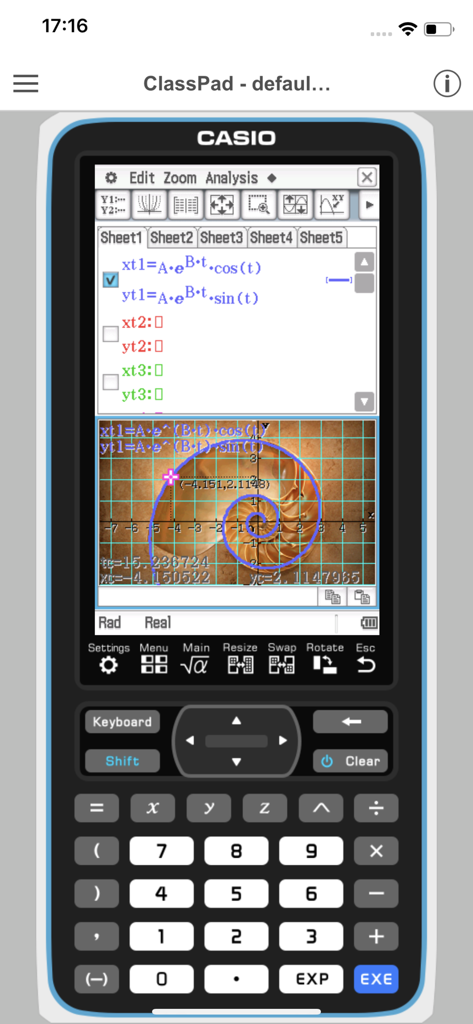
Smartphone-Bildschirm mit der CASIO ClassPad App, die komplexe Gleichungen und einen logarithmischen Spiralgraphen zeigt.

Smartphone-Bildschirm mit der CASIO ClassPad App, die komplexe Gleichungen und einen logarithmischen Spiralgraphen zeigt.

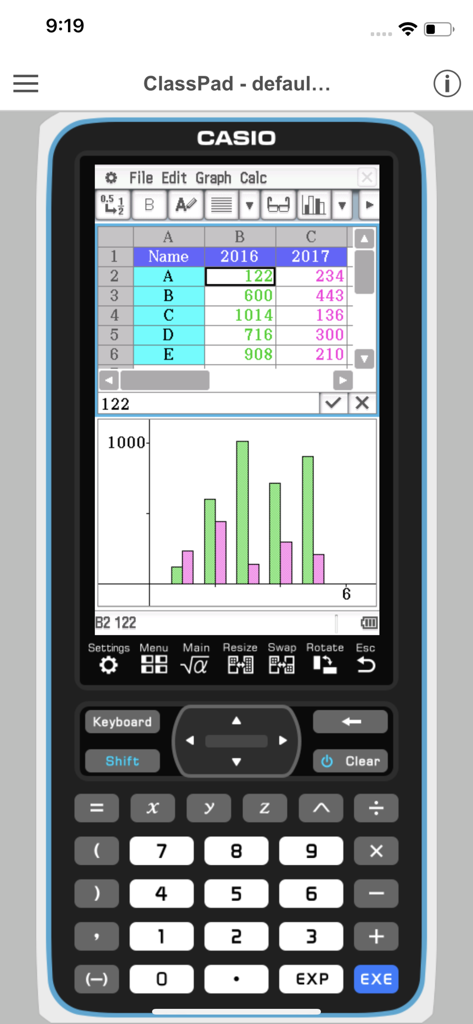
CASIO ClassPad App, die Tabellendaten und ein statistisches Balkendiagramm auf einer virtuellen Grafikrechner-Oberfläche anzeigt.

CASIO ClassPad App, die Tabellendaten und ein statistisches Balkendiagramm auf einer virtuellen Grafikrechner-Oberfläche anzeigt.

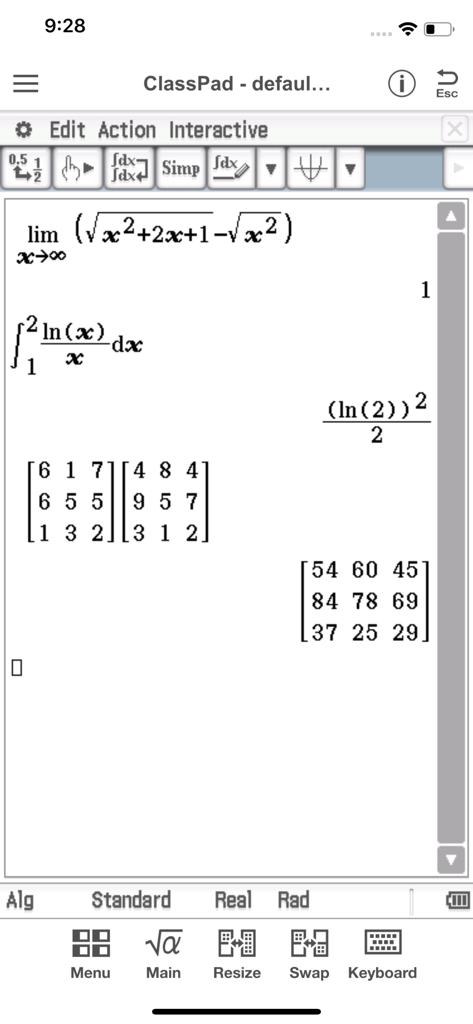
Mobile Anwendung Casio ClassPad mit Darstellung von fortgeschrittener Integralrechnung und Matrixmultiplikation

Mobile Anwendung Casio ClassPad mit Darstellung von fortgeschrittener Integralrechnung und Matrixmultiplikation

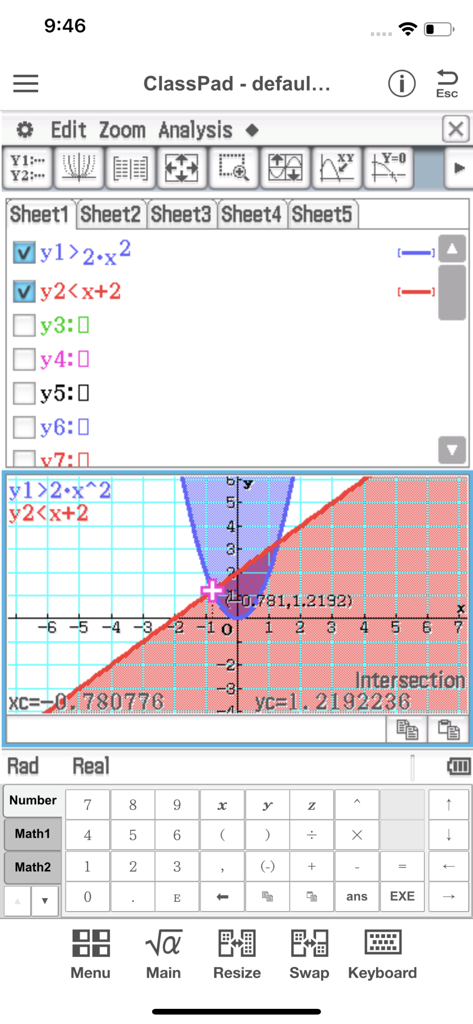
CASIO ClassPad App-Oberfläche mit einem Ungleichungsgraphen mit schattierten Bereichen und einer Schnittpunktberechnung.

CASIO ClassPad App-Oberfläche mit einem Ungleichungsgraphen mit schattierten Bereichen und einer Schnittpunktberechnung.

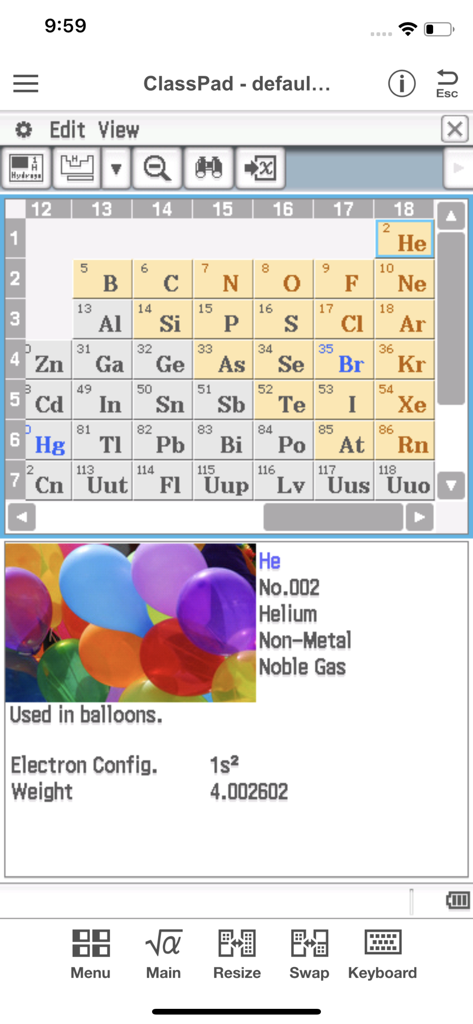
CASIO ClassPad App mit Periodensystem und detaillierten Informationen zum Element Helium

CASIO ClassPad App mit Periodensystem und detaillierten Informationen zum Element Helium

Mathematik auf Profi-Niveau in Ihrer Tasche

Die Tools, die diese App auszeichnen, gewählt von 133K+ Nutzern.

♾️

Symbolische CAS-Intelligenz

Lösen, faktorisieren und integrieren Sie komplexe algebraische Gleichungen mühelos mit einem leistungsstarken Computer-Algebra-System.

📉

Dynamische 3D-Visualisierung

Verwandeln Sie abstrakte Funktionen in interaktive Graphen und geometrische Animationen, um schwierige Konzepte aus Analysis und Ingenieurwesen zu meistern.

📝

Integrierte Studien-Workflows

Nutzen Sie eActivity, um mathematische Ausdrücke mit Text zu kombinieren und perfekte digitale Laborberichte sowie prüfungsreife Lernhilfen zu erstellen.

Weltweit von Nutzern geliebt

Vertraut von 133K+ Menschen, die diese App lieben.

"

"Als Ingenieurstudent im zweiten Jahr war es mühsam, ständig einen klobigen Grafikrechner mitzuschleppen. Diese App ist für mein iPad ein echter Gamechanger. Das Computer-Algebra-System (CAS) funktioniert genau wie mein physisches ClassPad, was komplexe Analysis und symbolische Manipulationen während meiner Lerneinheiten zum Kinderspiel macht. Es ist der perfekte Begleiter für meine digitalen Laborberichte."

Alex R., Ingenieurstudent
"

"Ich brauchte einen CAS-fähigen Taschenrechner für meine Analysis- und Chemiekurse, wollte aber keine 150 $ für Hardware ausgeben. Für 1,99 $ im Monat bietet mir diese App alles, was ich brauche. Das Physium-Tool ist unglaublich hilfreich für Periodensystem-Konstanten, und die eActivity-Arbeitsblätter halten meine Lernnotizen organisiert. Für MINT-Studenten auf hohem Niveau ist das ein absolutes Schnäppchen."

Maya L., AP-Honor-Studentin

Über die App

Alles, was Sie über wissen müssen CASIO ClassPad.

Beschreibung

●App Overview ClassPad comes equipped to perform complex calculations, draw graphs, and to use a computer algebra system (CAS) to investigate mathematics and solve problems. It has a user interface in the style of the handheld ClassPad, a tool used in classrooms worldwide. This app will be beneficial for both new and experienced ClassPad users. ClassPad in combination with the free activities available from CASIO can help to take your study of mathematics to the next level. ●Trial Version vs Monthly Subscription Version After you register for a ClassPad Subscription, you will be provided access to a variety of different apps and functions that are essential for math and natural science learning and calculation. ・Applications You get access to a selection of more than 10 new apps that allow you to perform calculations using dynamic visual representations of math and natural science concepts. Four typical applications, each of which is essential for math and natural science learning and calculations, are described below. -eActivity eActivity lets you input math expressions and textual explanations in files that can then be used as worksheets. -Spreadsheet In addition to standard spreadsheet calculations, this app also provides statistical chart analysis and statistical calculation capabilities. -Geometry Geometry makes it possible for students to grasp relationships between figures using number tables and animations. -Physium Physium provides access to a periodic table and scientific constants for calculations. ・Functions You get additional access to more than 300 middle and higher grade math functions, including calculus, complex numbers, probability distribution, and more. ●Monthly Subscription ・Subscription Fee and Period A subscription costs $1.99 per month (calculated from your date of purchase), automatically renewed each month until you cancel your subscription. Billing is through your iTunes account. ・Automatic Renewal Details Subscriptions are renewed automatically as long as the subscriber does not cancel the subscription at least 24 hours before the end of the current subscription period. Billing for an automatically renewed subscription will be performed within 24 hours after the auto renewal. ・Checking Your Current Subscription Status and Canceling a Subscription (by Stopping Auto Renewal) You can check your current subscription status by navigating to the applicable page as shown below. [Settings > iTunes & App Store > Tap your Apple ID. > View Apple ID > Subscriptions] On the page that appears, you can check your next auto renewal date, and cancel or reconfigure your auto renewal. *You can also use iTunes to check your next auto renewal date, and cancel or reconfigure your auto renewal. ・Partial Month Cancellation Cancellation of a subscription partway through a month is not allowed. ●Terms of use http://edu.casio.com/software_app/app/termsofuse/en.html ●Privacy Policy http://world.casio.com/privacy/

Neueste Version

1.0.14

Größe

54.0 MB

Erstveröffentlichung

3. Juli 2017

Meistern Sie fortgeschrittene Mathematik mit der Leistung von CASIO

Von der Analysis bis zum Ingenieurstudium – verwandeln Sie Ihr Gerät in ein professionelles Computer-Algebra-System. Holen Sie sich die Präzision und Werkzeuge, die Sie brauchen, um in jeder Vorlesung und jedem Labor zu glänzen.

Herunterladen auf App StoreHerunterladen auf Google Play