Compass 55. Map & GPS kit.

Compass 55. Map & GPS kit.

Herunterladen auf App Store
Spark by MWM logo
Logo von Compass 55. Map & GPS kit.

Compass 55. Ihr professionelles GPS-, Karten- und Navigations-Kit.

Meistern Sie jedes Gelände mit hochpräzisen MGRS-Koordinaten, Offline-Karten und technischen Tracking-Tools. Eine robuste, datenschutzorientierte Navigations-Suite für Abenteurer und Profis, die volle Kontrolle und keine Datenweitergabe fordern.

Herausgeber

Kalimex-Consulting s.r.o.

Kategorie

Navigation

Downloads

987K+

Bewertung

4.7/5

Bewertungen gesamt

5K+

Sprachen

7

Der technische Vorteil

Entdecken Sie die Oberfläche, die von 987K+ Nutzern verwendet wird.
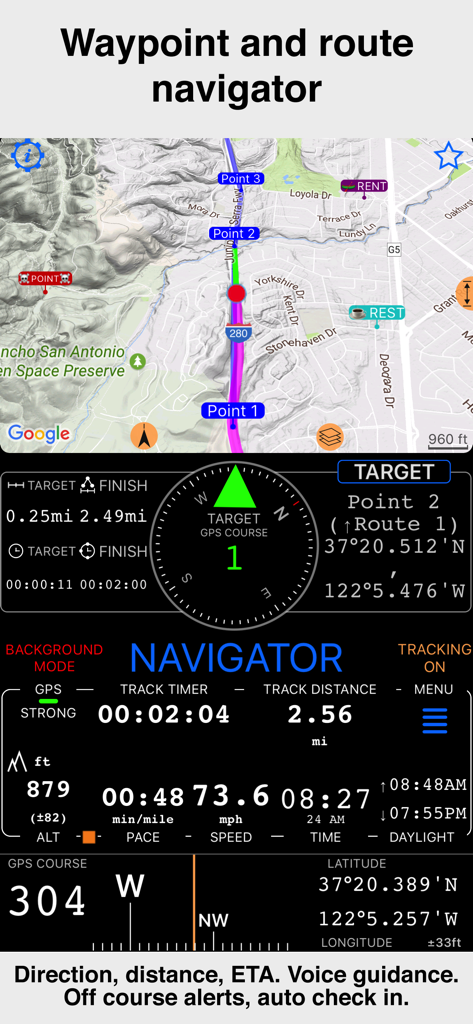
Compass 55-Benutzeroberfläche mit Wegpunkt- und Routennavigation sowie Geschwindigkeits- und Höhendaten

Compass 55-Benutzeroberfläche mit Wegpunkt- und Routennavigation sowie Geschwindigkeits- und Höhendaten

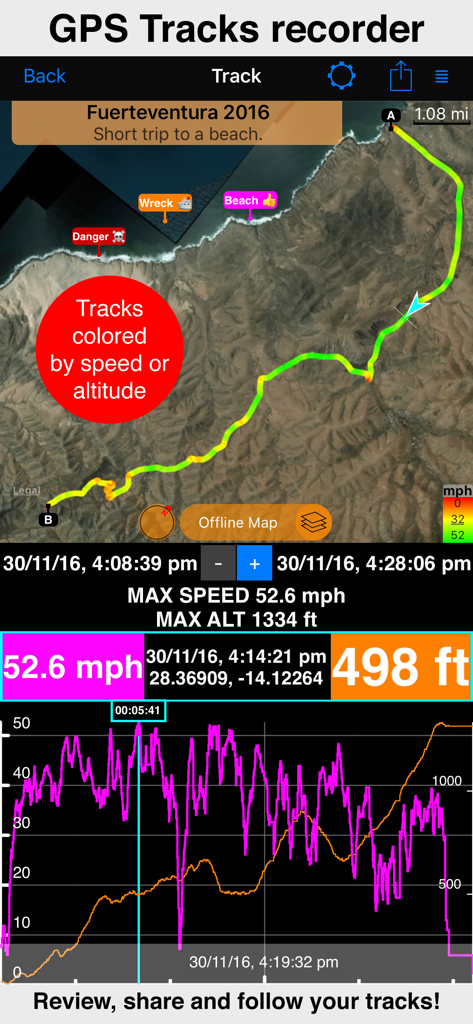
Bildschirm zur GPS-Track-Aufzeichnung mit Geschwindigkeits- und Höhenstatistiken auf der Karte

Bildschirm zur GPS-Track-Aufzeichnung mit Geschwindigkeits- und Höhenstatistiken auf der Karte

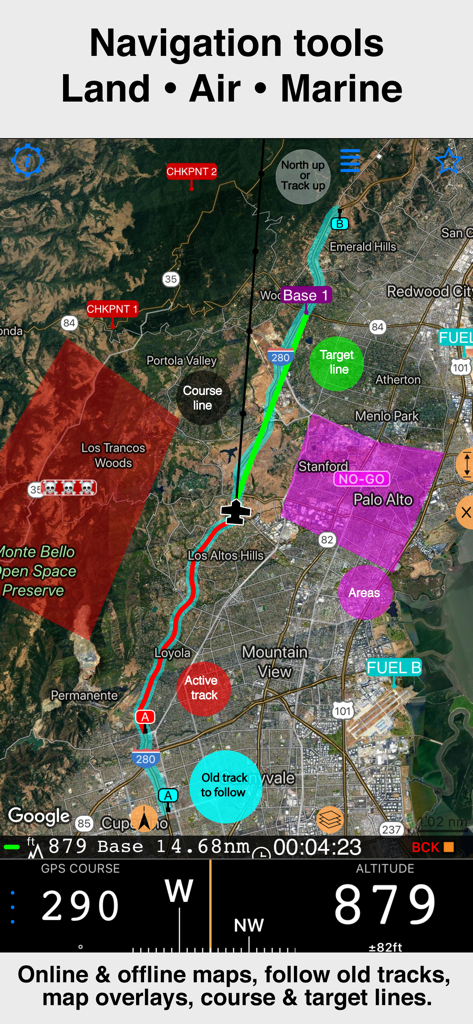
Professionelle Navigations-Benutzeroberfläche von Compass 55 mit Satellitenkarte, Track-Overlays und Höhendaten

Professionelle Navigations-Benutzeroberfläche von Compass 55 mit Satellitenkarte, Track-Overlays und Höhendaten

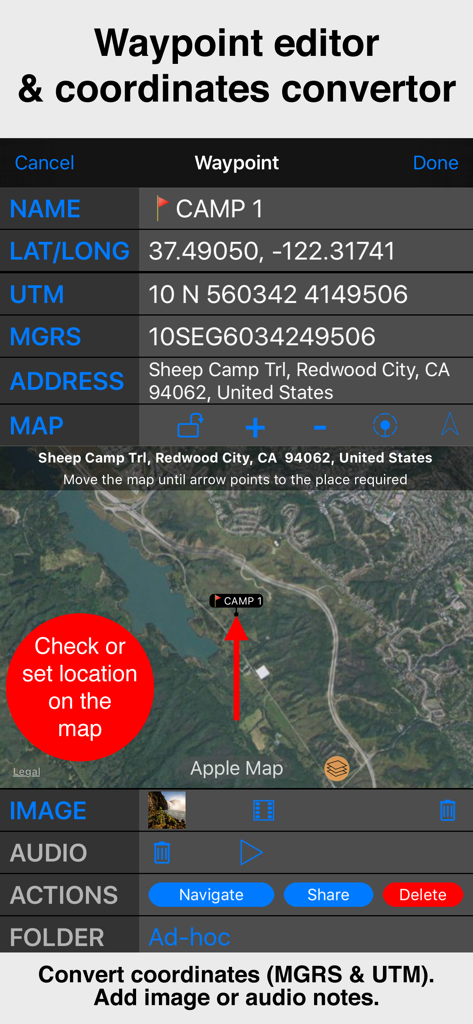
Benutzeroberfläche des Wegpunkt-Editors von Compass 55 mit MGRS- und UTM-Koordinaten sowie einer Satellitenkartenansicht.

Benutzeroberfläche des Wegpunkt-Editors von Compass 55 mit MGRS- und UTM-Koordinaten sowie einer Satellitenkartenansicht.

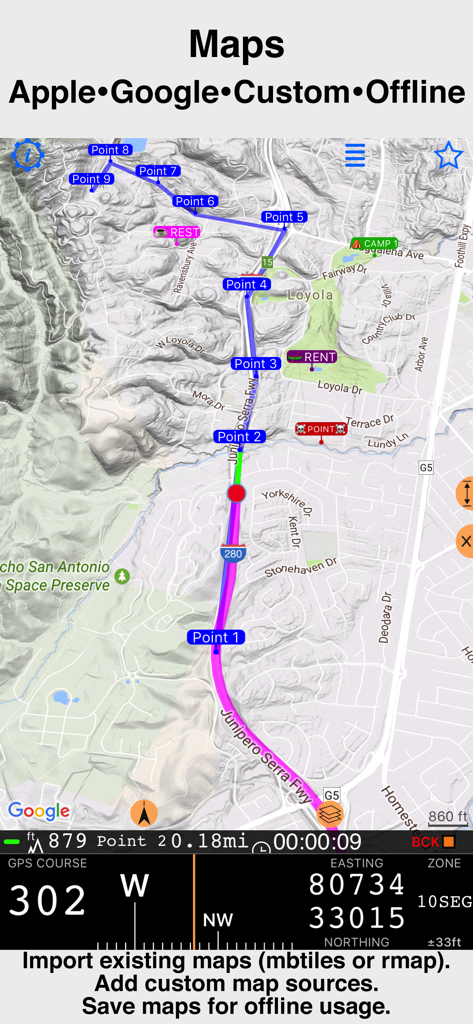
Professionelle Navigationskarte von Compass 55 mit technischen GPS-Koordinaten

Professionelle Navigationskarte von Compass 55 mit technischen GPS-Koordinaten

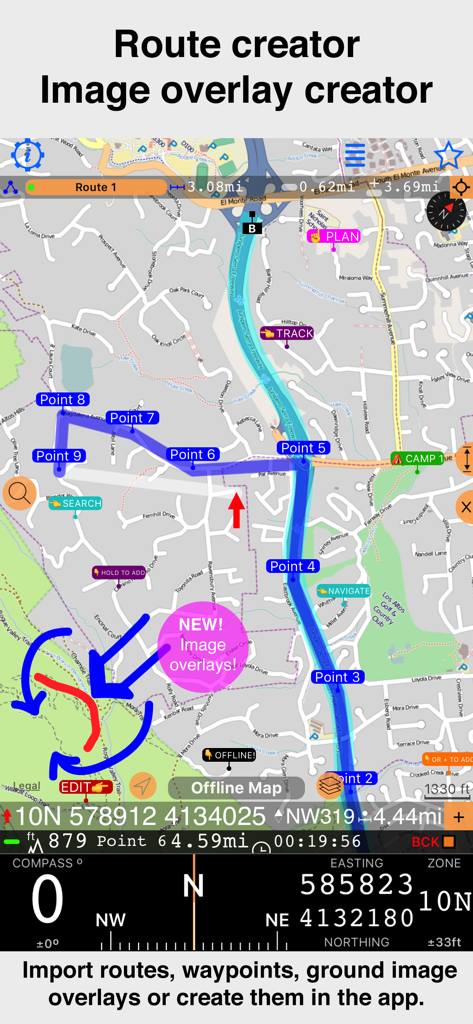
App-Oberfläche von Compass 55 mit Routenerstellung inklusive Wegpunkten und neuer Bild-Overlay-Funktion auf einer topografischen Karte.

App-Oberfläche von Compass 55 mit Routenerstellung inklusive Wegpunkten und neuer Bild-Overlay-Funktion auf einer topografischen Karte.

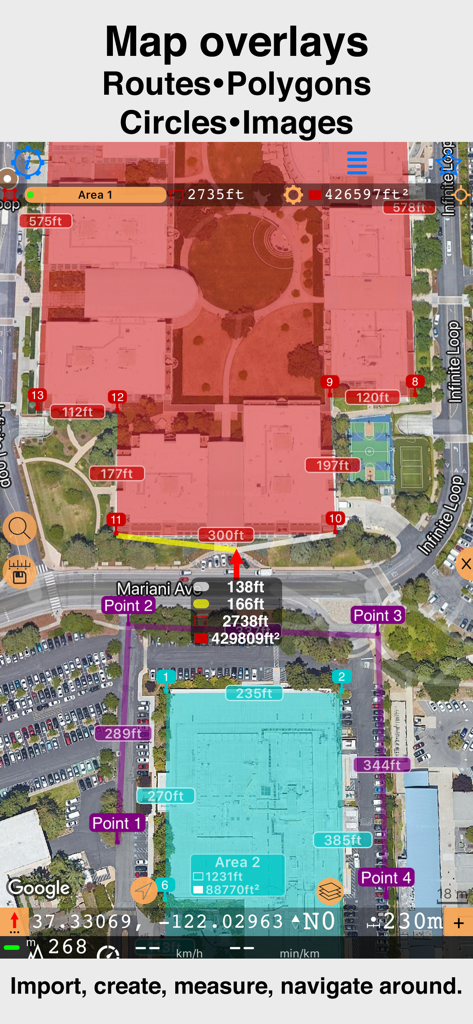
Satellitenkarten-Oberfläche mit benutzerdefinierten Polygonen und Entfernungsmessungen in Compass 55

Satellitenkarten-Oberfläche mit benutzerdefinierten Polygonen und Entfernungsmessungen in Compass 55

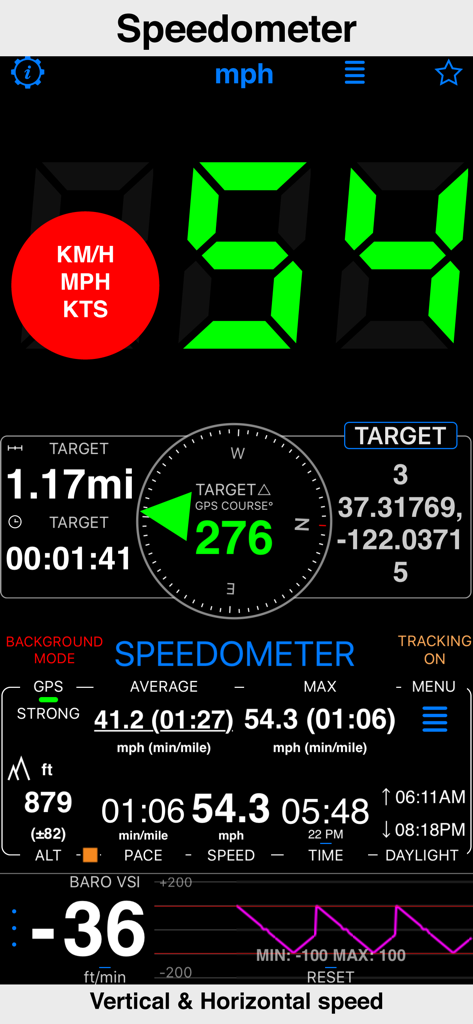
Tachometer-Oberfläche der Compass 55-App mit horizontaler und vertikaler Geschwindigkeit sowie GPS-Daten

Tachometer-Oberfläche der Compass 55-App mit horizontaler und vertikaler Geschwindigkeit sowie GPS-Daten

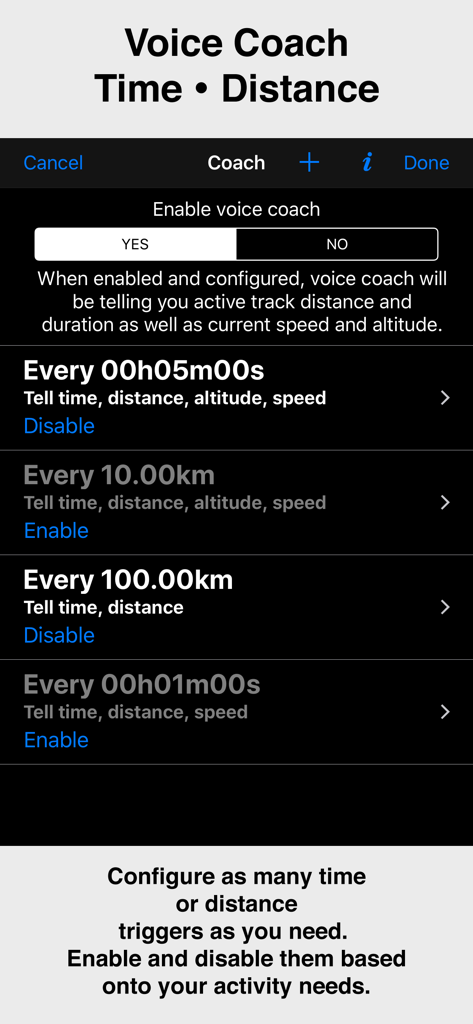
Konfigurationsbildschirm für die Voice-Coach-Funktion in der Compass 55-App mit Zeit- und Distanz-Triggern

Konfigurationsbildschirm für die Voice-Coach-Funktion in der Compass 55-App mit Zeit- und Distanz-Triggern

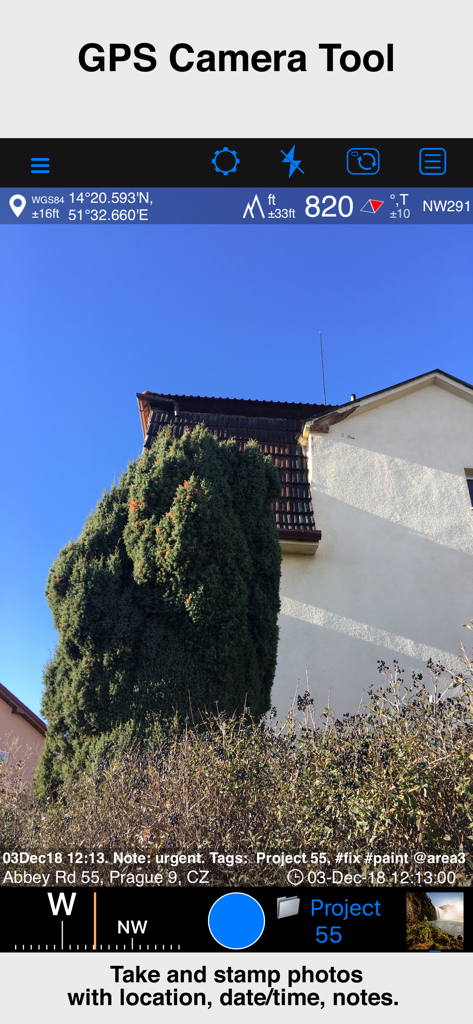
GPS-Kamera-Tool der Compass 55-App mit einem Foto inklusive Standortkoordinaten, Höhe, Datum und Notiz-Overlay

GPS-Kamera-Tool der Compass 55-App mit einem Foto inklusive Standortkoordinaten, Höhe, Datum und Notiz-Overlay

Entwickelt für den technischen Abenteurer

Die Tools, die diese App auszeichnen, gewählt von 987K+ Nutzern.

🧭

Professionelle Präzision

Beherrschen Sie Ihren Standort mit MGRS-, UTM- sowie Breiten- und Längengrad-Koordinaten. Konvertieren, bearbeiten und teilen Sie Wegpunkte mit militärischer Genauigkeit.

🗺️

Über das Netz hinausgehen

Laden Sie Offline-Karten herunter und importieren Sie benutzerdefinierte Kachelserver. Navigieren Sie in entlegener Wildnis oder auf hoher See, ganz ohne Mobilfunkempfang.

🔒

Datenschutz, dem Sie vertrauen können

Ihre Standortdaten bleiben auf Ihrem Gerät. Wir geben Ihre Tracks oder Koordinaten niemals an Dritte weiter – nur reine, sichere Navigation.

Weltweit von Nutzern geliebt

Vertraut von 987K+ Menschen, die diese App lieben.

"

"Als Overlander, der wochenlang im Hinterland unterwegs ist, ist Compass 55 mein vertrauenswürdigstes Werkzeug. Die Unterstützung von Offline-Karten und die Präzision der MGRS-Koordinaten sind Lebensretter, wenn der Mobilfunkempfang verschwindet. Es ist selten, eine so leistungsstarke App zu finden, die auch die Privatsphäre respektiert."

Mark S., technischer Abenteurer
"

"Ich verwende Compass 55 für Such- und Rettungseinsätze, bei denen Genauigkeit nicht verhandelbar ist. Die Möglichkeit, KML-Dateien zu exportieren, und das barometrische VSI sind Funktionen, die normalerweise teurer Hardware vorbehalten sind. Es ist im Grunde ein Profi-GPS-Gerät in meiner Tasche."

Sarah J., SAR-Freiwillige

Über die App

Alles, was Sie über wissen müssen Compass 55. Map & GPS kit..

Beschreibung

All-in-one assistant with a map, compass, GPS coordinates to view and share in 6 formats, altitude, distance, sunset/sunrise, speedometer with top and average speed, navigator to your target or along the route and a whole lot more! + Advanced target/waypoint editor. Can be also used as a coordinates converter. You can use map to check or set waypoint location and add photo or audio note. + Share your location via email, text message, Facebook or Twitter. This includes UTM, MGRS and Latitude/Longitude (MENU>Share my location). + You can use UTM, MGRS or Lat/Long, just pick your preference in settings (Coordinate Format). + Speedometer. Shows you the speed and pace. Speedometer also gives you options to control average and max speed and pace counters (MENU > RESET and PAUSE/RESUME counters). + Compass. Instant reaction compass, no delays. Automatically pickups the direction based on magnetic or GPS course. If you mostly walk or drive, you can change this automatic mode in app settings > Compass or GPS course. NATO mils? Same place in settings to set. + Magnetic declination δ for the current location and any location on the map (via World Magnetic Model, WMM, no need for data/internet). + Sunset and sunrise. So you can plan your travel better. + Arrow pointing to your target waypoint. Distance and bearing to it. + Create/measure routes and areas. + Barometric Vertical Speed Indicator (VSI, IVSI) in both scale and graph forms. + Integration of bluetooth sensors: Cycling cadence, Heart rate, Cycling speed. All above belong to a basic version. PRO Pack upgrade will add following capabilities: + Recording and sharing GPS tracks. + Moving waypoints between folders. + Showing ETA to a target as this requires GPS tracking. + Native Google map with fantastic terrain map, amazing 3D and real night mode. + Adding own/custom tile map servers. + Downloading offline maps. Offline maps import in .sqlitedb, rmaps, mbtiles formats. Support for overzoom and underzoom - offline map is shown even for zoom levels that are not downloaded. + GPX import and export for waypoints, tracks and routes. + Google Earth KML support for waypoints and tracks import/export. KMZ support for waypoints and tracks export, waypoints import. + Ground overlays. Import KMZ ground overlay or draw your own on the map in the app and share as kmz files! + CSV import/export for waypoints. + Voice coach to tell you active track distance and duration, current speed and altitude without need to open the app. + Support for Siri shortcuts in IOS 12 for starting and stopping GPS tracks. + From version 4.2 - support for OSGB (including grid shifts) and SK 42 in the coordinates converter. + BACKGROUND MODE. App will work in background automatically when tracking. You can use other apps while Compass 55 does its job in the background! + PRIVACY. Compass 55 never shares your location data with 3rd parties or ad agencies. Location data is used solely for telling you direction to a target and recording GPS tracks and never leave the app unless you decide to share by means of a track export. It always lets you know when background mode is on and never runs in background unless the track is being recorded. ! You can use this app on your iPhone as well as on any cellular iPad. **App will not work properly on iPods and wifi only iPads as they don't have GPS (external GPS module is required). As quite a lot of us are using external GPS modules, app is available for wifi only iPads and iPods. ! Please note that as with all GPS apps, continued use of GPS running in the background can dramatically decrease battery life. Terms of Use: https://www.apple.com/legal/internet-services/itunes/dev/stdeula/

Neueste Version

5.2.3

Größe

70.2 MB

Erstveröffentlichung

23. Sept. 2016

Bereit für Ihre nächste Off-Grid-Mission?

Schließen Sie sich über 987.000 technischen Abenteurern an. Laden Sie das ultimative GPS-Toolkit für professionelle Navigation, Offline-Kartenmaterial und absoluten Datenschutz herunter.

Herunterladen auf App Store