Construction Master Pro Calc

Construction Master Pro Calc

Herunterladen auf App StoreHerunterladen auf Google Play
Spark by MWM logo
Logo von Construction Master Pro Calc

Construction Master Pro Calc: Das Industriestandard-Mathe-Werkzeug für Profis

Vermeiden Sie kostspielige Fehler und sparen Sie Zeit auf der Baustelle. Beherrschen Sie Fuß-Zoll-Brüche, komplexe rechtwinklige Ausrichtungen und Volumenberechnungen mit der Präzision des weltweit vertrauenswürdigsten Bau-Rechners, jetzt auf Ihrem Gerät verfügbar.

Herunterladen auf App Store

Herausgeber

Calculated Industries, Inc.

Kategorie

Utilities

Downloads

606K+

Bewertung

4.8/5

Bewertungen gesamt

38K+

Sprachen

1

Präzision zum Greifen nah

Entdecken Sie die Oberfläche, die von 606K+ Nutzern verwendet wird.

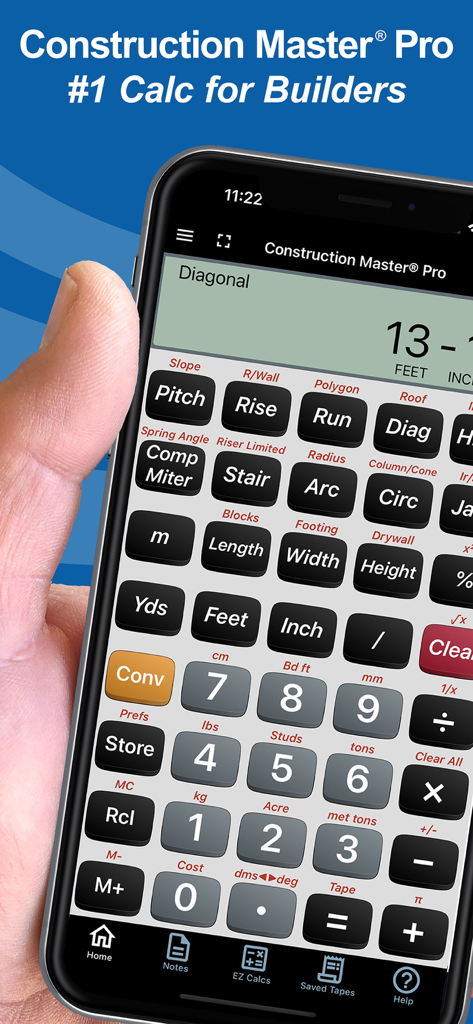
Hand hält ein Smartphone, das die Construction Master Pro Rechner-App für Bauprofis anzeigt

Hand hält ein Smartphone, das die Construction Master Pro Rechner-App für Bauprofis anzeigt

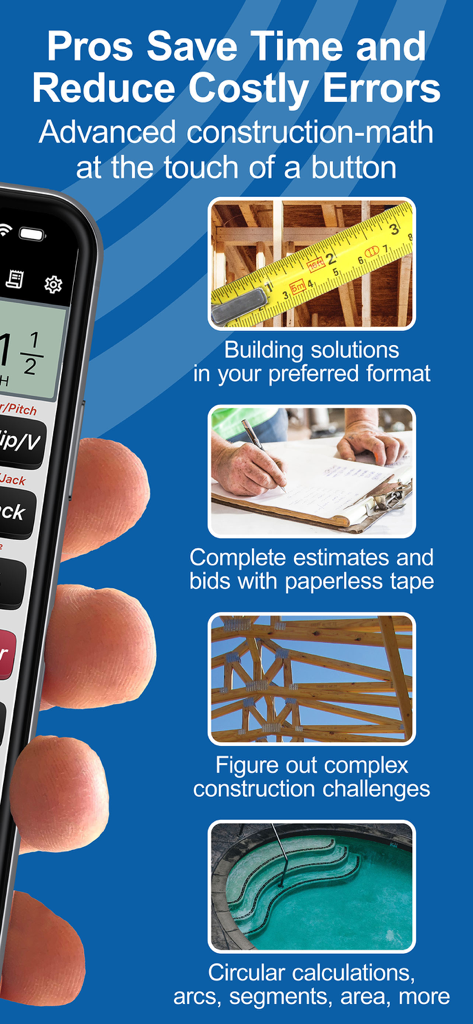
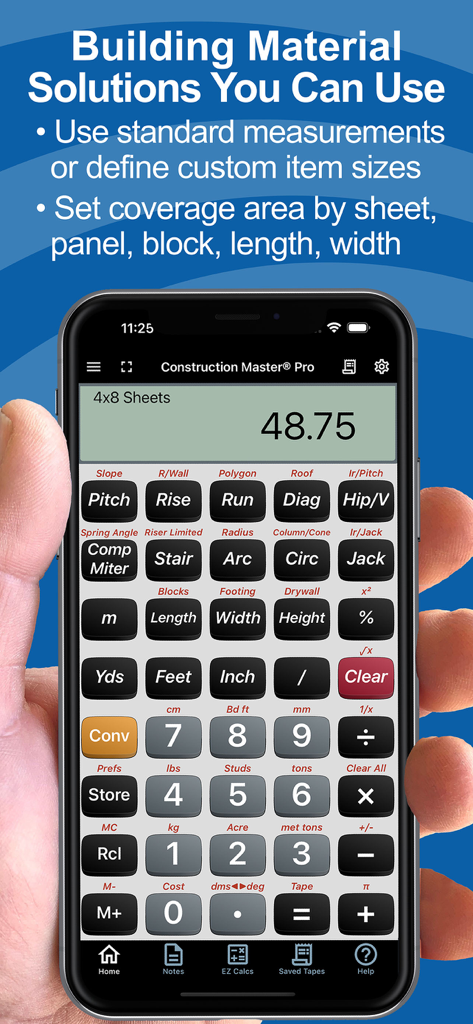
Übersicht der Funktionen der Construction Master Pro App, einschließlich Baulösungen, Schätzungen und komplexer Mathematik für Profis.

Übersicht der Funktionen der Construction Master Pro App, einschließlich Baulösungen, Schätzungen und komplexer Mathematik für Profis.

Benutzerbewertungen und Fünf-Sterne-Bewertungen für die Construction Master Pro Calc App
Benutzerbewertungen und Fünf-Sterne-Bewertungen für die Construction Master Pro Calc App

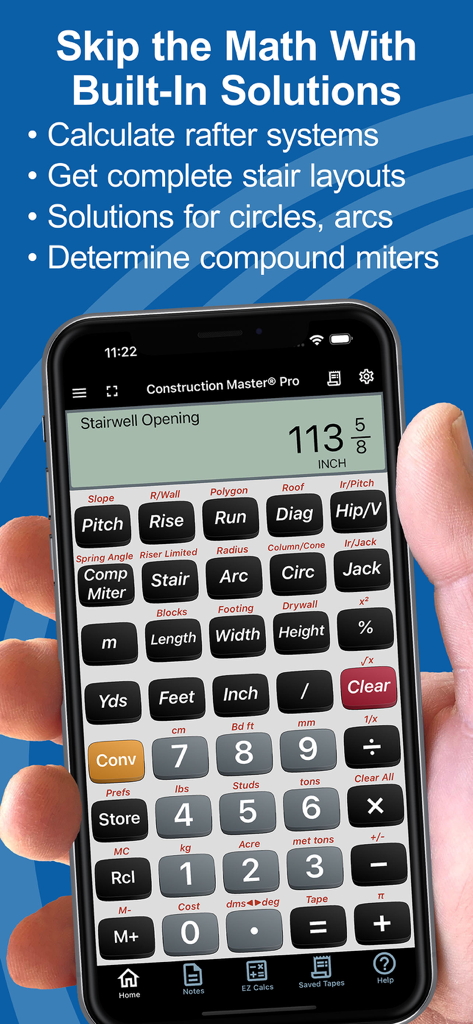
Eine Hand hält ein Smartphone, das die Construction Master Pro Rechner-App mit einer Berechnung für eine Treppenöffnung zeigt

Eine Hand hält ein Smartphone, das die Construction Master Pro Rechner-App mit einer Berechnung für eine Treppenöffnung zeigt

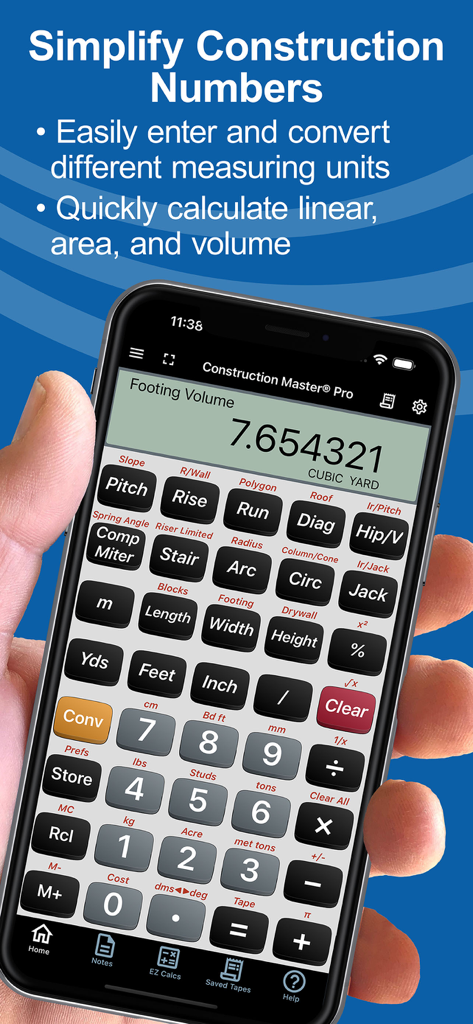
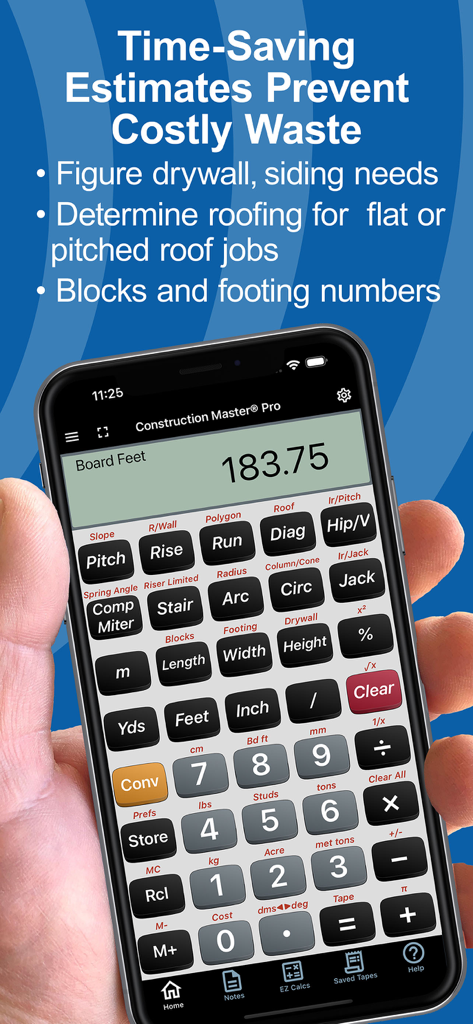
Smartphone zeigt die Construction Master Pro Rechner-App mit einer Berechnung des Fundamentvolumens an

Smartphone zeigt die Construction Master Pro Rechner-App mit einer Berechnung des Fundamentvolumens an

Construction Master Pro Calc App zeigt Materialmengenberechnungen auf einem Smartphone an

Construction Master Pro Calc App zeigt Materialmengenberechnungen auf einem Smartphone an

Hand hält ein Telefon mit der Construction Master Pro Rechner-App mit Materialschätzungsfunktionen

Hand hält ein Telefon mit der Construction Master Pro Rechner-App mit Materialschätzungsfunktionen

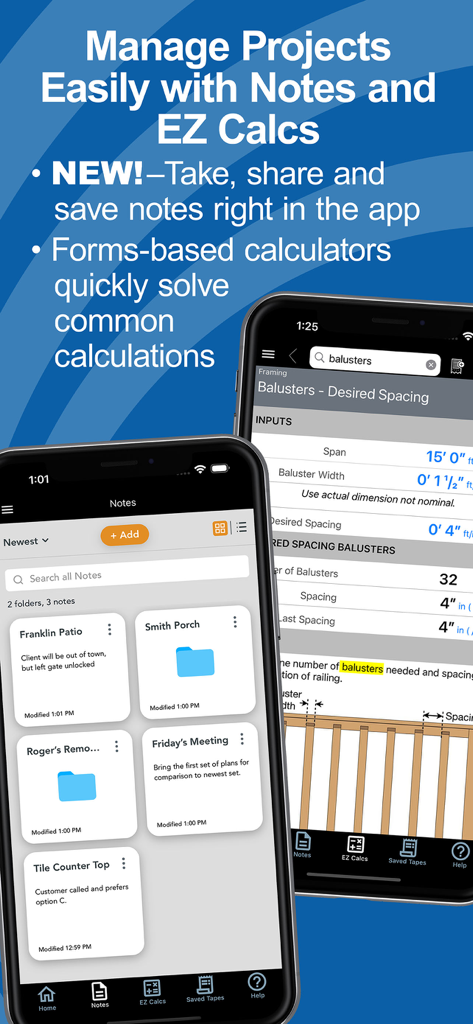
Construction Master Pro App-Oberfläche zeigt Projektnotizen und ein EZ Calcs-Formular für den Abstand von Balustern

Construction Master Pro App-Oberfläche zeigt Projektnotizen und ein EZ Calcs-Formular für den Abstand von Balustern

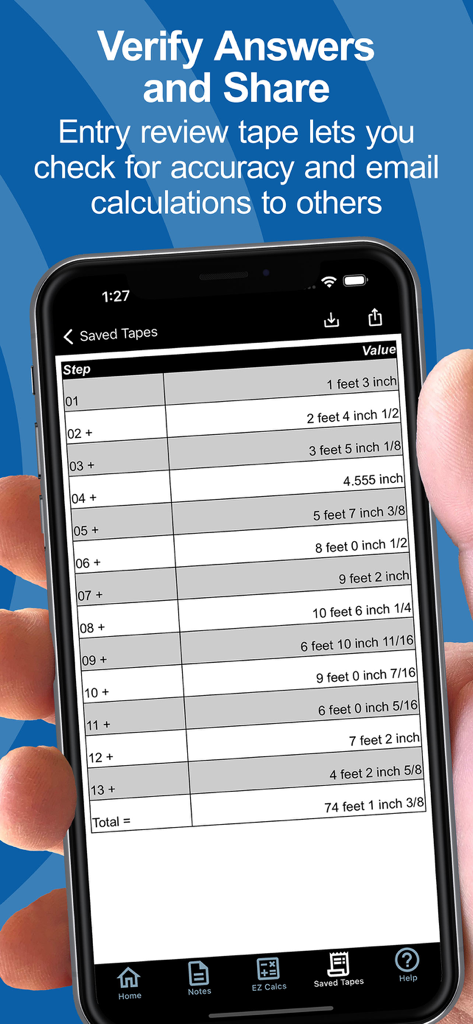
Ein Smartphone-Bildschirm zeigt die Funktion „Gespeicherte Maße“ mit einer Liste von Dimensionsberechnungen für Bauzwecke und einer Endsumme an

Ein Smartphone-Bildschirm zeigt die Funktion „Gespeicherte Maße“ mit einer Liste von Dimensionsberechnungen für Bauzwecke und einer Endsumme an

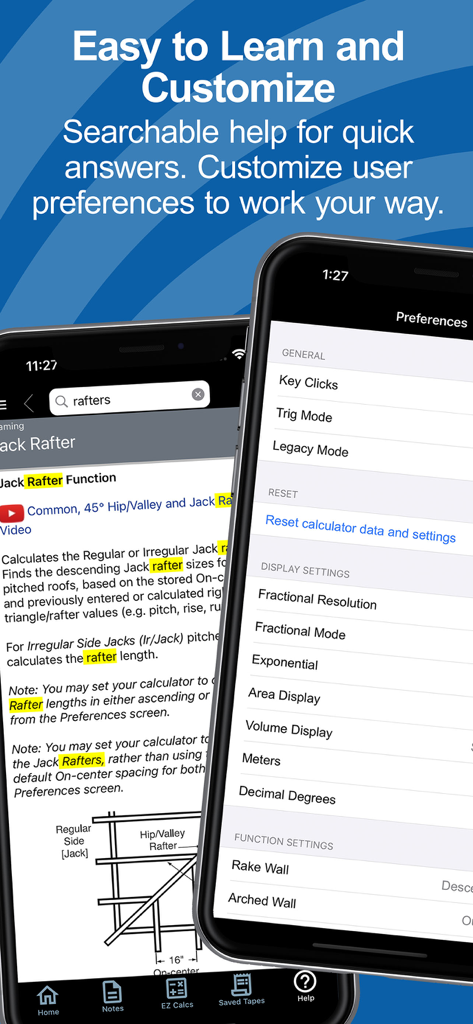
Bildschirme für die durchsuchbare Hilfe und Benutzereinstellungen in der Construction Master Pro App

Bildschirme für die durchsuchbare Hilfe und Benutzereinstellungen in der Construction Master Pro App

Gebaut für Profis, die alles bauen

Die Tools, die diese App auszeichnen, gewählt von 606K+ Nutzern.

📏

Eliminieren Sie Bruch-Kopfschmerzen

Arbeiten Sie direkt in Fuß-Zoll-Brüchen und metrischen Einheiten. Vermeiden Sie manuelle Umrechnungsfehler und sparen Sie Zeit bei jeder Schätzung und Zuschnittliste.

📐

Meistern Sie komplexe Ausrichtungen

Sofortige Lösungen für Sparren, Treppen und Neigungen. Bewältigen Sie rechtwinklige Berechnungen und trigonometrische Funktionen, ohne ein Handbuch zu wälzen.

📲

Vernetzte Baustellentechnologie

Synchronisieren Sie sich über Bluetooth mit Bosch Laser-Entfernungsmessern und teilen Sie präzise Berechnungen oder Projektnotizen direkt mit Ihrem Zuschnitt-Team.

Weltweit von Nutzern geliebt

Vertraut von 606K+ Menschen, die diese App lieben.

"

"Als Bauleiter ist die Bluetooth-Integration mit meinem Bosch-Laser ein absoluter Game-Changer. Ich kann Abmessungen direkt in die App übernehmen und präzise Zuschnittlisten per Textnachricht an mein Team weitergeben. Sie hat meinen physischen Rechner im Wesentlichen ersetzt und das Risiko menschlicher Fehler bei unseren Zuschnitt-Ausrichtungen beseitigt."

Marcus T., Bauleiter
"

"Ich benutze den physischen Construction Master Pro seit über 20 Jahren und war daher zögerlich, umzusteigen. Das Layout der App ist jedoch identisch und die 'EZ Calcs' für Treppenwangen und Dächer sind unglaublich intuitiv. Es ist das zuverlässigste Werkzeug in meiner Tasche – ein falsch berechneter Header kostet mehr als das Abonnement selbst."

Jim R., Hausbauer

Über die App

Alles, was Sie über wissen müssen Construction Master Pro Calc.

Beschreibung

FREE Try Before You Buy trial; your App Store account is not charged by Apple during the free trial. The award-winning and industry-leading Construction Master® Pro saves time and reduces costly errors! As an app for your phone or tablet, it is ideal for anyone who works with dimensions and is interested in improving speed, accuracy, and productivity. You get two apps: Construction Master Pro & Construction Master Pro Trig. Both include a built-in full User’s Guide and the ability to press and hold a key for specific help! Built with the same core engine that powers the industry-standard advanced construction-math handheld calculators from Calculated Industries. ----- WHY IT'S A MUST-HAVE TOOL ----- • Powerful built-in solutions make it ideal for completing layouts, plans, bids, and estimates • Work in and convert between all common building dimensional formats US & Metric • Built-in right angle functions simplify square-ups, rafters, slopes, and more • Full trigonometric functions ----- BUILT-IN SOLUTIONS ----- • Dimensional Math and Conversions • Feet-Inch-Fraction, Inch Fraction, Yards • Decimal Feet and Inches (10ths, 100ths) • Preset Fractions (1/2" through 1/64") • D:M:S, Decimal Degree Entry and Conversions • Full Metric Function (m, cm, mm) ----- RIGHT ANGLE SOLUTIONS ----- • Complete Right Angle/Rafter Calculations • Pitch Key (Slope and Grade) • Rise, Run, Diagonal/Common Rafter Keys • Regular and Irregular Hip/Valley & Jack Rafter Keys • Rafter Cutting Angles (Plumb, Cheek, and Level Cuts) • Stair Layouts (including – Riser Limit, Stairwell Opening, Headroom, Floor Thickness) • Rake-Wall (including Arched) ----- AREA AND VOLUME SOLUTIONS ----- • Square and Cubic • Roof – Bundles, Squares, 4x8 Sheets, Pitch, Plan Area • Drywall, Siding and Paneling 4x8, 4x9 and 4x12 • Column/Cone Area and Volume • Basic & Advanced Circular Calculations • Weight per Volume Conversions • Length, Width, and Height Keys • Blocks, Footings ----- SPECIAL FUNCTIONS ----- • Trigonometric Function Keys: Sine, Cosine, Tangent, Arcsine, Arccosine, Arctangent • Board Feet • Studs: Find number On-center • User-Definable Preferences • Cost per Unit (total costs based on unit price) • Equal-Sided Polygon • Compound Miters • Crown Angle • Advanced Paperless Tape for all functions • 4 Memories ----- APP-ENHANCED FEATURES ----- • Entry-editing Backspace Key – enable with Legacy Mode or double-tap the display • Context-sensitive Help -- just press and hold any function key for Help text, diagrams, videos • Ability to Save and Share calculations and outputs (e.g., cut-lists) to File or others on your crew • NEW! Project Notes – Create text or voice-to-text notes & lists. Set up Folders by Project or Client. Attachments! Shareable! • NEW! EZ Calcs -- Easy forms-based calculators with illustrations to quickly and easily calculate quantities & costs for all kinds of common construction projects from balusters to blocks, rafters to rebar. Shareable! • NEW! Refreshed look and feel for faster & simpler navigation and access. • NEW! Searchable Help and additional how-to videos. ----- INTEGRATIONS ----- Now connects via Bluetooth® to Bosch Professional GLMs so you can send measured values directly into live calculations or Notes SUBSCRIPTION INFORMATION Your Free Trial period is free of charge. Subscriptions offered will automatically renew at the end of the chosen period. Upon purchase confirmation and completion of a free trial, payment will be charged to your Apple account. The subscription will automatically renew unless auto-renew is turned off or the subscription is canceled in settings at least one day (24 hours) before the subscription period ends. You can manage your subscription and turn off auto-renewal in your Apple account Settings > Account (Apple ID) > Subscriptions. TRADEMARKS Construction Master® and Calculated Industries® are registered trademarks of Calculated Industries, Inc. Copyright 2025

Neueste Version

12.10.17

Größe

95.3 MB

Erstveröffentlichung

5. Mai 2010

Nehmen Sie den Industriestandard mit auf jede Baustelle

Schließen Sie sich über 600.000 Profis an, die kostspielige Fehler vermeiden und jede Dimension meistern. Starten Sie noch heute Ihre kostenlose Testversion und stecken Sie die Leistung der Präzision in Ihre Tasche.

Herunterladen auf App StoreHerunterladen auf Google Play