Essayist: Academic Writing App

Essayist: Academic Writing App

Herunterladen auf App Store
Spark by MWM logo
Logo von Essayist: Academic Writing App

Essayist: Die preisgekrönte Schreib-App, die jedes Zitat und jeden Rand verwaltet

Schreiben Sie mühelos perfekte APA-, MLA- und Chicago-Arbeiten. Vom automatischen Referenzmanagement bis zur ablenkungsfreien Bearbeitung optimiert Essayist Ihre akademische Reise auf Mac, iPad und iPhone.

Herausgeber

Essayist Software Inc.

Kategorie

Productivity

Downloads

136K+

Bewertung

4.4/5

Bewertungen gesamt

400

Sprachen

1

Ein Blick auf Perfektion

Entdecken Sie die Oberfläche, die von 136K+ Nutzern verwendet wird.
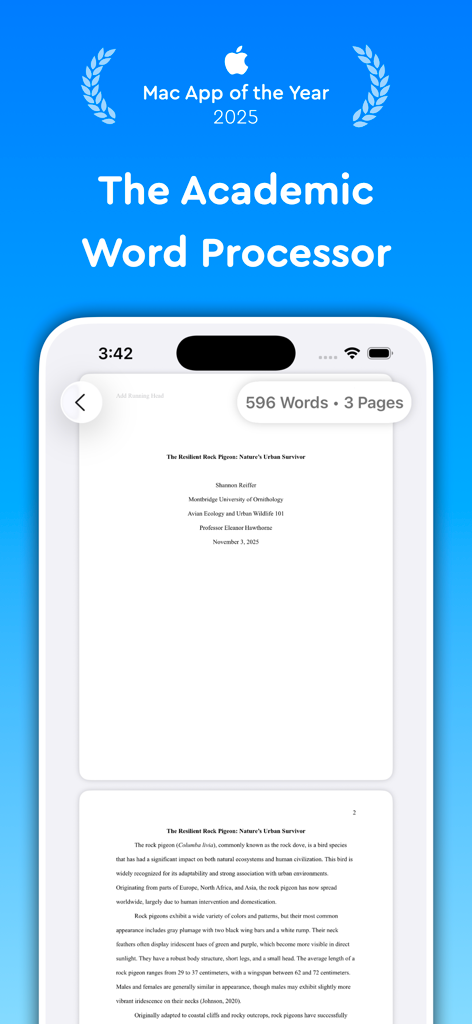
Essayist App-Oberfläche, die eine formatierte akademische Arbeit auf einem mobilen Bildschirm mit dem Text 'Mac App of the Year 2025' zeigt

Essayist App-Oberfläche, die eine formatierte akademische Arbeit auf einem mobilen Bildschirm mit dem Text 'Mac App of the Year 2025' zeigt

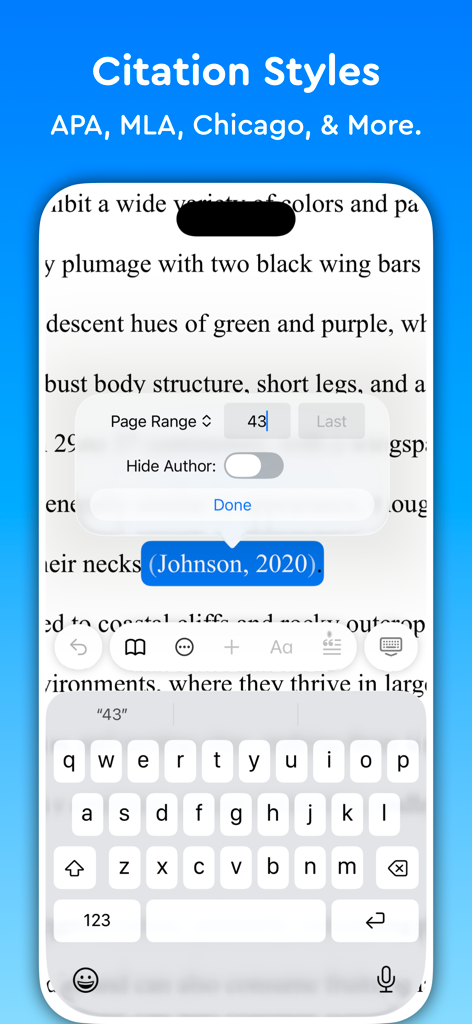
iPhone-Oberfläche der Essayist-App, die akademische Zitierstile und Optionen zur Bearbeitung von In-Text-Referenzen anzeigt

iPhone-Oberfläche der Essayist-App, die akademische Zitierstile und Optionen zur Bearbeitung von In-Text-Referenzen anzeigt

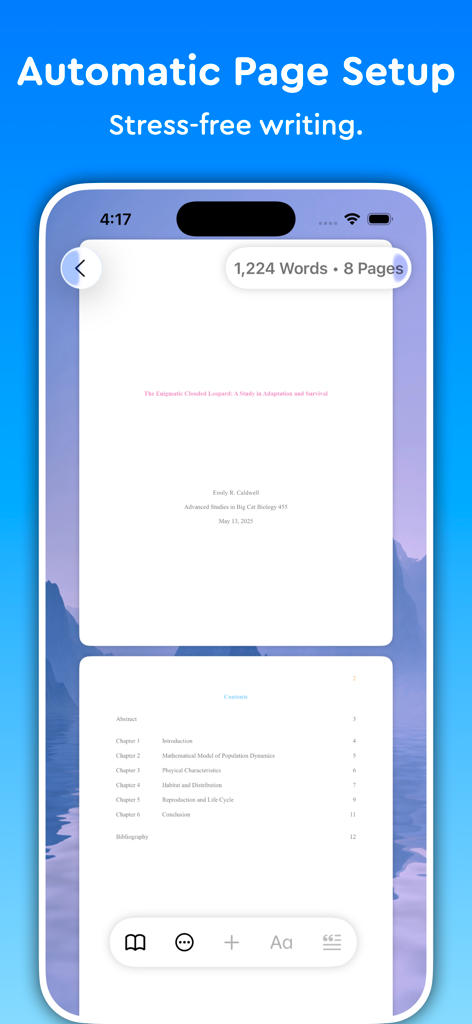
Essayist-App, die automatische Seitenlayouts und Inhaltsverzeichnisse für akademisches Schreiben anzeigt

Essayist-App, die automatische Seitenlayouts und Inhaltsverzeichnisse für akademisches Schreiben anzeigt

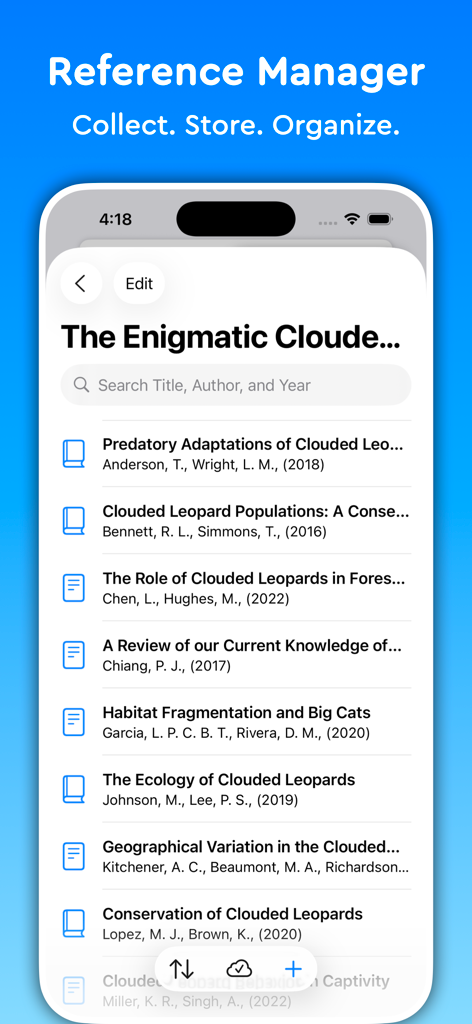
Oberfläche des Referenzmanagers in der Essayist-App, die eine Liste akademischer Quellen mit einer Suchleiste anzeigt

Oberfläche des Referenzmanagers in der Essayist-App, die eine Liste akademischer Quellen mit einer Suchleiste anzeigt

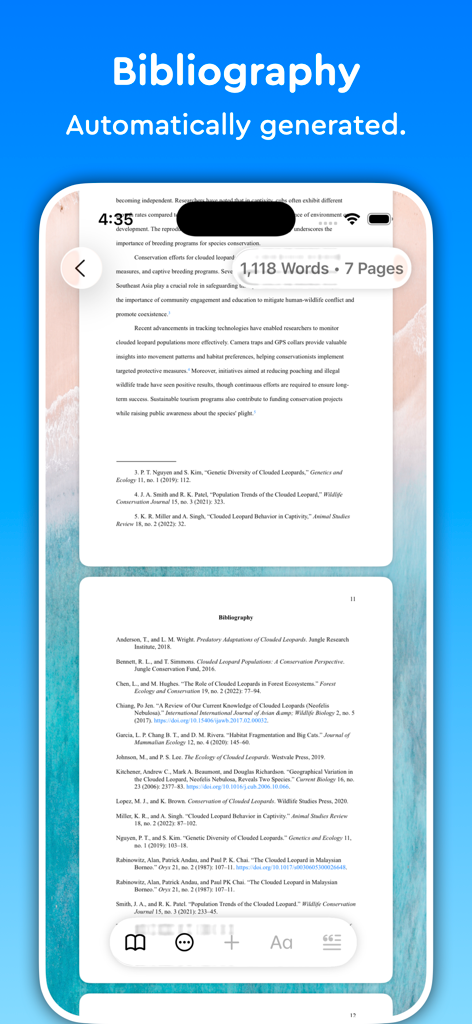
Ein Screenshot der Essayist-App auf einem iPhone, der eine formatierte Bibliografie anzeigt, die automatisch für eine akademische Arbeit generiert wurde.

Ein Screenshot der Essayist-App auf einem iPhone, der eine formatierte Bibliografie anzeigt, die automatisch für eine akademische Arbeit generiert wurde.

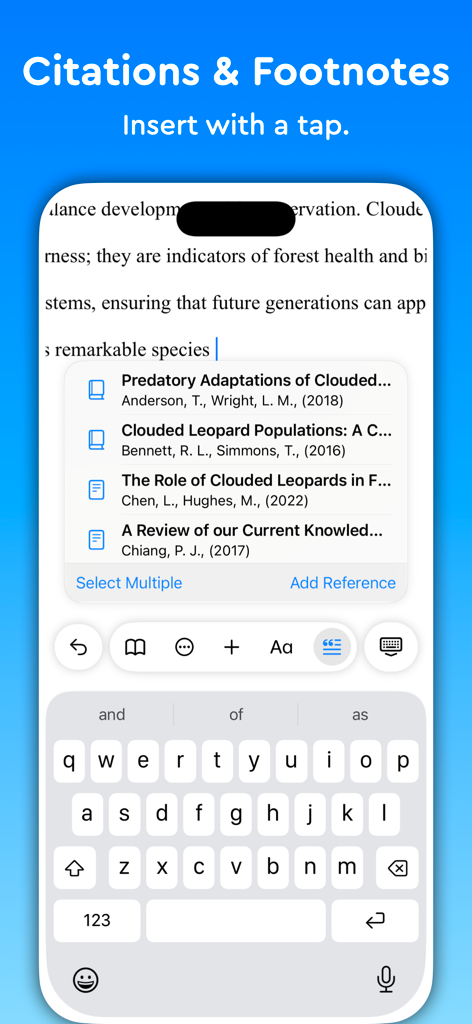
Oberfläche der Essayist-App auf einem Smartphone, die zeigt, wie mit einem Fingertipp akademische Zitate und Fußnoten eingefügt werden.

Oberfläche der Essayist-App auf einem Smartphone, die zeigt, wie mit einem Fingertipp akademische Zitate und Fußnoten eingefügt werden.

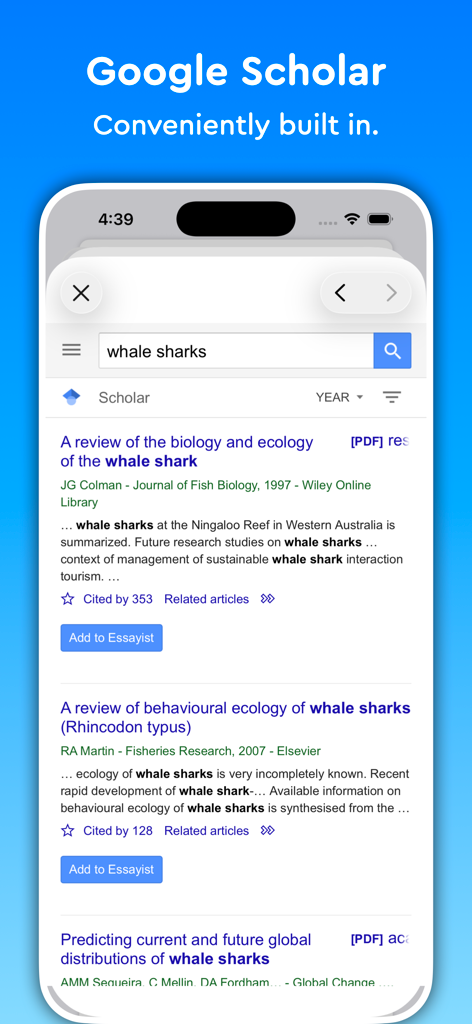
Screenshot der Essayist-App, die ihr integriertes Google Scholar-Tool für die akademische Forschung anzeigt

Screenshot der Essayist-App, die ihr integriertes Google Scholar-Tool für die akademische Forschung anzeigt

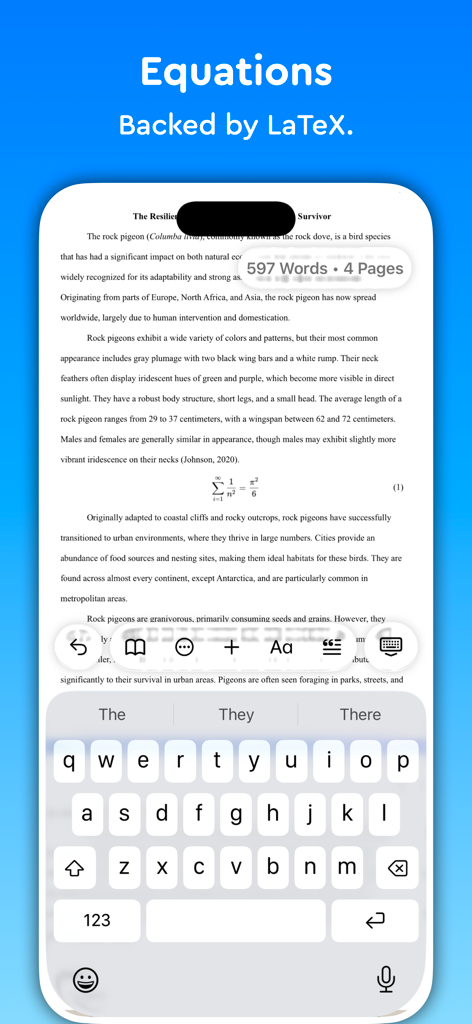
Essayist App-Oberfläche, die eine LaTeX-Gleichung in einem akademischen Aufsatz auf einem iPhone anzeigt

Essayist App-Oberfläche, die eine LaTeX-Gleichung in einem akademischen Aufsatz auf einem iPhone anzeigt

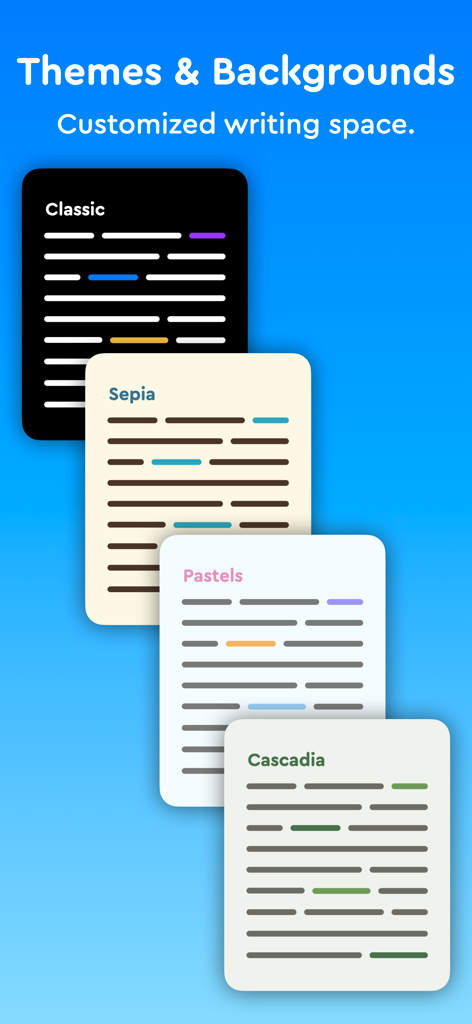
Essayist App-Oberfläche, die verschiedene Schreibthemen und Hintergründe anzeigt

Essayist App-Oberfläche, die verschiedene Schreibthemen und Hintergründe anzeigt

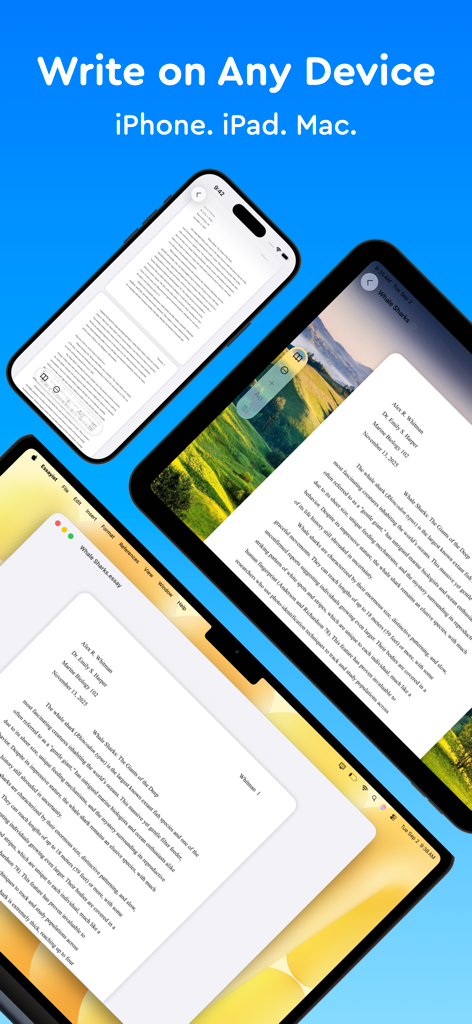
Die Essayist App-Oberfläche zeigt eine akademische Arbeit auf einem iPhone, iPad und Mac-Laptop an.

Die Essayist App-Oberfläche zeigt eine akademische Arbeit auf einem iPhone, iPad und Mac-Laptop an.

Meistern Sie Ihr akademisches Schreiben

Die Tools, die diese App auszeichnen, gewählt von 136K+ Nutzern.

📑

Stressfreie Formatierung

Machen Sie sich keine Sorgen mehr über Ränder und Kopfzeilen. Formatieren Sie Ihr gesamtes Dokument automatisch, um die strengen APA-, MLA- oder Chicago-Standards zu erfüllen.

🔍

Intelligenter Referenzmanager

Suchen Sie Quellen und fügen Sie mit einem einzigen Fingertipp perfekt formatierte Zitate oder Bibliografien ein, um organisiert und genau zu bleiben.

✍️

Ablenkungsfreies Schreiben

Beseitigen Sie überladene Schaltflächen und konzentrieren Sie sich auf Ihre Gedanken mit einer minimalistischen, Zen-ähnlichen Oberfläche, die für tiefe Konzentration entwickelt wurde.

Weltweit von Nutzern geliebt

Vertraut von 136K+ Menschen, die diese App lieben.

"

"Als Doktorandin war meine Bibliografie ständig eine Quelle von Stress. Essayist übernimmt die APA-Formatierung perfekt auf meinem Mac und iPad und lässt mich mich auf meine Forschung konzentrieren, anstatt mir Sorgen zu machen, wo die Kommas in meinen Zitaten stehen. Es ist mit Abstand die beste Investition, die ich für meine Abschlussarbeit getätigt habe."

Sarah Jenkins
"

"Früher habe ich Stunden damit verbracht, mit den Rändern und Kopfzeilen von Word zu kämpfen, jedes Mal, wenn eine Arbeit fällig war. Essayists minimalistische Oberfläche hat alles für meine Geschichtsarbeiten verändert. Ich schreibe einfach, und die App kümmert sich automatisch um den MLA-Stil. Es ist ein totaler Game-Changer für Zwischenprüfungen!"

Marcus Thompson

Über die App

Alles, was Sie über wissen müssen Essayist: Academic Writing App.

Beschreibung

Try Essayist for free today! "Mac App of the Year 2025 — Apple" "App of the Day" — Apple "Editors' Choice" — Apple "A-Plus Apps for Students " — Apple "Apps You Need This Week" — Apple Essayist allows you to write APA, MLA, Chicago & Harvard Style essays with ease. From in-text citations and footnotes to references and page setup, Essayist takes care of everything. It greatly simplifies the academic writing process. AUTOMATIC FORMATTING Essayist formats everything for you. Upon starting a new essay it sets up the title section/page, margins, font, line spacing, alignment, page headers/footers, etc. It formats your references, in-text citations, footnotes/endnotes, figures, tables, table of contents and more. UNIVERSAL REFERENCE MANAGER Store and manager references in a universal reference manager backed by iCloud. Search for, add, and store references in one place and use references across multiple essays. Create separate collections (folders) within the reference manager to organize and manage references. Add references quickly and easily using Google Scholar, Essayist’s built-in search, by pasting a URL or manual entry forms. Once added, references are automatically formatted and added to your essay’s references/works cited list. CITATIONS (IN-TEXT CITATIONS, FOOTNOTES, ENDNOTES) Add in-text citations and footnotes/endnotes with ease. Simply tap the insert citation button and select the reference you wish to cite. An in-text citation/footnote/endnote is automatically created for you GENERAL FOOTNOTES Add general footnotes to any essay. EQUATIONS Essayist supports equations backed by LaTeX. CITATION STYLES Essayist supports four citation styles: AMA, APA, MLA, Chicago/Turabian Harvard & Vancouver. EXPORT Export your work to PDF or Word. MINIMAL INTERFACE A simple interface helps you write without distractions. You know all those buttons in other word processors you never use? We got rid of those. ABSTRACT, APPENDICES & TABLE OF CONTENTS Add an abstract, appendices and a table of contents to your essay. FIGURES & TABLES Easily add figures and tables with all the required information (caption, title, numbering, notes, etc.). REGULAR UPDATES We are working hard to make Essayist the best academic writing app it can be. If you have feature requests or encounter issues, please don't hesitate to contact us at contact@essayist.app MORE - iOS & macOS versions (universal purchase) - Built-in Universal Reference Manager - Pre-defined & customizable paragraph styles (Block Quote, Headings, etc.) - Bold, Italicize & Underline options - Import BibTeX - Multiple reference types (News Article, Magazine, Website, Dictionary, etc. …) - Two paper sizes: US Letter & A4 - Two font choices: Times New Roman & Arial - Word Count & Page Count - Multiple background choices - Spell Check, Auto Completion & Auto Capitalization - Dark mode - Designed for Accessibility PRICING Essayist Pro requires a subscription. Choose between a monthly and a yearly subscription. Terms of Use: https://www.iubenda.com/terms-and-conditions/82031685 Privacy Policy: https://www.iubenda.com/privacy-policy/82031685

Neueste Version

1.17.7

Größe

63.0 MB

Erstveröffentlichung

11. Jan. 2021

Hören Sie auf zu formatieren. Fangen Sie an zu schreiben.

Schließen Sie sich Tausenden von Studenten an, die die Apple Mac App des Jahres nutzen, um APA-, MLA- und Chicago-Stile zu automatisieren. Starten Sie noch heute Ihre kostenlose Testversion auf iPhone, iPad und Mac.

Herunterladen auf App Store