Inkpad - Graphic Design

Inkpad - Graphic Design

Herunterladen auf App Store
Spark by MWM logo
Logo von Inkpad - Graphic Design

Inkpad – Professionelles Vektordesign für Ihr iPad

Erstellen Sie präzise Vektorgrafiken, individuelle Logos und SVG-Dateien mit der Leistung von Desktop-Werkzeugen und der intuitiven Leichtigkeit des Apple Pencils.

Herausgeber

Envoza Ltd

Kategorie

Graphics & Design

Downloads

406K+

Bewertung

4.3/5

Bewertungen gesamt

900

Sprachen

11

Ein Meisterwerk entsteht

Entdecken Sie die Oberfläche, die von 406K+ Nutzern verwendet wird.
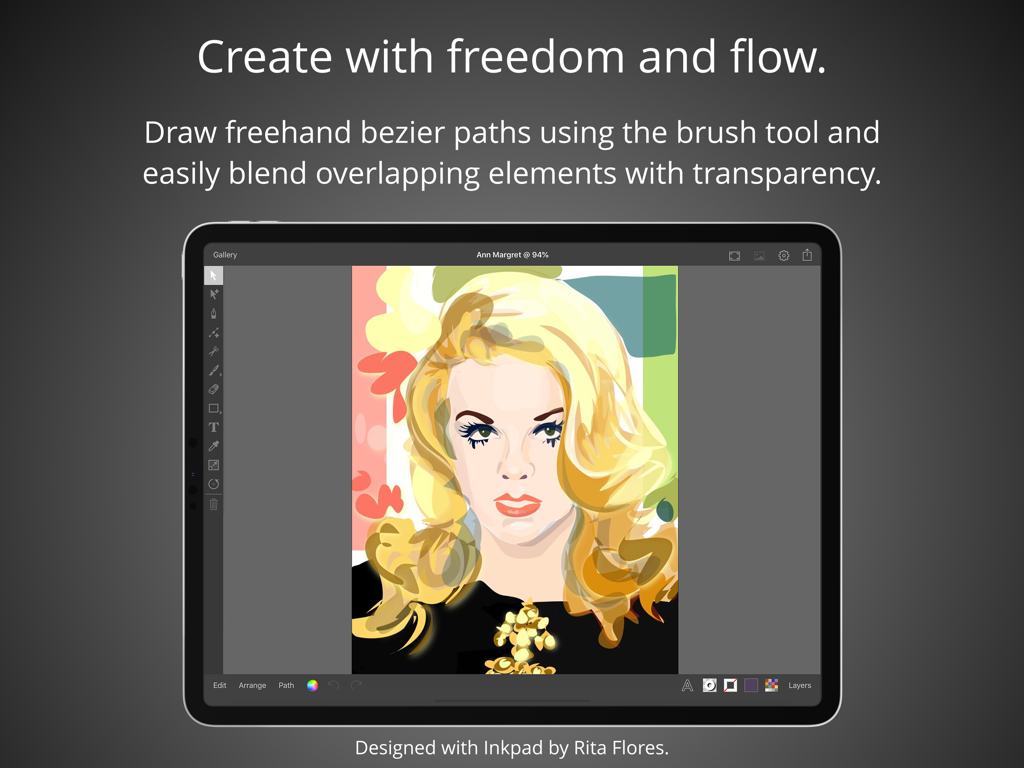
Vektor-Porträt-Illustration auf dem iPad mit der Grafikdesign-App Inkpad

Vektor-Porträt-Illustration auf dem iPad mit der Grafikdesign-App Inkpad

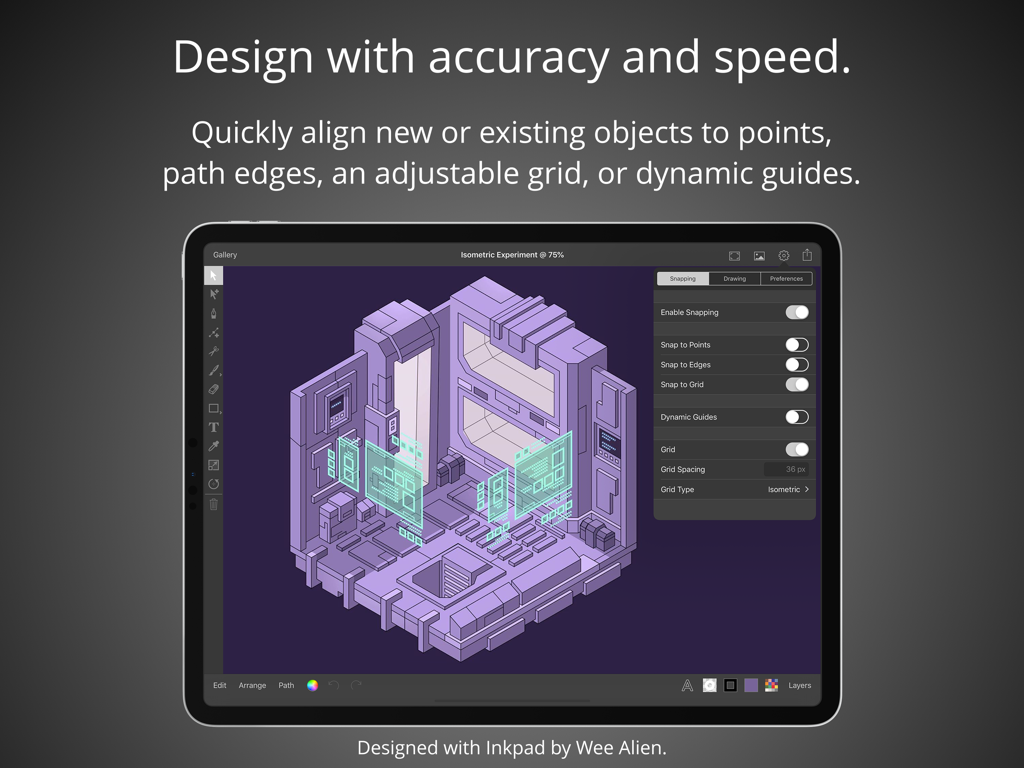
Inkpad iPad-App zeigt isometrisches Vektordesign mit Ausrichtungs- und Snapping-Werkzeugen

Inkpad iPad-App zeigt isometrisches Vektordesign mit Ausrichtungs- und Snapping-Werkzeugen

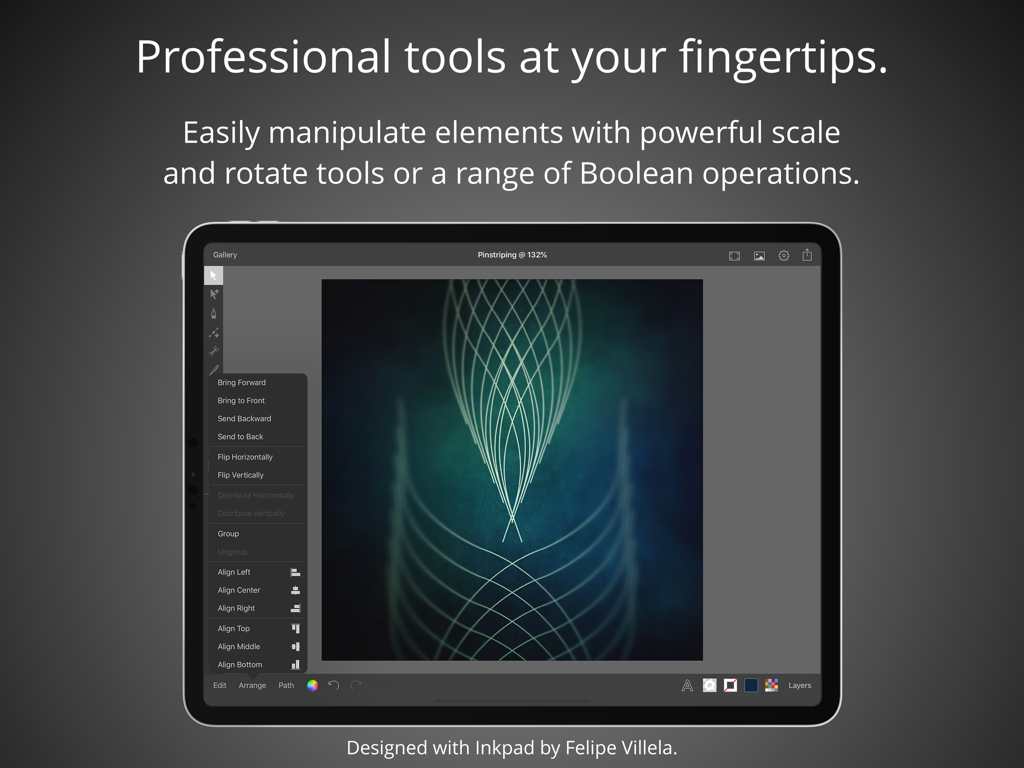
Professionelle Vektordesign-Werkzeuge auf dem iPad, die komplexe geometrische Kunst und Bearbeitungsmenüs zeigen

Professionelle Vektordesign-Werkzeuge auf dem iPad, die komplexe geometrische Kunst und Bearbeitungsmenüs zeigen

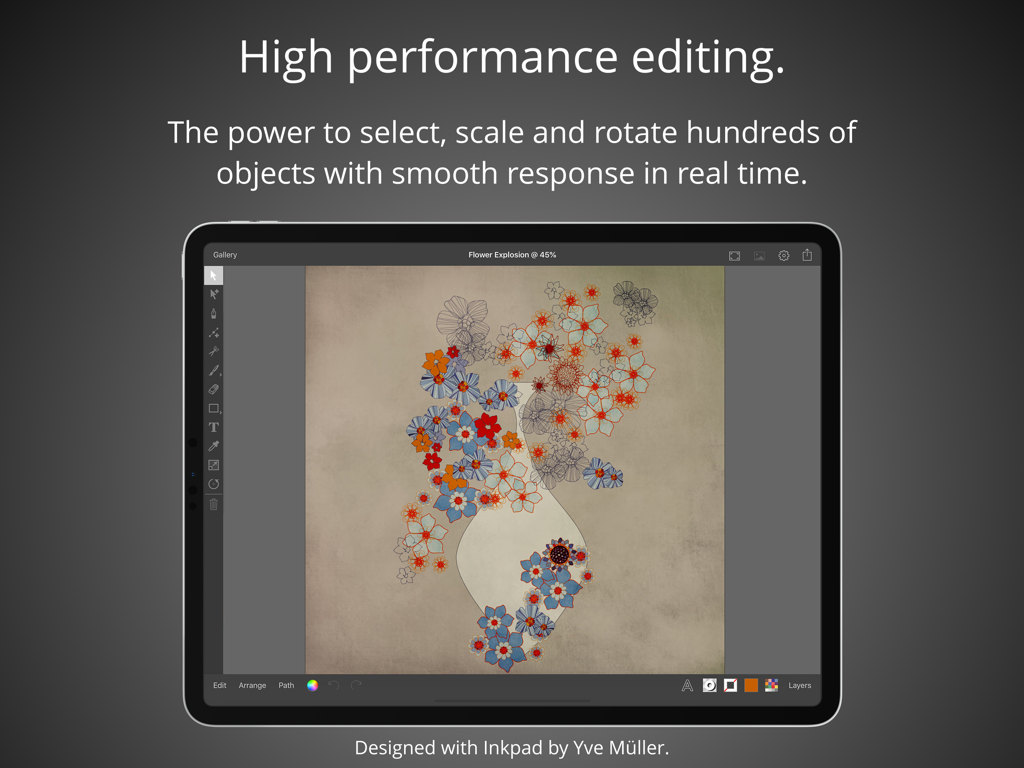
Grafikdesign-App Inkpad auf dem iPad zeigt eine Vektor-Blumenillustration mit Bearbeitungswerkzeugen

Grafikdesign-App Inkpad auf dem iPad zeigt eine Vektor-Blumenillustration mit Bearbeitungswerkzeugen

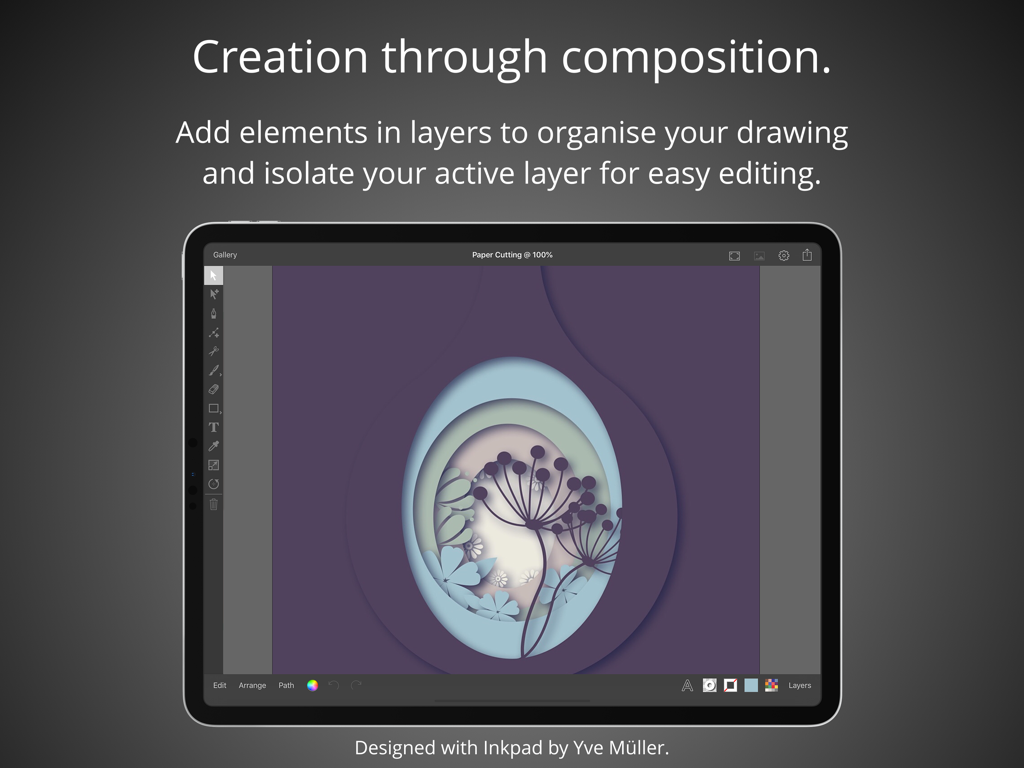
Grafikdesign-App Inkpad auf dem iPad zeigt Vektorgrafiken im Stil von Papierschnitt-Ebenen.

Grafikdesign-App Inkpad auf dem iPad zeigt Vektorgrafiken im Stil von Papierschnitt-Ebenen.

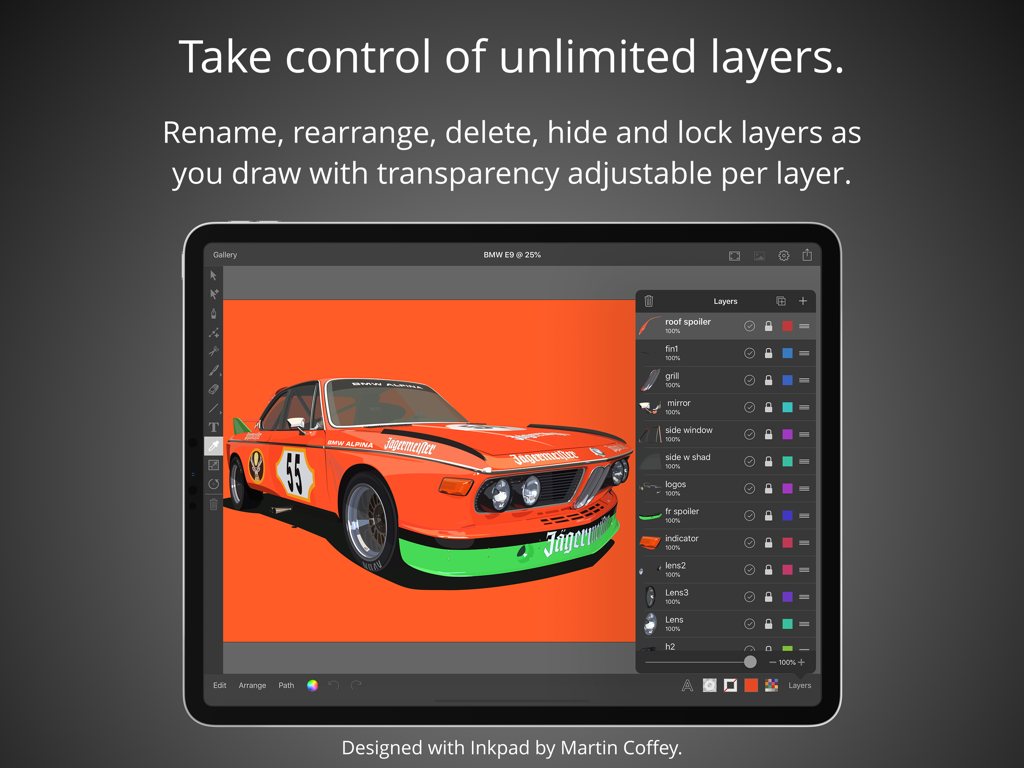
iPad-Bildschirm mit der Inkpad-App-Oberfläche, einer Vektor-Auto-Illustration und dem Ebenen-Verwaltungspanel.

iPad-Bildschirm mit der Inkpad-App-Oberfläche, einer Vektor-Auto-Illustration und dem Ebenen-Verwaltungspanel.

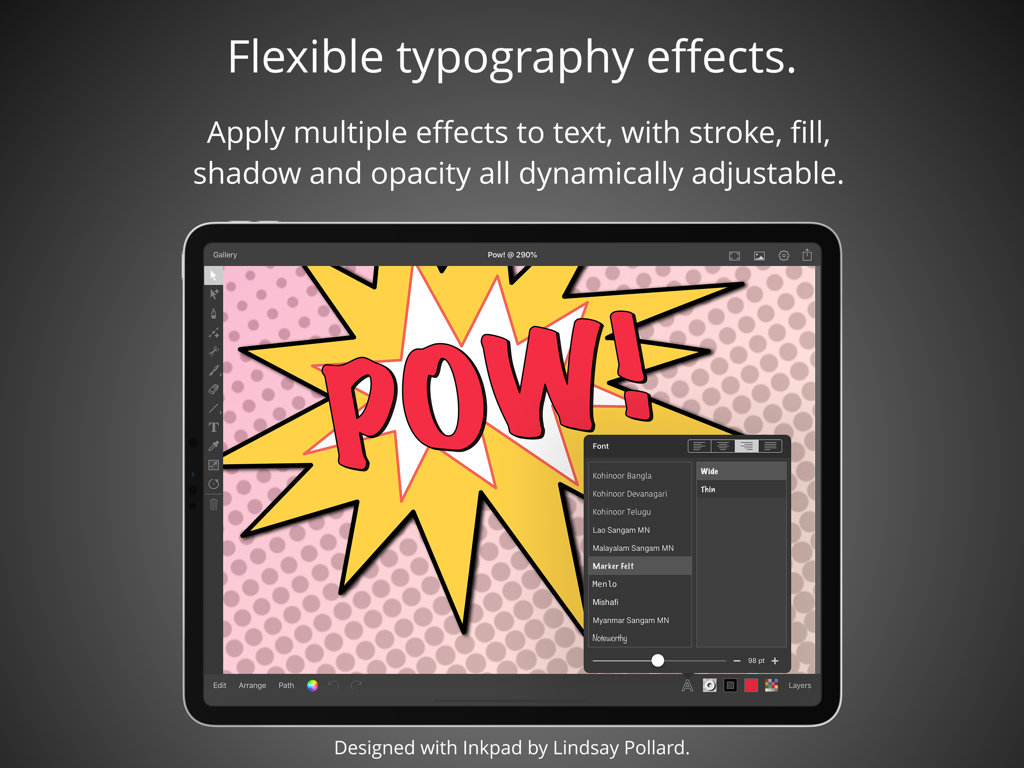
Screenshot der Inkpad-App auf dem iPad, der flexible Typografieeffekte mit Text im Comic-Stil demonstriert

Screenshot der Inkpad-App auf dem iPad, der flexible Typografieeffekte mit Text im Comic-Stil demonstriert

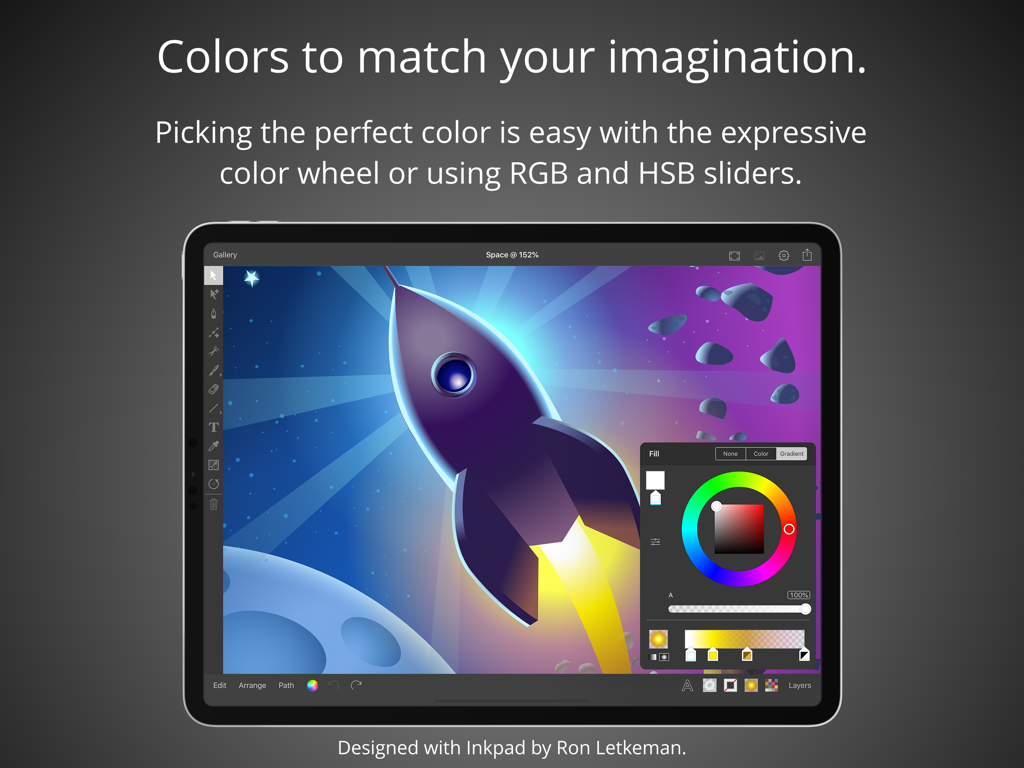
Inkpad-App-Oberfläche auf dem iPad zeigt ein Farbrad und Schieberegler über einer Vektor-Illustration eines Raumschiffs

Inkpad-App-Oberfläche auf dem iPad zeigt ein Farbrad und Schieberegler über einer Vektor-Illustration eines Raumschiffs

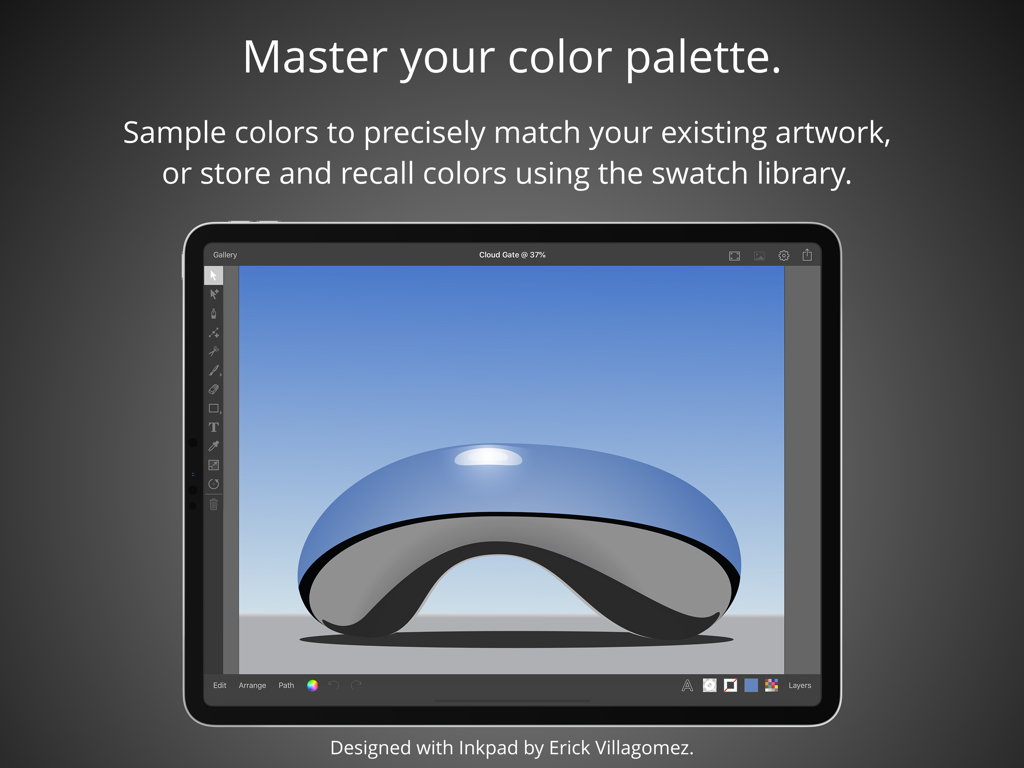
Grafikdesign-App Inkpad auf dem iPad zeigt eine Vektorillustration einer reflektierenden blauen Skulptur und Farbpalettenfunktionen.

Grafikdesign-App Inkpad auf dem iPad zeigt eine Vektorillustration einer reflektierenden blauen Skulptur und Farbpalettenfunktionen.

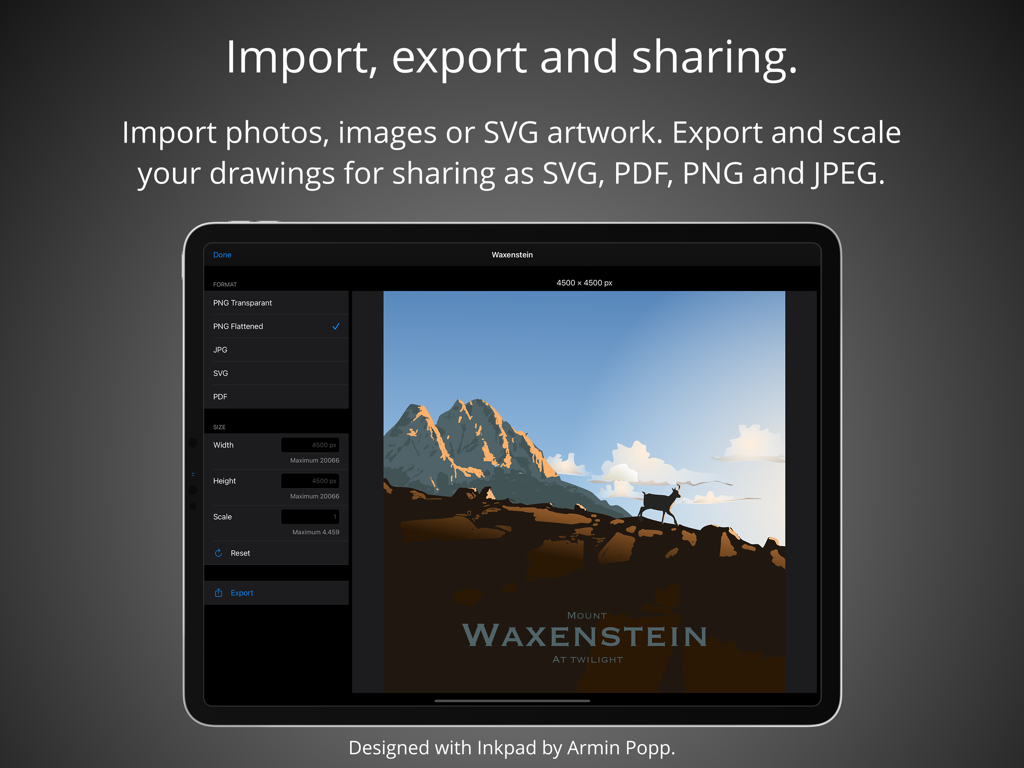
Inkpad-App-Oberfläche auf dem iPad zeigt Einstellungen für den Export und das Teilen von Vektorgrafiken

Inkpad-App-Oberfläche auf dem iPad zeigt Einstellungen für den Export und das Teilen von Vektorgrafiken

Professionelles Vektordesign ohne Komplexität

Die Tools, die diese App auszeichnen, gewählt von 406K+ Nutzern.

🖋️

Apple Pencil Präzision

Zeichnen Sie mit höchster Genauigkeit. Egal, ob Sie Freihand-Bezier-Pfade erstellen oder an einem Gitter ausrichten, jeder Strich ist für ein flüssiges, professionelles iPad-Erlebnis optimiert.

📐

Pro-Tools, ohne Reibungsverluste

Nutzen Sie leistungsstarke boolesche Operationen wie Vereinigen und Subtrahieren. Verwalten Sie unbegrenzte Ebenen und komplexe Typografie mit einer raffinierten Benutzeroberfläche, die Ihnen nicht im Weg steht.

📂

Export für Maker

Perfekt für Etsy-Unternehmer und Designer. Exportieren Sie saubere SVGs für Cricut und Glowforge oder hochauflösende PDFs für professionelle Marken-Assets und soziale Medien.

Weltweit von Nutzern geliebt

Vertraut von 406K+ Menschen, die diese App lieben.

"

"Inkpad ist ein Game-Changer für mein kleines Unternehmen. Ich erstelle alle meine SVG-Designs für meine Schneidemaschine direkt auf meinem iPad Pro. Die Präzision des Apple Pencils ist unglaublich und der Export in die Cloud ist nahtlos. Es ist leistungsstark und doch so viel intuitiver als die Desktop-Software, mit der ich früher zu kämpfen hatte."

Sarah M., Etsy-Shop-Besitzerin
"

"Endlich eine Vektor-App, die sich nicht überladen anfühlt. Ich nutze Inkpad für alle meine ersten Logokonsepte und Wireframes auf Reisen. Es bietet die perfekte Balance aus Profi-Funktionen wie booleschen Operationen und unbegrenzten Ebenen ohne steile Lernkurve. Es ist wirklich das beste Vektor-Tool für das iPad."

David L., freiberuflicher Markendesigner

Über die App

Alles, was Sie über wissen müssen Inkpad - Graphic Design.

Beschreibung

Create beautiful vector artwork on your iPad with Inkpad. Draw with accuracy and speed. Quickly align new or existing objects either to a grid, points, or path edges. Alternatively draw freehand bezier paths using the brush tool. Select, scale and rotate hundreds of objects with high performance in real time. Cutout elements of artwork, photographs or patterns with masks. Flexible typography effects. Position text at any angle or to follow along paths. Apply multiple effects to text, with stroke, fill, shadow and opacity all dynamically adjustable. If the over seventy built in fonts don’t quite fit your design, you can import any of the millions of OpenType and TrueType fonts available. Take control with unlimited layers. Feel free to add as many or as few elements in each layer to organise your drawings. Rename, rearrange, delete, hide and lock layers as you draw. Isolate the active layer for easy editing. Adjust each layers transparency independently to get your ideal composition. Powerful editing at your fingertips. Easily manipulate single or multiple elements with powerful scale and rotate tools. Associate individual elements into groups. Interactively edit gradient fills on the canvas. Perform a range of Boolean operations on paths, including Unite, Intersect, Exclude and Subtract Front. Colors to match your imagination. Picking the perfect color is easy with the freedom of the expressive color wheel. Or modify colors using RGB and HSB sliders. Enter the hexadecimal value to precisely match existing artwork colors. Sample colors using the dropper. Store and recall colors from the swatch library. Import, export and sharing. Import drawings from desktop vector applications as SVG and include photos directly from your camera roll, or import PNG and JPEG images from cloud services. Export your drawings for sharing or importing into other apps as SVG, PDF, PNG and JPEG to all cloud storage services. Send drawings as photos directly to your camera roll. Light & dark modes. Light and dark mode system appearances with the option to override the system setting to light or dark mode for Inkpad. Apple Pencil. If you’ve got an iPad Pro or the 2018 iPad, Inkpad works great with the Apple Pencil. Praise for Inkpad. Some of the kind feedback received in emails and App Store reviews: “Works perfect on latest iPad Pro, Apple Pencil.” “It’s really beautiful to use with an iPad Pro.” “Inkpad is one of the killer apps for the iPad.” “Inkpad is my favorite graphics app on any platform. Inkpad is just the right balance of enough power without being too complicated.” “If you’ve worked with Illustrator or Inkscape, this is the vector drawing app to download for your iPad. Especially nice with the iPad Pro with Apple Pencil.” “I love this vector drawing app for its easy-to-use interface and pared-down tool bar. It covers the essentials perfectly and the developers are very responsive to questions.” “Inkpad is my main vector design tool for mobile. This is the app that Adobe Draw should be.” “Thank you guys, I use this app all the time.” “If you used to work with Inkpad in the past you should get this app to continue working with it.” Acknowledgements. Thank you to Martin Coffey, Rita Flores, Yve Müller, Armin Popp, David Rivera, Nicolas Saez, Erick Villagomez, Felipe Villela and Jason Wray for contributing artwork to the ‘Designed with Inkpad’ app preview video and screenshots. Please visit our website to see more of their artwork and for links to their portfolios. History. Inkpad was originally created by Steve Sprang in 2011, but it disappeared from the App Store in 2015. I took over development because my wife Lindsay uses Inkpad and I wanted to ensure the continued development and support of a product we and others enjoy so much. Terms and Conditions: http://inkpad.art/terms-and-conditions/ Privacy Policy: http://inkpad.art/privacy/

Neueste Version

3.3.18

Größe

23.9 MB

Erstveröffentlichung

15. Dez. 2015

Bereit, Ihr nächstes Meisterwerk zu entwerfen?

Schließen Sie sich über 400.000 Kreativen an, die ihr iPad in ein professionelles Vektorstudio verwandelt haben. Erleben Sie die Leistung von Desktop-Design mit der Einfachheit der Berührung.

Herunterladen auf App Store