iPalettes - Color palettes

iPalettes - Color palettes

Herunterladen auf App Store
Spark by MWM logo
Logo von iPalettes - Color palettes

iPalettes - Farbpaletten: Ihr professionelles Studio für beeindruckende Farbschemata

Verwandeln Sie Inspiration aus der realen Welt in digitale Paletten. Erfassen Sie Farben aus Fotos, konvertieren Sie HEX/CMYK-Codes und synchronisieren Sie Ihren kreativen Workflow über iPhone, iPad und Apple Watch.

Herunterladen auf App Store

Herausgeber

Thi Hoang

Kategorie

Utilities

Downloads

21K+

Bewertung

4.4/5

Bewertungen gesamt

100

Sprachen

5

Design mit Präzision

Entdecken Sie die Oberfläche, die von 21K+ Nutzern verwendet wird.
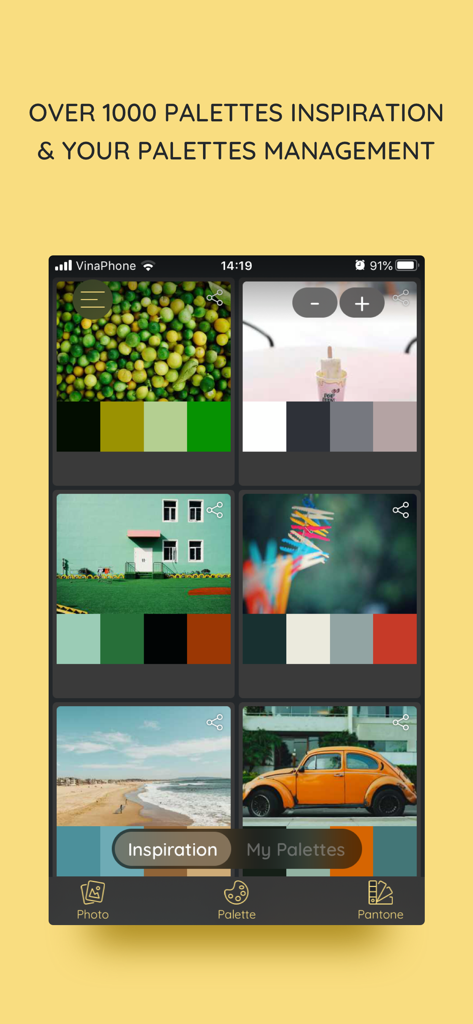
Inspirations-Tab der iPalettes-App, der Farbschemata anzeigt, die aus verschiedenen Bildern extrahiert wurden.

Inspirations-Tab der iPalettes-App, der Farbschemata anzeigt, die aus verschiedenen Bildern extrahiert wurden.

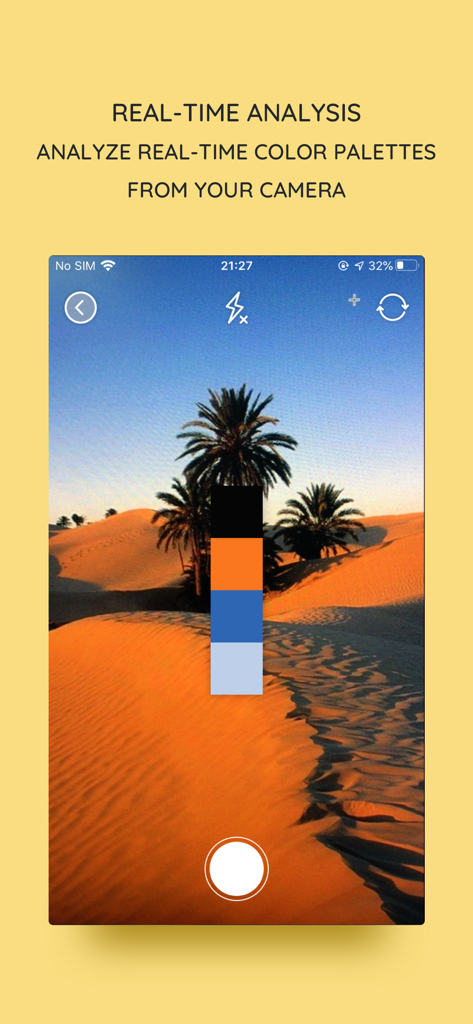
Echtzeit-Farbpalettenanalyse von der Kamera in der iPalettes-App

Echtzeit-Farbpalettenanalyse von der Kamera in der iPalettes-App

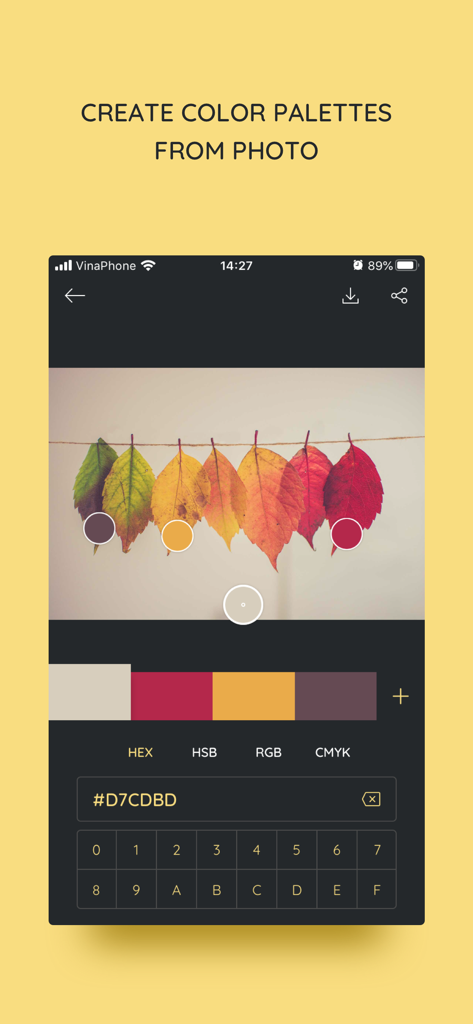
Oberfläche der iPalettes-App, die die Erstellung einer Farbpalette durch Extraktion von Hex-Codes aus einem Foto von Herbstblättern zeigt.

Oberfläche der iPalettes-App, die die Erstellung einer Farbpalette durch Extraktion von Hex-Codes aus einem Foto von Herbstblättern zeigt.

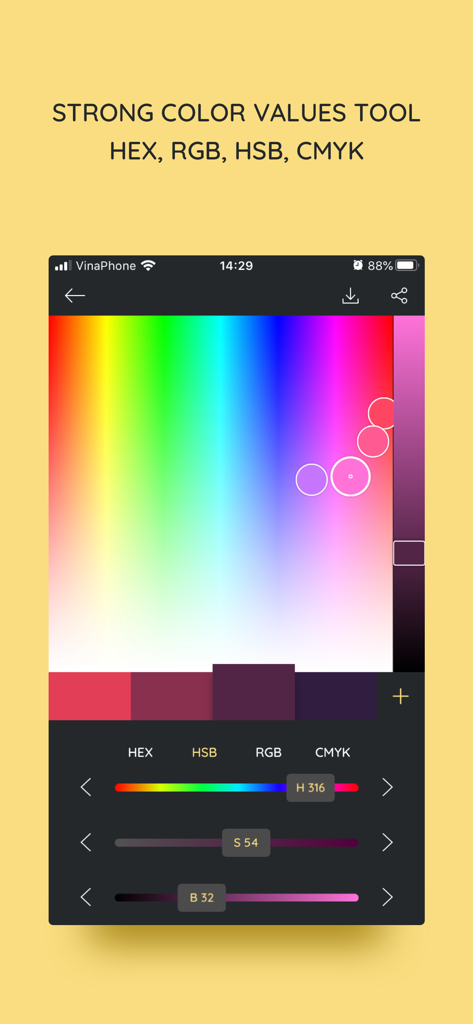
Oberfläche der iPalettes-Mobil-App mit einem Farbauswahlwerkzeug mit einstellbaren HSB-Schiebereglern und Hex-Code-Werten

Oberfläche der iPalettes-Mobil-App mit einem Farbauswahlwerkzeug mit einstellbaren HSB-Schiebereglern und Hex-Code-Werten

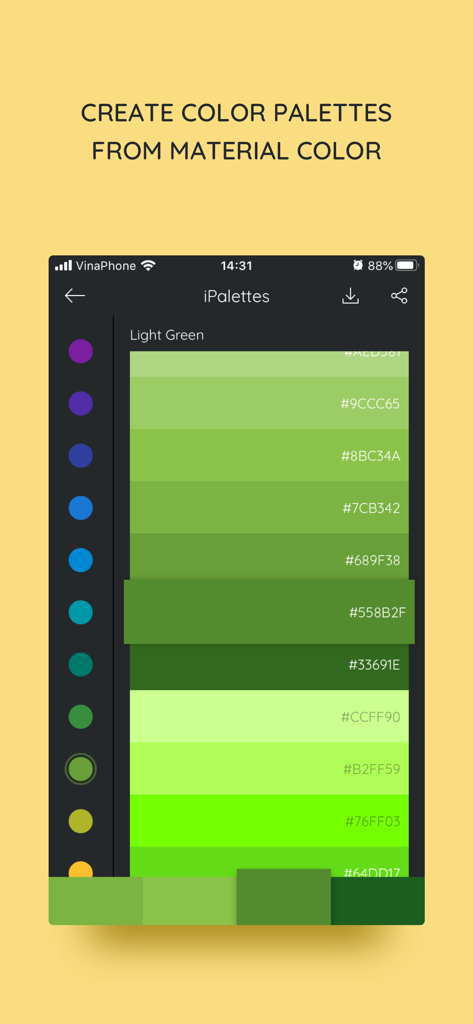
Oberfläche der iPalettes-App, die eine grüne Material-Farbpalette mit Hex-Codes anzeigt

Oberfläche der iPalettes-App, die eine grüne Material-Farbpalette mit Hex-Codes anzeigt

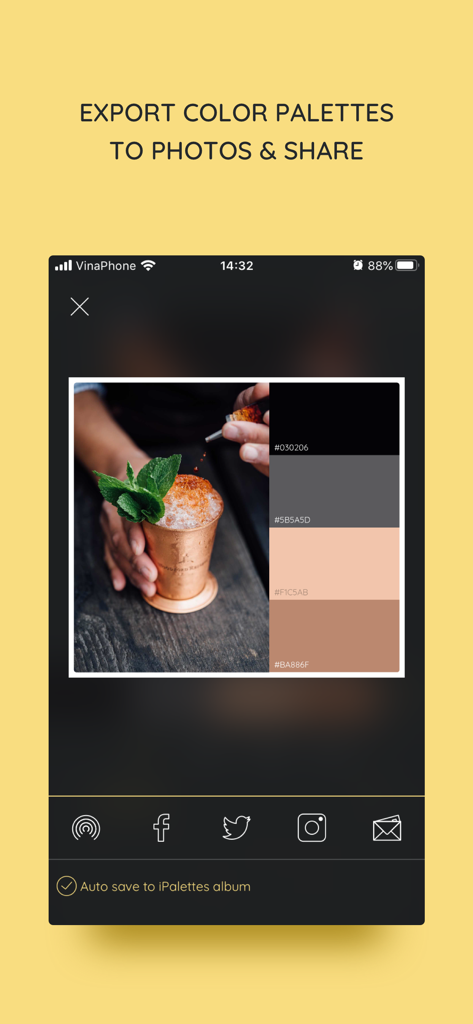
Oberfläche der iPalettes-App, die eine aus einem Foto generierte Farbpalette und Optionen zum Teilen in sozialen Medien zeigt

Oberfläche der iPalettes-App, die eine aus einem Foto generierte Farbpalette und Optionen zum Teilen in sozialen Medien zeigt

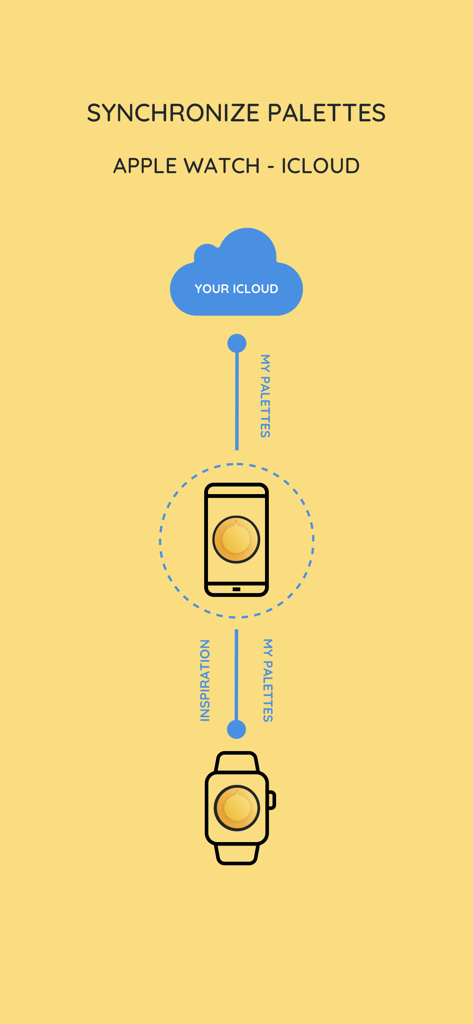
Diagramm, das die iPalettes-Synchronisierung zwischen iCloud, iPhone und Apple Watch zeigt

Diagramm, das die iPalettes-Synchronisierung zwischen iCloud, iPhone und Apple Watch zeigt

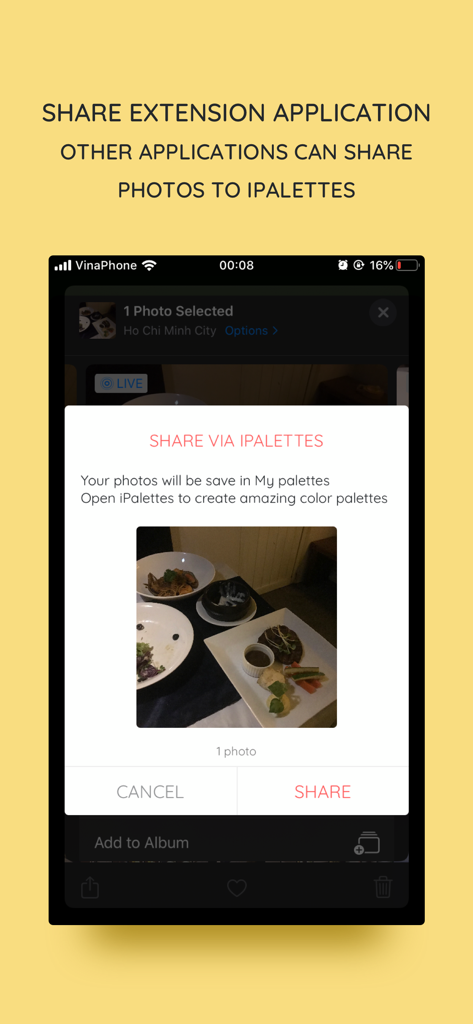
iOS-Freigabeerweiterungs-Oberfläche zum Teilen von Fotos mit der iPalettes-App.

iOS-Freigabeerweiterungs-Oberfläche zum Teilen von Fotos mit der iPalettes-App.

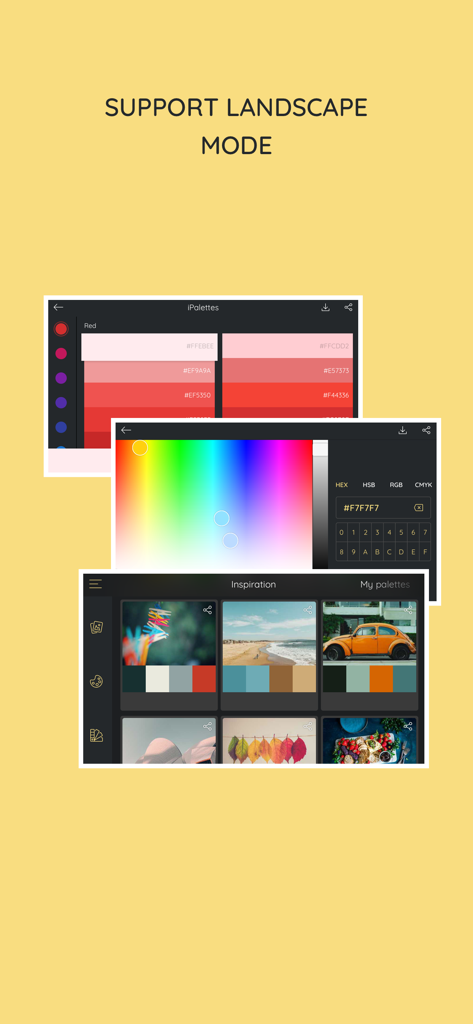
iPalettes-App zeigt Farbauswahlwerkzeuge und Inspirationspaletten im Querformat an

iPalettes-App zeigt Farbauswahlwerkzeuge und Inspirationspaletten im Querformat an

Beherrschen Sie Ihre Farbpalette

Die Tools, die diese App auszeichnen, gewählt von 21K+ Nutzern.

📸

Fotos in Paletten verwandeln

Halten Sie Inspiration fest, sobald sie auftritt. Extrahieren Sie automatisch beeindruckende Farbschemata aus Ihren Fotos oder Ihrer Kamerarolle mit unserem fortschrittlichen Farbanalysator.

💻

Entwickelt für professionelle Workflows

Maximieren Sie die Produktivität mit iPad Multitasking und Drag-and-Drop-Unterstützung. Verschieben Sie Ihre Farben nahtlos in Design-Apps wie Procreate oder Canva, während Sie über iCloud synchronisieren.

🎨

Technische Präzision & Inspiration

Greifen Sie auf über 1.000 kuratierte Paletten und Pantone-Bibliotheken zu. Konvertieren Sie mühelos zwischen HEX, RGB, HSB und CMYK für eine makellose Ausführung auf allen Medien.

Weltweit von Nutzern geliebt

Vertraut von 21K+ Menschen, die diese App lieben.

"

"Als freiberuflicher Marken-Designer ist iPalettes ein fester Bestandteil meines iPad Pro-Workflows. Die Möglichkeit, professionelle Paletten aus Fotos zu extrahieren und sie per Multitasking direkt in Procreate zu ziehen, hat mir Stunden Arbeit erspart. Es ist das intuitivste Farbwerkzeug, das ich im App Store gefunden habe."

Marcus Chen, Senior Graphic Designer
"

"Ich benutze diese App, um meine gesamte Instagram-Ästhetik zu planen! Ich liebe es, Fotos von der Natur zu machen und die App eine kohärente Farbgeschichte für mein Raster erstellen zu lassen. Die Apple Watch-Integration ist auch super praktisch für schnelle HEX-Code-Referenzen, wenn ich nicht an meinem Schreibtisch bin."

Sarah Jenkins, Lifestyle Blogger

Über die App

Alles, was Sie über wissen müssen iPalettes - Color palettes.

Beschreibung

iPalettes - The easiest way to create awesome color palettes! ** Why should you use it? ** - You need a color range but you don't have any idea to make it. - You need a tool to choose color schemes. - You need a color converter between HEX, HSB, RGB, CMYK. So, iPalettes will provide tools and give you ideas to create many beautiful palettes. You can choose from 1000+ color palettes in Inspiration tab. In addition, you can edit and save your palette to review it later. At the end, you can save it to Camera Roll and share it to Facebook, Twitter, Instagram, Email or AirDrop as you want. With iPalettes, there are 3 ways to create a palette: 1. From Photo Library or Camera iPalettes will analyze image colors and create the best palette from it, but you can edit this palette as you like 2. From Color Picker Tool 3. From Pantone Pantone is a color range to create palettes. ** How to use? ** There are 2 main tabs, Inspiration and My Palettes. Inspiration is a list of suggested palettes. My Palettes is a list of palettes that you saved. Tap and hold item in My Palettes if you want to delete it. ** New updates ** 1. Support portrait and landscape orientation for all devices. 2. Feature: Save palette with a name and export with this name. 3. Feature: Share extension app - In this feature, another apps can share images to iPalettes. All shared images will be saved as projects in My palettes tab. - Example: Go to Photos app, choose an image and share it to iPalettes app. After that, go to iPalettes, this image will auto save to My palettes tab. Please enjoy it! 4. Feature: Add more colors in palette. - You can add up to 10 colors in palette on iPhone and 15 colors on iPad. 5. Add option for "Auto save to iPalettes album" in exporting screen. 6. Support multitasking on iPad - With iPadOS, you can use Multitasking to work with two apps at the same time. - User can use another app with iPalettes at the same time. 7. Support drag and drop for iPad (iOS 11,*). - With drag and drop, you copy photos from one app to iPalettes and vice versa. - Drag: In Export screen, after exporting progress is finished, long press on image view and you can move to copy this image to another apps. 8. Hex code screen: support copy and paste color hex value - Please press and hold the hex code, iPalettes will display 2 options for copy or paste hex code. 9. APPLE WATCH VERSION (watchOS 6, *) iPalettes is available on Apple watch with some features: (1) Data of inspiration and my palettes of your iPhone is synced with your watch. Please sure that your apple watch and iPhone are paired. (2) Tools of conversion will help you switch between hex color code and RGB color code. 10. Support languages: Vietnamese, English, French, Chinese, Japanese. 11. Synchronize palettes via iCloud (iOS 10, *) Save your palette data to iCloud automatically. When you create new or update or delete a palette, app will automatically sync all your changes to iCloud. In your other devices which use this iCloud will auto sync. If you see this feature is helpful, please enable it in Settings screen. Default this feature is disable. **************************************************** iPalettes is the best assistant for your work!

Neueste Version

1.10.4

Größe

32.3 MB

Erstveröffentlichung

3. Juli 2017

Erwecken Sie jede Inspiration in voller Farbe zum Leben

Schließen Sie sich über 21.000 Designern und digitalen Kreativen an, die Weltklasse-Inspiration in professionelle Farbschemata verwandeln. Erfassen, synchronisieren und exportieren Sie Ihre Paletten sofort über Ihr iPhone, iPad und Ihre Watch.

Herunterladen auf App Store