Juno – Python and Jupyter

Juno – Python and Jupyter

Herunterladen auf App Store
Spark by MWM logo
Logo von Juno – Python and Jupyter

Juno – Python und Jupyter: Die professionelle mobile IDE für Entwickler und Datenwissenschaftler

Verwandeln Sie Ihr iPad und iPhone in eine leistungsstarke Workstation. Führen Sie Python-Code lokal aus, erkunden Sie Jupyter-Notebooks mit Rich-Outputs und nutzen Sie branchenübliche Bibliotheken wie NumPy und Pandas – alles ohne Einrichtung und mit vollständiger Offline-Unterstützung.

Herausgeber

Rational Matter Ltd

Kategorie

Developer Tools

Downloads

198K+

Bewertung

4.5/5

Bewertungen gesamt

400

Sprachen

7

Ein erstklassiges Coding-Erlebnis

Entdecken Sie die Oberfläche, die von 198K+ Nutzern verwendet wird.
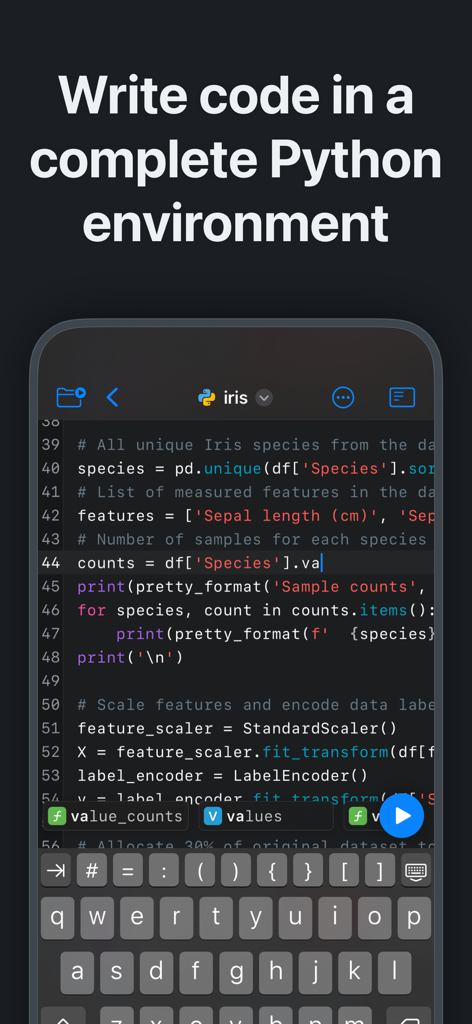
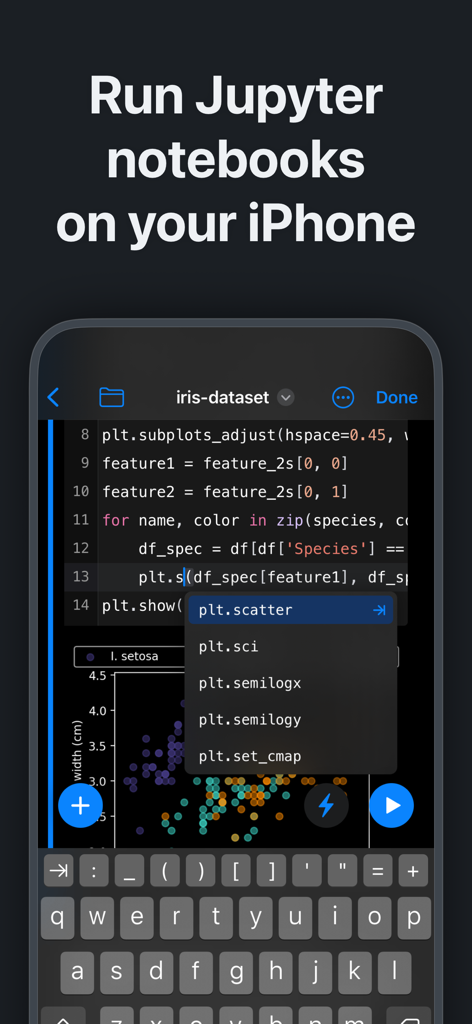
Juno-App zeigt einen Python-Code-Editor mit Syntaxhervorhebung und einer benutzerdefinierten Tastatur auf dem iPhone

Juno-App zeigt einen Python-Code-Editor mit Syntaxhervorhebung und einer benutzerdefinierten Tastatur auf dem iPhone

Juno-App-Oberfläche, auf der Jupyter-Notebooks und Python-Code auf dem iPhone mit Datenvisualisierung ausgeführt werden

Juno-App-Oberfläche, auf der Jupyter-Notebooks und Python-Code auf dem iPhone mit Datenvisualisierung ausgeführt werden

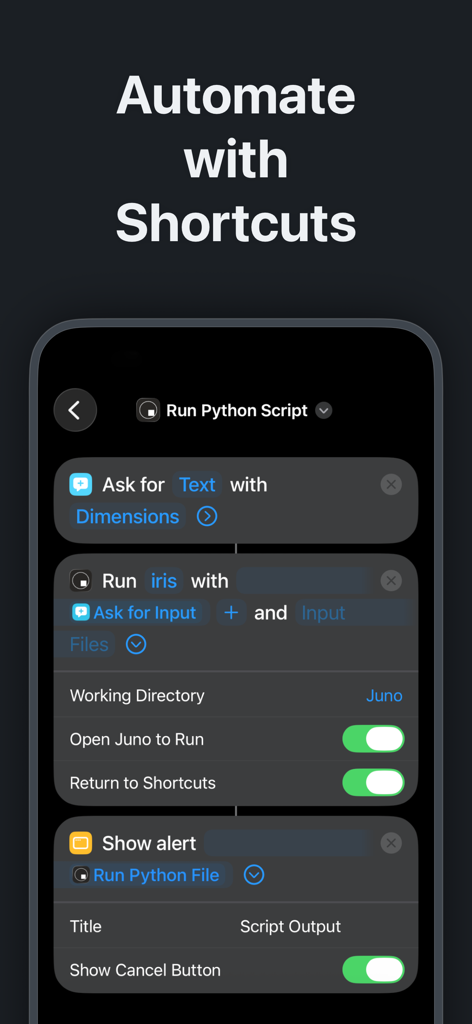
iPhone-Oberfläche, die Python-Skriptautomatisierung mit iOS Shortcuts in der Juno-App zeigt

iPhone-Oberfläche, die Python-Skriptautomatisierung mit iOS Shortcuts in der Juno-App zeigt

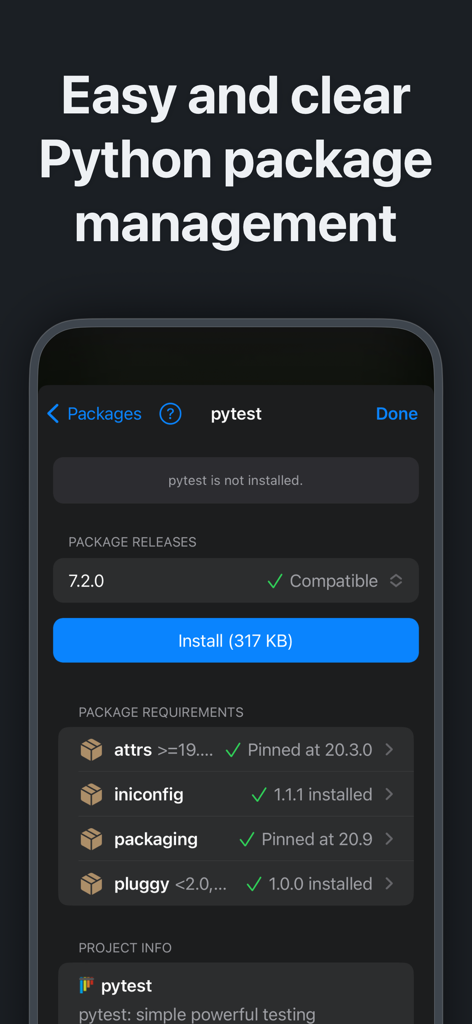
Oberfläche der Juno-App, die Python-Paketverwaltung und -installation für pytest auf einem mobilen Gerät zeigt

Oberfläche der Juno-App, die Python-Paketverwaltung und -installation für pytest auf einem mobilen Gerät zeigt

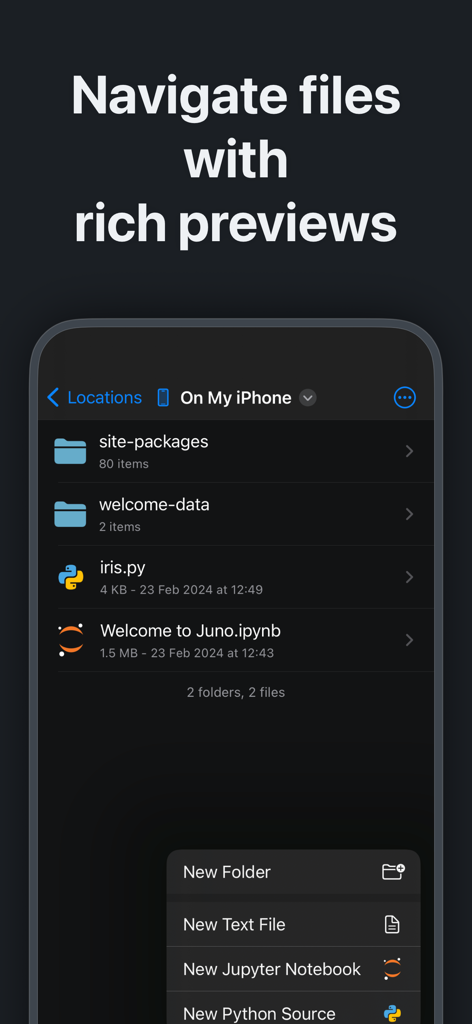
Juno-App-Dateimanager, der Python-Skripte und Jupyter-Notebooks auf dem iPhone anzeigt

Juno-App-Dateimanager, der Python-Skripte und Jupyter-Notebooks auf dem iPhone anzeigt

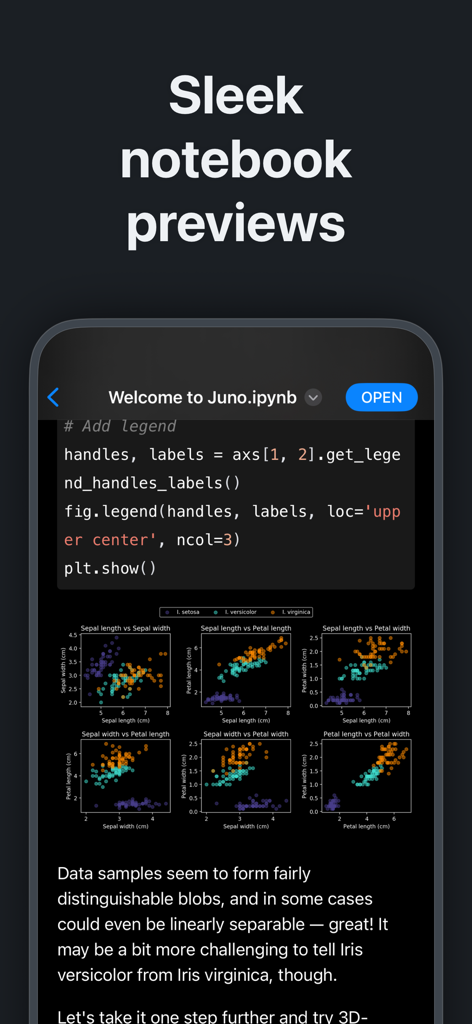
Vorschau eines Jupyter-Notebooks in der Juno-App mit Python-Code und Datenvisualisierungs-Plots

Vorschau eines Jupyter-Notebooks in der Juno-App mit Python-Code und Datenvisualisierungs-Plots

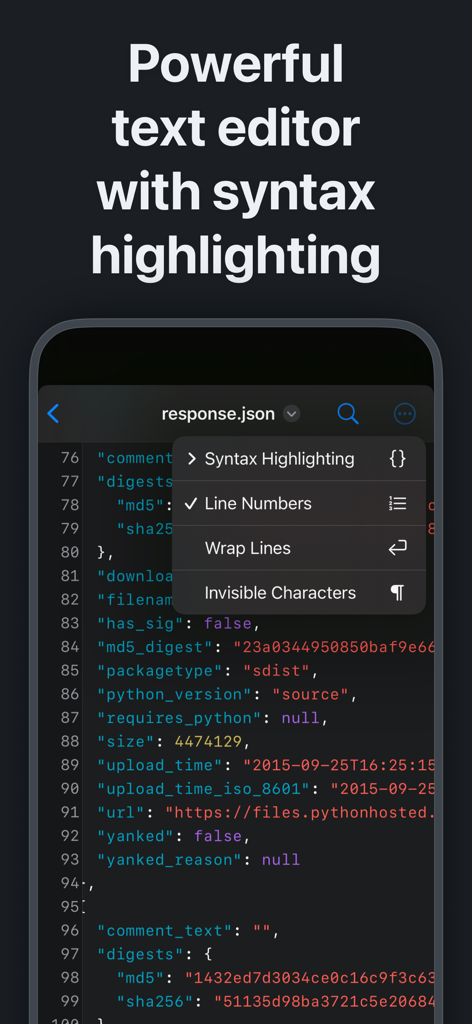
Juno-App-Texteditor mit Syntaxhervorhebung auf dem iPhone

Juno-App-Texteditor mit Syntaxhervorhebung auf dem iPhone

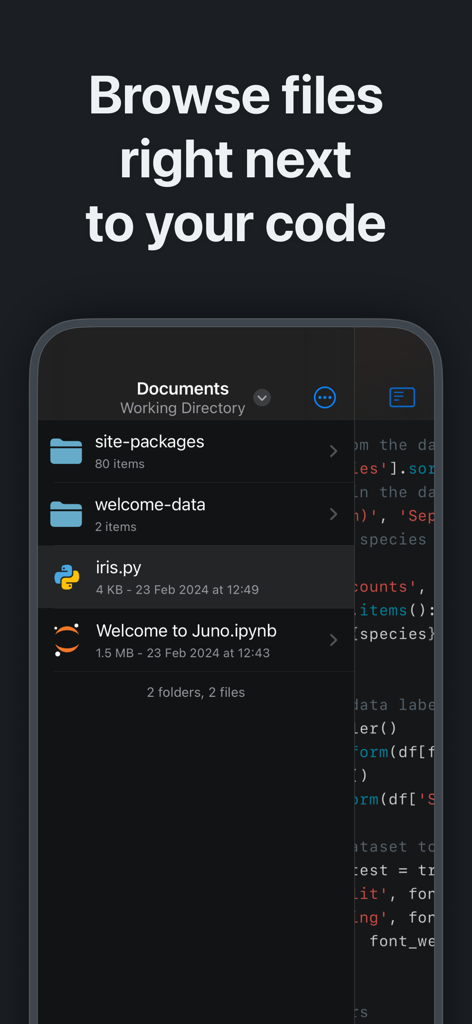
Juno-Mobile-App-Oberfläche, die einen Dateibrowser mit Python-Skripten und Jupyter-Notebooks neben dem Quellcode anzeigt

Juno-Mobile-App-Oberfläche, die einen Dateibrowser mit Python-Skripten und Jupyter-Notebooks neben dem Quellcode anzeigt

Eine professionelle Python-Workstation in Ihrer Tasche

Die Tools, die diese App auszeichnen, gewählt von 198K+ Nutzern.

Lokale & Offline-Ausführung

Führen Sie Python 3.10 und Jupyter-Notebooks vollständig auf Ihrem Gerät aus. Keine Cloud-Abonnements oder Internetverbindung erforderlich – perfekt für sicheres Codieren und produktive Pendelfahrten.

📊

Der vollständige Data-Science-Stack

Führen Sie reale Analysen mit branchenüblichen Bibliotheken durch, darunter NumPy, Pandas, Scikit-learn und Matplotlib. Rendern Sie Rich-Plots und LaTeX-Gleichungen direkt in Ihren Notebooks.

⌨️

Intelligenter Pro-Editor

Schreiben Sie schneller Code mit reaktionsschneller, intelligenter Autovervollständigung, einem vollständigen Terminal-Emulator und nahtlosem Dateimanagement. Integrieren Sie sich mit Siri Shortcuts, um Ihre Skripte mit einem einzigen Fingertipp zu automatisieren.

Weltweit von Nutzern geliebt

Vertraut von 198K+ Menschen, die diese App lieben.

"

"Juno hat mein iPad Pro vollständig in eine legitime Datenwissenschaftsworkstation verwandelt. Die Möglichkeit, NumPy und Pandas lokal und offline während der Pendelfahrt auszuführen, ist ein absoluter Game-Changer für meinen Workflow. Es ist die erste App, die Python zu einem First-Class-Citizen auf iOS macht, und die Benutzeroberfläche ist unglaublich poliert."

Alex Chen, Senior Data Analyst
"

"Als Informatikstudent brauchte ich eine Möglichkeit, das Programmieren zu üben und an meinen Jupyter-Notebooks zu arbeiten, ohne meinen Laptop überallhin mitnehmen zu müssen. Junos Zero-Setup-Umgebung ist perfekt – ich kann direkt in meine .ipynb-Dateien springen und sofort schöne Plots und Renderings sehen. Es ist mit Abstand die beste Investition, die ich für mein Studium getätigt habe."

Sarah Miller, CS Student

Über die App

Alles, was Sie über wissen müssen Juno – Python and Jupyter.

Beschreibung

Zero-setup Python environment and developer toolbox in a first-class citizen app for iPad and iPhone. Juno is designed to cover all your Python coding needs, and will work seamlessly with all source code formats. Juno supports both Python scripts (.py) and Jupyter notebooks (.ipynb) — a document format focused on applying Python to data analysis and computational science. FREE FEATURES - Navigate and manage files and folders, quickly preview documents and media - Browse and view Jupyter notebooks with quick and beautifully rendered previews - View and edit code sources, scripts, JSON, XML, and other text-based formats in a built-in versatile plain text editor with syntax highlighting - Add quick access bookmarks for file system locations outside the app's sandbox, or simply open documents in place PRO FEATURES - Run code in Jupyter notebooks and Python sources locally on your device with a built-in Python 3.10 interpreter, entirely offline - Write and execute Python code in a full-fledged development environment, featuring snappy, intelligent code completion and a console with full terminal emulator support - Access all Jupyter features in a modern, powerful and customizable notebook editor - Works with Siri: create Shortcuts that run Python code or .py scripts in Juno—pass arguments and files, capture output and chain actions - Leverage powerful data analysis, machine learning and developer tools: NumPy, Matplotlib, SciPy, Scikit-learn, Pandas, LXML, and more - Enjoy painless package management: easily install any pure Python package with an intuitive package manager PYTHON SCRIPTS Python scripts are plain-text Python source code files with a .py extension. Juno lets you work on these with snappy code completion, a console with full terminal emulator support, a built-in media viewer for code-generated images, plots, web apps, and more. Juno will execute the code using an embedded Python interpreter, locally on your iPhone or iPad and completely offline. JUPYTER NOTEBOOKS A Jupyter notebook is a versatile document format that enables you to store live code, markdown text, plots, images, and LaTeX equations — all within a single notebook file with a .ipynb extension. Notebooks serve as excellent Python coding playgrounds for data manipulation and experimentation, and Juno makes working with them a breeze! Notebook documents keep a record of all inputs and outputs from an interactive programming session, and the rich output generated by running Python scripts (including HTML, images, video, and plots) is embedded within the Jupyter notebook document. They are particularly convenient for coding in Python for data analysis, machine learning, or computational science in general.

Neueste Version

3.8.2

Größe

541.7 MB

Erstveröffentlichung

26. Sept. 2019

Machen Sie Ihr iPad zu einer Python-Workstation der Desktop-Klasse

Schließen Sie sich über 198.000 Entwicklern und Forschern an. Laden Sie Juno herunter, um Jupyter-Notebooks und Python-Skripte vollständig offline und ohne Einrichtung auszuführen.

Herunterladen auf App Store