MixEffect (Trial & Pro Unlock)

MixEffect (Trial & Pro Unlock)

Herunterladen auf App Store
Spark by MWM logo
Logo von MixEffect (Trial & Pro Unlock)
MixEffect: Professionelle ATEM-Steuerung für iPhone und iPad

Entfesseln Sie Ihre Live-Produktion mit animierten SuperSource-Übergängen, Video Follows Audio und leistungsstarker Shortcuts-Automatisierung – alles von einer mobilen Oberfläche, die für Profis entwickelt wurde.

Herausgeber

Adam Tow

Kategorie

Photo & Video

Downloads

19K+

Bewertung

4.6/5

Bewertungen gesamt

200

Sprachen

5

Ihr virtuelles Kontrollzentrum

Entdecken Sie die Oberfläche, die von 19K+ Nutzern verwendet wird.
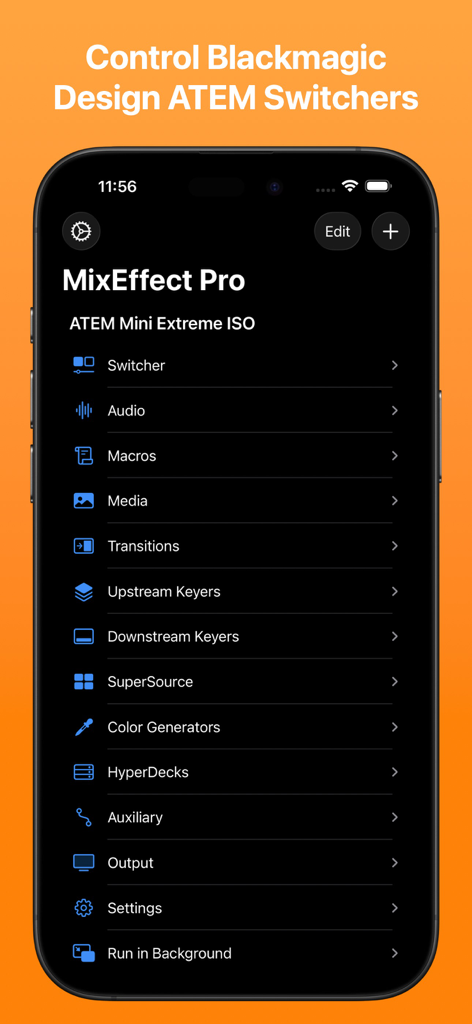
MixEffect Pro mobile App-Menü mit Steuerungsoptionen für Blackmagic Design ATEM-Mischer

MixEffect Pro mobile App-Menü mit Steuerungsoptionen für Blackmagic Design ATEM-Mischer

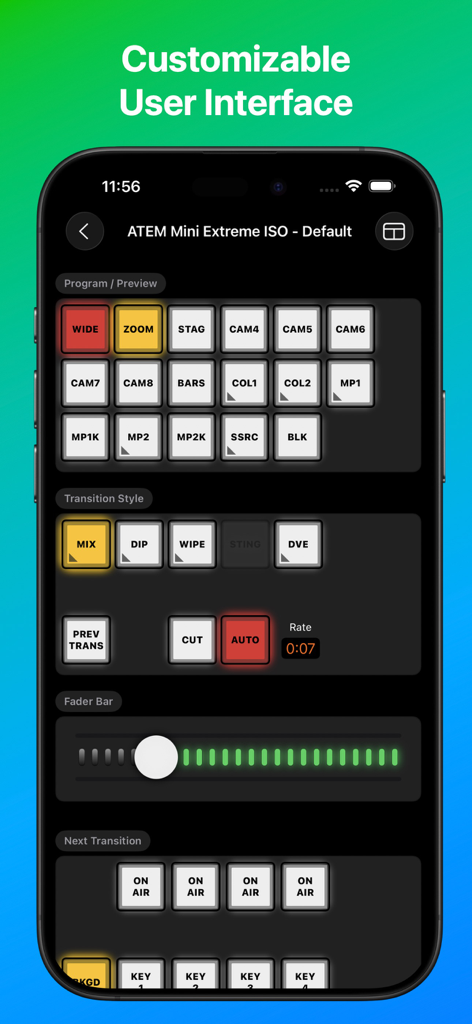
MixEffect App-Oberfläche auf einem Smartphone mit professionellen Video-Mischer-Steuerungen für ATEM Mini

MixEffect App-Oberfläche auf einem Smartphone mit professionellen Video-Mischer-Steuerungen für ATEM Mini

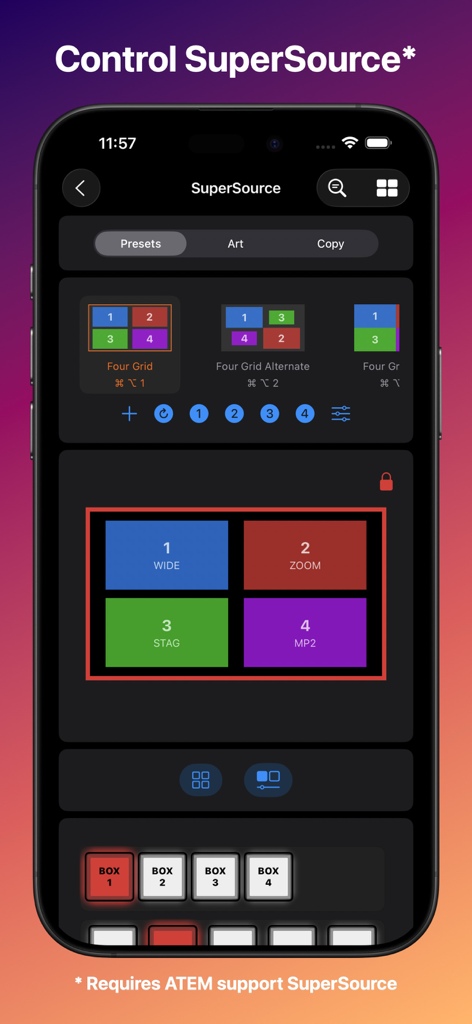
MixEffect App-Oberfläche auf einem iPhone, die SuperSource-Layout-Optionen und Steuerungen für Blackmagic ATEM-Mischer anzeigt

MixEffect App-Oberfläche auf einem iPhone, die SuperSource-Layout-Optionen und Steuerungen für Blackmagic ATEM-Mischer anzeigt

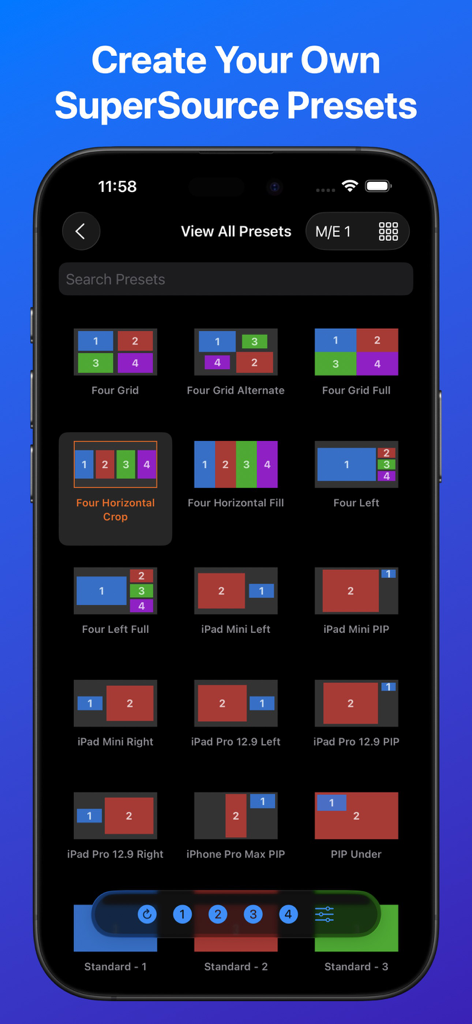
iPhone-Screenshot der MixEffect App, der eine Bibliothek von SuperSource-Video-Layout-Voreinstellungen für Blackmagic ATEM-Mischer zeigt

iPhone-Screenshot der MixEffect App, der eine Bibliothek von SuperSource-Video-Layout-Voreinstellungen für Blackmagic ATEM-Mischer zeigt

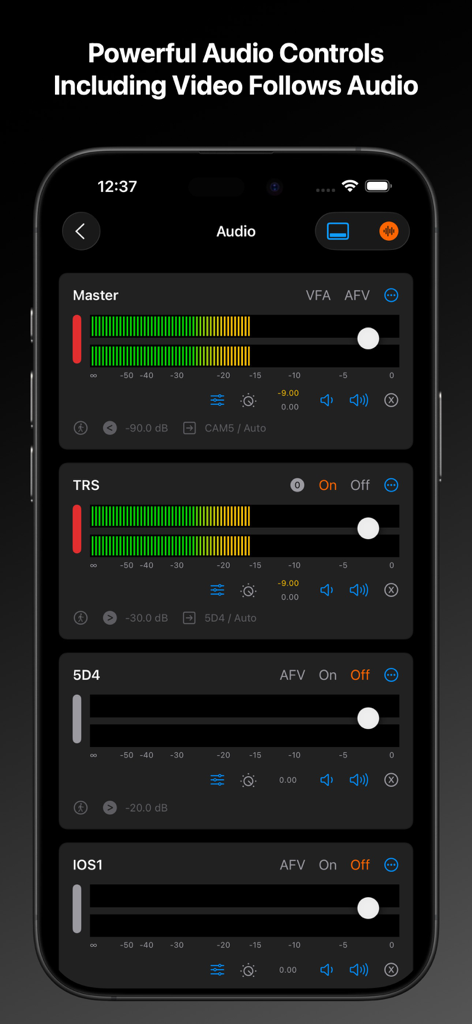
MixEffect App-Oberfläche mit professionellen Audio-Bedienfeldern für ATEM-Mischer auf einem iPhone

MixEffect App-Oberfläche mit professionellen Audio-Bedienfeldern für ATEM-Mischer auf einem iPhone

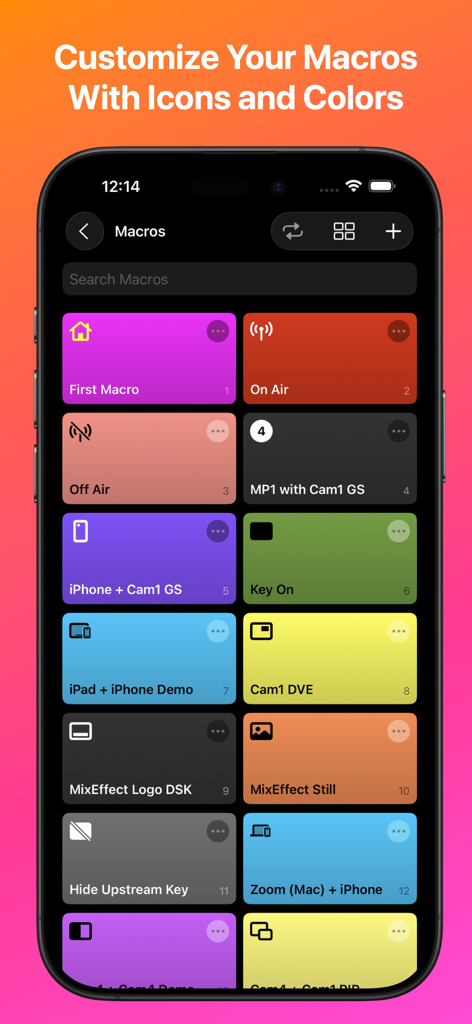
MixEffect mobile App, die ein anpassbares Raster von Makro-Schaltflächen mit unterschiedlichen Farben und Symbolen anzeigt

MixEffect mobile App, die ein anpassbares Raster von Makro-Schaltflächen mit unterschiedlichen Farben und Symbolen anzeigt

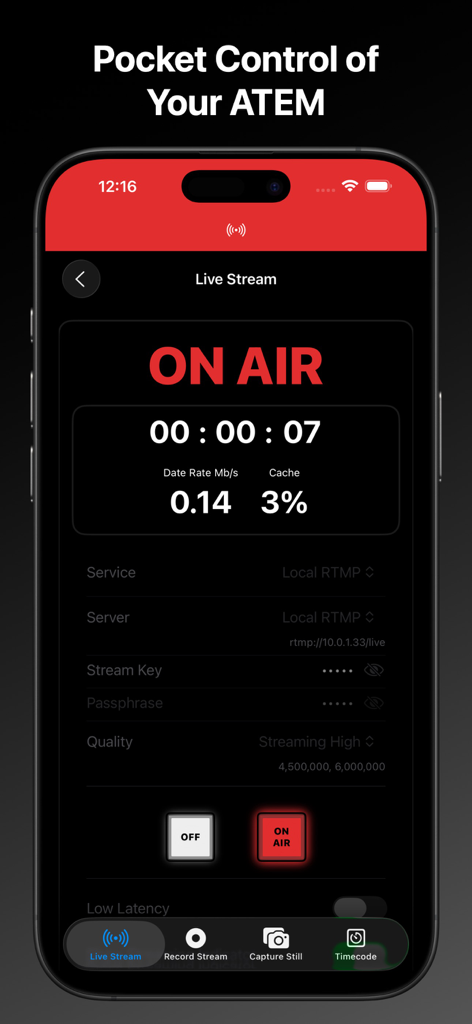
MixEffect mobile App-Oberfläche, die einen Live-Stream-On-Air-Status mit technischen Daten und Mischer-Steuerungen anzeigt

MixEffect mobile App-Oberfläche, die einen Live-Stream-On-Air-Status mit technischen Daten und Mischer-Steuerungen anzeigt

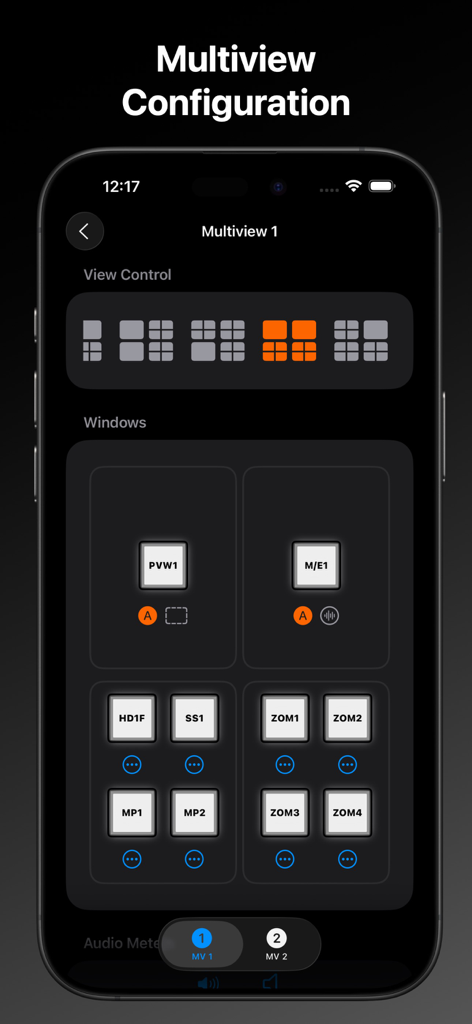
MixEffect App auf dem iPhone, die den Bildschirm zur Konfiguration der Multiview-Ansicht mit auswählbaren Layout-Rastern und Videoquellenzuweisungen anzeigt

MixEffect App auf dem iPhone, die den Bildschirm zur Konfiguration der Multiview-Ansicht mit auswählbaren Layout-Rastern und Videoquellenzuweisungen anzeigt

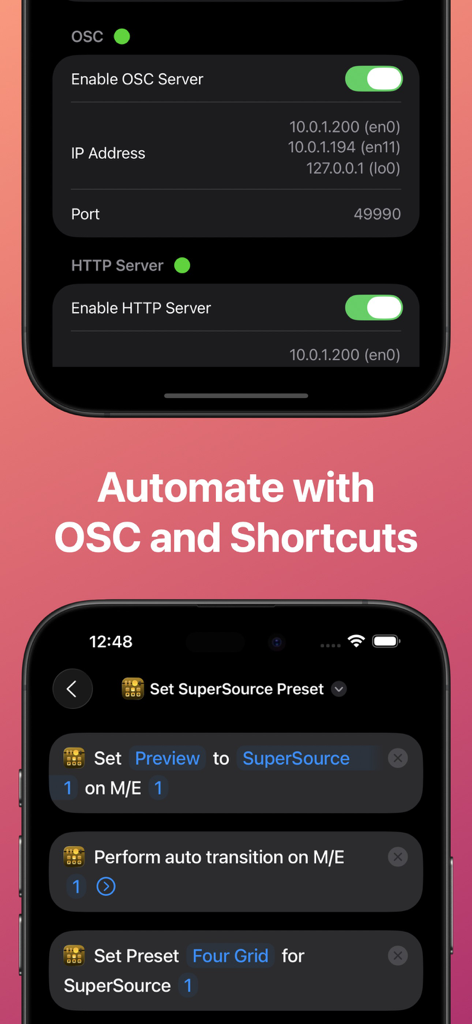
MixEffect App-Oberfläche, die OSC- und HTTP-Server-Einstellungen sowie die Integration mit iOS Shortcuts zur Automatisierung von Videoproduktions-Workflows zeigt

MixEffect App-Oberfläche, die OSC- und HTTP-Server-Einstellungen sowie die Integration mit iOS Shortcuts zur Automatisierung von Videoproduktions-Workflows zeigt

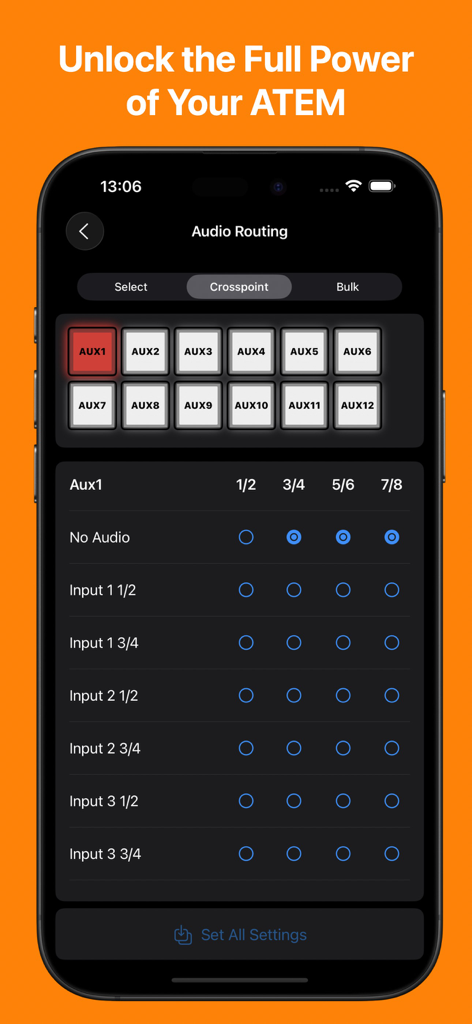
MixEffect App-Oberfläche auf einem iPhone, die die Audio-Routing-Matrix für einen Blackmagic ATEM-Mischer anzeigt

MixEffect App-Oberfläche auf einem iPhone, die die Audio-Routing-Matrix für einen Blackmagic ATEM-Mischer anzeigt

Erweiterte Produktionskontrolle

Die Tools, die diese App auszeichnen, gewählt von 19K+ Nutzern.

📱

Totale Studio-Mobilität

Befreien Sie sich von Ihrem Schreibtisch. Steuern Sie Ihren Mischer, Ihre Audiopegel und Ihren Medienpool von Ihrem iPad oder iPhone aus mit Touch-optimierten Layouts, die für Hochdruck-Live-Umgebungen entwickelt wurden.

SuperSource auf Profi-Niveau

Meistern Sie komplexe Layouts mühelos. Animieren Sie Übergänge automatisch und verwenden Sie intuitive Drag-and-Drop-Tools, um hochwertige visuelle Kompositionen zu erstellen, die mit großen TV-Sendern mithalten können.

Intelligente Automatisierung

Maximieren Sie die Effizienz als Solo-Operator. Nutzen Sie die Leistung von Siri Shortcuts und 'Video Follows Audio', um Ihre Produktion zu automatisieren, damit Sie sich auf die Kamera und nicht auf die Tasten konzentrieren können.

Weltweit von Nutzern geliebt

Vertraut von 19K+ Menschen, die diese App lieben.

"

"MixEffect hat die Art und Weise, wie wir unsere Sonntagsgottesdienste übertragen, komplett verändert. Ich kann mich endlich von der Technik-Kabine entfernen und den gesamten ATEM-Mischer von meinem iPad aus steuern, während ich mich im Kirchenschiff bewege. Die visuellen Makro-Icons machen es unseren Freiwilligen so viel einfacher, eine professionell aussehende Show ohne Fehler zu gestalten. Es ist ein absoluter Game-Changer für Kirchen-AV-Teams."

Mark Henderson, Media Director
"

"Die SuperSource-Animationen und die 'Video Follows Audio'-Funktion in MixEffect sind allein den Pro-Unlock wert! Es lässt meinen 600-Dollar-ATEM-Mini wie eine professionelle 5.000-Dollar-Broadcast-Suite wirken. Ich liebe die tiefe Integration mit Siri Shortcuts, um meinen Studio-Start zu automatisieren, und die Tatsache, dass es sich um einen einmaligen Kauf ohne Abonnement handelt, ist genau so, wie professionelle Software sein sollte."

Sarah Jenkins, Unabhängige Content Creatorin

Über die App

Alles, was Sie über wissen müssen MixEffect (Trial & Pro Unlock).

Beschreibung

MixEffect is a professional tool for controlling Blackmagic Design ATEM switchers from your iPhone or iPad. MixEffect’s familiar interface gives you quick access to virtually everything you need to run your video productions: switcher control, macros, audio, media, editing palettes, recording and streaming. MixEffect then turns the dial past ten with animated SuperSource transitions, Video Follows Audio, customizable layouts, and Shortcuts support. Manage your live productions confidently with MixEffect! # PRICING MixEffect is a free download from the App Store. Features are limited to creating new switcher connection and streaming service entries, Program/Preview, Fader Bar control, and running the ATEM Simulator. Want more? Try out MixEffect Pro over a generous 30 day period. MixEffect Pro brings full switcher control, SuperSource, Video Follows Audio, macro organization, streaming, recording, editing palettes, custom layouts, and much more! A single In-App purchase unlocks MixEffect Pro -- no subscriptions, ads, or hidden fees. # FEATURES MixEffect is packed full of features to control your ATEM switchers. ## SWITCHER MANAGEMENT Control multiple ATEM switchers. Sync your switcher settings between all of your iCloud-connected devices. ## PANELS / BUTTONS Customize the look of your switcher interface with separate iPhone, Landscape, and iPad-optimized layouts. Choose from 20 panels to include in your layouts. ## SUPERSOURCE Become a SuperSource master on your ATEM Mini Extreme and Mini Extreme ISO. Automatically animate transitions when switching between SuperSource layouts! Use drag and drop to rearrange your boxes. Save your favorite preset layouts and share them with others. ## AUDIO Control audio on ATEM switchers. Adjust each audio source’s input gain, fader gain, frames delay, and pan settings. ## MACROS Give your macros the gift of icons, colors, filtering, and sorting. Choose from three different display layouts: Grid, Buttons, and List. Access all of your macros from the virtual switcher interface. ## MEDIA Upload still images from your Photo Library into your switcher’s Media Pool. ## TRANSITIONS Access all the transitions supported by your switcher such as Mix, Dip, Wipe, and DVE, not just the ones wired to hardware buttons. ## DOWNSTREAM KEYERS Missing that DSK On Air button on your ATEM Mini? It's there in MixEffect! ## UPSTREAM KEYERS Adjust your Luma, Chroma, Pattern, and DVE settings for your upstream keyers. Use touch to easily set the chroma sample and change the position of your DVE frame. ## AUTOMATIONS Control your ATEM switcher with your voice and Shortcuts. Automatically switch inputs, change SuperSource layouts, and run macros when your audio levels rise or fall below a certain threshold. Enjoy extensive keyboard shortcuts throughout the app. ## COLOR GENERATORS Change your color sources without having to dig through palettes. ## HYPERDECK Control up to four HyperDecks from MixEffect. ## AUX Set the sources for all of your auxiliary outputs. ## STREAMING Add streaming services, servers, and profiles without having to know XML. Set a default profile and server for each of your streaming services. Import and export the Streaming.xml files supported by the ATEM Mini Pro, Pro ISO, Mini Extreme, and Mini Extreme ISO line of switchers. ## RECORDING Control your disk recordings from your iPhone or iPad. Switch disks with a tap and see how much time is available for recording. ## SECURITY Prevent unwanted access to MixEffect with Face ID (or device passcode lock). Activate View Only Mode so people can see what’s happening on the switcher without the ability to change anything. ## SWITCHER SETTINGS Set your switcher’s video mode, change the labels of sources, configure Multiview, and save your switcher's startup settings. ## SIMULATOR MixEffect features a simulated ATEM 1 M/E Production 4K switcher for testing purposes.

Neueste Version

2.3.0

Größe

108.2 MB

Erstveröffentlichung

6. Mai 2021

Nutzen Sie das volle Potenzial Ihres ATEM-Mischers

Verwandeln Sie Ihr iPhone oder iPad in ein professionelles mobiles Kontrollzentrum. Starten Sie kostenlos und schließen Sie sich Tausenden von Kreativen an, die erstklassige Produktionen ohne Abonnements durchführen.

Herunterladen auf App Store