Network Utility Pro

Network Utility Pro

Herunterladen auf App Store
Spark by MWM logo
Logo von Network Utility Pro

Network Utility Pro: Die professionelle Suite für die Netzwerkanalyse

Behalten Sie die volle Kontrolle über Ihre Konnektivität. Vom Scannen Ihres LANs über die Überwachung der Datennutzung bis hin zu erweiterten DNS-Abfragen – erhalten Sie Diagnosen auf Desktop-Niveau direkt in Ihrer Hand.

Herausgeber

Fausto Ristagno

Kategorie

Utilities

Downloads

155K+

Bewertung

4.6/5

Bewertungen gesamt

600

Sprachen

5

Professionelle Diagnosen, visualisiert

Entdecken Sie die Oberfläche, die von 155K+ Nutzern verwendet wird.
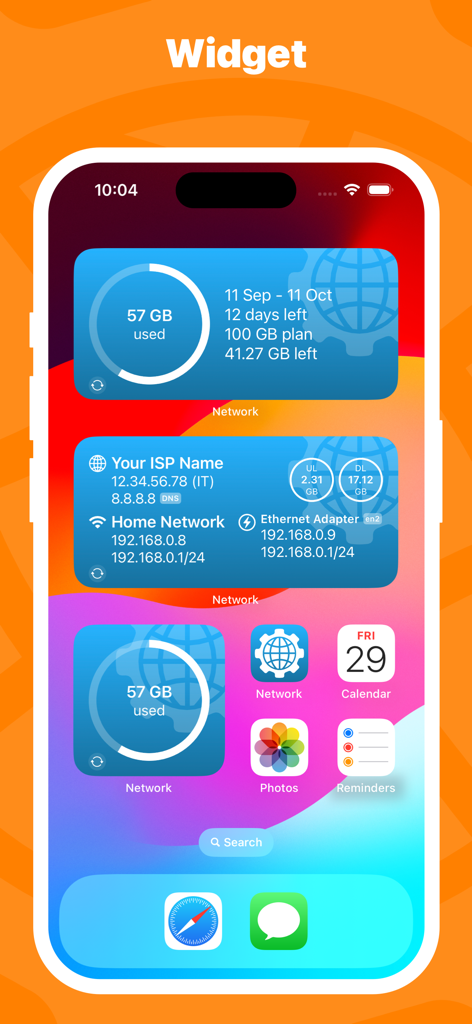
Network Utility Pro iOS-Homescreen-Widgets, die die Mobilfunknutzung und Informationen zur Netzwerkverbindung anzeigen

Network Utility Pro iOS-Homescreen-Widgets, die die Mobilfunknutzung und Informationen zur Netzwerkverbindung anzeigen

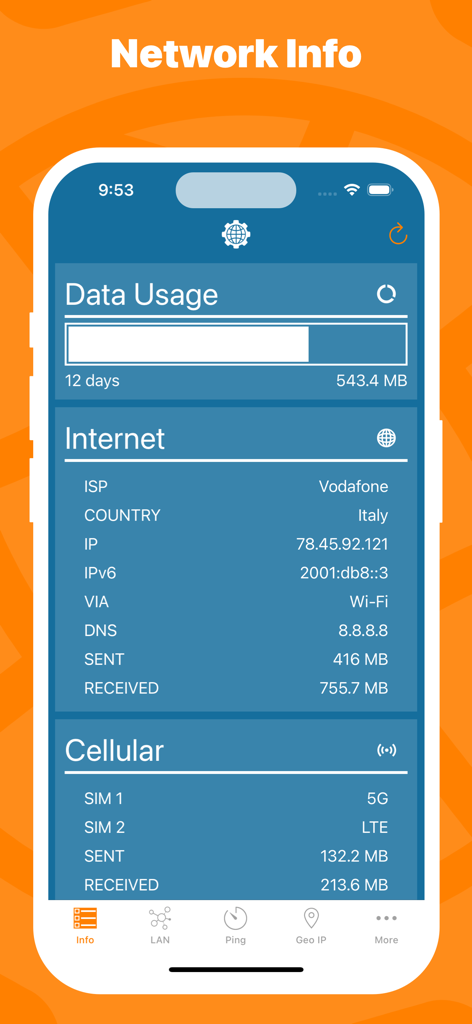
Mobile App-Oberfläche, die Netzwerkinformationen einschließlich Datennutzungsstatistiken, ISP-Details und Mobilfunknetzstatus anzeigt.

Mobile App-Oberfläche, die Netzwerkinformationen einschließlich Datennutzungsstatistiken, ISP-Details und Mobilfunknetzstatus anzeigt.

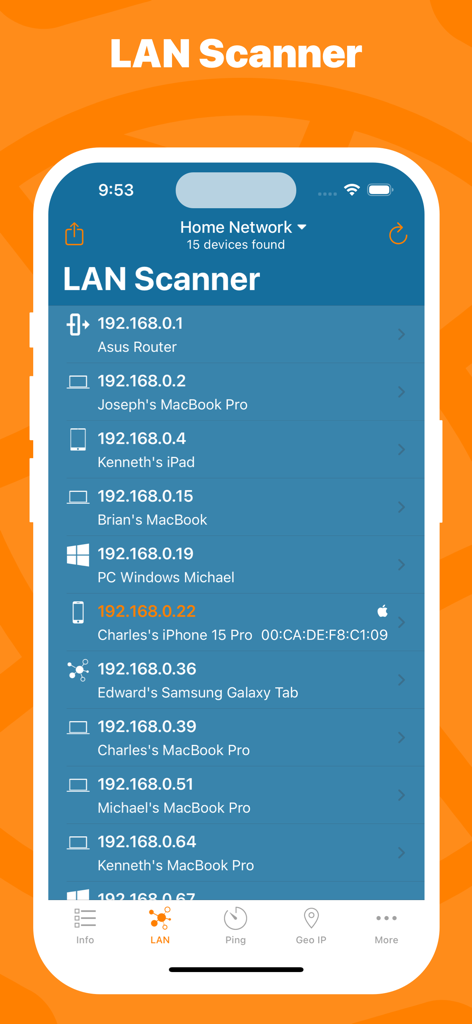
Network Utility Pro App, die den LAN-Scanner-Bildschirm mit einer Liste verbundener Geräte und IP-Adressen in einem Heimnetzwerk zeigt

Network Utility Pro App, die den LAN-Scanner-Bildschirm mit einer Liste verbundener Geräte und IP-Adressen in einem Heimnetzwerk zeigt

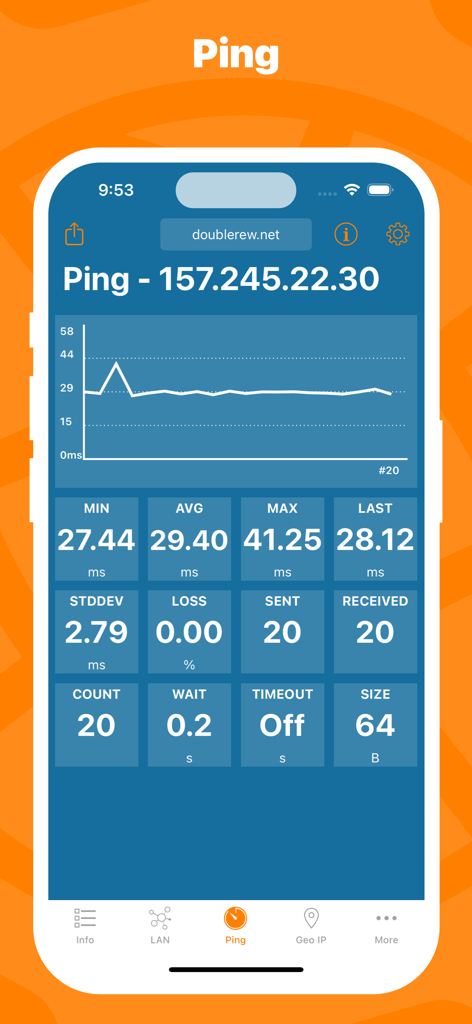
Network Utility Pro App, die Echtzeit-Ping-Statistiken und einen Latenzgrafen für einen Server anzeigt

Network Utility Pro App, die Echtzeit-Ping-Statistiken und einen Latenzgrafen für einen Server anzeigt

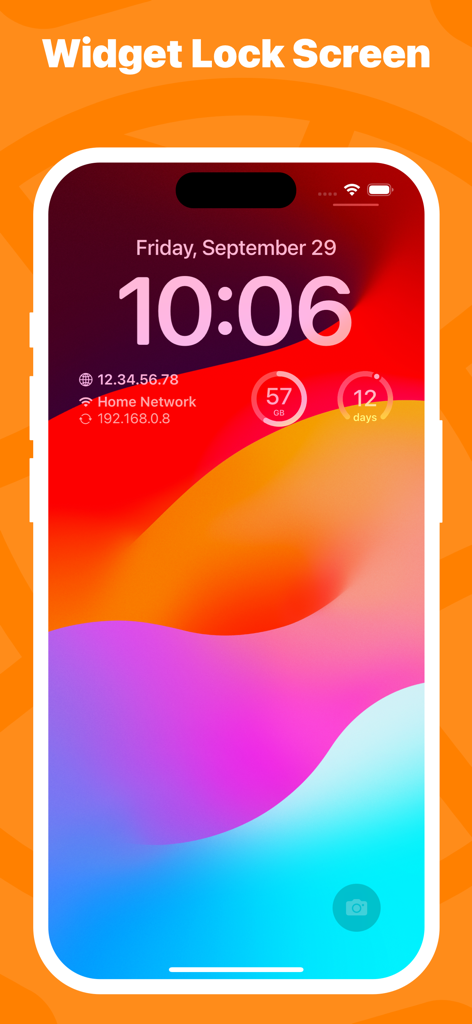
Network Utility Pro Widgets auf einem iPhone-Sperrbildschirm, die Netzwerk-IP-Infos und Mobilfunknutzung anzeigen

Network Utility Pro Widgets auf einem iPhone-Sperrbildschirm, die Netzwerk-IP-Infos und Mobilfunknutzung anzeigen

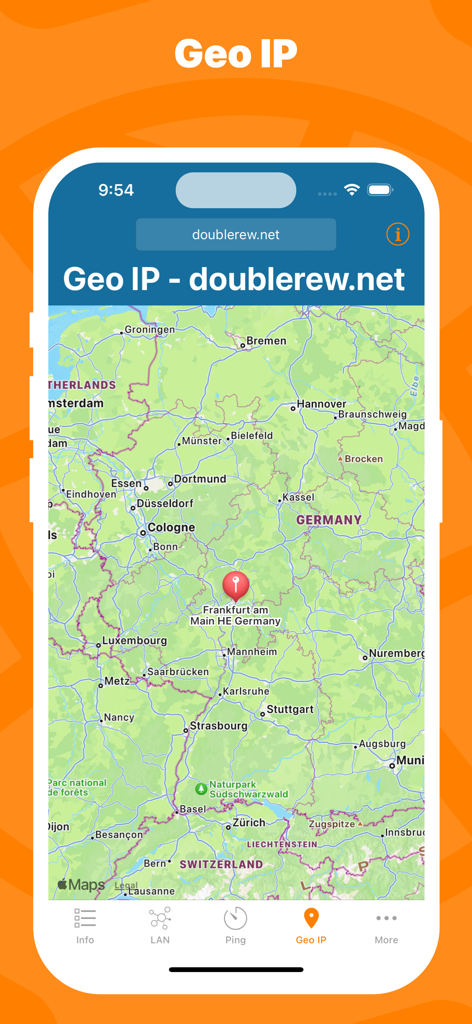
Oberfläche von Network Utility Pro, die das Geo-IP-Tool mit einer Standortmarkierung in Deutschland anzeigt.

Oberfläche von Network Utility Pro, die das Geo-IP-Tool mit einer Standortmarkierung in Deutschland anzeigt.

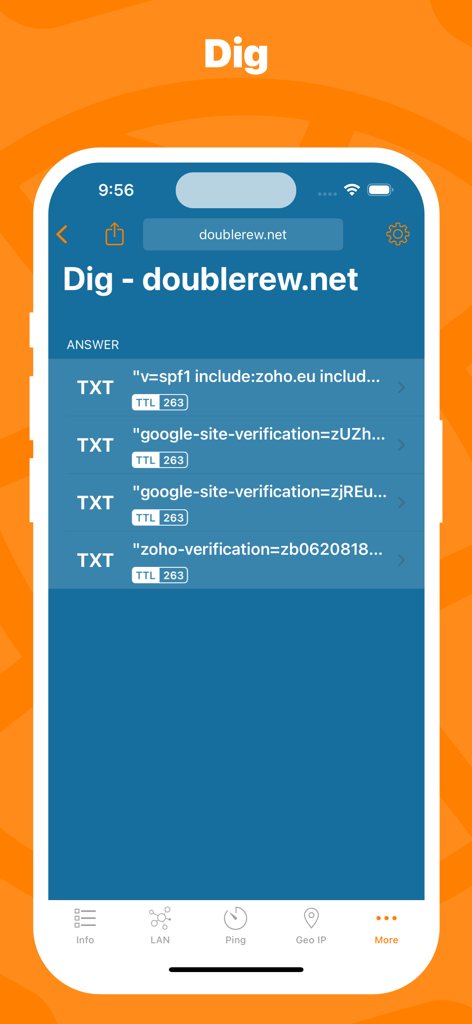
Das Dig-DNS-Abfrage-Tool in Network Utility Pro zeigt Domain-TXT-Einträge und TTL-Daten an.

Das Dig-DNS-Abfrage-Tool in Network Utility Pro zeigt Domain-TXT-Einträge und TTL-Daten an.

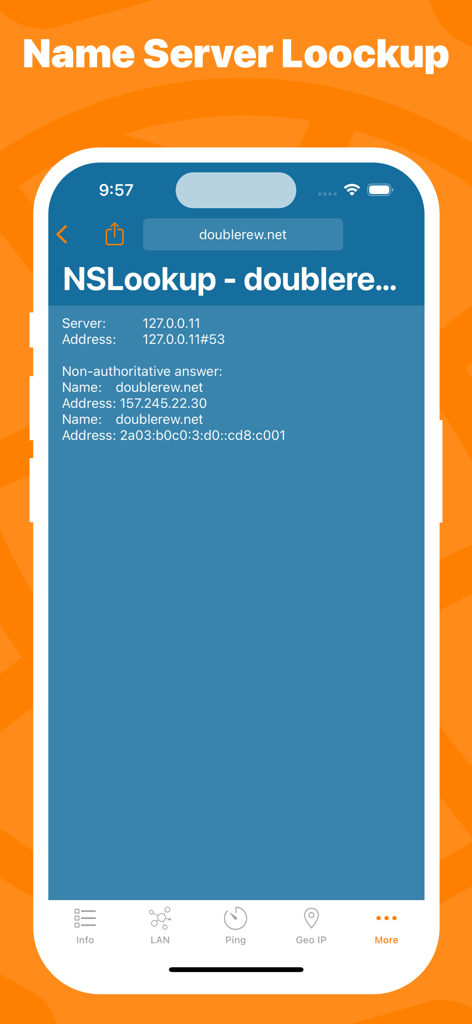
Screenshot der Network Utility Pro App mit den Ergebnissen des NSLookup-Tools für eine Domain

Screenshot der Network Utility Pro App mit den Ergebnissen des NSLookup-Tools für eine Domain

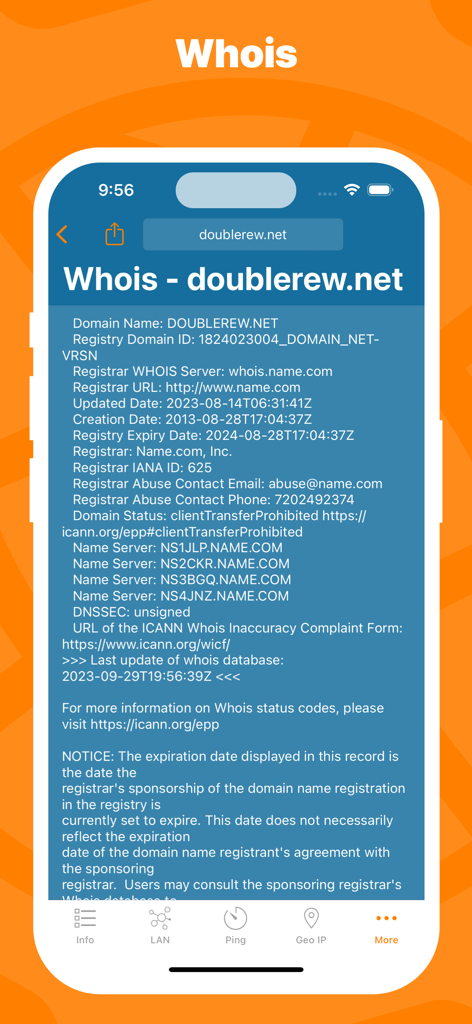
Schnittstelle für Whois-Domainregistrierungsabfragen in der Network Utility Pro App

Schnittstelle für Whois-Domainregistrierungsabfragen in der Network Utility Pro App

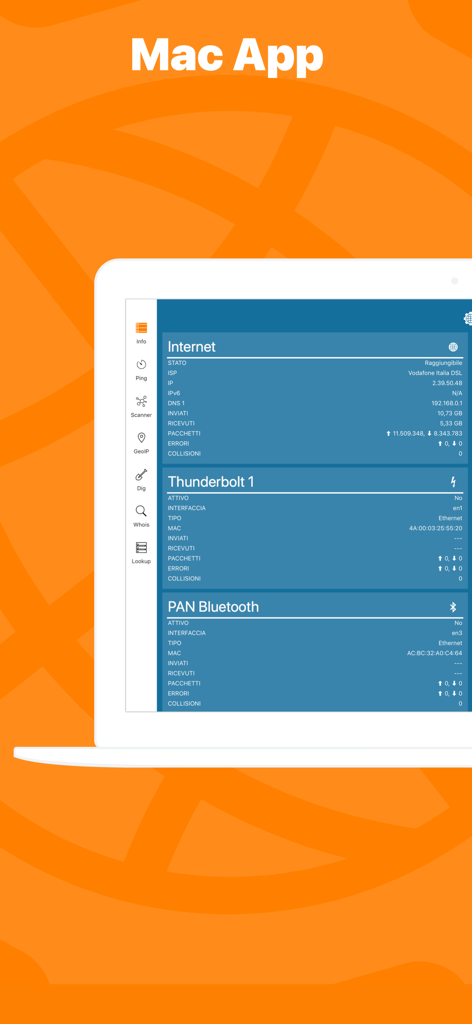
Programmoberfläche von Network Kit X auf einem Mac-Laptop, die Netzwerkstatus und Diagnosen anzeigt

Programmoberfläche von Network Kit X auf einem Mac-Laptop, die Netzwerkstatus und Diagnosen anzeigt

Meistern Sie Ihr Netzwerk mit Profi-Tools

Die Tools, die diese App auszeichnen, gewählt von 155K+ Nutzern.

📡

Fortschrittlicher LAN-Scanner

Identifizieren Sie sofort jedes Gerät in Ihrem Netzwerk und erkennen Sie unbefugte Zugriffe, um Ihre Umgebung sicher zu halten.

Echtzeit-Ping & Statistiken

Überwachen Sie Latenzen mit grafischen Daten und erweiterten Konfigurationen, um sicherzustellen, dass Ihre Verbindung für anspruchsvolle Aufgaben stabil bleibt.

📊

Präzise Datenüberwachung

Vermeiden Sie Drosselungen durch den Anbieter mit einer unabhängigen Verfolgung Ihrer Mobilfunknutzung über benutzerdefinierte Abrechnungszyklen hinweg.

Weltweit von Nutzern geliebt

Vertraut von 155K+ Menschen, die diese App lieben.

"

"Als Systemadministrator, der oft unterwegs ist, ist Network Utility Pro zu meinem unverzichtbaren mobilen Toolkit geworden. Profi-Tools wie Dig, Whois und NSlookup direkt auf meinem iPhone zu haben bedeutet, dass ich Serverprobleme diagnostizieren kann, ohne meinen Laptop öffnen zu müssen. Die Handoff-Unterstützung mit der Mac-Version ist ein Game-Changer für meinen Workflow, und die Benutzeroberfläche ist im Vergleich zu anderen technischen Apps unglaublich aufgeräumt."

Marcus T.
"

"Ich verwalte über 30 Smart-Home-Geräte, und diese App ist unerlässlich, um alles reibungslos am Laufen zu halten. Der LAN-Scanner hilft mir, IP-Konflikte schnell zu identifizieren oder Geräte zu finden, die offline gegangen sind, während der Mobilfunkdaten-Monitor perfekt ist, um meine Hotspot-Nutzung während Geschäftsreisen zu verfolgen. Es ist das digitale Schweizer Taschenmesser, nach dem ich gesucht habe, um mein Heimnetzwerk zu verwalten."

Sarah Jenkins

Über die App

Alles, was Sie über wissen müssen Network Utility Pro.

Beschreibung

Keep under control your network with Network Utility, an user friendly set of network tools that will help you to analyze your LAN, and not only that. ► NETWORK INFO A complete and easy to understand report of your device's network interfaces. In that tab you'll find information like the IP, IPv6, other addresses or the data usage statistics about your Wi-Fi, Internet or Cellular connection (if any). ► CELLULAR DATA MONITOR Don't lose sight of your data usage, with four taps you'll have a data monitor configured and ready to use. The following data usage plans' period are supported: - Daily - Weekly - Monthly - 28 days - 30 days - 90 days ► LAN SCANNER Analyze your Wi-Fi with the LAN Scanner tool. Discovering who is connected to your network and Ping it, is a matter of two taps. Easily manage custom subnets to scan only a portion of your LAN. ► PING Ping a LAN device, Ping a server, ping whatever you want. IPv6 addresses are supported too and advanced options like packet size, timeouts, intervals, etc.. are available and easily configurable. The results of your Ping are available numerically in the aggregated stats, graphically in the real time graph or listed, a row per ICMP response received. ► GEO IP Have you ever wondered where a server or any other IP is located? That's the tool for you, show the location on a map and get additional details like the ISP or the ASN in the details pane. ► DIG A DNS lookup utility made simple. A list clearly shows the result of your query and the advanced options allow you to customize your request from the type of query to the DNS server. ► WHOIS Find any information about a domain name and it's owner e.g. the status, creation date, registrant email and address and many more. ► NSLOOKUP A no-frills textual DNS lookup utility. ► WIDGET * Network Utility comes with an useful widget that brings network informations and the cellular data usage into your notification center, home screen e lock screen. ► EXPORT RESULTS ANYWHERE Every utility has an export button that allows you to export the result of your task to the File app, to the Notes app and many other apps or simply copy the raw textual result. ► MAC APP Network Utility is also available on the Mac App Store as Network Kit X, the same app but tuned to take advantage of macOS. Start a tool on your iPhone/iPad a continue it on your Mac thanks to Handoff and Continuity. !! N.B. - Cellular data monitor is available only on iPhone or iPad with Cellular. - LAN Scanner on iOS 11 and upper due to a limitation of the OS can't display the MAC address of the discovered devices. Hostname resolution is available only if you don't use an external DNS. - Widgets on iOS 14 are updated only at scheduled intervals (e.g. every 5 minutes), so they can show outdated info. Open the app to get info updated in real time.

Neueste Version

9.10.3

Größe

13.3 MB

Erstveröffentlichung

3. März 2016

Meistern Sie Ihr Netzwerk überall

Rüsten Sie sich mit dem ultimativen digitalen Schweizer Taschenmesser aus. Schließen Sie sich über 155.000 IT-Profis und Power-Usern an, die sich auf Diagnosen auf Desktop-Niveau direkt in ihrer Hosentasche verlassen.

Herunterladen auf App Store