Password Manager - mSecure

Password Manager - mSecure

Herunterladen auf App StoreHerunterladen auf Google Play
Spark by MWM logo
Logo von Password Manager - mSecure

mSecure: Der sicherste und einfachste Weg, Ihr digitales Leben zu schützen

Schließen Sie sich über 400.000 Benutzern an, die mSecure vertrauen, um Passwörter, Finanzunterlagen und sensible Dateien mit branchenüblicher AES-256-Verschlüsselung auf all ihren Geräten zu schützen.

Herunterladen auf App Store

Herausgeber

mSeven Software, LLC

Kategorie

Productivity

Downloads

408K+

Bewertung

4.8/5

Bewertungen gesamt

53K+

Sprachen

5

Sicherheit auf einen Blick

Entdecken Sie die Oberfläche, die von 408K+ Nutzern verwendet wird.
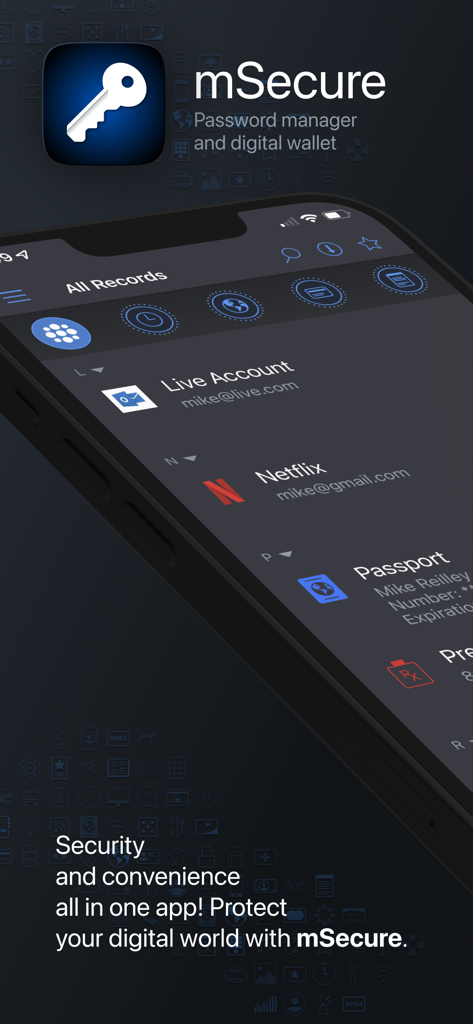
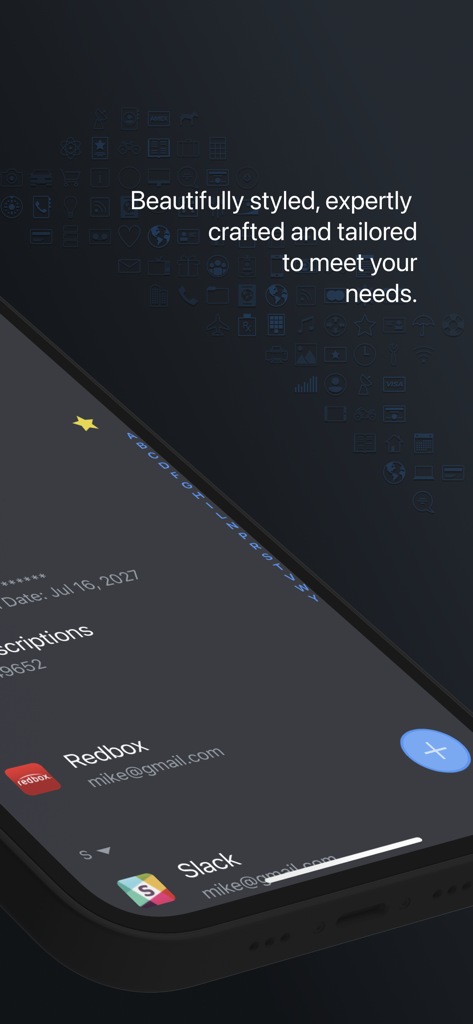
mSecure-App-Oberfläche mit Passwort-Manager und digitalen Brieftaschenfunktionen auf einem Smartphone-Bildschirm

mSecure-App-Oberfläche mit Passwort-Manager und digitalen Brieftaschenfunktionen auf einem Smartphone-Bildschirm

Smartphone-Bildschirm mit der Benutzeroberfläche der mSecure Passwort-Manager-App mit einer Liste von Konten im Dunkelmodus

Smartphone-Bildschirm mit der Benutzeroberfläche der mSecure Passwort-Manager-App mit einer Liste von Konten im Dunkelmodus

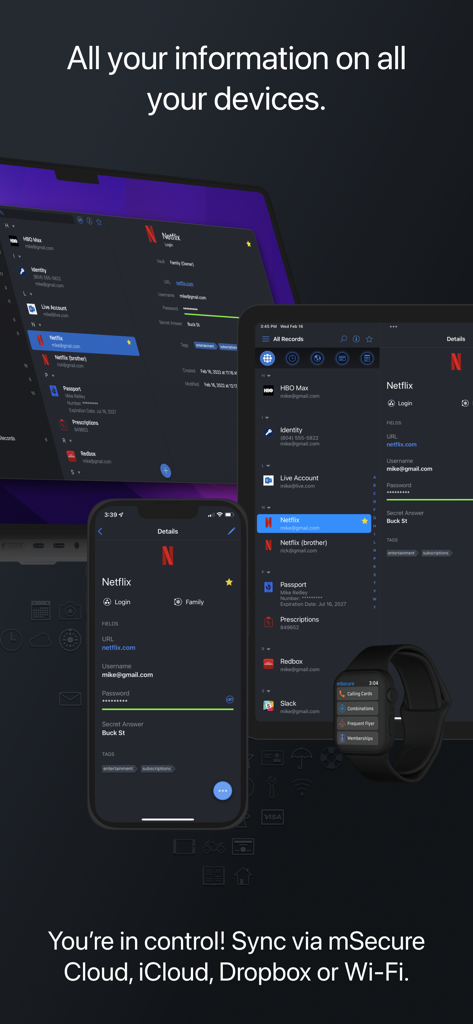
mSecure Passwort-Manager mit synchronisierten Daten auf Laptop, Tablet, Smartphone und Smartwatch

mSecure Passwort-Manager mit synchronisierten Daten auf Laptop, Tablet, Smartphone und Smartwatch

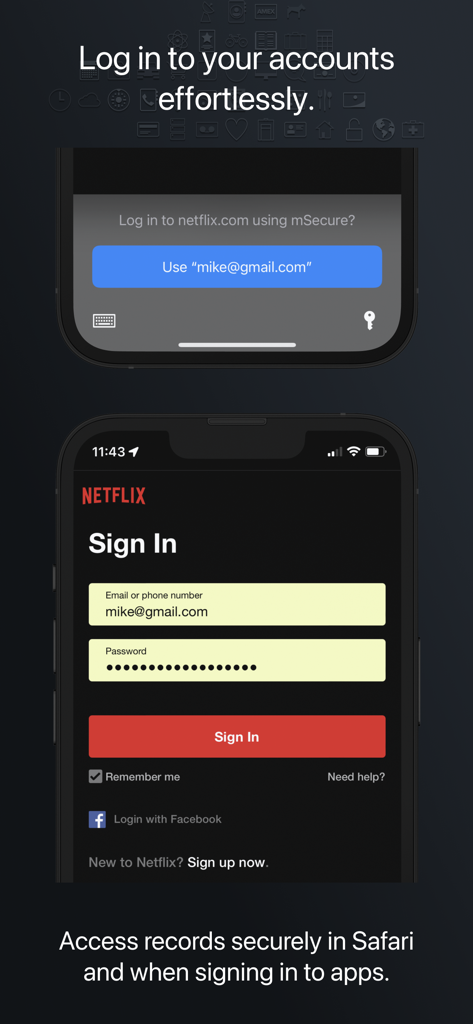
mSecure Passwort-Manager Auto-Ausfüll-Funktion für müheloses und sicheres Anmelden in mobilen Apps

mSecure Passwort-Manager Auto-Ausfüll-Funktion für müheloses und sicheres Anmelden in mobilen Apps

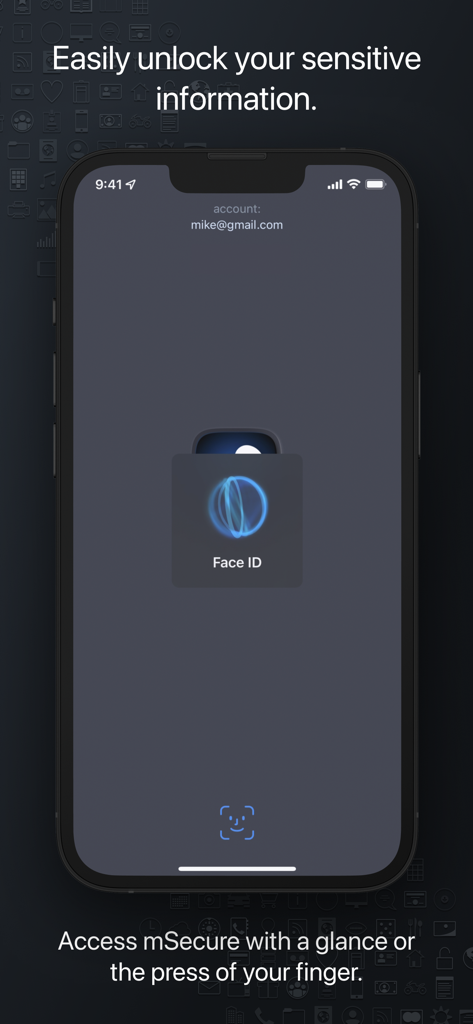
mSecure App-Screenshot mit biometrischer Face ID-Authentifizierung für sicheren Zugriff auf dem iPhone

mSecure App-Screenshot mit biometrischer Face ID-Authentifizierung für sicheren Zugriff auf dem iPhone

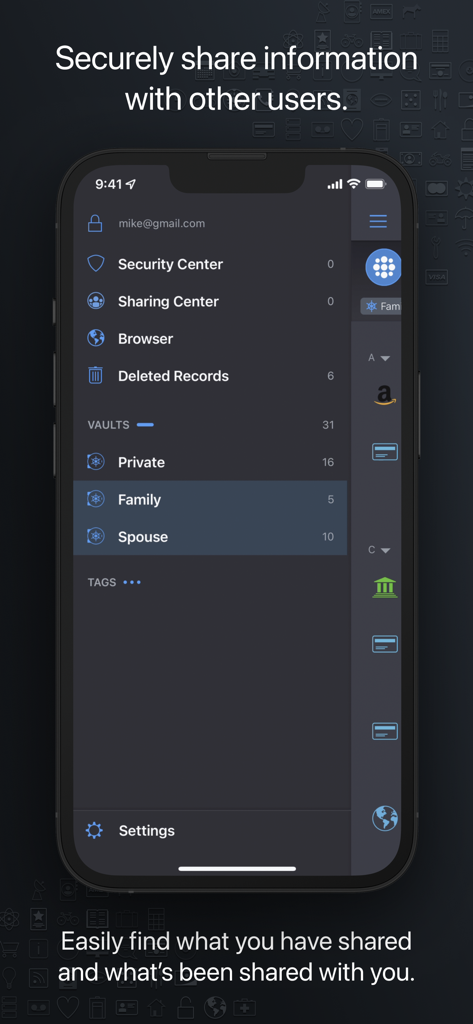
mSecure-App-Oberfläche mit dem Sharing Center mit privaten, Familien- und Ehepartnertresoren für sicheres Datenteilen.

mSecure-App-Oberfläche mit dem Sharing Center mit privaten, Familien- und Ehepartnertresoren für sicheres Datenteilen.

Der ultimative Tresor für Ihre sensiblen Daten

Die Tools, die diese App auszeichnen, gewählt von 408K+ Nutzern.

🛡️

Sicherheit auf Militärniveau

Seien Sie unbesorgt mit branchenüblicher AES-256-Verschlüsselung und biometrischem Schutz, der Ihre sensibelsten Informationen für alle außer Ihnen unsichtbar macht.

Nahtloser Zugriff mit nur einem Fingertipp

Hören Sie auf, vergessene Passwörter zurückzusetzen. Nutzen Sie das native automatische Ausfüllen und den biometrischen Login, um mühelos durch Ihre Lieblings-Apps und Websites auf jedem Gerät zu navigieren.

👨‍👩‍👧‍👦

Sicheres Teilen in der Familie

Koordinieren Sie die Haushaltslogistik sicher. Teilen Sie Streaming-Zugangsdaten, WLAN-Passwörter und Finanzdokumente mit gemeinsamen Tresoren, die speziell für Familien entwickelt wurden.

Weltweit von Nutzern geliebt

Vertraut von 408K+ Menschen, die diese App lieben.

"

"mSecure ist das zuverlässigste Werkzeug, das ich zur Verwaltung meines digitalen Lebens gefunden habe. Der biometrische Login und die nahtlose Synchronisierung zwischen meinem iPhone und iPad machen die Nutzung unterwegs unglaublich einfach. Ich kann die Premium-Version jedem wärmstens empfehlen, der es mit dem Datenschutz ernst meint."

James H., Softwareentwickler
"

"Wir sind letztes Jahr auf den Familienplan umgestiegen, und es hat alles vereinfacht. Die Nutzung gemeinsamer Tresore zur Verwaltung unserer Haushaltszugangsdaten und sensiblen Dateien ist sowohl sicher als auch bequem. Es ist die perfekte Lösung, um die privaten Informationen unserer Familie organisiert und zugänglich zu halten."

Linda W., Direktorin für digitales Marketing

Über die App

Alles, was Sie über wissen müssen Password Manager - mSecure.

Beschreibung

Don’t take any chances with your passwords and private information. mSecure is the most secure and straightforward solution to managing your sensitive information across your devices. Protect, store and share your sensitive information with mSecure. Simplify your digital world and securely access it at your convenience. Create secure notes, generate passwords, and safely backup your information to never lose your data again. mSecure 6 is an entire redesign of the app you trust most to protect your vital and private information. New features provide the organizational flexibility you need, the convenience of auto-fill right from your web browser, and the ability to share only the data you need to share with other mSecure users. Your information is easier to use, easier to access, and always secure with industry-standard AES-encryption. Elevate your password managing experience with mSecure today! ----------------------------------------- With four plans to choose from, you decide which features are important for managing your information. Regardless of which plan you choose, your data is protected with the same enhanced security. UPDATED FEATURES ● Two-Factor Authentication* ● Family and Team Plans ● Login Password History ● Attach any type of file* *Available with a Premium subscription ~ Keep Your Digital Wallet Organized, and Secure ~ mSecure is for more than just passwords. Safeguard your financial information, personal documents, sensitive files, or anything you need protected all in one place. ~ Get More Than What You Pay For ~ ● Choose a plan to fit your needs - Essentials, Premium, Family, or Team. ● Enable full access to all features that mSecure has to offer with a Premium subscription. ~ Ideal For Families and Teams ~ Share select information with family members or teammates with ease. Use Shared Vaults to house sensitive information and data you and your family or team need under one mSecure subscription. ----------------------------------------- SECURE - Protect your sensitive information with confidence Encrypt your data using industry-standard AES 256-bit encryption Password Generator creates and stores random, complex, and unique passwords Auto-lock and Auto-backup features keep data safe with enhanced security Biometric authentication allows quick, secure access using your device’s Touch or Face ID SIMPLE - Easily add, find, manage, and organize passwords and data Auto-fill credentials in Safari and 3rd party apps with iOS Password AutoFill Find the information you need fast with powerful organizational features Enter Usernames quickly from a predefined list of emails that already exist in your data Over 20 built-in templates for quick and easy data entry with the ability to create custom templates Integrated search and collapsible headers, along with intelligent sorting, filtering and grouping simplifies the process of organizing and finding your information Mark any item as a favorite for quick access SEAMLESS - Sync all of your devices seamlessly Choose to sync via mSecure Cloud, Dropbox, iCloud or Wi-Fi to access your records on all of your devices across multiple platforms. Don’t take any chances with your passwords and private information. Keep your data safe and secure with mSecure! ----------------------------------------- SUPPORT If you have any questions or comments, please share them on our support forum: support.msecure.com/support/discussions. You can also email us directly at support@msevensoftware.com. Terms of Use: https://www.apple.com/legal/internet-services/itunes/dev/stdeula/ Privacy Policy: https://redirect.msecure.com/ios/privacy

Neueste Version

6.1.14

Größe

110.9 MB

Erstveröffentlichung

15. Mai 2017

Ihre Sorgenfreiheit ist nur ein Fingertipp entfernt

Schließen Sie sich über 400.000 Profis und Familien an, die mSecure vertrauen, um ihre Passwörter und privaten Dateien mit branchenführender AES-256-Verschlüsselung zu schützen. Sichern Sie noch heute Ihre digitale Welt.

Herunterladen auf App StoreHerunterladen auf Google Play