Pocket Note Pro

Pocket Note Pro

Herunterladen auf App Store
Spark by MWM logo
Logo von Pocket Note Pro

Pocket Note Pro: Das hochfunktionale digitale Notizbuch für Profis

Verwandeln Sie Ihr Mobilgerät in eine leistungsstarke Business-Workstation. Integrieren Sie nahtlos Handschrift, Fotos und Live-Karten, um Ideen festzuhalten und Projekte präzise zu dokumentieren – vom Außeneinsatz bis zum Büro.

Herausgeber

NAOAKI SEKIGUCHI

Kategorie

Productivity

Downloads

29K+

Bewertung

3.9/5

Bewertungen gesamt

100

Sprachen

11

Effizienz in jedem Detail

Entdecken Sie die Oberfläche, die von 29K+ Nutzern verwendet wird.
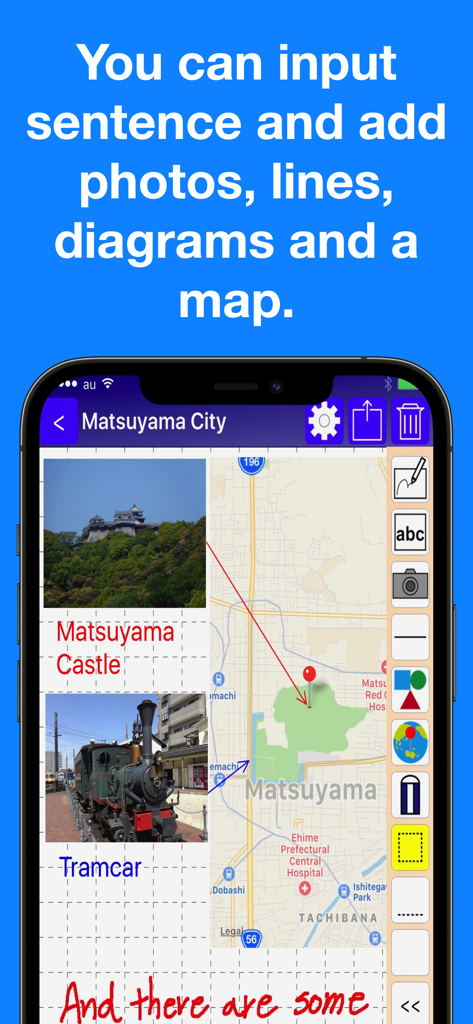
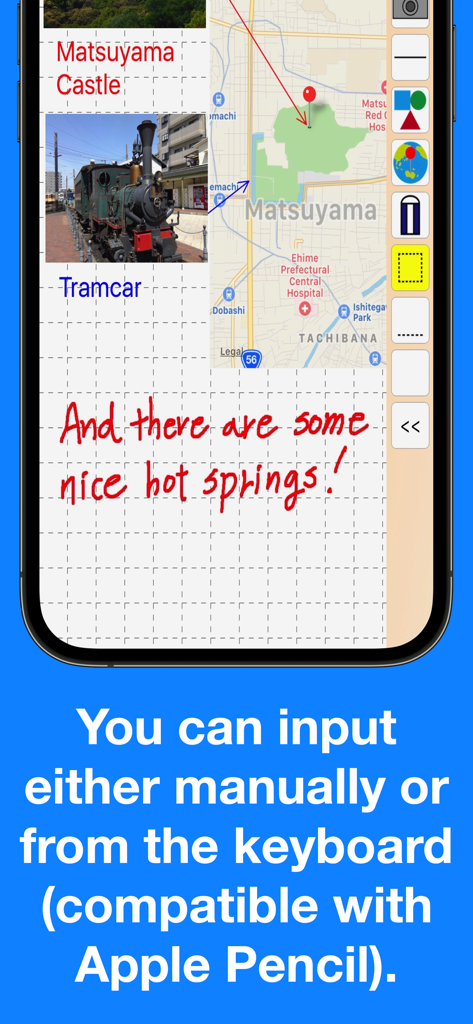
Pocket Note Pro App-Oberfläche mit einer Business-Notiz mit integrierten Karten, Fotos und handschriftlichem Text

Pocket Note Pro App-Oberfläche mit einer Business-Notiz mit integrierten Karten, Fotos und handschriftlichem Text

Pocket Note Pro App-Screenshot mit handschriftlichen Notizen, integrierten Karten und Fotoanhängen auf einem Gitternetz-Hintergrund

Pocket Note Pro App-Screenshot mit handschriftlichen Notizen, integrierten Karten und Fotoanhängen auf einem Gitternetz-Hintergrund

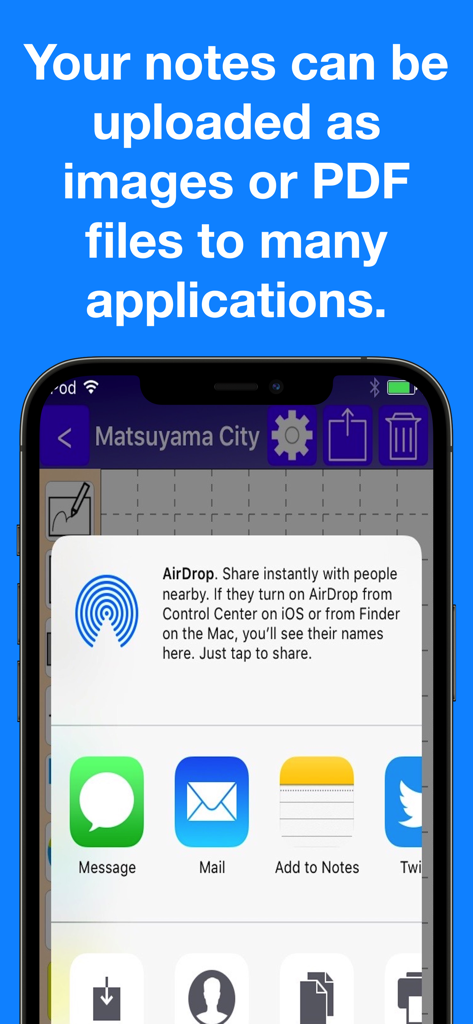
iPhone-Bildschirm mit dem Freigabemenü in Pocket Note Pro zum Exportieren von Notizen als PDF oder Bilder über AirDrop, E-Mail und andere Apps.

iPhone-Bildschirm mit dem Freigabemenü in Pocket Note Pro zum Exportieren von Notizen als PDF oder Bilder über AirDrop, E-Mail und andere Apps.

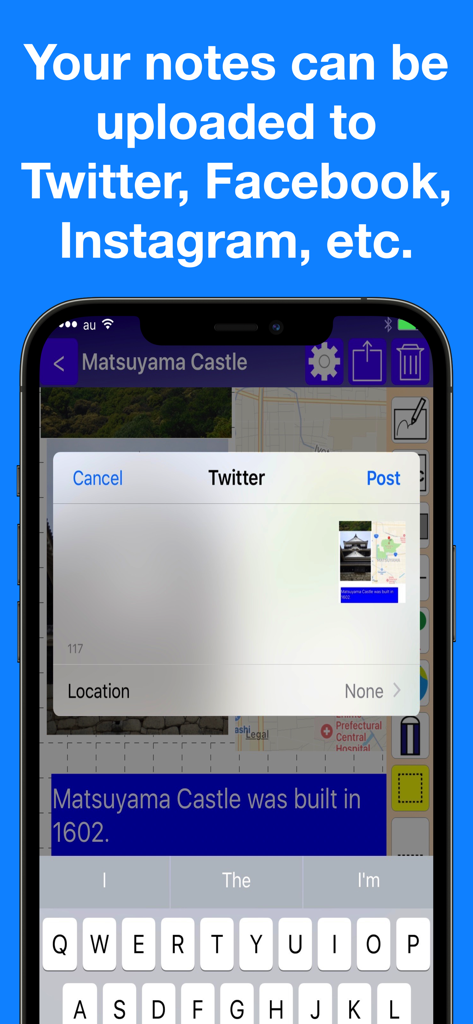
Social-Media-Freigabeoptionen in der Pocket Note Pro App

Social-Media-Freigabeoptionen in der Pocket Note Pro App

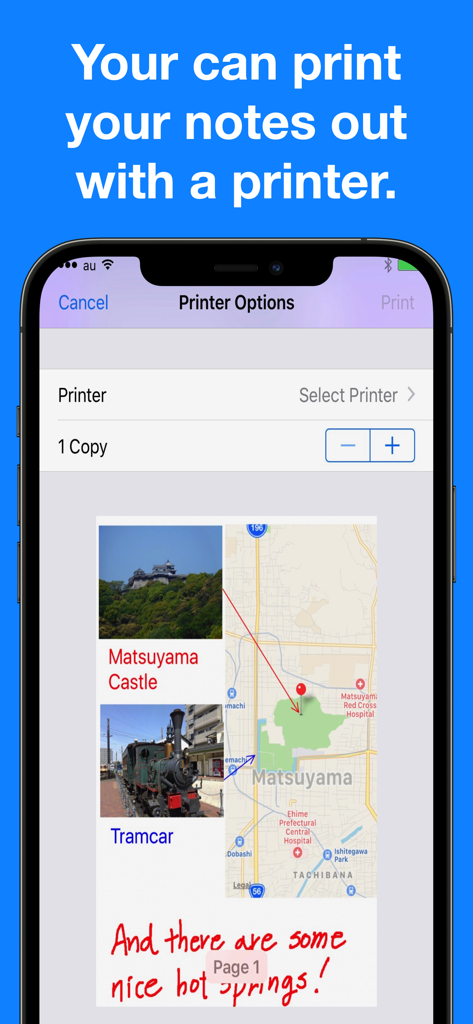
Pocket Note Pro App-Oberfläche mit Druckeroptionen und einer Notizvorschau mit Fotos und Karten

Pocket Note Pro App-Oberfläche mit Druckeroptionen und einer Notizvorschau mit Fotos und Karten

Entwickelt für die moderne Business-Szene

Die Tools, die diese App auszeichnen, gewählt von 29K+ Nutzern.

📍

Kontextbezogene Karten- & Medienintegration

Setzen Sie exakte GPS-Standorte und betten Sie bis zu 20 Fotos pro Seite ein, um umfassende Feldberichte und Standortdokumentationen an einem Ort zu erstellen.

✏️

Präzises Skizzieren & Kommentieren

Vollständige Apple Pencil Unterstützung mit 20 Stiftgrößen und intelligenten geometrischen Formen ermöglicht es Ihnen, grobe Ideen in professionelle, ausgefeilte Diagramme zu verwandeln.

📄

Nahtloser professioneller Export

Konvertieren Sie Ihre visuellen Notizen sofort in hochwertige PDFs, um sie an Kunden zu mailen, über iCloud zu teilen oder direkt von Ihrem Gerät aus zu drucken.

Weltweit von Nutzern geliebt

Vertraut von 29K+ Menschen, die diese App lieben.

"

"Pocket Note Pro ist zu einem wesentlichen Bestandteil meines Arbeitsablaufs als Immobiliengutachter geworden. Die Möglichkeit, GPS-Pins zu setzen und bis zu 20 Immobilienfotos direkt in meine Notizen einzufügen, ist ein Game-Changer. Ich kann Diagramme mit meinem Apple Pencil markieren und alles als professionelles PDF für meine Kunden exportieren, noch bevor ich den Standort verlasse."

Sarah Jenkins, Lizenzierte Immobiliengutachterin
"

"Endlich eine Notizbuch-App, die das Geschäftsumfeld wirklich versteht. Ich nutze die Gitternetzlinien und Formen, um Standortanpassungen spontan zu skizzieren. Die iCloud-Synchronisierung zwischen meinem iPhone und iPad ist nahtlos, und die Siri-Kurzbefehle helfen mir, direkt in meine Projektgruppen zu springen. Es ist das zuverlässigste Werkzeug in meinem digitalen Kit."

Marcus Thorne, Senior Projektmanager

Über die App

Alles, was Sie über wissen müssen Pocket Note Pro.

Beschreibung

Would you like to make your smartphone or tablet PC into a useful business tool?  Pocket Note is a notepad application specially designed for the business scene. With Pocket Note, you can quickly put your ideas together by a straightforward, simple operation. [Major functions] - We provided grid lines and horizontal ruled lines on the notepad to make it easier to organize what you write down.And when you don't need a grid or horizontal lines, you can choose "blank". - You can input either manually or from the keyboard (compatible with Apple Pencil).  For manual input, choose from 2 pens, "regular" or "thick", and an eraser.  For pen size and color, choose from 20 sizes and 25 colors. - You can paste up to 20 photos on each page. - You can paste maps.  With a map, you can do the following:   You can display your current position on the map using GPS.   By continuously pressing down at a given location on the map, you can place a pin at the location.   By inputting a name or address, you can place a pin at that location.   You can also specify the zoom factor as you wish. - By pasting figures and lines, you can display your notes graphically.  For figures, choose from rectangles, triangles or circles.  You can specify their size and shape freely.  Lines may be with or without arrows.  For figures and lines, choose from 25 different colors. - You can save your notes as an image or a PDF file. You can do the following:  Print them out with a printer.  Save them as images in iOS "Photos".  Attach them to emails as images or PDF files.  Share them as images with iCloud Photo Sharing.  Paste them as images in iOS standard "Notes".  Save them as PDF files in iOS standard "iBooks".  They can be uploaded as images to Twitter, Facebook, Google+, Instagram, Evernote, Flickr, Line, etc.  (If these applications are installed. Also, if the application is compatible with iOS App Extensions, they can be uploaded as images.) - Notes can be organized into groups.  Several groups can be set for each note.  Notes can be displayed by group, or by modified date. - It's compatible with iCloud, so you can share your notes on your iPhone or iPad. - Compatible with Siri Shortcuts. [Contact us] https://www.studioks.net/en/contact-us/ [Studio K's - Business Applications Maker] https://www.studioks.net/en/

Neueste Version

15.0

Größe

11.6 MB

Erstveröffentlichung

10. Sept. 2016

Übernehmen Sie das Kommando über Ihre Business-Projekte

Verwandeln Sie Ihr Gerät in eine hochpräzise digitale Zwischenablage. Schließen Sie sich Tausenden von Profis an, die sich bei Skizzen, Kartierungen und Dokumentationen auf Pocket Note Pro verlassen.

Herunterladen auf App Store