Rekono OnePass

Rekono OnePass

Herunterladen auf App Store
Spark by MWM logo
Logo von Rekono OnePass

Rekono OnePass: Ihr sicherer All-in-One-Hub für digitale Identität

Erleben Sie reibungslose Sicherheit mit blitzschneller Push-Authentifizierung, nahtlosen 3-D Secure-Zahlungen und professioneller Dokumentenunterschrift – alles geschützt durch Ihre biometrischen Daten.

Herausgeber

Rekono d.o.o.

Kategorie

Utilities

Downloads

40K+

Bewertung

4.8/5

Bewertungen gesamt

5K+

Sprachen

1

Sicherheit auf einen Blick

Entdecken Sie die Oberfläche, die von 40K+ Nutzern verwendet wird.
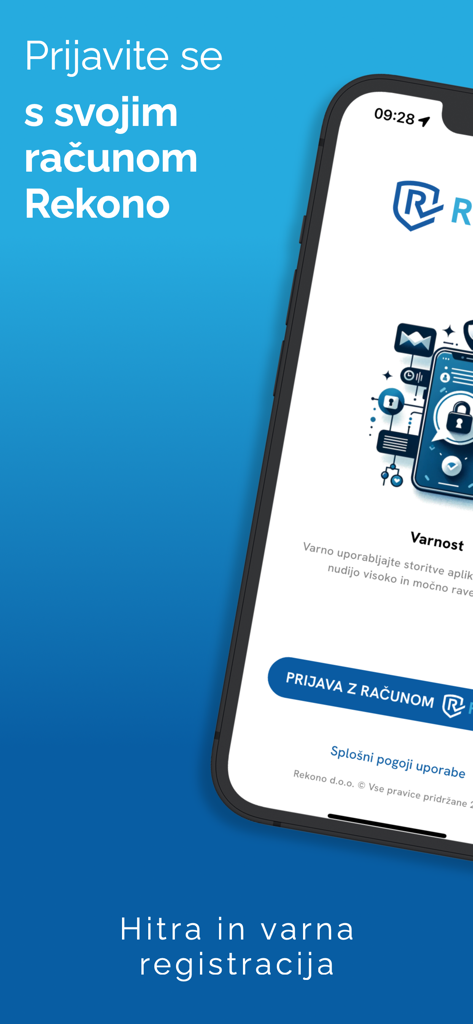
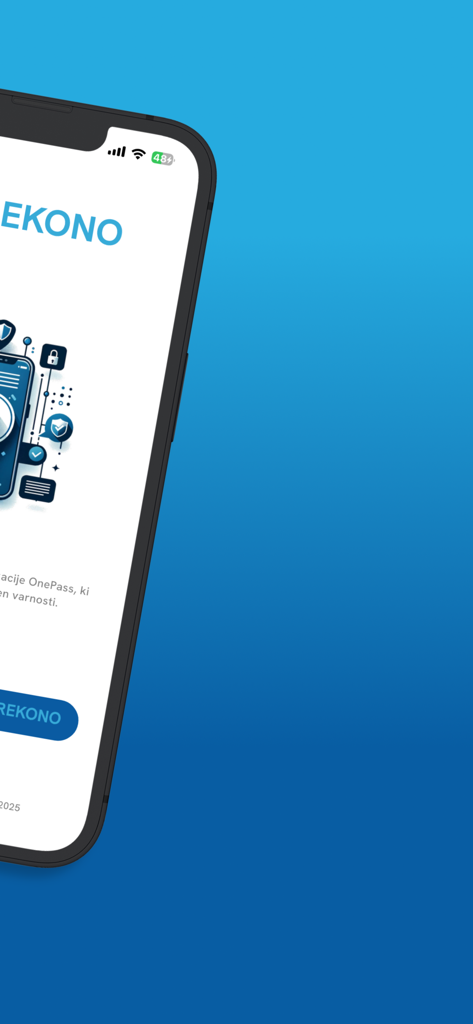
Rekono OnePass mobile App Anmeldebildschirm für sichere digitale Identität und Authentifizierung

Rekono OnePass mobile App Anmeldebildschirm für sichere digitale Identität und Authentifizierung

Smartphone-Bildschirm mit der Willkommens-Oberfläche der Rekono OnePass Sicherheits-App

Smartphone-Bildschirm mit der Willkommens-Oberfläche der Rekono OnePass Sicherheits-App

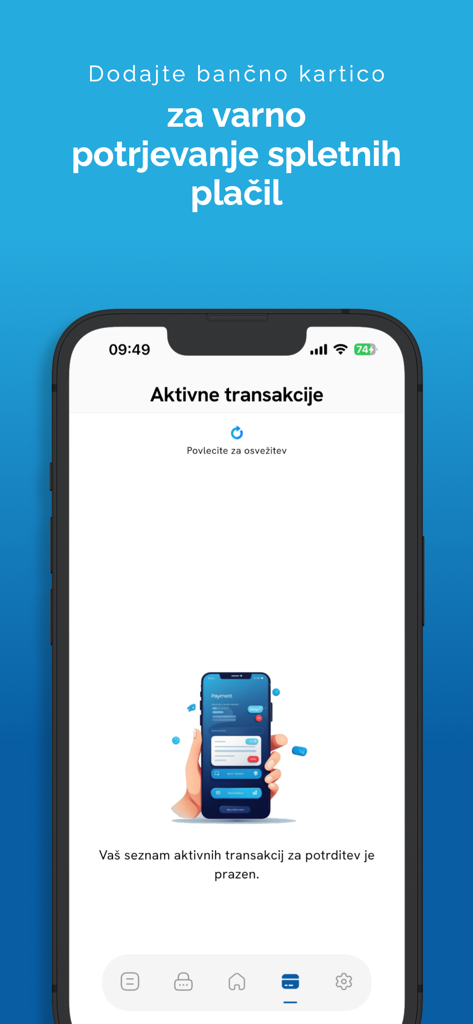
Smartphone zeigt den aktiven Transaktionsbildschirm der Rekono OnePass App für sichere Online-Zahlungen

Smartphone zeigt den aktiven Transaktionsbildschirm der Rekono OnePass App für sichere Online-Zahlungen

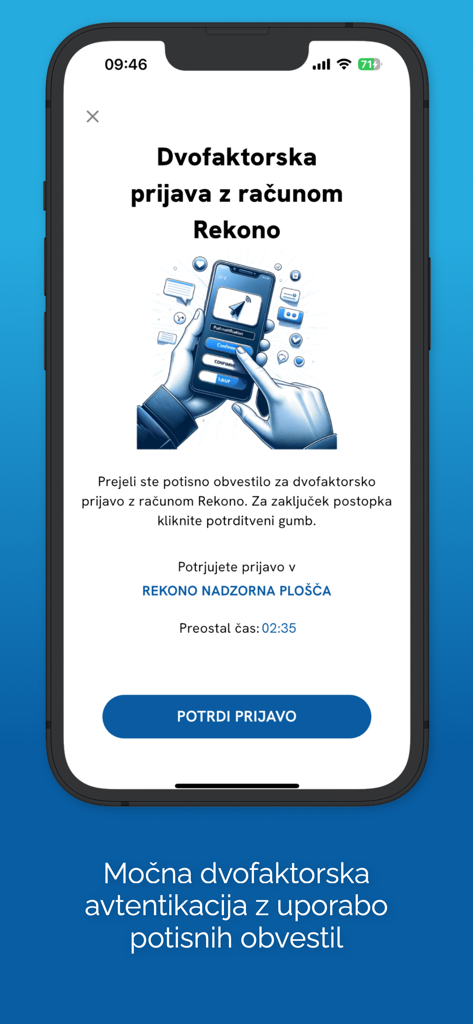
Rekono OnePass App-Bildschirm, der eine Zwei-Faktor-Authentifizierungsanfrage mit einer Bestätigungsschaltfläche auf einem iPhone anzeigt.

Rekono OnePass App-Bildschirm, der eine Zwei-Faktor-Authentifizierungsanfrage mit einer Bestätigungsschaltfläche auf einem iPhone anzeigt.

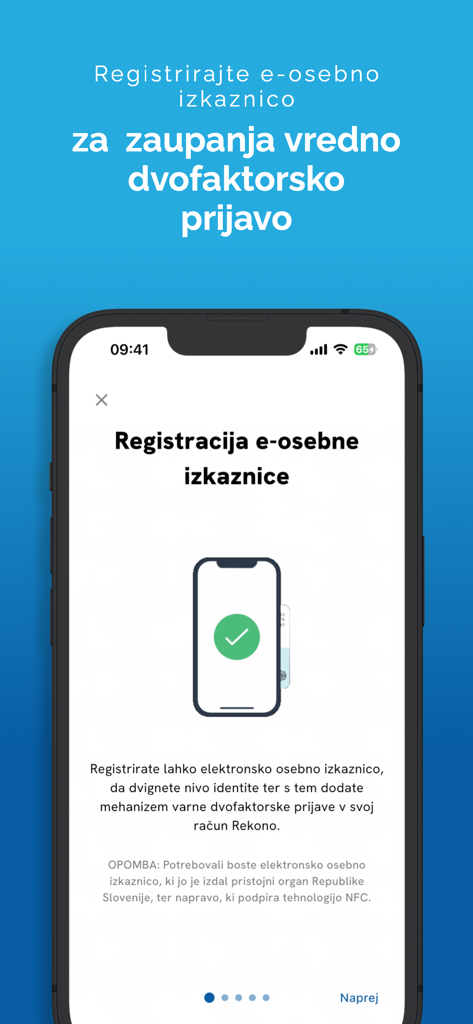
Rekono OnePass App-Bildschirm zur Registrierung eines elektronischen Ausweises für sichere Authentifizierung

Rekono OnePass App-Bildschirm zur Registrierung eines elektronischen Ausweises für sichere Authentifizierung

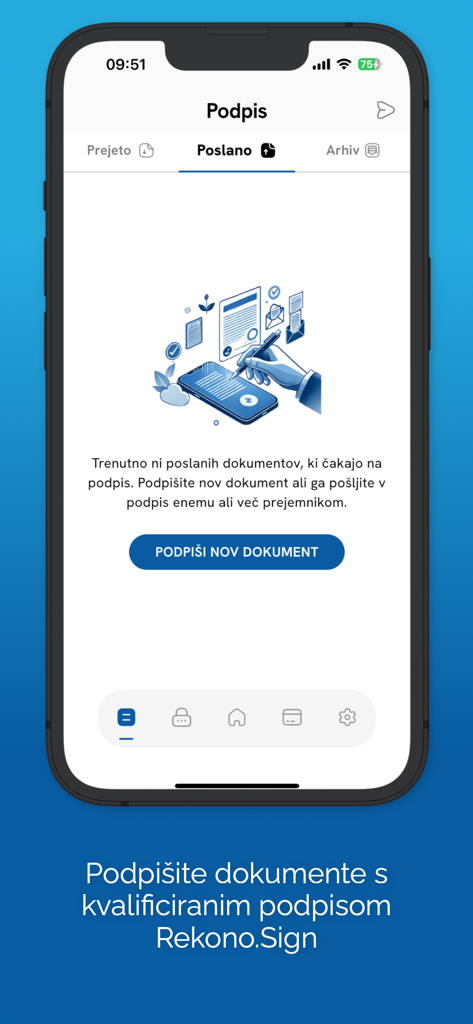
Rekono OnePass mobile App-Bildschirm, der den Abschnitt zur digitalen Dokumentenunterschrift mit einer Option zum Unterzeichnen neuer Dokumente mit Rekono Sign anzeigt.

Rekono OnePass mobile App-Bildschirm, der den Abschnitt zur digitalen Dokumentenunterschrift mit einer Option zum Unterzeichnen neuer Dokumente mit Rekono Sign anzeigt.

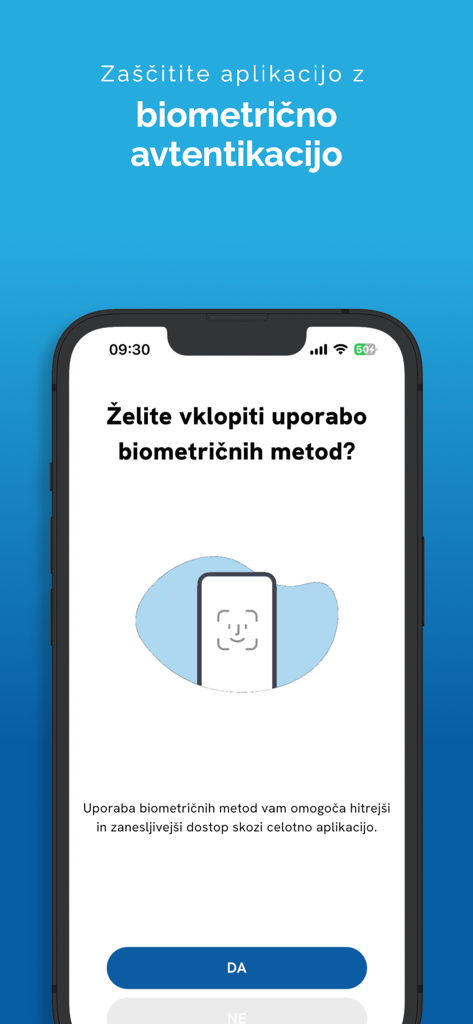
Einrichtungsbildschirm für biometrische Authentifizierung in der Rekono OnePass mobilen App

Einrichtungsbildschirm für biometrische Authentifizierung in der Rekono OnePass mobilen App

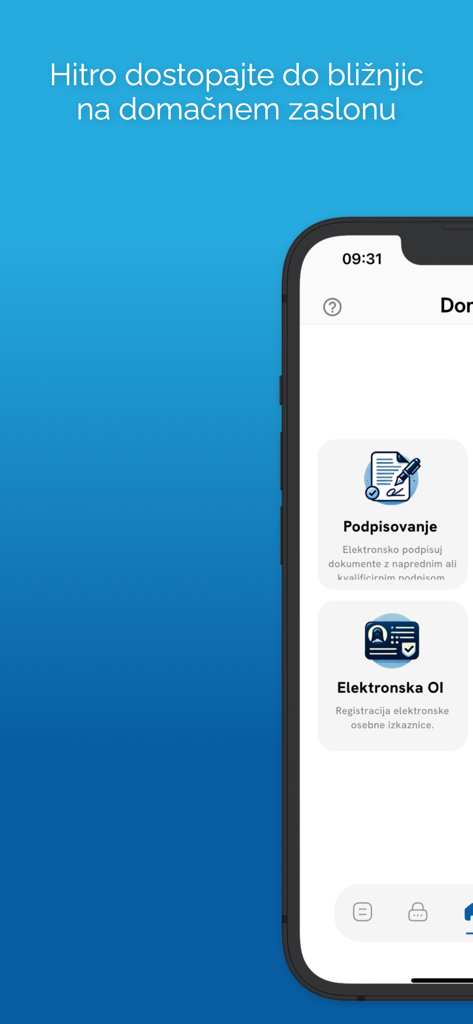
Mobile Oberfläche von Rekono OnePass, die Funktionen für digitale Signaturen und elektronische Ausweise zeigt

Mobile Oberfläche von Rekono OnePass, die Funktionen für digitale Signaturen und elektronische Ausweise zeigt

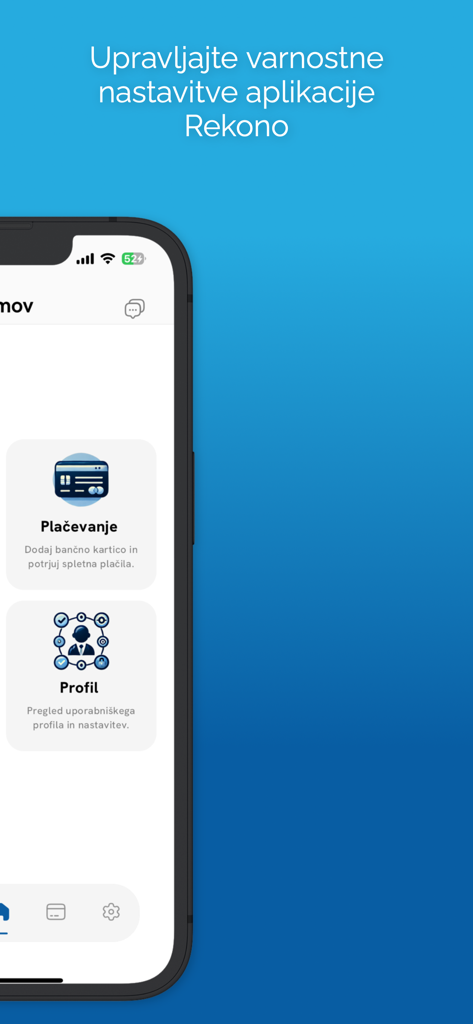
Rekono OnePass mobile App-Oberfläche mit Menüoptionen für Zahlungs- und Profilsicherheitseinstellungen

Rekono OnePass mobile App-Oberfläche mit Menüoptionen für Zahlungs- und Profilsicherheitseinstellungen

Meistern Sie Ihre digitale Identität

Die Tools, die diese App auszeichnen, gewählt von 40K+ Nutzern.

Ein-Tipp-Authentifizierung

Überspringen Sie manuelle OTP-Codes. Genehmigen Sie Anmeldungen sofort über sichere Push-Benachrichtigungen und biometrische FaceID oder TouchID.

✍️

Rechtlich bindende Unterschriften

Unterschreiben Sie Verträge und Dokumente direkt aus dem Speicher Ihres Geräts. Eine professionelle Signaturlösung in Ihrer Hand.

🛡️

Schützen Sie Ihre Zahlungen

Übernehmen Sie die Kontrolle über Ihre Online-Transaktionen mit 3-D Secure-Push-Benachrichtigungen. Überprüfen und autorisieren Sie Bankzahlungen mit absoluter Zuversicht.

Weltweit von Nutzern geliebt

Vertraut von 40K+ Menschen, die diese App lieben.

"

"Als freiberuflicher Berater, der ständig unterwegs ist, war Rekono OnePass ein absoluter Lebensretter. Die Möglichkeit, Verträge und NDAs direkt von meinem iPhone aus digital zu unterschreiben, ohne meinen Laptop öffnen oder einen Drucker finden zu müssen, hat meinen Workflow immens gestrafft. Die biometrische Integration macht alles unglaublich sicher und dennoch mühelos schnell."

Sarah Jenkins
"

"Ich habe jede 2FA-App ausprobiert, aber Rekono OnePass ist mit Abstand die intuitivste. Das Push-Benachrichtigungssystem zur Bestätigung von Online-Zahlungen und Anmeldungen ist viel besser als die Eingabe manueller Codes. Es gibt mir ein gutes Gefühl, zu wissen, dass meine Finanztransaktionen durch 3-D Secure geschützt sind, ohne die übliche Reibung von Banking-Apps."

Michael Rivera

Über die App

Alles, was Sie über wissen müssen Rekono OnePass.

Beschreibung

Rekono OnePass application provides easier and faster access to your Rekono account, it’s management, features and usability. It is implemented to support the latest development standards, so it includes and utilizes all of the device’s functionalities and sensors (biometric authentication, QR code scanning using device’s camera, push notifications and other security features). Two-factor PUSH authentication You can now have much more control over your Rekono account as well as an improved and faster 2-factor authentication mechanism. With the implementation of push notifications, you can sign in to your Rekono accounts with your devices by simply clicking a button, which provides faster, if not even the fastest 2-factor authentication mechanism which is thoroughly secured by your device application’s PIN code or biometric authentication, if the device supports it. Rekono OnePass provides a simple and user-friendly design with a comfortable overview of your Rekono account information, OTP codes and settings, which you can freely adapt to your likes and needs. OTPs One-time passwords (OTPs) are now more clearly displayed on the main application screen when you log in to your Rekono account. By default, Rekono OTP code is automatically enrolled the moment you log in to the application and register your device, so OTP code cannot be deleted or erased. OTPs can now be added manually or automatically when scanning QR code with the QR code camera application scanner. This provides a simpler and faster way of adding OTP codes to the Rekono OnePass application. Manually adding OTPs is still supported in the application, when you must add OTP’s issuer shared secret and name with which OTP will be presented on the main screen. Due to various user’s likes and needs, you have the possibility to modify the application settings, themes, languages and security provisions to your own taste. Bank card enrollment using PIN/PAN You will now be able to enroll your bank provider for online transactions in the application by using your bank card credentials. The intuitive process of adding the bank is short and consists of simple understandable steps. 3-D Secure PUSH notifications With Rekono OnePass, you can now confirm online payments within the application, in quick and easy steps. To begin with, you make an online payment at a specific internet provider or merchant. After successfully executing the transaction, you then receive push notification to your device, which you click and navigate to the confirmation screen in the app. You then authenticate yourself with biometrics or a PIN code that you have set up in your application. A few moments later the transaction screen is displayed with all the information about the transaction. By confirming/rejecting the transaction, the 3-D Secure transaction process is completed. Local document signing and signing documents by using Push notifications One of the most prominent features in 2.0.0 release is the document signing. You can now digitally sign local documents right from the device's file system by simply selecting a file or a document from your device's storage and loading it in the app. With a click of a button the document will be securely signed by using Rekono Sign services on our secure servers. By means of PUSH notifications, you will be able to digitally sign documents on-the-fly when a service provider or a customer submits a document to the Rekono.Sign services. A few moments later you will receive a push notification informing you that there are documents waiting to be signed. After interacting with the notification, you will receive a detailed preview of the submitted documents, so you can decide to sign or reject the selected documents. After successful signing, the documents can be downloaded to your device or you can share them across other platforms or applications.

Neueste Version

4.5.2

Größe

106.1 MB

Erstveröffentlichung

28. Apr. 2020

Bereit, Ihre sichere Welt zu optimieren?

Schließen Sie sich Tausenden von Fachleuten an, die Rekono OnePass verwenden, um sich anzumelden, Dokumente zu unterschreiben und Zahlungen mit einem einzigen Fingertipp zu autorisieren. Sichern Sie noch heute Ihre digitale Identität.

Herunterladen auf App Store