Snapseed: Photo Editor

Snapseed: Photo Editor

Herunterladen auf App StoreHerunterladen auf Google Play
Spark by MWM logo
Logo von Snapseed: Photo Editor

Snapseed: Professionelle Fotobearbeitung ohne Abo

Meistern Sie Ihre mobile Fotografie mit über 25 Präzisionswerkzeugen, von RAW-Entwicklung bis zur selektiven Korrektur. Erhalten Sie die volle kreative Kontrolle ohne Werbung und versteckte Gebühren – nur reine, leistungsstarke Bearbeitung für ernsthafte Hobbyisten.

Herausgeber

Google LLC

Kategorie

Photo & Video

Downloads

119M+

Bewertung

4.1/5

Bewertungen gesamt

161K+

Sprachen

38

Präzision in jedem Pixel

Entdecken Sie die Oberfläche, die von 119M+ Nutzern verwendet wird.

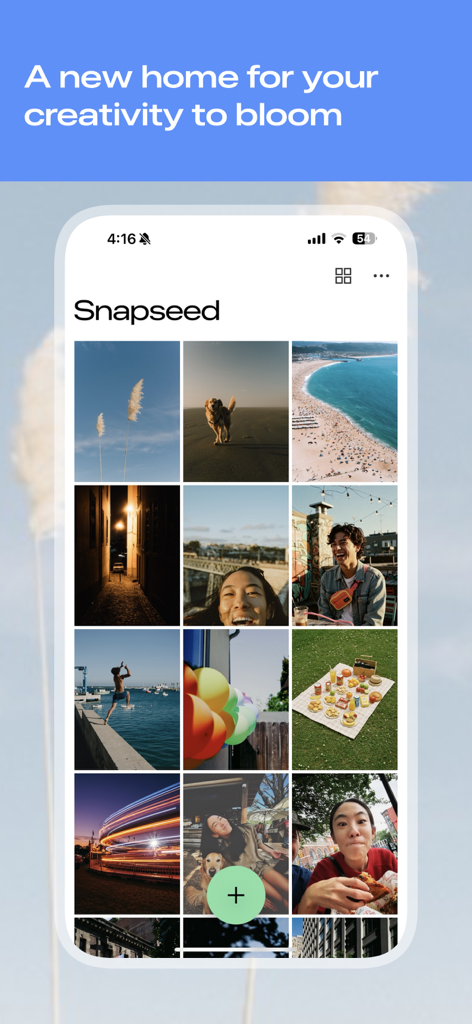
Snapseed mobile app home screen showing a grid of photos and a green plus button for editing

Snapseed mobile app home screen showing a grid of photos and a green plus button for editing

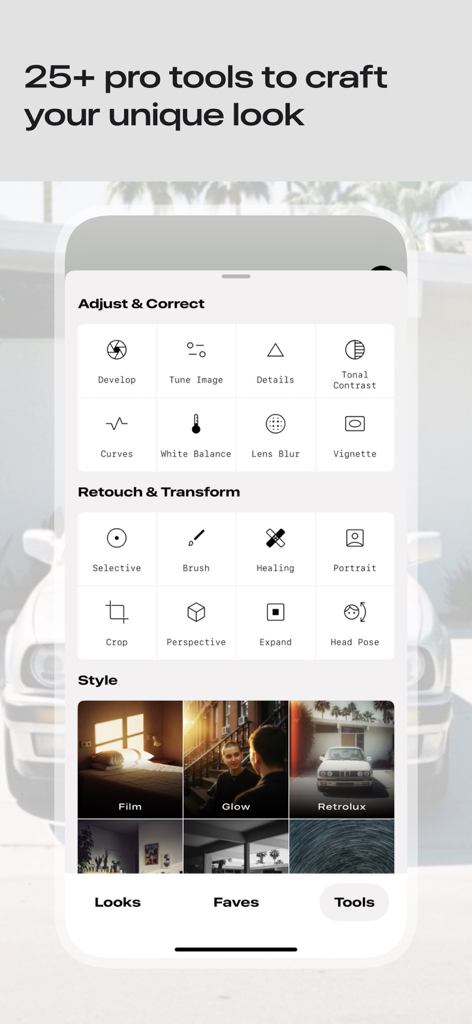
Interface of the Snapseed photo editor app showing categories of professional tools for image adjustment retouching and styling

Interface of the Snapseed photo editor app showing categories of professional tools for image adjustment retouching and styling

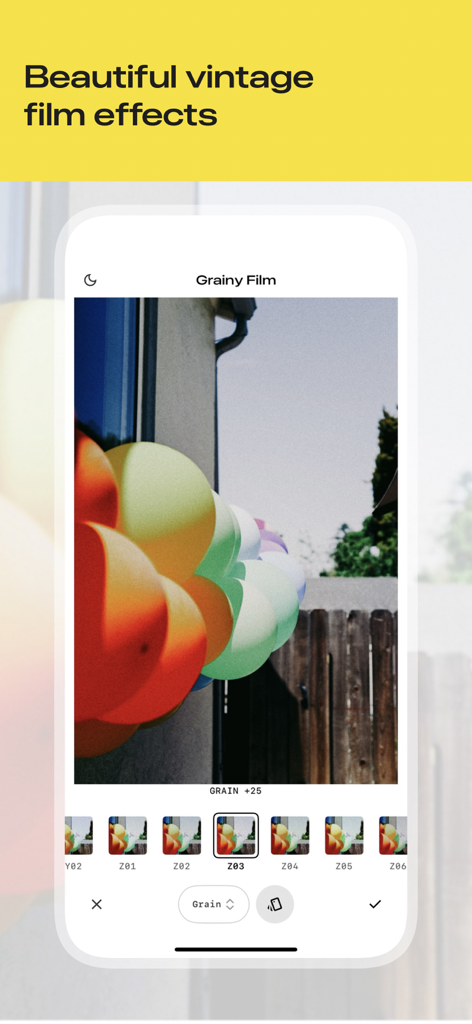
Snapseed app interface showing the grainy film tool applied to a photo of colorful balloons

Snapseed app interface showing the grainy film tool applied to a photo of colorful balloons

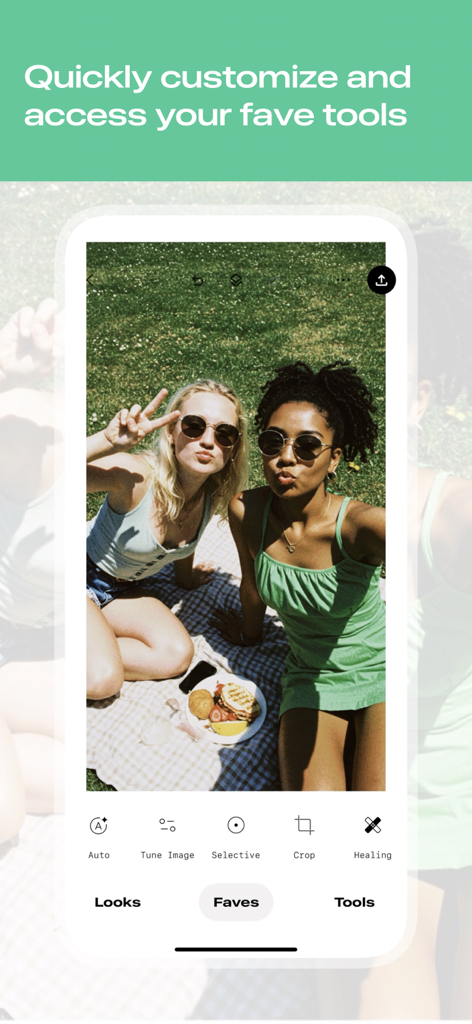
Snapseed mobile app screen showing a picnic photo with the favorite tools menu open

Snapseed mobile app screen showing a picnic photo with the favorite tools menu open

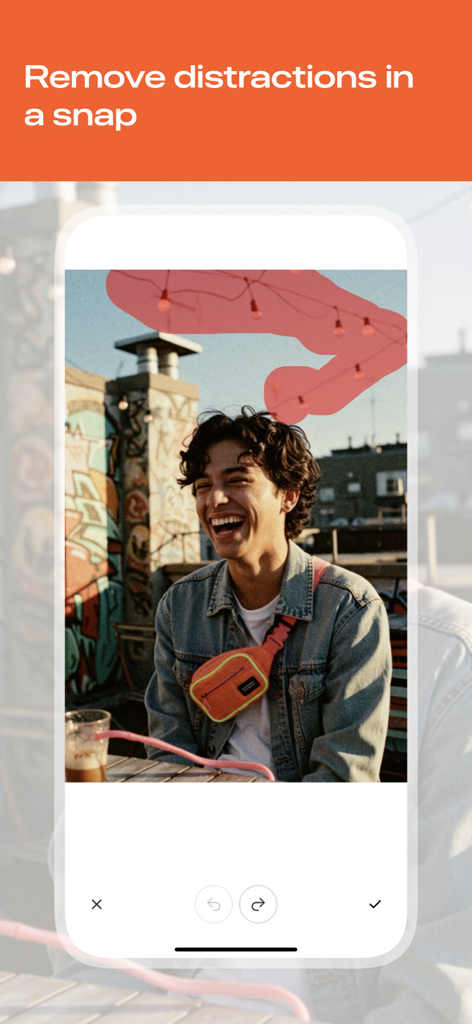
Snapseed interface showing a user selecting background distractions to remove with the healing tool

Snapseed interface showing a user selecting background distractions to remove with the healing tool

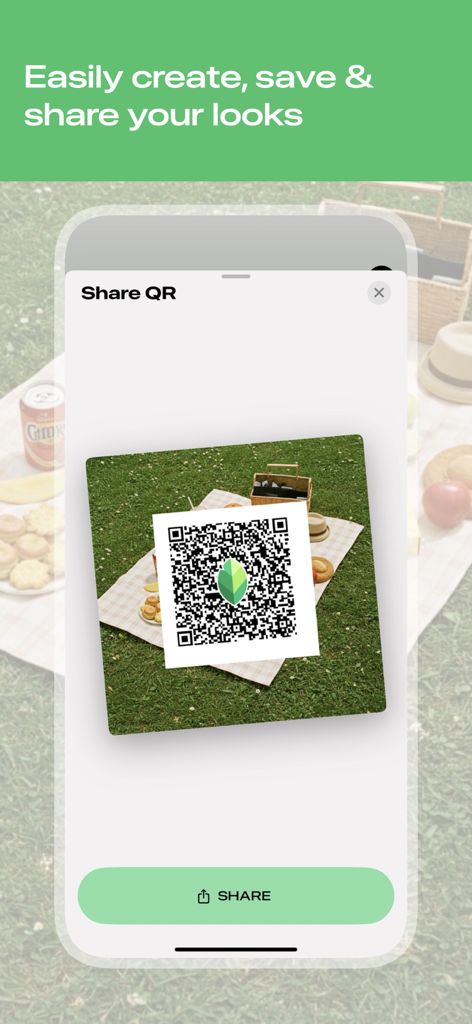
Interface of the Snapseed app showing a QR code for sharing custom photo editing looks and presets

Interface of the Snapseed app showing a QR code for sharing custom photo editing looks and presets

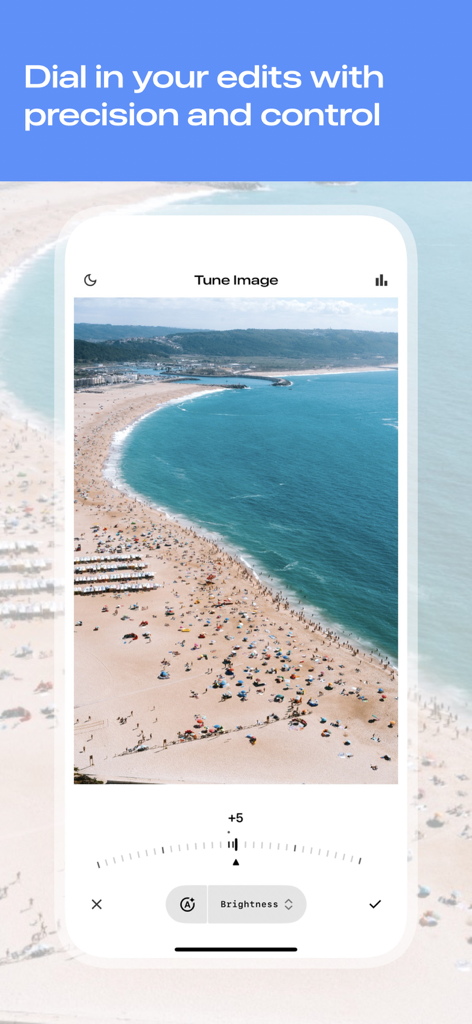
Snapseed app interface showing the Tune Image tool with a precision dial to adjust brightness on a beach photograph.

Snapseed app interface showing the Tune Image tool with a precision dial to adjust brightness on a beach photograph.

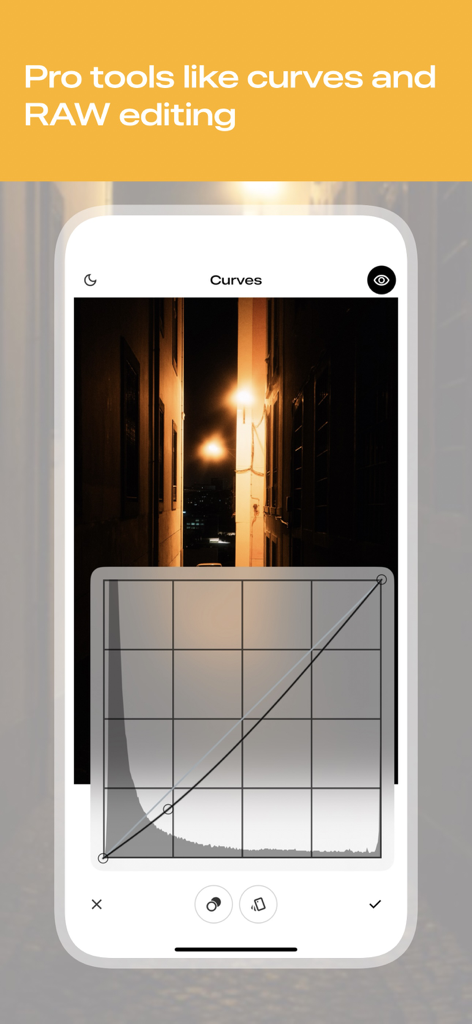
Snapseed app interface showing professional curves tool for precise photo editing

Snapseed app interface showing professional curves tool for precise photo editing

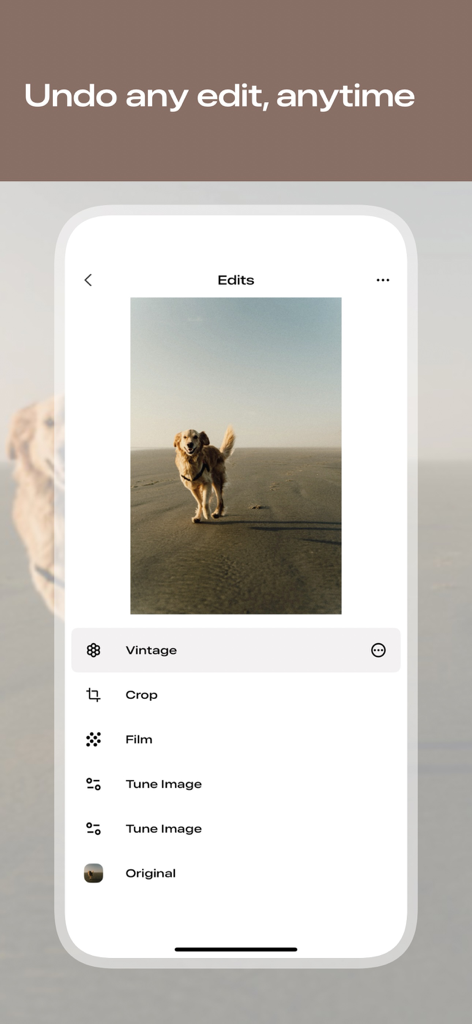
A mobile interface showing the Snapseed edit stack with a list of applied filters like Vintage and Film over a photo of a dog

A mobile interface showing the Snapseed edit stack with a list of applied filters like Vintage and Film over a photo of a dog

Professionelle Leistung, mobile Einfachheit

Die Tools, die diese App auszeichnen, gewählt von 119M+ Nutzern.

🎯

Chirurgische Präzision

Bearbeiten Sie bestimmte Bereiche mit patentierter Control-Point-Technologie. Passen Sie Beleuchtung und Farbe genau dort an, wo Sie sie benötigen, ohne den Rest Ihres Bildes zu beeinträchtigen.

📸

Professionelle RAW-Verarbeitung

Bearbeiten Sie native Kameradateien direkt auf Ihrem Gerät. Passen Sie Belichtung und Weißabgleich nicht-destruktiv an, um die höchstmögliche Bildqualität zu erhalten.

Makellose Komposition

Entfernen Sie unerwünschte Objekte mit dem Heilwerkzeug und korrigieren Sie schiefe Horizonte mit Perspektive. Perfektionieren Sie Ihren Bildausschnitt mit Werkzeugen, die normalerweise für Desktop-Software reserviert sind.

Weltweit von Nutzern geliebt

Vertraut von 119M+ Menschen, die diese App lieben.

"

"Als jemand, der RAW mit meiner DSLR aufnimmt und auf mein iPhone übertrage, ist Snapseed absolut revolutionär. Die selektive Bearbeitung und die Kurven geben mir die gleiche Präzision wie Desktop-Software ohne monatliche Abonnementgebühren. Es ist das leistungsstärkste, werbefreie Werkzeug in meinem Fotografie-Kit."

Marcus J., Outdoor-Fotograf
"

"Ich liebe es, dass ich meine Reisefotos professionell aussehen lassen kann, ohne gefälschte Filter zu verwenden. Das Heilwerkzeug eignet sich perfekt, um störende Elemente im Hintergrund zu entfernen, und die Perspektivenkorrektur ist ein Lebensretter für meine Architekturaufnahmen. Es ist einfach der beste Editor für alle, denen Qualität wichtig ist."

Elena S., Lifestyle Content Creator

Über die App

Alles, was Sie über wissen müssen Snapseed: Photo Editor.

Beschreibung

Snapseed is a complete photo editor developed by Google. No ads, just editing. == KEY FEATURES== • Over 25 Tools and Filters, including: Healing, Brush, Structure, HDR, Perspective (see list below) • Opens JPG and RAW files • Save your personal looks and apply them to new photos later • Selective filter brush • All styles can be tweaked with fine, precise control == TOOLS, FILTERS AND FACE == • RAW Develop – open and tweak native camera files; save non-destructively or export as JPG • Tune image – adjust exposure and color automatically or manually with fine, precise control • Details – magically brings out surface structures in images • Crop – crop to standard sizes or freely • Rotate – rotate by 90°, or straighten a skewed horizon • Perspective – fix skewed lines and perfect the geometry of horizons or buildings • White Balance – adjust the colors so that the image looks more natural • Brush – selectively retouch exposure, saturation, brightness or warmth • Selective – the renown “Control Point” technology: Position up to 8 points on the image and assign enhancements, the algorithm does the rest magically • Healing – remove the uninvited neighbor from a group picture • Vignette – add a soft darkness around the corners like a beautiful, wide-aperture would do • Text – add both stylized or plain text (38 predefined styles) • Curves - have precise control over the brightness levels in your photos • Expand - increase the size of your canvas and fill up the new space in smart ways with content of your image • Lens Blur – add a beautiful Bokeh to images (background softening), ideal for photographic portraits • Glamour Glow – add a fine glow to images, great for fashion or portraits • Tonal Contrast – boost details selectively in the shadows, midtones and highlights • HDR Scape – bring a stunning look to your images by creating the effect of multiple exposures • Drama – add a hint of doomsday to your images • Grunge – an edgy look with strong styles and texture overlays • Grainy Film – get modern film looks with realistic grain • Vintage – the style of color film photo from the 50’s, 60’s or 70’s • Retrolux – go retro with light leaks, scratches, film styles • Noir – Black and White film looks with realistic grain and the “wash” effect • Black & White – classic Black and White look straight out of the darkroom • Frames – add frames with adjustable size • Double Exposure - blend two photos, choosing from blend modes that are inspired by shooting on film and by digital image processing • Face Enhance – add focus to the eyes, add face-specific lighting, or smoothen skin • Face Pose - correct the pose of portraits based on three dimensional models

Neueste Version

3.12

Größe

177.5 MB

Erstveröffentlichung

7. Juni 2011

Professionelle Fotobearbeitung. Keine Abos.

Schließen Sie sich über 100 Millionen Kreativen an. Laden Sie Snapseed noch heute herunter für präzise Kontrolle, RAW-Unterstützung und leistungsstarke Werkzeuge – komplett werbefrei.

Herunterladen auf App StoreHerunterladen auf Google Play
FAQ

Häufig gestellte Fragen

Alles, was Sie über wissen müssen Snapseed: Photo Editor

Was ist Snapseed?

Snapseed ist ein umfassender Fotoeditor, der von Google entwickelt wurde. Er bietet eine breite Palette von Werkzeugen und Filtern zur Bearbeitung von JPG- und RAW-Dateien, ohne dabei Werbung anzuzeigen.

Zeigt Snapseed Werbung an?

Nein, Snapseed zeigt keine Werbung an. Es handelt sich um eine werbefreie Fotobearbeitungsanwendung, die von Google entwickelt wurde und sich ausschließlich auf Bearbeitungsfunktionen konzentriert.

Welche Dateitypen kann Snapseed zur Bearbeitung öffnen?

Snapseed kann sowohl JPG- als auch RAW-Dateien zur Bearbeitung öffnen. Benutzer können native Kamera-RAW-Dateien nicht-destruktiv entwickeln und anpassen oder sie als JPGs exportieren.

Wie viele Bearbeitungswerkzeuge und Filter bietet Snapseed an?

Snapseed bietet über 25 Werkzeuge und Filter für die Fotobearbeitung. Dazu gehören Funktionen wie "Reparieren", "Pinsel", "Struktur", "HDR", "Perspektive" und verschiedene von Filmen inspirierte Stile.

Können Benutzer benutzerdefinierte Bearbeitungsstile in Snapseed speichern?

Ja, Benutzer können ihre persönlichen Bearbeitungslooks in Snapseed speichern und sie später auf andere Fotos anwenden. Diese Funktion ermöglicht eine konsistente Bearbeitung über mehrere Bilder hinweg.

Wie kann Snapseed unerwünschte Objekte aus einem Foto entfernen?

Snapseed verfügt über ein "Reparieren"-Werkzeug, mit dem Benutzer unerwünschte Elemente oder Ablenkungen aus ihren Bildern entfernen können. Dieses Werkzeug hilft, Bilder zu bereinigen, indem es die umliegenden Bereiche nahtlos einfügt.

Ermöglicht Snapseed nicht-destruktive Bearbeitung?

Ja, Snapseed unterstützt nicht-destruktive Bearbeitung. Es führt eine "Bearbeitungen"-Historie, die es Benutzern ermöglicht, jede Änderung jederzeit rückgängig zu machen und zum Original oder zu jedem vorherigen Bearbeitungsschritt zurückzukehren.

Können benutzerdefinierte Looks von Snapseed aus mit anderen geteilt werden?

Ja, Snapseed ermöglicht es Benutzern, ihre selbst erstellten Looks einfach zu teilen. Die Anwendung enthält eine Option "QR-Code teilen", die das bequeme Teilen dieser personalisierten Bearbeitungsstile ermöglicht.