SwiftScan AI Document Scanner

SwiftScan AI Document Scanner

Herunterladen auf App Store
Spark by MWM logo
Logo von SwiftScan AI Document Scanner
SwiftScan AI: Der intelligenteste mobile Scanner für produktive Profis

Machen Sie aus Ihrem Gerät ein leistungsstarkes Kraftpaket für Desktops. Scannen Sie hochwertige PDFs, fassen Sie lange Dokumente mit KI sofort zusammen und faxen oder synchronisieren Sie sie mit voller Privatsphäre und Ein-Tipp-Effizienz in die Cloud.

Herunterladen auf App Store

Herausgeber

Maple Media Apps, LLC

Kategorie

Utilities

Downloads

5M+

Bewertung

4.7/5

Bewertungen gesamt

201K+

Sprachen

23

Effizienz in jedem Tipp

Entdecken Sie die Oberfläche, die von 5M+ Nutzern verwendet wird.
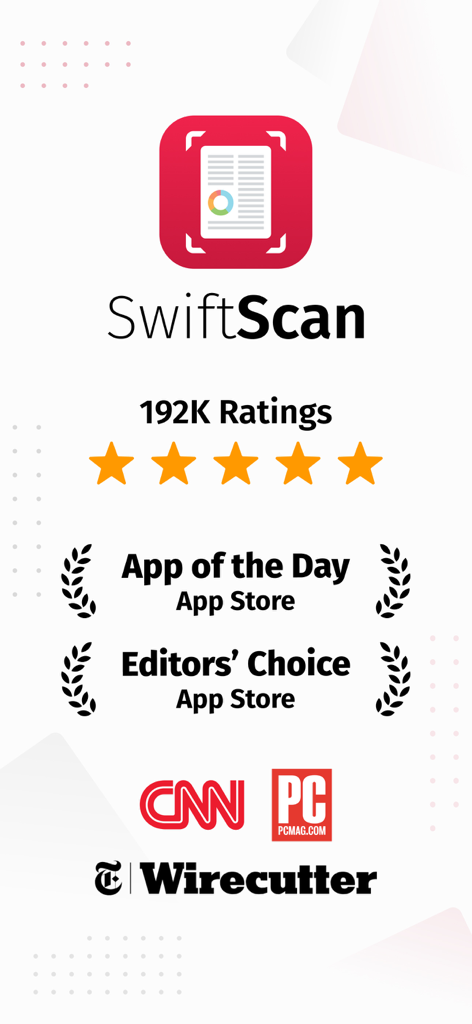
SwiftScan AI Dokumentenscanner App-Bewertungen und Auszeichnungen von App Store CNN und PCMag

SwiftScan AI Dokumentenscanner App-Bewertungen und Auszeichnungen von App Store CNN und PCMag

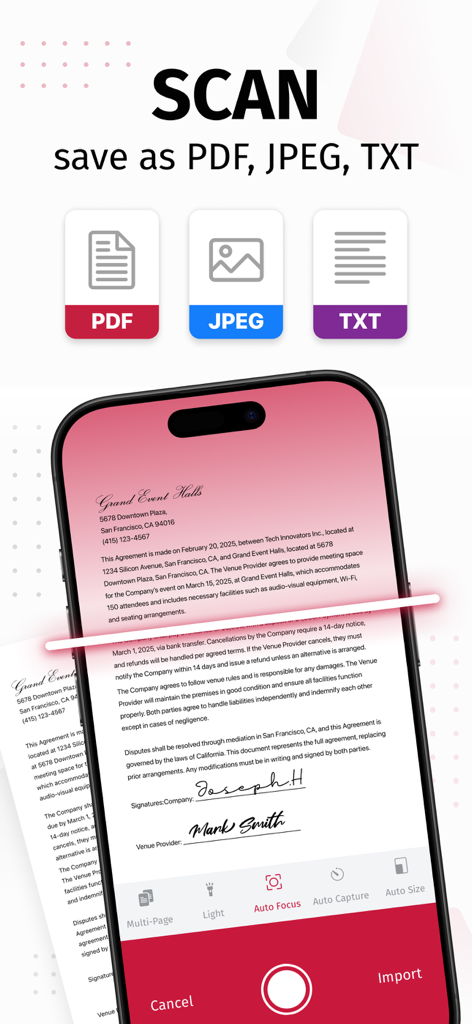
SwiftScan AI Mobile-App scannt ein Dokument mit Optionen zum Speichern als PDF, JPEG oder TXT-Formate

SwiftScan AI Mobile-App scannt ein Dokument mit Optionen zum Speichern als PDF, JPEG oder TXT-Formate

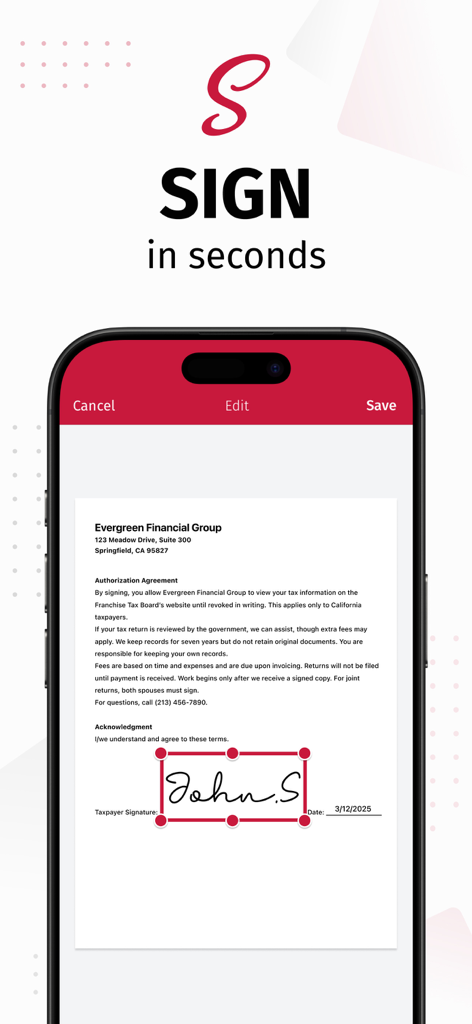
SwiftScan AI App-Oberfläche, die zeigt, wie eine digitale Signatur auf einem iPhone zu einem Dokument hinzugefügt wird

SwiftScan AI App-Oberfläche, die zeigt, wie eine digitale Signatur auf einem iPhone zu einem Dokument hinzugefügt wird

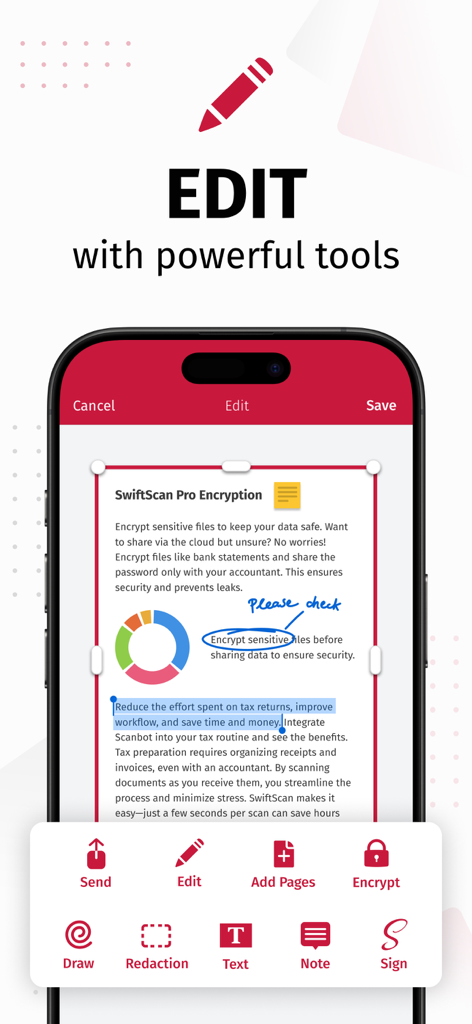
SwiftScan AI App-Oberfläche, die Dokumentenbearbeitungswerkzeuge wie Zeichnen, Schwärzen und elektronische Signaturen demonstriert.

SwiftScan AI App-Oberfläche, die Dokumentenbearbeitungswerkzeuge wie Zeichnen, Schwärzen und elektronische Signaturen demonstriert.

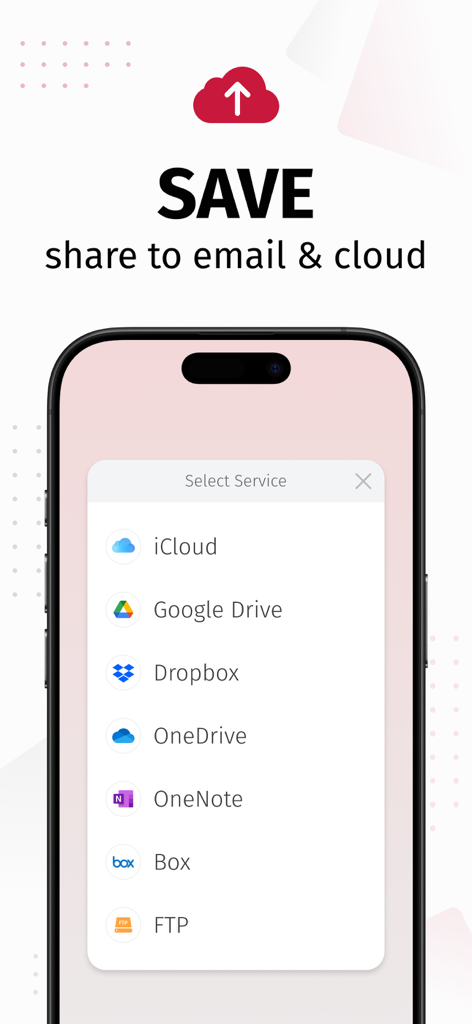
SwiftScan AI App-Oberfläche, die Optionen zum Speichern und Teilen gescannter Dokumente in Cloud-Diensten wie iCloud, Google Drive und Dropbox anzeigt

SwiftScan AI App-Oberfläche, die Optionen zum Speichern und Teilen gescannter Dokumente in Cloud-Diensten wie iCloud, Google Drive und Dropbox anzeigt

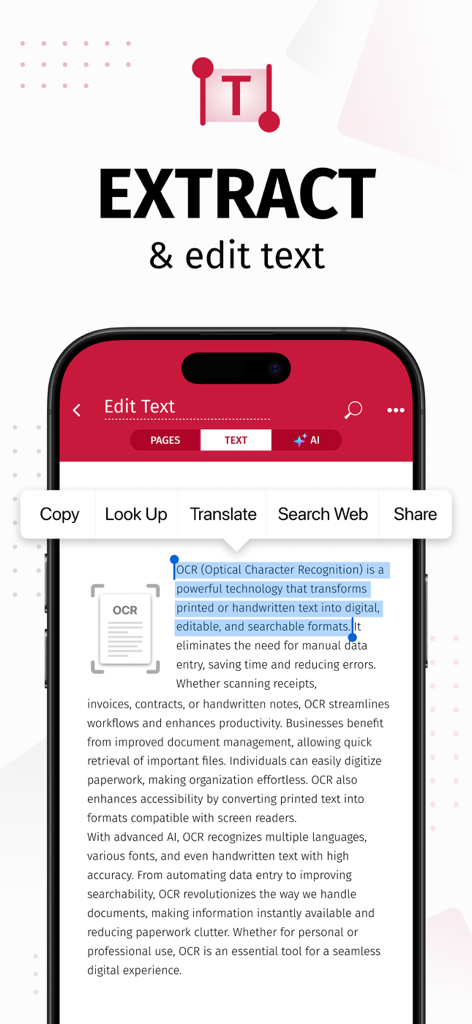
Smartphone-Bildschirm zeigt die SwiftScan AI App beim Extrahieren und Bearbeiten von Text aus einem gescannten Dokument mittels OCR

Smartphone-Bildschirm zeigt die SwiftScan AI App beim Extrahieren und Bearbeiten von Text aus einem gescannten Dokument mittels OCR

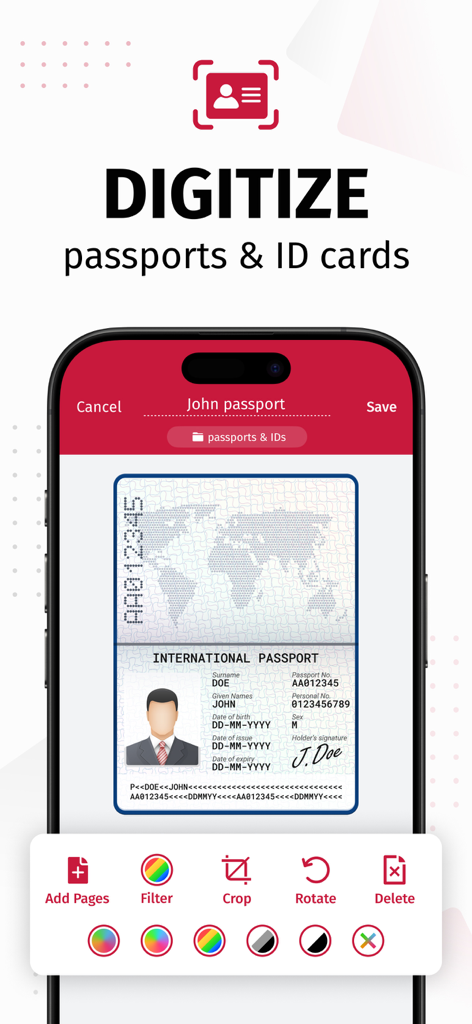
SwiftScan AI App-Oberfläche, die zeigt, wie ein Reisepass mit Bearbeitungswerkzeugen wie Zuschneiden und Filtern digitalisiert wird

SwiftScan AI App-Oberfläche, die zeigt, wie ein Reisepass mit Bearbeitungswerkzeugen wie Zuschneiden und Filtern digitalisiert wird

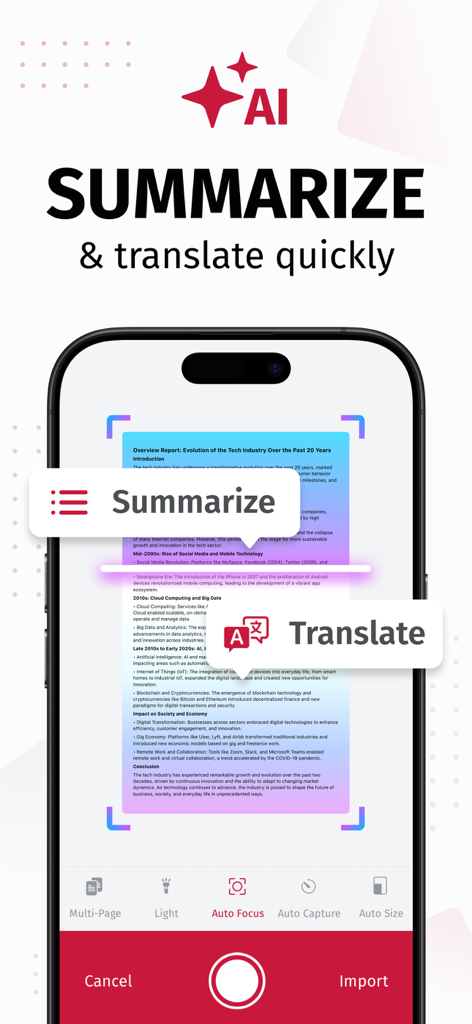
iPhone-Bildschirm zeigt den SwiftScan AI Dokumentenscanner mit KI-Zusammenfassungs- und Übersetzungswerkzeugen

iPhone-Bildschirm zeigt den SwiftScan AI Dokumentenscanner mit KI-Zusammenfassungs- und Übersetzungswerkzeugen

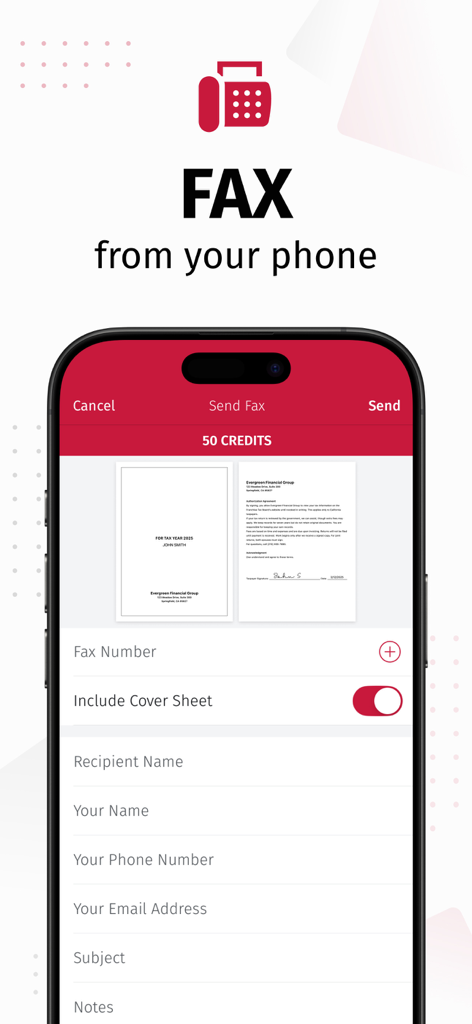
Smartphone-Bildschirm zeigt die Fax-Sende-Funktion der SwiftScan-App mit Dokumentenvorschauen

Smartphone-Bildschirm zeigt die Fax-Sende-Funktion der SwiftScan-App mit Dokumentenvorschauen

Professionelles Scannen trifft auf KI-Intelligenz

Die Tools, die diese App auszeichnen, gewählt von 5M+ Nutzern.

🤖

KI-gestützte Einblicke

Sparen Sie Stunden beim Lesen, indem Sie mit KI sofortige Zusammenfassungen langer Verträge erstellen oder Dokumente im Handumdrehen in Dutzende von Sprachen übersetzen.

Präzision im Desktop-Format

Erfassen Sie hochwertige Scans mit über 200 DPI mit automatischer Kantenerkennung und blitzschneller Verarbeitung, die Ihren sperrigen Büroscanner ersetzt.

🔒

Datenschutz an erster Stelle

Ihre sensiblen Daten bleiben auf Ihrem Gerät. Schützen Sie vertrauliche Dateien mit Verschlüsselung auf Bankenniveau und FaceID-Schutz für absolute Sicherheit.

Weltweit von Nutzern geliebt

Vertraut von 5M+ Menschen, die diese App lieben.

"

"Als Immobilienmaklerin muss ich ständig sensible Verträge unterwegs bearbeiten. SwiftScan AI ist ein absoluter Lebensretter – die 200-dpi-Qualität ist unglaublich professionell, und die Möglichkeit, Dokumente direkt von meinem iPhone aus zu faxen, während ich vor Ort bin, ist ein vollständiger Game-Changer. Zu wissen, dass meine Daten privat auf meinem Gerät bleiben, gibt mir und meinen Kunden echte Sicherheit."

Sarah Jenkins, Immobilienexpertin
"

"Ich verwalte täglich mehrere Projekte und einen Berg von Papierkram. Das KI-Zusammenfassungstool ist reine Magie; es spart mir Stunden, indem es lange Lieferantenberichte in schnelle, umsetzbare Übersichten destilliert. Die Kantenerkennung ist blitzschnell, und der Ein-Tipp-Workflow zu Google Drive hält mein digitales Büro perfekt organisiert, ohne Unordnung."

Marcus Thorne, Freiberuflicher Projektmanager

Bewertungsanalyse

Erkenntnisse aus Nutzerbewertungen.

Stimmungswert

34%
Negativ

Zusammenfassung

The app receives largely negative feedback, primarily due to recent aggressive monetization strategies, including high subscription fees, removal of previously free features, and intrusive ads even for paying users. Users frequently report app instability, such as crashes and slowness, especially after updates or when not on Wi-Fi; specific issues include a black logo on iOS 17.7.2, sync problems on iPad mini 7, and reports of the app not functioning on iPhone 17 Pro Max. While some positive remarks highlight its initial ease of use and effective scanning quality, many long-term users express frustration over restricted core functionalities, concerns about privacy, and unresponsive customer support.

Häufige Themen

Scanning Quality & Automation(4)
Ease of Use & Interface(3)
Overall Functionality (Historical/General)(2)
App Performance(1)
Monetization & Subscription Model(1)

Über die App

Alles, was Sie über wissen müssen SwiftScan AI Document Scanner.

Beschreibung

SwiftScan AI is the best mobile scanner app for documents and QR codes. Create free, high-quality PDF or JPG scans with just one tap. Use smart AI Tools to translate scans into other languages, or to summarize into brief overviews or generate longer reports. Send files via email or as a fax. Save files to iCloud Drive, Box, Dropbox, Evernote and other cloud services. SwiftScan AI packs all the power of a desktop scanner into one tiny scanner app! SwiftScan AI Features – Scan, sign, edit, save & send, summarize, translate, fax, and more! - Scan premium quality PDFs or JPGs with 200 dpi and higher - Advanced AI Tools to summarize your documents for quick comprehension, or even translate documents to another language - OCR: AI-powered OCR can extract the text of your scans to search, copy, and lookup to find things fast - Fax: send your documents as a fax right from SwiftScan - Cloud integration: save files to iCloud Drive, Dropbox, Google Drive and other cloud services - Scan QR codes: URLs, Contacts, Phone Numbers - Home Screen Widget: Shortcut widget provides instant access to scan, search, or view recent documents - Lightning fast: automatic edge detection and scanning - Scan single & multi-page documents - Enhance your scans: apply color, grayscale or black & white filters with automatic optimization - Add text, comments, annotations, or draw on documents - Insert e-signature, redact text, add pages - WebDAV and FTP, sFTP and FTPs - Edit documents: Move, rotate, add or delete pages - Encryption: PDF password protection - Passcode protection with Touch/Face ID support - Beautiful themes: select your preferred look and feel - Smart file naming based on tags you select, like dates, keywords, and more - One-tap email and print workflows Scan PRIVACY SAFE SwiftScan AI values your privacy. We will never store or save your documents, or use them for any purpose. All document-related activity happens on your device, or with the cloud backup provider you choose. Scan HIGH-QUALITY SwiftScan AI uses the most advanced scanning technology. Scans start at 200 dpi, premium quality comparable to desktop scanners. Various color modes, auto-optimization and blur-reduction help you to get the most out of your scans. Scan QUICKLY SwiftScan AI is lightning fast and incredibly easy. Hold your iPhone over any document, receipt, whiteboard, notebook, or QR code to scan and save it as a PDF or JPG quickly. The edges of the document are automatically identified so that only the document itself is scanned. It captures the best possible image in the perfect moment. Scan ANYTHING SwiftScan AI works with any type of document, from paper documents to business cards, QR codes, barcodes, notes- even whiteboards or post-its. It saves the documents that are important for you and gets rid of paper clutter. --- CONTACT & SUPPORT --- Learn more: https://maplemedia.io/ Get in touch: support@swiftscanapp.com --- LEGAL --- Terms of Service: https://maplemedia.io/terms-of-service/ Privacy Policy: https://maplemedia.io/privacy/ Subscription Terms: Payment for subscriptions will be charged to your Apple Account at confirmation of purchase. Subscription automatically renews unless auto-renew is turned off at least 24-hours before the end of the current period. Account will be charged for renewal within 24-hours prior to the end of the current period, and identify the cost of the renewal. Subscriptions may be managed by the user and auto-renewal may be turned off by going to the user's Account Settings after purchase. Any unused portion of a free trial period will be forfeited when the user purchases a subscription to that publication.

Neueste Version

9.6.77

Größe

488.6 MB

Erstveröffentlichung

3. Apr. 2014

Stecken Sie einen KI-Scanner im Desktop-Format in Ihre Tasche

Schließen Sie sich über 5 Millionen Fachleuten an, die SwiftScan AI zum Scannen, Signieren und Zusammenfassen von Dokumenten mit voller Privatsphäre nutzen. Laden Sie es jetzt herunter und lassen Sie den Papierkram hinter sich.

Herunterladen auf App Store