Vibe Cam - Moments Never Fade

Vibe Cam - Moments Never Fade

Herunterladen auf App Store
Spark by MWM logo
Logo von Vibe Cam - Moments Never Fade
Vibe Cam: Professionelle DSLR-Power trifft auf zeitlose Filmästhetik

Verwandeln Sie Ihr iPhone in ein professionelles Studio mit manuellen Belichtungssteuerungen, authentischen Filmsimulationen und KI-gestützter Motiverkennung für kinoreife Ergebnisse.

Herausgeber

森 林

Kategorie

Photo & Video

Downloads

68K+

Bewertung

4.9/5

Bewertungen gesamt

2K+

Sprachen

14

Fangen Sie den Vibe ein

Entdecken Sie die Oberfläche, die von 68K+ Nutzern verwendet wird.
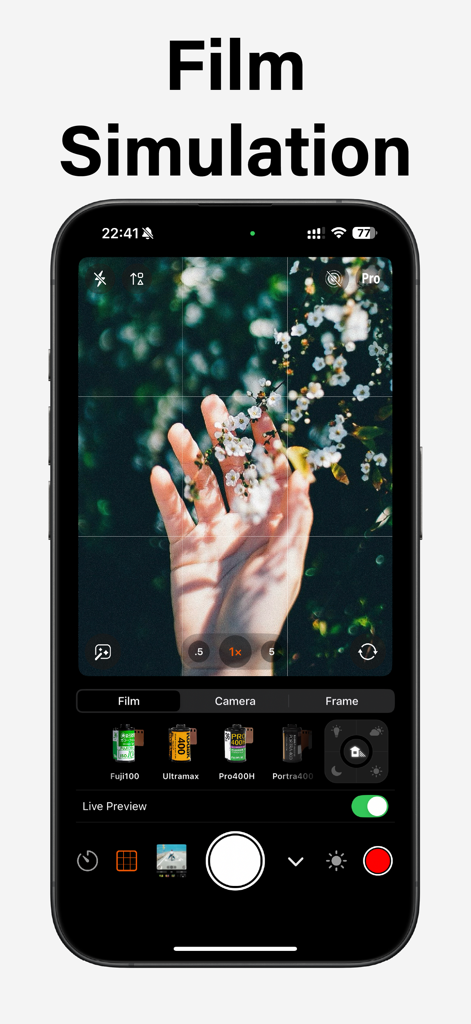
Smartphone-Bildschirm zeigt die Vibe Cam App mit verschiedenen Filmsimulations-Voreinstellungen wie Fuji100 und Portra400 für einen Vintage-Fotografie-Look.

Smartphone-Bildschirm zeigt die Vibe Cam App mit verschiedenen Filmsimulations-Voreinstellungen wie Fuji100 und Portra400 für einen Vintage-Fotografie-Look.

Smartphone zeigt die Vibe Cam App mit professionellen manuellen Kameraeinstellungen auf DSLR-Niveau und einem Zoomregler über einer Stadtsicht.

Smartphone zeigt die Vibe Cam App mit professionellen manuellen Kameraeinstellungen auf DSLR-Niveau und einem Zoomregler über einer Stadtsicht.

Eine Smartphone-Oberfläche, die Vibe Cam mit 50-fachem Zoom auf einem detaillierten Mond und manuellen professionellen Kamerasteuerungen anzeigt.

Eine Smartphone-Oberfläche, die Vibe Cam mit 50-fachem Zoom auf einem detaillierten Mond und manuellen professionellen Kamerasteuerungen anzeigt.

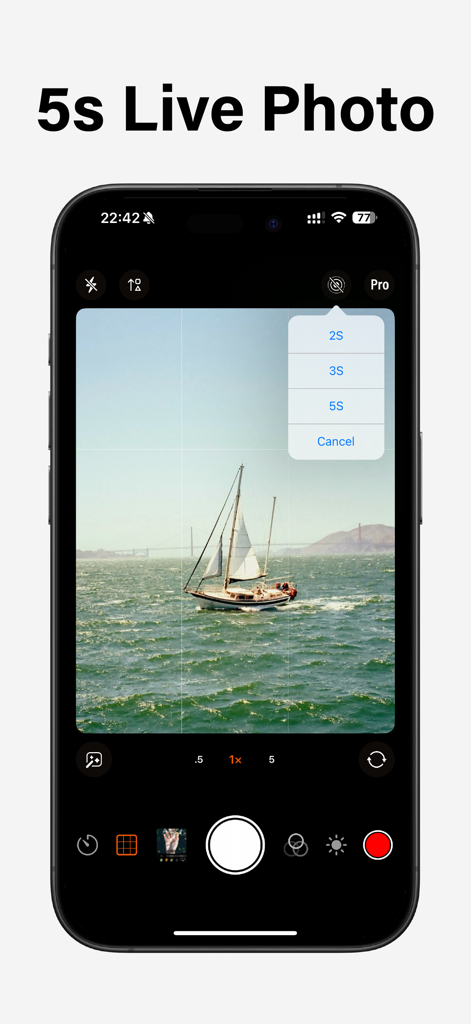
Vibe Cam App-Oberfläche auf einem iPhone, die das 5s Live Photo Auswahlmenü über einem malerischen Foto eines Segelboots in der Nähe einer Brücke anzeigt.

Vibe Cam App-Oberfläche auf einem iPhone, die das 5s Live Photo Auswahlmenü über einem malerischen Foto eines Segelboots in der Nähe einer Brücke anzeigt.

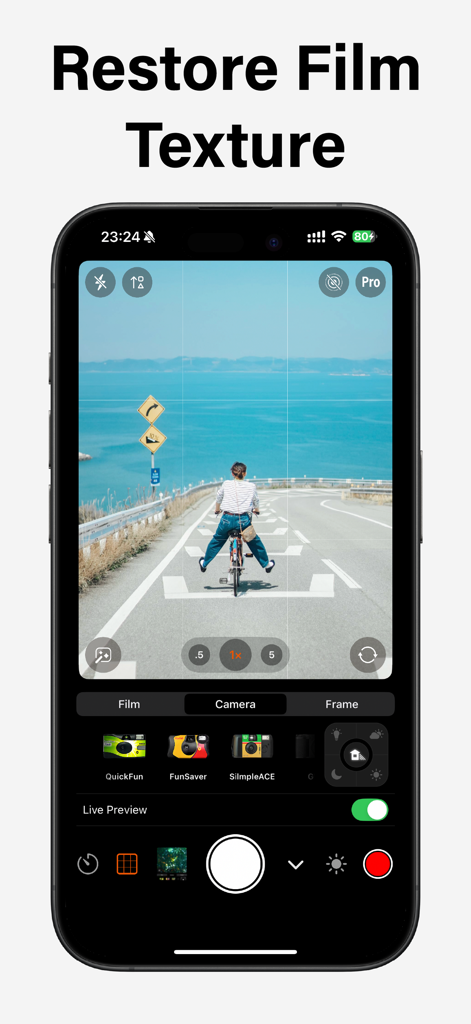
Vibe Cam Mobile App-Oberfläche, die eine Filmtextur-Simulation einer Person auf einem Fahrrad am Meer anzeigt.

Vibe Cam Mobile App-Oberfläche, die eine Filmtextur-Simulation einer Person auf einem Fahrrad am Meer anzeigt.

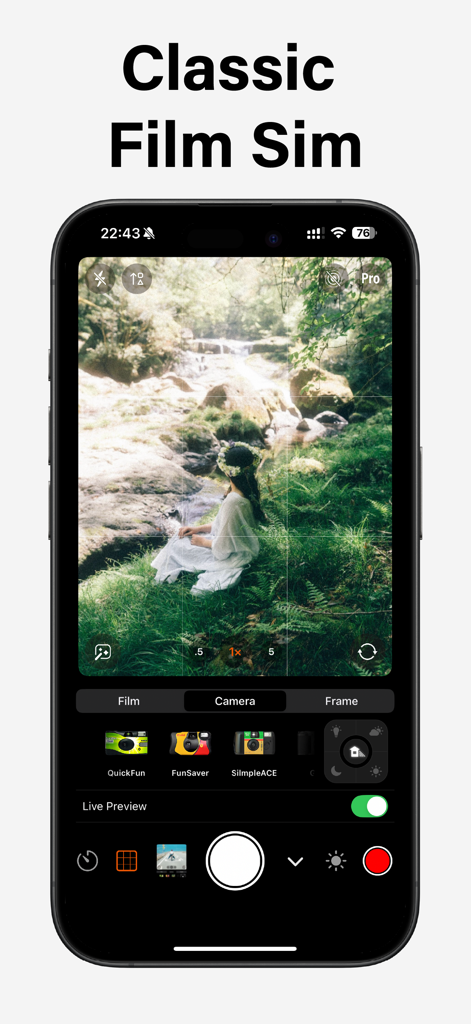
iPhone-Bildschirm zeigt die Vibe Cam App-Oberfläche mit klassischen Filmsimulationsfiltern und einer Frau, die in einem Wald an einem Bach sitzt.

iPhone-Bildschirm zeigt die Vibe Cam App-Oberfläche mit klassischen Filmsimulationsfiltern und einer Frau, die in einem Wald an einem Bach sitzt.

Vibe Cam App-Oberfläche, die eine Frau auf einem Boot mit Vintage-Filmsimulations-Voreinstellungen und Kamerasteuerungen zeigt.

Vibe Cam App-Oberfläche, die eine Frau auf einem Boot mit Vintage-Filmsimulations-Voreinstellungen und Kamerasteuerungen zeigt.

Eine professionelle Kamera-App-Oberfläche, die Filmsimulations-Voreinstellungen und analoge Fotofilter für einen ästhetischen Look anzeigt.

Eine professionelle Kamera-App-Oberfläche, die Filmsimulations-Voreinstellungen und analoge Fotofilter für einen ästhetischen Look anzeigt.

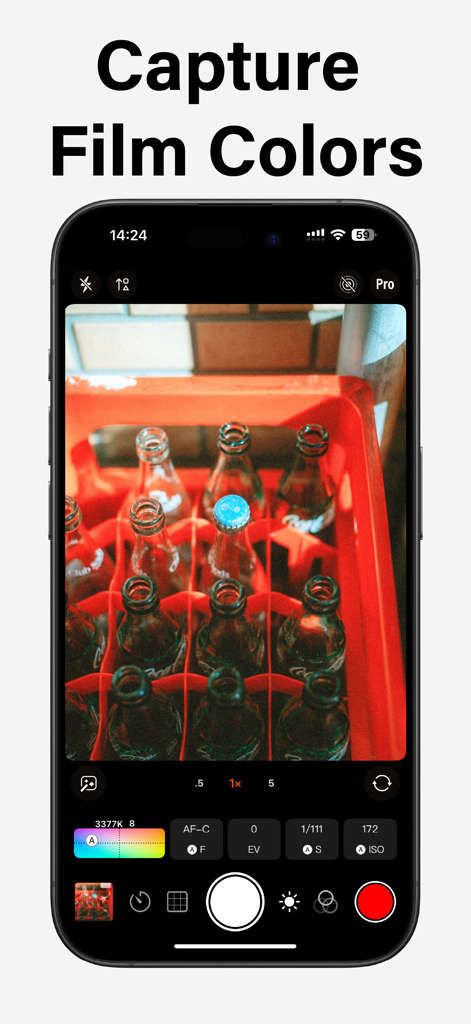
Vibe Cam App-Oberfläche, die professionelle manuelle Kamerasteuerungen und Filmsimulationsfarben anzeigt.

Vibe Cam App-Oberfläche, die professionelle manuelle Kamerasteuerungen und Filmsimulationsfarben anzeigt.

Professionelle Leistung, analoge Seele

Die Tools, die diese App auszeichnen, gewählt von 68K+ Nutzern.

🎞️

Authentische Filmsimulation

Verabschieden Sie sich vom überbearbeiteten digitalen Look und genießen Sie die seelenvollen Körnungen, reichen Texturen und die sanfte Lichtatmosphäre klassischer Analogfilme.

🕹️

Manuelle Steuerung auf DSLR-Niveau

Übernehmen Sie die volle kreative Kontrolle mit unabhängigen Einstellungen für ISO, Verschlusszeit und Fokusverriegelung, um genau das einzufangen, was Sie sehen.

🎥

Professionelle Videoproduktion

Nehmen Sie direkt auf externen Laufwerken auf und verwenden Sie zweikanalige Bluetooth-Mikrofone für einen professionellen Workflow, der in Ihre Tasche passt.

Weltweit von Nutzern geliebt

Vertraut von 68K+ Menschen, die diese App lieben.

"

"Ich wollte gerade ein Vermögen für eine Vintage-Kamera ausgeben, bis ich Vibe Cam fand. Die Filmsimulationen sind unglaublich authentisch und fangen das sanfte Licht und die Körnung ein, die ich liebe, ohne den Aufwand. Es hat meinen Instagram-Feed komplett verändert und jedem Bild diese perfekte analoge Ästhetik verliehen, für die ich früher stundenlang manuell bearbeitet habe."

Chloe Martinez
"

"Als professioneller Content Creator sind die manuellen Bedienelemente in Vibe Cam eine Offenbarung. Die Möglichkeit, direkt auf eine externe SSD auf meinem iPhone 15 Pro aufzunehmen und gleichzeitig den Ton über Bluetooth zu überwachen, ist etwas, das die native App einfach nicht kann. Die AF-C-Motiverkennung ist bemerkenswert präzise und macht sie zu meinem bevorzugten Werkzeug für High-End-Mobile-Kinematografie."

Jameson Reed

Über die App

Alles, was Sie über wissen müssen Vibe Cam - Moments Never Fade.

Beschreibung

Vibe Cam is a professional all-in-one camera app! New Film Simulation: From exposure control to grain texture, from soft light ambiance to contrast adjustment, authentically recreating the charm of classic films. Features mirrorless-level photography functions and settings to meet all your expectations for professional shooting. # DSLR-level photography - Supports two exposure modes: P and M. P: Programmed continuous auto exposure mode, with shutter speed and ISO adjusted in real time based on ambient light. Customizable [Dynamic Exposure Zone] is supported. After setting the exposure zone, the exposure can be locked, i.e. turning on [AE-L] exposure lock. M: Both the shutter speed and ISO are controlled by you, and custom dynamic exposure zones are not supported. - Support AF-C, AF-S, and MF focus modes: AF-C: Continuous autofocus, where the focus point is continuously adjusted, supports [Live Tracking], and supports custom [Dynamic Focus Area]. After setting the focus area, the focus can be locked, which is to turn on [AF-L] focus lock. AF-S: Single-shot autofocus, which can be performed by tapping the screen to select [Touch Focus] and [Touch Shutter]. With Touch Shutter, the touch point is focused on, and the camera automatically captures the image after the focus is complete. AF-S does not support live tracking or custom dynamic focus areas. MF: Manual focus, the focus distance is controlled by you. - Live and Extended Display: Connecting the video capture card through a wired interface can transmit the clean image to the computer. Transmit the clean image to the TV or monitor through screen mirroring or wired interface. - External Storage: When connecting an external hard drive, it will be automatically recognized, and the storage path for video files will automatically switch to the external hard drive.This feature is only supported on iPhone 15 Pro and iPhone 15 Pro Max. - Stereo recording and In-Ear Monitor: Support for using Bluetooth headphones or wired headphones as monitoring headphones for recording; Support dual-channel Bluetooth microphone recording stereo video (such as DJI Mic); Support for recording stereo video with USB two-channel microphones (such as the Audio-Technica USB microphone); - Subject Detection: Live recognition supports face and body recognition, as well as cat and dog recognition. In the AF-C mode, the focus point will track and identify the object. When multiple objects are identified, the focus point will default to tracking the largest object. You can also lock the focus tracking object by clicking the tracking box. Live tracking is not supported in AF-S and MF modes. # Subscription Info - Subscribe for unlimited access to all features and content offered for purchase within the app. - Subscription options: $7.99 per year, $12.99 for one-time purchase. - Payment will be charged to your iTunes account at confirmation of purchase. - Subscriptions will automatically renew unless auto-renew is turned off at least 24 hours before the end of the current period. - Your account will be charged for renewal, in accordance with your plan, within 24 hours prior to the end of the current period. Terms of use: https://camera001.com/terms_conditions_en.html Privacy policy: https://camera001.com/privacy_policy_en.html

Neueste Version

4.5.6

Größe

182.7 MB

Erstveröffentlichung

13. Nov. 2023

Verwandeln Sie Ihr iPhone in eine professionelle Filmkamera

Erleben Sie die perfekte Mischung aus analoger Seele und digitaler Präzision. Schließen Sie sich über 68.000 Kreativen an, die mit DSLR-gleichen manuellen Bedienelementen und authentischen Filmsimulationen kinoreife Momente einfangen.

Herunterladen auf App Store