ZIP Extractor - Unzip, Unrar

ZIP Extractor - Unzip, Unrar

Herunterladen auf App Store
Spark by MWM logo
Logo von ZIP Extractor - Unzip, Unrar

ZIP Extractor – Entpacken, Entrar: Professionelles Dateimanagement unterwegs

Der einfachste Weg, ZIP-, RAR- und 7zip-Dateien auf Ihrem iPhone oder iPad zu öffnen. Sichern Sie Ihre Daten mit Passwörtern und verwalten Sie Dateien mit Ein-Klick-Effizienz in iCloud, Google Drive und Dropbox.

Herausgeber

Dynamic Apps & Games LLC

Kategorie

Utilities

Downloads

343K+

Bewertung

4.4/5

Bewertungen gesamt

5K+

Sprachen

1

Effizienz in Aktion

Entdecken Sie die Oberfläche, die von 343K+ Nutzern verwendet wird.
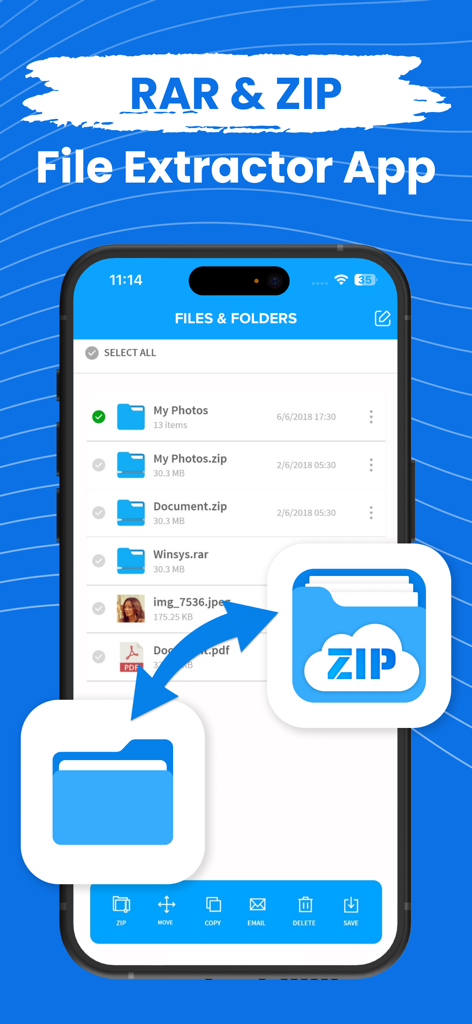
iPhone-Bildschirm, der die Dateimanager-Oberfläche einer ZIP- und RAR-Extraktor-App mit verschiedenen Dateiformaten und Verwaltungsoptionen anzeigt.

iPhone-Bildschirm, der die Dateimanager-Oberfläche einer ZIP- und RAR-Extraktor-App mit verschiedenen Dateiformaten und Verwaltungsoptionen anzeigt.

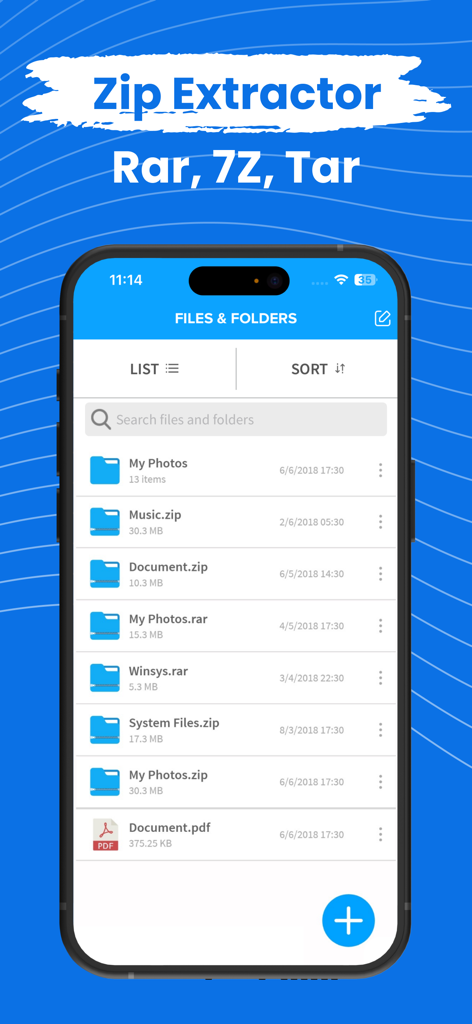
Die mobile Benutzeroberfläche der ZIP Extractor App zeigt eine Liste von Dateien und Ordnern, einschließlich ZIP- und RAR-Archiven.

Die mobile Benutzeroberfläche der ZIP Extractor App zeigt eine Liste von Dateien und Ordnern, einschließlich ZIP- und RAR-Archiven.

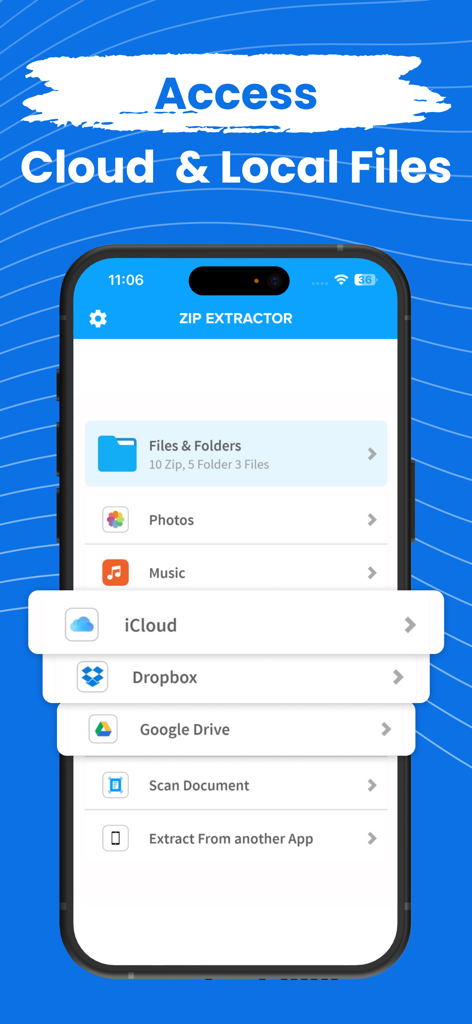
ZIP Extractor App-Oberfläche, die Optionen für den Zugriff auf lokale Dateien und Cloud-Speicher wie iCloud, Dropbox und Google Drive anzeigt

ZIP Extractor App-Oberfläche, die Optionen für den Zugriff auf lokale Dateien und Cloud-Speicher wie iCloud, Dropbox und Google Drive anzeigt

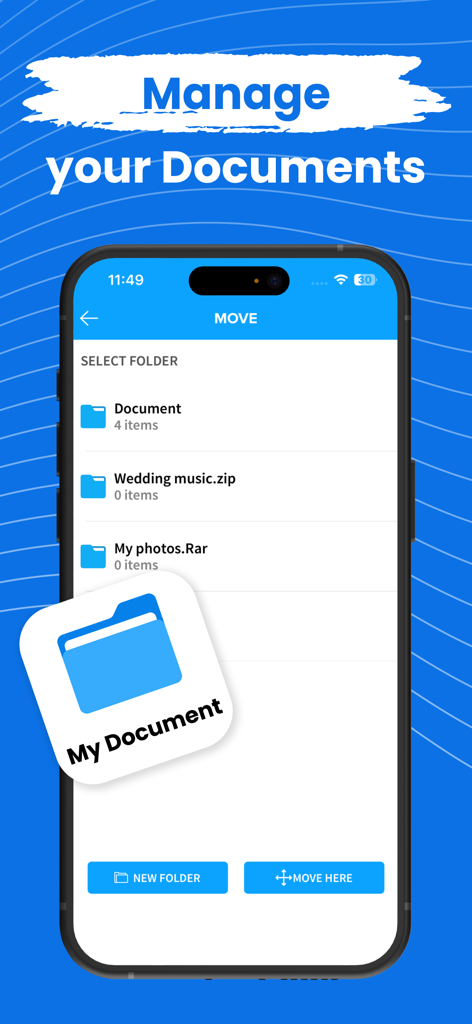
Benutzeroberfläche, die die Dokumentenverwaltung und Ordnerorganisation in der ZIP Extractor App zeigt

Benutzeroberfläche, die die Dokumentenverwaltung und Ordnerorganisation in der ZIP Extractor App zeigt

Professionelles Dateimanagement unterwegs

Die Tools, die diese App auszeichnen, gewählt von 343K+ Nutzern.

📦

Universelle Archivunterstützung

Öffnen und extrahieren Sie sofort ZIP-, RAR- und 7Z-Dateien, die native iOS-Tools nicht verarbeiten können, und verpassen Sie so keine Frist.

☁️

Vereinheitlichtes Cloud-Hub

Verbinden Sie Ihren Workflow nahtlos, indem Sie Dateien direkt in iCloud, Google Drive und Dropbox packen und entpacken.

🔒

Datenschutz an erster Stelle

Schützen Sie sensible Unternehmensdaten und persönliche Medien, indem Sie passwortverschlüsselte Archive direkt von Ihrem iPhone oder iPad erstellen.

Weltweit von Nutzern geliebt

Vertraut von 343K+ Menschen, die diese App lieben.

"

"Als freiberuflicher Designer, der immer unterwegs ist, erhalte ich oft große RAR- und 7zip-Dateien von Kunden. Diese App hat meinen iPad-Workflow gerettet, da ich Assets sofort öffnen und in der Vorschau anzeigen kann, ohne einen Desktop zu benötigen. Sie ist unglaublich intuitiv und verarbeitet alles, was ich ihr zumute."

Sarah Jenkins
"

"Die Verwaltung von Projektdokumenten zwischen Google Drive und Dropbox war früher ein Albtraum. Diese App macht es so einfach, sensible Verträge mit Passwortschutz zu komprimieren und zwischen Cloud-Diensten zu verschieben. Sie ist das zuverlässigste Dateidienstprogramm, das ich für mein iPhone gefunden habe."

Mark Thompson

Über die App

Alles, was Sie über wissen müssen ZIP Extractor - Unzip, Unrar.

Beschreibung

Zip or Unzip your files, photos or music in easiest way! Compress your files into zip from your iPhone and iPad, Photos, Music, Files anything you can zip in the app and unzip also. You can also zip or unzip files from iCloud, Google drive or Dropbox Zip file will be automatically stored in the application and you can see or extract from the there. Open and decompress compressed file formats: ZIP, RAR, 7zip etc.. Safe your files with password and don't let anyone allow to see your data. All your files can be stored in one app only and you can use it from anywhere! Zip Subscription options:

 1. Title of publication or service: Zip
 2. Length of subscription & Price of subscription, and price per unit if appropriate: - Annual (First 3 day free trial) - Monthly (First 3 day free trial) 3. Price of subscription: - 3 day free trial then $49.99 per year - 3 day free trial then $8.99 per month 
4. Payment will be charged to iTunes Account at confirmation of purchase 
 5. Subscription automatically renews unless auto-renew is turned off at least 24-hours before the end of the current period. You can turn of the auto-renew subscription from iPhone setting 
6. Account will be charged for renewal within 24-hours prior to the end of the current period, and identify the cost of the renewal 
7. Subscriptions may be managed by the user and auto-renewal may be turned off by going to the user's Account Settings after purchase 8. Any unused portion of a free trial period, if offered, will be forfeited when the user purchases a subscription to that publication where applicable 
9. Terms of use: https://dynamicappsgamesllc.wordpress.com/terms-of-service 10. For full Privacy Policy and our Terms of Service: https://dynamicappsgamesllc.wordpress.com/privacy-policy https://dynamicappsgamesllc.wordpress.com/terms-of-service 
11. Zip adds the great features above and are available through an auto-renewing subscription. Subscriptions will be charged to your credit card through your iTunes account. Your subscription will automatically renew unless cancelled at least 24 hours before the end of your current subscription, and you can cancel a subscription during the active period. You can manage your subscription at any time, either by viewing your account in iTunes from your Mac or PC, or Account Settings on your device after purchase 
12. Contact us at : https://dynamicappsgamesllc.wordpress.com/support/ Thank you! Disclaimer: You will be required to sign up for an auto-renewable In-App Purchase before you are able to access the app. To manage your subscription or turn off auto - renewal : 1. Go to Settings -> iTunes & AppStore 2. Tap your Apple ID at the top of the screen. 3. Tap on view Apple ID. You might need to sign in or use Touch ID. 4. Tap subscriptions. 5. Tap the subscription you want to manage. 6. Use the options to manage your subscription. Privacy Policy - https://extractziprar.com/privacy-policy/ Terms of Service - https://extractziprar.com/terms-of-use/

Neueste Version

12.1

Größe

65.0 MB

Erstveröffentlichung

19. Dez. 2018

Bereit, jede Datei unterwegs zu bearbeiten?

Schließen Sie sich über 343.000 Profis an, die RAR-, 7zip- und passwortgeschützte Dateien in Sekundenschnelle entpacken. Starten Sie Ihre 3-tägige kostenlose Testversion und übernehmen Sie noch heute die volle Kontrolle über Ihren mobilen Workflow.

Herunterladen auf App Store