Alook Browser - 8x Speed

Alook Browser - 8x Speed

Download on App Store
Spark by MWM logo
Logo of Alook Browser - 8x Speed

Alook Browser: The Minimalist Powerhouse for High-Speed Productivity

Unlock desktop-class features on iOS. From 16x video playback and total ad-blocking to pro file management and private iCloud syncing, experience a faster web without the noise.

Publisher

Baoding Lehuo Network Technology Co., Ltd.

Category

Utilities

Downloads

2M+

User Rating

4.8/5

Total Ratings

164K+

Locales

17

Alook at Pure Efficiency

Discover the interface used by 2M+ users.
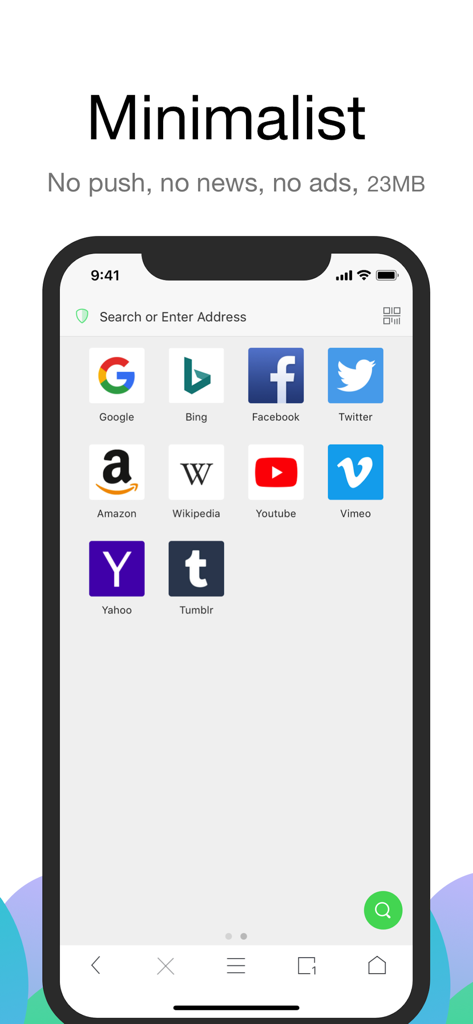
Alook Browser minimalist home screen showing a clean interface with search bar and popular website icons.

Alook Browser minimalist home screen showing a clean interface with search bar and popular website icons.

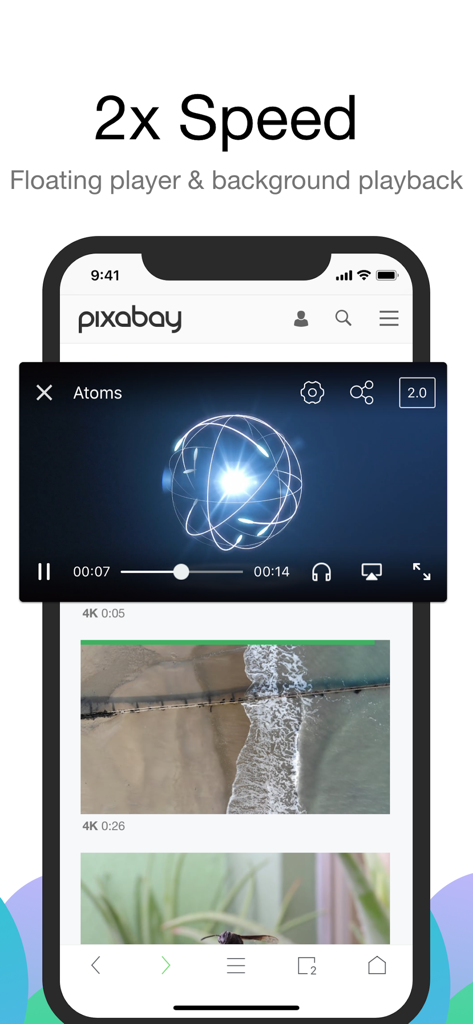
Alook Browser interface showing a floating video player at 2x speed on a mobile device.

Alook Browser interface showing a floating video player at 2x speed on a mobile device.

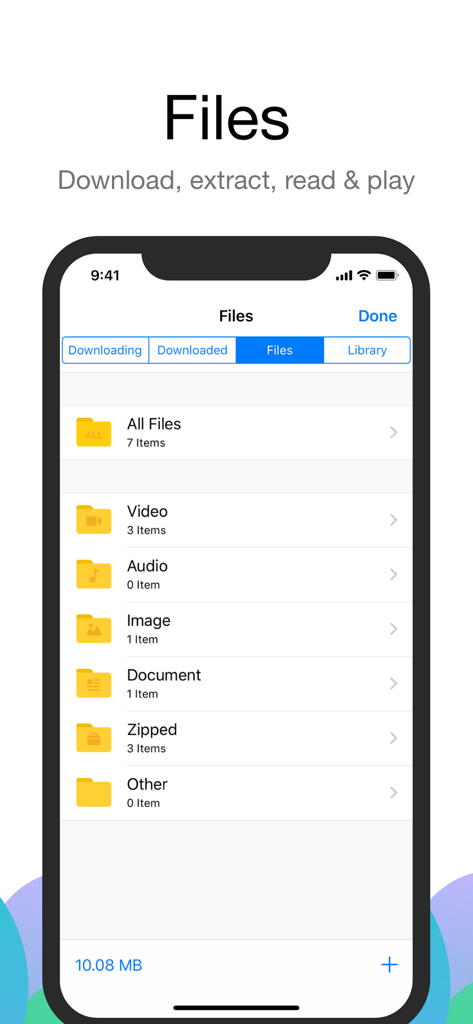
Alook Browser file management screen showing folders for videos audio documents and zipped files

Alook Browser file management screen showing folders for videos audio documents and zipped files

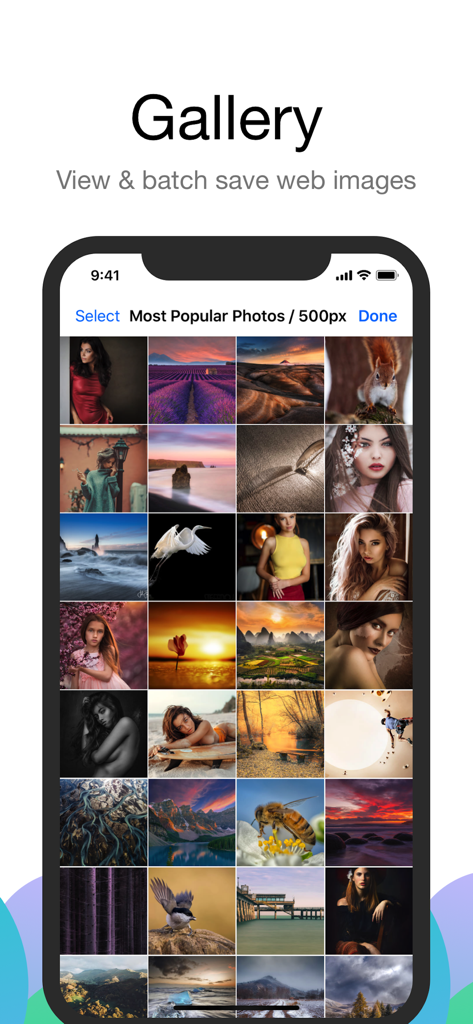
Alook Browser gallery interface showing a grid of web images available for batch saving

Alook Browser gallery interface showing a grid of web images available for batch saving

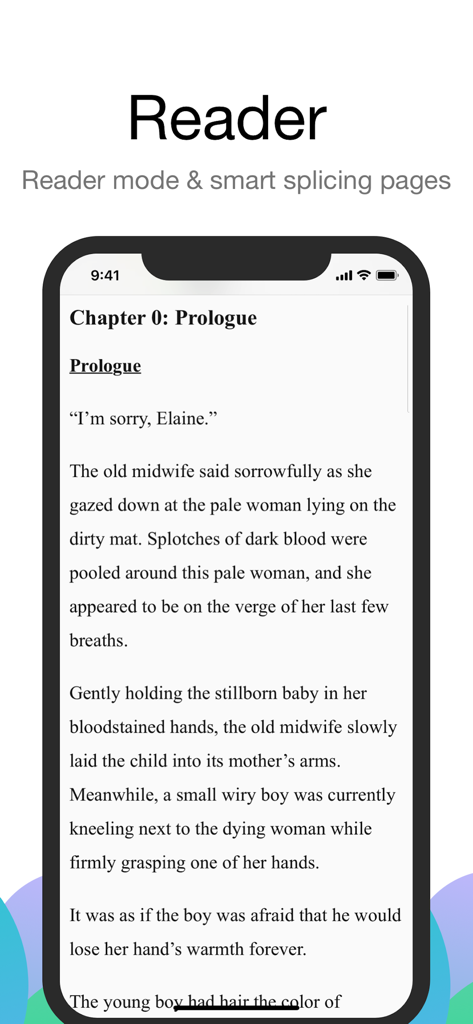
iPhone screen showing Alook Browser reader mode for a clean and distraction free reading experience.

iPhone screen showing Alook Browser reader mode for a clean and distraction free reading experience.

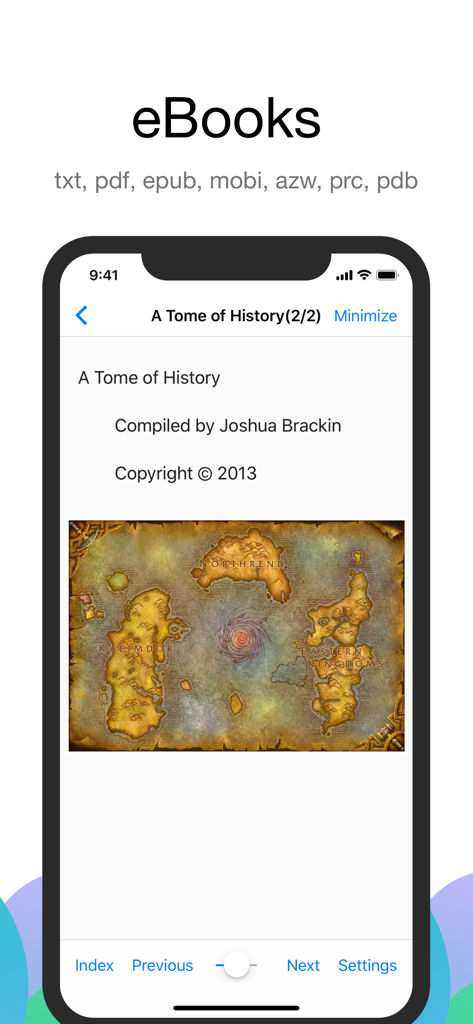
Alook Browser interface showing eBook reader mode with support for various file formats.

Alook Browser interface showing eBook reader mode with support for various file formats.

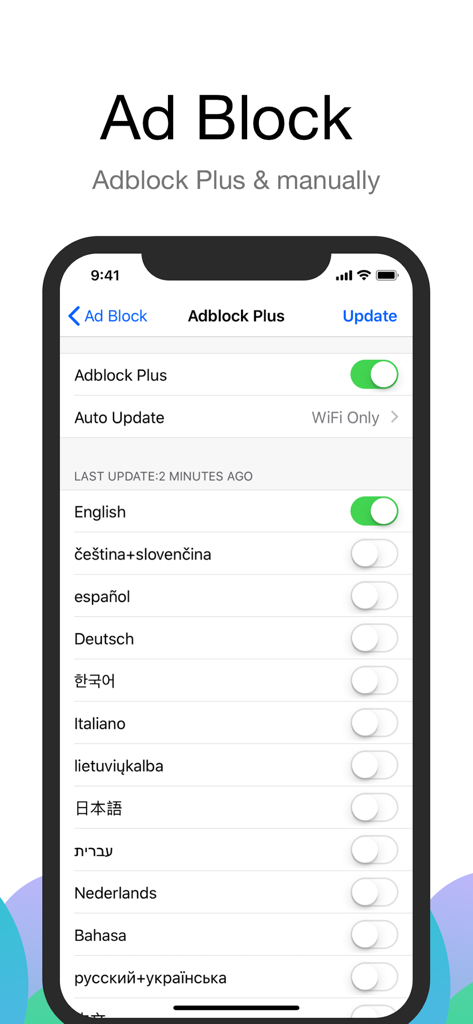
Interface of Alook Browser showing Adblock Plus settings with various language filter options

Interface of Alook Browser showing Adblock Plus settings with various language filter options

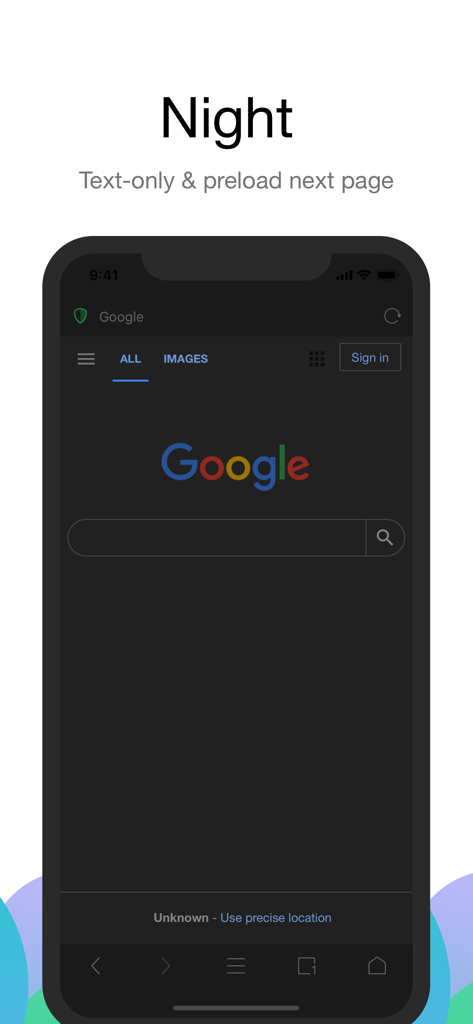
Alook Browser interface in night mode with dark theme and text only browsing

Alook Browser interface in night mode with dark theme and text only browsing

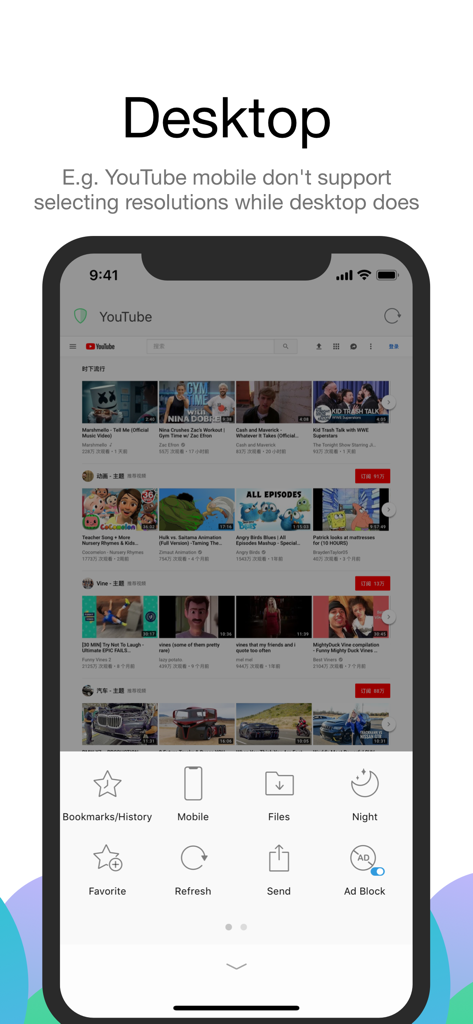
Alook Browser showing YouTube in desktop mode on an iPhone with features like ad blocking and file management.

Alook Browser showing YouTube in desktop mode on an iPhone with features like ad blocking and file management.

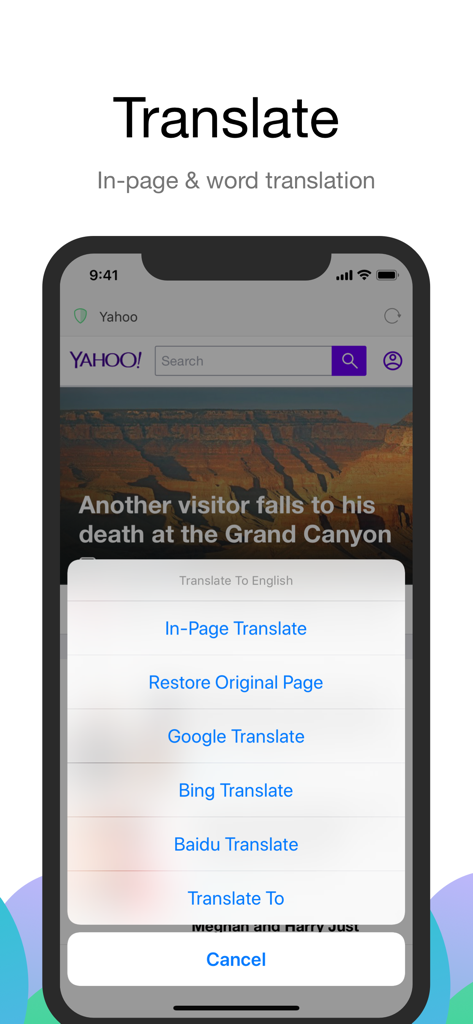
Alook Browser in-page and word translation options on a mobile device

Alook Browser in-page and word translation options on a mobile device

The Ultimate Power Tool for Mobile Browsing

The tools that make this app stand out, trusted by 2M+ users.

Extreme Media Control

Master your content with background playback, Picture-in-Picture, and adjustable video speeds from 0.5x up to 16.0x.

📂

Desktop-Class File Management

Download, unzip RAR/7z files, and read E-books (EPUB/PDF) directly. Turn your mobile device into a high-performance workstation.

🛡️

Pure Privacy, No Noise

Enjoy a clean web with built-in ad blocking and zero data tracking. No news feeds, no notifications, and no data collection—ever.

Loved by users worldwide

Trusted by 2M+ people who love this app.

"

"Alook is a total game-changer for my daily productivity. The ability to watch video lectures at 2x speed with background playback has literally saved me hours of study time every week. It is easily the most powerful and efficient tool on my iPhone."

Jordan Hayes
"

"As an iPad Pro user, I finally found a browser that doesn't feel like a toy. Alook handles zip files, e-books, and desktop-class extensions flawlessly without any ads or distractions. It has completely replaced Safari for my professional workflow."

Elena Rodriguez

About the app

Everything you need to know about Alook Browser - 8x Speed.

Description

Alook is a minimalist yet powerful browser, aiming to be the best for iOS. Core Features - Lightning-fast experience: No push notifications, no news, no ads, millisecond startup. - Audio and video features: Floating playback, adjustable speed (0.5x-16.0x), background playback, AirPlay casting, DLNA casting, small window playback, single track loop, picture-in-picture, screenshots, mirroring, long press for speed control, and more. - File management: Manual downloads, unzip/compress (zip, rar, 7z, including encrypted files), file creation/editing, open in plain text mode, select file encoding, import from albums, move/copy files, Wi-Fi transfer, and more. - E-book reader: Supports txt, pdf, epub, kindle, mobi, azw, azw3, azw4, prc, pdb formats. - Reading mode: Smart pagination, designed specifically for novels. - Image viewing mode: Batch saving, image compression. - Ad blocker: Built-in Adblock Plus, supports multi-language rules, third-party rules, custom ad marking, and blocking intrusive ads. - Custom search engine: Automatically detects search boxes on web pages, quick add. - Translation feature: Built-in 14 languages, supports full-page translation and word translation. - JavaScript extension: Run custom JS code. - File sharing: Perfectly integrates with iOS 11 Files and iTunes file sharing. - Device compatibility: Supports iPhone, iPhone XS Max, iPad Pro, and cross-device syncing. - Website settings: Separate settings for video floating, ad blocking, no image mode, clipboard access, and JavaScript scripts. - iPad support: Perfectly adapts to split-screen and iOS 11 drag-and-drop operations. Other Features - iCloud sync for bookmarks, custom ad rules, search engines, and plugins. - Private mode or incognito browsing. - Custom immersive wallpapers. - Next page preloading. - Custom site icons. - BigBang text selection. - Handoff support. - Auto-refresh. - Webpage pull-to-refresh. - Homepage pull-down search. - Custom website homepage. - Webpage full-length screenshots. - Developer tools: View source code, Eruda, vConsole, Cookie management. - Night mode: Supports OLED pure black mode, eye-care web colors. - No image mode: Smart no image. - Full-screen mode: Swipe to hide the toolbar. - Page search: Find text within the webpage. - Site search: Use the default search engine to search for specific keywords. - Supports password managers: 1Password, LastPass, Avast Passwords, and more. - QR code tools: Scan, recognize image QR codes, generate link QR codes. - Switch between desktop or mobile website: Supports custom user agent. - Block redirection to the App Store. - Print and create PDFs. - Quick URL entry, quickly open copied URLs. - Page flipping buttons and screen tap flipping. - Swipe back from anywhere. - View site certificate. - Touch ID or Face ID authentication. - Custom long-press shortcuts. - Import or export bookmarks. - Custom fonts, language, page swipe speed, screen rotation lock. Privacy and Security - Data protection: No upload of account, password, or activity data. - Incognito mode: Does not save browsing history, cache, or cookies. - Data storage: Unlike other browsers that store bookmarks and data in the developer's database, Alook stores bookmarks and data in the iCloud private database, accessible only by the user. User Reviews - From keeyang1985: A great software, highly recommended, worth the price. Small size, fast, no unnecessary stuff. The browser I've always wanted, it's worth more than the $12 price. - From Wen Jing: The happiness a good app brings is beyond anything. Thanks to Alipay for the red envelope, or I might have missed this best browser I've ever used. Other browsers had scattered features, but Alook is worth the $12. If you have any questions before or after purchase, feel free to contact us. X/Twitter: AlookBrowser Email: AlookApp@qq.com

Latest Version

21.8

Size

26.5 MB

First Released

Jul 29, 2017

Unlock Your iPad & iPhone’s True Potential

Join 2M+ power users. Get the minimalist, ad-free browser that gives you desktop-class control, 16x video speed, and total privacy with one simple purchase.

Download on App Store
FAQ

Frequently Asked Questions

Everything you need to know about Alook Browser - 8x Speed

What are the core features of the Alook Browser?

The Alook Browser offers features like lightning-fast browsing, advanced audio/video playback, comprehensive file management, an e-book reader, ad blocking, and website translation capabilities.

Does Alook Browser support advanced video playback features, such as background playback?

Yes, the Alook Browser supports advanced video features including floating playback, adjustable speed, background playback, AirPlay casting, DLNA casting, and picture-in-picture.

What file management capabilities does Alook Browser offer for users?

Alook Browser provides robust file management, supporting manual downloads, unzipping/compressing (zip, rar, 7z), file creation/editing, and Wi-Fi transfers. It also handles encrypted archives.

Does the Alook Browser come with an integrated ad blocker?

Yes, the Alook Browser features a built-in Adblock Plus. It supports multi-language rules, third-party rules, and custom ad marking for blocking intrusive advertisements.

Which e-book formats does the Alook Browser support for reading?

Alook Browser supports various e-book formats including txt, pdf, epub, kindle, mobi, azw, azw3, azw4, prc, and pdb for its integrated e-book reader.

How does Alook Browser protect user privacy and data security?

Alook Browser protects user privacy by not uploading account, password, or activity data. It stores bookmarks and data securely in the user's iCloud private database, not developer databases.

Does Alook Browser include a private browsing or incognito mode?

Yes, Alook Browser offers a private mode or incognito browsing. This mode ensures that browsing history, cache, and cookies are not saved.

Is Alook Browser compatible with iPad devices and their features?

Yes, Alook Browser is fully compatible with iPad devices. It perfectly adapts to split-screen functionality and supports iOS 11 drag-and-drop operations for enhanced usability.

Can Alook Browser translate webpages?

Yes, Alook Browser includes a built-in translation feature. It supports full-page translation and word translation across 14 different languages.

Can Alook Browser switch between desktop and mobile website views?

Yes, Alook Browser supports switching between desktop or mobile website views. Users can also customize the user agent for specific website rendering.

Does Alook Browser provide a night mode or dark theme for browsing?

Yes, Alook Browser features a night mode. It supports OLED pure black mode and eye-care web colors, enhancing comfort during low-light browsing.

Does Alook Browser have a download manager?

Yes, Alook Browser includes robust file management features that support manual downloads. Users can manage, read, and play downloaded files directly within the app.

Does Alook Browser support integration with external password managers?

Yes, Alook Browser supports popular password managers like 1Password, LastPass, and Avast Passwords, allowing for secure and convenient login management.

Is the Alook Browser a free application to download and use?

No, Alook Browser is not a free application. User reviews indicate it is a paid app, with mentions of a $12 price point.