
Audio / Spectrum Analyzer


Harness the power of professional-grade FFT, RTA, and signal generation to calibrate, troubleshoot, and visualize audio with laboratory accuracy anywhere.
Publisher
Category
MusicDownloads
297K+User Rating
Total Ratings
1K+Locales
2Discover the interface used by 297K+ users.
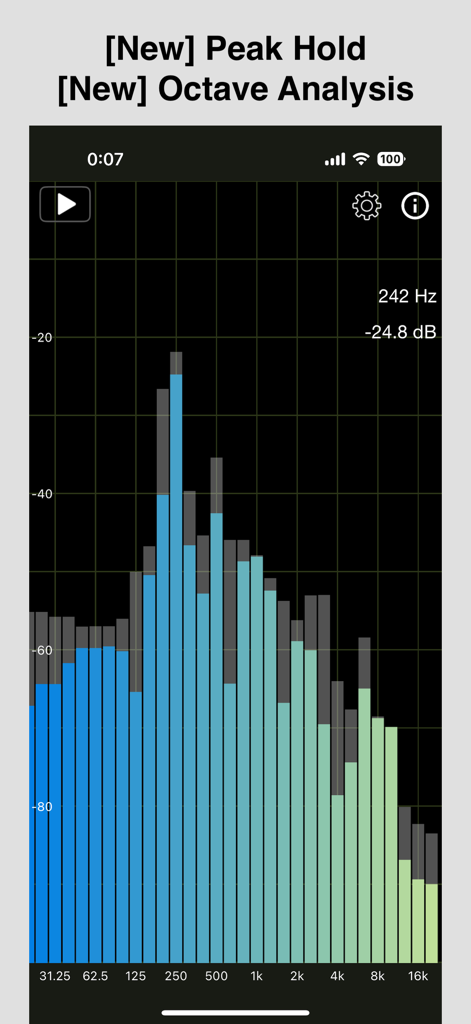
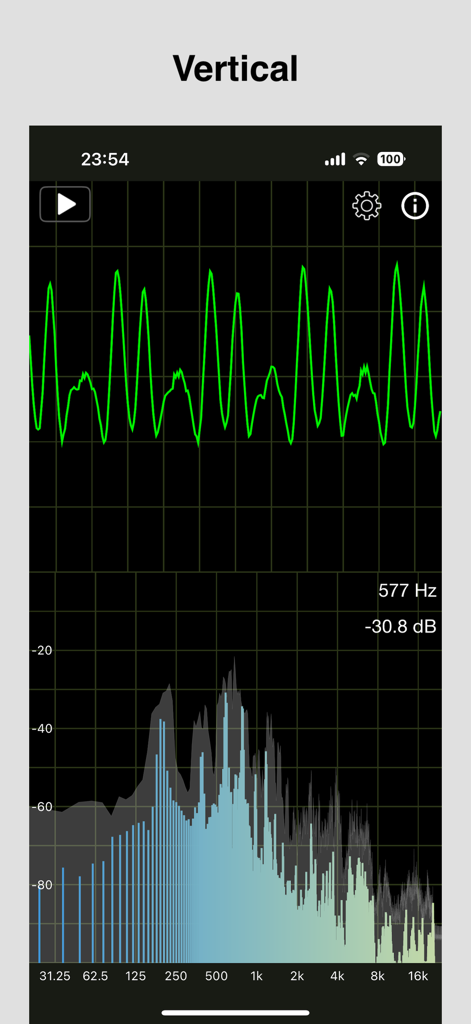
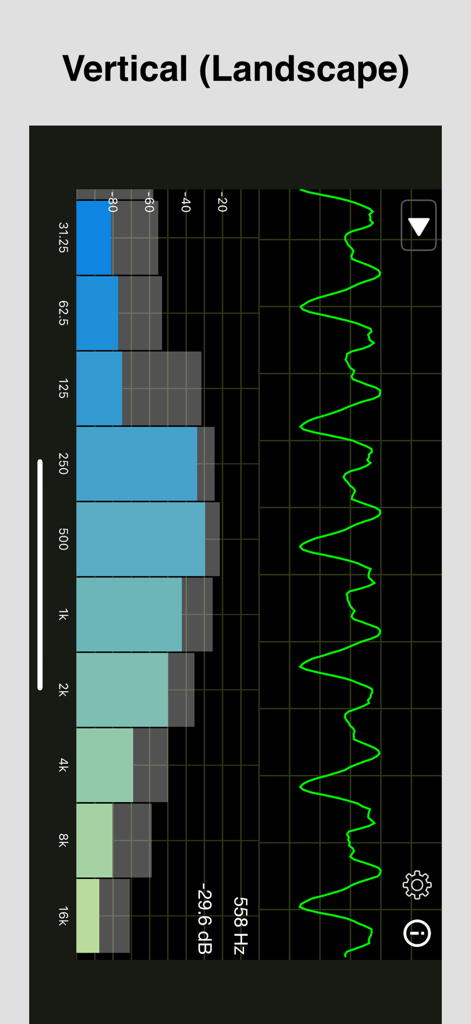
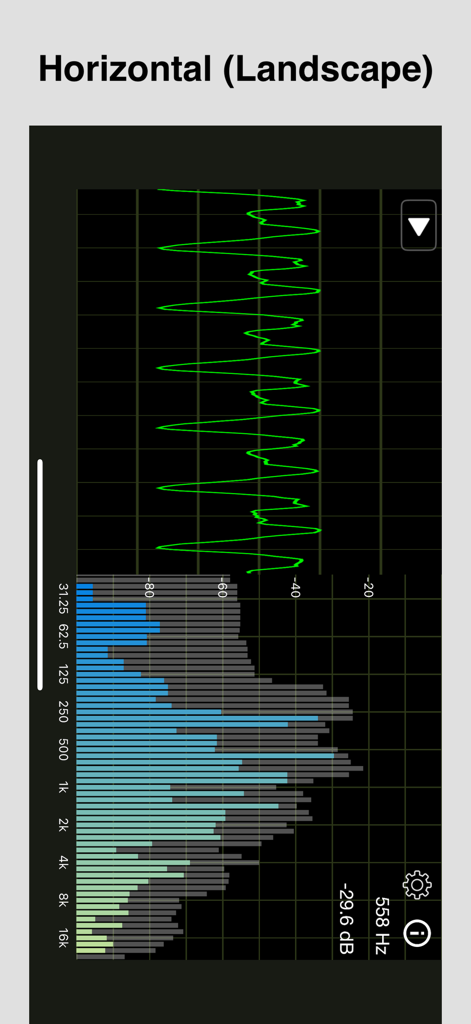
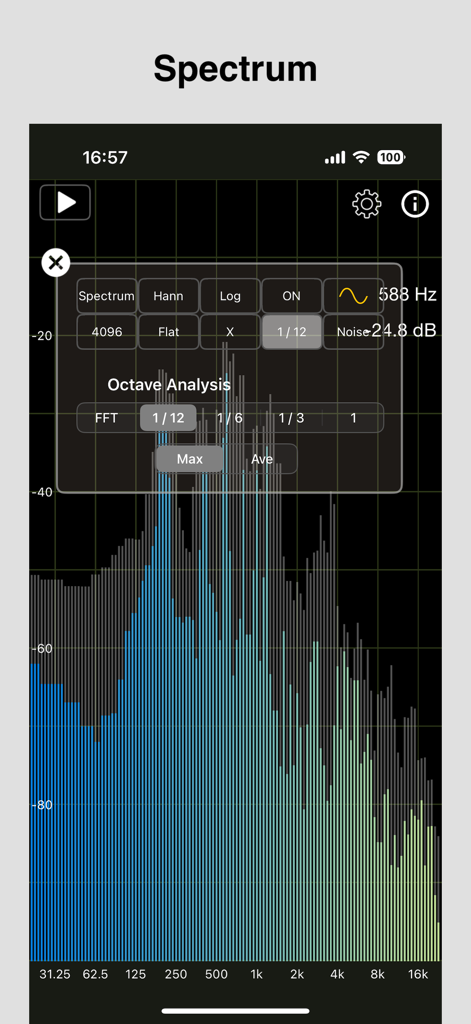
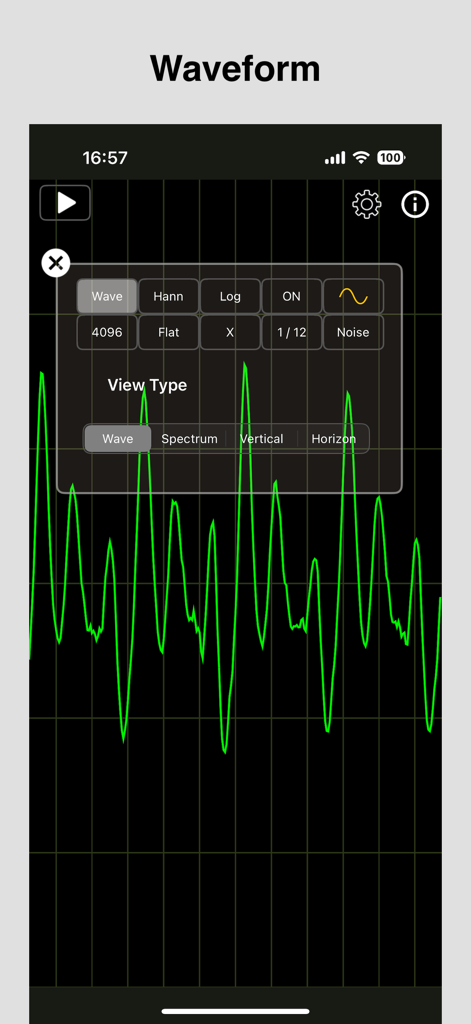
The tools that make this app stand out, trusted by 297K+ users.
Visualize audio signals with surgical precision using adjustable FFT sizes up to 8192 and multiple window functions for lab-grade accuracy.
Streamline your calibration workflow by generating pink noise, white noise, or specific waveforms to tune environments without external hardware.
Perform detailed octave-band analysis and apply A, C, or Z-weighting filters to meet industry standards for professional studio calibration.
Trusted by 297K+ people who love this app.
"This app has become an essential part of my live sound toolkit. The FFT resolution and real-time response are incredible for identifying feedback frequencies on the fly during soundchecks. Being able to toggle between log and linear scales while generating pink noise makes room calibration significantly more efficient. It is easily the most reliable RTA I have used on mobile."
"I used this to fine-tune my home theater crossover settings and the results are night and day. The octave analysis and peak hold features allowed me to see exactly where my room modes were interfering with the low end. It is a professional-grade spectrum analyzer that provides the technical depth of data needed for high-end audio calibration."
Everything you need to know about Audio / Spectrum Analyzer.
Description
Latest Version
1.9.3
Size
4.9 MB
First Released
May 18, 2020
Join thousands of sound engineers and audiophiles using our advanced RTA and FFT tools to analyze, calibrate, and perfect any audio signal.
Everything you need to know about Audio / Spectrum Analyzer
The "Audio / Spectrum Analyzer" app is an RTA (Real Time Analyzer) tool that simultaneously displays audio waveforms and amplitude spectrums from microphone input. It uses Fast Fourier Transform (FFT) for analysis.
Yes, the "Audio / Spectrum Analyzer" app supports the simultaneous display of both audio waveform and amplitude spectrum. Users can also select different screen configurations.
The "Audio / Spectrum Analyzer" app supports selectable FFT sizes of 1024, 2048, 4096, and 8192 samples. These are used for performing the Fast Fourier Transform.
The "Audio / Spectrum Analyzer" app supports both portrait and landscape screen orientations. Users can also choose between vertical or horizontal layouts for combined waveform/spectrum displays.
Yes, the "Audio / Spectrum Analyzer" app includes a Peak Hold feature. It displays the maximum peak values of the amplitude spectrum over time, providing historical data.
Octave Analysis in the "Audio / Spectrum Analyzer" app displays the amplitude spectrum divided into octave bands. It offers division methods like FFT, 1/12, 1/6, 1/3, and 1 octave.
Yes, the "Audio / Spectrum Analyzer" app can generate four types of audio waveforms: Sine, Triangle, Square, and Saw. Users can set the frequency from 20Hz to 20000Hz.
The "Audio / Spectrum Analyzer" app generates two types of noise signals: white noise and pink noise. The volume of these generated noise signals is adjustable within the app.
Yes, the "Audio / Spectrum Analyzer" app offers selectable frequency weighting options including Flat (Z-weighting) for no weighting, A-weighting for human hearing, and C-weighting for a relatively flat response.
Users can remove ads in the "Audio / Spectrum Analyzer" app through an In-App Purchase. This option is available for those who wish to support the app.
Apps with similar features and user experience
传胜 贾
Rational Acoustics LLC

SkyPaw Co., Limited
Vlad Polyanskiy
Ultrafine, Lda
Ashraf Thoppukadavil
Unicom TOV

EA LAB d.o.o.
ExaMobile S.A.