
Autodesk Construction Cloud



Bring your 3D models, sheets, and critical workflows to the jobsite. Eliminate rework and deliver high-quality projects on time with the most trusted mobile platform for construction management.
Publisher
Category
BusinessDownloads
1M+User Rating
Total Ratings
24K+Locales
18Discover the interface used by 1M+ users.
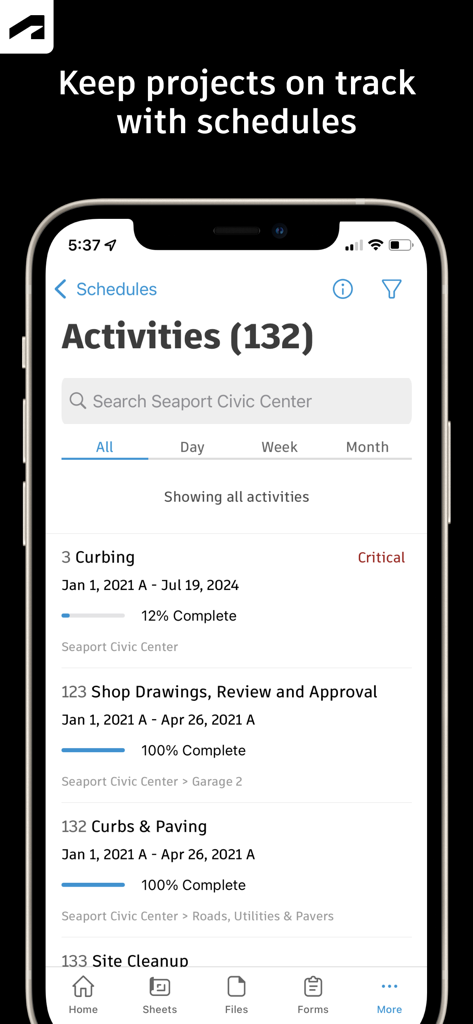
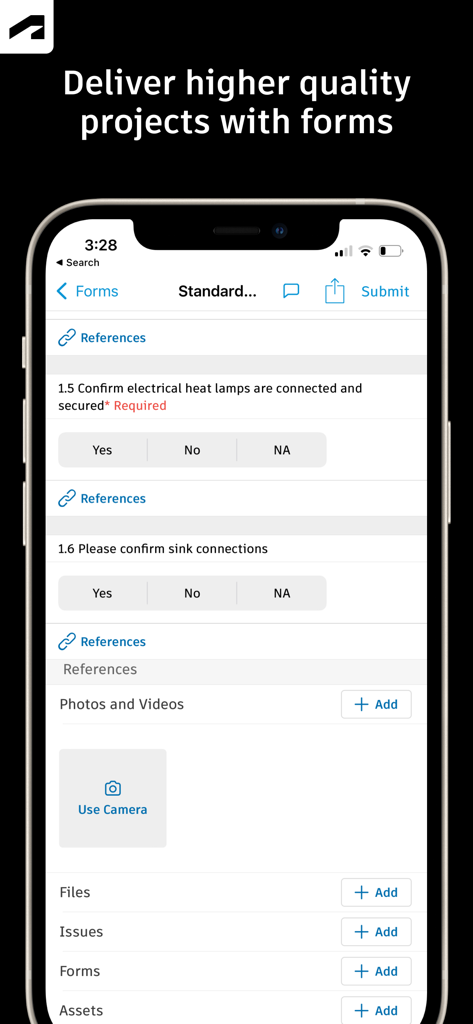
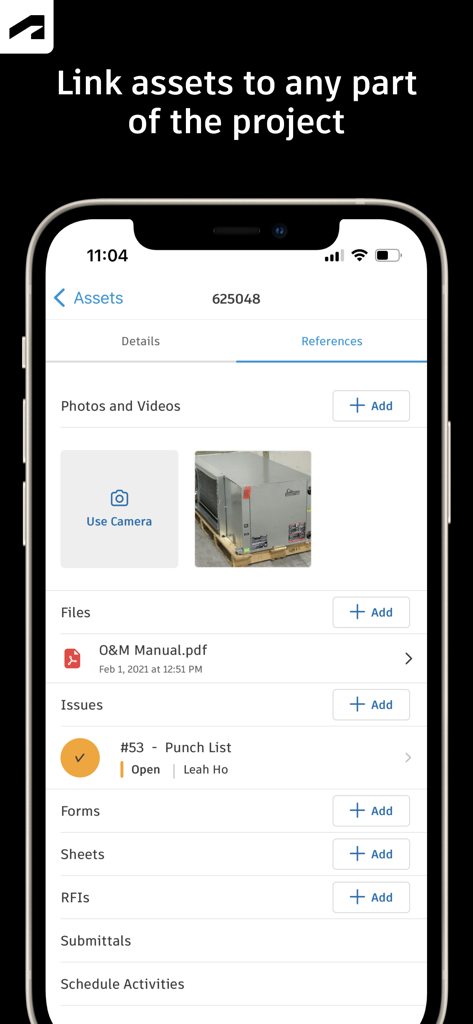
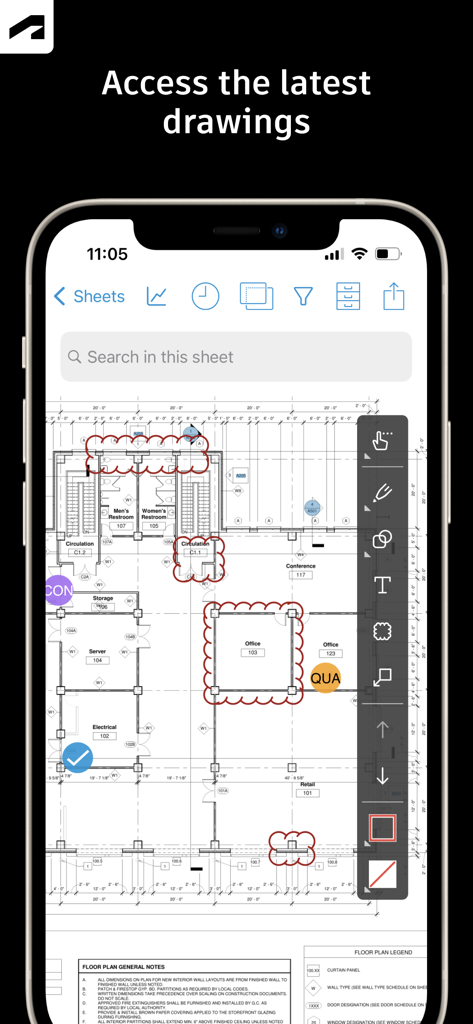
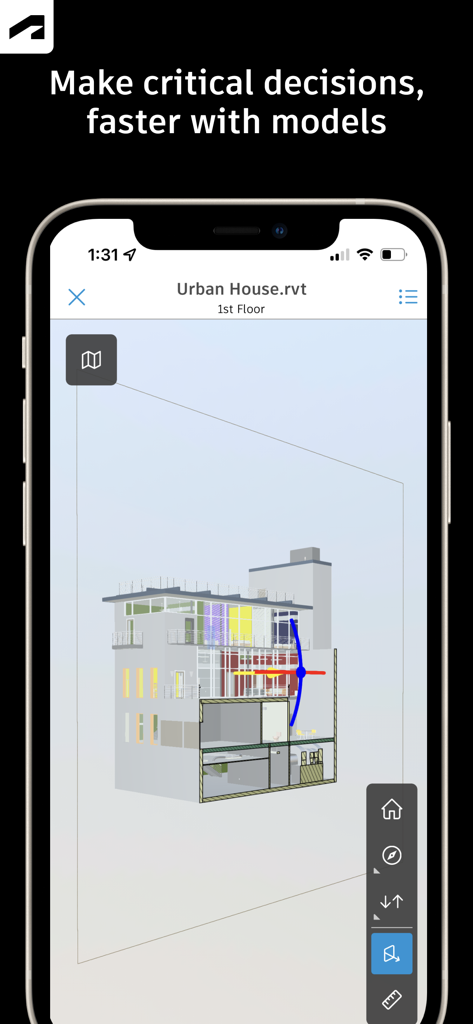
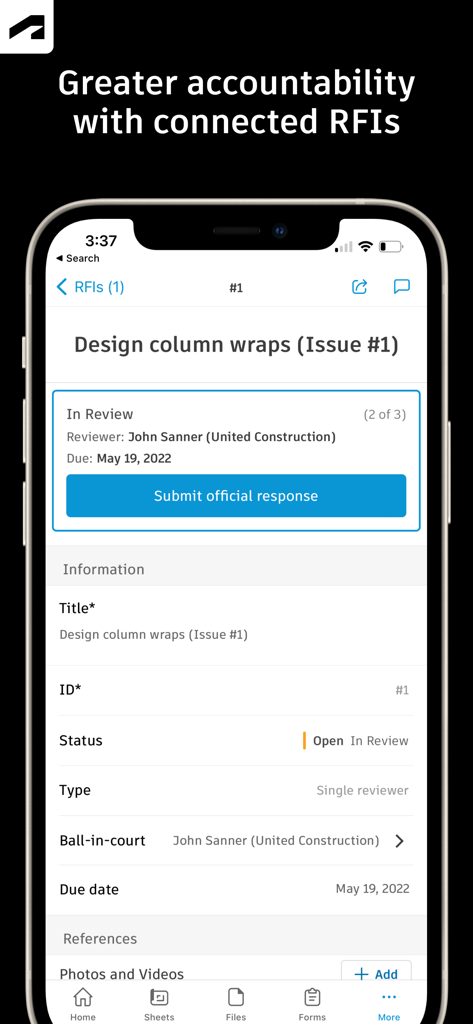
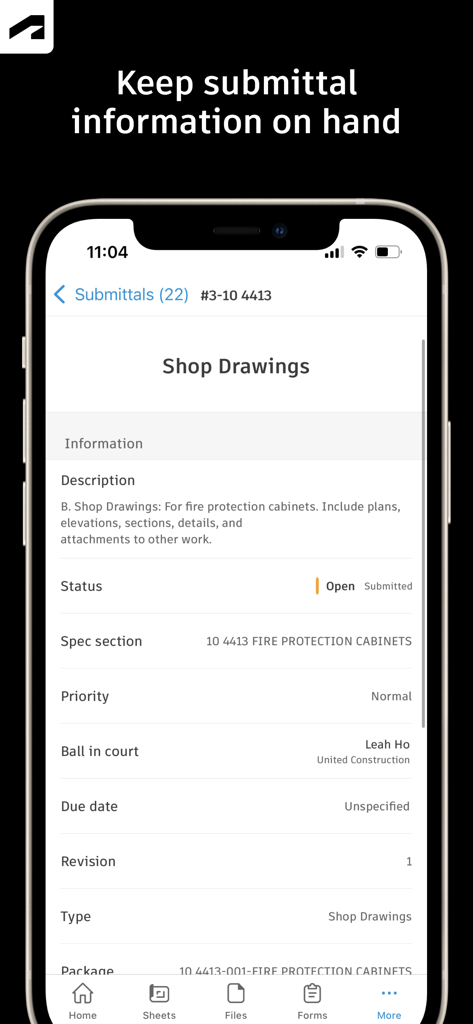
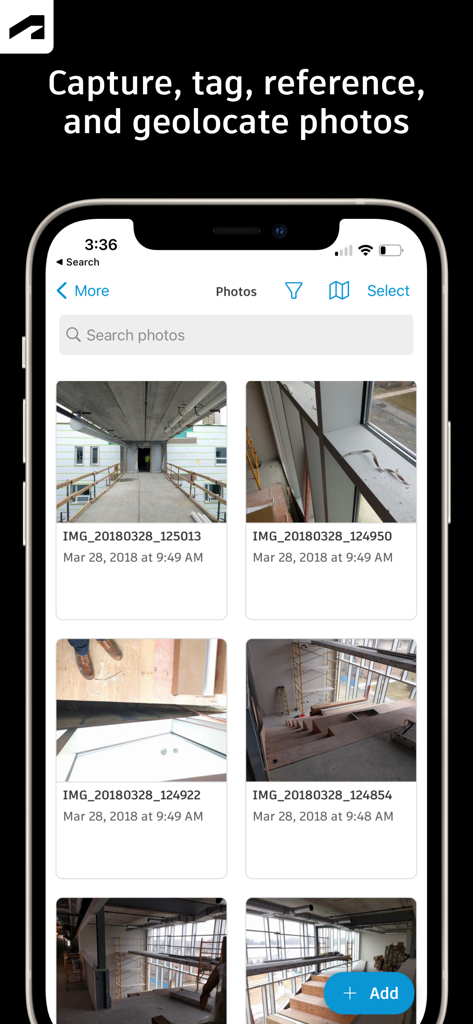
The tools that make this app stand out, trusted by 1M+ users.
View Revit and AutoCAD models directly on your iPad. Compare versions and markup drawings in real-time to eliminate rework and ensure precision.
Resolve roadblocks faster by assigning responsibilities on the fly. Link photos and documents to issues to maintain a clear trail of accountability.
Capture progress photos and complete safety forms even while offline. Sync data automatically to keep stakeholders informed and your project compliant.
Trusted by 1M+ people who love this app.
"This app is an absolute necessity for our field teams. No more carrying 40 pounds of paper plans. I can track every issue and RFI in real-time, ensuring we stay on schedule and avoid costly rework."
"The 3D model viewer is incredibly smooth. Being able to overlay the BIM data while standing on the job site helps us resolve clashes instantly. It is the most reliable tool in my digital toolbox."
Insights from user reviews.
Sentiment Score
Summary
The Autodesk Construction Cloud mobile app receives largely negative feedback from users, primarily due to persistent issues with login and account access, app performance, and a frustrating user interface. Many users report difficulties signing in, receiving verification codes, or accessing their projects. Performance is a common complaint, with reports of frequent crashes, sluggishness, excessive battery drain, and unreliable sync processes. Users also express frustration with a lack of essential features such as model search, camera controls, robust markup tools, and the inability to share documents or perform administrative tasks directly within the app. Several recent updates have exacerbated these problems, leading to crashes, data loss (including projects), and overall performance degradation. Despite these significant drawbacks, some users find the app useful for project review and team collaboration in their construction operations.
Common Themes
Everything you need to know about Autodesk Construction Cloud.
Description
Latest Version
7.69.0
Size
638.9 MB
First Released
Feb 15, 2012
Eliminate rework and empower your field teams with real-time access to drawings, 3D models, and RFIs. Join 2.5 million+ projects building with confidence.
Everything you need to know about Autodesk Construction Cloud
The Autodesk Construction Cloud app is a construction management tool for teams on over 2.5 million projects. It integrates Autodesk Build, BIM Collaborate, Docs, and PlanGrid for comprehensive project management.
The Autodesk Construction Cloud mobile app integrates with Autodesk Build, BIM Collaborate, Autodesk Docs, Revit, Navisworks, PlanGrid, and AutoCAD, bringing their functionalities to the field.
The Autodesk Construction Cloud app provides a centralized schedule. Users can view it by timespans, filter critical items, review dependencies, and assess schedule suggestions to keep projects on track.
Yes, the Autodesk Construction Cloud app allows users to track issues from design to handover. They can add due dates, responsible parties, photos, files, and RFIs to resolve issues faster.
The Autodesk Construction Cloud app provides adaptable forms for gathering critical information, such as safety programs or daily checklists. This helps deliver higher quality projects.
Yes, the Autodesk Construction Cloud app manages the lifecycle of project assets from design through commissioning and handover. Assets are tracked, stored, and connected to other workflows within the app.
The Autodesk Construction Cloud mobile app provides quick access to the latest drawings and shared plans. Users can download, search, compare, share, and markup sheets directly from the field.
The Autodesk Construction Cloud app supports 3D models from Revit, AutoCAD, and other file types including RVT, DWG, NWC, IFC, and NWD, enabling critical decisions faster in the field.
The Autodesk Construction Cloud app offers seamless RFI management, connecting RFIs across the project lifecycle. This reduces duplicate work and ensures greater accountability.
Yes, the Autodesk Construction Cloud app allows users to keep all relevant submittal information on hand. Users can quickly search for submittals to view progress and next steps.
The Autodesk Construction Cloud app allows users to capture, tag, reference, and geolocate photos. Photos track progress and can link to issues, RFIs, and schedule activities.
Apps with similar features and user experience

Doximity

CyberDynamite LLC

MAINTAINX INC.

WAGO Kontakttechnik GmbH & Co. KG

Structured Steel Pty Ltd

StarInix Corporation

n.u. logistics

One Click Reports

小东 何