
BluOS Controller



Take total control of your listening experience with the universal remote for premium wireless systems. Stream lossless audio, sync every room, and access your entire music library with zero lag and absolute fidelity.
Publisher
Category
MusicDownloads
684K+User Rating
Total Ratings
8K+Locales
20Discover the interface used by 684K+ users.
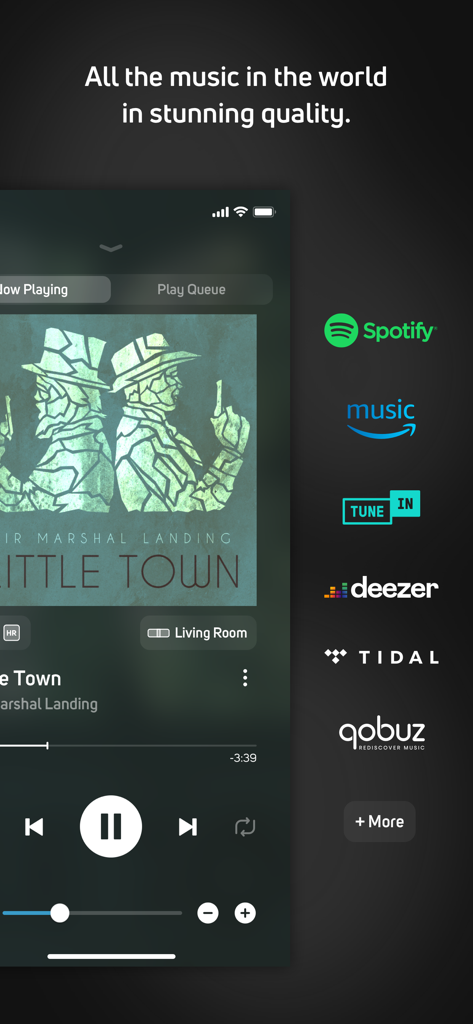
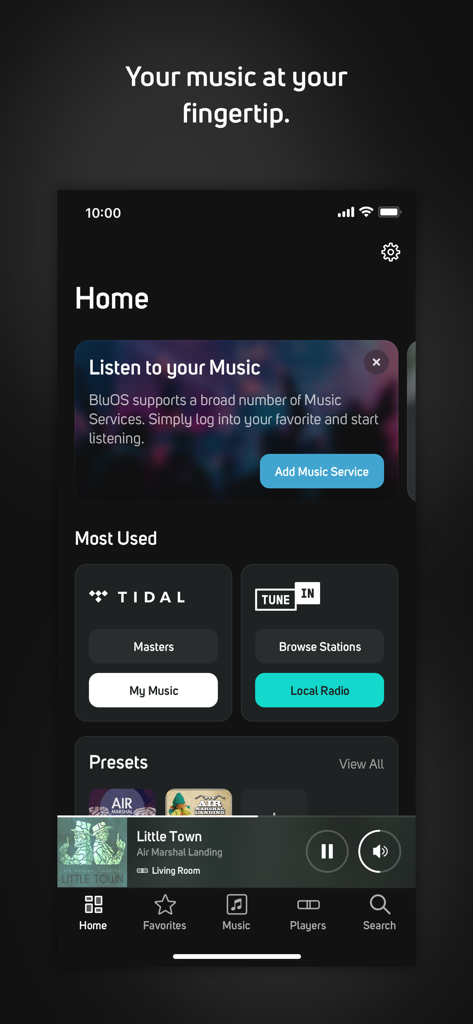
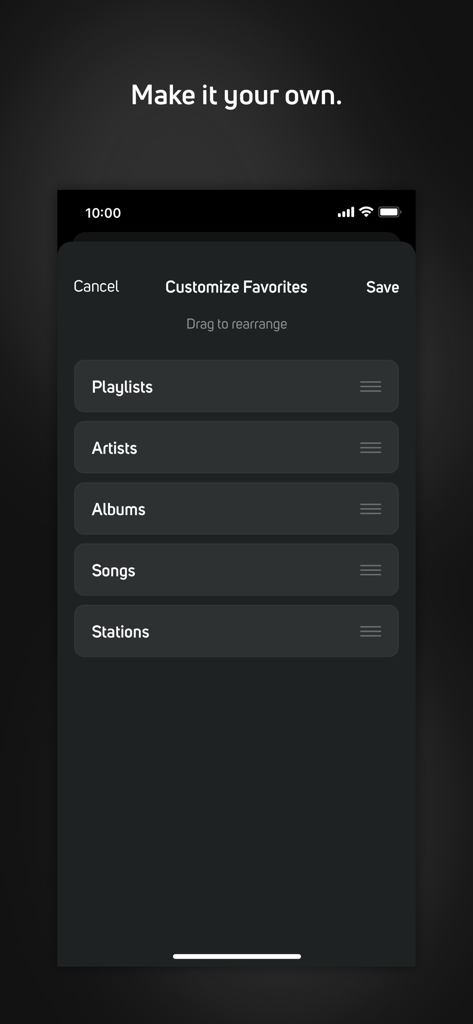
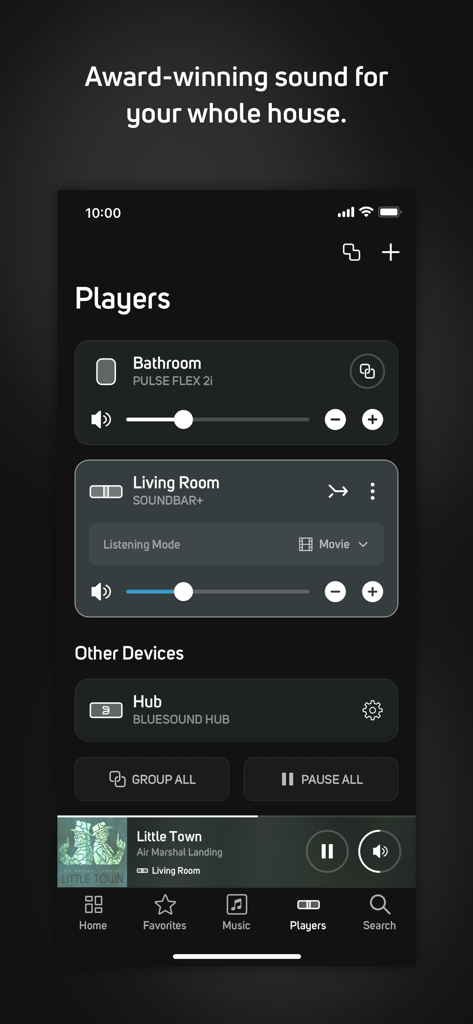
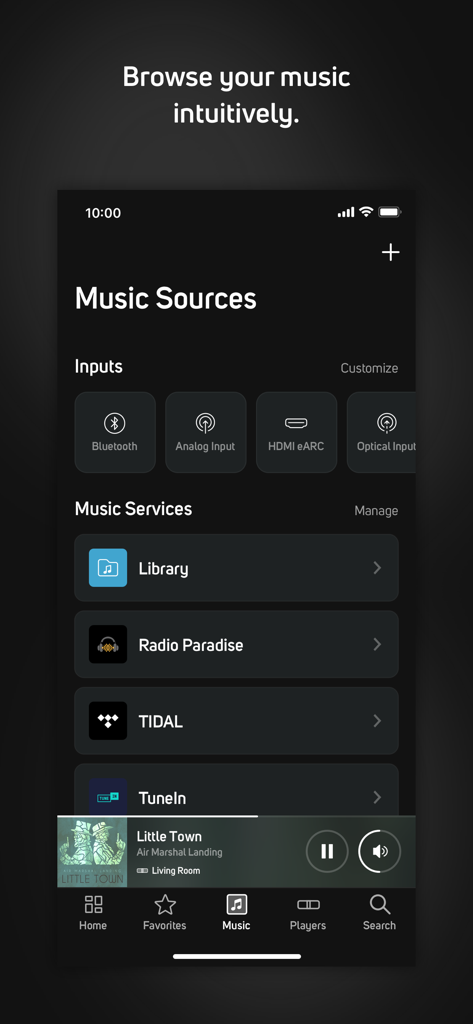
The tools that make this app stand out, trusted by 684K+ users.
Experience studio-quality sound with zero compression and no lag, streaming your favorite Hi-Res services in bit-perfect clarity.
Command every room from one interface. Play different tracks in each space or sync all speakers for a perfect, unified listening experience.
Effortlessly browse your personal digital collection and premium streaming services like Tidal and Qobuz through a single, elegant remote.
Trusted by 684K+ people who love this app.
"As a dedicated audiophile with a massive FLAC library on my NAS, I am blown away by how this app handles high-res audio. The integration with my NAD amplifier and Tidal MQA is flawless, delivering zero-loss sound quality without any of the lag I experienced with other controllers. It has truly turned my smartphone into the ultimate high-fidelity remote."
"BluOS is the backbone of our smart home. I use the iPad app to manage different music in every room, from jazz in the kitchen to podcasts on the patio. The synchronization is perfect, and the setup was incredibly straightforward. It is a must-have for anyone who values both premium sound and modern convenience."
Everything you need to know about BluOS Controller.
Description
Latest Version
4.12.2
Size
93.6 MB
First Released
Oct 10, 2012
Join over 600,000 audiophiles who trust BluOS to deliver bit-perfect, synchronized music throughout their homes. Download the app today and take full control of your listening experience.
Everything you need to know about BluOS Controller
The BluOS Controller app serves as a universal remote for all BluOS-enabled wireless hi-res music systems, providing control over music playback from various sources.
The BluOS Controller app manages BluOS-enabled wireless music systems from brands including Bluesound, NAD Electronics, PSB Speakers, and Monitor Audio.
Yes, the BluOS Controller app allows users to link multiple BluOS-enabled systems for synchronized music throughout the home or play different music in each room simultaneously.
The BluOS Controller supports numerous streaming services such as Spotify, TuneIn, Deezer, Tidal, and Qobuz, alongside personal music libraries and Internet radio stations.
The BluOS Controller delivers stunning audio with no lag and zero loss in sound quality when streaming wirelessly to BluOS-enabled systems.
Yes, the BluOS Controller app is available for iOS devices, offering comprehensive functionality to set up, control, and listen to music on BluOS-enabled systems.
Users control their BluOS-enabled music system wirelessly from anywhere within their home using the BluOS Controller app on a smartphone, tablet, or laptop.
Yes, the BluOS Controller app allows users to customize favorites including playlists, artists, albums, songs, and stations by dragging them to rearrange their order.
The BluOS Controller supports music inputs including Bluetooth, Analog Input, HDMI eARC, and Optical Input, in addition to streaming services and personal libraries.
For support with the BluOS Controller app, users visit support.bluesound.com to access FAQs, setup tips, and troubleshooting articles.
Apps with similar features and user experience

B&T Entertainment Inc

Harman International Industries

Harman International Industries
Sonos, Inc.
Bose Corporation
BREEZY PATH LTD

Sonos, Inc.
B&W Group Ltd
Lily Anderson