Cốc Cốc: Web Browser & Adblock

Cốc Cốc: Web Browser & Adblock

Download on App Store
Spark by MWM logo
Logo of Cốc Cốc: Web Browser & Adblock
Cốc Cốc: The Ultimate Browser for Ad-Free Media and AI Search

Stop paying for premium features. Block video ads, enjoy background play, and download your favorite content for offline use—all in one secure, lightning-fast browser.

Publisher

COC COC COMPANY LIMITED

Category

Utilities

Downloads

6M+

User Rating

4.4/5

Total Ratings

27K+

Locales

37

Browsing Reimagined

Discover the interface used by 6M+ users.
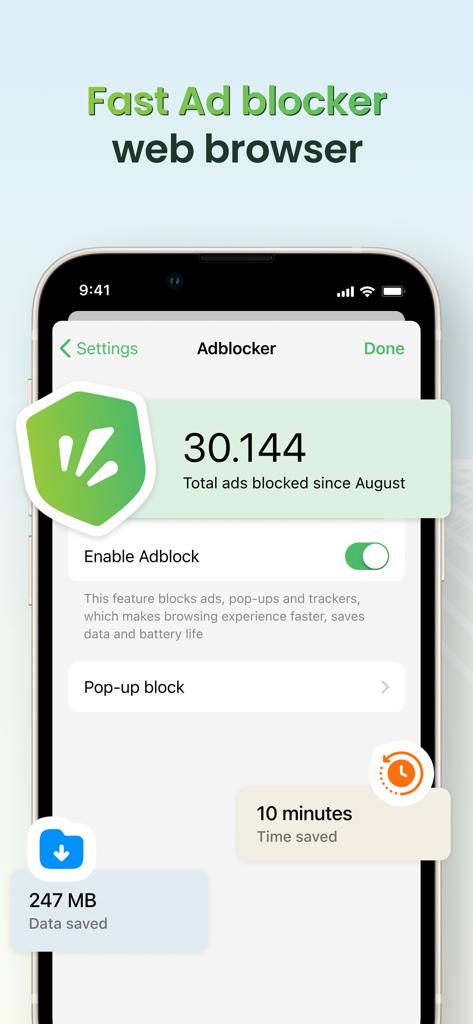
Coc Coc web browser interface highlighting ad blocking and data saving features

Coc Coc web browser interface highlighting ad blocking and data saving features

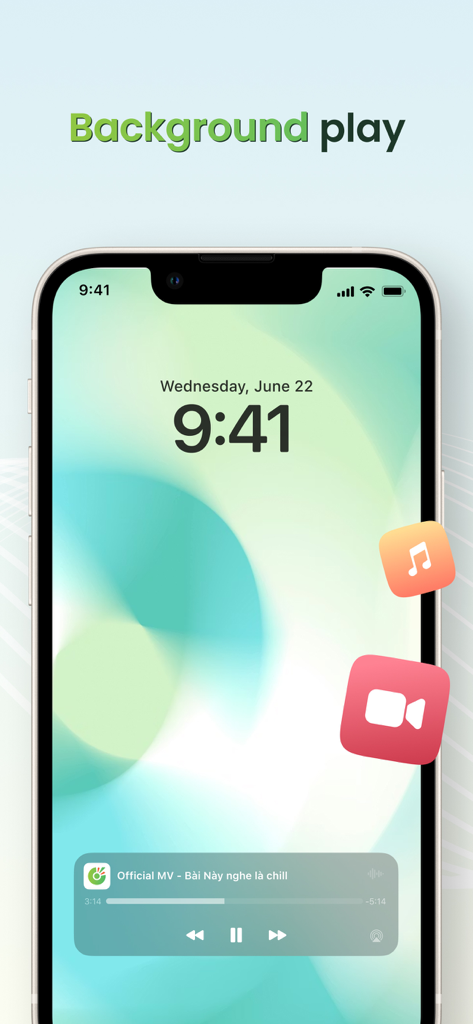
Coc Coc browser background play feature on iPhone lock screen

Coc Coc browser background play feature on iPhone lock screen

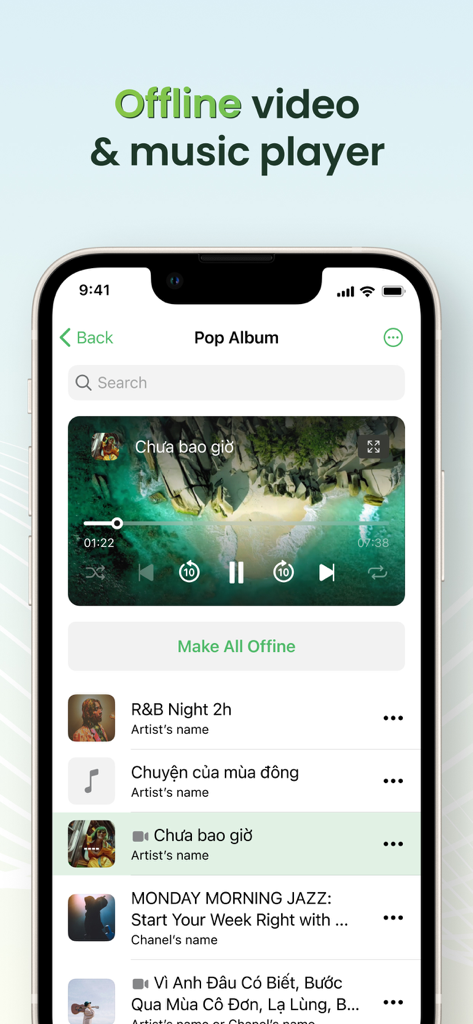
Coccoc browser interface featuring the offline video and music player with a media playlist

Coccoc browser interface featuring the offline video and music player with a media playlist

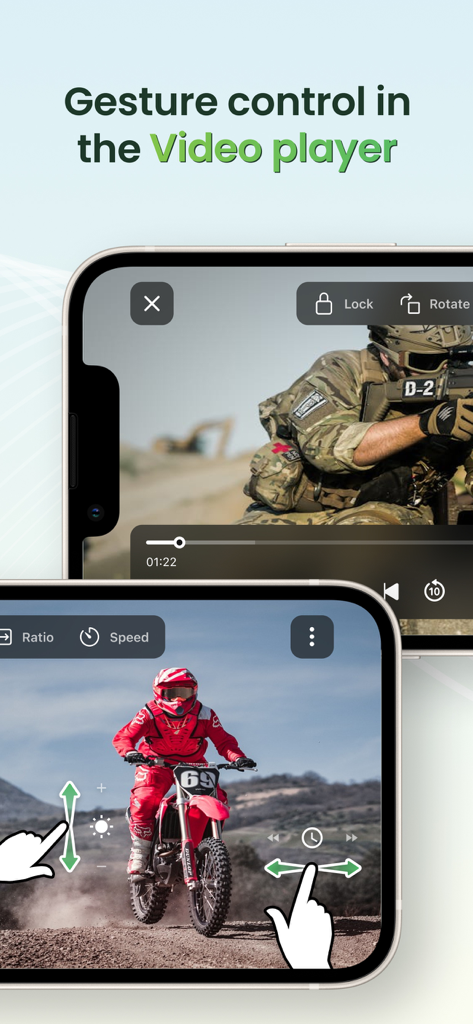
Gesture controls for brightness and volume in the Coc Coc browser video player

Gesture controls for brightness and volume in the Coc Coc browser video player

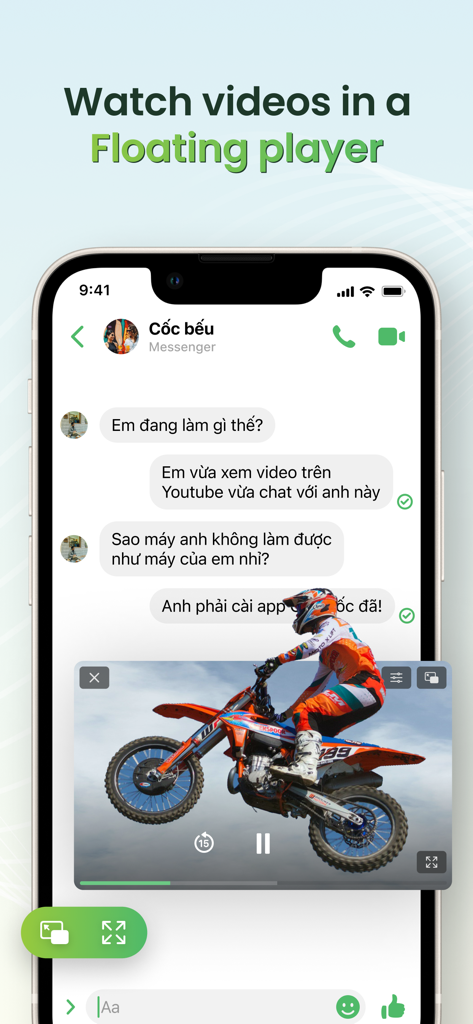
A mobile screen showing a video playing in a floating picture-in-picture window while using a messaging app.

A mobile screen showing a video playing in a floating picture-in-picture window while using a messaging app.

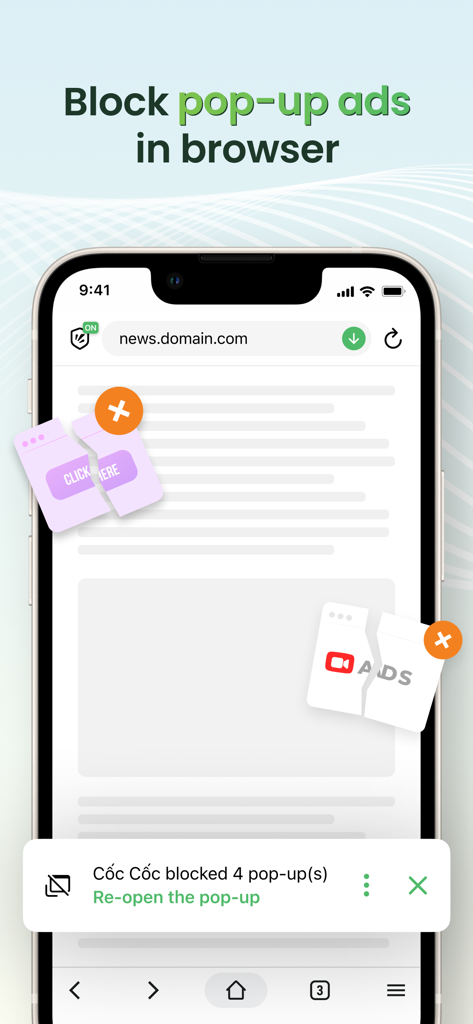
iPhone screen displaying the Coc Coc browser blocking multiple pop-up ads on a website.

iPhone screen displaying the Coc Coc browser blocking multiple pop-up ads on a website.

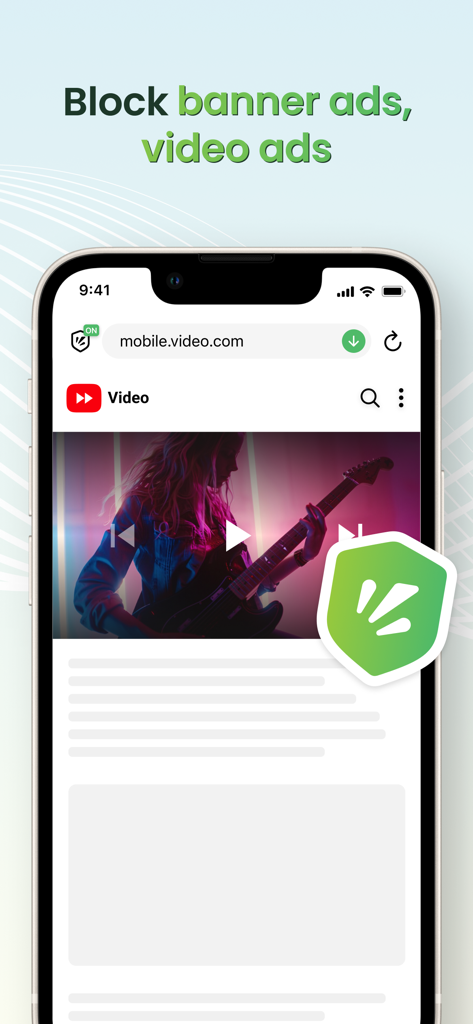
Cốc Cốc mobile browser interface demonstrating video and banner ad blocking features with a green shield icon

Cốc Cốc mobile browser interface demonstrating video and banner ad blocking features with a green shield icon

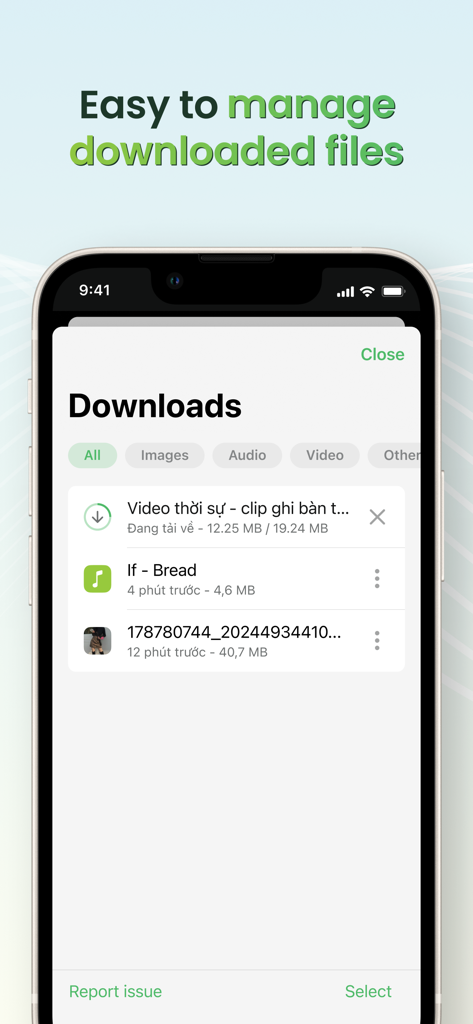
Coc Coc browser download manager interface showing a list of downloaded videos and files on a smartphone

Coc Coc browser download manager interface showing a list of downloaded videos and files on a smartphone

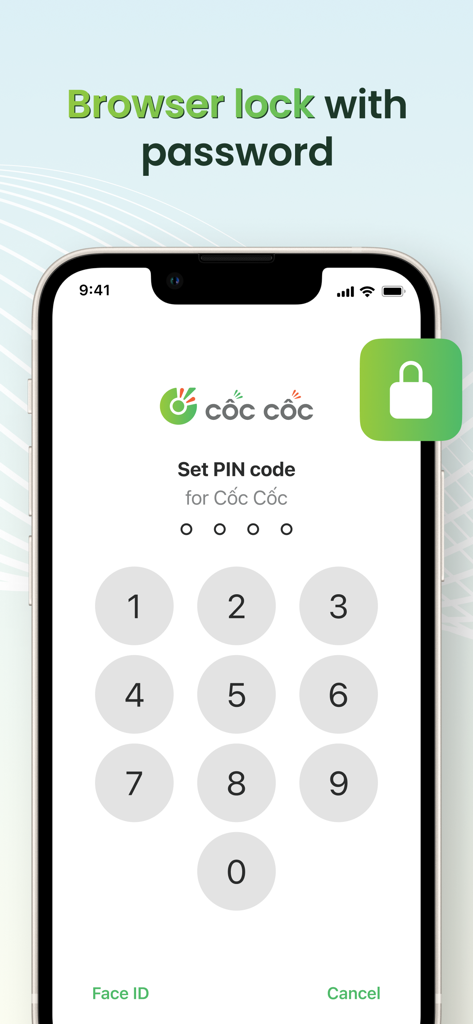
iPhone screen showing the Cốc Cốc browser lock feature with a numeric PIN code keypad for app security

iPhone screen showing the Cốc Cốc browser lock feature with a numeric PIN code keypad for app security

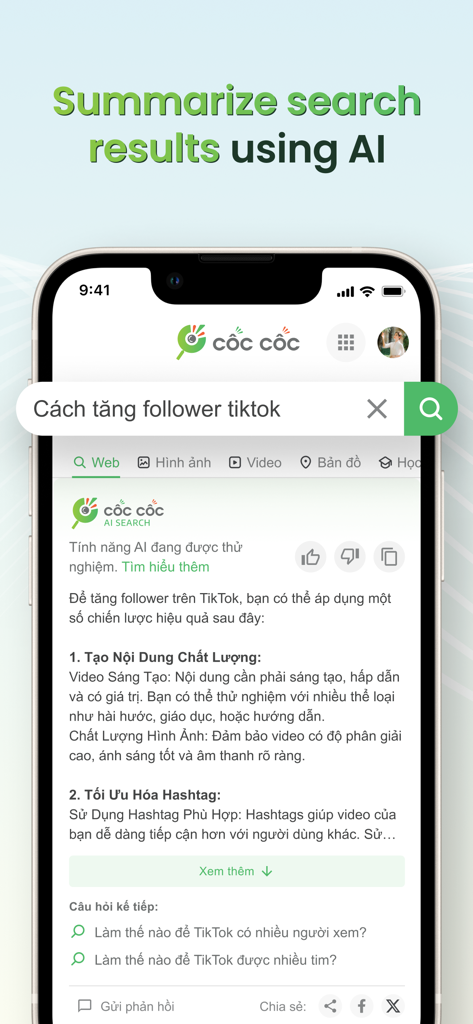
Mobile app screenshot of the Cốc Cốc browser showing its AI search summarizer feature providing a concise answer to a search query.

Mobile app screenshot of the Cốc Cốc browser showing its AI search summarizer feature providing a concise answer to a search query.

Unleash Your Mobile Web Experience

The tools that make this app stand out, trusted by 6M+ users.

🎬

Ad-Free Video & Background Play

Skip the interruptions and the subscriptions. Enjoy Picture-in-Picture mode and background audio for your favorite videos without paying for premium tiers.

⬇️

Smart Downloader & Offline Hub

Save videos and music directly to your browser. Manage your files effortlessly and enjoy your entertainment anywhere, even without a data connection.

🛡️

AI Search & Biometric Privacy

Get instant answers with AI-powered summaries and keep your private browsing truly private by locking your tabs behind FaceID or TouchID.

Loved by users worldwide

Trusted by 6M+ people who love this app.

"

"As a student on a budget, Cốc Cốc is a total game-changer. I get all the 'premium' features like background audio and ad-blocking for free, which saves me a fortune on subscriptions. The offline download manager is also a lifesaver for watching videos during my subway commute where I have no signal."

Alex Nguyen
"

"The AI Search Summarizer and Picture-in-Picture mode have completely transformed my productivity. I can research complex topics and get instant summaries while keeping a video tutorial pinned in the corner of my screen. It is easily the most versatile browser I've ever used on my iPhone."

Jordan Miller

About the app

Everything you need to know about Cốc Cốc: Web Browser & Adblock.

Description

POWERFUL ADBLOCK - Allow you to browse the web without malicious and annoying ads. - More enhanced with Cốc Cốc optimization: Effectively block ads that interrupt the video you are watching, pop-up ads and auto redirect ads. UNLIMITED ENTERTAINMENT - File management: Easily manage downloaded and offline files, even without the Internet. - Pin Video: Continue watching video in Picture-in-Picture mode (PiP) when switching to another app - Play Audio in Background: Listen to music when the screen is off, while you're surfing social media, chatting or playing game on another app. - Cinema Mode: Watch video in fullscreen mode and personalize your experience with advanced settings such as adjusting volume, brightness and seeking in video using touch gestures; disabling touch gestures; selecting play speed, screen ratio, subtitles and setting sleep timer. - Listening List: Add songs, videos, podcasts, or playlists from top platforms and enjoy everything in one place. Play music online or offline, watch videos offline anytime, anywhere. No song limits and no ads. MULTIPLE BROWSER UTILITIES - Browser Lock: Secure the Cốc Cốc app with a PIN code, Touch ID, or Face ID. Protect your browsing activity and personal data. Now supporting Incognito Lock for extra privacy during private sessions. - Dark Mode: Change browser appearance from light to dark theme, helping to save battery and reduce eye strain. - Synchronization: Get the same bookmarks, passwords, and browsing history across all your devices. - Earn Points - Exchange Gifts: Earn Cốc Cốc Points for your daily browsing activities. Redeem points to exchange gifts or join interesting games with valuable rewards. Rewards and gifts from Cốc Cốc Points are all funded by Cốc Cốc. Apple is not a sponsor of such activities. EASY TO SEARCH - Cốc Cốc Search: More than 20 vertical search about news, entertainment and education; Voice search and QR code scanner. - AI Search Summarizer Assistant: Automatically summarize information from multiple sources for you on how-to queries. Save time with more concise and relevant answers right at the top of the search result page. From iOS 14, you can set Cốc Cốc as your default browser on your iPhone, or iPad. Follow the instructions on Cốc Cốc app, or go to Settings > Cốc Cốc > Set as your default browser. Choose Entertainment, Choose Cốc Cốc! Download Cốc Cốc Mobile Browser today and enjoy! Follow us: - Website: https://www.coccoc.com/ - YouTube: https://www.youtube.com/@CocCocCom - Facebook: https://facebook.com/CocCocTrinhDuyet/ - Blog: http://blog.coccoc.com/ - Community: https://facebook.com/groups/CocCocGroup/

Latest Version

148.0.226

Size

253.7 MB

First Released

Dec 2, 2016

Get the Premium Experience, Completely Free

Join 6 million+ users and unlock ad-free browsing, background play, and AI-powered search. Your smarter, faster, and more rewarding internet starts here.

Download on App Store
FAQ

Frequently Asked Questions

Everything you need to know about Cốc Cốc: Web Browser & Adblock

Does Cốc Cốc: Web Browser & Adblock block video ads?

Yes, Cốc Cốc: Web Browser & Adblock effectively blocks ads that interrupt videos. It also blocks pop-up ads and auto-redirect ads, enhancing the browsing experience.

How does Cốc Cốc: Web Browser & Adblock block pop-up ads?

Cốc Cốc: Web Browser & Adblock includes an optimized adblocker specifically designed to block pop-up ads. Users can enable the adblock feature within the app's settings.

What types of ads does Cốc Cốc: Web Browser & Adblock block?

Cốc Cốc: Web Browser & Adblock blocks malicious and annoying ads, including those that interrupt videos, pop-up ads, and auto-redirect ads, providing a cleaner browsing experience.

Can Cốc Cốc: Web Browser & Adblock play videos in Picture-in-Picture mode?

Yes, Cốc Cốc: Web Browser & Adblock supports Pin Video, allowing users to continue watching videos in Picture-in-Picture (PiP) mode even when switching to another app.

Does Cốc Cốc: Web Browser & Adblock support background audio playback?

Yes, Cốc Cốc: Web Browser & Adblock supports playing audio in the background. Users can listen to music with the screen off or while using other applications.

How do I manage downloaded files in Cốc Cốc: Web Browser & Adblock?

Cốc Cốc: Web Browser & Adblock provides file management features, allowing users to easily manage downloaded and offline files directly within the app, even without internet access.

What is Cinema Mode in Cốc Cốc: Web Browser & Adblock?

Cinema Mode in Cốc Cốc: Web Browser & Adblock provides a fullscreen video viewing experience. It includes advanced settings for adjusting volume, brightness, seeking with gestures, and setting a sleep timer.

Can I play offline music and videos in Cốc Cốc: Web Browser & Adblock?

Yes, Cốc Cốc: Web Browser & Adblock allows users to play music and videos offline. The Listening List feature enables saving content from top platforms for offline enjoyment without ads.

How can I secure Cốc Cốc: Web Browser & Adblock with a password?

Cốc Cốc: Web Browser & Adblock offers a Browser Lock feature. Users can secure the app and their browsing data using a PIN code, Touch ID, or Face ID.

Does Cốc Cốc: Web Browser & Adblock have a Dark Mode?

Yes, Cốc Cốc: Web Browser & Adblock includes a Dark Mode feature. It changes the browser's appearance to a dark theme, which helps save battery and reduce eye strain.

Can I synchronize my data across devices in Cốc Cốc: Web Browser & Adblock?

Yes, Cốc Cốc: Web Browser & Adblock supports synchronization. This feature allows users to access the same bookmarks, passwords, and browsing history across all their devices.

How can I earn rewards with Cốc Cốc: Web Browser & Adblock?

Users earn Cốc Cốc Points for daily browsing activities within the app. These points can be redeemed to exchange for gifts or to participate in games offering valuable rewards.

What is the AI Search Summarizer Assistant in Cốc Cốc: Web Browser & Adblock?

The AI Search Summarizer Assistant in Cốc Cốc: Web Browser & Adblock automatically summarizes information from multiple sources for "how-to" queries. It provides concise and relevant answers at the top of search results.

Does Cốc Cốc: Web Browser & Adblock support voice search?

Yes, Cốc Cốc: Web Browser & Adblock's integrated Cốc Cốc Search supports voice search. It also includes a QR code scanner and offers vertical searches across various topics.

Can Cốc Cốc: Web Browser & Adblock be set as the default browser on iOS?

Yes, Cốc Cốc: Web Browser & Adblock can be set as the default browser on iPhones or iPads running iOS 14 or later. Instructions are available within the app and iOS settings.