
C/C++ LLVM Clang


Master C and C++ with a desktop-grade LLVM compiler in your pocket. Execute code locally, sync projects via Git and iCloud, and transform your iPad into a professional workstation—no internet required.
Publisher
Category
Developer ToolsDownloads
117K+User Rating
Total Ratings
1K+Locales
2Discover the interface used by 117K+ users.
The tools that make this app stand out, trusted by 117K+ users.
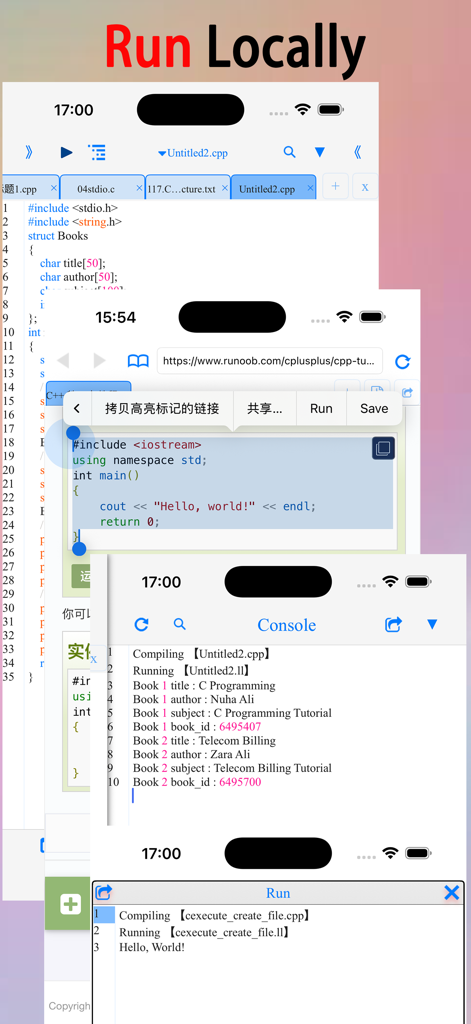
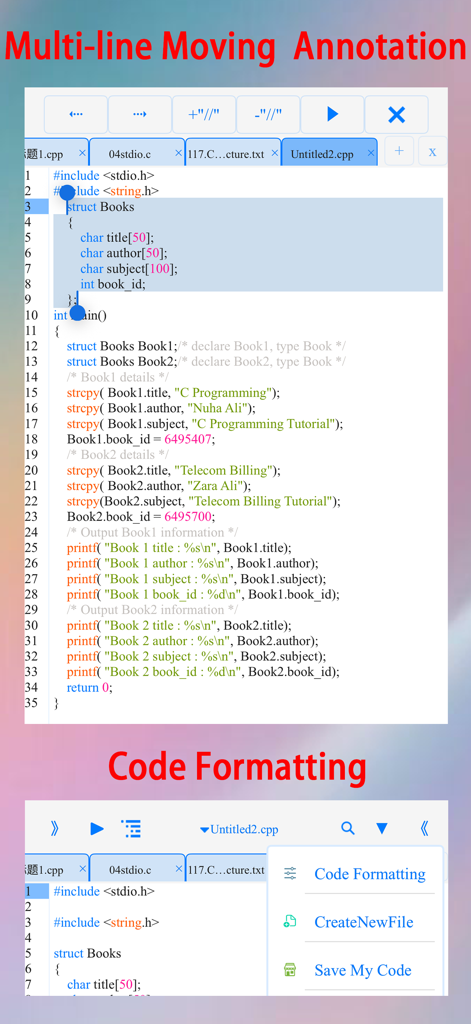
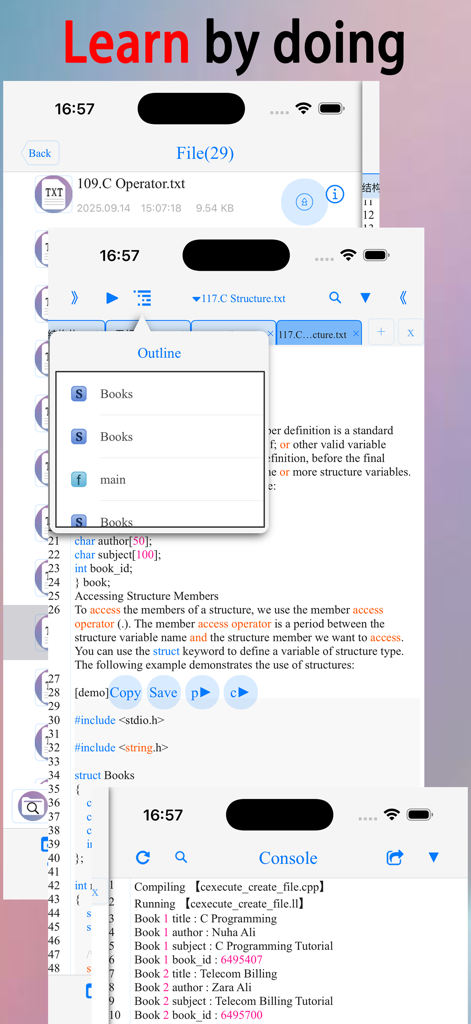
Run your code instantly with a local LLVM and Clang compiler. No internet required, no latency—just pure native execution for C and C++ projects.
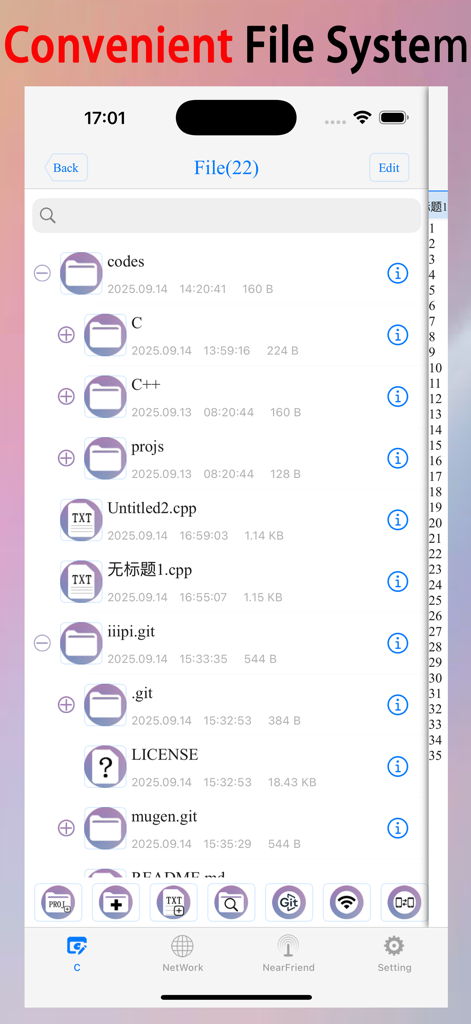
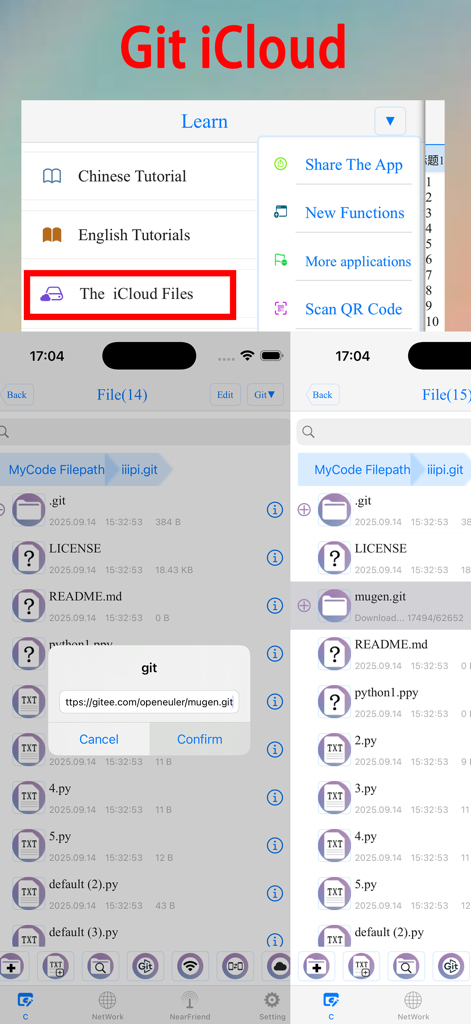
Pull repositories directly from GitHub or Gitee and keep your workspace synchronized across devices via iCloud for a seamless desktop-to-mobile workflow.
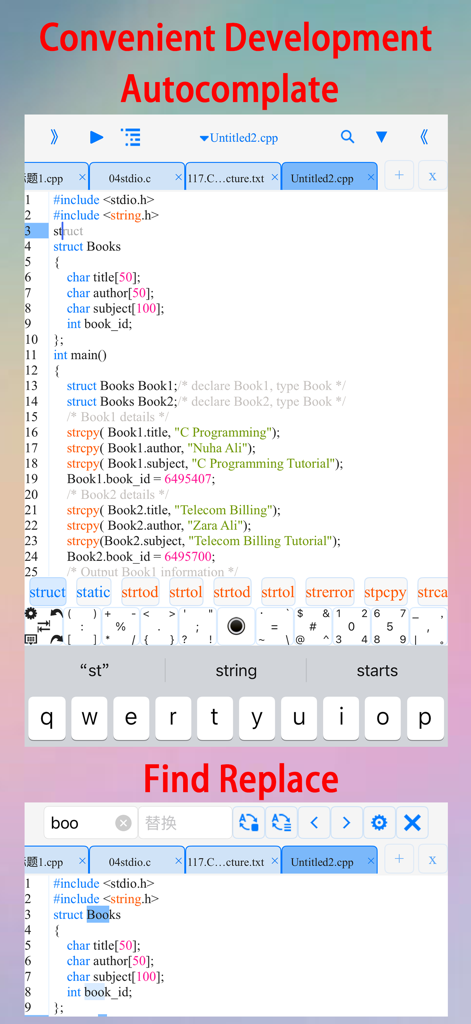
Code faster with smart auto-complete, customizable templates, and a specialized symbol keyboard designed to make mobile programming as efficient as your desktop setup.
Trusted by 117K+ people who love this app.
"This app is a lifesaver for my Data Structures class. Being able to compile and run C++ code natively on my iPad during my commute is amazing. The symbol keyboard makes typing code on a touchscreen actually bearable, and the offline support means I can finish my assignments even without Wi-Fi."
"Finally, a real development environment for the iPad. The LLVM/Clang integration is top-notch, and the Git support allows me to pull my projects directly from GitHub. I love the customization options for the editor—it feels just as powerful as my desktop setup but fits in my pocket."
Everything you need to know about C/C++ LLVM Clang.
Description
Latest Version
3.0
Size
137.1 MB
First Released
Jul 31, 2015
Join 117K+ developers mastering C/C++ on the move. Download the ultimate mobile IDE and turn your iPad or iPhone into a professional workstation today.
Everything you need to know about C/C++ LLVM Clang
Yes, C/C++ LLVM Clang supports offline compilation and local execution using LLVM+Clang. This allows users to compile and run C/C++ code without an internet connection.
Yes, C/C++ LLVM Clang allows users to fetch source code projects from gitee.com and GitHub using Git. This feature facilitates project management and collaboration.
Yes, C/C++ LLVM Clang supports easy iCloud storage and multi-device synchronization. This enables efficient collaboration and access to files across multiple Apple devices.
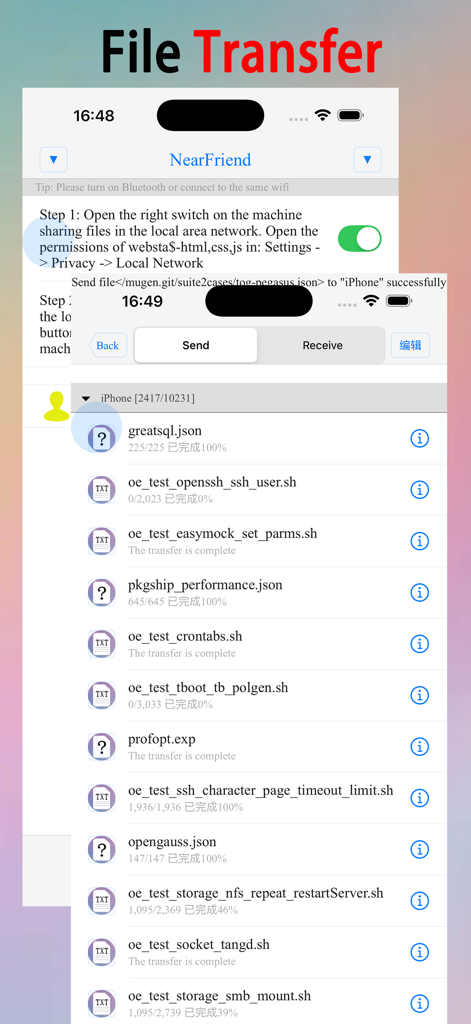
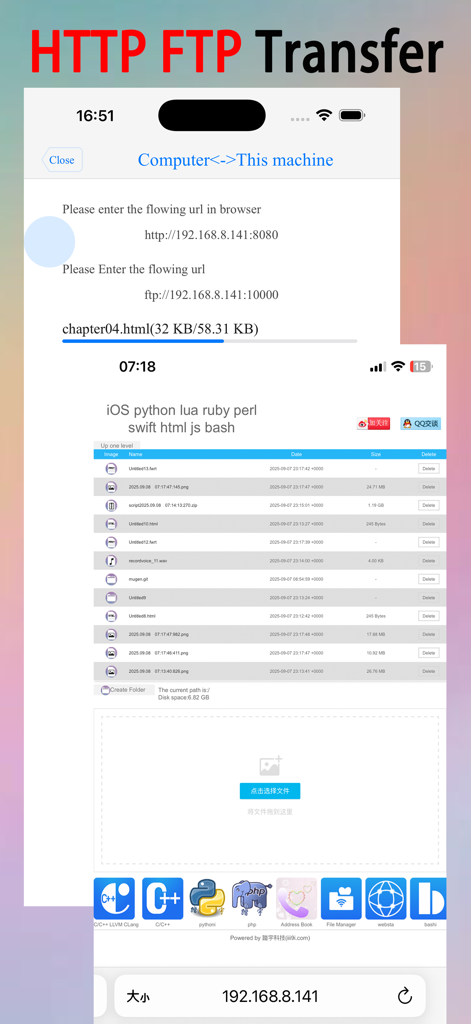
C/C++ LLVM Clang connects to your LAN or Bluetooth for efficient file transfer. It supports multi-point connections via HTTP/FTP protocols, allowing seamless sharing of learning materials and scripts.
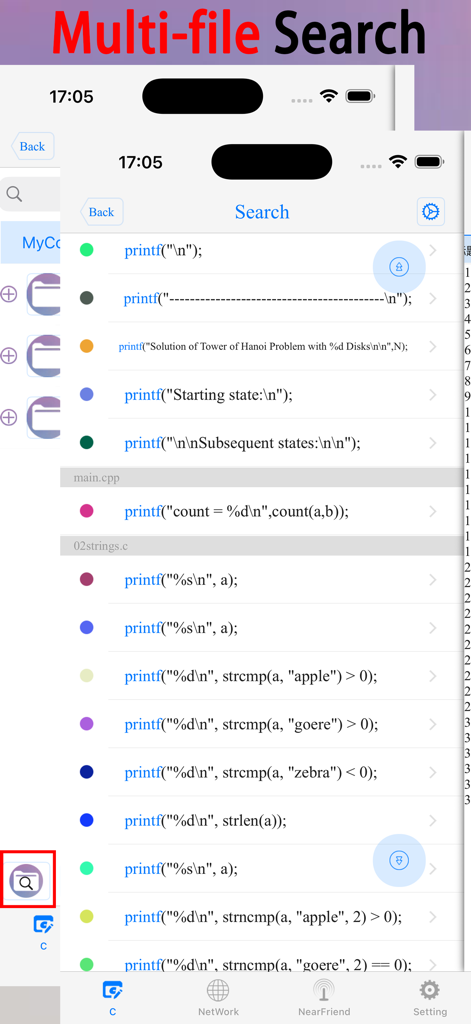
C/C++ LLVM Clang offers features like code templates, autocompletion, auto-indentation, code coloring, symbol completion, symbol keyboard, text search, multi-file search, multi-line indentation, multi-line comments, and code formatting.
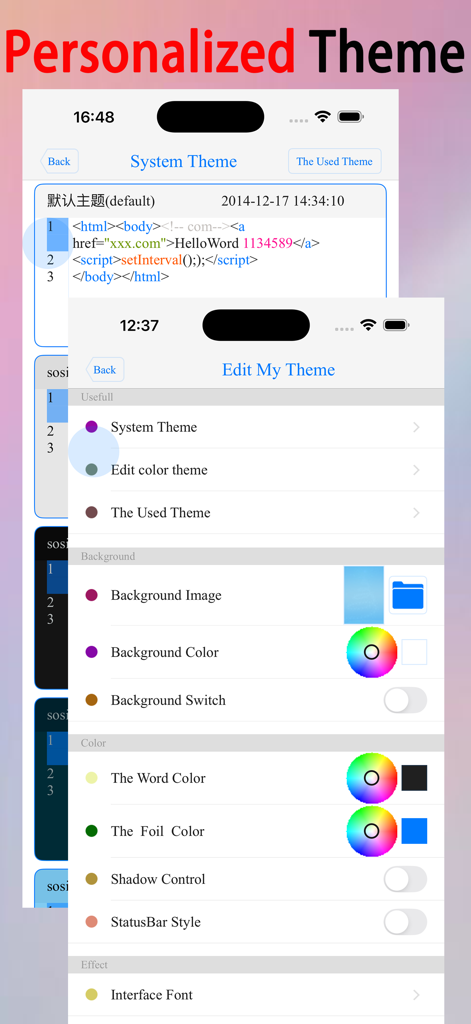
Yes, users can customize code color, font size, line spacing, background images/colors, text colors, key colors, shadows, text fonts, background animations, interface transition animations, and the number/order of tabs.
The C/C++ LLVM Clang app can open C, CPP, txt, PDF, CHM, MP3, M4V, zip, GIF, PNG, HTML, PY, and doc files from the file system.
Users can share C/C++ scripts and learning materials via email, Weibo, Twitter, and Facebook. The app also supports generating QR codes for easy sharing and access.
Yes, C/C++ LLVM Clang includes a built-in browser. Users can use it to search for learning materials and select code directly within the browser to run it, facilitating "learn by doing."
Top-ranked apps in the same category

Apple Inc.

Replit, Inc

GitHub

Shenzhen VeePai IoT Intelligent Technology LLC

Apple Inc.

650 Industries, Inc.

Simon Stovring

Apple Inc.

Versa AI, Inc.