
C/C++ Programming Compiler


Write, compile, and run code with support for modern standards up to C++23. Featuring a custom coding keyboard and iCloud sync, it's the ultimate mobile environment for students and engineers to master algorithms anywhere.
Publisher
Category
EducationDownloads
580K+User Rating
Total Ratings
600Locales
1Discover the interface used by 580K+ users.
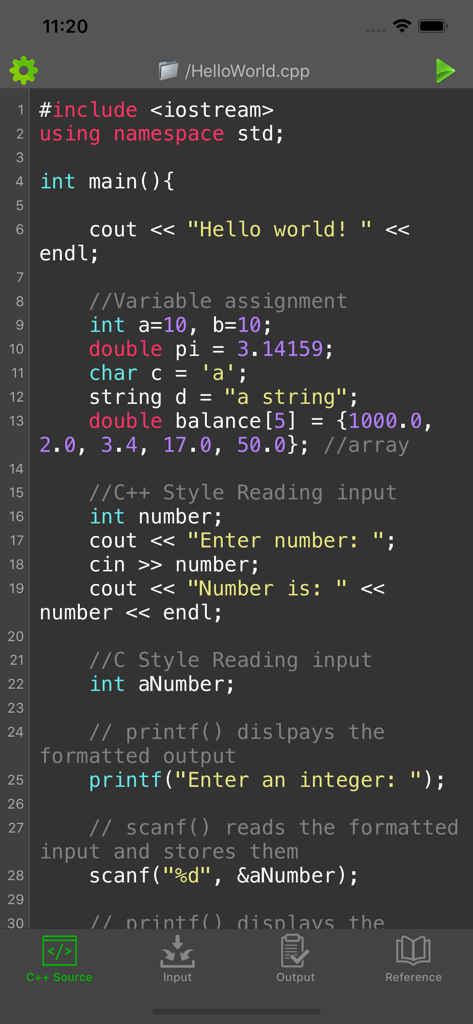
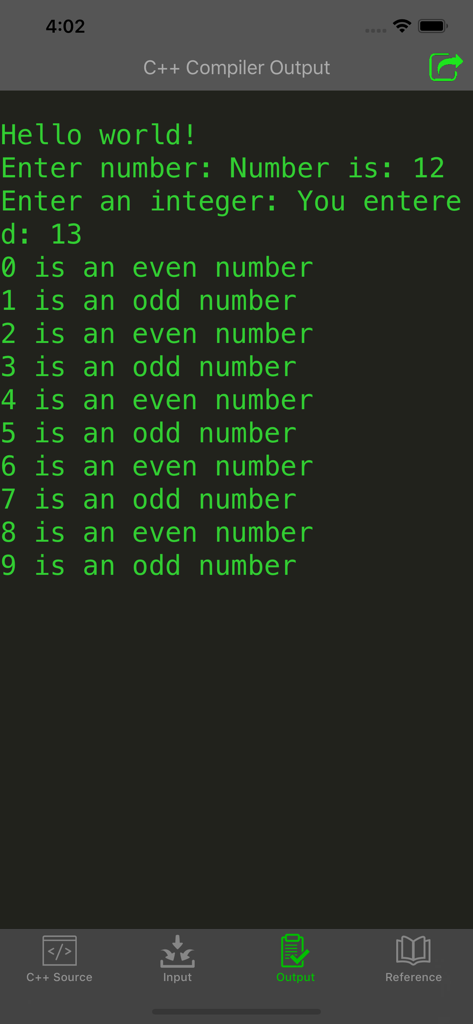
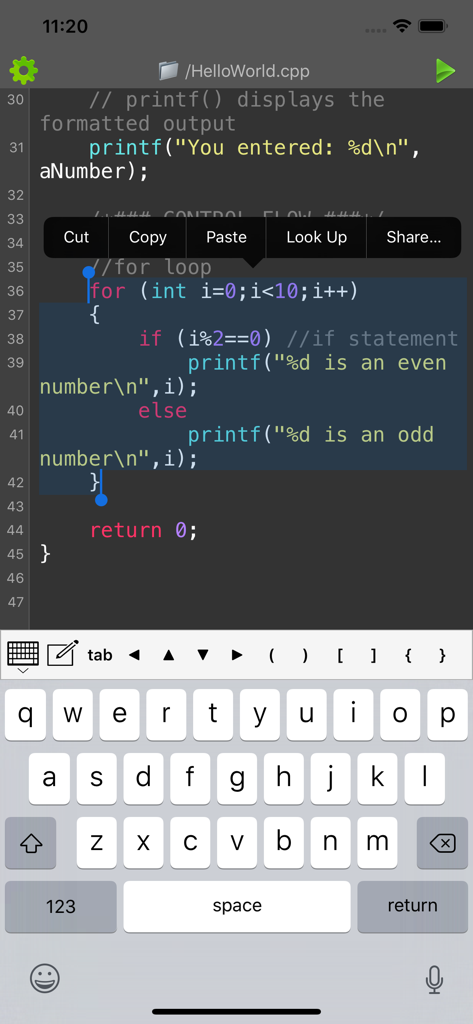
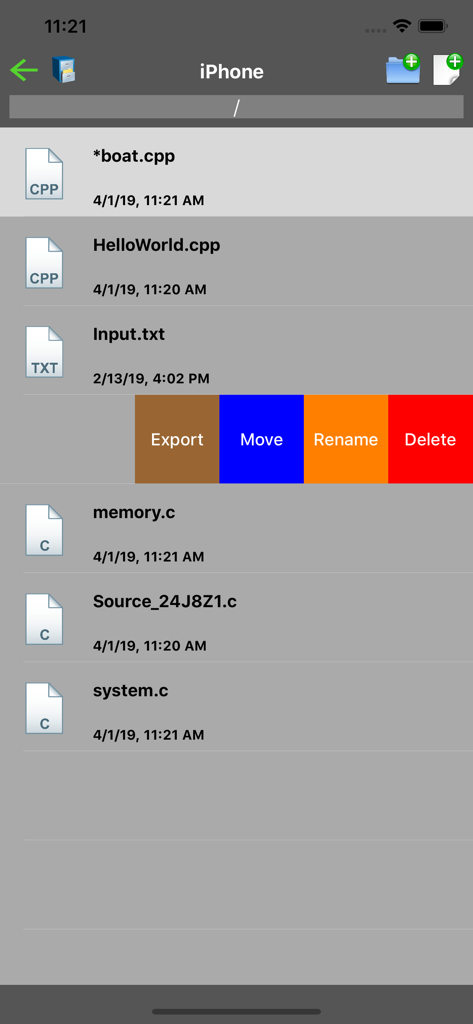
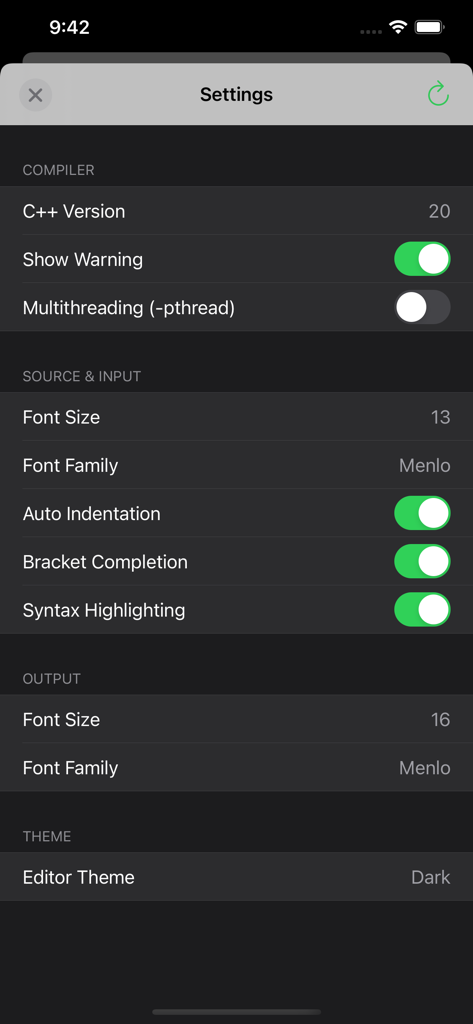
The tools that make this app stand out, trusted by 580K+ users.
Stay at the cutting edge with support for C++20 and C++23 standards. Test complex algorithms and multithreaded logic directly from your pocket.
Write faster with a custom keyboard for special characters, syntax highlighting, and full optimization for external Bluetooth keyboards.
Turn dead time into productive time. Effortlessly sync your projects and snippets via iCloud or AirDrop to keep your workspace consistent.
Trusted by 580K+ people who love this app.
"This app is an essential tool for my Computer Science degree. Being able to test C++23 snippets on the bus without lugging my laptop around is a game-changer. The custom coding keyboard is incredibly well thought out!"
"Impressive performance for a mobile compiler! I use it on my iPad with a Magic Keyboard to prototype algorithms. The multithreading support and seamless iCloud sync make it a professional-grade environment for any C++ developer."
Everything you need to know about C/C++ Programming Compiler.
Description
Latest Version
3.6.3
Size
23.4 MB
First Released
Oct 10, 2016
Join over 580,000 developers and students coding on the go. Compile and run your snippets with full support for C++23 standards, right from your iPhone or iPad.
Everything you need to know about C/C++ Programming Compiler
Yes, the C/C++ Programming Compiler app enables direct writing, compiling, and running of C/C++ code on iOS devices. An active internet connection is necessary for the compilation process.
Yes, the C/C++ Programming Compiler app includes multithreading support. This feature can be activated or deactivated within the application's settings menu.
The C/C++ Programming Compiler app supports C++98, C++03, C++11, C++14, C++17, C++20, and C++23. Users can select their preferred compiler standard.
Yes, the C/C++ Programming Compiler app's advanced editor offers customization. Features include syntax highlighting, bracket completion, line numbers, adjustable font size, font family, and a dark theme option.
Limitations include an internet requirement for compilation, a 20-second program runtime limit, single-file execution, and restricted file system, network, and graphics functions. Interactive programs require pre-entered input.
The C/C++ Programming Compiler is a batch compiler, not supporting live interactive input. For programs requiring input, users must pre-enter all necessary data within the dedicated "Input" tab before compilation.
Yes, the C/C++ Programming Compiler app features a custom keyboard for easy input of frequently used characters. It also optimizes for external physical or Bluetooth keyboards.
The C/C++ Programming Compiler app facilitates file sharing for C/C++ files. It supports iTunes Connect, AirDrop, and iCloud for opening, saving, importing, and sharing files.
Apps with similar features and user experience

婉媚 邵

Simon Stovring

Reny Mustika

Alexander Blach

Nicolas Holzschuch

Rational Matter Ltd

小文 黄

淑敏 孙

Changsha Chunjue Information Technology Co., Ltd.