
Call Filter - Caller ID


Join 99K+ users who trust our nationwide robocall protection. Identify unknown callers, block dangerous scams, and filter SMS spam—all while keeping your personal data 100% private.
Publisher
Category
LifestyleDownloads
99K+User Rating
Total Ratings
200Locales
1Discover the interface used by 99K+ users.
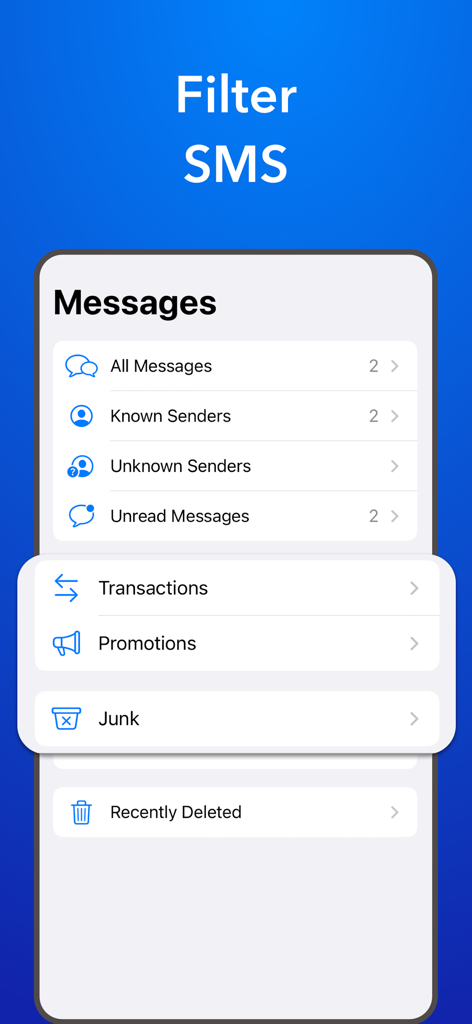
The tools that make this app stand out, trusted by 99K+ users.
Go beyond basic caller ID. Our intelligent screener provides the context and reason for every call so you only pick up when it truly matters.
Stay protected with a global database that instantly blocks robocalls and filters spam texts into a hidden folder before they ever reach you.
Your security is our priority. We never sell your data or make your contacts searchable, providing professional-grade safety without compromising your privacy.
Trusted by 99K+ people who love this app.
"As a real estate agent, I cannot afford to miss calls from unknown numbers, but the constant robocalls were draining my battery and my patience. The Call Screener feature is a game-changer; it lets me see exactly why someone is calling before I even pick up. It has restored my productivity and saved me hours of wasted time."
"I originally downloaded this to stop the endless stream of 'smishing' texts, but I stayed for the peace of mind. Knowing that the app uses a nationwide database to block scammers without ever selling my personal contact list is huge for me. It’s the first filter I’ve used that actually delivers on its privacy promises."
Everything you need to know about Call Filter - Caller ID.
Description
Latest Version
1.1.15
Size
50.9 MB
First Released
May 10, 2023
Join thousands of users who trust SpamBlocker to silence scammers, identify important calls, and protect their privacy. Download now for free on the App Store.
Everything you need to know about Call Filter - Caller ID
Call Filter - Caller ID, also known as SpamBlocker, is an app designed to avoid phone scams, unwanted calls, and extra charges. It blocks spam and scam calls and displays caller ID information.
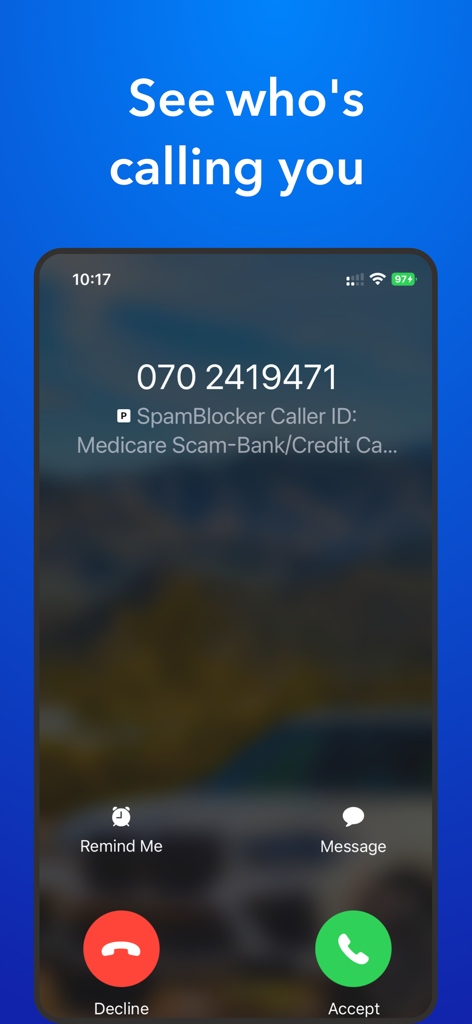
Yes, Call Filter - Caller ID includes a Call Screener feature. It allows users to know who is calling and why before answering, enhancing protection against unwanted calls.
Call Filter - Caller ID uses a global database of caller names to provide real-time context about incoming calls. It identifies callers as businesses, friends, or potential spammers.
Yes, SpamBlocker includes an SMS Spam Filter. This feature creates a junk folder in the messages app and automatically sends spam texts there, keeping your main inbox clear.
No, Call Filter - Caller ID respects user privacy. The application ensures that the user's phonebook is never made searchable or public, protecting personal information.
No, Call Filter - Caller ID does not use, share, or sell user data for tracking purposes or creating user profiles. It only uses data directly for app operation or improvement.
SpamBlocker identifies spam numbers using Nationwide Robocall Data from the Robocall index. Numbers identified as spam, fraud, or robocalls are added to its database and subsequently blocked.
Call Filter - Caller ID offers two subscription options: a weekly auto-renew subscription and a lifetime access plan. Both provide unlimited access to all premium features.
Subscriptions for Call Filter - Caller ID automatically renew unless auto-renew is turned off at least 24 hours before the current period ends. Payment is charged to the iTunes Account.
Yes, Call Filter - Caller ID offers a free trial period. Any unused portion of this trial is forfeited when the user purchases a subscription, initiating full access.
Yes, Call Filter - Caller ID identifies scam calls. The app displays information such as "Medicare Scam-Bank/Credit Ca..." directly on the incoming call screen, warning the user.
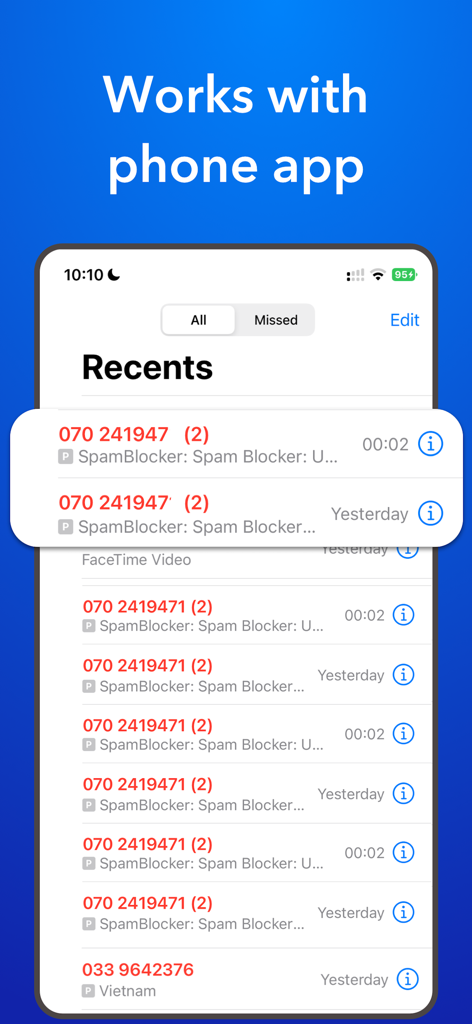
Yes, SpamBlocker integrates with the phone's call history. It displays identified caller information directly within the Recents list of the phone app for comprehensive call management.
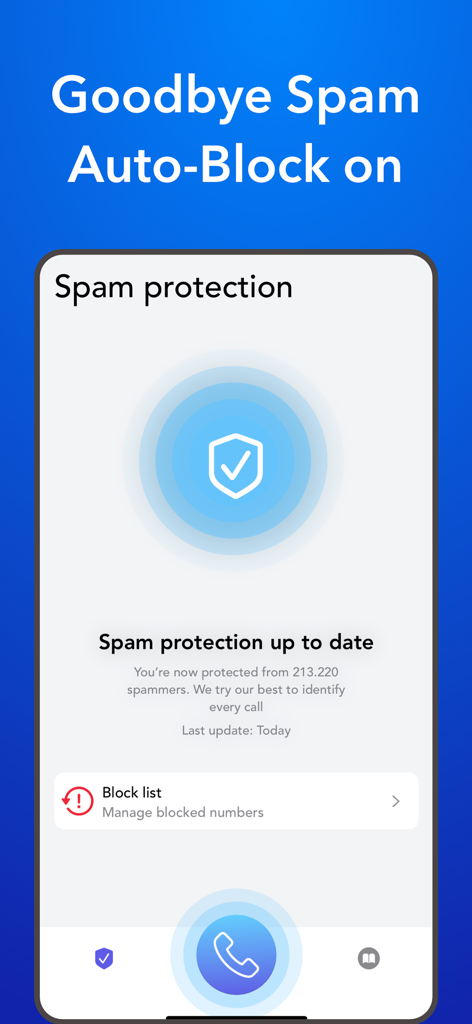
Yes, users can manage blocked numbers within Call Filter - Caller ID. The app provides a dedicated "Block list" section for reviewing and managing blocked contacts and preventing unwanted calls.
Call Filter - Caller ID sends spam SMS messages to a dedicated "Junk" folder within the user's messages application. This organization helps keep the main inbox clear of unwanted texts.
Apps with similar features and user experience
GOGOLOOK CO., LTD.
Camille Bouvat
AKE Software GmbH
GETVERIFY LDA

Verizon Wireless

Mosaic S.r.l.
AKE Software GmbH
MALKAN LLC

Orave Technologies (P) Ltd