
CamToPlan - AR tape measure



Stop moving furniture and ditch the manual ruler. Measure any space in 3D using your camera and export professional-grade blueprints in seconds.
Publisher
Category
UtilitiesDownloads
6M+User Rating
Total Ratings
35K+Locales
32Discover the interface used by 6M+ users.
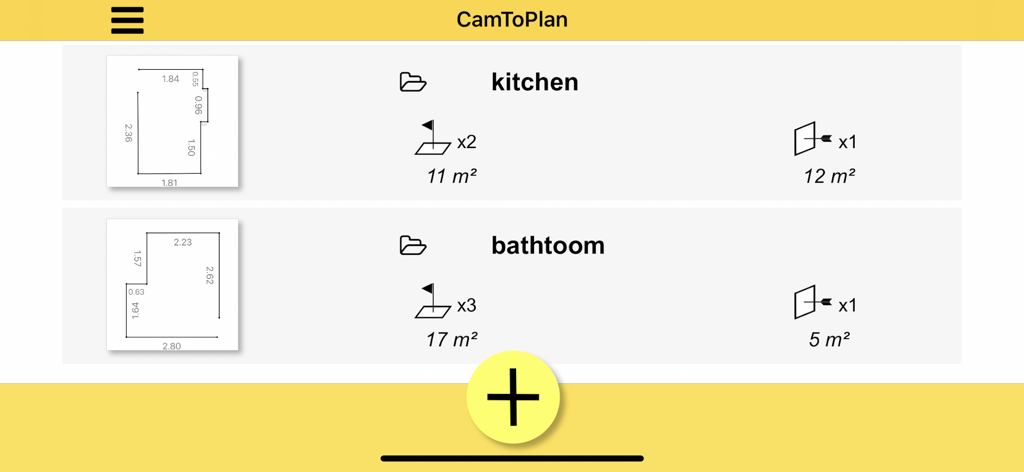

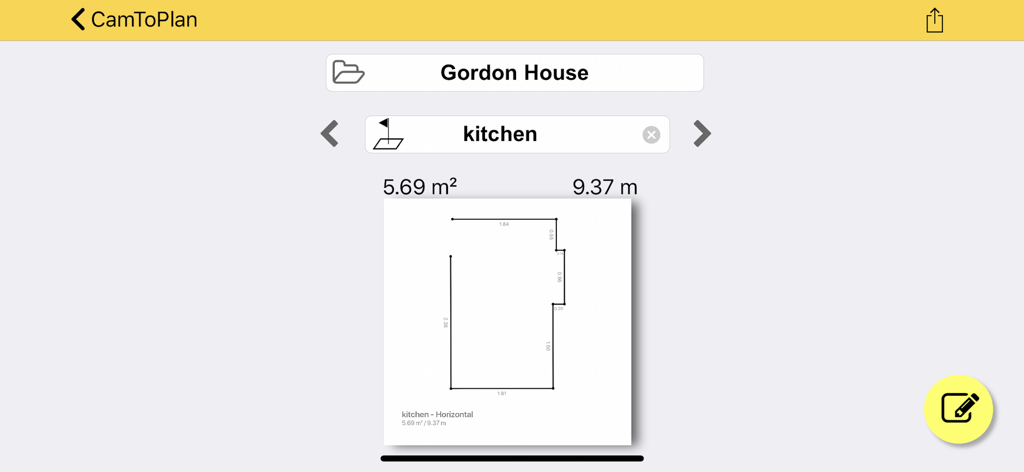
The tools that make this app stand out, trusted by 6M+ users.
Ditch the manual ruler. Measure lengths, areas, and distances in 3D directly on your camera view with professional-grade accuracy in both metric and imperial units.
Save your back and your time. Our intelligent algorithm calculates wall-to-floor intersections even behind heavy furniture, allowing you to map furnished rooms in seconds.
Bridge the gap between your site visit and the drafting table. Instantly export your measurements into PDF, PNG, or DXF files for seamless use in professional CAD software.
Trusted by 6M+ people who love this app.
"As an interior designer, I often have to measure rooms filled with furniture. CamToPlan handles this perfectly by calculating floor-to-wall intersections even when things are in the way. It is a total game changer for my workflow."
"I used to struggle with a physical tape measure when working alone on my flooring projects. This app lets me map out the entire surface area of a room in seconds and export it directly to my contractor. Highly recommended for any DIYer."
Everything you need to know about CamToPlan - AR tape measure.
Description
Latest Version
3.10
Size
37.1 MB
First Released
Oct 20, 2017
Join over 6 million professionals and DIYers who have swapped their tape measures for the ultimate AR ruler. Measure instantly and export to PDF or DXF—no furniture moving required.
Everything you need to know about CamToPlan - AR tape measure
CamToPlan is an augmented reality (AR) app that functions as a virtual ruler and tape measure. It enables users to measure lengths, distances, and areas horizontally and vertically using a device's camera.
CamToPlan utilizes ARKit by Apple, combining device sensor data with odometry. It analyzes real-time camera video and visual details to scan the environment, determining the device's position and rotation for measurement.
Yes, CamToPlan measures distances horizontally (on the ground) and vertically. This feature allows users to obtain comprehensive measurements of various objects and spaces.
CamToPlan supports exporting measured plans in PDF, PNG, and DXF formats. This functionality allows users to share and utilize their measurement data in different applications.
CamToPlan Premium includes no ads, Vertical mode, Expert mode, unlocked Edit & Export functions, and access to all saved drawings. It provides enhanced measurement and management capabilities.
Yes, CamToPlan Premium offers a free trial period. Users can cancel the free trial or subscription anytime by accessing their account settings on the App Store to avoid automatic renewal.
Yes, CamToPlan measures an entire house in seconds. It also measures floors, wall dimensions, windows, and doors efficiently using its Virtual Reality (VR) capabilities.
No, the accuracy of measurements performed with CamToPlan is not guaranteed. The application explicitly states this limitation for users.
Yes, users can edit their measurement drawings in CamToPlan. The "Unlock Edit & Export" feature is available as part of the CamToPlan Premium subscription.
Yes, CamToPlan functions in outdoor environments. It assists professionals like gardeners, landscapers, and swimming pool builders with their exterior measurement requirements.
Apps with similar features and user experience

ExaMobile S.A.

Rocket Apps GmbH

Tasmanic Editions

Veysel OTI

Room Planner Ltd

Polycam Inc.

MEASURE TECH SOCIEDAD LIMITADA

AI Photo Editor Lab SRL

Lemondo Apps LLC


