Canon Viewer - Sheet music

Canon Viewer - Sheet music

Download on App Store
Spark by MWM logo
Logo of Canon Viewer - Sheet music

Canon Viewer - Sheet music: The Ultimate Digital Library for Modern Musicians

Access over 8,000 professional scores with instant transposition, automatic page-turning, and Apple Pencil support. Practice smarter, record your progress, and take your entire music collection anywhere on your iPad.

Download on App Store

Publisher

Funtap Co. Ltd.

Category

Music

Downloads

57K+

User Rating

4.6/5

Total Ratings

700

Locales

2

Sheet Music, Evolved

Discover the interface used by 57K+ users.

An iPad displaying digital sheet music from the Canon Viewer app on a piano music stand while a person plays.

An iPad displaying digital sheet music from the Canon Viewer app on a piano music stand while a person plays.

A woman playing the piano with a Play text overlay highlighting the digital sheet music feature

A woman playing the piano with a Play text overlay highlighting the digital sheet music feature

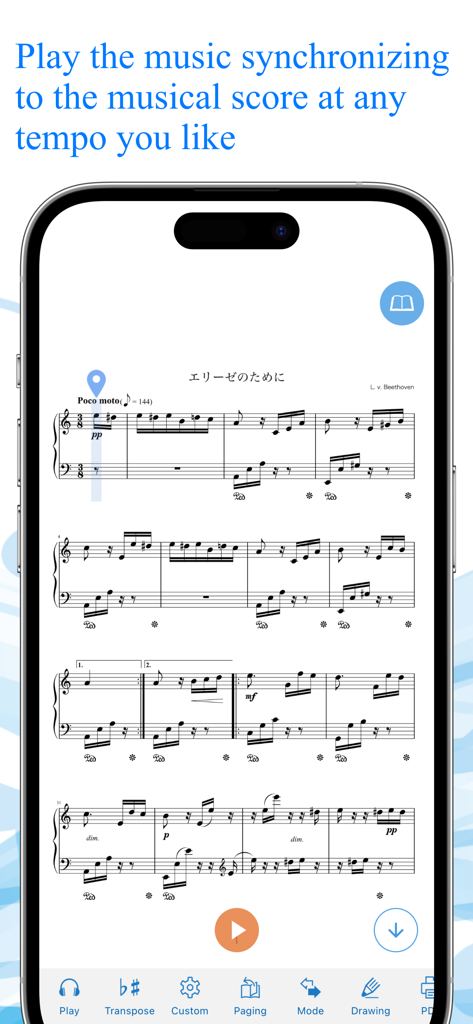
Canon Viewer app showing synchronized sheet music playback on a smartphone.

Canon Viewer app showing synchronized sheet music playback on a smartphone.

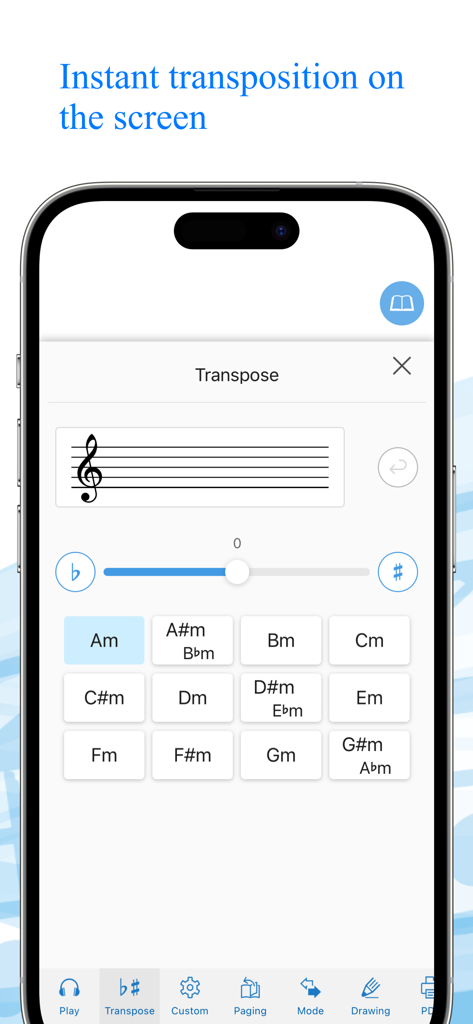
Smartphone screen showing the instant transposition interface in the Canon Viewer app with a grid of musical keys and a transposition slider.

Smartphone screen showing the instant transposition interface in the Canon Viewer app with a grid of musical keys and a transposition slider.

Interface of Canon Viewer app showing the feature to import personal sheet music via PDF or photo files.

Interface of Canon Viewer app showing the feature to import personal sheet music via PDF or photo files.

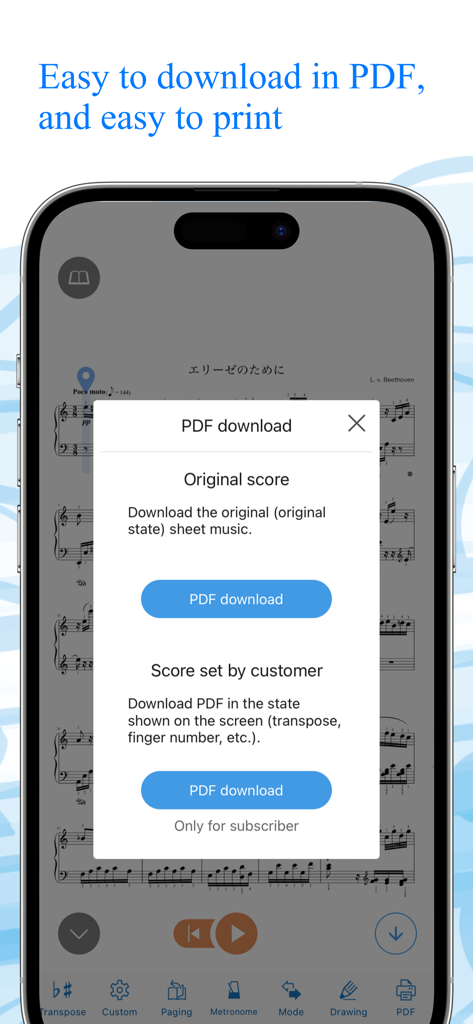
Canon Viewer app showing a PDF download menu for original and customized sheet music scores

Canon Viewer app showing a PDF download menu for original and customized sheet music scores

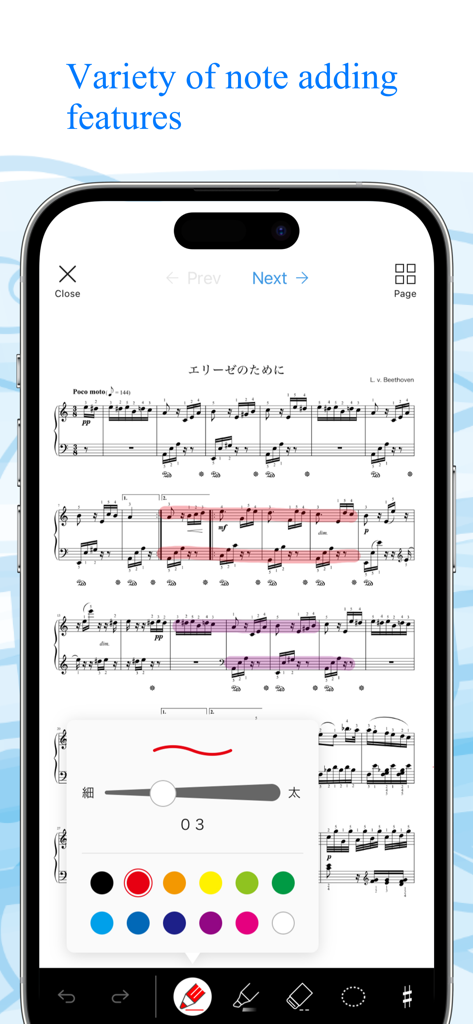
A mobile phone screen showing the Canon Viewer app with piano sheet music and a menu for adding digital notes and highlights in various colors.

A mobile phone screen showing the Canon Viewer app with piano sheet music and a menu for adding digital notes and highlights in various colors.

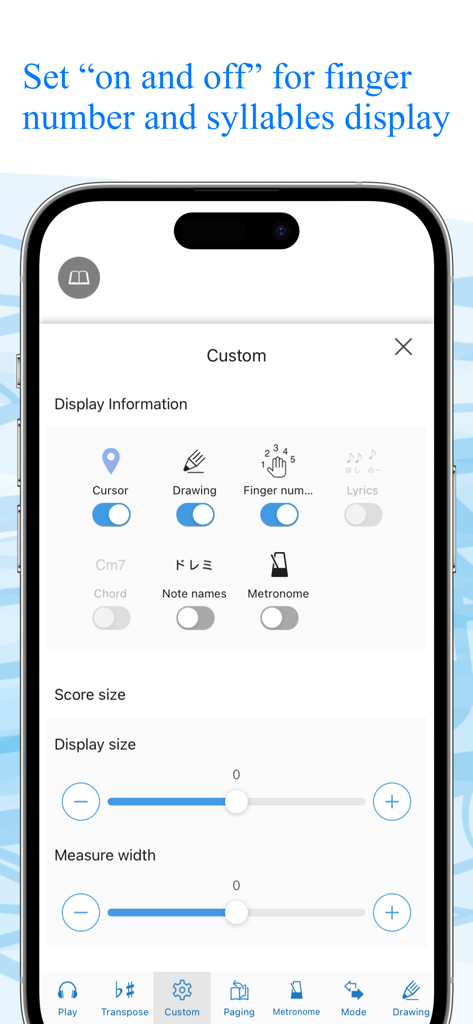
Canon Viewer app settings screen for customizing sheet music display with toggles for finger numbers and note names

Canon Viewer app settings screen for customizing sheet music display with toggles for finger numbers and note names

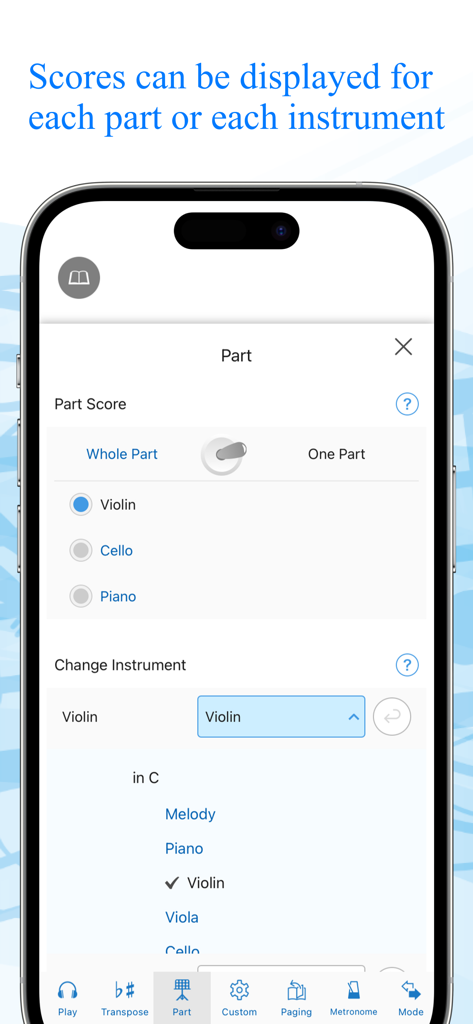
App interface for selecting specific instrument parts and musical scores

App interface for selecting specific instrument parts and musical scores

Smartphone screen showing the Canon Viewer store with a search bar and a ranked list of digital sheet music titles for download.

Smartphone screen showing the Canon Viewer store with a search bar and a ranked list of digital sheet music titles for download.

Master Every Piece with Digital Precision

The tools that make this app stand out, trusted by 57K+ users.

✍️

Smart Markup & Apple Pencil Support

Ditch the paper and pen. Annotate your scores naturally with your Apple Pencil and export your edited sheets as PDFs for total flexibility.

🎹

Instant One-Tap Transposition

Adapt any piece to your vocal range or instrument with a single tap. Transpose across all 12 keys instantly without manual rewriting.

🚀

Hands-Free Auto-Page Turning

Keep your hands on your instrument. Use customizable auto-scroll or Bluetooth pedal support to stay in the flow during every performance.

Loved by users worldwide

Trusted by 57K+ people who love this app.

"

"This app is an absolute must-have for any iPad-using musician. The ability to mark up scores with my Apple Pencil and then instantly transpose them for my vocalists during rehearsals has saved me hours of work. It is easily the best digital sheet music viewer I have used."

Samantha L., Collaborative Pianist
"

"The automatic scroll and page-turning features are flawless, especially when paired with a Bluetooth pedal. I love that I can isolate specific instrument parts and record my practice sessions to track my progress—it is like having a personal coach on my tablet."

Jason K., Professional Flutist

About the app

Everything you need to know about Canon Viewer - Sheet music.

Description

This is a [free musical score application] with selection of 8,000 titles, where users can download their favorite tiles individually and can find many user-friendly features. “My score” can be used off-line. Users can customize their musical scores by using the functions such as [Automatic page turner] [Adding notes] [Play a musical score] and [background change]. When a user wants to play the melody line with wind instruments or stringed instruments, musical scores that correspond to the selected instruments will be automatically displayed. Another function transposes a whole musical score for those who want to play at the most appropriate key for a certain instrument. ”This is the very musical score application that all the music lovers have wanted!” Please discover what our application offers that may change your music life with its impressive user-friendly features. ◆◇ Point 1 : You can PLAY the musical scores ◇◆ You can listen to the sound, so that makes it easier to read musical sheets with complicated melody or rhythm. You can also change the tempo and play only the selected part, like only the right hand part of the piano scores, or only the alto and tenor parts of the chorus scores. This useful function will surely make your practice more efficient. ◆◇ Point 2 : Instant transposition with one click of a button ◇◆ With only one click of a button, you can transpose to any of 12 keys. If you want to play an instrument at a half lower key to accompany a singer, you can transpose instantly! You can also optimize your scores with “Change of Sound Range” function. Transposed musical scores can be downloaded in PDF format and printed. ◆◇ Point 3 : Perfect command of page turner ◇◆ The greatest feature of Canon Musical Score Viewer is the advanced page turner function. Users can set the speed and timing such as “At which measure to turn the page” for each score. If the display is set for “Scroll display” mode, the score will be shown as a single score flow from the beginning to the end, meaning users do not have to turn pages at all. It also works with external “Page turner pedal”. ◆◇ Point 4 : Scores can be displayed exclusively for favorite parts and instruments ◇◆ Users can change the parts other than piano as “Your favorite instrument”. According to the selection of the instrument, the score will be automatically altered. Display of “All parts” and “Each part” can be switched automatically. ◆◇ Point 5 : Free writing on the screen ◇◆ Users can freely add notes and codes to the scores on the screen, and download the edited scores in PDF format to print. For iPad, the use of Apple Pencil will make the editing easier. ◆◇ Point 6 : 2 kinds of practice mode ◇◆ [Repeat practice mode] Users can select the part of the score to play repeatedly. [Record practice mode] Users can record their performance and play it with the corresponding score. ◆◇ Point 7 : Customized display function ◇◆ Users can select any necessary information to be displayed including [Finger numbers] [Syllables] [Codes] and [Lyrics] by setting ON/OFF. Background image can also be customized with your favorite one. ** About Digital Musical Score Canon Digital Musical Score Canon is an online musical score delivery service. It delivers and sells more than 8,000 titles, majorly popular and trendy titles. All the scores are produced by professionals. All the purchased scores can be displayed and used on “Canon Musical Score Viewer” that can be operated on a Web browser or application of smartphones and tablets. https://www.canon-score.com/support

Latest Version

3.15.13

Size

130.3 MB

First Released

Mar 3, 2020

Your Entire Music Library, Perfected.

Join over 50,000 musicians using pro-level tools to transpose, annotate, and master 8,000+ scores directly on your iPad.

Download on App Store