Channels for HDHomeRun!

Channels for HDHomeRun!

Download on App Store
Spark by MWM logo
Logo of Channels for HDHomeRun!
Channels for HDHomeRun!: The Ultimate Live TV Experience for Cord Cutters

Bring local sports, news, and broadcast networks directly to your Apple TV and iOS devices. Seamlessly integrate live TV into your home network with a premium grid guide and high-fidelity performance.

Publisher

Fancy Bits, LLC

Category

Entertainment

Downloads

448K+

User Rating

4.4/5

Total Ratings

1K+

Locales

1

Television Redefined

Discover the interface used by 448K+ users.
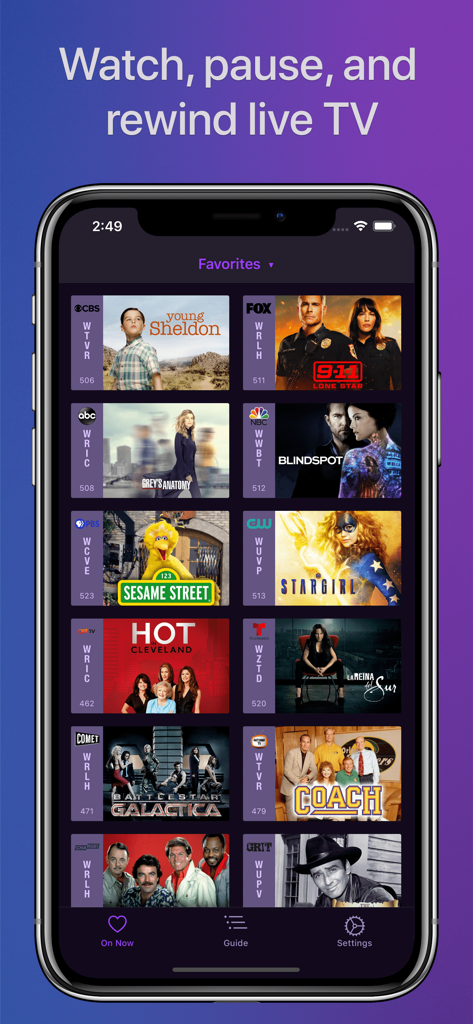
Channels app interface showing a grid of live TV favorites including Young Sheldon and Sesame Street

Channels app interface showing a grid of live TV favorites including Young Sheldon and Sesame Street

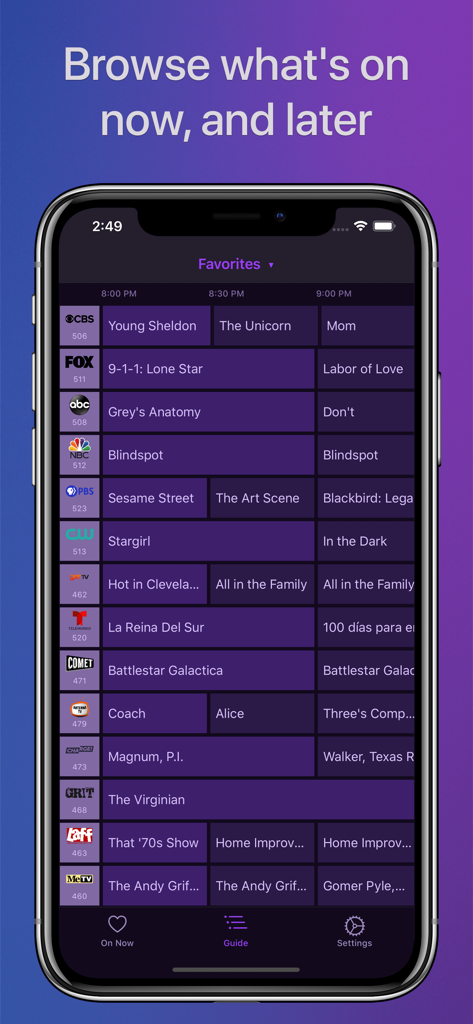
Channels for HDHomeRun app showing a full grid television guide on an iPhone screen.

Channels for HDHomeRun app showing a full grid television guide on an iPhone screen.

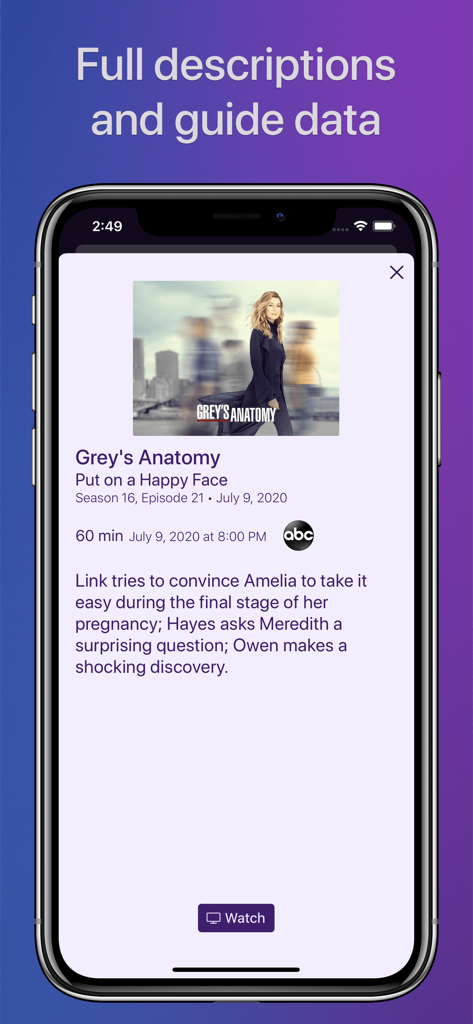
Screenshot of Channels app showing detailed TV show guide data and episode description on an iPhone

Screenshot of Channels app showing detailed TV show guide data and episode description on an iPhone

The Ultimate Upgrade for Your Home Theater

The tools that make this app stand out, trusted by 448K+ users.

Professional Grid Guide

Ditch the bloated cable box. Navigate your channels with a high-performance, intuitive interface designed to feel native on your Apple devices.

🏟️

Uncompromising Video Quality

Watch sports and local news in full HD with 5.1 Surround Sound. Enjoy the stability of a direct tuner connection without the lag of internet streaming.

📱

Seamless Multi-Room Access

Let your TV follow you around the house. One antenna feeds every device on your network, allowing you to switch from your Apple TV to your iPad in seconds.

Loved by users worldwide

Trusted by 448K+ people who love this app.

"

"Channels is the absolute gold standard for cord cutters. The interface is lightyears ahead of any stock tuner app, and the integration with my Apple TV is seamless. I finally have local sports and news in Full HD without the bloated cable contract. It is the missing piece of my home theater setup."

Marcus Thompson
"

"I love that I can take the game from the living room to the iPad in the kitchen without missing a single play. The grid guide is incredibly fast, and the 5.1 surround sound quality is top-notch. It makes my antenna setup feel like a premium cable service, but much more intuitive."

Sarah Jenkins

About the app

Everything you need to know about Channels for HDHomeRun!.

Description

Watch live TV, right next to your apps. Channels lets you play, pause, and rewind local or cable TV directly on your Apple TV with your HDHomeRun TV tuner. If you are a Channels Plus subscriber with DVR Service, search for the free app: Channels: Whole Home DVR. Channels requires an HDHomeRun networked TV tuner to watch live TV on your iPhone, iPad, or iPod Touch. Learn more about how this works below. • Pause, rewind, and fast forward live TV • Guide Data • Full grid guide • Full HD streaming (bandwidth permitting) • 5.1 Surround Sound • Closed captioning • Full support for VoiceOver • Channel favoriting • Jump back to last channel • Auto Discovery • Browse what's on other channels while watching TV • Manage your HDHomeRun devices from Channels "If you’re a cord cutter, then Channels coupled with an HDHomeRun and antenna is one of the best purchases you can make." — 9to5mac "If live television has been a missing or irritating-to-use piece for your viewing pleasure, Channels plus a networked tuner pulls it neatly into your iPhone, iPod touch, or iPad." — Macworld Channels requires modern iOS devices and 802.11AC wireless for HD streaming. But as usual, your milage may vary. Supported devices: All iOS devices with an A7 chip and up. Note: Channels does not support Picture in Picture mode on the iPad or AirPlay on any device due to the video format provided by the HDHomeRun tuners. This is an iOS limitation. -- Why Use Channels? -- Channels is the missing piece of your puzzle. If you already watch everything through streaming apps, Channels lets you finally watch sports, award shows, local news, and other live events on your same device. • Watch live primetime TV, local news, and sports on your Apple TV. • Netflix, Hulu, Movies, Games, AirPlay, and now live TV on the same device. • Already using antenna for live TV? Channels lets you use one antenna to watch TV on all the devices in your home. • Want sports on your porch? News in the kitchen? Channels lets you watch these anywhere in the home. Let your TV watching follow you around the house. -- How Does It Work? -- An HDHomeRun is a simple TV tuner that can broadcast television over your home network. Channels streams that video directly to your device. 1. Plug an HD antenna or your cable into your HDHomeRun. 2. Plug your HDHomeRun into your router. 3. Watch live TV via the Channels app. -- How Do You Use It? -- Here's some protips on how to get the most out of Channels. • Pick your favorite channels by selecting your HDHomeRun device in the Settings tab and tapping on a channel. • See quickly what’s currently on your favorite channels with the On Now tab. • Tap on a channel to view more info about it (or just 3D Touch it). • Live TV buffer works for ~90 mins or less depending on how much storage is available on your device. • Skip ahead 30s by swiping right. Skip back 7s by swiping left. • Double-tap with 2 fingers to switch to the previous channel. • Swipe up/down on the Quick Guide to see what else is on your favorite channels. Tap it to change to that channel. -- HDHomeRun Device Support -- All HDHomeRun devices are supported by Channels. • HDHomeRun PRIME • HDHomeRun EXTEND • HDHomeRun EXPAND • HDHomeRun CONNECT • HDHomeRun CONNECT DUO • HDHomeRun CONNECT QUATRO • HDHomeRun DUAL • HDHomeRun ORIGINAL (blue and white tuners) Learn more about HDHomeRun tuners on silicondust.com. Simply plug a compatible tuner into your home network router and start watching Live TV with Channels today! • DRM protected streams are *not* currently supported. • Channels does *not* work outside of your home. It only works when connected to the same network as your HDHomeRun Device For questions, concerns, bug reports, and feature requests, contact us on twitter @getchannels or via email support@getchannels.com. You can talk about everything Channels on our community site at: https://community.getchannels.com.

Latest Version

7.0.1

Size

156.0 MB

First Released

Jul 30, 2016

Complete Your Prosumer Cord-Cutting Setup

Join over 400,000 enthusiasts who have reclaimed their live TV. Connect your HDHomeRun to your favorite Apple devices for the premium, lag-free experience your home network deserves.

Download on App Store