
Clash Mi



Master your connection with full meta support, advanced overwrite customization, and real-time performance monitoring in one high-performance interface.
Publisher
Category
UtilitiesDownloads
50K+User Rating
Total Ratings
200Locales
1Discover the interface used by 50K+ users.
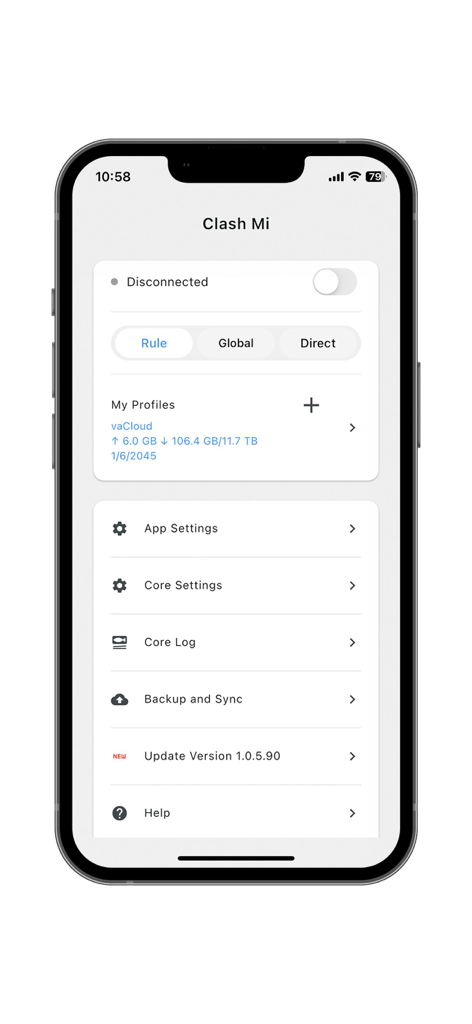
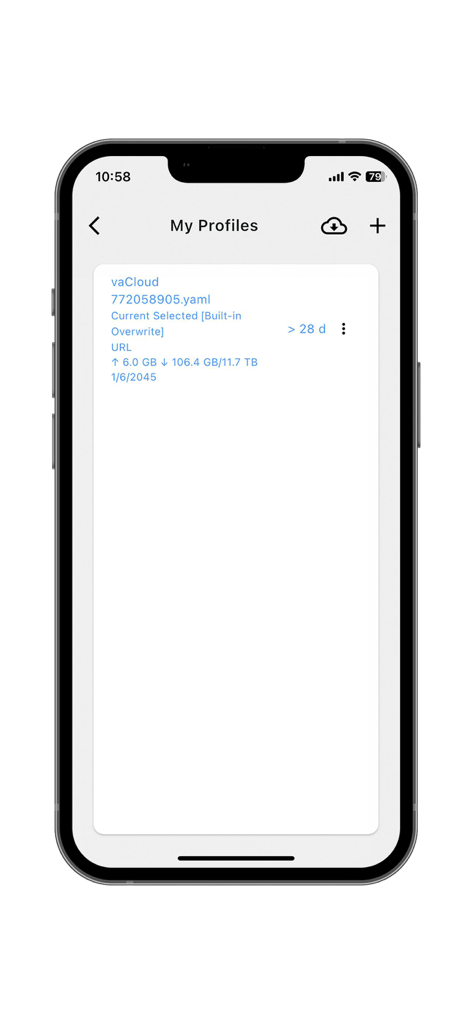
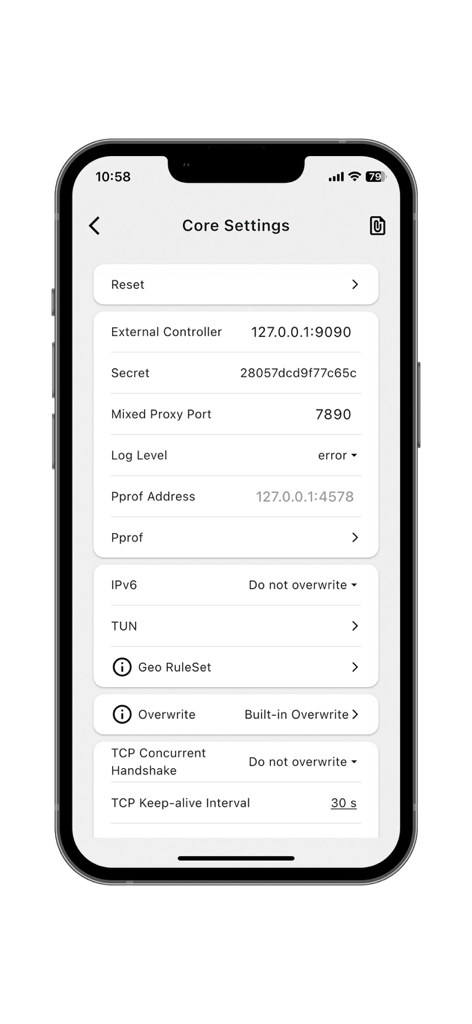
The tools that make this app stand out, trusted by 50K+ users.
Harness full meta functions and powerful overwrite support to customize your network rules with developer-level precision.
Access the built-in dashboard to view live running information, packet logs, and connection health at a single glance.
Designed for digital nomads and gamers who demand low latency and efficient traffic routing across any network environment.
Trusted by 50K+ people who love this app.
"The most powerful network utility on iOS. The meta function support handles my custom scripts flawlessly, and the built-in monitoring board gives me total transparency over my data routing."
"Essential for anyone needing granular control. I've tried every client available, and Clash Mi is the only one that handles complex overwrites without crashing. It is fast, stable, and incredibly reliable."
Everything you need to know about Clash Mi.
Description
Latest Version
1.0.15.191
Size
88.0 MB
First Released
May 15, 2025
Join 50,000+ power users who optimize their connection with granular rules and meta-function support. Download Clash Mi for iOS today.
Everything you need to know about Clash Mi
Clash Mi is an application that supports full meta functions and powerful overwrite capabilities, including customization. It provides an easy-to-use interface and a built-in board to view running information.
Yes, Clash Mi supports full meta functions. This feature allows for comprehensive control and advanced functionalities within the application.
Yes, Clash Mi provides powerful overwrite support. This includes built-in overwrite functionalities and customization options for user profiles, as shown in the settings.
Clash Mi features a built-in board where users can view running information at any time. This allows for real-time monitoring of application activity.
Yes, Clash Mi allows users to manage multiple profiles. The application displays a "My Profiles" section where individual configurations like data usage and expiration dates are listed.
Clash Mi provides a clear toggle labeled "Disconnected" on the main screen to connect or disconnect the service. Users can easily switch between these states.
Clash Mi's Core Settings include options for External Controller, Mixed Proxy Port, Log Level, IPv6, TUN, Geo RuleSet, and Overwrite configuration. Users can also reset these settings.
Yes, Clash Mi supports different routing modes. Users can choose between "Rule", "Global", and "Direct" modes directly from the main interface.
Yes, Clash Mi allows for in-app updates. The main menu includes an "Update Version" option, displaying the current installed version number for user convenience.
Apps with similar features and user experience

FATCAT TECH PTE. LTD.

Unicorn Soft, Inc.
YUNFAN TECHNOLOGY CO., LIMITED
techlaim

DATABRIDGES TECHNOLOGIES LTD

VIRAL TECH, INC.
SUPERNOVA NEBULA LLC

Surf Safe Network Ltd

Holistic Resilience