Confluence Cloud

Confluence Cloud

Download on App Store
Spark by MWM logo
Logo of Confluence Cloud

Confluence Cloud: Your Team’s Knowledge, Reimagined for Anywhere You Work

Stay connected to your single source of truth from your desk to your commute. Harness Rovo AI to summarize projects, approve work on the go, and lead your team with the power of asynchronous collaboration in your pocket.

Publisher

Atlassian Pty Ltd

Category

Productivity

Downloads

1M+

User Rating

4.6/5

Total Ratings

7K+

Locales

20

Knowledge in Motion

Discover the interface used by 1M+ users.
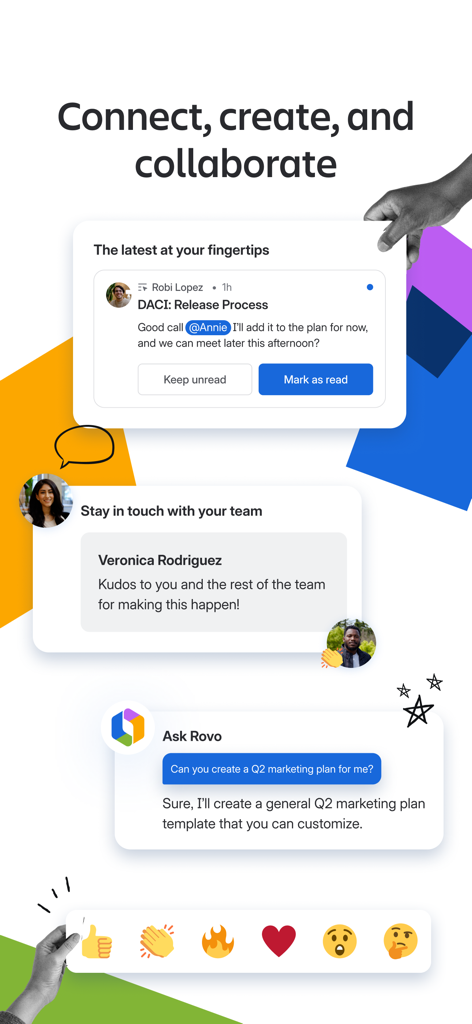
Confluence Cloud app interface showing collaboration notifications team messages and Rovo AI chat for project planning

Confluence Cloud app interface showing collaboration notifications team messages and Rovo AI chat for project planning

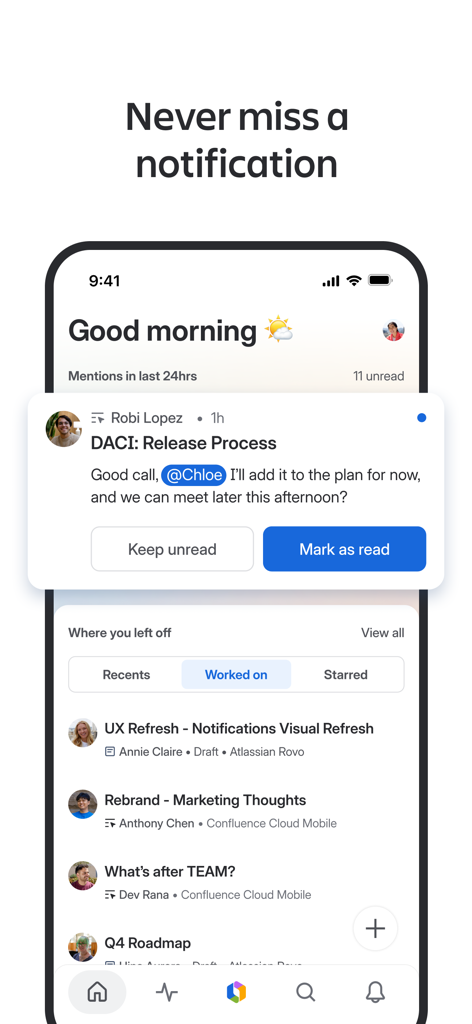
Confluence Cloud mobile app interface showing a project notification and a list of recently worked on documents.

Confluence Cloud mobile app interface showing a project notification and a list of recently worked on documents.

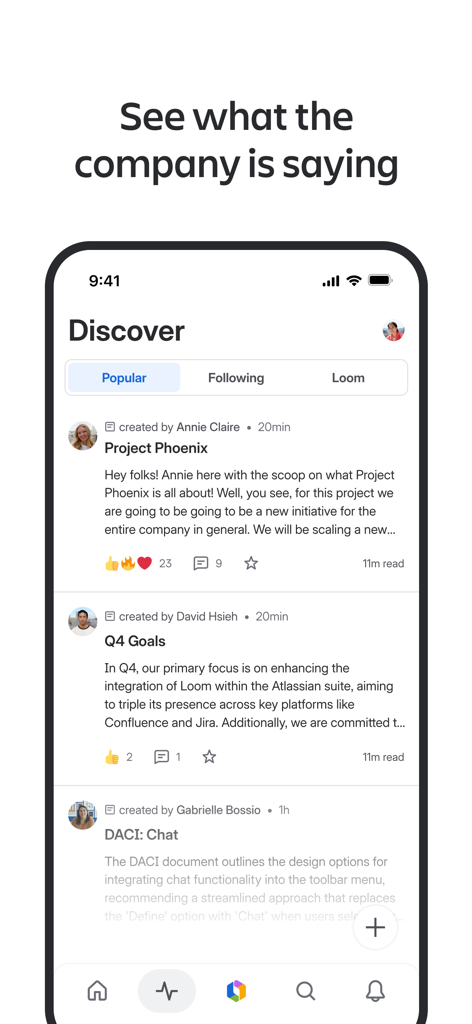
Confluence Cloud mobile app interface showing the Discover feed with team updates and project summaries

Confluence Cloud mobile app interface showing the Discover feed with team updates and project summaries

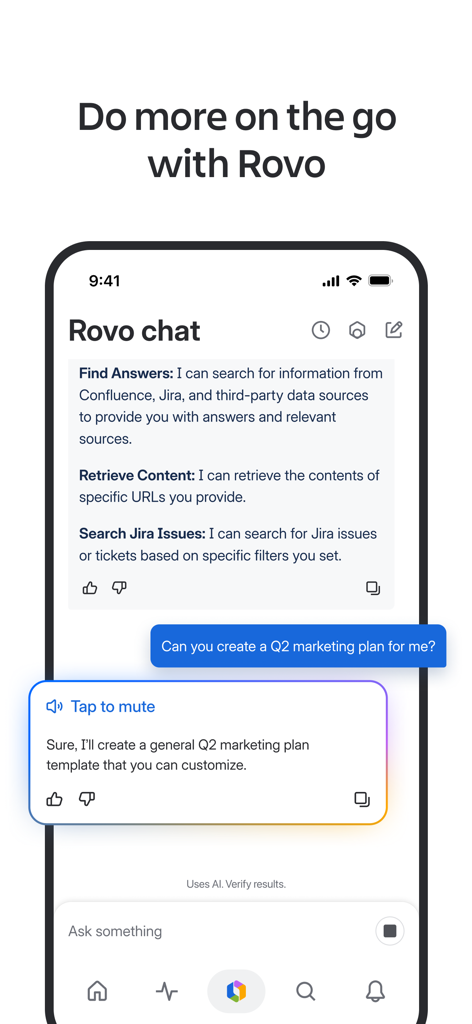
Confluence Cloud mobile app screen showcasing the Rovo AI chat interface for productivity

Confluence Cloud mobile app screen showcasing the Rovo AI chat interface for productivity

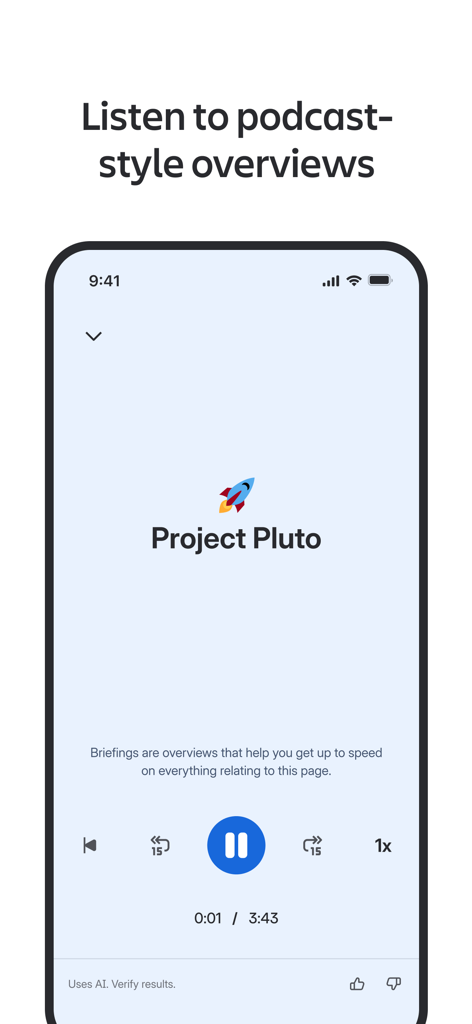
Interface of the Confluence Cloud app showing an AI-powered podcast-style audio summary for a project

Interface of the Confluence Cloud app showing an AI-powered podcast-style audio summary for a project

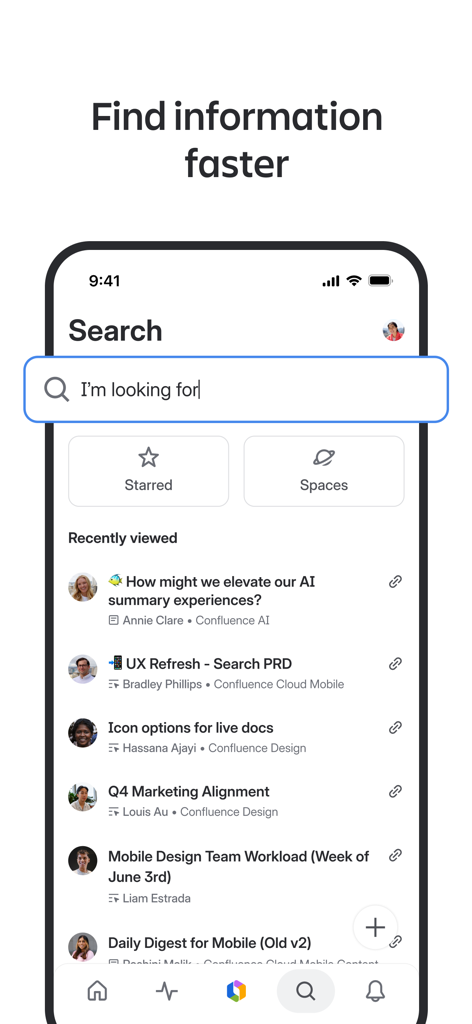
Confluence Cloud mobile app search screen showing recently viewed documents and a search bar

Confluence Cloud mobile app search screen showing recently viewed documents and a search bar

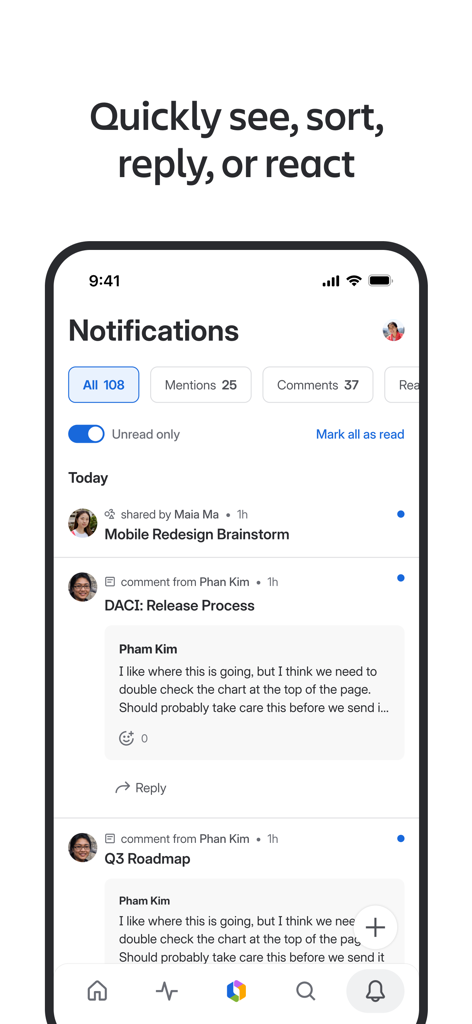
Confluence Cloud mobile app notifications screen showing filtered project updates and comments

Confluence Cloud mobile app notifications screen showing filtered project updates and comments

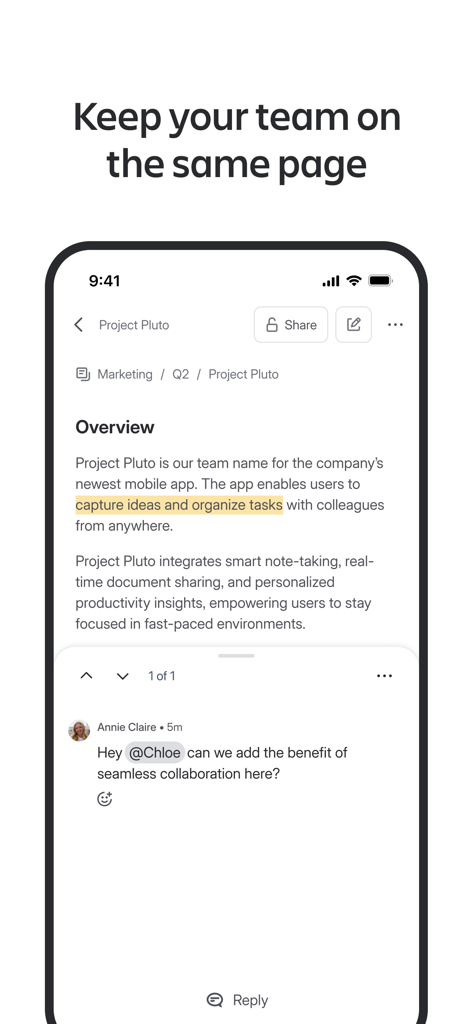
Confluence Cloud mobile app interface showing a project overview with team comments and mentions.

Confluence Cloud mobile app interface showing a project overview with team comments and mentions.

Smartphone showing the Confluence Cloud app with the message Stay connected with your team anywhere

Smartphone showing the Confluence Cloud app with the message Stay connected with your team anywhere

Your Mobile Command Center for Team Knowledge

The tools that make this app stand out, trusted by 1M+ users.

🤖

Maximize Output with Rovo AI

Transform complex docs into listenable podcast-style episodes and get instant answers to your project questions using your company's own knowledge.

Master the Asynchronous Flow

Stay in the loop without the noise. Review Loom videos and approve requests the moment they happen to keep your projects moving forward 24/7.

🔍

One Search, Every Answer

Cut through the clutter with AI-enhanced search and personalized shortcuts to your starred pages, recent work, and favorite team spaces.

Loved by users worldwide

Trusted by 1M+ people who love this app.

"

"Confluence Cloud has been a game-changer for my hybrid workflow. Between meetings, I use Rovo AI to catch up on long project updates or listen to pages like a podcast while I’m on the move. It keeps me from falling behind without needing to be at my desk 24/7."

Sarah Jenkins
"

"The smart notifications are what sold me. Instead of being buried in alerts, the app highlights exactly what needs my attention, like mentions or approvals. Plus, having our team's entire knowledge base in my pocket makes answering DRI questions during lunch a breeze."

Marcus Chen

About the app

Everything you need to know about Confluence Cloud.

Description

Work happens everywhere. With Confluence Mobile, your team’s knowledge travels with you — from your desk to wherever you are. Get updates the moment they happen — mentions, approvals, and more, so you stay connected and informed. NEVER MISS A BEAT - Catch up quickly with high priority notifications. - Pickup work right where you left off - Keep the conversation going, wherever you are ALWAYS FIND WHAT’S IMPORTANT - Surface your most important updates with starred pages and recent work - Watch Looms for the latest project context - See what’s top of mind and trending across your teams DO MORE WITH ROVO AI Rovo is your AI-powered productivity partner in Confluence. - Turn pages into podcast-style episodes you can listen to - Talk to Rovo Chat - and Rovo can answer back using voice-to-text - Ask Rovo to define company jargon or find the right DRI for a project FIND WHAT YOU NEED - Improved relevancy powered by AI - Recents, spaces, and favorites — all up front - Stay informed with AI grounded in company knowledge STAY IN THE LOOP WITHOUT THE NOISE - Sort by mentions, comments, and recents - Reply or react with a tap - Smarter notifications keep you focused on what matters Already using Confluence? Log in and pick up where you left off. New to Confluence? Download the app and login or create a free account to get started. Please note, there are three different apps for Confluence: Confluence Cloud, Confluence Data Center, and Confluence Server. If you can’t log in, confirm with your Confluence admin that you’re working on a cloud instance.

Latest Version

5.6.4

Size

157.3 MB

First Released

Jan 4, 2016

Move Your Projects Forward, From Anywhere.

Get the power of Rovo AI and your team’s collective knowledge in your pocket. Stay in the loop without the noise—download Confluence Cloud today.

Download on App Store
FAQ

Frequently Asked Questions

Everything you need to know about Confluence Cloud

What is the Confluence Cloud mobile app?

Confluence Cloud is a mobile application that allows teams to access and collaborate on knowledge and work from anywhere. It keeps users updated with real-time notifications and allows work continuation on the go.

Can I get real-time updates and notifications in Confluence Cloud?

Yes, Confluence Cloud provides real-time updates and high-priority notifications for mentions, approvals, and other important activities. It helps users stay connected and informed instantly.

Does the Confluence Cloud app include an AI assistant?

Yes, Confluence Cloud includes Rovo AI, an AI-powered productivity partner. Rovo assists with tasks like turning pages into audio, answering questions, defining jargon, and finding project DRIs.

Can Rovo AI in Confluence Cloud answer questions using voice?

Yes, Rovo AI in Confluence Cloud features Rovo Chat, which allows users to talk to Rovo and receive voice-to-text responses. This enables interactive voice communication.

How can I find important information quickly in Confluence Cloud?

Confluence Cloud offers improved AI-powered relevancy for search, and provides quick access to recents, spaces, and favorites upfront. Users can also search for specific content efficiently.

Can I listen to content from Confluence Cloud as audio?

Yes, Confluence Cloud allows users to turn pages into podcast-style episodes. This feature enables listening to overviews for the latest project context and company knowledge.

How does Confluence Cloud help with team collaboration?

Confluence Cloud facilitates collaboration by enabling users to keep conversations going, share updates, reply or react to content, and track trending topics. It ensures teams stay on the same page.

Can Confluence Cloud search for Jira issues?

Yes, Rovo Chat within Confluence Cloud can search for Jira issues. It retrieves information from Confluence, Jira, and third-party data sources based on specific filters.

Is it possible to filter notifications in Confluence Cloud?

Yes, Confluence Cloud allows users to sort notifications by mentions, comments, and recents. There is also an "Unread only" toggle to focus on new important information.

Can new users create a free account with Confluence Cloud?

Yes, new users can download the Confluence Cloud app and create a free account to get started. Existing Confluence users can simply log in.

What is the difference between Confluence Cloud and other Confluence apps?

There are three distinct Confluence apps: Confluence Cloud, Confluence Data Center, and Confluence Server. Confluence Cloud is a specific cloud instance. Users should confirm their instance type if login issues occur.