Contact.s Back Up

Contact.s Back Up

Download on App Store
Spark by MWM logo
Logo of Contact.s Back Up

Contact.s Back Up: Secure Your Professional Network in One Tap

Never lose a client or lead again. The ultimate tool for busy professionals to backup, sync, and export contacts to spreadsheets with total peace of mind.

Download on App Store

Publisher

Symon Johnson

Category

Productivity

Downloads

881K+

User Rating

4.5/5

Total Ratings

7K+

Locales

7

Efficiency at a Glance

Discover the interface used by 881K+ users.
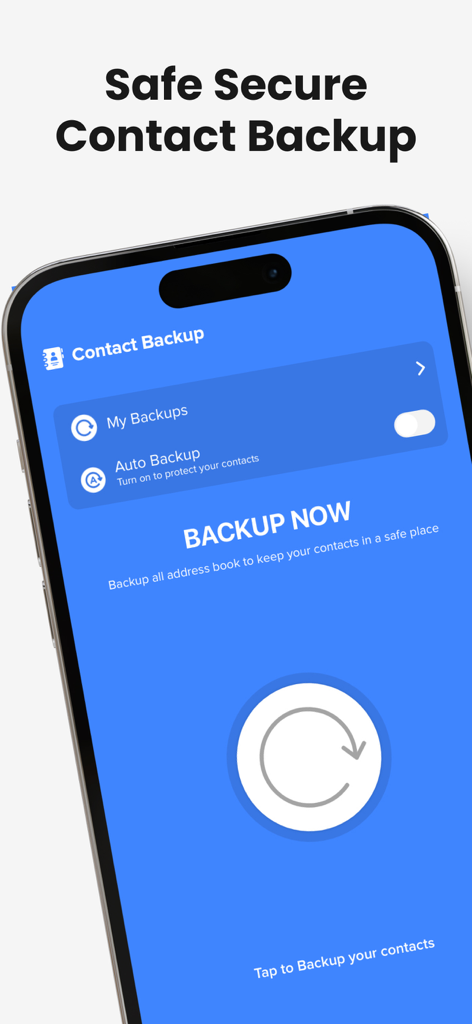
Mobile app interface for Contact.s Back Up showing the main backup now button and auto backup settings

Mobile app interface for Contact.s Back Up showing the main backup now button and auto backup settings

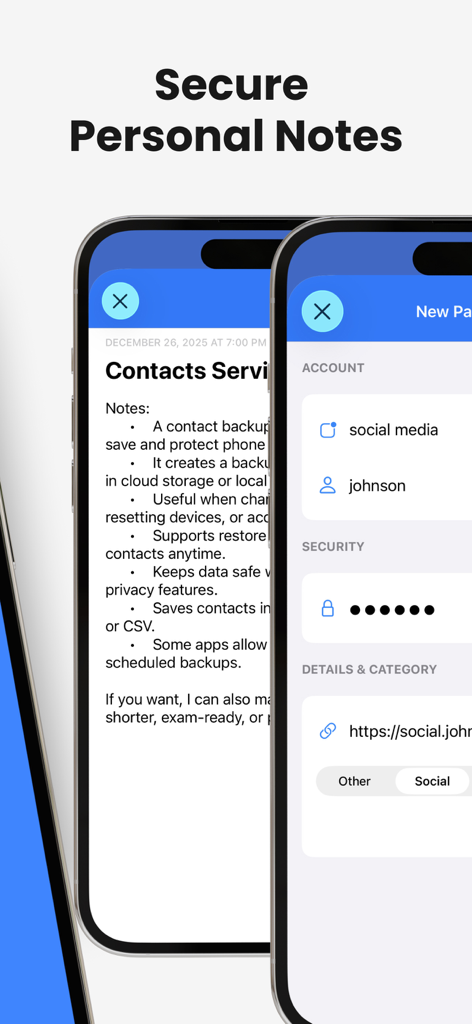
Interface showing secure personal notes and account security settings within the app

Interface showing secure personal notes and account security settings within the app

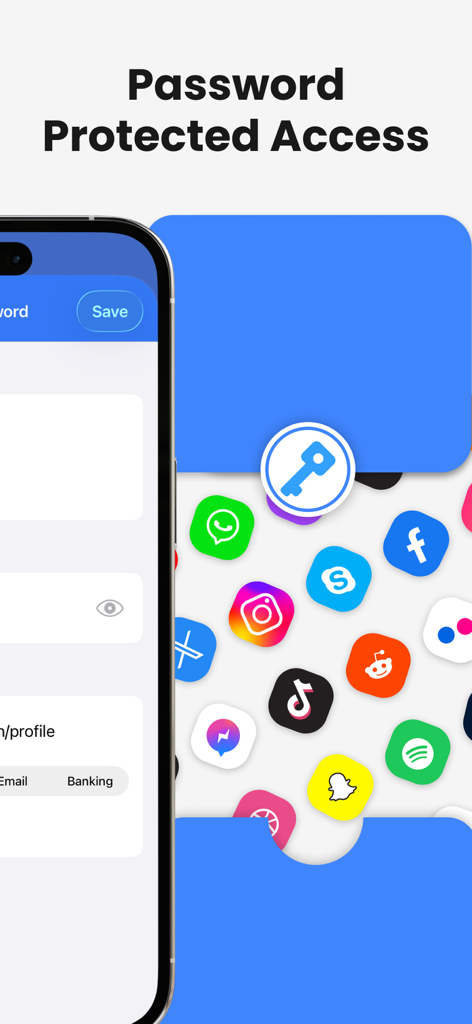
A screenshot showing the password protected access feature for secure contact backup and data privacy

A screenshot showing the password protected access feature for secure contact backup and data privacy

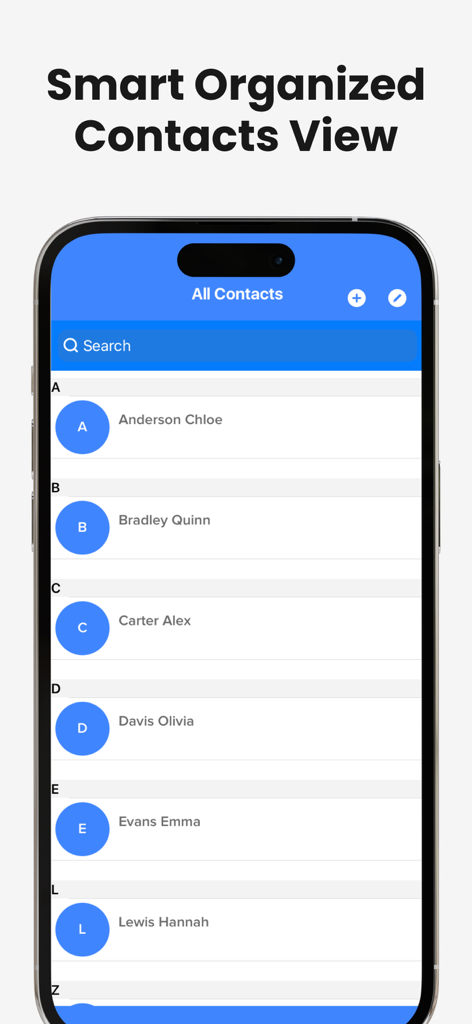
An organized alphabetical list of contacts displayed on an iPhone screen within the app

An organized alphabetical list of contacts displayed on an iPhone screen within the app

Secure Your Professional Network

The tools that make this app stand out, trusted by 881K+ users.

🛡️

Fail-Safe One-Tap Backup

Never lose a client’s number again. Instantly secure your entire address book to iCloud, Google Drive, or Gmail with a single tap for total peace of mind.

📊

Professional Data Export

Transform your phone into a lead-gen tool. Export your contact list into spreadsheets (CSV) to easily sync with your CRM or professional database.

🧹

Smart Database Cleanup

Eliminate digital clutter. Automatically identify and merge duplicate entries to maintain a clean, professional, and efficient digital workspace.

Loved by users worldwide

Trusted by 881K+ people who love this app.

"

"As a Real Estate Broker, my contact list is literally my livelihood. This app is a total game-changer for me. The ability to export my entire phone book to a spreadsheet for my CRM in just one tap is a feature I didn't know I needed until I had it. It’s the perfect insurance policy for my professional network."

Marcus T., Real Estate Broker
"

"I manage multiple clients and often found my address book cluttered with duplicates and outdated info. This app cleaned everything up in seconds. The auto-backup to Google Drive gives me such peace of mind, knowing I'll never lose a client's number again if I lose my phone. Simple, fast, and professional."

Elena R., Independent Consultant

About the app

Everything you need to know about Contact.s Back Up.

Description

Backup all your contacts in just a single tap with an easy tool that will help you to save all the contacts in your agenda to never lose a phone number again. The easiest way to restore, backup, and sync your contacts right to the palm of your hand. • Update the contacts you have at any time of the day with just a single tap. • Backup all the contacts in your agenda right to your local memory and make sure you won't lose them again. • Backup your contacts in Google Drive, iCloud, Gmail, or Exchange to keep all the information in a safe place while reducing the number of contacts you save in your device’s memory. • Restore your contacts whenever you need it. • Export your contacts to spreadsheets, and organize, store, or analyze the information you have on them at any time. • Merge, filter, and remove the contacts you have saved in your phone in just a couple of steps. • Share your whole list of contacts in just seconds with our in-app email sharing functionality. • Find your contacts much easier with the large list of filter options we have included for you to find people faster. • Include all the information and notes you want to add to each contact and create your database right in your device. • Don’t worry about updating your contacts manually, just activate our auto backup function, and let us help you with that. • Look for contacts you have added or deleted in your backup history tab. Don’t lose those important contacts, boost your device’s memory, and organize all your important information in one single easy-to-us Become a PRO user: 1. Title of publication or service:Contacts PRO. 2. Length of Subscription & Price of Subscription, price per unit if appropriate: - Weekly(3 Days Free Trial) 3. Prices of Subscription: - 3 day free trial then $4.99 per week - 3 day free trial then $9.99 per month - $49.99 per year 4. Payment will be charged to iTunes Account at confirmation of purchase 5. Subscription automatically renews unless auto-renew is turned off at least 24-hours before the end of the current period. You can turn of the auto-renew subscription from iPhone setting 6. Account will be charged for renewal within 24-hours prior to the end of the current period, and identify the cost of the renewal 7. Subscriptions may be managed by the user and auto-renewal may be turned off by going to the user's Account Settings after purchase. 8. Privacy Policy: https://insanedevelopersllc.wordpress.com/privacy-policy/ 9. Terms of use: https://insanedevelopersllc.wordpress.com/terms-of-use/

Latest Version

2.66

Size

60.0 MB

First Released

Sep 21, 2019

Never Lose a Valuable Connection Again

Join 880,000+ professionals who trust our one-tap backup and export tools to keep their business contacts safe and organized.

Download on App Store
FAQ

Frequently Asked Questions

Everything you need to know about Contact.s Back Up

How does Contact.s Back Up create contact backups?

Contact.s Back Up allows users to back up all contacts with a single tap to local memory, Google Drive, iCloud, Gmail, or Exchange. The app also features an auto backup function.

What are the subscription plans available for Contact.s Back Up PRO?

Contact.s Back Up PRO offers weekly ($4.99/week after 3-day trial), monthly ($9.99/month after 3-day trial), and yearly ($49.99) subscription plans. Payment is charged to the iTunes Account.

Does Contact.s Back Up offer an auto-backup feature for contacts?

Yes, Contact.s Back Up provides an auto-backup function. Users activate this feature to automatically update their contacts without manual intervention, ensuring continuous protection.

How do users manage their Contact.s Back Up PRO subscription?

Users manage their Contact.s Back Up PRO subscription and turn off auto-renewal via their iPhone's Account Settings after purchase. This action must occur at least 24-hours before the current period ends.

Can users export contacts from the Contact.s Back Up app?

Yes, Contact.s Back Up enables users to export their contacts to spreadsheets. This feature helps organize, store, or analyze the contact information as needed.

Does Contact.s Back Up provide secure storage for personal notes or password protection?

Yes, Contact.s Back Up offers "Secure Personal Notes" and "Password Protected Access" features. These functions allow users to store sensitive information within the app with enhanced privacy.

Does the Contact.s Back Up app offer features to merge or filter contacts?

Yes, Contact.s Back Up allows users to merge, filter, and remove contacts easily. It provides extensive filter options to find specific contacts quickly.