
Counter Tally Count



From professional inventory and data logs to habit tracking and hobbies, manage everything with unlimited counters, voice feedback, and customizable widgets.
Publisher
Category
UtilitiesDownloads
1M+User Rating
Total Ratings
16K+Locales
18Discover the interface used by 1M+ users.
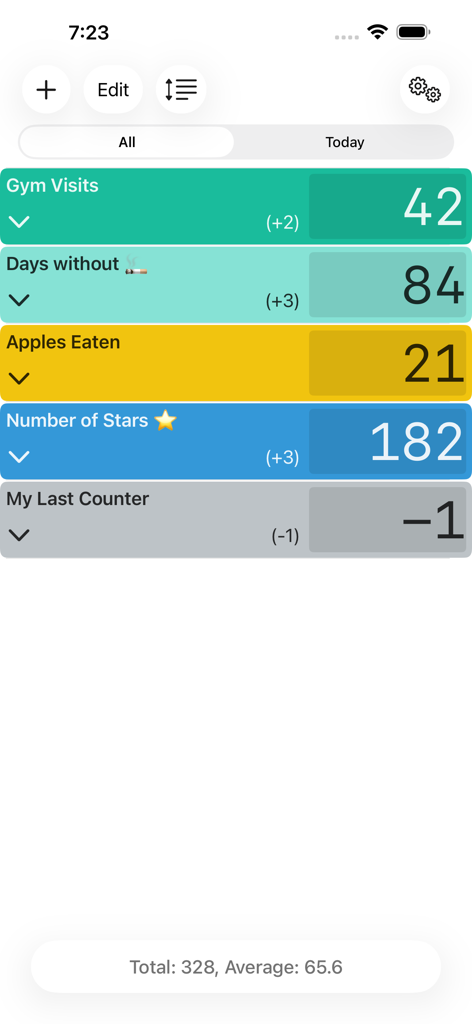

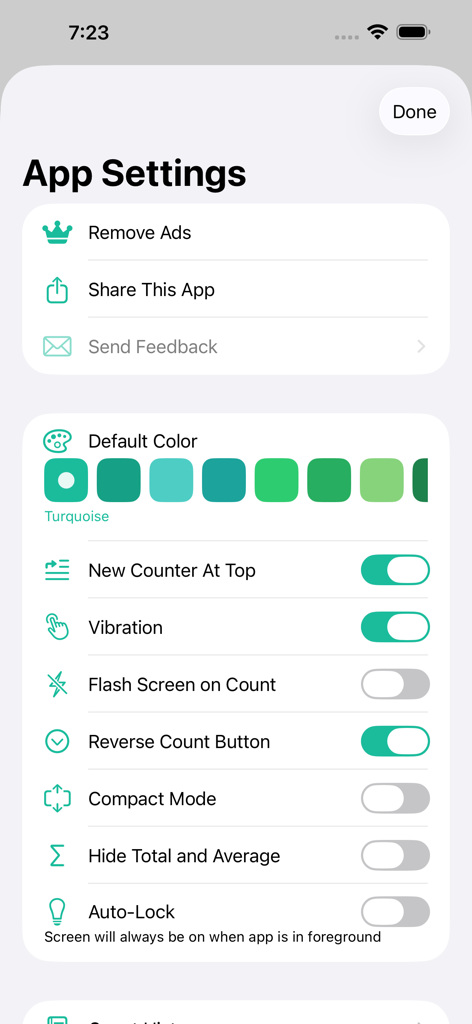
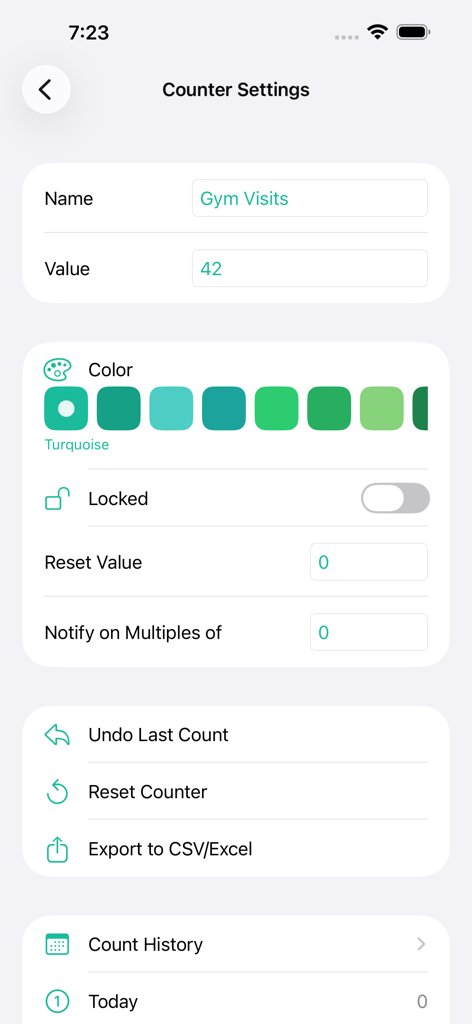
The tools that make this app stand out, trusted by 1M+ users.
Track the exact time of every count and export your full history to CSV for professional reporting and deeper analysis.
Stay focused on your task with audible speech confirmation and haptic tics, allowing you to count accurately without looking at your screen.
Manage unlimited counters with custom colors, names, and home-screen widgets designed to fit your unique personal or professional workflow.
Trusted by 1M+ people who love this app.
"This app is an essential tool for my inventory audits. The CSV export feature and the time-stamped logs provide the level of detail I need for my professional reports. It is incredibly reliable and the color-coding keeps my different projects perfectly organized."
"I use this for everything from tracking rows in my crochet projects to monitoring my daily habits. The voice feedback is brilliant because I do not even have to look at my phone to know the count registered. The widgets make it so easy to access right from my lock screen."
Everything you need to know about Counter Tally Count.
Description
Latest Version
2026.1.1
Size
7.9 MB
First Released
Sep 8, 2016
Join over 1 million users who count, log, and export their progress with ease. Download the ultimate tally tool today.
Everything you need to know about Counter Tally Count
Counter Tally Count is a simple yet powerful tally counter application for iPhone and iPad. It enables users to create and manage unlimited counters for various purposes.
Yes, Counter Tally Count offers extensive appearance customization. Users can rename each counter and assign different colors to personalize their tallies.
Yes, Counter Tally Count supports an unlimited number of counters. Users can create, manage, and reorder multiple tallies for various activities or items as needed.
Counter Tally Count allows users to lock specific counters. This feature prevents unintended modifications to the count value, ensuring data integrity for important tallies.
Yes, the Counter Tally Count app offers data export capabilities. Users can view logs for individual counters and export them as CSV files, or export all counter data at once.
Yes, Counter Tally Count provides optional audible feedback. Users can enable a tic sound or speech of each number to confirm counts within the app settings.
Users can adjust the counting step size in Counter Tally Count. The step size is configurable from -100 to 100, allowing for flexible increments or decrements.
Yes, the Counter Tally Count app provides widget support. This feature allows users to access and manage their counters directly from their iPhone or iPad home screen.
Yes, users can remove advertisements from the Counter Tally Count application. This option is available within the app's settings menu for an ad-free experience.
Counter Tally Count allows users to organize counters manually or automatically. Counters can be reordered by name, creation date, last update time, or assigned color.
Yes, Counter Tally Count keeps a detailed history of individual counts for each counter. Users can view the log showing the exact time of every count.
Yes, Counter Tally Count is designed for both iPhone and iPad. It provides a simple yet powerful tally counting experience across both Apple devices.
Apps with similar features and user experience

JOSE DOMINGO CASTRO CRESPO
DMICANO LLC

Sean Gransee

Jonas Boserup
Edwin Chan

Appcano LLC
Unicom TOV

One Pixel Studio s. r. o.

Ruben Sanchez
