Dext: Expense Tracker App

Dext: Expense Tracker App

Download on App Store
Spark by MWM logo
Logo of Dext: Expense Tracker App

Dext: Expense Tracker App – The Smarter Way to Automate Your Bookkeeping

Stop wasting hours on manual data entry. Our AI-powered OCR extracts data from receipts and invoices with 99% accuracy, syncing effortlessly with QuickBooks and Xero to keep you tax-ready and audit-proof.

Download on App Store

Publisher

Dext Software Limited

Category

Business

Downloads

1M+

User Rating

4.8/5

Total Ratings

80K+

Locales

2

Efficiency in Every Snap

Discover the interface used by 1M+ users.

Dext expense tracker app showing high ratings from QuickBooks Trustpilot and Xero App Store

Dext expense tracker app showing high ratings from QuickBooks Trustpilot and Xero App Store

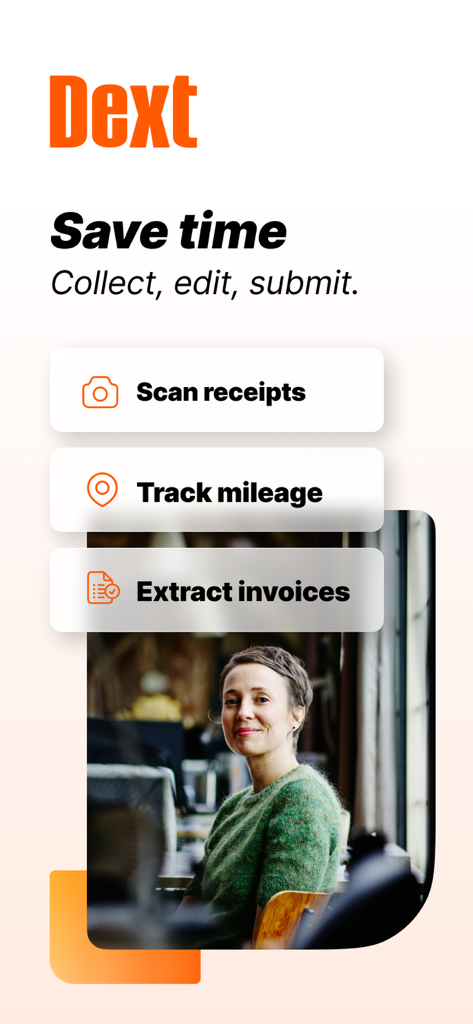
Dext app interface showcasing scan receipts track mileage and extract invoices features for business productivity

Dext app interface showcasing scan receipts track mileage and extract invoices features for business productivity

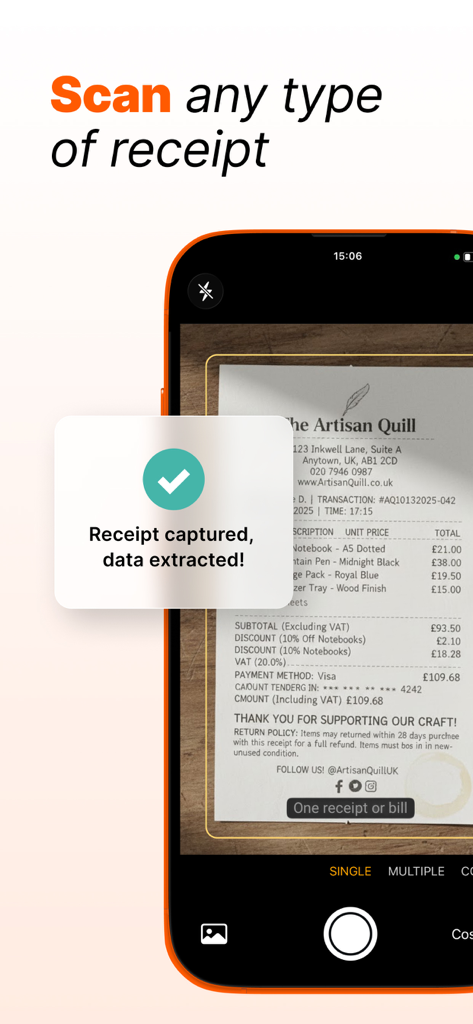
Mobile app interface showing a receipt being scanned and data successfully extracted

Mobile app interface showing a receipt being scanned and data successfully extracted

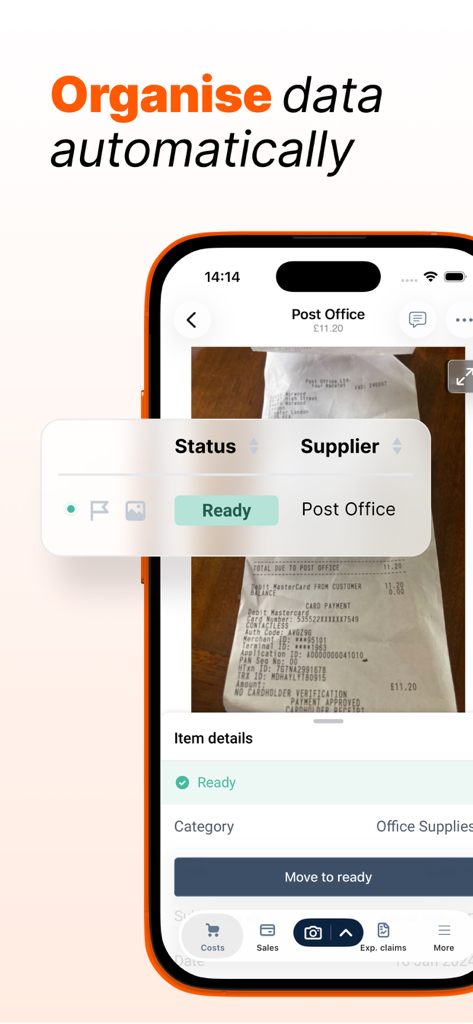
Dext mobile app screenshot showing automatic receipt data extraction and organization features

Dext mobile app screenshot showing automatic receipt data extraction and organization features

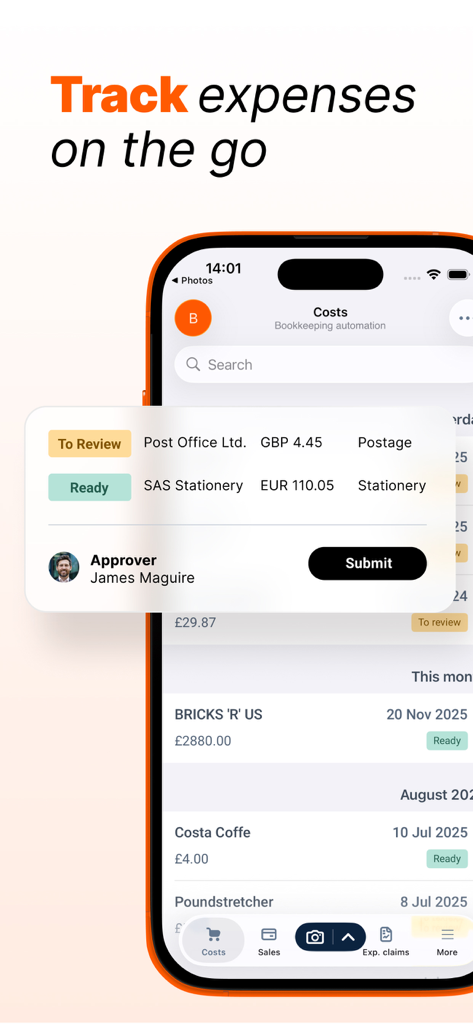
Dext app interface showing mobile expense tracking and receipt submission

Dext app interface showing mobile expense tracking and receipt submission

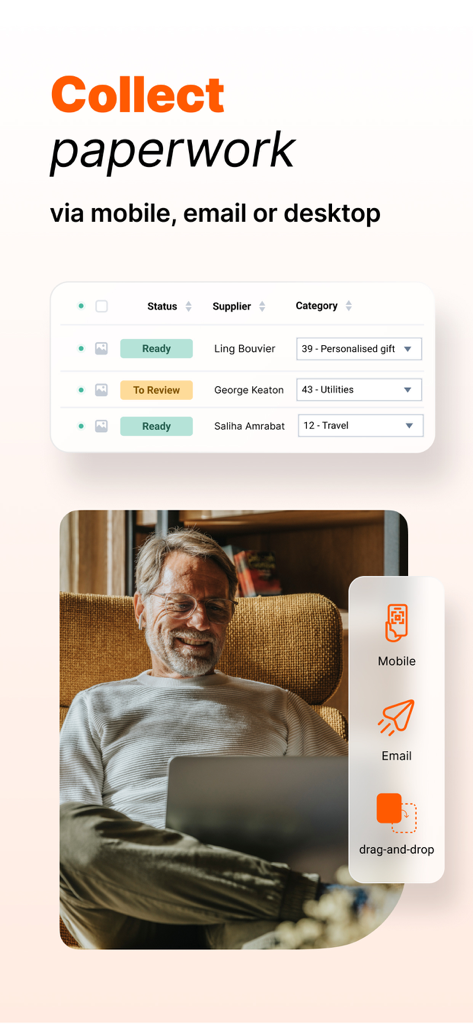
Dext app interface for collecting business paperwork via mobile email and desktop

Dext app interface for collecting business paperwork via mobile email and desktop

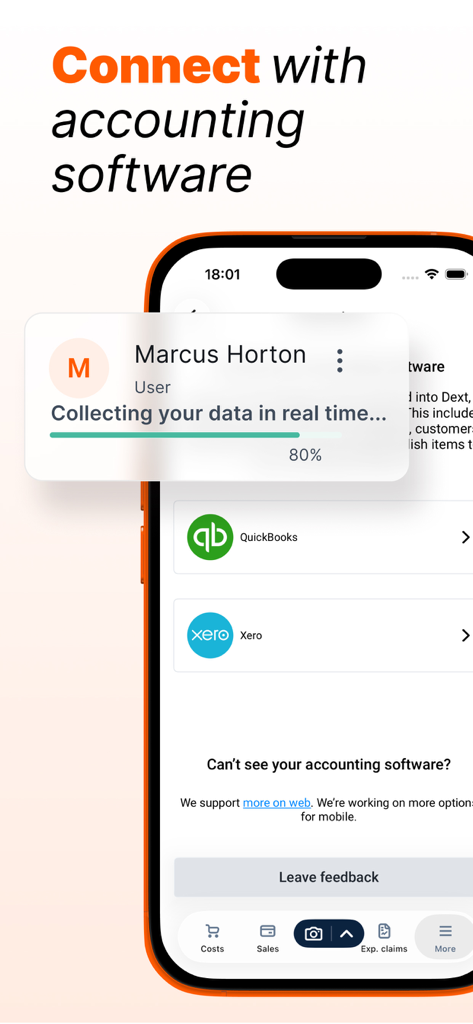
A smartphone displaying the Dext app interface for connecting with accounting software like QuickBooks and Xero while collecting data in real-time.

A smartphone displaying the Dext app interface for connecting with accounting software like QuickBooks and Xero while collecting data in real-time.

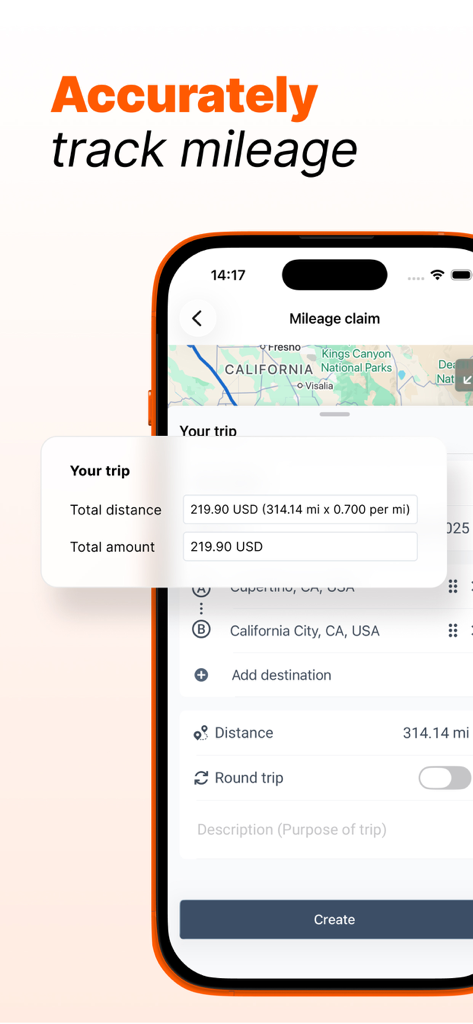
Dext mobile app screen showing a mileage claim with distance calculation and map view

Dext mobile app screen showing a mileage claim with distance calculation and map view

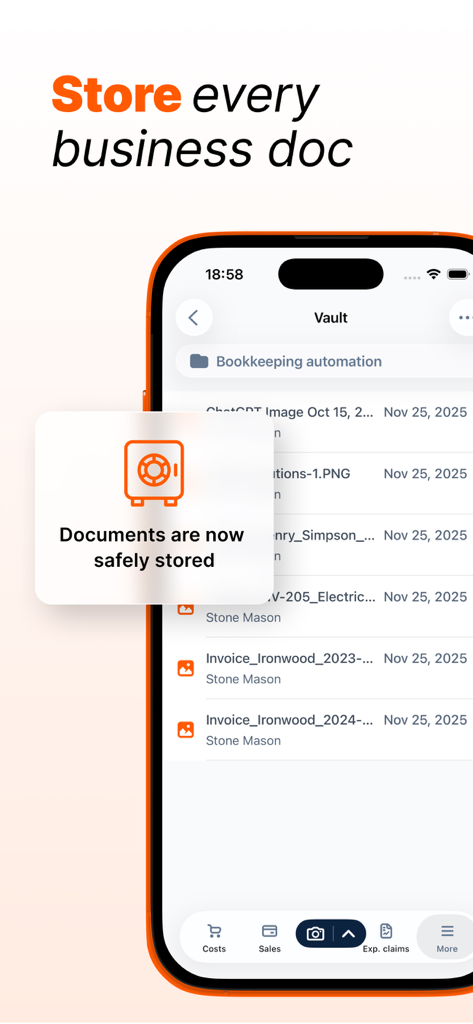
Dext app interface showing the secure vault for storing business documents and bookkeeping automation

Dext app interface showing the secure vault for storing business documents and bookkeeping automation

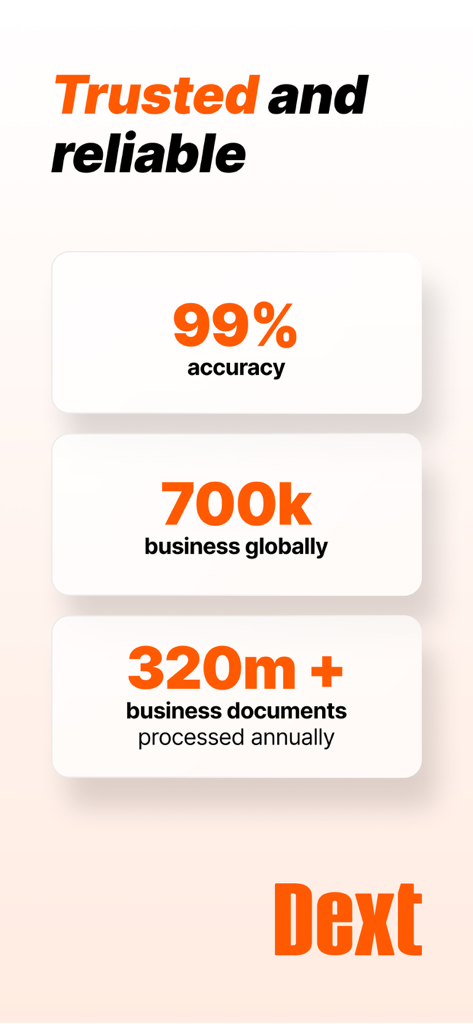
Infographic showing Dext 99 percent accuracy and 700k global businesses

Infographic showing Dext 99 percent accuracy and 700k global businesses

Master Your Business Finances Effortlessly

The tools that make this app stand out, trusted by 1M+ users.

📸

Snap & Extract with 99% Accuracy

Use your camera to capture receipts on the go. Our AI extracts every detail—including handwriting—so you never have to type an expense again.

🔗

One-Tap Accounting Sync

Connect seamlessly to QuickBooks, Xero, or Sage. Your data flows automatically into your existing workflow for instant, error-free reconciliation.

Automated Tax Compliance

Stay audit-ready 24/7. Dext automatically categorizes your expenses and securely stores digital copies, making tax season a stress-free experience.

Loved by users worldwide

Trusted by 1M+ people who love this app.

"

"Dext has been a total lifesaver for my consulting business. I used to have a wallet full of crumpled receipts, but now I just snap a photo and it’s synced to my accounting software before I even leave the cafe. The OCR accuracy is truly impressive, even with my messy handwriting!"

Sarah Miller, Independent Consultant
"

"Connecting Dext to QuickBooks was a breeze and has saved my team hours of manual data entry every week. The 'Combine' mode is perfect for those long supplier invoices, and knowing everything is safely stored with bank-level encryption gives me huge peace of mind for tax season."

David Kowalski, Small Business Owner

About the app

Everything you need to know about Dext: Expense Tracker App.

Description

Dext Expense Management App: Extract, Track & Manage! Dext is the best expense tracker app that effortlessly extracts data from receipts or invoices, regardless of their size or quantity, ensuring you remain in control of your expenses wherever you are. It meticulously itemizes and categorizes this data, offering valuable insights into your business. By leveraging Dext, you can make informed decisions, save time, simplify the Making Tax Digital process, and seamlessly integrate expenses into your accounting systems. As a cloud-based easy expense management solution, once you sign up for Dext through the app, you gain access to various expense management features and submission methods across different devices. - Submit receipts via Mobile app - Upload expenses from your computer - Email Invoices via your dedicated Dext Prepare email-in address - Set up a Fetch connection with a supplier Key Benefits: * Expense data extraction with a simple snap: Our Optical Character Recognition, with 99% accuracy and combined with AI, digitizes any receipts, bills, and invoices, decoding even handwriting. * Experience even faster, automated integration with your suppliers and accountants: Your expense data seamlessly travels from 1,400+ suppliers – such as Xero, Sage and QuickBooks. We manage expense tracking, reconciliation, categorization for a simplified tax compliance. * Trustworthy data & receipt tracker: We excel in bookkeeping automation, ensuring reliable extraction and reconciliation of item transactions. No glitches, just an easy flow of expense data that enables faster business decisions. Key App features: - Camera modes: Single mode to extract a single receipt, multiple mode to capture several expenses (Dext separates each photo into a separate item), and combine mode to capture expense data spread over several pages or for very long receipts (Dext combines photos into one item). - Connect to QuickBooks (QBO) and Xero from the app: This new feature integrates software with just a couple of taps, enabling you to start tracking and sending expenses automatically to your accountant. If you work with other software like Sage, you can still connect your expenses via our cloud system on the web. - Expense itemization across all submission methods: Your data will then be categorized by industry type, expense category, document type (receipt, invoice, bank statement, credit note), owner, submission details, supplier, currency, tax amount, payment status, and more. Each of these fields can be easily edited and managed with a single tap. Three different bookkeeping workspaces: Cost data to keep track of the receipts, invoices and other expenses that your business uses to purchase goods and services. Sales workspace to track the invoices and other financial documents that your business issues to its customers for payment. Expense reports to collate an individual’s reimbursable payments. REASONS TO TRY DEXT Save hours each month by streamlining expenses, data entry, reconciliation, and categorization. Facilitate real-time submission of expense reports by employees. Whether they are on a business trip or dining out. Centralize all your documents on Dext (invoices, expense reports, bank statements, bills, receipt data, etc.) As the best bookkeeping app in the market, Dext ensures your receipt data is safely stored using bank-level encryption and fully GDPR compliant Get started now! Sign up, tap '+', capture receipts. 14-day free trial! Main integrations: Xero QuickBooks online Sage accounting FreeAgent KashFlow Gusto PayPal Dropbox & More Awards: * 2024 - Winner - ‘Small Business App Partner of the Year’ (Xero Awards) * 2023 Winner - ‘Best Accounting Cloud-Based Software Company’ (SME News - IT Awards) * 2023 Winner - ‘Best Accounting Pre-Accounting Automation Specialists 2023’ (Acquisition International) Privacy policy: https://www.dext.com/eu/privacy-policy Terms of use: https://www.dext.com/eu/terms-and-conditions

Latest Version

5.1.9

Size

83.5 MB

First Released

Feb 15, 2011

Ready to Automate Your Bookkeeping?

Join over 1 million professionals who have ditched manual data entry. Start your 14-day free trial today and experience 99% accuracy on every receipt, invoice, and bill.

Download on App Store
FAQ

Frequently Asked Questions

Everything you need to know about Dext: Expense Tracker App

How does Dext: Expense Tracker App streamline expense management?

Dext streamlines expense management by effortlessly extracting data from receipts, itemizing and categorizing it. It integrates with accounting systems, simplifies tax compliance, and offers various submission methods, saving users time.

What are the main ways to submit expenses using the Dext app?

Users can submit expenses to Dext via the mobile app, by uploading from a computer, emailing invoices to a dedicated Dext Prepare address, or by setting up a Fetch connection with a supplier.

Does Dext: Expense Tracker App use OCR technology for data extraction?

Yes, Dext uses Optical Character Recognition (OCR) with 99% accuracy, combined with AI, to digitize receipts, bills, and invoices. It effectively decodes even handwritten information from documents.

Can Dext integrate with popular accounting software like QuickBooks and Xero?

Yes, Dext integrates with popular accounting software including QuickBooks (QBO) and Xero directly from the app. It also connects with Sage and other systems via its cloud platform.

What camera modes does the Dext app offer for capturing receipts?

Dext offers three camera modes: Single for one receipt, Multiple for several expenses (each photo is a separate item), and Combine for expense data spread over multiple pages into one item.

Is Dext: Expense Tracker App GDPR compliant and secure for data storage?

Yes, Dext ensures receipt data is safely stored using bank-level encryption and is fully GDPR compliant. It centralizes all documents securely for business operations.

Does Dext offer a free trial for new users?

Yes, Dext offers a 14-day free trial for new users to get started. Users can sign up through the app, tap '+', and begin capturing receipts immediately.

What types of information does Dext itemize and categorize from expenses?

Dext itemizes and categorizes data by industry type, expense category, document type, owner, submission details, supplier, currency, tax amount, and payment status, which users can easily edit.

Can Dext: Expense Tracker App track mileage for business expenses?

Yes, Dext accurately tracks mileage for business expenses. The app includes a dedicated feature for mileage claims, showing total distance and amount to help manage travel costs.

What is the accuracy rate of data extraction in Dext?

Dext's Optical Character Recognition (OCR) technology, enhanced with AI, achieves a 99% accuracy rate for digitizing receipts, bills, and invoices, including handwritten elements.