Driver: Driving & Dash Cam App

Driver: Driving & Dash Cam App

Download on App Store
Spark by MWM logo
Logo of Driver: Driving & Dash Cam App
Driver: Driving & Dash Cam App — Your AI Co-Pilot for Ultimate Safety and Liability Protection

Turn your iPhone into a powerful dash cam with AI accident detection, 24/7 roadside assistance, and instant cloud sharing. The all-in-one solution for commuters and gig drivers to protect their insurance, their income, and their peace of mind.

Publisher

Driver Technologies Inc.

Category

Navigation

Downloads

333K+

User Rating

4.7/5

Total Ratings

11K+

Locales

21

Confidence Behind the Wheel

Discover the interface used by 333K+ users.
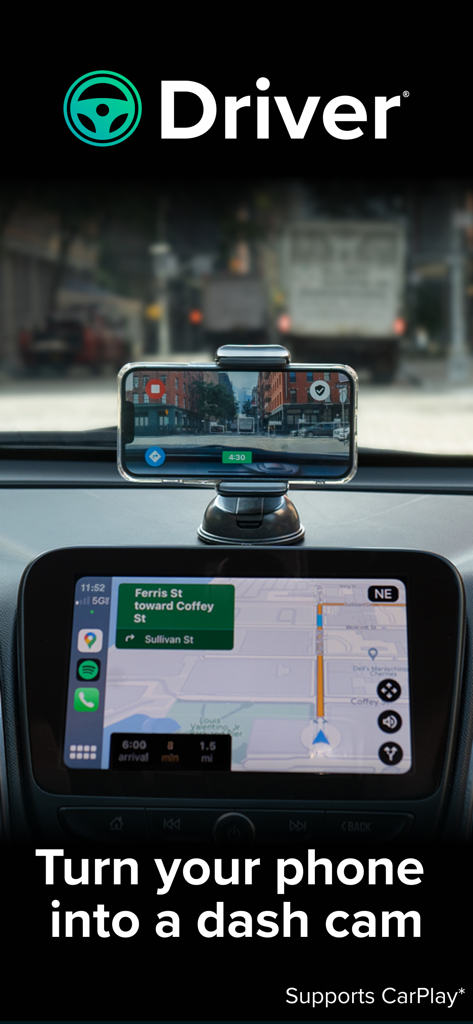
An iPhone mounted on a car dashboard using the Driver app as a dash cam while integrated with Apple CarPlay navigation.

An iPhone mounted on a car dashboard using the Driver app as a dash cam while integrated with Apple CarPlay navigation.

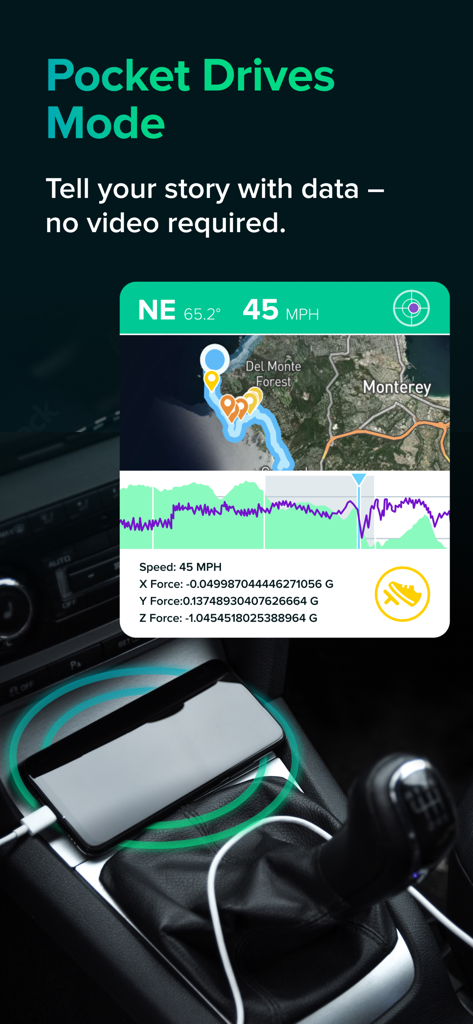
Screenshot of the Driver app Pocket Drives Mode showing telemetry data like speed and G-force on a map.

Screenshot of the Driver app Pocket Drives Mode showing telemetry data like speed and G-force on a map.

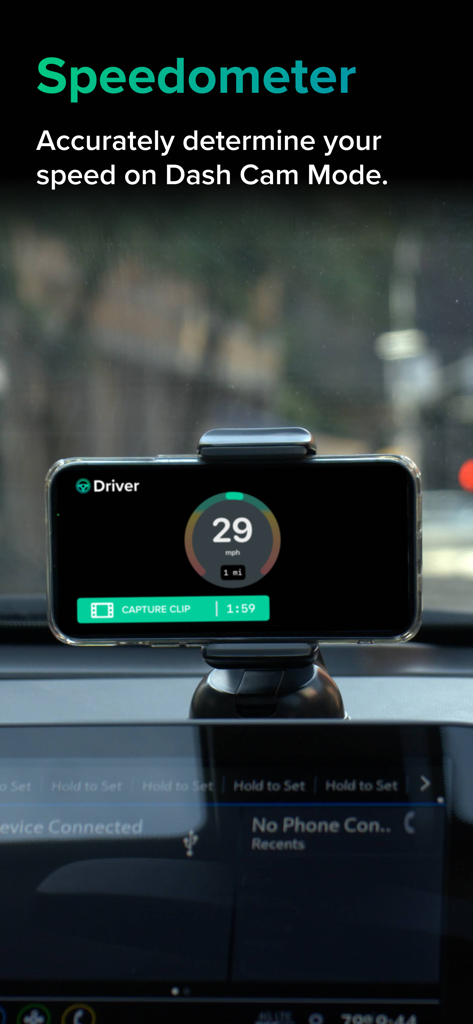
iPhone mounted on a car dashboard displaying the Driver app speedometer and dash cam recording interface

iPhone mounted on a car dashboard displaying the Driver app speedometer and dash cam recording interface

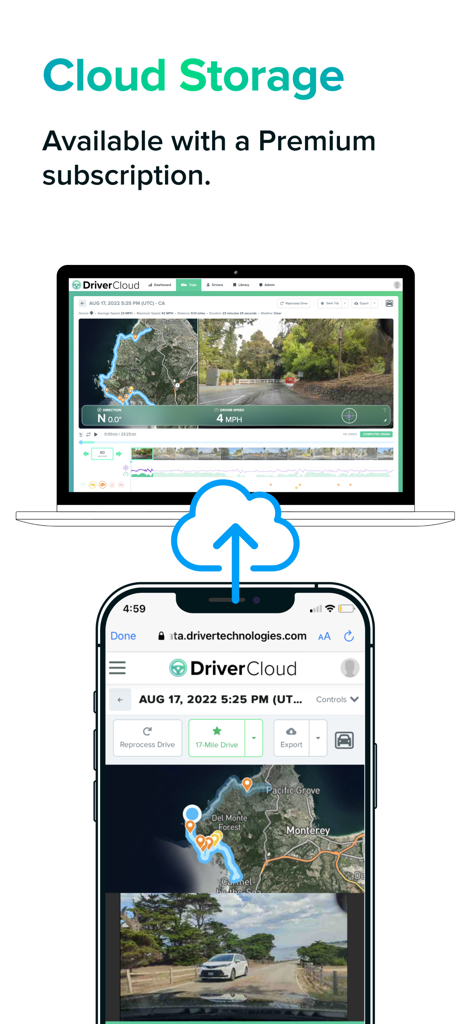
Driver app cloud storage interface showing trip data and video synced between a smartphone and laptop

Driver app cloud storage interface showing trip data and video synced between a smartphone and laptop

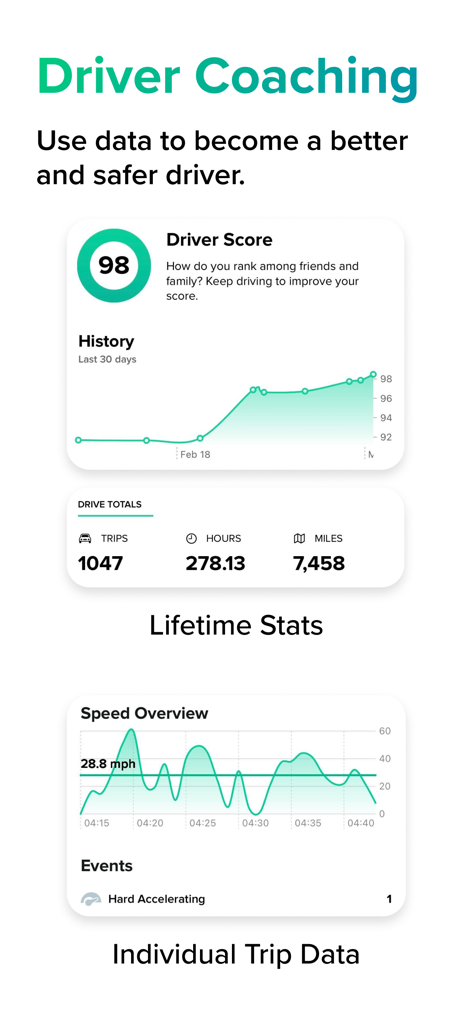
Driver Coaching screen showing safety score and driving statistics

Driver Coaching screen showing safety score and driving statistics

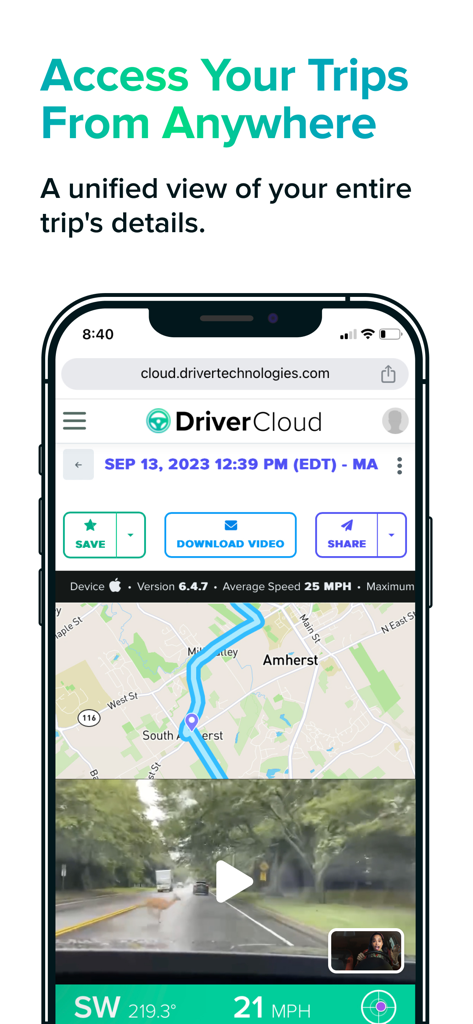
A smartphone displaying the Driver Cloud interface with a map route, dashcam video footage of a deer, and options to save or share trip data.

A smartphone displaying the Driver Cloud interface with a map route, dashcam video footage of a deer, and options to save or share trip data.

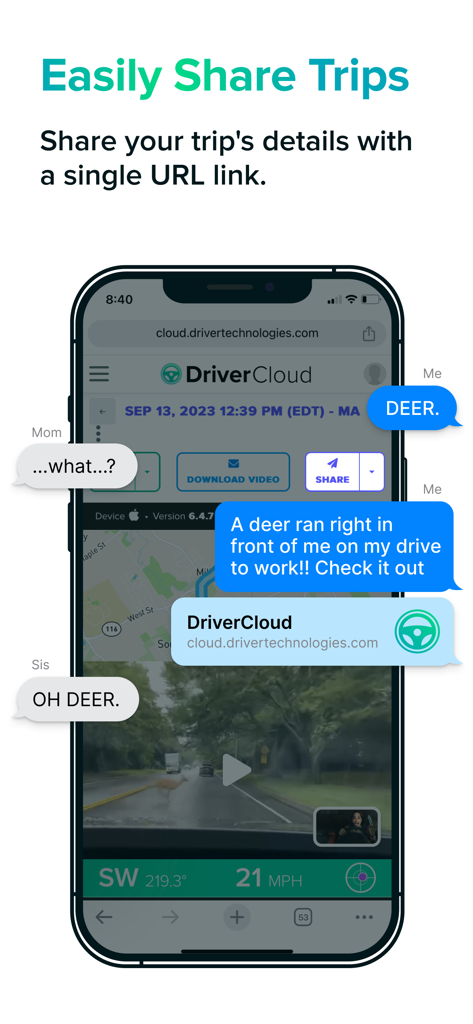
A smartphone showing the Driver app sharing a trip recording and location data via a single link in a text conversation.

A smartphone showing the Driver app sharing a trip recording and location data via a single link in a text conversation.

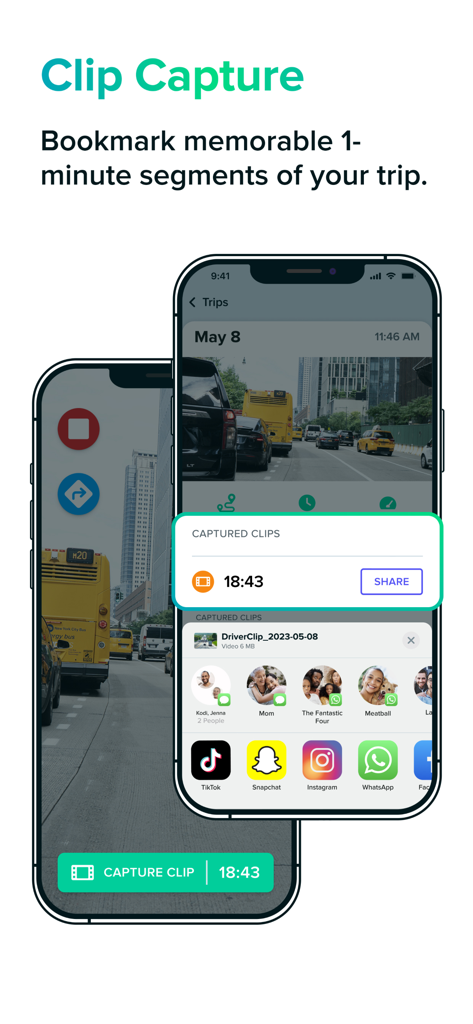
Interface of the Driver dash cam app showing the clip capture and video sharing feature on two smartphones.

Interface of the Driver dash cam app showing the clip capture and video sharing feature on two smartphones.

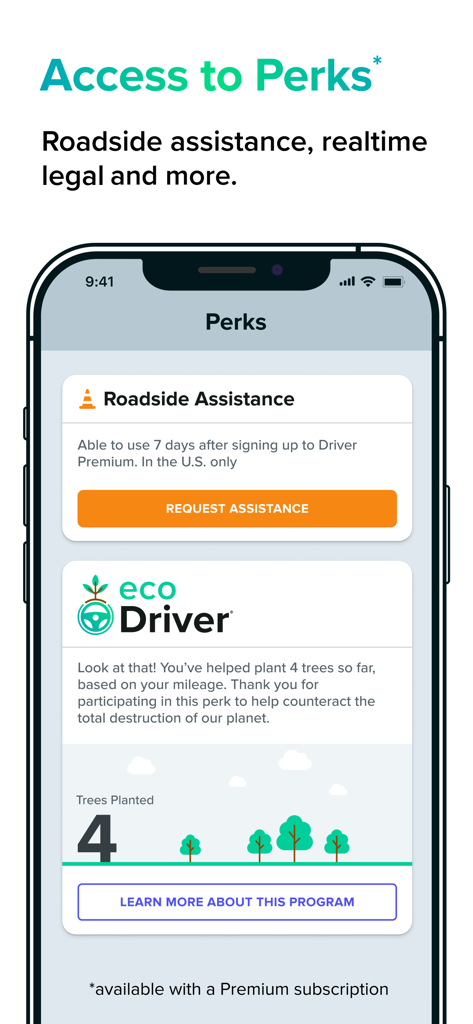
Driver app Perks screen displaying roadside assistance and the eco driver tree planting program

Driver app Perks screen displaying roadside assistance and the eco driver tree planting program

Drive With Total Peace of Mind

The tools that make this app stand out, trusted by 333K+ users.

🛡️

Pro-Grade Liability Protection

Record HD video enriched with speed, G-force, and GPS data. Instantly share a secure cloud link with insurance or legal support to prove what really happened.

🧠

AI-Powered Safety Alerts

Our machine learning algorithms detect hard braking, tailgating, and near-accidents in real-time, helping you stay alert and build safer driving habits.

📱

Seamless CarPlay Integration

Designed for your daily commute or gig work. Use Driver alongside your favorite navigation and music apps with full Apple CarPlay support and zero clutter.

Loved by users worldwide

Trusted by 333K+ people who love this app.

"

"As a full-time rideshare driver, the dual-camera feature is a total game-changer. It records the road and the cabin simultaneously, giving me peace of mind against false claims. Sending a cloud link to support is so much faster than fiddling with SD cards."

Marcus T.
"

"I use Driver every day on my long commute. It integrates perfectly with CarPlay so I can still see my maps while recording. Having roadside assistance and a clear video record for my insurance gives me such great peace of mind in heavy traffic."

Sarah L.

About the app

Everything you need to know about Driver: Driving & Dash Cam App.

Description

Driver is here to ensure you’re taken care of on the road. Driver offers a fully connected driving experience through our Cloud + App platform, covering liability protection, roadside services, claims assistance, speedometer, driver education, legal and vehicle support, partner deals, and more. The Driver App has two primary modes for liability protection: 1) Dash Cam 2) Pocket Drives. In both modes, your trips are fully enriched with location, speed, G-force, weather, and telematic events and are automatically uploaded to the Driver Cloud after the end of your drive. Sharing a trip with your insurance, boss, or family is as easy as sending a URL link to your trip on the Driver Cloud. DASH CAM MODE with Apple CarPlay: Driver Cloud Historical View Backup full length HD videos of all your trips to the Driver Cloud with a 90-day lookback Clip Capture Bookmark a 1-minute segment of your trip for easy access Dual Camera Record external & internal video simultaneously on iPhone XS or newer. Automatic Storage Management Driver App automatically deletes all trips successfully uploaded to the Cloud after 2 days to save space on your phone. POCKET DRIVES MODE: All the data you need to share your story minus video. The perfect companion for outdated hardware dash cams or for days when your phone is left in your pocket. DRIVER PREMIUM: Gain peace of mind knowing you’ve got your back covered. - Store HD versions of your trips on the cloud by uploading over Wi-Fi - Get roadside assistance 24/7 throughout the U.S. within 15-30 minutes (U.S. only) - A tree planted every month - Camera and video customization options - Free Driver Cooler to use Driver in Dash Cam mode (Limited time offer, available only on annual plans, U.S. only) DRIVER AI: Driver uses machine learning algorithms to automatically capture hard braking, hard accelerations, speeding, near accidents, unsafe following events, and more. Data is knowledge and can be used by anyone to become a safer driver. TIPS: - Connect your phone to Apple CarPlay to use Driver in Dash Cam Mode alongside your preferred navigation and music apps - Use a dash mount that allows Dash Cam mode to record in landscape - For longer trips, keep your phones plugged into your charger (USB cable) - During hot summer days, avoid prolonged exposure to direct sunlight ABOUT DRIVER: At Driver, our mission is to make driving safer and smarter for everyone. The non-paid version of the App is ad-free and absolutely free. Please check out https://www.drivertechnologies.com to learn more about Driver’s product offerings. We will charge your iTunes account when you purchase a Premium subscription plan. Your account will automatically be charged for renewal within 24-hours prior to the end of the current subscription period unless you disable auto-renew. You can turn off auto-renewal at any time by going to your Account Settings on the App Store after purchase. Privacy Policy: https://www.drivertechnologies.com/how-we-protect-your-privacy Terms and Conditions: https://www.drivertechnologies.com/terms-and-conditions ============ Note: GPS is required. Like other GPS-based apps, continued use of GPS running in the background can hurt your device’s battery life. Other factors, such as temperature, battery health, and other apps running in the background can also affect battery performance.

Latest Version

6.9.1

Size

79.5 MB

First Released

Aug 2, 2018

Turn Your Phone into a Powerful Dash Cam Today

Get the ultimate liability protection and 24/7 roadside assistance. Join over 330,000 drivers who trust Driver for a smarter, safer, and connected driving experience.

Download on App Store
FAQ

Frequently Asked Questions

Everything you need to know about Driver: Driving & Dash Cam App

What is the Driver app?

The Driver app provides a connected driving experience, offering liability protection, roadside services, claims assistance, a speedometer, and driver education through its Cloud + App platform. It supports Dash Cam and Pocket Drives modes for trip recording.

Does the Driver app function as a dash cam?

Yes, the Driver app functions as a dash cam in its 'Dash Cam Mode'. It transforms your phone into a recording device for trips, capturing full-length HD videos and supporting Apple CarPlay.

How does Driver's 'Pocket Drives Mode' work?

Driver's 'Pocket Drives Mode' records comprehensive trip data, including location, speed, G-force, and telematic events, without capturing video. It serves as a data-rich companion, especially when video recording is not desired.

Can I share my recorded trips using the Driver app?

Yes, users can easily share trips recorded with the Driver app. The platform allows you to generate and send a unique URL link to your trip on the Driver Cloud.

What features are included with Driver Premium?

Driver Premium offers HD trip storage on the cloud, 24/7 roadside assistance in the U.S., monthly tree planting, camera and video customization options, and a free Driver Cooler for annual plans.

Does the Driver app provide roadside assistance?

Yes, Driver Premium subscribers receive 24/7 roadside assistance across the U.S. Service typically arrives within 15-30 minutes, providing peace of mind while driving.

How does Driver AI improve driving safety?

Driver AI enhances safety by using machine learning algorithms to automatically detect and capture critical events like hard braking, accelerations, speeding, near accidents, and unsafe following, offering data for improved driving habits.

Does the Driver app automatically manage storage on my phone?

Yes, the Driver app automatically manages phone storage. It deletes all trips successfully uploaded to the Driver Cloud after two days, preserving space on your device.

Can the Driver app record external and internal video simultaneously?

Yes, the Driver app supports dual camera recording. On iPhone XS or newer models, users can simultaneously record both external and internal video during trips.

Is there a free version of the Driver app available?

Yes, a free version of the Driver app is available. The non-paid version is completely free to use and does not contain advertisements.

How do I manage my Driver Premium subscription?

You manage your Driver Premium subscription through your iTunes account settings. Auto-renewal can be disabled at any time by accessing your Account Settings on the App Store after purchase.

Does the Driver app use GPS?

Yes, GPS functionality is required for the Driver app to operate. Continuous use of GPS running in the background can impact your device's battery life, similar to other GPS-enabled applications.

How long are videos stored in the Driver Cloud?

The Driver Cloud retains full-length HD videos from Dash Cam Mode for a 90-day lookback period. Premium users benefit from enhanced storage of HD trip versions.

Can I access a speedometer feature within the Driver app?

Yes, the Driver app features an integrated speedometer. It accurately displays your speed when you are actively using the app in Dash Cam Mode.

How does the Driver app support Apple CarPlay?

The Driver app supports Apple CarPlay, allowing you to use its Dash Cam Mode seamlessly alongside your preferred navigation and music applications while driving.