Driverslog Pro 2

Driverslog Pro 2

Download on App Store
Spark by MWM logo
Logo of Driverslog Pro 2

Driverslog Pro 2: Automate Your Mileage and Maximize Every Tax Deduction

The powerful iOS logbook designed for busy professionals and contractors. Effortlessly track business trips, manage multi-vehicle expenses, and generate IRS-compliant reports that pay for themselves.

Publisher

Florian Liefers

Category

Business

Downloads

94K+

User Rating

4.5/5

Total Ratings

2K+

Locales

2

Precision at a Glance

Discover the interface used by 94K+ users.
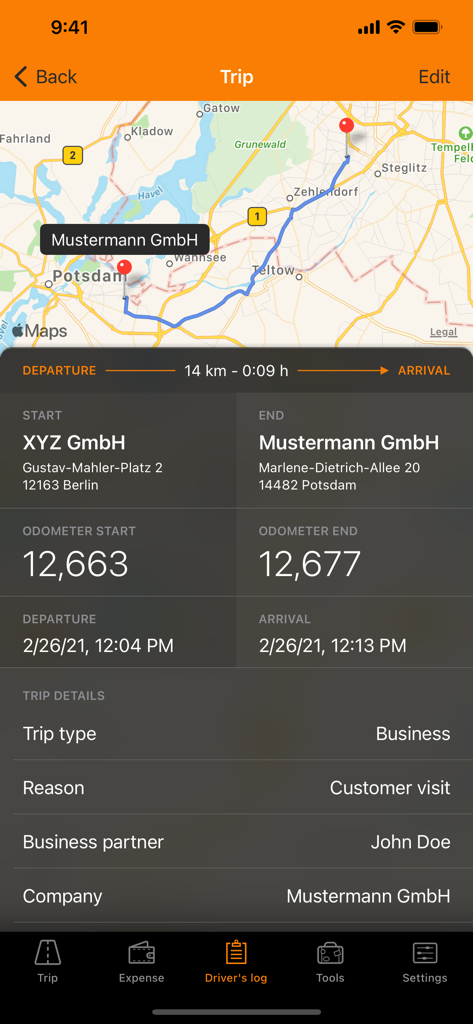
Driverslog Pro 2 interface displaying a detailed business trip log with a map, distance, and odometer readings for tax compliance.

Driverslog Pro 2 interface displaying a detailed business trip log with a map, distance, and odometer readings for tax compliance.

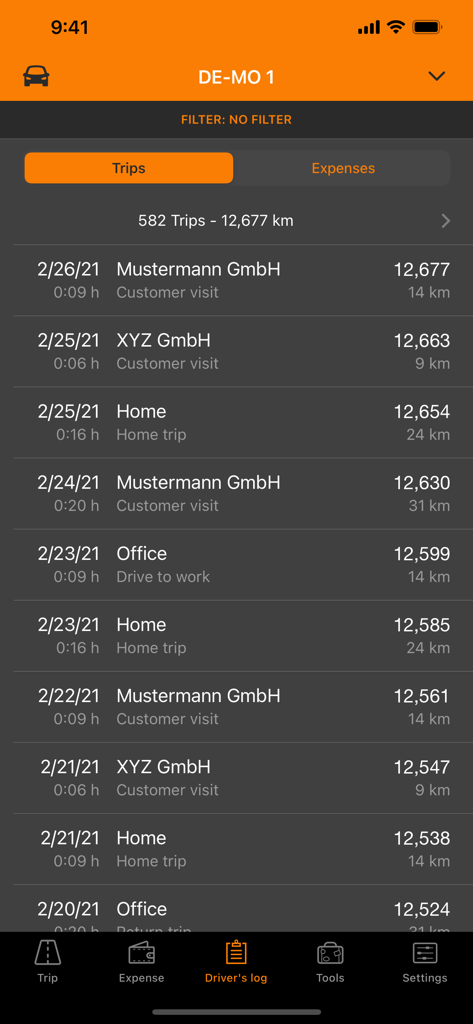
A chronological list of recorded vehicle trips showing dates destinations and distances in the Driverslog Pro 2 app

A chronological list of recorded vehicle trips showing dates destinations and distances in the Driverslog Pro 2 app

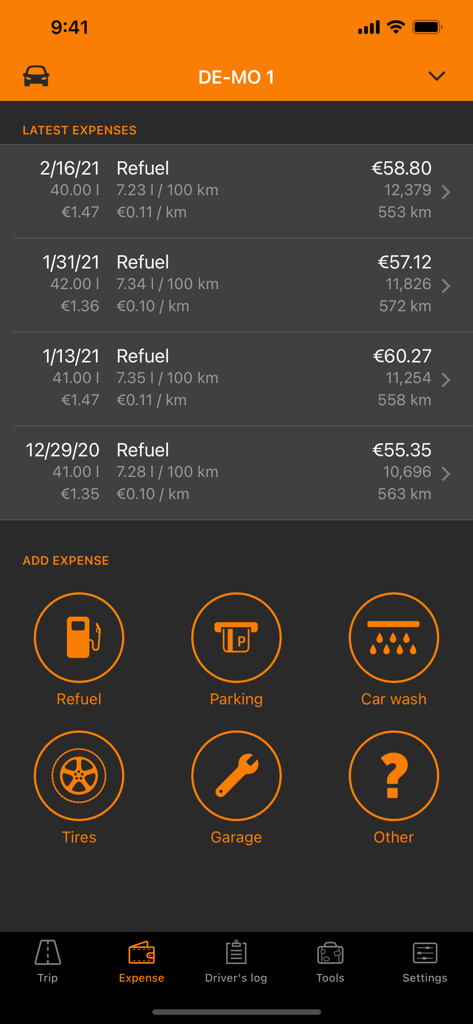
Driverslog Pro 2 app interface showing recent fuel expenses and quick action buttons for adding vehicle costs like parking and maintenance

Driverslog Pro 2 app interface showing recent fuel expenses and quick action buttons for adding vehicle costs like parking and maintenance

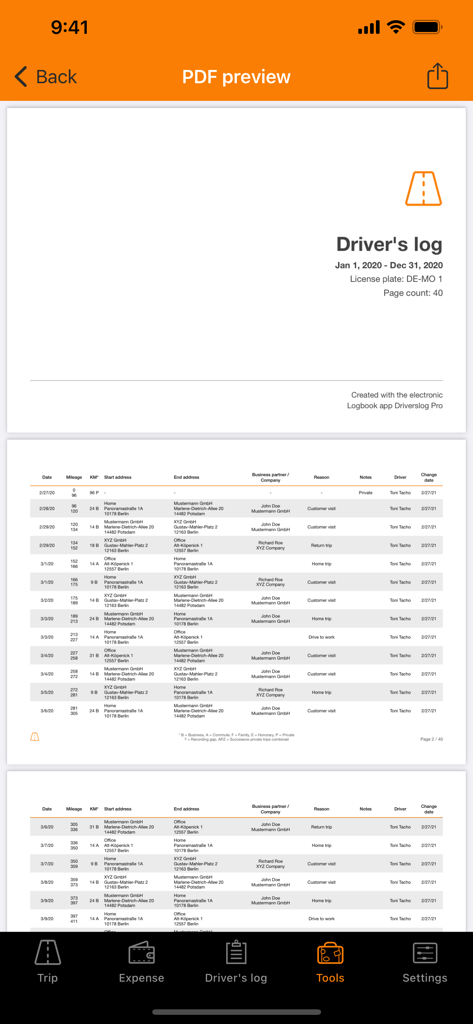
A professional PDF preview of a detailed business mileage logbook showing trip records and addresses

A professional PDF preview of a detailed business mileage logbook showing trip records and addresses

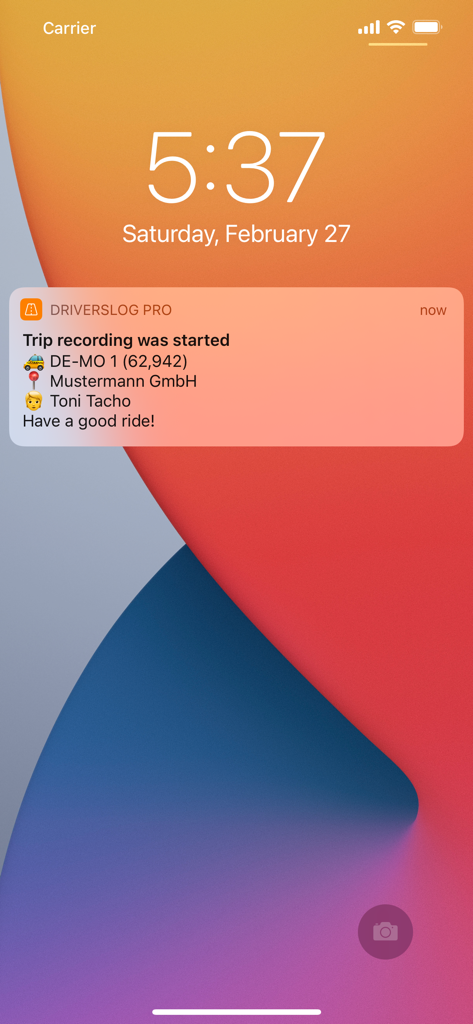
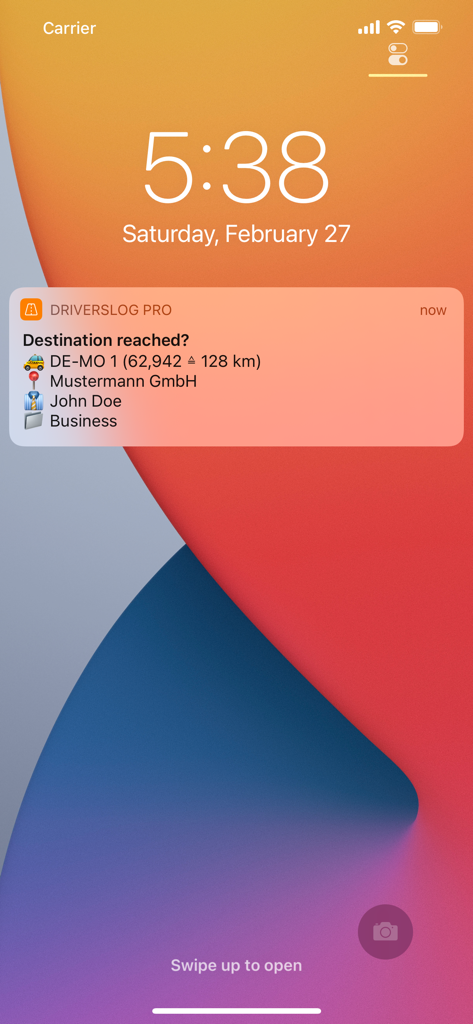
iPhone lock screen showing a notification from Driverslog Pro 2 that automatic trip recording has started

iPhone lock screen showing a notification from Driverslog Pro 2 that automatic trip recording has started

iPhone lock screen showing a Driverslog Pro 2 notification for automatic business trip recording and mileage tracking.

iPhone lock screen showing a Driverslog Pro 2 notification for automatic business trip recording and mileage tracking.

Maximize Your Tax Savings with Effortless Tracking

The tools that make this app stand out, trusted by 94K+ users.

πŸ›°οΈ

Set It and Forget It

Automatic GPS recording captures every business mile in the background, ensuring you never leave money on the table when tax season arrives.

πŸ“„

Audit-Proof Reporting

Generate professional, tax-compliant reports in seconds. Perfect for IRS filings, client reimbursements, or internal project accounting.

πŸš—

Multi-Vehicle Management

Seamlessly track expenses and mileage across multiple vehicles with custom tags, helping you stay organized whether you are a contractor or a consultant.

Loved by users worldwide

Trusted by 94K+ people who love this app.

"

"As a real estate agent always on the move, I used to lose track of thousands of deductible miles every year. Driverslog Pro 2 changed everything. The automatic recording is flawless, and the tax-compliant reports make my accountant's life so much easier. It literally paid for itself in the first month!"

Sarah Jenkins, Licensed Realtor
"

"Managing multiple vehicles for my consulting business was a nightmare until I found this app. I love how I can tag trips by project and track expenses like fuel and maintenance in one place. The iCloud backup gives me total peace of mind that my records are safe. Best investment for my business this year."

Marcus Thorne, Independent Project Consultant

About the app

Everything you need to know about Driverslog Pro 2.

Description

Driverslog Pro 2 is the powerful, versatile and modern driver logbook for iOS. Whether for tax reasons or for project-related accounting - Driverslog Pro 2 offers extensive possibilities to record and categorize trips and to create different types of reports. Features: - Automatic trip recording - GPS-based route recording - Filling Station Integration (germany only) - Start navigation to locations from within the app - Expense management - Management of multiple vehicles - Average consumption - Filter function and "tags" for trips and expenses - Reports in compliance with many tax authorities - Project-related reports for trips and expenses - Print and process directly from the app - iCloud and e-mail backup - Support for multiple units of measurement and currencies - and much more. Driverslog Pro 2 is free for private and volunteer use. For business use a business license is required which can be purchased for a monthly or annual fee. This fee guarantees the continuous maintenance, development and support. Regardless of this, your data can of course be viewed and exported at any time. Further information can be found in the license settings and license terms in the app. --- NOTE: Continuous use of the GPS receiver will shorten the battery life. Therefore we recommend connecting the iPhone to a charging cable while driving. Privacy policy: https://www.driverslogpro.de/privacy/ Terms of use: https://www.driverslogpro.de/disclaimer/ The price may vary depending on your location and will be charged to your iTunes account. The subscription is automatically renewed if not cancelled at least 24 hours before the end of the current subscription period. This app may use your location even when it isn't open, which can decrease device battery life.

Latest Version

3.5.1

Size

39.5 MB

First Released

Dec 1, 2020

Turn Every Business Mile into a Tax Deduction

Join 94,000+ professionals who automate their mileage tracking. Download Driverslog Pro 2 today to generate IRS-compliant reports and claim the tax savings you deserve.

Download on App Store