English Grammar in Use & Test

English Grammar in Use & Test

Download on App Store
Spark by MWM logo
Logo of English Grammar in Use & Test
English Grammar in Use & Test: Master the Nuances of Professional English

The minimalist, no-nonsense tool for intermediate and upper-intermediate learners to sharpen writing skills and gain confidence through logic-based feedback and targeted grammar lessons.

Publisher

Xuan Trung Truong

Category

Education

Downloads

271K+

User Rating

4.8/5

Total Ratings

200

Locales

1

A Glimpse of Mastery

Discover the interface used by 271K+ users.
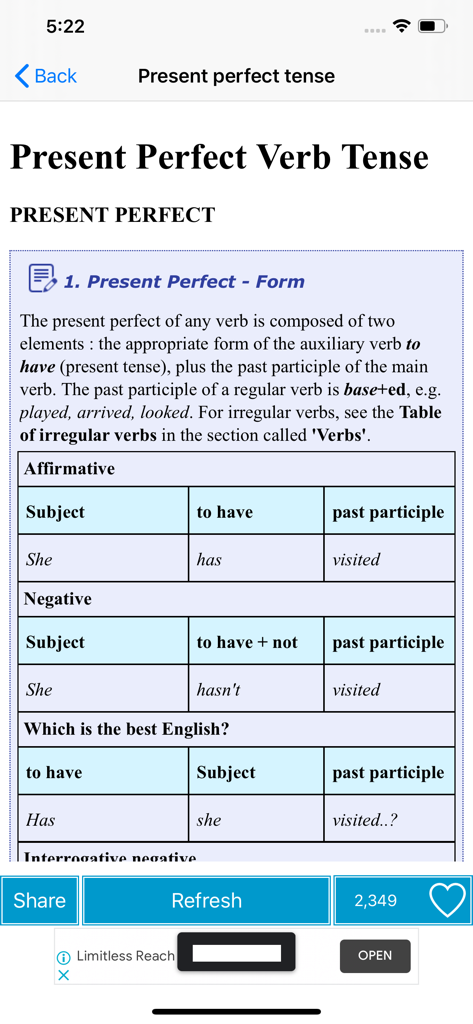
Educational screen explaining the formation of the Present Perfect verb tense with affirmative and negative example tables.

Educational screen explaining the formation of the Present Perfect verb tense with affirmative and negative example tables.

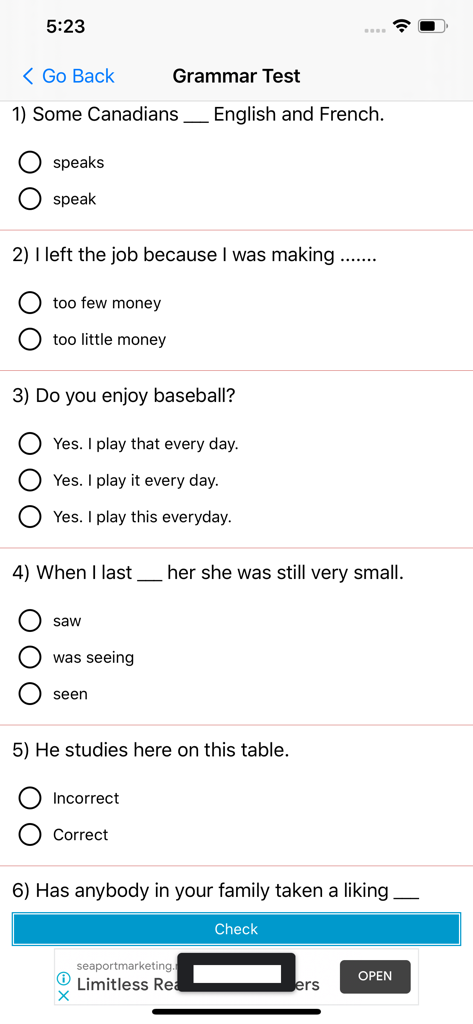
A minimalist interface of a grammar test app showing multiple choice questions for English learners.

A minimalist interface of a grammar test app showing multiple choice questions for English learners.

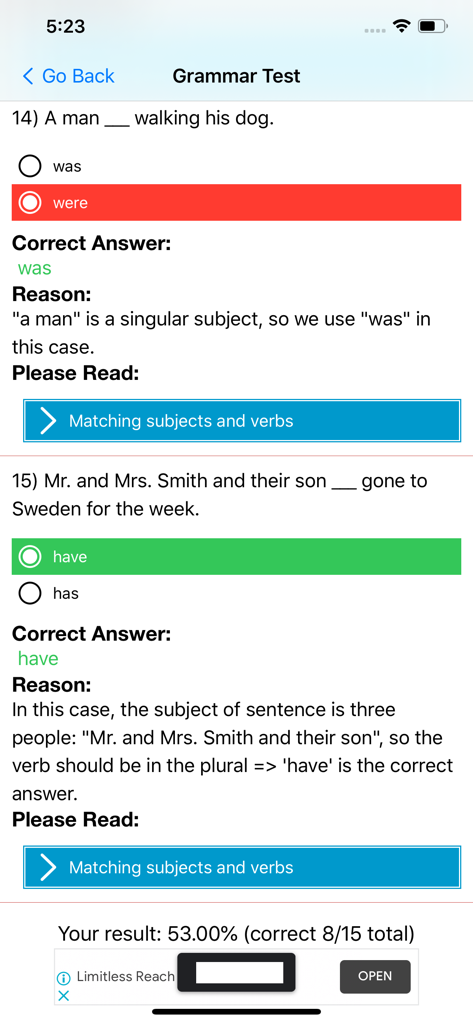
English grammar test interface showing quiz questions with correct answers and detailed rule explanations

English grammar test interface showing quiz questions with correct answers and detailed rule explanations

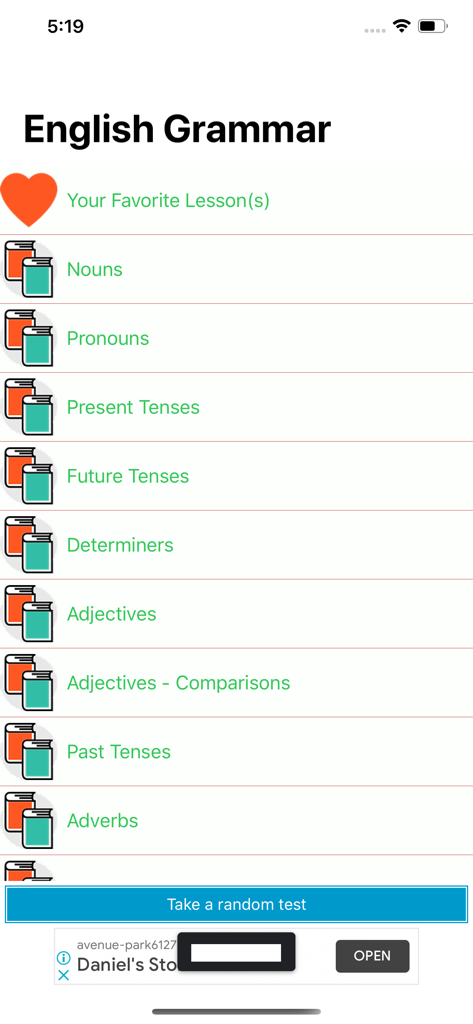
Main menu of the English Grammar app showing a list of grammar lessons and a random test button.

Main menu of the English Grammar app showing a list of grammar lessons and a random test button.

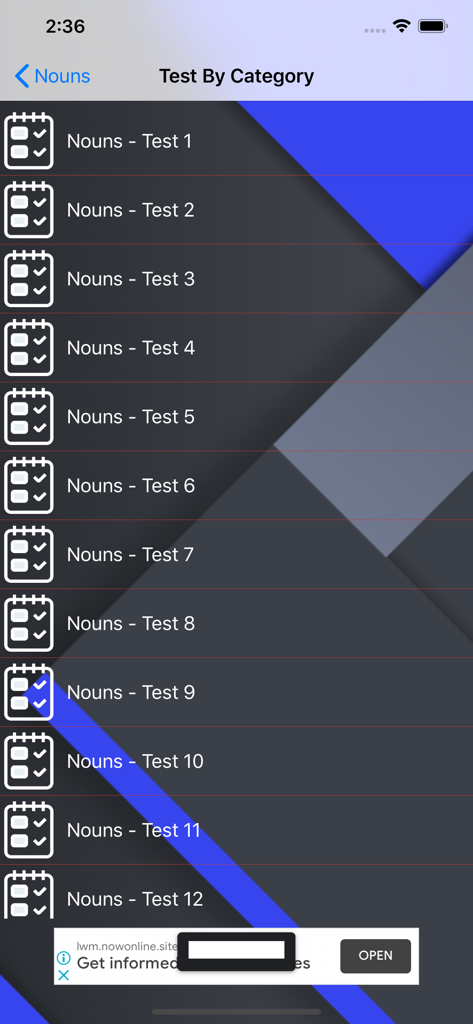
List of noun grammar tests by category in the English Grammar app

List of noun grammar tests by category in the English Grammar app

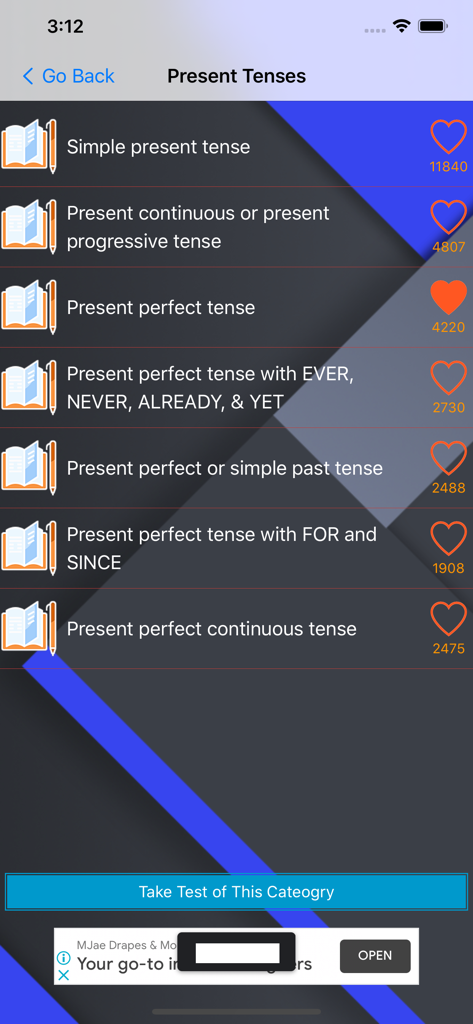
Intermediate English grammar app screen showing a list of present tense lessons and a test button

Intermediate English grammar app screen showing a list of present tense lessons and a test button

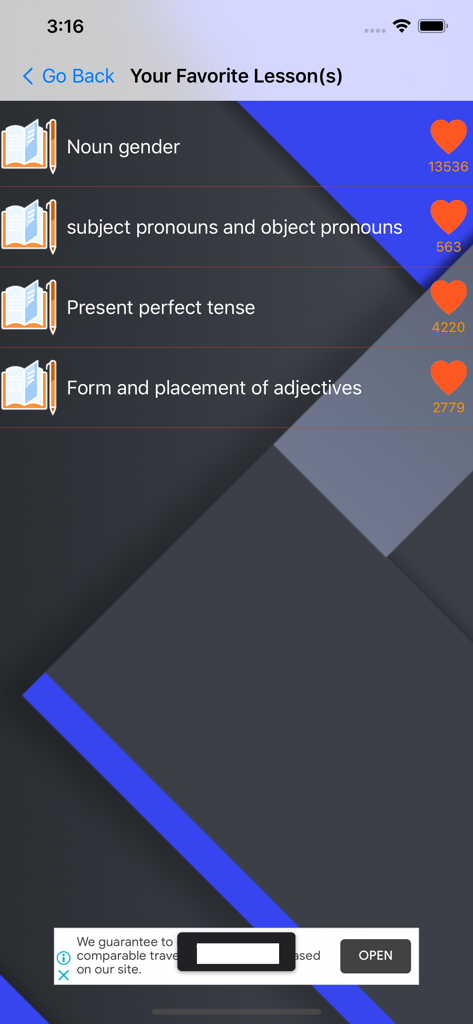
A screen displaying a list of bookmarked English grammar lessons with heart icons and view counts

A screen displaying a list of bookmarked English grammar lessons with heart icons and view counts

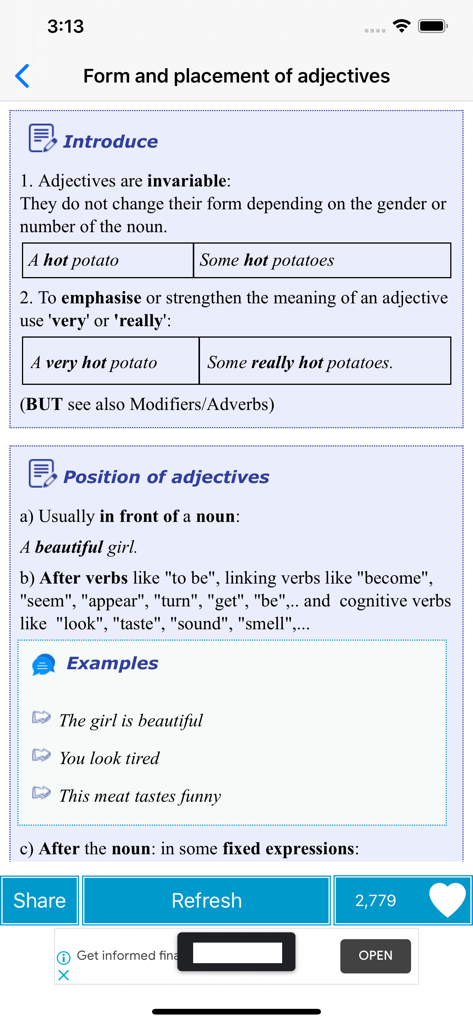
English grammar lesson screen explaining adjective form and placement

English grammar lesson screen explaining adjective form and placement

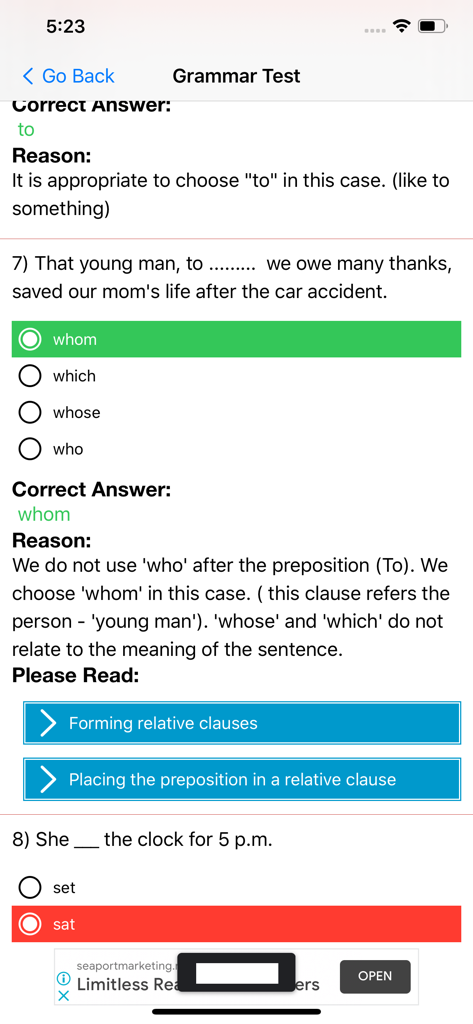
English grammar test screen showing a quiz question with correct answer and grammatical reason explanation

English grammar test screen showing a quiz question with correct answer and grammatical reason explanation

Master the Nuances of Professional English

The tools that make this app stand out, trusted by 271K+ users.

📈

Bridge the Intermediate Gap

Stop repeating basic lessons. Access targeted content specifically engineered for Intermediate and Upper-Intermediate levels to help you overcome the learning plateau.

💡

Instant Logical Feedback

Don't just see your mistakes—understand them. Every incorrect answer triggers a clear, simple explanation so you can learn the logic behind the rule.

📱

Zero-Distraction Interface

Focus on what matters. Our minimalist, ad-free design is built for high-efficiency 'micro-learning' during your commute or between professional meetings.

Loved by users worldwide

Trusted by 271K+ people who love this app.

"

"As an international graduate student, I needed a tool that went beyond basic vocabulary. This app's focus on intermediate and upper-intermediate grammar is exactly what I was looking for. The explanations for my mistakes are incredibly helpful for my academic writing, helping me understand the logic behind tenses and prepositions that other apps ignore."

Elena Rodriguez
"

"I love the minimalist design of this app. Unlike other language apps that feel like games, this one gets straight to the point. It's the perfect pocket reference for quick grammar drills during my commute. The feedback system is top-notch; it doesn't just tell me I'm wrong, it explains why, which has boosted my confidence in professional emails."

Hiroshi Tanaka

About the app

Everything you need to know about English Grammar in Use & Test.

Description

English Grammar is the study of words and the ways words work together in English. An invisible force that guides us as we put words together into sentences. Any person who communicates using a particular language is consciously or unconsciously aware of the grammar of that language. English grammar in use and test is a free app with English grammar lessons and English test feature for improving your English skill. With this app, your English grammar will become better and better. Keep this application always in your pocket. give us feedback and join our English grammar communities for more updates. + Tenses + Nouns and using + Adjective + English Tenses + Used to + Using of Must or Have To + Verbs + Phrases + Plurals + Prepositions + Pronouns + Punctuation + Quantifiers with this app, you also learning grammar and test your English with the easiest way. This grammar test is the best way to improve your English grammar knowledge. Stunning minimalist design and clear user interface make it easy to test your English language skills. This English Grammar Test app is perfect for Intermediate and Upper-Intermediate levels. When you complete your English test you see which aspects of English grammar you are good at and which of them require more practice. When you make a mistake the app explains you why your answer was not correct. Simple explanations will help you revise information about grammar details. If you found any problem in this application or anything want to share with us, please feel free to contact us via email: trungstormsix@gmail.com.

Latest Version

1.1.10

Size

19.0 MB

First Released

Aug 10, 2020

Ready to Master Every Nuance?

Join 271K+ goal-oriented learners. Download the minimalist tool built for intermediate and advanced mastery—free, efficient, and always in your pocket.

Download on App Store
FAQ

Frequently Asked Questions

Everything you need to know about English Grammar in Use & Test

Is the "English Grammar in Use & Test" application free?

Yes, the English Grammar in Use & Test app is free to use. It provides English grammar lessons and testing features without any cost.

What is the "English Grammar in Use & Test" app?

The English Grammar in Use & Test app is a free application providing English grammar lessons and a test feature. It helps users improve their English skills by studying various grammar topics and practicing with tests.

What grammar topics does "English Grammar in Use & Test" cover?

The English Grammar in Use & Test app covers topics such as tenses, nouns, adjectives, verbs, phrases, plurals, prepositions, pronouns, punctuation, and quantifiers. It includes specific lessons like 'Present Perfect Verb Tense'.

Does the "English Grammar in Use & Test" app offer grammar tests?

Yes, the English Grammar in Use & Test app offers grammar tests to help users improve their English. It provides a test feature to practice and evaluate grammar knowledge across various categories.

Does "English Grammar in Use & Test" explain incorrect answers in tests?

Yes, the English Grammar in Use & Test app explains why an answer was incorrect after a mistake is made. Simple explanations accompany the correct answer to help users revise grammar details.

What English proficiency levels is the "English Grammar in Use & Test" app suitable for?

The English Grammar in Use & Test app is suitable for Intermediate and Upper-Intermediate English proficiency levels. It is designed to enhance grammar knowledge for users within these categories.

How can users provide feedback or report issues for "English Grammar in Use & Test"?

Users can provide feedback or report any problems in the English Grammar in Use & Test app by contacting the developer via email. The specified contact email is trungstormsix@gmail.com.

Can I practice specific grammar categories with the "English Grammar in Use & Test" app?

Yes, the English Grammar in Use & Test app allows users to practice specific grammar categories. For instance, the 'Nouns' section offers multiple dedicated tests from 'Nouns - Test 1' to 'Nouns - Test 12'.

Does the "English Grammar in Use & Test" app allow users to favorite lessons?

Yes, the English Grammar in Use & Test app allows users to mark lessons as favorites. This feature is indicated by a heart icon located next to individual lesson titles.