Firefox Focus: Privacy browser

Firefox Focus: Privacy browser

Download on App StoreDownload on Google Play
Spark by MWM logo
Logo of Firefox Focus: Privacy browser

Firefox Focus: Browse like nobody’s watching.

Experience a faster, distraction-free mobile web. Block invasive trackers automatically and erase your entire session with a single tap.

Publisher

Mozilla Corporation

Category

Utilities

Downloads

7M+

User Rating

4.6/5

Total Ratings

157K+

Locales

82

Privacy in Action

Discover the interface used by 7M+ users.

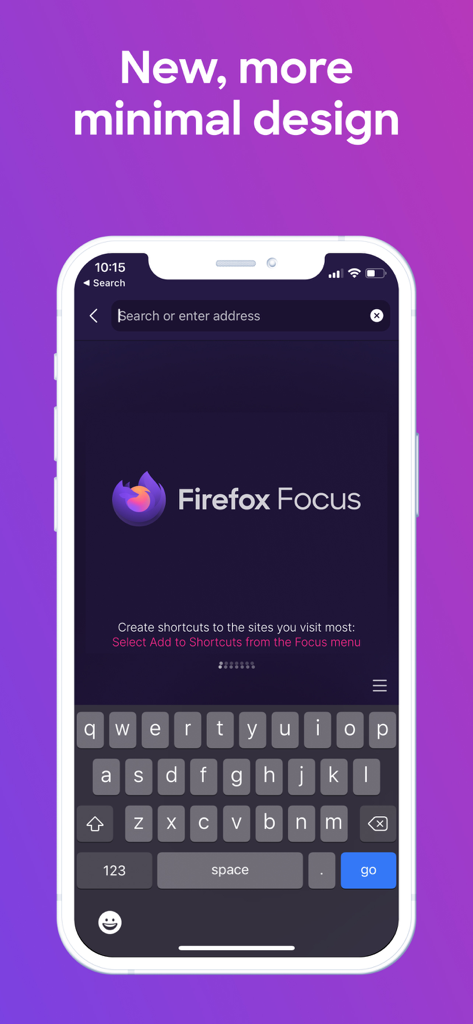
Firefox Focus app home screen highlighting its minimalist design and private search bar

Firefox Focus app home screen highlighting its minimalist design and private search bar

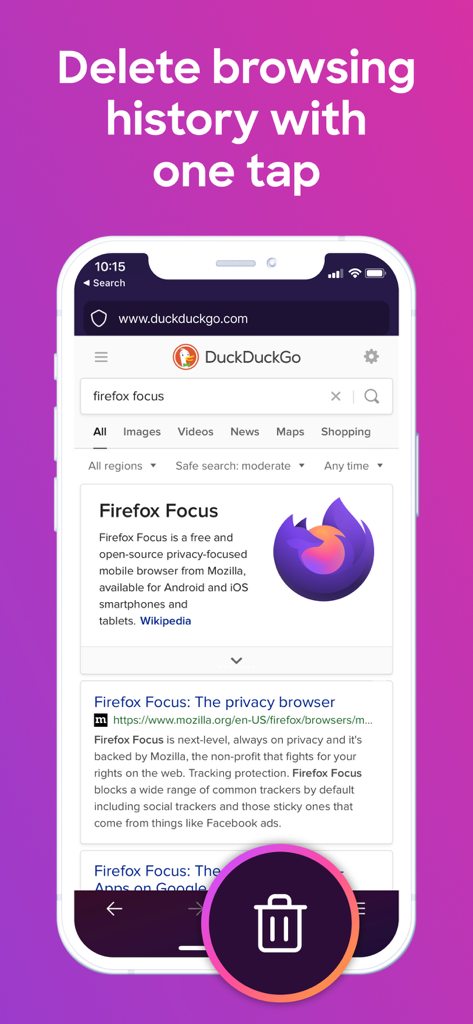
Firefox Focus mobile interface featuring a prominent trash icon to delete browsing history in one tap.

Firefox Focus mobile interface featuring a prominent trash icon to delete browsing history in one tap.

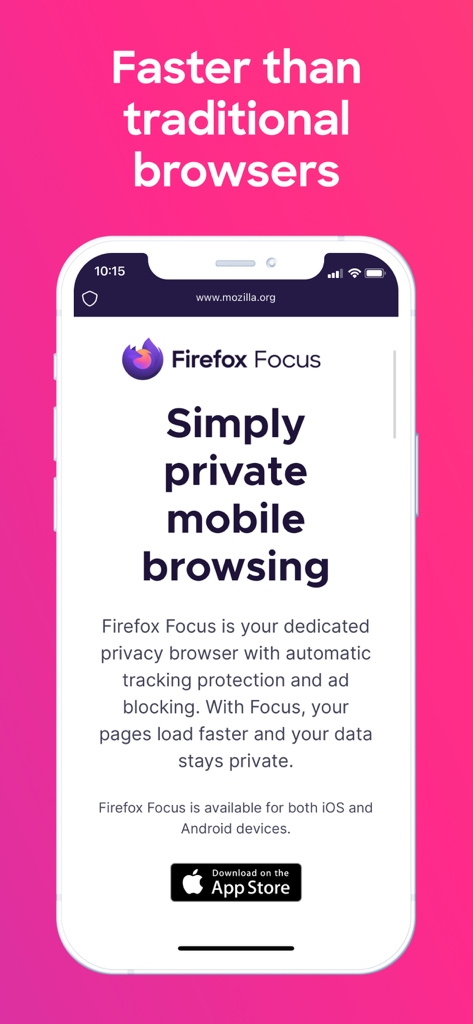
Smartphone showing Firefox Focus app with the text Simply private mobile browsing and Faster than traditional browsers

Smartphone showing Firefox Focus app with the text Simply private mobile browsing and Faster than traditional browsers

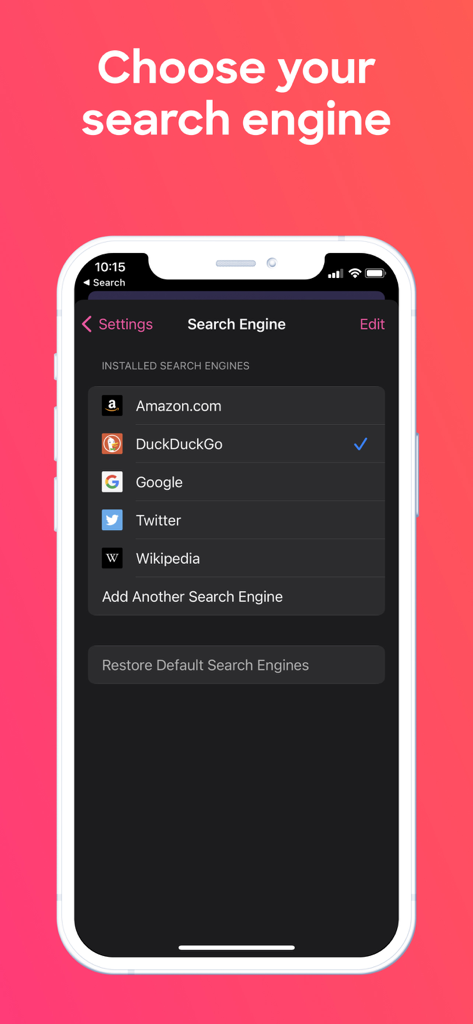
Firefox Focus app interface showing search engine selection settings with options like DuckDuckGo and Google

Firefox Focus app interface showing search engine selection settings with options like DuckDuckGo and Google

Mozilla mission statement reading Fighting for a better web and People over profits on an orange gradient background

Mozilla mission statement reading Fighting for a better web and People over profits on an orange gradient background

Browse Without the Baggage

The tools that make this app stand out, trusted by 7M+ users.

🗑️

One-Tap Total Erase

No more digging through settings. Instantly wipe your history, cookies, and passwords with a single tap of the trash icon for a fresh start every time.

🚀

Blazing Fast Speeds

By stripping away invasive ads and data-heavy trackers, pages load significantly faster, saving you both time and mobile data on every search.

🧘

Distraction-Free Design

Escape tab fatigue and digital clutter. Our minimalist interface removes the noise so you can focus on the task at hand without the rabbit holes.

Loved by users worldwide

Trusted by 7M+ people who love this app.

"

"As a consultant who value discretion and speed, Firefox Focus is my essential tool for quick searches. It strips away the clutter and the 'trash' button provides a literal sense of relief knowing my data isn't being stored or sold. It is the fastest mobile browsing experience I have found because it blocks all the heavy tracking scripts that usually slow me down."

Sarah Jenkins, Healthcare Consultant
"

"I am tired of being followed by ads for things I searched for once. Firefox Focus is the perfect 'search and destroy' browser. I love the minimalist interface and the fact that it is backed by a non-profit like Mozilla. It does one thing perfectly: it keeps my private business private without the friction of managing dozens of open tabs."

David Chen, Software Engineer

About the app

Everything you need to know about Firefox Focus: Privacy browser.

Description

Use Firefox Focus for everything you want to keep separate from your main browser — for all those get in get out and forget about it moments. No tabs, no fuss, no muss. Block ads and online trackers too. One tap, and your browsing history is completely destroyed. Blocking distracting ads also means faster page loads which means Focus gets you where you want to go a lot faster. Firefox Focus is the perfect get in/get out, search and destroy, I’m on a mission that’s none-of-your-business — web browser. NEW DISTRACTION-FREE DESIGN When you open Focus, you just get the awesome bar and the keyboard for super quick searching. That’s it. No recent history, no past sites, no open tabs, no ads, no distractions. Just a simple, minimal design with menus that make sense. ONE TAP TO DELETE HISTORY Erase your history, passwords and cookies with just a tap of the trash button. CREATE SHORTCUTS Pin up to four shortcuts on your home screen. Get to your favorite site even quicker without typing anything. FASTER BROWSING WITH AD BLOCKING & TRACKING PROTECTION Firefox Focus blocks many ads you’d normally see on web pages so you get much faster page load speeds, which means you get to the stuff you want a lot faster. Focus also blocks a wide range of trackers by default, including social trackers and those sticky ones that come from things like Facebook ads. BACKED BY A NON-PROFIT Firefox Focus is backed by Mozilla, the non-profit that fights for your rights on the web, so you can trust it not to sell your data. LEARN MORE ABOUT FIREFOX WEB BROWSER: - Read about Firefox permissions: http://mzl.la/Permissions - Learn more about what’s up at Mozilla: https://blog.mozilla.org ABOUT MOZILLA Mozilla exists to build the Internet as a public resource accessible to all because we believe open and free is better than closed and controlled. We build products like Firefox to promote choice and transparency and give people more control over their lives online. Learn more at https://www.mozilla.org. Privacy Policy: http://www.mozilla.org/legal/privacy/firefox.html

Latest Version

143.0

Size

81.1 MB

First Released

Dec 8, 2015

Browse Like No One’s Watching

One tap to erase it all. Experience the speed of a tracker-free web with the browser that puts your privacy first.

Download on App StoreDownload on Google Play
FAQ

Frequently Asked Questions

Everything you need to know about Firefox Focus: Privacy browser

What is Firefox Focus?

Firefox Focus is a privacy browser designed for quick, private sessions. It blocks ads and online trackers, ensuring faster page loads and offering one-tap history deletion for a distraction-free experience.

How does Firefox Focus enhance online privacy?

Firefox Focus enhances privacy by blocking ads and various online trackers, including social ones. Users can delete browsing history, passwords, and cookies with a single tap, and it is backed by Mozilla, which does not sell data.

Can I quickly delete my browsing history in Firefox Focus?

Yes, Firefox Focus enables users to delete their entire browsing history, passwords, and cookies with a single tap of the trash button. This action ensures immediate data removal.

Does Firefox Focus include ad blocking?

Yes, Firefox Focus includes built-in ad blocking. It blocks many ads and a wide range of online trackers, which results in faster page load speeds and a less cluttered browsing experience.

Which search engines are available in Firefox Focus?

Firefox Focus allows users to choose from several search engines, including DuckDuckGo, Google, Amazon.com, Twitter, and Wikipedia. Users also have the option to add additional search engines.

Who develops Firefox Focus?

Firefox Focus is developed by Mozilla, a non-profit organization. Mozilla builds products like Firefox to promote choice and transparency online and to give people more control over their digital lives.