Games - Collection manager

Games - Collection manager

Download on App Store
Spark by MWM logo
Logo of Games - Collection manager
Games - Collection manager: The Ultimate Library for Serious Collectors

Organize 120,000+ titles across every platform from retro classics to modern hits. Track your purchases, manage your wish list, and visualize your collection with beautiful stats in a native iOS interface.

Download on App Store

Publisher

Basile Cornet

Category

Utilities

Downloads

300

User Rating

4.6/5

Total Ratings

100

Locales

4

Your Library, Perfected

Discover the interface used by 300 users.
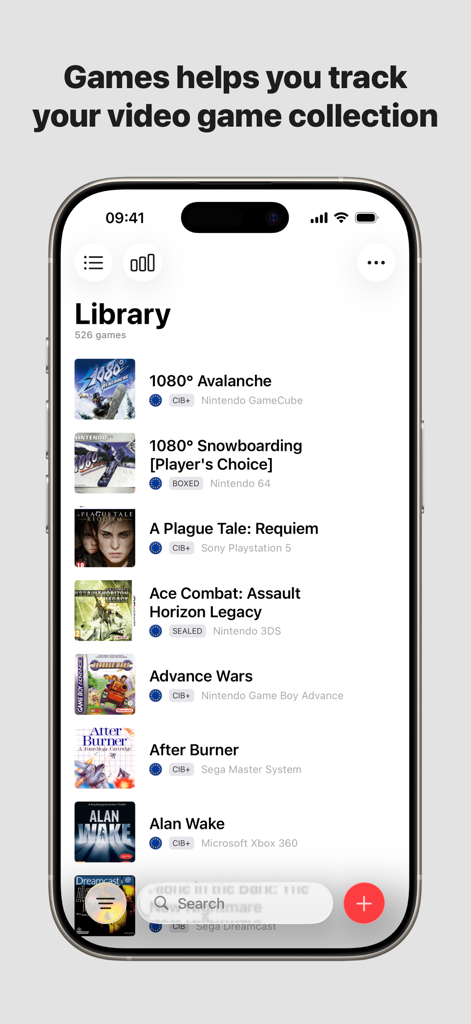
iPhone interface showing a curated library of video games with cover art and console labels

iPhone interface showing a curated library of video games with cover art and console labels

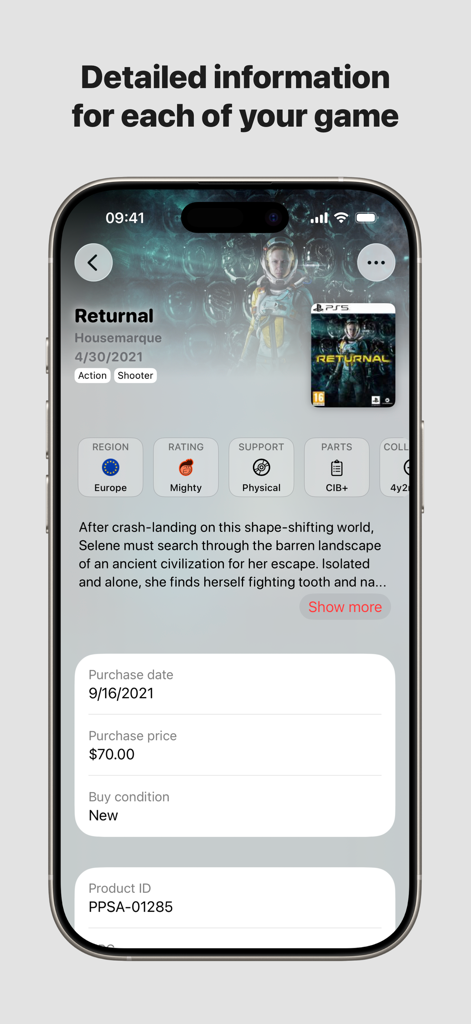
Detailed game information screen showing purchase history and metadata in the Games Collection Manager app

Detailed game information screen showing purchase history and metadata in the Games Collection Manager app

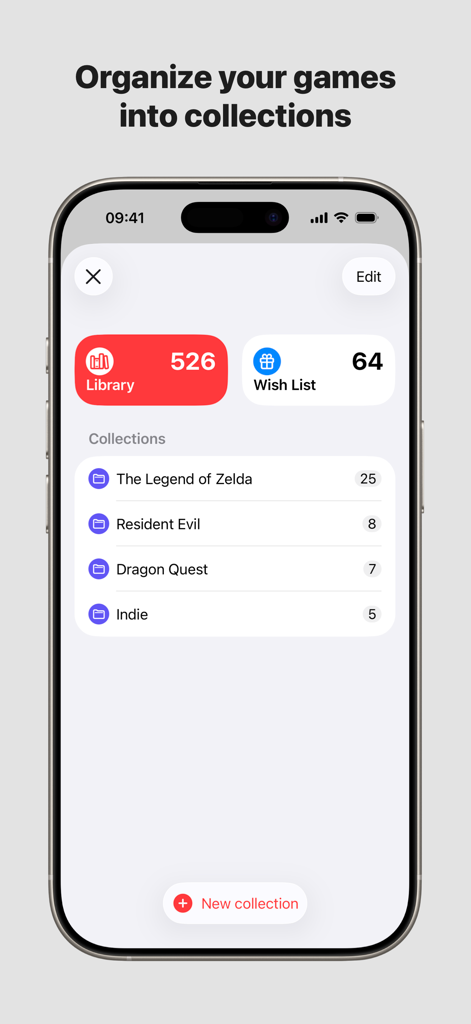
Dashboard of the Games Collection manager app showing game library statistics and custom collections on iPhone

Dashboard of the Games Collection manager app showing game library statistics and custom collections on iPhone

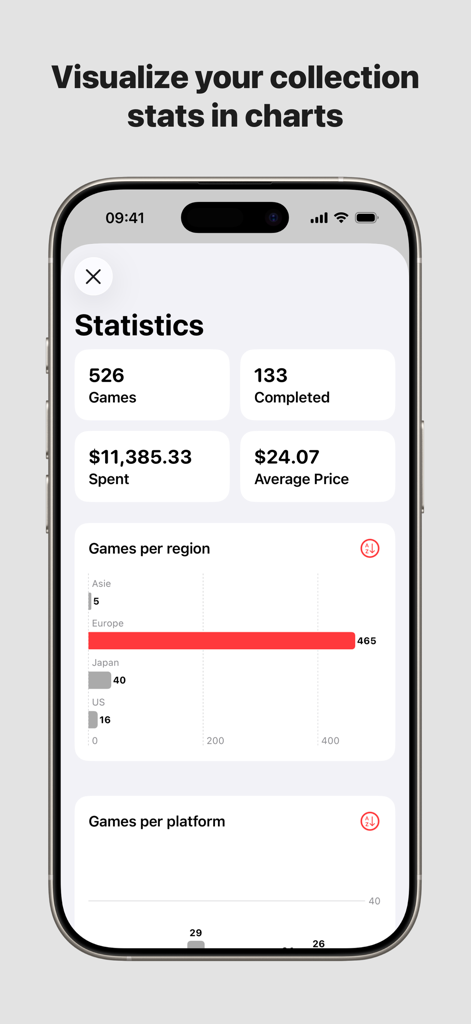
Statistics dashboard of the Games Collection Manager app showing game counts, total spend, and charts by region.

Statistics dashboard of the Games Collection Manager app showing game counts, total spend, and charts by region.

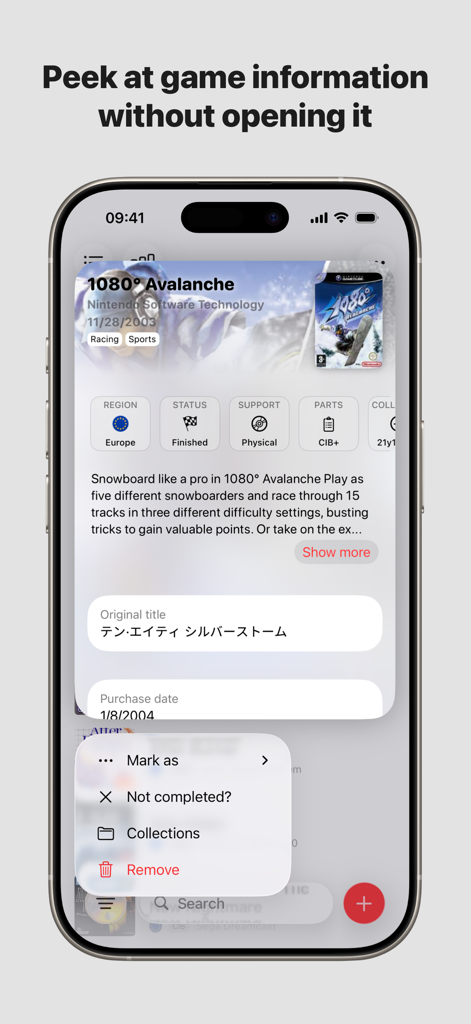
iPhone screenshot showing a quick preview window for a video game entry including region status and physical condition details

iPhone screenshot showing a quick preview window for a video game entry including region status and physical condition details

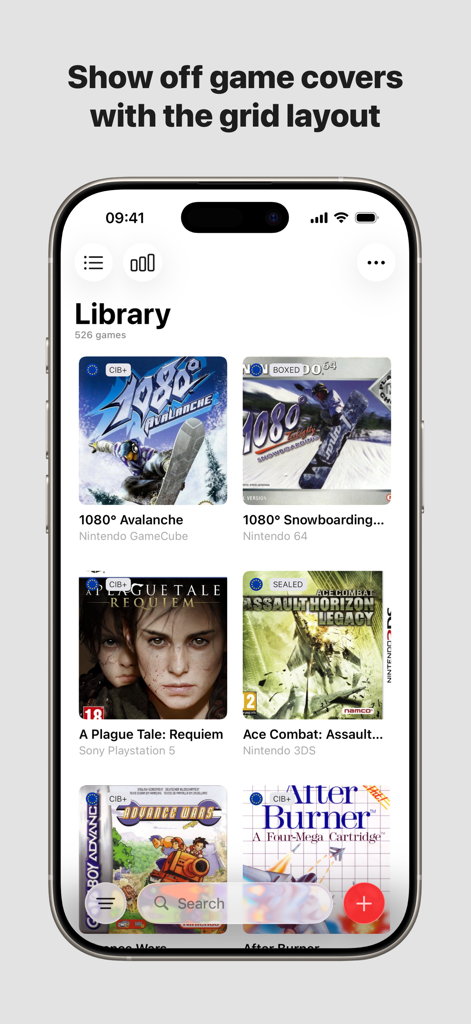
Mobile app library view showing video game covers in a grid layout for various gaming consoles

Mobile app library view showing video game covers in a grid layout for various gaming consoles

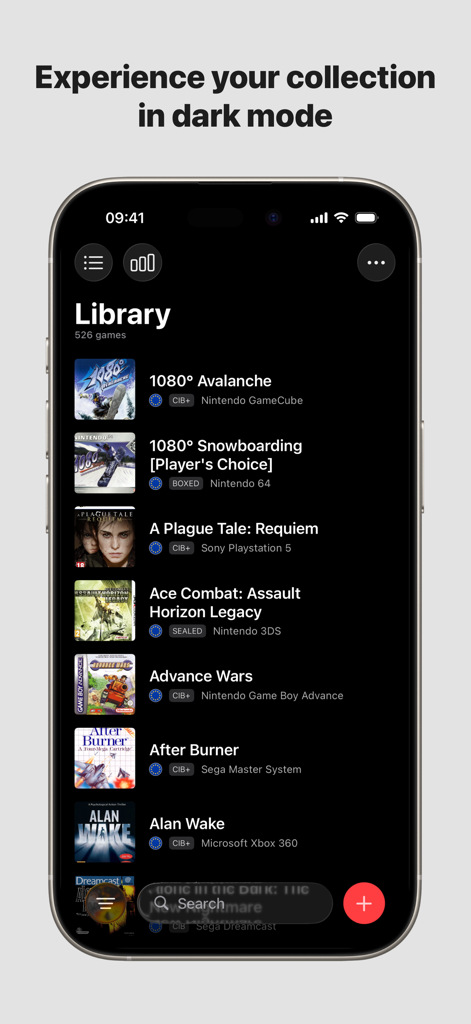
Video game collection library screen on iPhone in dark mode.

Video game collection library screen on iPhone in dark mode.

The Ultimate Toolkit for Serious Collectors

The tools that make this app stand out, trusted by 300 users.

🔍

Smart Hunting Tools

Avoid duplicate purchases at flea markets or retro shops by checking your Library and Wishlist instantly on your iPhone.

🕹️

Retro & Modern Database

Catalog your entire history from NES to PS5 with high-quality cover art and metadata for more than 120,000 titles.

📊

Visual Collection Stats

Gain deep insights with statistics on your spending, region distribution, and yearly acquisitions, all synced via iCloud.

Loved by users worldwide

Trusted by 300 people who love this app.

"

"As a retro game hunter, this app is a lifesaver. I used to accidentally buy duplicates at flea markets, but now I just check my library on the fly. The native iOS interface is incredibly snappy, and being able to track what I paid for each title makes managing my growing collection so much easier. It is the best digital shelf I have ever owned."

Marcus J.
"

"I love the clean, minimalist design—it truly feels like a built-in Apple app. The iCloud sync between my iPhone and iPad is seamless, and the statistics section gives me a fascinating breakdown of my library by region and year. It is the perfect tool for any serious completionist who values organization and beautiful UI."

Sarah L.

About the app

Everything you need to know about Games - Collection manager.

Description

Games is the perfect app to manage your video games collection. Wether you have a small or huge video games collection, Games is the easiest way to manage it, with more than 120 000 games available on all platforms (Super Nintendo, Nintendo 64, PlayStation, Dreamcast, Xbox etc…), you will be able to list everyone of the game you own.  You do not own the game yet, add it to your wish list, to never forget about it. Once the game is in your possession move it from the Wish list to the Library, and add all the relevant information you need about it. Add the price you paid, the date you got it, which region it is from, and more. Games interface is at home on iOS, and feels like its been part of the OS, no need to learn complex menu and navigation, Games have been though to run perfectly on your favorites device. If you need your collection on more than one device, Games support iCloud sync. What would be a collections without some statistics, to have a global view of it. You can see how many games you have per region, how many games you bought per year, or how many games from a specific year you own. Games relies on thegamesdb.net data in order to populate the list of games, so if a game is missing or some data are not up to date, do not hesitate to add it or modify it on thegamesdb.net and it will appear in Games. The free version of Games allows you to manage up to 25 games in your Library, create 5 collections, the Wish List is deactivated, and some statistics are unavailable. You can unlock everything with a single in app purchase, a yearly or monthly subscription. Some features: - Ability to set a custom Cover or Artwork (if the one on TheGamesDB doesn't suits your need) - Sync between devices with iCloud - Filter by platform, completion, region - Custom collections - Wish list - CSV export - Statistics - Alternate icons - Dark/Light mode - ... And obviously more to come! Information: Games is not affiliated to thegamesdb.net, any bug report or feature request, should be addressed to us directly. You can help the community by adding/editing games on thegamesdb.net. The data you add/modify in the app are for the app use only, and nothing is added/modified on thegamesdb.net.

Latest Version

2025.5

Size

41.9 MB

First Released

Mar 22, 2022

Level Up Your Collection Management

From retro gems to modern hits, join thousands of collectors who use Games to track their library, manage wish lists, and never miss a rare find again.

Download on App Store