GIF Keyboard

GIF Keyboard

Download on App Store
Spark by MWM logo
Logo of GIF Keyboard

GIF Keyboard: The ultimate way to express your vibe

Search millions of GIFs, create custom stickers, and capture your own memes. Elevate your conversations on iMessage, WhatsApp, and more—directly from your keyboard.

Publisher

Tenor, Inc.

Category

Utilities

Downloads

18M+

User Rating

4.7/5

Total Ratings

1M+

Locales

23

Express Your Vibe

Discover the interface used by 18M+ users.
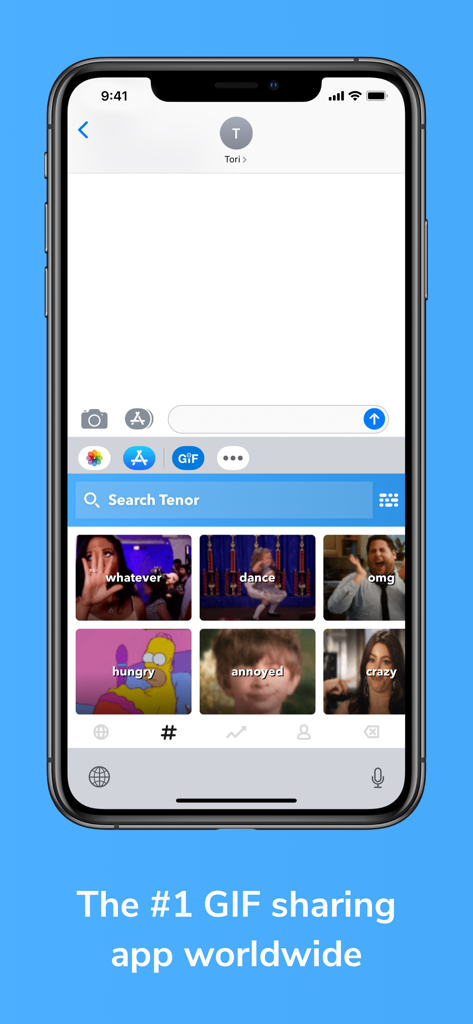
iPhone screenshot of the Tenor GIF Keyboard within a messaging app showing trending GIF reactions like whatever and dance.

iPhone screenshot of the Tenor GIF Keyboard within a messaging app showing trending GIF reactions like whatever and dance.

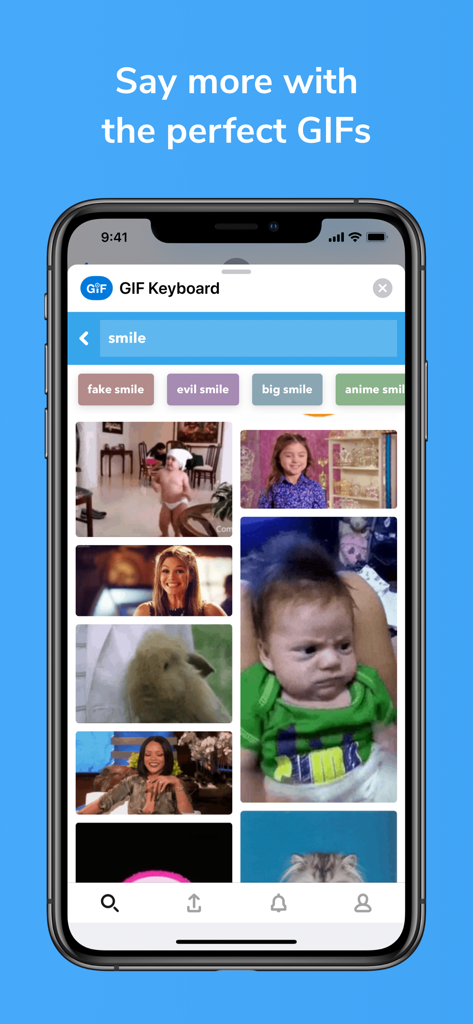
A screenshot of the GIF Keyboard app on an iPhone showing search results for the term smile with various animated reaction GIFs.

A screenshot of the GIF Keyboard app on an iPhone showing search results for the term smile with various animated reaction GIFs.

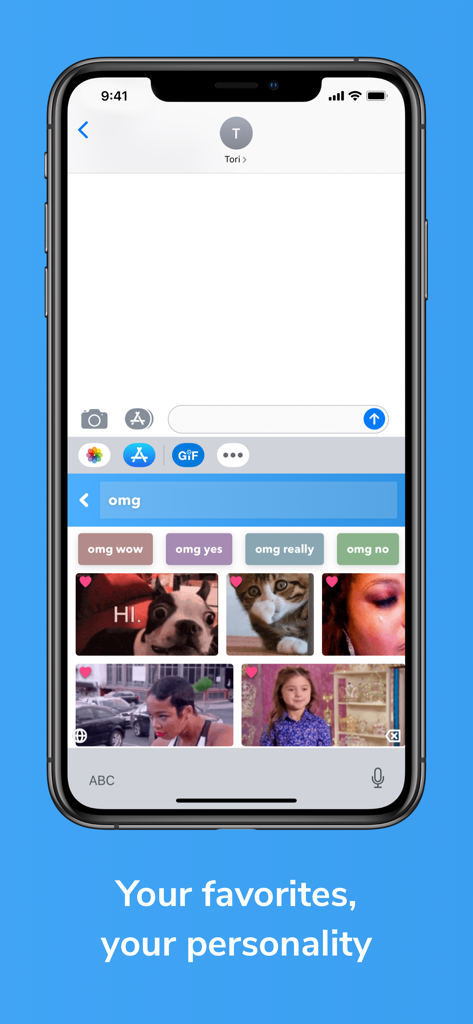
GIF Keyboard by Tenor displaying a search for omg GIFs and a user's favorite reaction clips in a messaging app.

GIF Keyboard by Tenor displaying a search for omg GIFs and a user's favorite reaction clips in a messaging app.

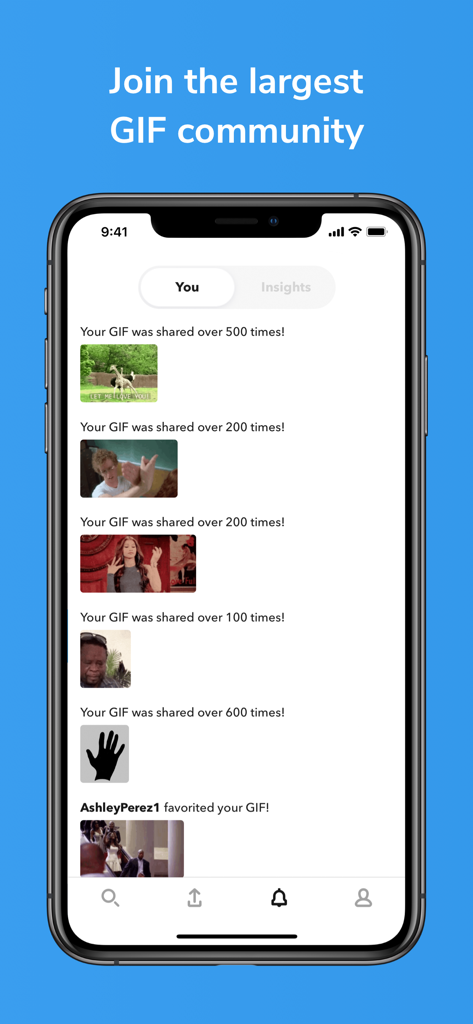
A mobile app interface from GIF Keyboard by Tenor showing user notifications for GIF shares and favorites within the community.

A mobile app interface from GIF Keyboard by Tenor showing user notifications for GIF shares and favorites within the community.

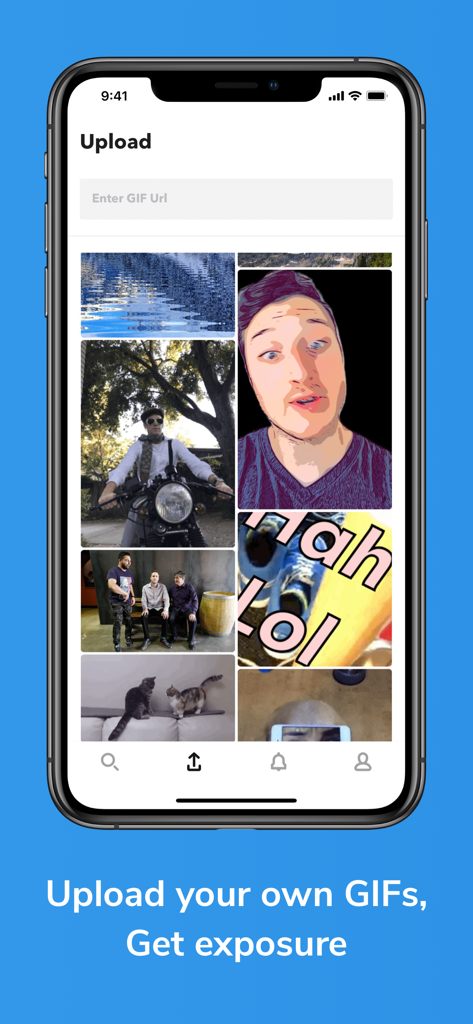
The upload screen of the Tenor GIF Keyboard app where users can manage their own custom GIFs

The upload screen of the Tenor GIF Keyboard app where users can manage their own custom GIFs

Elevate Your Text Game

The tools that make this app stand out, trusted by 18M+ users.

⌨️

Chat Without Interruption

Access millions of GIFs directly from your keyboard. No app-switching required—just instant vibes and perfect timing.

Create Your Own Inside Jokes

Turn any GIF or video into a custom sticker. Drag, drop, and roast your friends with hyper-personalized stickers.

🔍

Find the Vibe, Instantly

Search by emoji or trending categories to find that one specific reaction that conveys tone better than any text.

Loved by users worldwide

Trusted by 18M+ people who love this app.

"

"The sticker maker is an absolute game changer for my group chats! I love being able to turn inside jokes into custom stickers instantly and drag them right into iMessage. It makes our conversations so much more personal and hilarious."

Jordan M.
"

"I use this every single day to find the perfect reaction. The search is incredibly fast and the emoji-to-GIF feature always finds exactly the vibe I'm looking for. It's the best way to add some personality to my texts."

Sarah L.

About the app

Everything you need to know about GIF Keyboard.

Description

Say more with GIF Keyboard by Tenor. Add tone to your conversation. With Tenor’s GIF Keyboard for iPhone, iPad and iMessage discover or create the right GIF or video to visually sum up exactly what you’re trying to say, directly from your keyboard. Express the emotion, inside joke, or clever response you want to share. iMessage App Features: - Get the same great browse and search experience as GIF Keyboard, including access to your favorites and uploads. Create Stickers - Press and hold on any GIF to create a sticker that you can drag and drop onto any text, image or GIF in iMessage. Capture GIFs - Create your own GIFs with your front or back camera and personalize them with text, a handwritten note or drawings. Share instantly or save to a Pack. Packs - Create packs of your favorite stickers and GIFs that you can easily share with friends and family. Syncs with GIF Keyboard - Everything syncs to your Tenor GIF Keyboard so you can take your stickers and GIFs everywhere GIFs are supported. GIF Keyboard Features: - Send the right GIF or video to express exactly what’s on your mind, directly from your keyboard! - Search Tenor’s millions of GIFs and videos to find the one that perfectly fits the moment. You can also search by emoji to see the GIFs related to that emoji.. - Need inspiration? Browse by category like reactions, trending topics, and more. - Once you find the right GIF or video, simply tap it to automatically copy it to your clipboard, tap the iMessage text box to paste it and watch as it plays inline in your conversation. - See a GIF you like while browsing on your phone? Save it directly to your GIF Keyboard from Safari with the share button and our share extension. No need to save it to your camera roll because it’s instantly available from your GIF Keyboard! - Keep the GIFs you love handy -- double tap a GIF to favorite it and customize your GIF Keyboard. - Works with your favorite messengers and social networks including iMessage, Facebook Messenger, WhatsApp, Facebook and email. Just long-press on a GIF to pull up options to share the GIF, video, link, or save to camera roll. Tenor’s GIF Keyboard needs “full access” in your iPhone settings. This gives the GIF Keyboard full access to the internet so we’re able to give you the GIF you are searching for and ensure that our library is always updated with the latest and greatest GIFs and videos. Note: We do not log keystrokes or send them to our servers other than to search by key terms for the perfect GIF. If you have any other questions about full access please email us at privacy@tenor.co. Tenor was formerly known as Riffsy.

Latest Version

4.23

Size

239.9 MB

First Released

Sep 23, 2014

Level Up Your Group Chat

Stop sending dry texts. Join 18M+ users and find the perfect vibe with trending GIFs and custom stickers—ready to share right from your keyboard.

Download on App Store
FAQ

Frequently Asked Questions

Everything you need to know about GIF Keyboard

What is GIF Keyboard by Tenor?

GIF Keyboard by Tenor is an application for iPhone, iPad, and iMessage that enables users to discover, create, and share GIFs and videos directly from their keyboard to express emotions and communicate.

Does GIF Keyboard by Tenor allow users to create custom GIFs?

Yes, GIF Keyboard by Tenor allows users to create their own GIFs using their device's front or back camera. Users can personalize these GIFs with text, handwritten notes, or drawings.

Which messaging platforms support GIF Keyboard by Tenor?

Yes, the GIF Keyboard by Tenor is compatible with various messaging apps and social networks. These include iMessage, Facebook Messenger, WhatsApp, Facebook, and email for sharing content.

Does GIF Keyboard by Tenor require full access on iOS devices?

Yes, Tenor's GIF Keyboard requires 'full access' in your iPhone settings. This is necessary for the keyboard to access the internet, enabling GIF searches and keeping its library updated with content.

Does GIF Keyboard by Tenor record user keystrokes?

No, GIF Keyboard by Tenor does not log keystrokes or send them to its servers. The only exception is using key terms to search for GIFs, which is essential for its functionality.

Can I upload my own GIFs to Tenor GIF Keyboard?

Yes, users can upload their own GIFs to the Tenor GIF Keyboard platform. This feature enables users to share their creations and gain exposure within the app's community.

How do I create stickers using GIF Keyboard by Tenor?

Users can create stickers within GIF Keyboard by Tenor by pressing and holding on any GIF. These custom stickers can then be dragged and dropped into texts, images, or GIFs in iMessage conversations.