Go Button

Go Button

Download on App Store
Spark by MWM logo
Logo of Go Button

Go Button: Professional Sound Playback for Your Live Show

Bring the reliability of QLab to your iPad or iPhone. Seamlessly manage cues, fades, and sound effects with a simple, bulletproof interface designed for theater, dance, and live events.

Publisher

Figure 53, LLC

Category

Music

Downloads

58K+

User Rating

4.6/5

Total Ratings

500

Locales

1

Built for the Spotlight

Discover the interface used by 58K+ users.
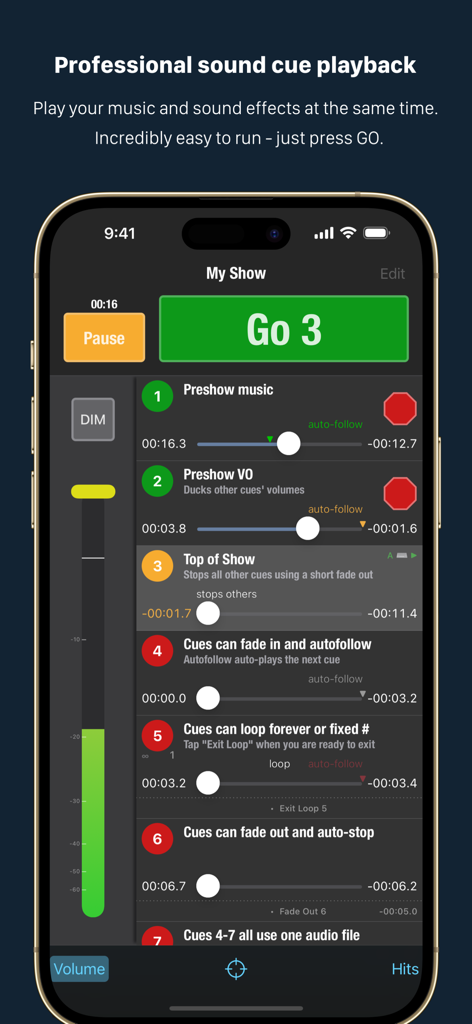
Go Button mobile app interface showing a list of sound cues with a large green Go button for live theater and music performances.

Go Button mobile app interface showing a list of sound cues with a large green Go button for live theater and music performances.

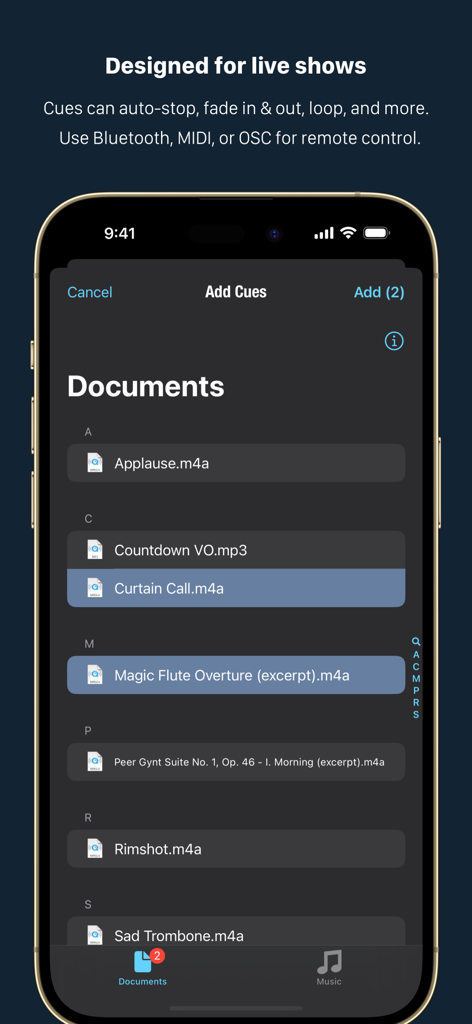
Go Button app interface for selecting audio files to create performance cues

Go Button app interface for selecting audio files to create performance cues

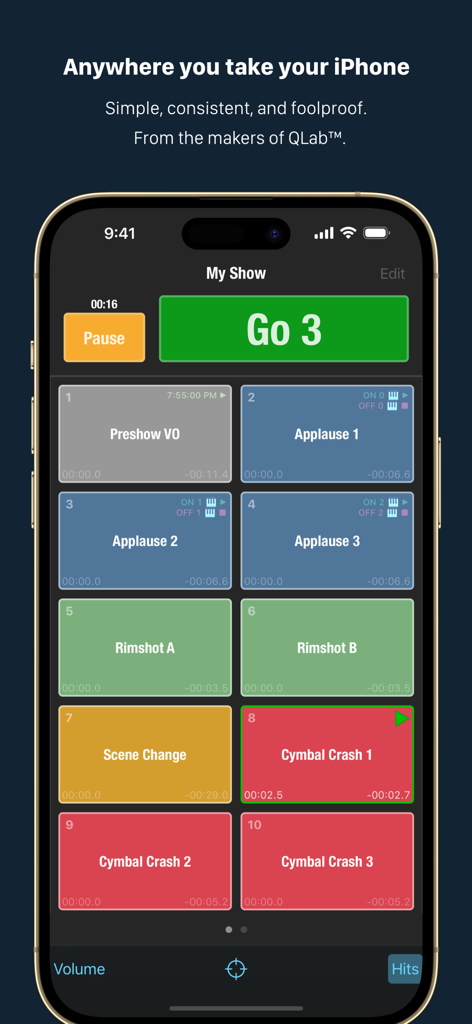
iPhone screen showing the Go Button app sound cue interface with a large green Go button and a grid of color coded sound effects for live shows

iPhone screen showing the Go Button app sound cue interface with a large green Go button and a grid of color coded sound effects for live shows

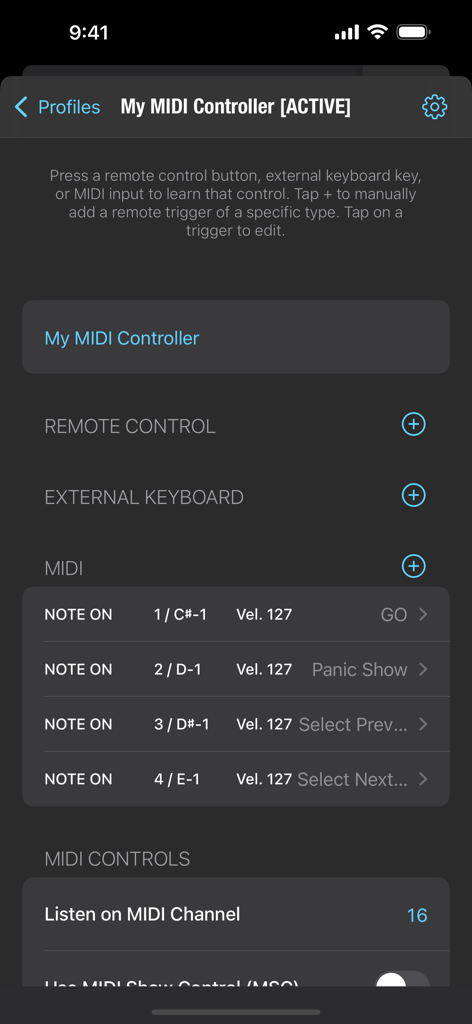
MIDI controller configuration screen in the Go Button app showing assigned triggers for GO and Panic Show actions

MIDI controller configuration screen in the Go Button app showing assigned triggers for GO and Panic Show actions

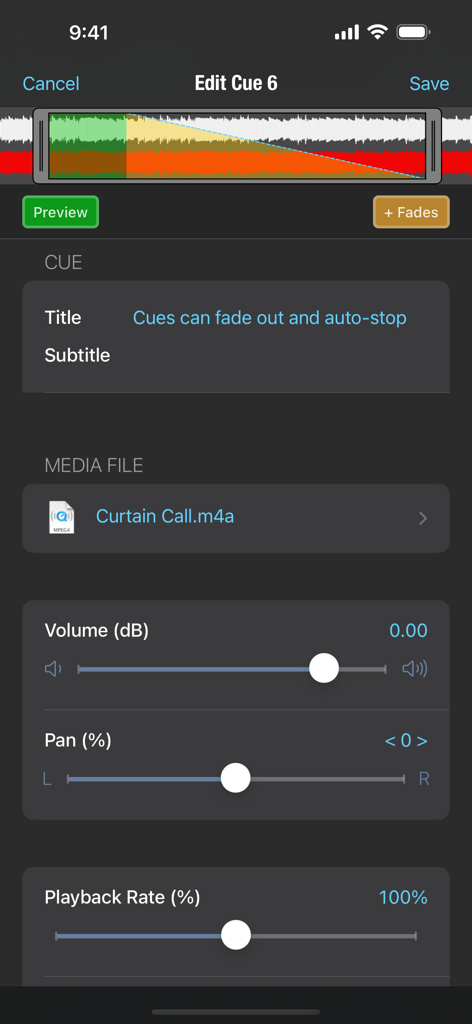
Interface of the Go Button app showing sound cue editing options for volume pan and playback rate

Interface of the Go Button app showing sound cue editing options for volume pan and playback rate

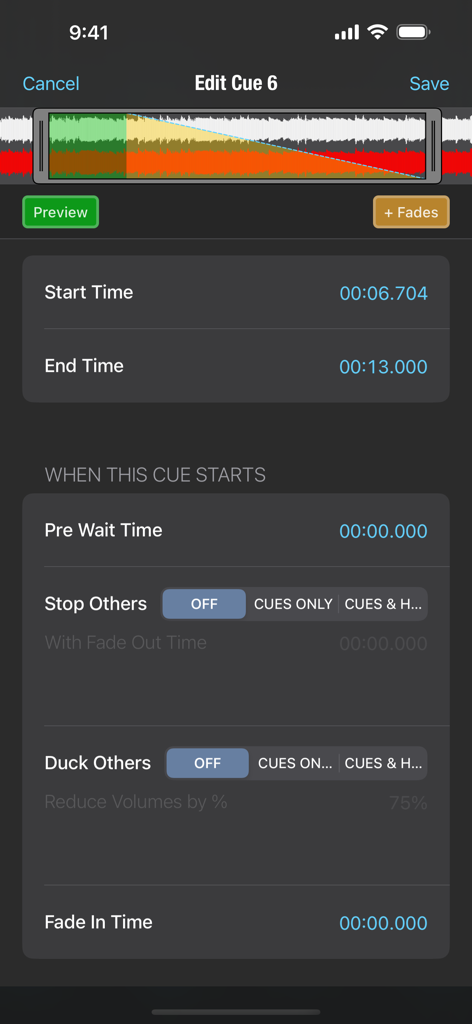
Go Button app interface for editing audio cue parameters including waveform display and timing controls

Go Button app interface for editing audio cue parameters including waveform display and timing controls

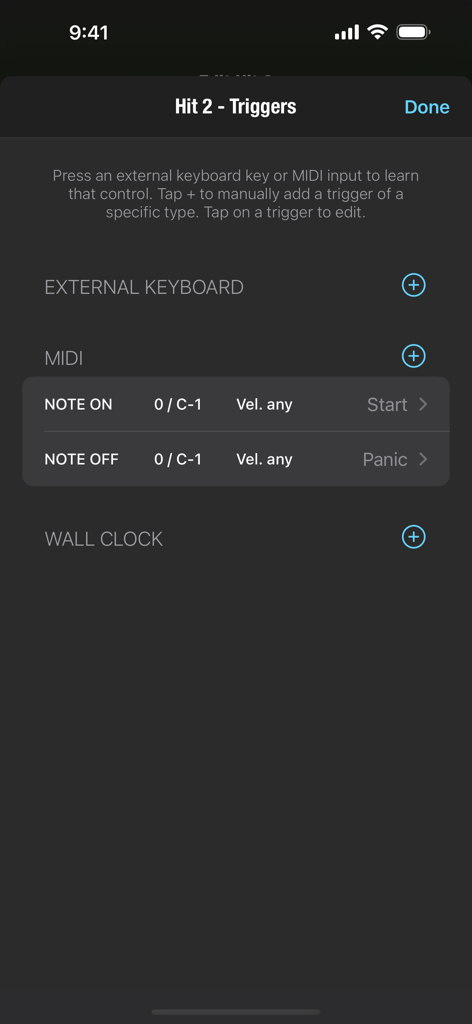
Interface for configuring MIDI and external keyboard triggers in the Go Button app showing Note On and Note Off actions.

Interface for configuring MIDI and external keyboard triggers in the Go Button app showing Note On and Note Off actions.

Professional Sound Control for Every Stage

The tools that make this app stand out, trusted by 58K+ users.

🟢

Reliable One-Tap Execution

Eliminate performance anxiety with a dedicated GO button. Queue up your entire show and trigger sequences with perfect timing every time.

🎚️

Automated Audio Transitions

Create seamless shows with built-in auto-stops, cross-fades, and loops. Fine-tune volume and pan for each cue for a polished, high-end feel.

📱

Full Remote Integration

Take control from anywhere on stage. Use Bluetooth pedals, MIDI controllers, or OSC triggers to stay in charge while you're in the spotlight.

Loved by users worldwide

Trusted by 58K+ people who love this app.

"

"Go Button has completely transformed our annual dance recitals. I no longer worry about awkward silences or accidental phone notifications interrupting the music. The ability to program precise fades and transitions right from my iPad gives our students a professional-level performance every single time."

Sarah Jenkins, Dance Studio Director
"

"As a solo performer, I need a sound setup that is bulletproof and easy to trigger alone. Being able to use a Bluetooth remote to hit the GO button for my cues is a total game-changer. It brings the power and reliability of QLab into a portable format that fits in my backpack."

Marcus Thorne, Professional Magician

About the app

Everything you need to know about Go Button.

Description

Easy sound playback for your live show! From the makers of QLab™. SIMPLE AND CONSISTENT - Incredibly easy to run your show - just press GO. - Play your music and sound effects at the same time. - Take your show anywhere! Runs on iPad, iPhone, and iPod touch. - Free to build 1 show. Unlock unlimited shows with a one-time In-App Purchase. USE IT FOR - Theater - Dance Recitals - Weddings - Church Services - Puppetry - Magic Shows SUPPORT - Friendly help when you need it! - Contact Support from the in-app sidebar, or email support@figure53.com. - Complete documentation online at gobutton.app/docs. NEWS AND UPDATES - groups.google.com/g/gobutton - twitter.com/gobuttonapp FEATURES • Play multiple sounds at the same time. • Play a list of sounds in sequence by tapping the "GO" button. • Play ad-libbed sounds with always-ready "Hit" buttons. • Auto-stop, fade in, fade out, loop, duck, and more. • Adjust volume, pan, speed, and pitch independently for every cue. • Import your audio files and share shows via AirDrop or the iOS Files app. • Remote control with Bluetooth and MIDI. • OSC control API for remote triggering from QLab or other OSC sources. • Passcode lock your shows to prevent unauthorized edits. • Ultra-efficient & low latency playback built on core iOS technologies. • Supports DRM-free WAV, AIFF, M4A, AAC, MP3, MOV, 3GP, CAF, and FLAC. • Requires iOS 15 or later. Produced by Figure 53.

Latest Version

3.3.9

Size

14.5 MB

First Released

Dec 31, 2011

Ready for Your Next Standing Ovation?

Join thousands of performers who trust Go Button for flawless, professional sound cues. Download now and build your first show for free.

Download on App Store
Recommendations

More Like This

Apps with similar features and user experience