
Great Clips Online Check-in



See real-time wait times and join the list from anywhere. Get text alerts when it's your turn so you can spend less time in the salon and more time on what matters. No login required.
Publisher
Category
LifestyleDownloads
7M+User Rating
Total Ratings
645K+Locales
1Discover the interface used by 7M+ users.
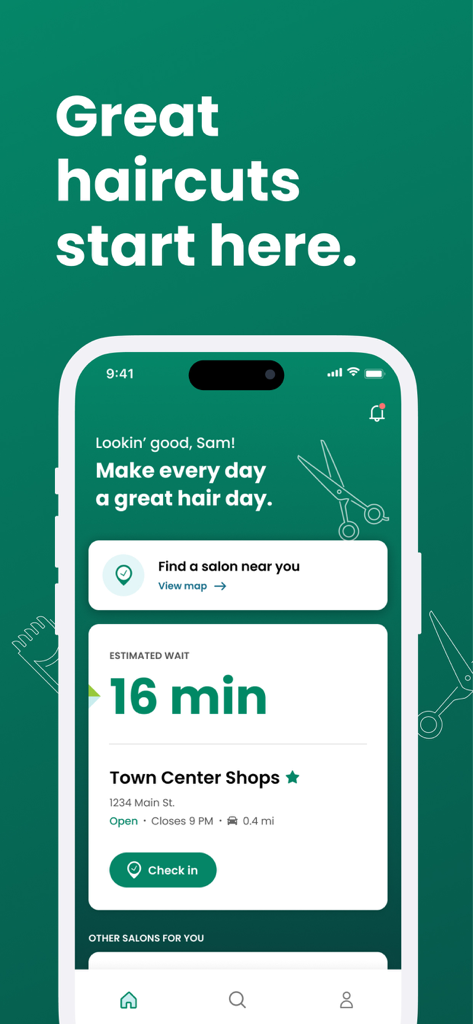
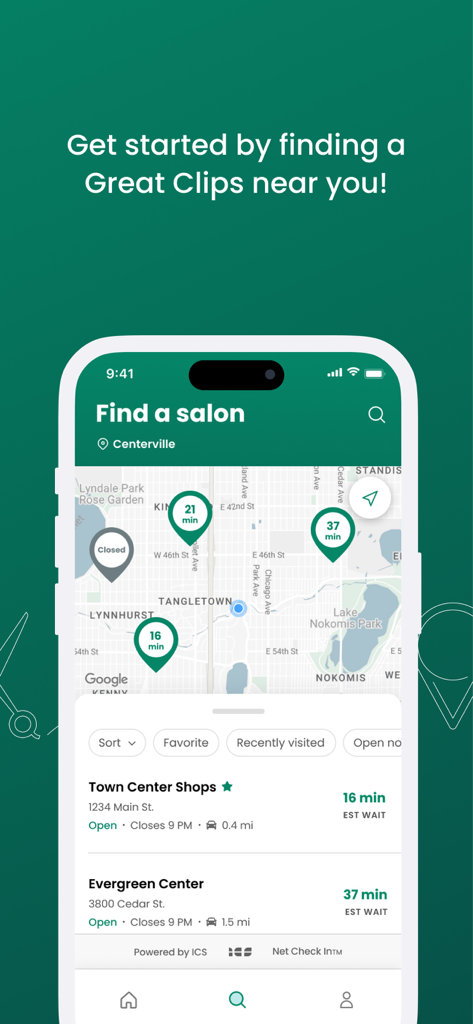
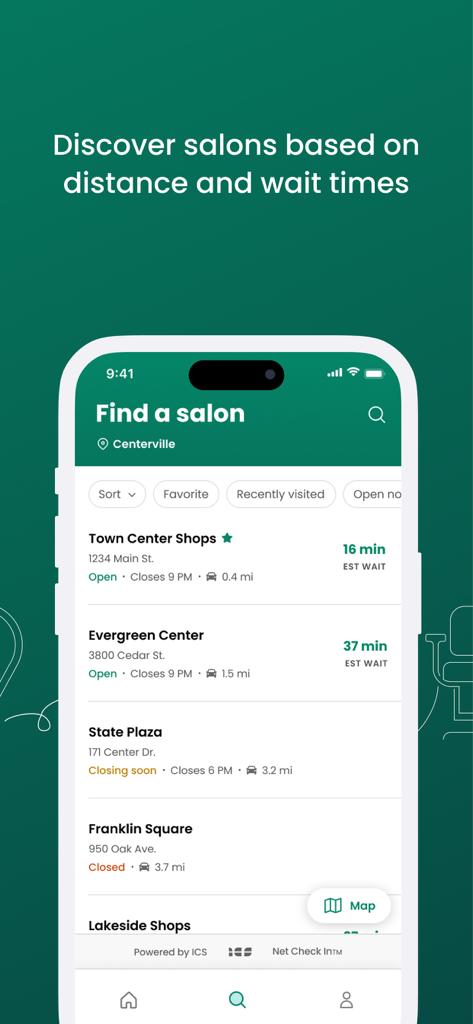
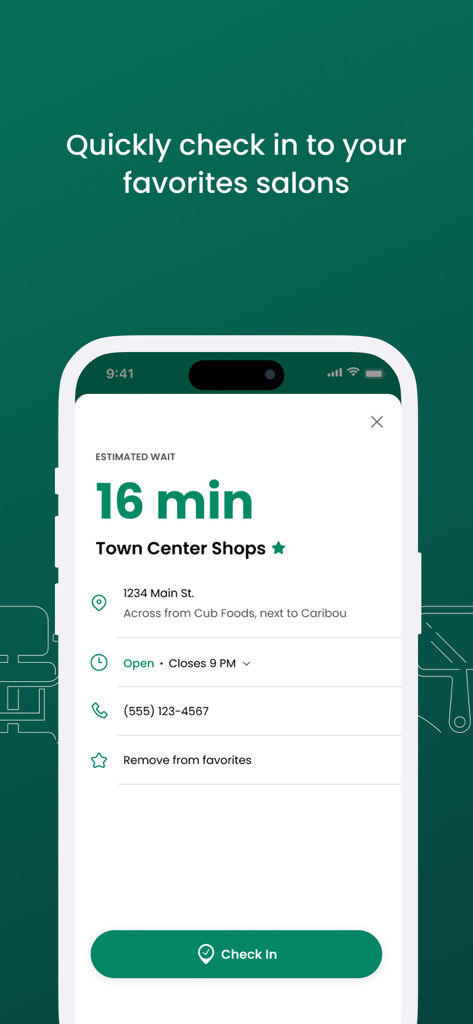
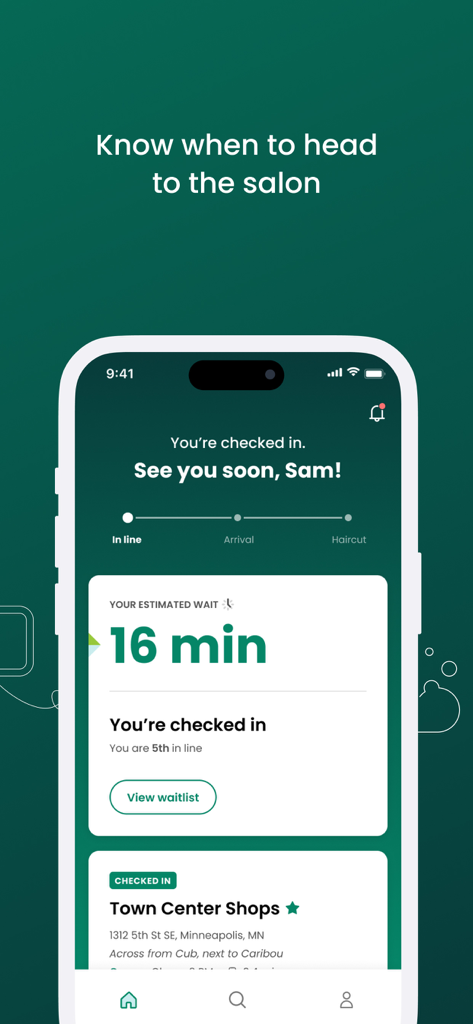
The tools that make this app stand out, trusted by 7M+ users.
Check current conditions at salons near you in real-time. Know exactly how long the wait is before you even leave your house.
Don't sit in a lobby. We'll text you when your estimated wait reaches 15 minutes so you can arrive right when your stylist is ready.
Save your spot on the waitlist in seconds. No account creation, no passwords, and no email required—just enter your name and you're in.
Trusted by 7M+ people who love this app.
"As a mom of three, this app is a total lifesaver. I can add the kids to the waitlist from the grocery store and get a text when it's time to head over. No more sitting in waiting rooms with bored children!"
"I love the no-login approach. I can check wait times at nearby salons in seconds and time my visit perfectly with my lunch break. It's the most practical tool on my phone for getting things done quickly."
Everything you need to know about Great Clips Online Check-in.
Description
Latest Version
6.75.0
Size
52.4 MB
First Released
Feb 2, 2011
Join over 7 million users who save time with online check-in. Get on the list from anywhere, no login required, and arrive just in time for your cut.
Everything you need to know about Great Clips Online Check-in
The Great Clips Online Check-in app allows users to view estimated wait times for hair salons, pick a preferred salon, and join the waitlist remotely. This feature saves time by securing a place in line before arrival.
To find a salon using the Great Clips Online Check-in app, tap the Search icon. The app then displays nearby hair salons along with their estimated wait times and other details.
Yes, the Great Clips Online Check-in app provides estimated wait times based on current salon conditions. These times are updated in real-time to reflect the most accurate waiting period.
Yes, you can use Great Clips Online Check-in for all services except perms and formal updos. For these specific services, calling the salon directly for an appointment is recommended.
To use Online Check-in, tap the Search icon, choose a salon, tap Check In, enter your name and phone number, then tap Check In again. No login or profile is required.
ReadyNext® is a feature within the Great Clips Online Check-in app that sends text alerts. It notifies you when your estimated wait time at the salon reaches 15 minutes, serving as a cue to head to the salon.
To check in using the Great Clips app, you only need to provide your name and phone number. The app does not require a login, email address, or creation of a profile.
Yes, you can check in from any internet-enabled device by visiting greatclips.com and using the Online Check-In feature. Alternatively, you can walk directly into any salon.
The Great Clips Online Check-in feature is available during the salon's open hours, starting five minutes after opening and up until 30 minutes before closing time.
To cancel a check-in using the Great Clips app, open the application. Your checked-in salon will appear on the home screen, where you can then tap 'Cancel check-in' at any time.
Yes, after checking in online, the Great Clips app displays your estimated wait time and your current position in the waitlist. You can also view the waitlist details.
Apps with similar features and user experience

WAD corp

Tabling.inc

HMFDF, Inc.

AKINDO SUSHIRO CO.,LTD.

WAD corp

Micrologic s.r.l.

PAYMENTSENSE LIMITED

Get In Tecnologia S.A.

Jorlek Co,.Ltd
