Grid Post Pic Collage Maker

Grid Post Pic Collage Maker

Download on App Store
Spark by MWM logo
Logo of Grid Post Pic Collage Maker
Grid Post Pic Collage Maker: Create Breathtaking Profile Banners

Transform your social media feed into a professional digital portfolio. Split your photos and videos into seamless giant squares with 50+ aesthetic grid styles designed to help you stand out and grow your following.

Publisher

Shenzhen Qianhai Happy Tour Network Technology Co., Ltd.

Category

Graphics & Design

Downloads

2M+

User Rating

4.4/5

Total Ratings

22K+

Locales

2

Curate Your Feed

Discover the interface used by 2M+ users.
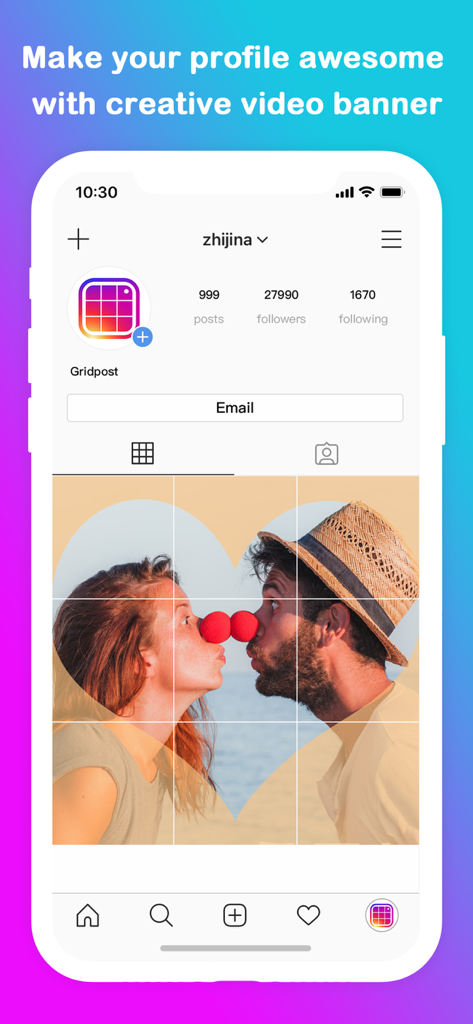
Large 3x3 photo grid banner on an Instagram profile page

Large 3x3 photo grid banner on an Instagram profile page

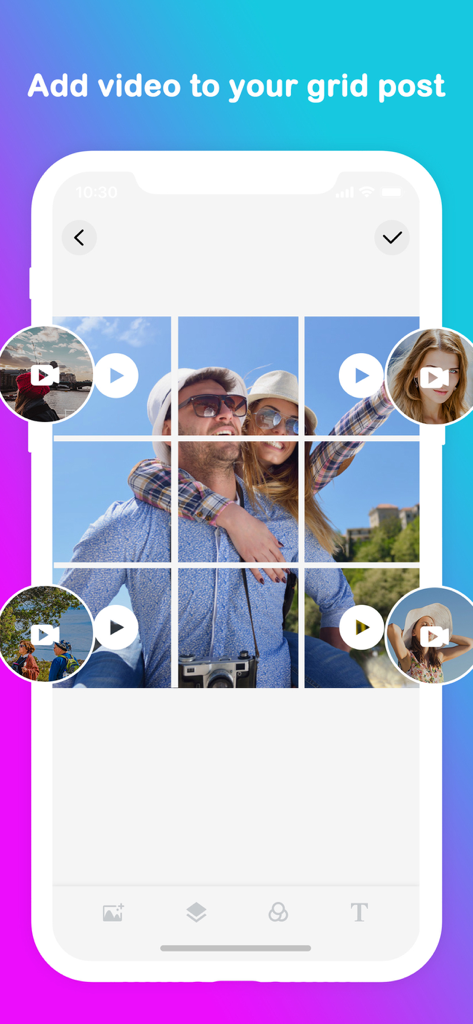
Mobile app interface showing a 3x3 grid layout with a photo and video bubbles on top for social media

Mobile app interface showing a 3x3 grid layout with a photo and video bubbles on top for social media

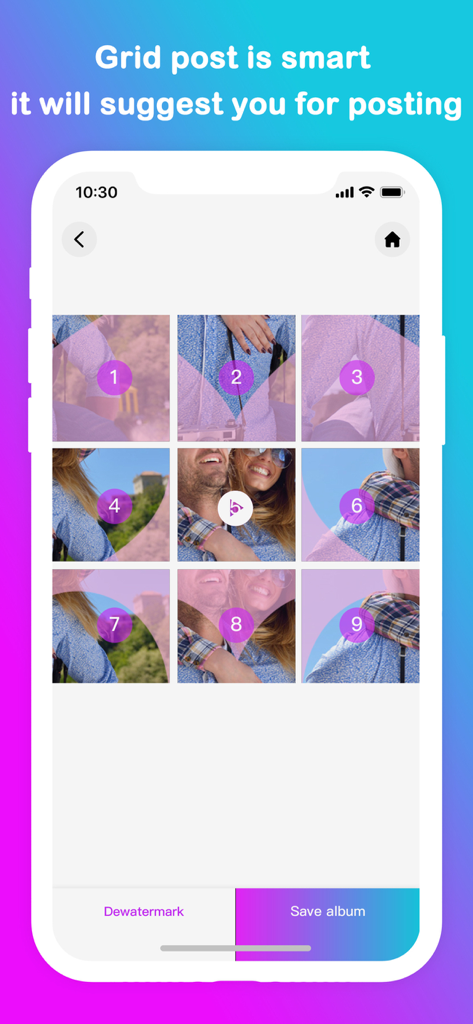
A 3x3 grid of a photo with numbers indicating the order to post on social media

A 3x3 grid of a photo with numbers indicating the order to post on social media

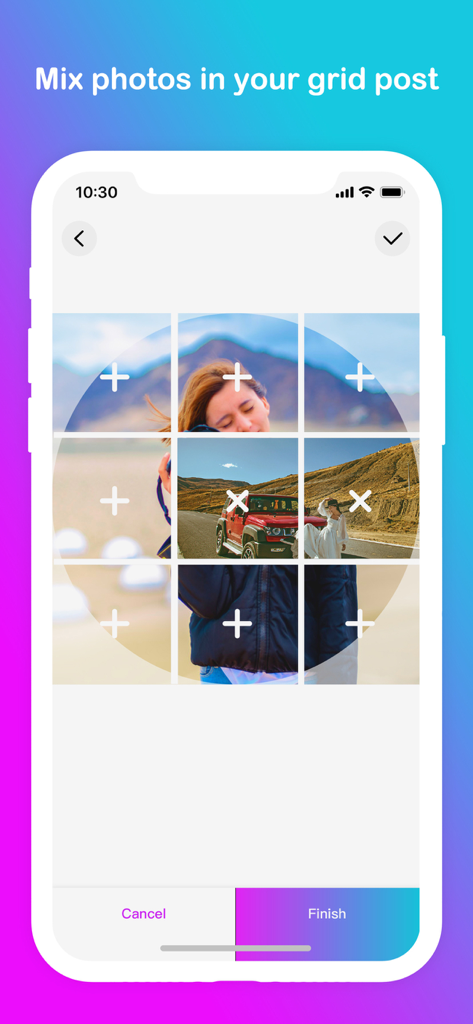
Interface of the Grid Post app showing how to mix multiple photos into a 3x3 grid layout.

Interface of the Grid Post app showing how to mix multiple photos into a 3x3 grid layout.

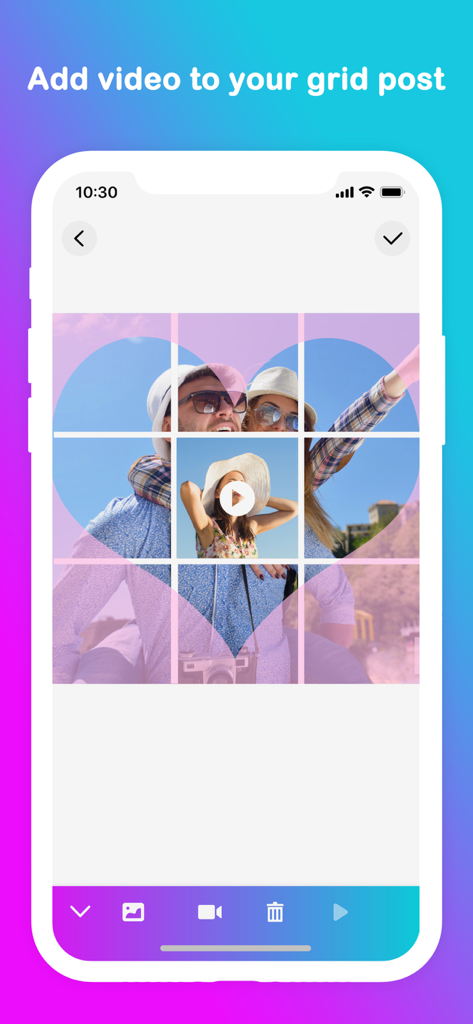
Mobile app interface showing a 3x3 grid post with a heart-shaped photo overlay and an integrated video play button.

Mobile app interface showing a 3x3 grid post with a heart-shaped photo overlay and an integrated video play button.

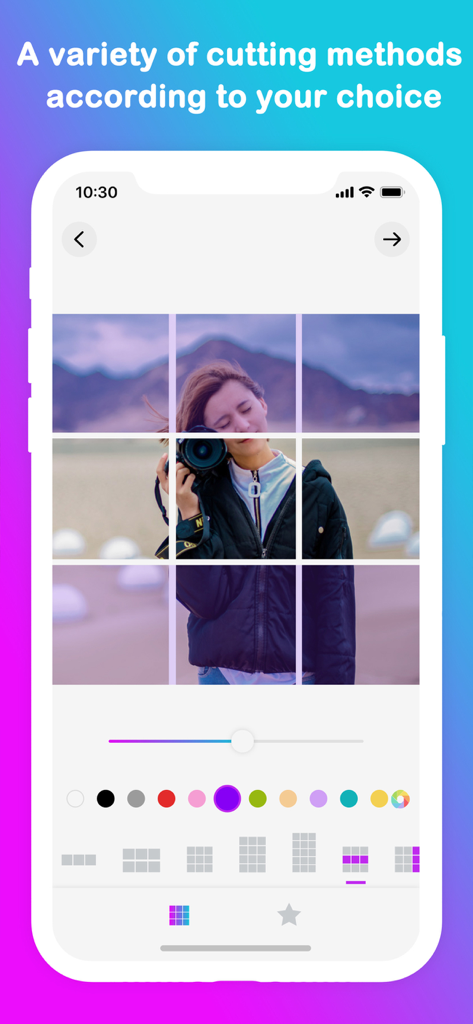
Mobile app interface showing a 3x3 photo grid split for Instagram profile design

Mobile app interface showing a 3x3 photo grid split for Instagram profile design

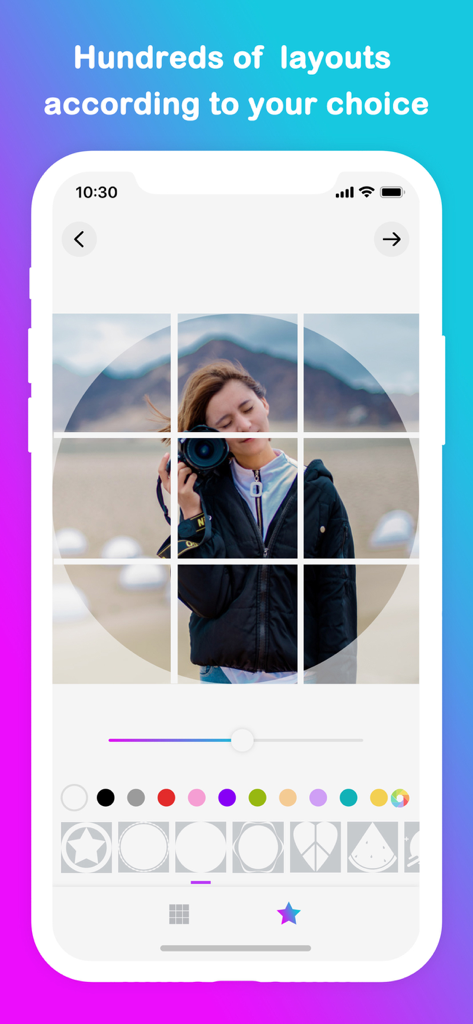
Mobile app interface showing a 3x3 photo grid with a camera subject and various geometric shape overlays for social media design

Mobile app interface showing a 3x3 photo grid with a camera subject and various geometric shape overlays for social media design

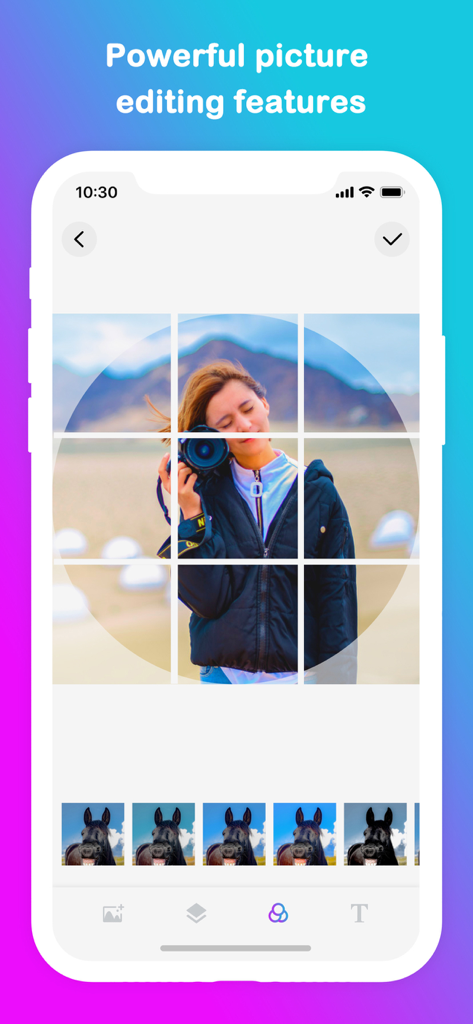
A mobile interface of Grid Post app showing a woman holding a camera in a nine square grid layout with filter options

A mobile interface of Grid Post app showing a woman holding a camera in a nine square grid layout with filter options

Turn Your Profile Into a Digital Masterpiece

The tools that make this app stand out, trusted by 2M+ users.

🖼️

Seamless Giant Grids

Choose from over 50 grid styles to split your photos into stunning full-profile banners that capture attention the moment someone lands on your bio.

Guided Step-by-Step Posting

Eliminate the guesswork with a smart numbering system that tells you exactly which tile to post next, ensuring your layout is always perfectly aligned.

🎬

Dynamic Video Partitions

Stay ahead of the trends by adding videos into your grid layouts, bringing motion and professional storytelling to your curated gallery.

Loved by users worldwide

Trusted by 2M+ people who love this app.

"

"This app is a game-changer for my Instagram aesthetic. I used to struggle with manual cropping to get those giant banners, but Grid Post makes it effortless. My profile looks like a professionally curated gallery now, and I've seen a huge spike in engagement since I started using the 3x3 grid layouts."

Chloe Sinclair, Fashion Influencer
"

"As a small business owner, I need my social media to look polished without spending hours on design. The feature that suggests the posting order is a lifesaver—it’s impossible to mess up the sequence. Being able to mix video into the grids has really helped my brand stand out from the competition."

Marcus Chen, Founder of Urban Threads

About the app

Everything you need to know about Grid Post Pic Collage Maker.

Description

Everyone post their photos on social network and we just follow them but i think we should now post photos in unique style - use grid post and make partition of photo and then this app will post that parts one by one easily, now it will show a full banner of that pic in your social network profile. Features : - 1. You can make 50+ type of grids 2.App will suggest you which image to post one by one 3.Easy to crop the pic within the app 4.Add videos to the grids. Grid post introduces a totally new way of using your social network, wrapped in simple and easy to use design. Don't miss the chance to express yourself by adorning your profile page and posting breathtaking large scale images. Download Today and have some fun! Membership subscription - Payment will be charged to iTunes Account at confirmation of purchase - You will be able to color all available images for the duration of the subscription - Subscription automatically renews for the same price and duration period as the original "one week"/"one month"/"one year" package unless auto-renew is turned off at least 24-hours before the end of the current period - Account will be charged for renewal within 24-hours prior to the end of the current period at the cost of the chosen package (weekly, monthly or yearly package) - Subscriptions may be managed by the user and auto-renewal may be turned off by going to the user's iTunes Account Settings after purchase - No cancellation of the current subscription is allowed during active subscription period - You may cancel a subscription during its free trial period via the subscription setting through your iTunes account. This must be done 24 hours before the end of the subscription period to avoid being charged. Please visit http://support.apple.com/kb/ht4098 for more information - You may turn off the auto-renewal of your subscription via your iTunes Account Settings. However, you are not able to cancel the current subscription during its active period - Any unused portion of a free-trial period, will be forfeited when the user purchases a subscription Links to our Terms of Service and Privacy Policy can be found below Privacy Policy:https://www.freeprivacypolicy.com/live/468be400-20f9-4aad-97e0-a2bfe6687be9 Terms of Use:https://www.freeprivacypolicy.com/live/e5953d91-9843-49fb-bb50-32b60cfa1468

Latest Version

3.6

Size

71.8 MB

First Released

Aug 4, 2015

Transform Your Feed Into a Masterpiece

Join over 2 million creators using Grid Post to design breathtaking layouts and stop the scroll. Start your aesthetic journey today.

Download on App Store
FAQ

Frequently Asked Questions

Everything you need to know about Grid Post Pic Collage Maker

What is Grid Post Pic Collage Maker?

Grid Post Pic Collage Maker is an application that enables users to create unique social media posts by dividing photos and videos into multiple parts. This forms a large, cohesive banner on their social network profile.

Can I add videos to my grid posts with Grid Post Pic Collage Maker?

Yes, Grid Post Pic Collage Maker allows users to add videos to their grid posts. This feature helps create dynamic and creative video banners for social media profiles.

How many types of grids does Grid Post Pic Collage Maker offer?

Grid Post Pic Collage Maker offers a wide variety of grid types, with over 50 options available. Additionally, it provides hundreds of layouts for users to choose from.

Does Grid Post Pic Collage Maker suggest which image parts to post?

Yes, the Grid Post Pic Collage Maker app includes a smart feature that suggests the optimal order for posting the divided image parts one by one.

Does Grid Post Pic Collage Maker have built-in picture editing features?

Yes, Grid Post Pic Collage Maker features powerful picture editing tools. Users can crop images directly within the app and access various color and filter options.

How do I subscribe to Grid Post Pic Collage Maker?

Users can subscribe to Grid Post Pic Collage Maker through an in-app purchase. Payment is charged to the iTunes Account upon confirmation of purchase.

How can I cancel my Grid Post Pic Collage Maker subscription?

To cancel a Grid Post Pic Collage Maker subscription, users must turn off auto-renewal via their iTunes Account Settings. This action must be performed at least 24 hours before the current period ends.

Can I cancel my Grid Post Pic Collage Maker subscription during an active period?

No, cancellation of the current Grid Post Pic Collage Maker subscription is not permitted during an active subscription period. Auto-renewal can be turned off, but the active period will not be refunded.

Is there a free trial for Grid Post Pic Collage Maker?

Yes, Grid Post Pic Collage Maker offers a free trial period. Users must cancel the free trial via iTunes Account Settings at least 24 hours before its end to avoid being charged.

Where can I find the Privacy Policy for Grid Post Pic Collage Maker?

The Privacy Policy for Grid Post Pic Collage Maker is available at: https://www.freeprivacypolicy.com/live/468be400-20f9-4aad-97e0-a2bfe6687be9. This link is provided in the app's description.