Griddy: Split Photo Grid Posts

Griddy: Split Photo Grid Posts

Download on App Store
Spark by MWM logo
Logo of Griddy: Split Photo Grid Posts
Griddy: Elevate Your Instagram Aesthetic with Seamless Grids and Carousels

Transform your profile into a professional digital storefront. The all-in-one design tool for influencers and small businesses to create stunning puzzle feeds, custom layouts, and brand-consistent content in seconds.

Publisher

keang david

Category

Graphics & Design

Downloads

2M+

User Rating

4.7/5

Total Ratings

3K+

Locales

12

Master Your Grid

Discover the interface used by 2M+ users.
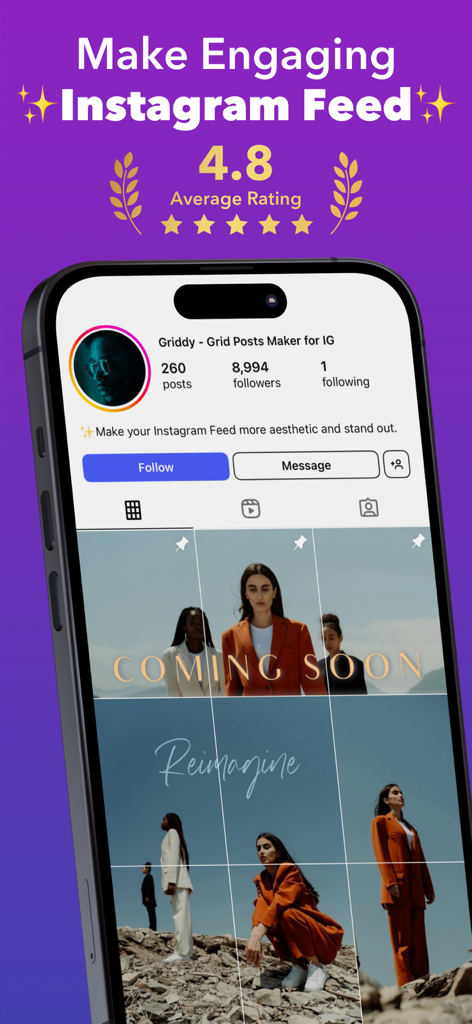
A phone displaying a professional Instagram grid feed layout created with the Griddy app

A phone displaying a professional Instagram grid feed layout created with the Griddy app

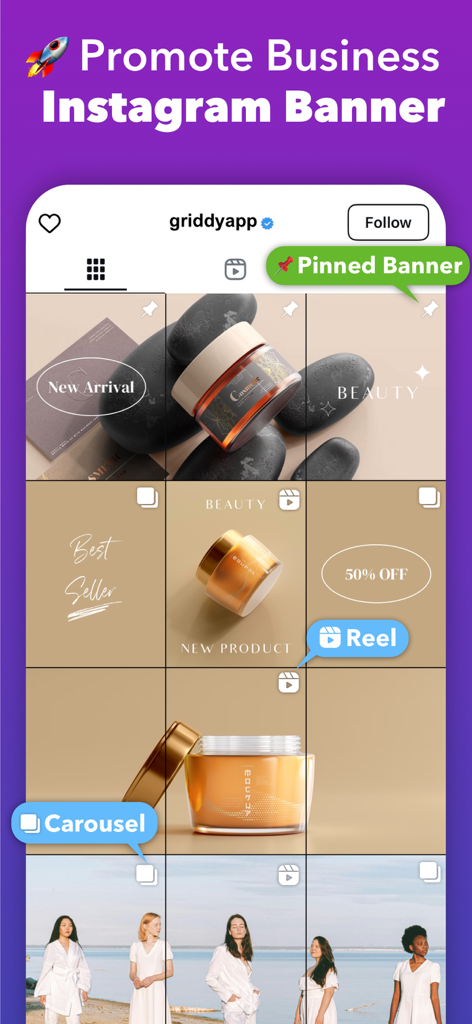
Instagram business grid banner for beauty product marketing

Instagram business grid banner for beauty product marketing

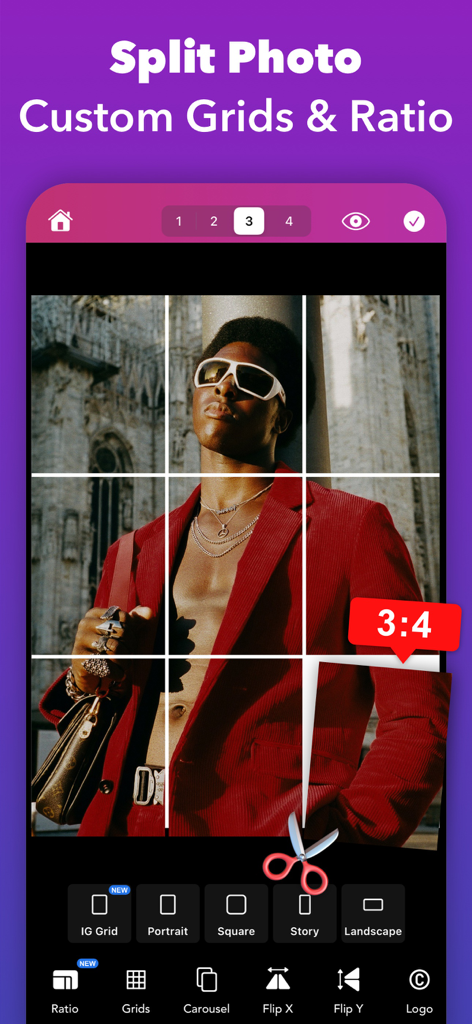
Griddy mobile app interface for splitting a photo into an Instagram grid with a 3x4 aspect ratio.

Griddy mobile app interface for splitting a photo into an Instagram grid with a 3x4 aspect ratio.

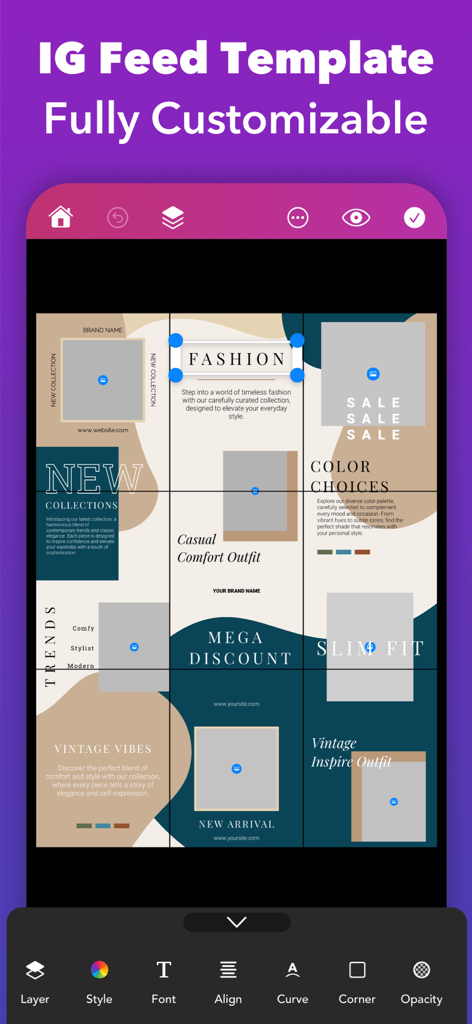
Customizable Instagram puzzle feed template for fashion brands on Griddy app interface

Customizable Instagram puzzle feed template for fashion brands on Griddy app interface

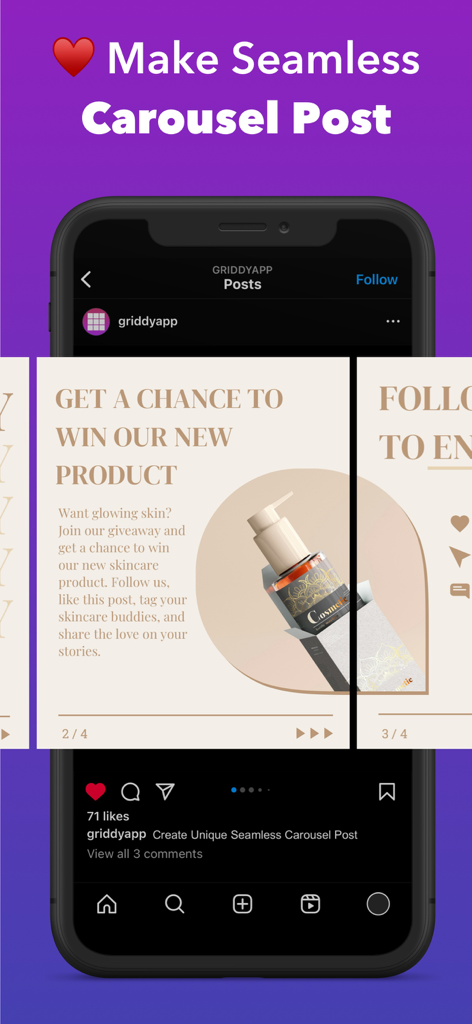
Griddy app interface showing how to create a seamless Instagram carousel post for a brand

Griddy app interface showing how to create a seamless Instagram carousel post for a brand

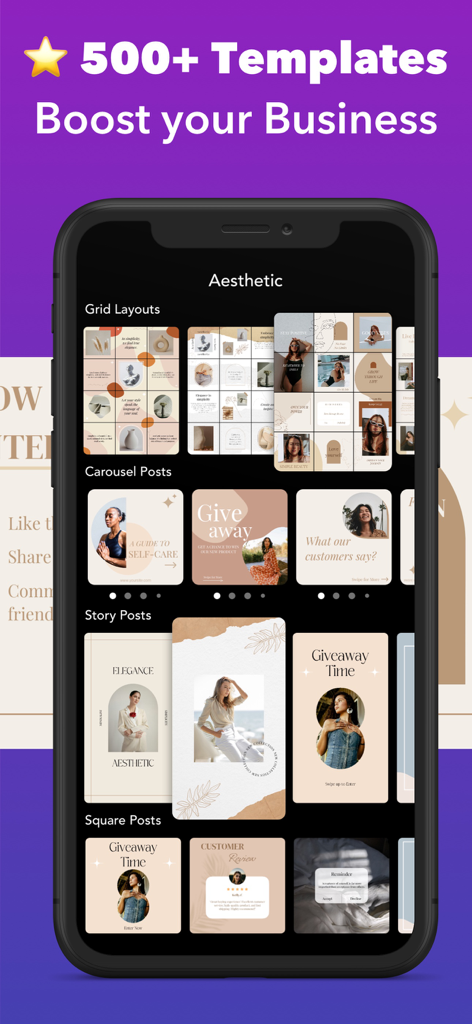
Griddy app interface showcasing over 500 aesthetic templates for Instagram grid layouts carousels and story posts

Griddy app interface showcasing over 500 aesthetic templates for Instagram grid layouts carousels and story posts

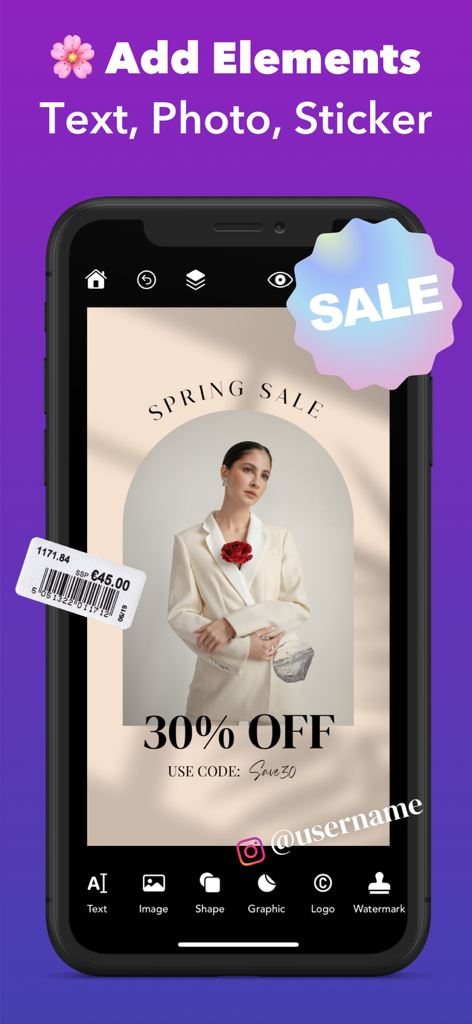
Griddy app interface showing how to add text and stickers to a professional Instagram post design.

Griddy app interface showing how to add text and stickers to a professional Instagram post design.

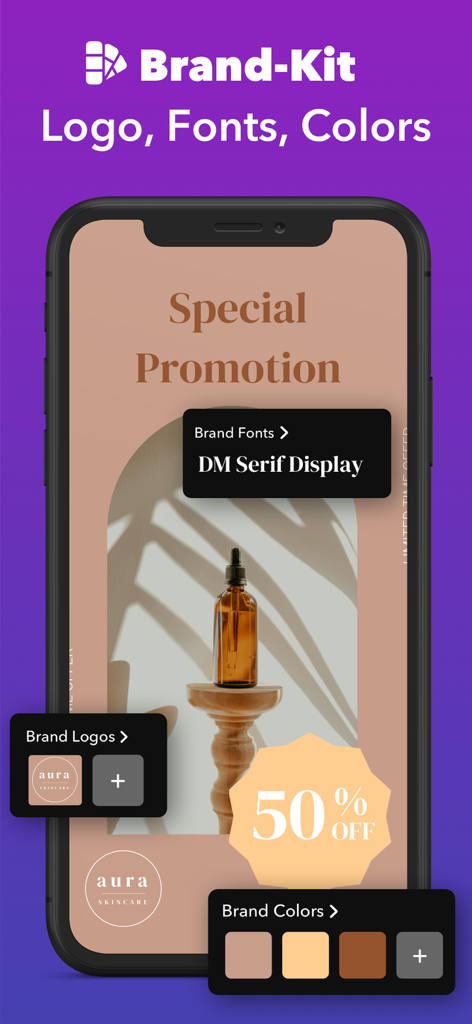
Griddy app Brand-Kit interface featuring custom logos, fonts, and color palettes for professional branding.

Griddy app Brand-Kit interface featuring custom logos, fonts, and color palettes for professional branding.

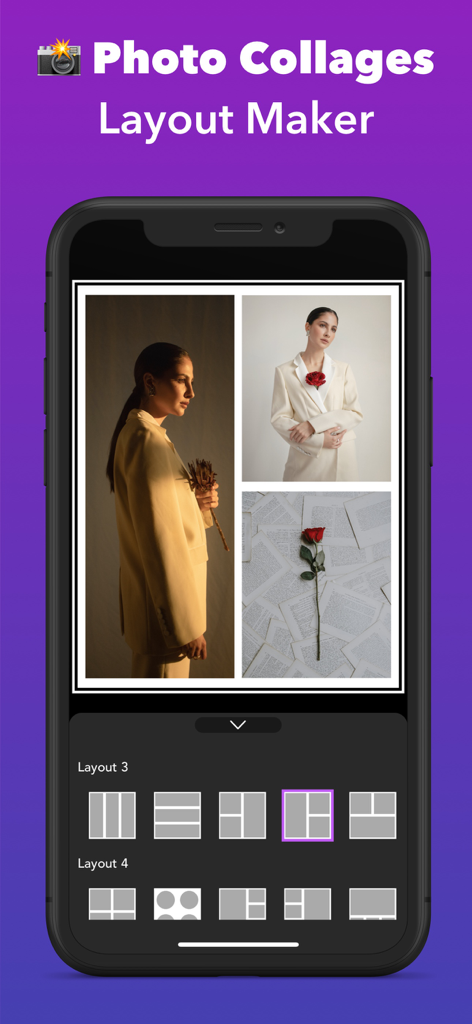
Griddy app interface for creating photo collages and grid layouts

Griddy app interface for creating photo collages and grid layouts

A preview of the Griddy app interface showing an aesthetic Instagram puzzle grid layout and the share feature

A preview of the Griddy app interface showing an aesthetic Instagram puzzle grid layout and the share feature

Design a Feed That Converts

The tools that make this app stand out, trusted by 2M+ users.

🧩

Signature Puzzle Grids

Split your photos into breathtaking grid layouts or aesthetic puzzle feeds that turn your profile into a curated digital gallery.

🎠

Seamless Carousel Slicing

Transform panoramas into fluid, swipeable stories. Keep followers engaged longer with perfectly aligned multi-post carousel layouts.

💼

Business-Ready Brand Kits

Save your logos, custom fonts, and brand colors to maintain a professional identity across 500+ designer-made templates.

Loved by users worldwide

Trusted by 2M+ people who love this app.

"

"Griddy has been a total game-changer for my small boutique. I used to spend hours trying to make my feed look cohesive, but now the puzzle templates and brand kit feature do all the heavy lifting. It makes my business look like I have a professional design team on a budget. My followers constantly ask how I make my grid look so seamless!"

Elena Martinez, Boutique Owner
"

"As a travel creator, the seamless carousel and panorama split features are absolute essentials for me. I love being able to preview exactly how my shots will look on my profile before I post. The HD export quality is top-notch, and it’s so much faster than using desktop software. If you care about your IG aesthetic, you need this app."

Jordan Hayes, Lifestyle Content Creator

About the app

Everything you need to know about Griddy: Split Photo Grid Posts.

Description

Transform your Instagram Profile into a professional look with Griddy – the All-In-One tool for creating grid posts, seamless carousel layouts, engaging instagram stories, and visually captivating content. Whether you’re an influencer, small business owner, or content creator, Griddy simplifies Instagram marketing like never before. *** Key Features *** 1. Photo Splitter Griddy makes it easy to split your photos into grid layouts for Instagram, with options for up to 10 rows (30 posts) to create eye-catching feed layout. YChoose from predefined grid layouts such as 1x3, 2x3, 3x3, or 4x3 with a single tap to quickly achieve a stunning Instagram feed or slice panorama photos into seamless carousel posts with ease. For more control, you can split your photo into custom grid layouts and adjust the aspect ratio (landscape, square, portrait, story to fit your unique style. 2. Puzzle Feed Templates Design seamless puzzle-style Instagram feeds with our aesthetic template. Perfect for creating a cohesive, professional look. 3. Carousel Post Maker Turn your regular carousel posts into seamless photo collages or image galleries in seconds, ensuring your audience swipes for more. 4. Photo Collage Maker Easily combine multiple photos with our easy-to-use, free photo collage maker app. Create beautiful collages from your photos and choose from dozens of creative layouts! 5. 500+ Customizable Templates Choose from a diverse collection of fully customizable templates for different content types such as Grid Feeds, Carousel Posts, Stories, and Square Posts, curated for your business and brand. 6. Design Anything Create on-trend Instagram posts with beautiful text fonts, stickers, and shapes. With our easy-to-use tools, you can do anything effortlessly with zoom & edit mode, working with layers, and multiple selection. 7. Add Text with Style Enhance your posts with text effects like curved text, strokes, shadows, background colors, and rounded corners to make your captions pop. 8. Resize & Crop Photos Quickly resize your photos to different Instagram Post sizes with a beautiful background color selection. 9. Watermark Tool Protect your photos and content with an instant watermarking feature, ideal for maintaining your brand’s identity. 10. Brand Kit Manage and apply your brand's logos, fonts, and colors to your designs easily.  Import custom fonts to elevate your projects. 11. Preview Mode See how your Instagram feed, carousel post, or story will look before sharing with your audience. 12. Share to Instagram Export your grid or carousel posts directly to Instagram in HD quality with just a few taps. Why Choose Griddy? Griddy is your all-in-one solution for Instagram marketing, helping you: • Split photos into Instagram grid layouts. • Create seamless carousel posts from panoramic photos. • Design professional-looking puzzle feeds. • Save time with easy-to-use design tools. • Grow your brand with visually stunning content. Download Griddy Now! Level up your Instagram profile with creative grids, seamless carousels, and aesthetic puzzle feeds. Whether you’re growing a brand or expressing your creativity, Griddy makes it easy and fun! Follow us on Instagram @griddyapp to get inspired and explore amazing designs made with Griddy. If you enjoy using Griddy, we’d love to hear from you! Leave a review or contact us at support@cornapps.com. Terms of Use: https://cornapps.com/griddyapp-terms/ Privacy Policy: https://cornapps.com/griddyapp-terms#privacy

Latest Version

4.0.23

Size

177.1 MB

First Released

May 18, 2016

Ready to Turn Your Profile Into a Professional Brand?

Join over 2 million creators using Griddy to design seamless carousels, aesthetic grids, and a feed that converts followers into fans.

Download on App Store
FAQ

Frequently Asked Questions

Everything you need to know about Griddy: Split Photo Grid Posts

How does Griddy help create Instagram grid layouts?

Griddy splits photos into grid layouts for Instagram, offering predefined options like 1x3, 2x3, 3x3, or 4x3. Users can also create custom grids and adjust aspect ratios.

Can Griddy create seamless carousel posts for Instagram?

Yes, Griddy creates seamless carousel posts by slicing panorama photos or transforming regular posts into photo collages and image galleries for a continuous swipe experience.

Does Griddy offer templates for Instagram content?

Yes, Griddy provides over 500 fully customizable templates for various content types. These include Grid Feeds, Carousel Posts, Stories, and Square Posts to enhance creativity.

Can users add their own brand elements with Griddy?

Yes, Griddy features a Brand Kit tool. Users can manage and apply their brand's logos, fonts, and colors, and also import custom fonts to their designs easily.

What are the primary uses of the Griddy app?

Griddy is an all-in-one tool for Instagram marketing. It helps users create professional grid posts, seamless carousel layouts, engaging stories, and captivating visual content.

Can I preview my Instagram posts before sharing them with Griddy?

Yes, Griddy includes a Preview Mode. This feature allows users to see exactly how their Instagram feed, carousel post, or story will appear before sharing.

Is it possible to add text and stickers to designs in Griddy?

Yes, Griddy allows users to add text with various styles, including curved text, strokes, and shadows. Users can also enhance posts with stickers and shapes.

How does Griddy help protect content?

Griddy offers an instant watermarking feature. This tool helps protect users' photos and content, which is ideal for maintaining brand identity and securing visuals.

Does Griddy support photo collages?

Yes, Griddy includes a Photo Collage Maker. This tool enables users to combine multiple photos easily and choose from dozens of creative layouts for stunning visuals.

How can Griddy users share their creations to Instagram?

Griddy allows users to export their grid or carousel posts directly to Instagram. The sharing process is quick, taking only a few taps, and supports HD quality.